


Obsidian is the better choice for linked knowledge management while Joplin wins on built-in privacy and cost. Both store notes as Markdown files, work offline, and let you organize information in a structure you control, so the obsidian vs joplin comparison looks like a close contest on the surface. In practice, they serve meaningfully different users.
This comparison draws on each vendor’s current pricing and feature documentation plus independent research rather than sponsored placement. AI Productivity may earn a commission from links on this page, but our rankings are editorially independent.
Obsidian is a power tool for people who want to build a personal knowledge management system - a “second brain” with links between ideas, a plugin ecosystem of over 1,000 community extensions, and a graph view that maps the connections across your entire vault. It’s one of the most customizable note-taking tools available, and that customizability comes with a learning curve.
Joplin is a clean, open-source note-taking app that prioritizes simplicity and privacy. End-to-end encryption is built in. Sync works through Joplin Cloud or self-hosted options. There’s no graph view, no complex linking system, no plugin ecosystem to configure. It does what it says on the tin - takes notes, stores them securely, and gets out of your way.
This guide breaks down the obsidian vs joplin decision across every dimension that matters.
Quick Picks: Obsidian vs Joplin
Obsidian suits power users building a linked second brain, while Joplin suits privacy-focused users who want simple, encrypted notes at the lowest cost. Obsidian and Joplin take different approaches to solving similar problems, and the right choice depends on your workflow, budget, and team size. This guide compares both tools across the features that actually matter for daily work.
| Factor | Obsidian | Joplin |
|---|---|---|
| Personal Price | Free | Free |
| Sync Cost | $8/month (Sync add-on) | $4.99-$9.99/month (Joplin Cloud) |
| Publish Cost | $16/month (Publish add-on) | Not available |
| Storage | Local files | Local + optional cloud sync |
| End-to-End Encryption | No (third-party vault encryption only) | Yes (built-in) |
| Plugin Ecosystem | 1,000+ community plugins | Limited plugins |
| Graph View | Yes | No |
| Open Source | Closed core (plugins open) | Fully open source |
| Evernote Import | Via plugin | Built-in |
| Learning Curve | Steep | Gentle |
| Best For | PKM power users, knowledge linking | Privacy-focused, simple note-taking |
What Is Obsidian?
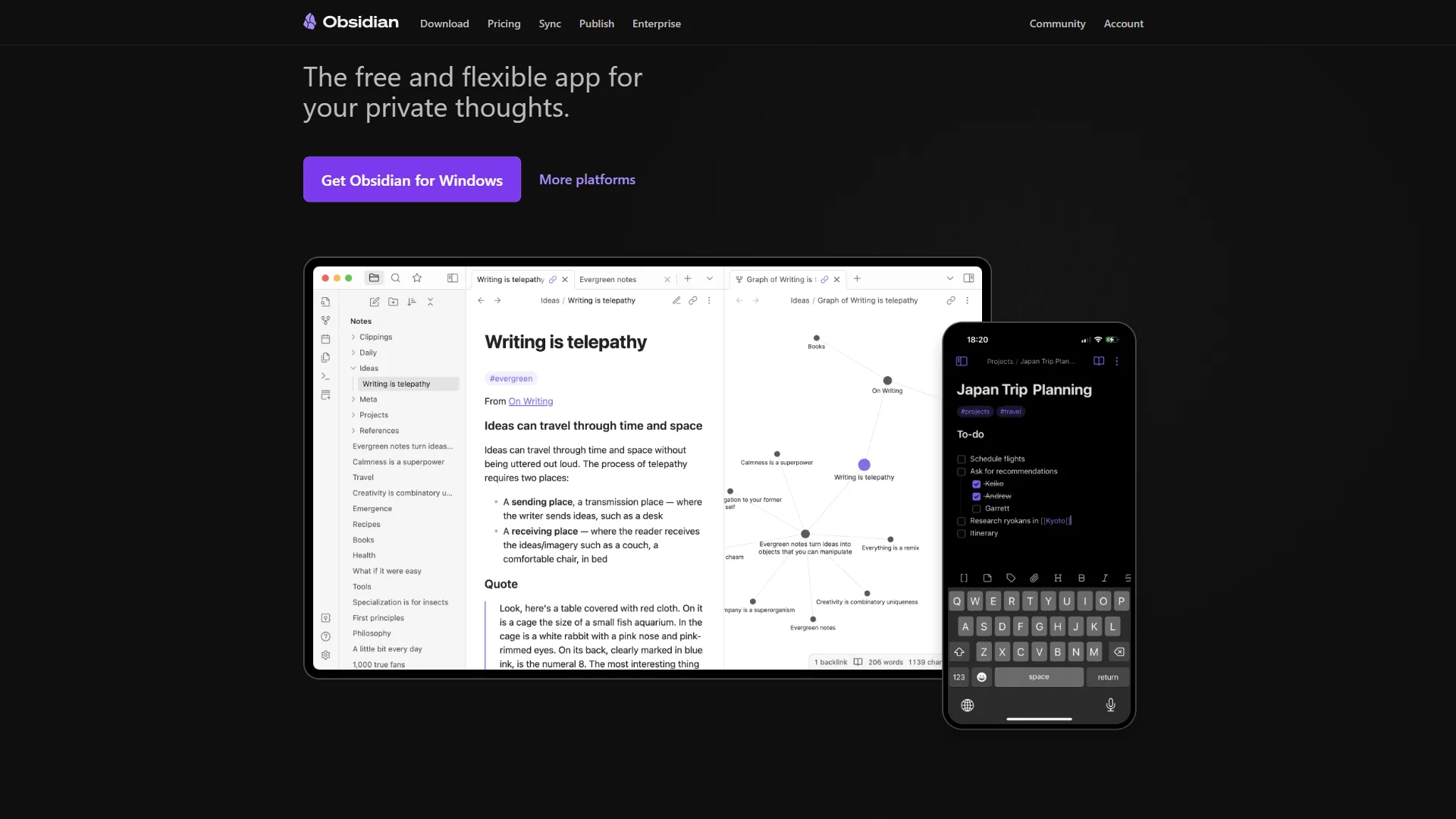
Obsidian is a local-first note-taking application built around plain Markdown files. Your notes live in a “vault” - a folder on your computer - as standard .md files that any text editor can open. Obsidian never locks you into a proprietary format, which means your data stays yours regardless of what happens to the company. You can read more about its full feature set on the Obsidian features page.
What makes Obsidian distinctive is its approach to knowledge organization. Rather than organizing notes hierarchically in folders, Obsidian encourages you to link notes together with [[double bracket]] syntax, a behavior documented in the official Obsidian linking guide. Every note can reference any other note. The graph view visualizes these connections as an interactive network, making it easy to see which ideas connect to which and to find notes you’ve forgotten you wrote. This linking-first model puts Obsidian alongside the wider category of AI knowledge management tools that treat your notes as a queryable second brain.
Obsidian Pricing
Obsidian’s core application is free for personal use. Paid add-ons are optional:
Pricing verified April 2026 from Obsidian's pricing page:
- Personal: $0/mo (Local storage only)
- Full app functionality
- Unlimited notes and vaults
- Plugin ecosystem access (2,690+ plugins)
- Best for: Solo PKM users running locally
- Sync: $4/user/mo annual ($5 monthly) (5 remote vaults, 10GB per vault)
- End-to-end encrypted sync across devices
- 12 months of version history
- Collaborate on shared vaults
- Best for: Power users syncing across multiple devices
- Publish: $8/user/mo annual ($10 monthly) (Per-site pricing)
- Publish notes to a public website
- Customizable themes and graph view
- Full-text search
- Best for: Digital garden and public documentation publishers
- Commercial License: $50/year (Honor-system enforced)
- Commercial use license
- Priority support
- Bulk purchase option
- Best for: Companies with 2+ employees using Obsidian at work
For most individuals, Obsidian is genuinely free. Sync is the one add-on that most power users eventually pay for, though free sync alternatives work well. If you’re weighing total cost across your stack, our roundup of the best free PDF and note tools for 2026 covers complementary no-cost options.
The Plugin Ecosystem
Obsidian’s community plugin ecosystem is its most powerful differentiator. Over 1,000 plugins extend the core application in almost every direction:
- AI integration: Smart Connections (semantic search across your vault), CoPilot for Obsidian (GPT-powered chat with your notes), AI Assistant (multi-model support), Smart Composer (Cursor-like AI editing) - many of these mirror the patterns we cover in AI tools for note taking
- Task management: Tasks plugin (full GTD-style task tracking with due dates, priorities, and filters), Dataview (SQL-like queries against your notes)
- Visualization: Kanban boards, calendar views, mind maps, Excalidraw diagrams
- Capture: Readwise Reader sync, web clipper, Kindle highlights import
- Development: Git integration, terminal, code block enhancements
This depth means Obsidian can become almost anything: a project management workspace, a research tool, a journaling app, or a team knowledge base. That flexibility costs setup time - a heavily customized vault takes hours or days, not minutes.
The Graph View
Obsidian’s graph view is frequently the feature that draws people in. You can see your entire knowledge base as a visual network - each note is a node, each link is an edge. Zoom in to see clusters of related ideas, filter by tag, and follow connections between ideas across different contexts.
For a deeper look at graph-based note-taking tools, see our guide to the best note-taking apps with graph views. In practice, the graph view is more motivational than navigational - most navigation still happens through search and backlink panels. Think of it as a health indicator for your note-taking practice, not the primary way you find things.
What Are the Disadvantages of Obsidian?
Collaboration is minimal. Obsidian is fundamentally a solo tool. The Sync add-on doesn’t include real-time co-editing or commenting. If you need to share notes and work on them with others, Notion or Confluence are better choices.
No built-in E2E encryption. The Sync add-on is end-to-end encrypted, but the local vault itself is not. If you sync via a third-party service like Dropbox, your notes are protected only by Dropbox’s security model. For genuinely sensitive information, Joplin’s built-in E2E encryption provides a stronger guarantee.
Setup overhead is real. An unconfigured Obsidian vault is just a Markdown editor. Getting the most out of it requires learning the linking system, configuring plugins, establishing tag conventions, and building habits. That investment pays off for committed users but drives many people away. Lighter alternatives are covered in our best note-taking apps for 2026 roundup.
What Is Joplin?
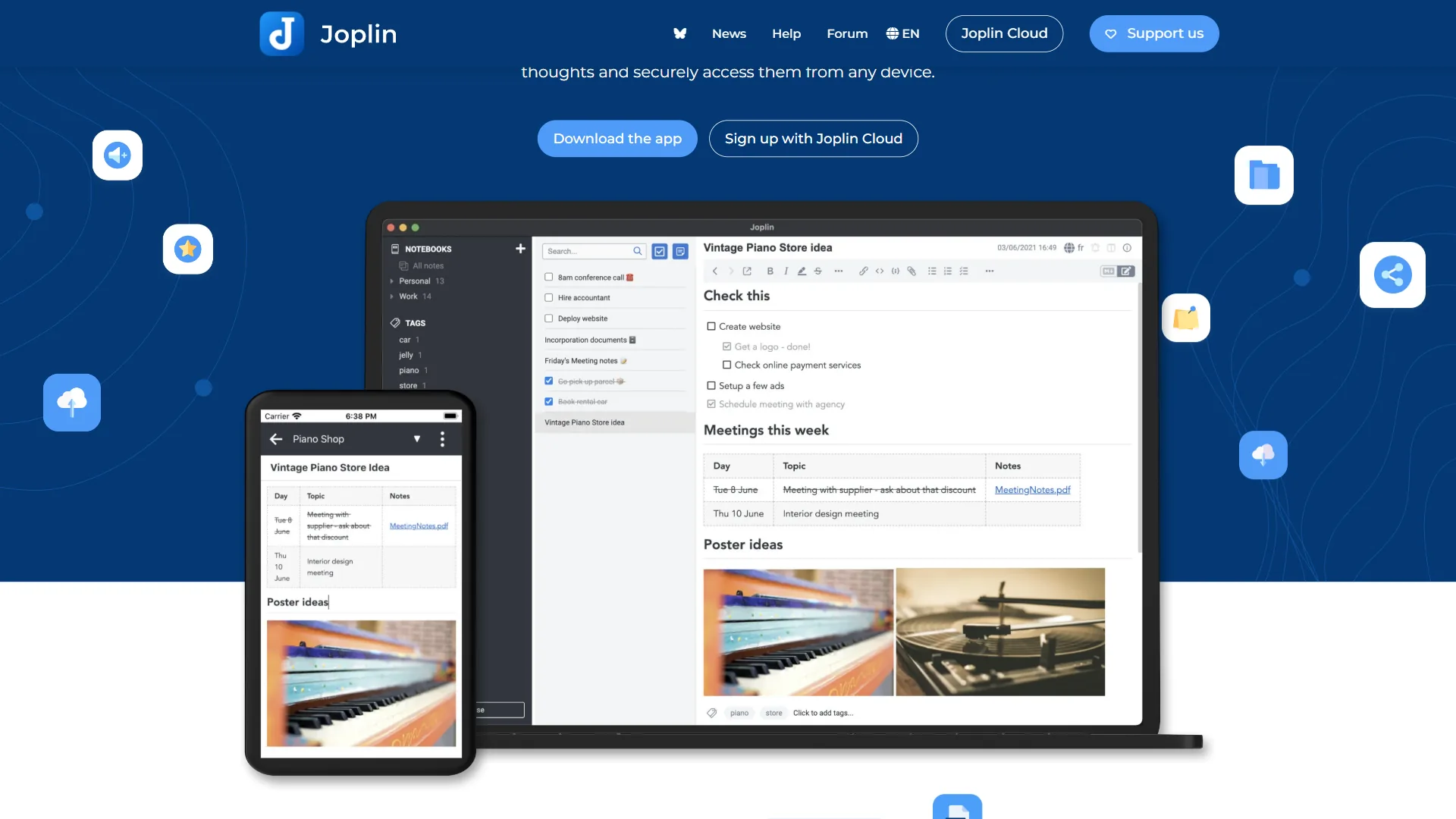
Joplin is a fully open-source note-taking application available on Windows, macOS, Linux, iOS, and Android. It was created in 2017 as a privacy-focused, open alternative to Evernote, and it remains one of the most capable free note-taking tools available. The Joplin official documentation covers setup, sync configuration, and plugin installation in detail.
Unlike Obsidian, Joplin is not primarily a knowledge management system. It’s a note-taking app in the more traditional sense: notebooks, notes, tags, and a search function. The interface is familiar to anyone who has used Evernote or a similar tool. There’s no graph view, no bidirectional linking system, no plugin ecosystem to configure. You open it, you write, you search.
Joplin Pricing
Joplin is free and open source. The paid option is Joplin Cloud, the company’s hosted sync service:
Pricing verified March 2026 from Joplin's pricing page:
- Free (Open Source): $0/mo (No managed cloud sync)
- Unlimited notes and notebooks
- End-to-end encryption
- Sync via Dropbox, OneDrive, Nextcloud, WebDAV
- Best for: Privacy-focused users who self-host or use third-party storage
- Basic: $2.4/user/mo annual ($2.99 monthly) (2 GB cloud storage, 10 MB note size)
- Joplin Cloud sync
- Web access to notes
- Note publishing and notebook collaboration
- Best for: Individuals wanting simple cloud sync without self-hosting
- Pro: $4.79/user/mo annual ($5.99 monthly) (200 MB max note/attachment size)
- All Basic features
- 30 GB cloud storage
- Email-to-note and priority support
- Best for: Power users with large note collections and media attachments
- Teams: $6.69/user/mo annual ($7.99 monthly) (Minimum 2 users required)
- All Pro features
- 50 GB cloud storage per user
- Notebook sharing and team management
- Best for: Small teams needing collaborative note-taking with privacy
You don’t need Joplin Cloud to use Joplin. You can sync for free using Dropbox, OneDrive, WebDAV, AWS S3, or a self-hosted Nextcloud server. The cloud subscription is for users who want a managed option with no infrastructure to maintain.
Joplin’s Privacy Model
End-to-end encryption is Joplin’s strongest selling point and the primary reason it attracts users who would otherwise choose Obsidian. When E2E encryption is enabled, your notes are encrypted on your device before they’re uploaded to any sync destination. The sync provider - whether Joplin Cloud, Dropbox, or your own server - sees only ciphertext. You can review the technical details in Joplin’s privacy and encryption documentation.
This matters for anyone with genuinely sensitive notes: medical information, legal documents, business secrets, personal journal entries. According to Joplin’s end-to-end encryption documentation, “the data on the sync target is encrypted in a way that makes it unreadable without your master password” - meaning the sync provider never holds a usable copy of your notes. Obsidian’s sync is also E2E encrypted, but you have to pay $8 per month for it. With Joplin, E2E encryption is available on the free tier with any sync backend.
Evernote Import
Joplin’s built-in Evernote importer is one of the best available. It handles notebooks, notes, tags, attachments, and even web clips with reasonable fidelity. If you have years of Evernote history and want a privacy-respecting alternative, Joplin is the path of least resistance. Obsidian requires a third-party plugin for Evernote import, and the results are less consistent. For broader migration options, our Joplin vs Notion comparison walks through similar import paths.
The Plugin Situation
Joplin supports community plugins, but the ecosystem is much smaller than Obsidian’s - around 200 plugins compared to 1,000+. The available plugins cover the basics: note templates, table editors, math rendering, code highlighting, and a handful of AI integrations. But the depth of customization available in Obsidian simply doesn’t exist in Joplin.
This is a feature, not a bug, for the users Joplin is designed for. If you want a note-taking tool that works without configuration, the smaller plugin ecosystem means there are fewer decisions to make and fewer things to break.
What Are the Disadvantages of Joplin?
No graph view or bidirectional links. If connecting ideas visually is part of how you think, Joplin won’t serve that need. You can create links between notes manually, but there’s no automatic backlink panel and no visualization of your knowledge network - features we benchmark in best note-taking apps with graph views.
The interface is functional, not beautiful. Joplin’s UI has improved significantly since 2017, but it still feels like a productivity tool built by developers for people who care about function over form. Obsidian’s interface can be theme-customized into something genuinely polished; Joplin’s aesthetic is more utilitarian. Designers who want a more refined writing surface should browse the apps like Notion roundup for visually polished alternatives.
Mobile sync can be unreliable. Joplin’s iOS and Android apps have historically had sync reliability issues, particularly with large vaults on slower connections. This has improved but remains a more common complaint in Joplin’s community than in Obsidian’s. If reliable mobile capture is critical, our best Mac productivity tools for 2026 roundup highlights apps with better cross-device parity.
Feature-by-Feature: Obsidian vs Joplin Category Winners
Obsidian wins extensibility, knowledge linking, and AI integration, while Joplin wins privacy, simplicity, and cost in this category-by-category breakdown. The two tools also sit in different licensing camps: Obsidian keeps a closed core, while Joplin is released under the MIT license on GitHub, giving auditors full visibility into how encryption is implemented.
For Privacy and Security
Winner: Joplin
Built-in E2E encryption available on the free tier with any sync backend. For users who treat their notes as genuinely private documents, Joplin’s security model is more robust by default.
For Knowledge Management and Linking
Winner: Obsidian
Obsidian’s bidirectional links, backlink panel, and graph view are purpose-built for knowledge management. If you want to build a personal knowledge base where ideas connect and inform each other, Obsidian’s architecture is designed for exactly this.
For Simplicity and Quick Start
Winner: Joplin
Open it, create a notebook, start writing. Joplin requires no configuration to be useful. Obsidian out of the box is roughly comparable, but Obsidian’s true power requires significant setup investment.
For Extensibility
Winner: Obsidian
1,000+ community plugins versus around 200. Obsidian can be extended in directions that Joplin simply can’t reach.
For Teams and Collaboration
Winner: Joplin (slightly)
Joplin Cloud Teams provides real note sharing and collaboration features. Obsidian’s collaboration story is essentially “pay for Sync and share the vault folder externally.” Neither tool is built for team collaboration the way Notion or Confluence are, but Joplin has more native structure for it.
For Cost
Winner: Joplin
Joplin is free with free sync options. Obsidian is free for the core app, but the Sync add-on at $8 per month is the primary ongoing cost for most users. Joplin Cloud starts at $4.99 per month and self-hosted sync is free entirely.
For AI Integration
Winner: Obsidian (via plugins)
The Smart Connections and AI-focused plugins for Obsidian are more capable than Joplin’s AI plugin ecosystem. If you want your notes to become a queryable knowledge base that AI can reason over, Obsidian’s plugins support this better. For a wider survey of AI-first note tools, see our best AI knowledge management tools guide.
Decision Guide: Who Should Use Which
Choose Obsidian if you:
- Want to build a personal knowledge management system with linked ideas
- Spend significant time on research, writing, or learning and want to accumulate connected notes over years
- Are willing to invest time configuring a system that will pay dividends long-term
- Need deep AI integration with your notes via plugins like Smart Connections
- Want to publish notes as a public digital garden
- Already use VS Code or similar tools and are comfortable with a configuration-heavy workflow
Choose Joplin if you:
- Want a simple, private, open-source note-taking app that works without configuration
- Have sensitive information and want E2E encryption as a default, not an upgrade
- Are migrating from Evernote and want the smoothest possible import path - the best knowledge base software roundup covers other options if you outgrow it
- Run Linux and want a note-taking tool that works natively without workarounds
- Want to self-host your sync infrastructure on your own server
- Prefer an app that just works rather than one you can endlessly customize
Neither if you:
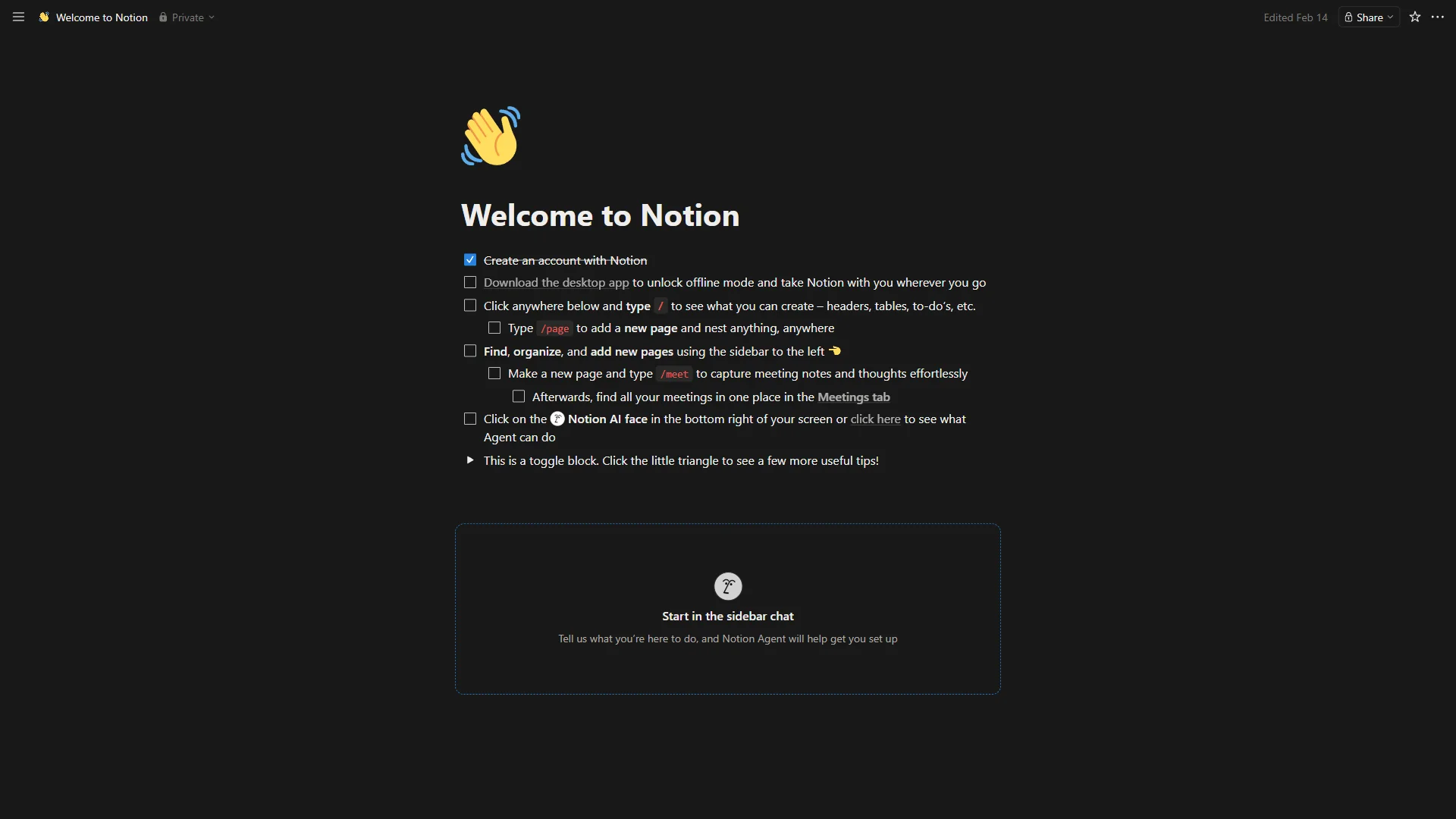
Both Obsidian and Joplin are solo tools at heart. If you need real-time collaborative editing, comments, and team workspaces, look at Notion, Confluence, or Coda instead. If you are weighing Obsidian against a more collaborative tool, the Obsidian vs Notion comparison covers that tradeoff in detail. Neither Obsidian nor Joplin was designed for collaborative workflows.
Limitations and who it’s not for: Neither tool is built for real-time co-editing, neither has native team permission models, and both expect you to manage your own backups beyond their sync layer. Skip both if your primary need is shared editing, commenting, or wiki-style team docs - Notion and Confluence are the right category there. Skip them also if you want a polished AI-first writing surface out of the box, since both require plugins or external tools for AI.
The Bottom Line
Choose Obsidian to build a linked knowledge system and choose Joplin for private, low-cost notes that work without setup. After examining the obsidian vs joplin comparison across every relevant dimension, the decision comes down to that single tradeoff.
Obsidian is for people who want to build something: a linked knowledge system, a second brain, a personal wiki that gets more useful the more you put into it. The investment in learning and setup is real, but the payoff - a living, interconnected knowledge base powered by 1,000+ plugins - is substantial for the right user. If you care about how your ideas connect, Obsidian is the tool for you.
Joplin is for people who want their notes to be private, portable, and permanent - without the overhead of building a knowledge management system. The open-source foundation means the app will never disappear behind a paywall. E2E encryption means your notes are yours alone. The simplicity means you can get started in minutes and stay productive indefinitely.
Both tools are excellent at what they do. The question is which “what” matches your actual workflow.
FAQ
These answers cover the most common obsidian vs joplin questions, including how each tool compares to Logseq and Standard Notes.
Q: Obsidian vs Joplin - which is better?
Obsidian is better for linked knowledge management and plugins, while Joplin is better for built-in privacy and lower cost. Both store notes as Markdown files, work offline, and let you organize information in a structure that you control.
Q: How does Joplin vs Logseq compare?
Joplin is a traditional notebook-and-tag app with built-in encryption, while Logseq is an outliner with bidirectional links closer to Obsidian. If you want graph-style linking, Logseq or Obsidian fit better than Joplin; if encrypted simplicity matters most, Joplin wins.
Q: How does Joplin vs Standard Notes compare?
Joplin and Standard Notes both offer end-to-end encryption, but Joplin supports richer Markdown, attachments, and free third-party sync, while Standard Notes focuses on a minimal encrypted editor. Joplin is the more flexible everyday note app of the two.
Q: Is migrating from Obsidian to Joplin difficult?
Moving from Obsidian to Joplin is straightforward because both use plain Markdown, though Obsidian’s [[wiki links]] and plugin-specific features do not carry over. Joplin imports Markdown directories directly, so your raw notes transfer cleanly.
Q: Is Obsidian no longer free?
For most individuals, Obsidian is genuinely free. Sync is the one add-on that most power users eventually pay for, though free sync alternatives work well.
Related Reading
These related guides go deeper on note-taking apps, PKM tools, and the alternatives discussed above.
- Apps Like Notion: Best Alternatives to Consider in 2026
- Roam Research Alternatives: Top PKM Tools Compared
- Best AI Tools for Note Taking 2026
- AI Workflow Automation Maturity Model
- Obsidian Review
- Notion - All-in-one workspace with AI-powered knowledge management
- Confluence - Team knowledge management and documentation platform
External Resources
These primary vendor pages were used as source material for the obsidian vs joplin comparison above.