


Obsidian is the better Obsidian vs Notion pick for solo data ownership, while Notion is the better pick for team collaboration and built-in databases. Obsidian stores your notes as local Markdown files you own forever; Notion keeps everything in the cloud and wraps your notes inside an all-in-one workspace with databases, wikis, and AI agents.
This Obsidian vs Notion comparison covers features, pricing, and real-world workflows so you can decide which is better for your stack. Neither is universally “better” - the right choice depends on what you value most: data ownership and speed, or collaboration and built-in structure.
This comparison draws on each vendor’s current pricing and feature documentation plus independent research, not sponsored placement. AI Productivity may earn a commission from links on this page; our rankings remain editorially independent.
Quick Verdict
Obsidian wins data ownership, speed, and solo price; Notion wins collaboration, databases, and built-in AI. Readers weighing which Obsidian vs Notion free plan is right for you should note that both have generous free tiers - the table below compares both tools across the features that matter for daily work.
| Factor | Obsidian | Notion |
|---|---|---|
| Rating | - | |
| Starting Price | Free (personal) | Free (individual) |
| Team Price | $5/user/mo (Sync) | $10/user/mo (Plus) |
| Data Storage | Local files | Cloud-hosted |
| Offline Access | 5/5 | 3/5 |
| Collaboration | 2/5 | 5/5 |
| Plugin Ecosystem | 5/5 - 2,690+ plugins | 3/5 - integrations |
| AI Features | Community plugins | Built-in (Business+) |
| Learning Curve | Steep | Moderate |
| Best For | Individual PKM | Team workspaces |
What Is Obsidian?
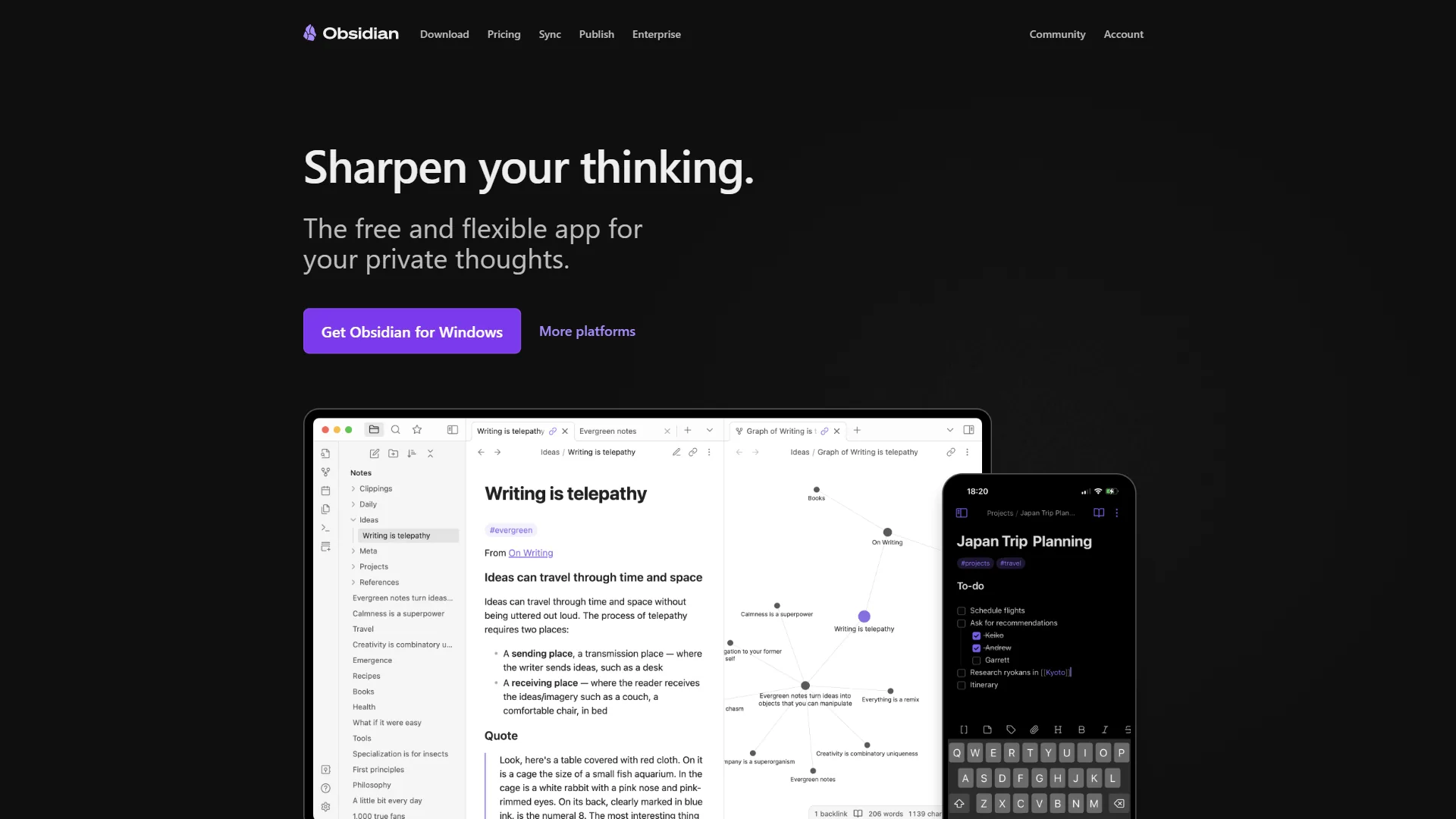
Obsidian is a local-first note-taking app built on plain Markdown files. Your notes live on your computer as regular text files - no proprietary database, no cloud dependency. If Obsidian disappeared tomorrow, you would still have every note exactly as you wrote it.
What sets Obsidian apart is its approach to connecting ideas. Bidirectional links let you reference any note with [[double brackets]], and the graph view visualizes those connections as an interactive network. For knowledge workers building a “second brain,” this linking system turns scattered notes into a living knowledge base - and its plugin ecosystem makes it even more powerful.
The plugin ecosystem is massive: over 2,690 community plugins cover everything from AI-powered search (Smart Connections) to database-like views (Dataview) to advanced templating (Templater). You can shape Obsidian into a writing tool, a task manager, a Zettelkasten system, or a personal wiki - depending on which plugins you install.
Key strengths:
- Complete data ownership with local Markdown files
- 2,690+ community plugins for extreme customization
- Lightning-fast performance even with 50,000+ notes
- Free for personal use - no sign-up required
Notable limitations:
- No built-in real-time collaboration without paid Sync ($5 per month)
- Steeper learning curve, especially for non-technical users
- Mobile apps functional but less polished than desktop
- AI features rely on community plugins, not native integration
What Is Notion?
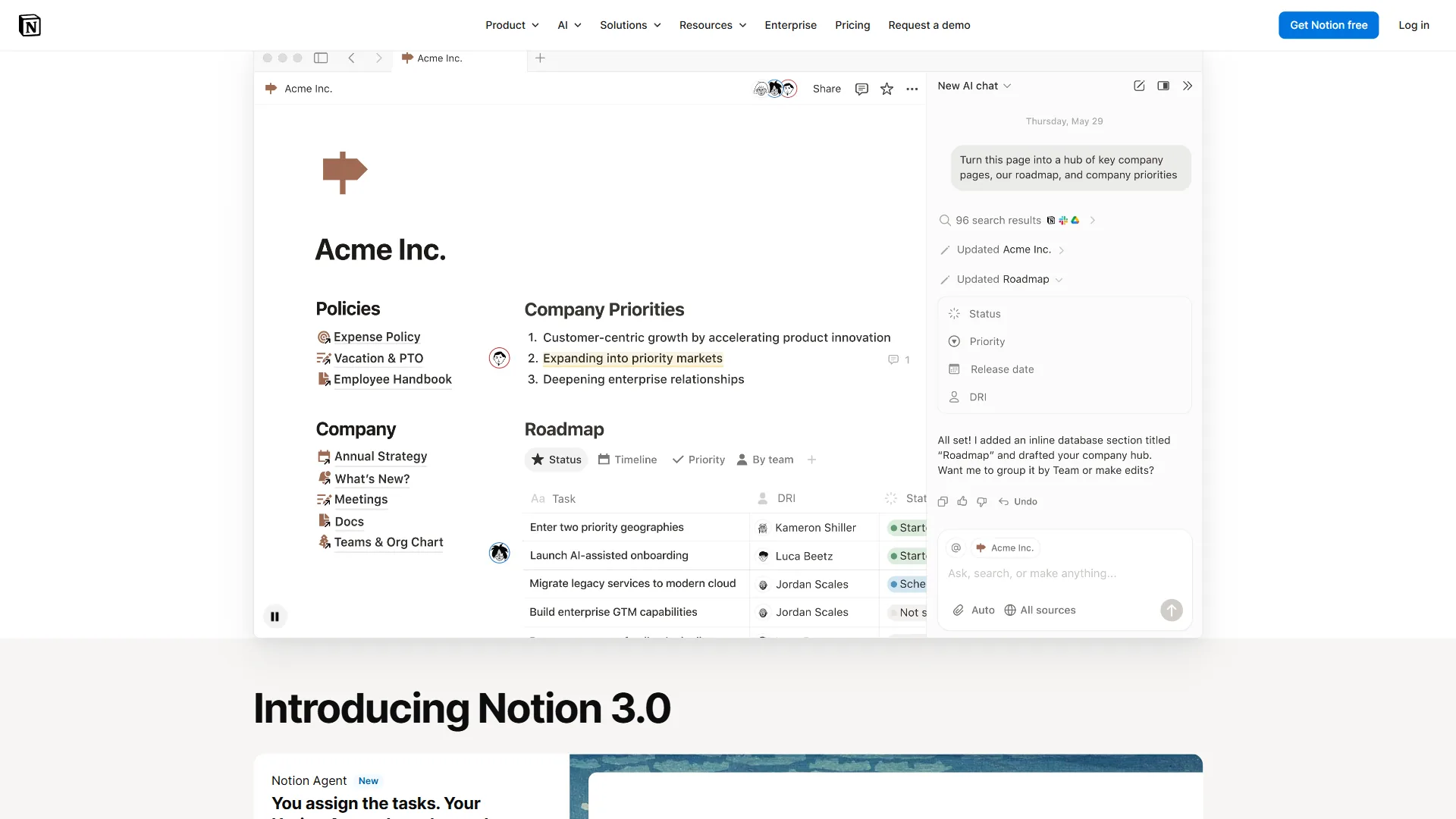
Notion is a cloud-first workspace that blends notes, wikis, databases, and project management into a single platform. Instead of storing files locally, Notion keeps everything on their servers and syncs across devices automatically. You open a browser or app, and your workspace is there.
The “everything is a block” philosophy gives Notion remarkable flexibility. A single page can contain paragraphs, embedded databases, toggle lists, Kanban boards, and embedded content from other tools. This makes it possible to build anything from a simple meeting notes template to a full product roadmap with linked databases and timeline views.
In 2026, Notion 3.0 introduced autonomous AI Agents powered by GPT-5, Claude Opus 4.1, and o3. These agents can execute multi-step workflows across your workspace - updating project statuses, summarizing meeting notes, and answering questions with full context from your documents, calendar, and Slack. However, full AI access requires the Business plan ($18 per month) or higher.
Key strengths:
- Real-time collaboration with comments, mentions, and shared teamspaces
- Powerful relational databases with six view types
- Polished cross-platform experience (web, desktop, mobile)
- Built-in AI agents with multi-model access on Business+
Notable limitations:
- Requires internet for full functionality
- Performance can lag with large, complex pages
- Proprietary format means vendor lock-in risk
- AI features locked behind the $18 per month Business tier
Local-First vs Cloud-First: The Core Divide
Obsidian is local-first - your notes live as plain files on your own device - while Notion is cloud-first, storing every page on its servers and syncing across devices automatically. This is the fundamental difference that should drive your decision. According to Martin Kleppmann, researcher at Ink & Switch, “The cloud gives us collaboration, but old-fashioned apps give us ownership” - a thesis that has shaped how local-first apps approach data portability. Notion itself documents that exporting your workspace produces Markdown and CSV files, as shown in its official export guide, so users can move out if they choose.
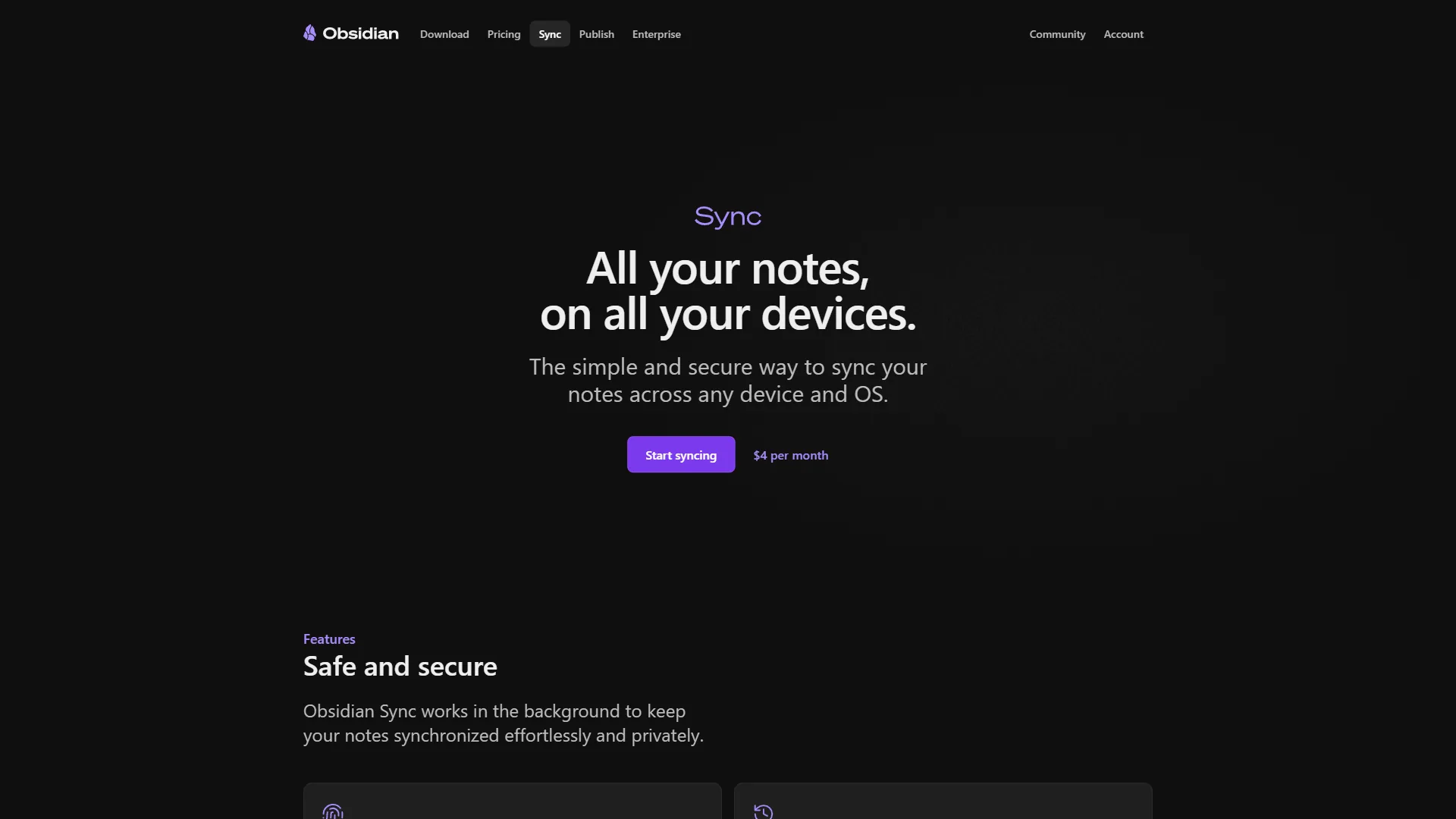
Obsidian’s local-first model means your notes are plain .md files in a folder on your computer. You can open them in any text editor, back them up however you want, and sync them with any cloud service (iCloud, Dropbox, Google Drive). If you want Obsidian’s own end-to-end encrypted sync, that costs $5 per month - but it is entirely optional.
The privacy implications are significant. Your notes never touch a third-party server unless you choose to sync them. For anyone handling sensitive research, legal documents, or personal journals, this matters - and it’s why local-first apps appear so often in our best AI knowledge management tools roundup.
Notion’s cloud-first model stores everything on their servers. This enables instant collaboration - share a page link, and your teammate can edit it in real time. But it also means Notion has access to your data, and you depend on their service being available. While Notion does offer offline mode on desktop and mobile, it is a cached version of your workspace, not true local-first storage.
The tradeoff is clear: Obsidian prioritizes ownership and privacy. Notion prioritizes convenience and collaboration. Neither approach is wrong - they serve different priorities, as we cover in confluence vs notion for team-first workflows.
Feature-by-Feature: Obsidian vs Notion
Notion leads collaboration, databases, and integrated AI; Obsidian leads extensibility and offline performance. The four head-to-head categories below cover all features compared so you can see exactly where each tool wins.
Collaboration
Notion clearly wins collaboration, because it was built for teams from the ground up. Real-time co-editing, inline comments, mentions, guest access, and granular permissions make it a natural choice for any team workspace. Even the free tier supports real-time collaboration.
Obsidian, by contrast, is primarily a solo tool. The paid Sync add-on ($5 per month) enables shared vaults with end-to-end encryption, but there is no inline commenting, no real-time cursor tracking, and no guest access system. If you need multiple people working on the same document simultaneously, Notion wins decisively. If you are exploring alternatives to Notion that offer better collaboration at a lower price, there are options worth considering too.
Winner: Notion, by a wide margin.
Extensibility and Plugins
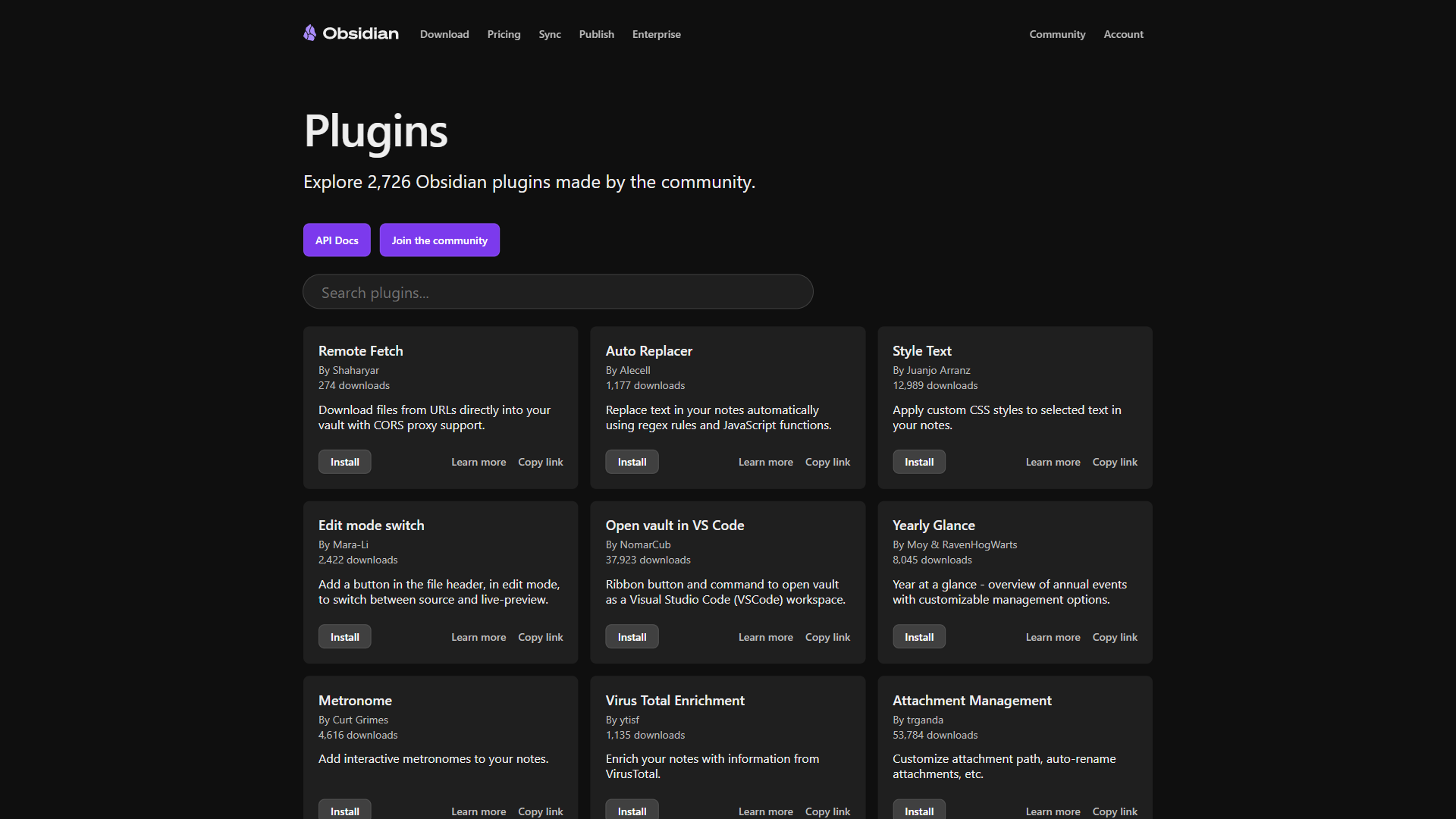
Obsidian’s 2,690+ community plugins are its superpower. Want AI-powered semantic search? Install Smart Connections. Need database-style views of your notes? Install Dataview. Want Vim keybindings, Pomodoro timers, or spaced repetition flashcards? There is a plugin for each.
Notion relies on built-in features and third-party integrations through its API. You get fewer customization options, but every feature is maintained by Notion’s team and guaranteed to work together. There are no plugin conflicts, no broken updates, and no dependency on community developers. Our best note-taking apps for 2026 guide compares both philosophies side by side.
Winner: Obsidian for power users who want control. Notion for users who prefer a curated, stable experience.
AI Capabilities
Notion’s AI is built into the platform (Business plan, $18 per month). Multi-model agents powered by GPT-5, Claude Opus 4.1, and o3 can generate content, summarize pages, answer questions from your workspace, and even execute autonomous workflows. The Slack AI connector pulls context from private channels and DMs. For a deeper look at how this compares to standalone AI, see our Notion AI vs ChatGPT breakdown.
Obsidian’s AI comes through community plugins. Smart Connections adds semantic search across your vault. CoPilot provides ChatGPT-style conversations within your notes. AI Assistant supports multiple models. These plugins are powerful but require manual setup and depend on community maintenance.
Winner: Notion for integrated, ready-to-use AI. Obsidian for privacy-conscious users who want to choose their own AI provider and keep data local.
Databases and Structure

Notion’s databases are a standout feature. Create a table, switch between six views (table, board, calendar, timeline, gallery, map), add custom properties, filter, sort, and build relations between databases. For project management, content calendars, and CRM-style tracking, Notion databases are hard to beat.
Obsidian added Bases in recent updates, bringing database-like views with grouping and summaries. The Dataview plugin also enables SQL-style queries across your vault. These are capable tools, but they require more setup and technical knowledge compared to Notion’s drag-and-drop database builder.
Winner: Notion for built-in ease. Obsidian (with plugins) for users who prefer querying their own files.
Pricing Breakdown
| Plan | Obsidian | Notion |
|---|---|---|
| Free | Full app, unlimited notes, all plugins | Unlimited pages (individual), limited blocks (teams) |
| Sync/Plus | $5/mo (cross-device sync) | $10/user/mo (unlimited team blocks) |
| Publish/Business | $10/mo (publish notes to web) | $15/user/mo annual (AI agents, SSO) |
| Commercial | $50/user/year | Enterprise (custom pricing) |
Obsidian is genuinely free for personal use. No feature restrictions, no trial period, no sign-up. You pay only if you want optional Sync or Publish add-ons. For budget-conscious students and individuals, this is hard to beat - and the obsidian vs joplin comparison covers another fully free contender.
Notion’s free tier is generous for individual use but limits team functionality. Once you add team members, you are looking at $10 per user/month (Plus) or $15-18/user/month (Business) for AI features. For a team of 10, that is $100-180 per month versus Obsidian’s $50 per user/year commercial license. Teams shopping for cheaper structured workspaces can review best Notion alternatives for context.
Winner: Obsidian for individuals and budget-conscious users. Notion for teams who need collaboration features bundled in.
Choose Obsidian if
Obsidian is the right pick if you work solo and value data ownership, privacy, customization, and speed; Notion is the right pick if you collaborate with a team and want databases, AI, and an all-in-one workspace. The two checklists below answer which is better for each profile - including readers searching Obsidian vs Notion for PhD work or solo PKM.
Choose Obsidian If You:
- Value data ownership and privacy above all else
- Work primarily alone or in small groups
- Enjoy customizing tools with plugins and configurations
- Want a free solution for personal knowledge management
- Are comfortable with Markdown and technical workflows
- Need blazing-fast performance with large note collections
Choose Notion If You:
- Collaborate with a team regularly
- Want databases, project management, and docs in one place
- Prefer a polished, ready-to-use interface over DIY customization
- Need built-in AI for content generation and search
- Want reliable cross-device sync without extra setup
- Are willing to pay for an all-in-one workspace
The Bottom Line
The Obsidian vs Notion decision comes down to philosophy: pick Obsidian to own your data and work offline, or pick Notion to collaborate and structure work for a team. This side-by-side comparison shows both tools have earned their massive user bases - Obsidian with 1M+ users serving second-brain power users, and Notion with 35M+ serving team workspaces.
Obsidian is the better choice for individuals who want to own their data, customize everything, and build a personal knowledge management system that will last decades. It is free, fast, and respects your privacy. The learning curve is real, but the payoff is a tool shaped exactly to your thinking.
Notion is the better choice for teams who need real-time collaboration, structured databases, and an all-in-one workspace. The AI agents in Notion 3.0 add genuine productivity value, and the polished interface means lower friction for onboarding new team members in 2026.
The best approach: try both. Obsidian is free, and Notion has a generous free tier. Spend a week with each using your real workflow - not toy examples. The tool that disappears into the background while you think is the right one for you.
FAQ
Obsidian is best for individual, offline, privacy-focused note-taking, and Notion is best for team collaboration and structured databases - the answers below cover the questions readers ask most.
Q: Is Obsidian better than Notion?
Neither Obsidian nor Notion is universally “better.” The right choice depends on what you value most: data ownership and speed point to Obsidian, while collaboration and built-in structure point to Notion.
Q: Obsidian vs Notion which is better for a second brain?
For building an Obsidian vs Notion second brain, Obsidian is generally the stronger fit because bidirectional links, the graph view, and local Markdown files reward long-term knowledge accumulation. Notion can serve as a second brain too, but its block-and-database model suits structured projects more than free-form idea linking.
Q: Obsidian vs Notion for PhD work - which suits academic research?
For a PhD, Obsidian vs Notion for PhD research usually favors Obsidian - local Markdown files, citation plugins, and fast search across thousands of notes suit literature reviews, while Notion better fits collaborative lab wikis and shared project tracking.
Q: How do Obsidian vs Notion vs OneNote and Obsidian vs Notion vs Logseq compare?
Among Obsidian vs Notion vs OneNote, Obsidian wins on plugins and data ownership, Notion on databases, and OneNote on free-form handwriting. In an Obsidian vs Notion vs Logseq matchup, Obsidian and Logseq are both local-first Markdown tools, while Notion remains the cloud collaboration choice.
Q: Is Obsidian no longer free?
Obsidian is genuinely free for personal use. No feature restrictions, no trial period, no sign-up. You pay only if you want optional Sync or Publish add-ons.
Q: Can Obsidian do databases like Notion?
Choosing between Obsidian vs Notion in 2026 means picking a philosophy, not just a note-taking app. One stores your notes as local Markdown files you own forever.
Q: What is the main difference between Obsidian and Notion?
Obsidian stores your notes as local Markdown files you own forever, with no proprietary database or cloud dependency. Notion keeps everything in the cloud and wraps your notes inside an all-in-one workspace with databases, wikis, and AI agents. Obsidian is local-first and offline-friendly; Notion is cloud-first and collaboration-friendly.
Q: How much do Obsidian and Notion cost for teams?
Obsidian is free for personal use, with Obsidian Sync for teams starting at $5 per user per month. Notion is free for individuals, with its Plus plan for teams starting at $10 per user per month. Notion’s built-in AI features are gated to Business and higher tiers, while Obsidian’s AI capabilities come through community plugins.
Related Reading
Related reading covers the tools, alternatives, and trade-offs in this Obsidian vs Notion comparison.
Tools covered in this article:
- Obsidian - Local-first knowledge management
- Notion - All-in-one AI workspace
- Craft - Beautiful document editor with AI writing features
More note-taking and productivity guides:
- Best Note Taking Apps 2026 - Top note apps compared
- Obsidian vs Logseq - PKM tools head-to-head
- Confluence vs Notion - Wiki platforms for teams
External Resources
External resources are primary vendor pages that verify pricing and feature details directly.
- Obsidian - Official website
- Notion - Official website
- Obsidian Help Documentation - Official docs
- Notion Databases Documentation - Official docs