

Joplin is the better choice for privacy, offline access, and zero-cost personal note-taking, while Notion is the better choice for teams that need real-time collaboration, databases, and an all-in-one workspace. Joplin is free, open-source, offline-first, end-to-end encrypted, and stores notes as portable Markdown files - Notion is a cloud-based workspace with databases, wikis, AI assistance, and per-seat pricing that starts at $10 per user each month.
This comparison draws on each vendor’s current public documentation, pricing pages, and independent research rather than sponsored placement; AI Productivity may earn a commission from links on this page, and our rankings are editorially independent. If you are evaluating other privacy-first options, Joplin vs Obsidian is a natural comparison to make alongside this one.
Comparison Table: Joplin vs Notion
Joplin wins on price, privacy, and offline access, while Notion wins on collaboration, databases, and built-in AI - the table below summarizes the eight features that decide the choice for most users.
| Feature | Joplin | Notion |
|---|---|---|
| Rating | 4.8/5 | |
| Free tier | Full app, always free | Unlimited pages for individuals |
| Paid pricing | $3.99/mo (Joplin Cloud Basic) | $10/seat/mo (Plus, annual) |
| Primary use case | Private note-taking, Markdown | All-in-one workspace, teams |
| Collaboration | Limited (Joplin Server only) | Excellent (real-time) |
| Self-hosting | Yes (Joplin Server) | No |
| Privacy / E2EE | Yes, built-in | No (cloud-stored) |
| Offline support | Full, offline-first | Limited (cache only) |
Quick verdict: Choose Joplin for privacy, offline use, and zero cost. Choose Notion for team collaboration, databases, and a polished all-in-one workspace.
What Is Joplin?
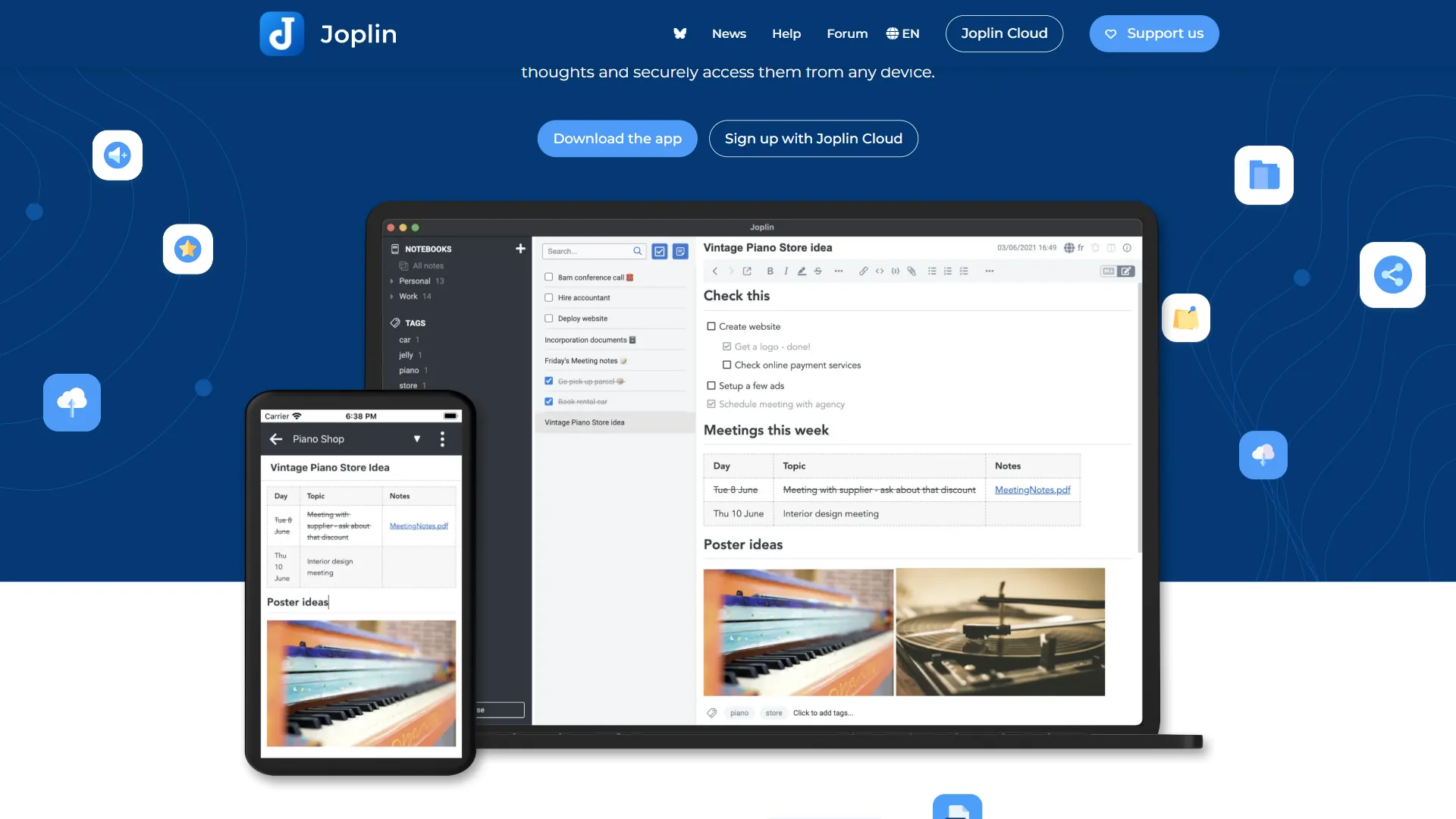
Joplin started as an Evernote replacement and has grown into a complete note-taking system for users who want control. The core app is free with no subscription, no note-count limits, and unlimited notebooks and attachments.
Notes are stored as plain Markdown files. Sync is optional through Dropbox, OneDrive, Nextcloud, WebDAV, or Joplin Cloud, and end-to-end encryption is available across all sync options.
Key Joplin features:
- Full offline support - every note available without any internet connection
- End-to-end encryption built into the app, not a paid tier
- Plugin ecosystem with AI integrations (ChatGPT, Claude)
- Web Clipper browser extension for saving articles
- Cross-platform: Windows, Mac, Linux, iOS, Android, and terminal
- Built-in task management with reminders
- Portable data format (Markdown + JSON) with no vendor lock-in
- Self-hosted sync via Joplin Server for complete data control
Joplin’s interface is functional and deliberately minimal - a developer-built tool optimized for power users, plain-text advocates, and privacy-conscious individuals over those who prioritize aesthetics.
Limitations and who it’s not for: Joplin’s tradeoffs are a dated interface, no live co-editing, no native databases, and a setup process that requires technical comfort for sync and self-hosting. Mobile apps lag the desktop, and there is no polished public-page publishing. Skip Joplin if you need a team wiki, structured project tracking, or a tool a non-technical colleague can adopt without training.
What Is Notion?
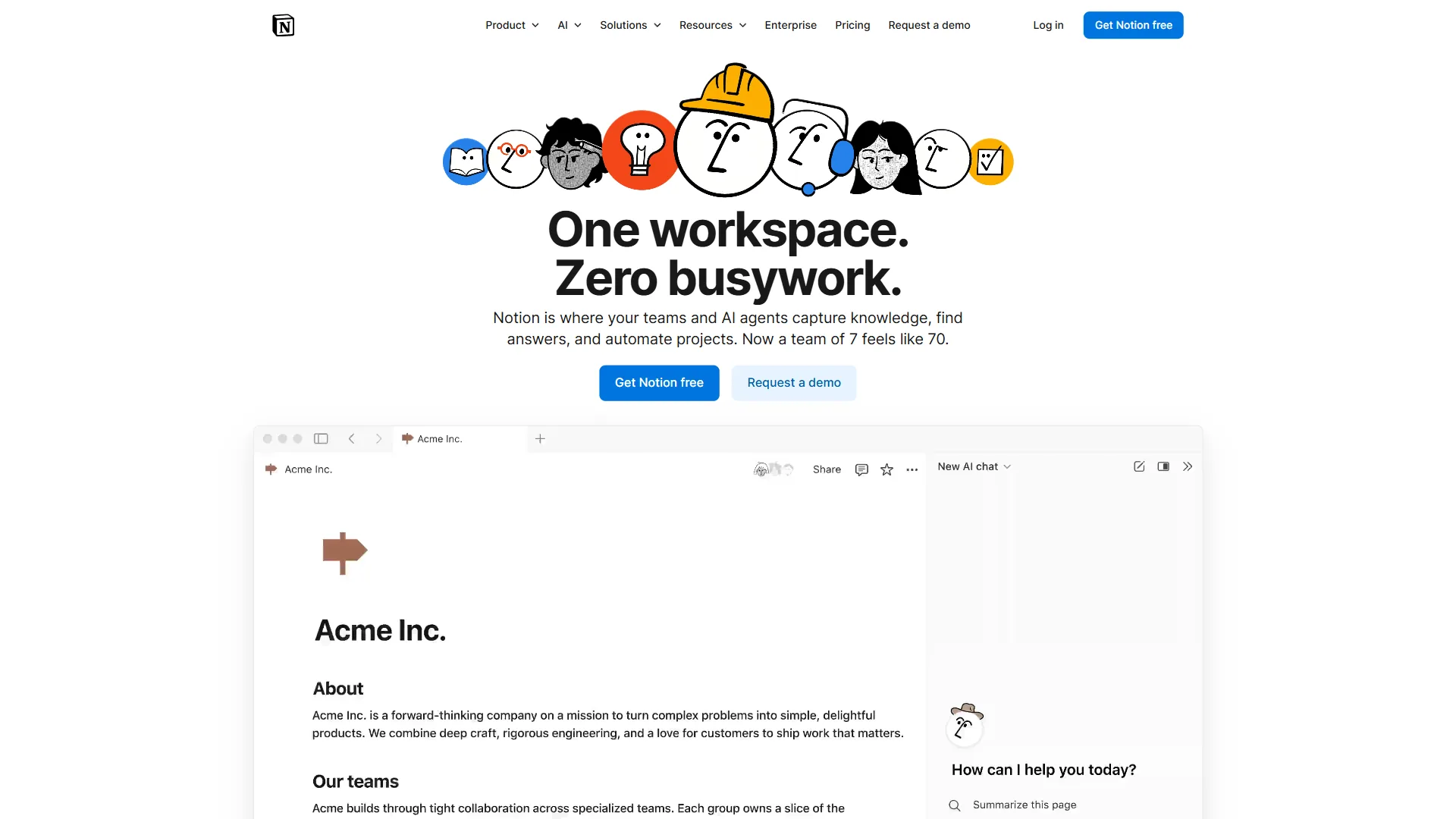
Notion () is a cloud-based all-in-one workspace that combines notes, relational databases, wikis, project boards, and AI writing into a single connected document model. A Notion page can contain rich text, embedded databases, kanban boards, timelines, calendars, and linked sub-pages, and a single workspace can function as a project tracker, knowledge base, team wiki, CRM, and content calendar simultaneously.
Notion offers a free plan with unlimited pages for individuals, but real team value comes at the Plus tier ($10/seat/month billed annually). Notion AI is a separate add-on at $8/seat/month when bundled with a workspace plan, or $10/seat/month as a standalone.
Key Notion features:
- Relational databases with multiple view types: table, kanban, gallery, timeline, calendar
- Real-time collaboration with comments, mentions, and revision history
- 1,000+ community and official templates for every use case
- Notion AI for drafting, summarizing, translating, and querying your workspace
- Public page publishing - turn any Notion page into a shareable website
- API for custom integrations and automations
- Robust mobile apps on iOS and Android
- Granular permission controls for guests and team members
Limitations and who it’s not for: Notion’s drawbacks are cloud-only storage with no end-to-end encryption, per-seat costs that scale fast, limited offline access, and a separate $8-10/seat AI add-on on top of an already-paid plan. Workspaces drift into chaos without intentional structure. Skip Notion if data sovereignty is non-negotiable, you need offline-first reliability, or your budget cannot absorb $1,000+/year for a 10-person team before AI. Our best note-taking apps roundup covers cheaper alternatives.
Feature-by-Feature: Privacy and Data Ownership
Joplin offers built-in end-to-end encryption and self-hostable sync so that nobody but the user can read note contents, while Notion stores notes unencrypted on its own cloud servers under a standard SaaS privacy policy. “End-to-end encryption is the only way to ensure that data is private from the service that stores it,” the Electronic Frontier Foundation explains in its Surveillance Self-Defense guide, and that distinction is the core of the Joplin vs Notion privacy gap.
Joplin’s approach: Sync via Dropbox and notes live in Dropbox; run Joplin Server on your own hardware and nobody else touches your notes. End-to-end encryption means even Joplin’s own sync service cannot read note content, and the open-source codebase can be audited by anyone at any time.
Notion’s approach: Data lives on Notion’s servers in the cloud with no end-to-end encryption - notes are encrypted at rest and in transit, but Notion holds the keys, as confirmed in Notion’s official security documentation. Enterprise plans offer HIPAA compliance and regional data residency, but those tiers are out of reach for most individual users.
For personal journaling, health information, legal documents, or financial records, Joplin wins decisively. For shared team documentation and public-facing wikis, the practical privacy difference is minimal for most organizations. The Notion vs Obsidian comparison covers another popular privacy-versus-collaboration trade-off.
Feature-by-Feature: Offline Access
Joplin stores every note locally and works fully offline by default, while Notion is cloud-first and only caches recently viewed pages for offline reading. With Joplin, opening the app on a plane or anywhere without Wi-Fi gives full access to every note ever created, and changes sync automatically on reconnect.
Notion’s desktop and mobile apps cache recently viewed pages, and the mobile app lets users explicitly mark pages for offline access - but full offline access to an entire workspace requires deliberate setup, and uncached pages will not load without internet. If a connection drops mid-session on an unsaved page, that work is lost.
For travelers, remote workers in low-connectivity environments, or anyone who writes without thinking about internet status, Joplin’s offline-first architecture is a meaningful practical advantage. The Obsidian vs Joplin comparison breaks down which offline-first tool fits which workflow better.
Pricing
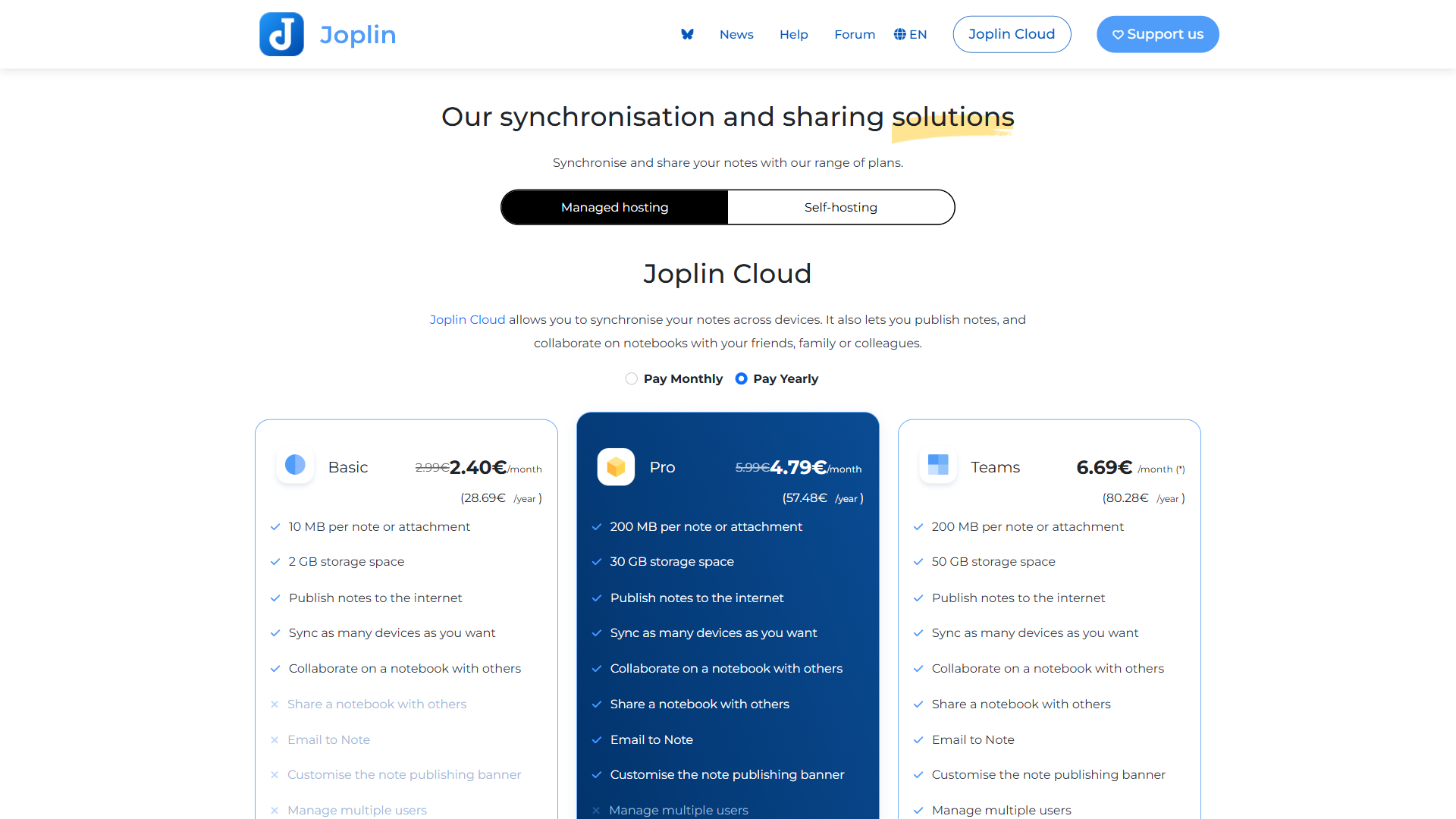
Joplin pricing:
- Core app: Free forever, all features included
- Joplin Cloud Basic: $3.99 per month (1 GB storage, personal sync)
- Joplin Cloud Teams: $7.99 per month (10 GB storage, shared notebooks)
- Self-hosting: Free (server infrastructure costs only)
- Sync via Dropbox, OneDrive, Nextcloud: Free (uses your existing accounts)
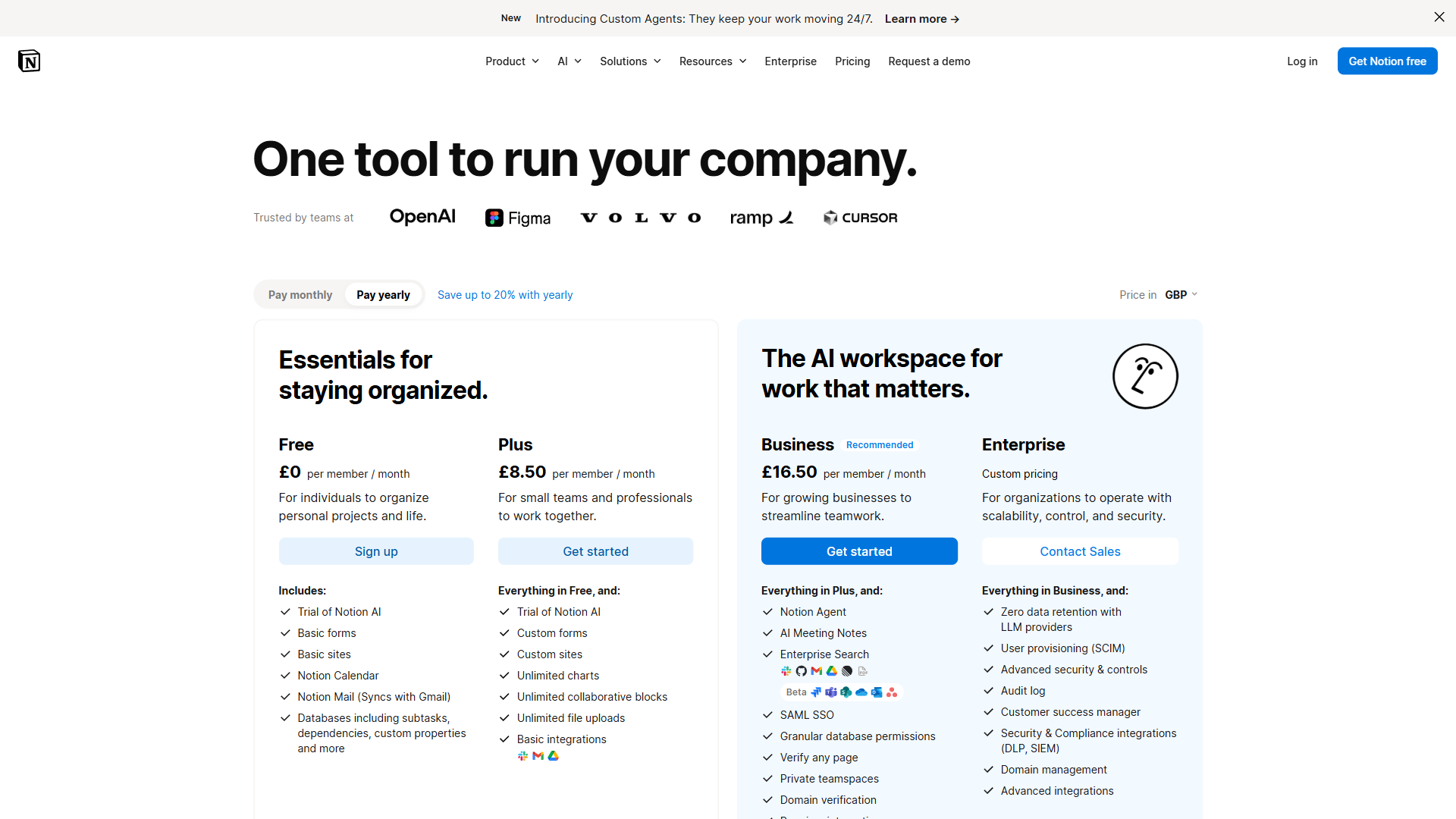
Notion pricing:
- Free: Unlimited pages for individuals, limited collaboration
- Plus: $10/seat/month (billed annually) or $12/seat/month monthly
- Business: $15/seat/month (billed annually)
- Enterprise: Custom pricing
- Notion AI add-on: $8/seat/month with workspace, $10/seat/month standalone
Joplin costs $0 for a solo user with unlimited notes, while a team of 10 on Notion Plus pays roughly $1,200 per year before adding Notion AI - the single largest cost gap in this comparison. That difference is the most decisive factor for budget-conscious individuals and small organizations.
Feature-by-Feature: Note Organization and Databases
Notion offers relational databases that link records across pages, while Joplin uses a traditional hierarchical notebook-and-tag system with no relational structure. “Notion databases are like a spreadsheet, but more powerful, designed for handling large-scale, complex data,” explains Notion’s official help documentation, and that capability is the largest functional gap between the two tools.
Joplin uses notebooks, sub-notebooks, tags, and search - the classic hierarchical model. Notebooks nest as deeply as needed (Workspace > Projects > Project Alpha > Meeting Notes), but notes are notes.
Notion treats every page as a flexible canvas, and databases allow information to be modeled relationally. A “Projects” database can link to a “Team Members” database, which rolls up to a “Tasks” database, with filtering, sorting, and grouping across linked databases.
If a workflow involves managing structured data - a content calendar, a CRM, a hiring pipeline, an inventory system - Notion can replace purpose-built apps for those tasks. Joplin cannot come close to this capability. For a detailed look at how Notion stacks up against another database-heavy alternative, see our ClickUp vs Notion comparison.
Feature-by-Feature: Collaboration
Notion is built for teams from the ground up - simultaneous editing, inline comments, task mentions, full revision history, and granular sharing from public pages down to view-only guest access.
Joplin’s collaboration is limited: shared notebooks via Joplin Server or Joplin Cloud Teams, no real-time co-editing, minimal sharing UI. This is the single biggest limitation of Joplin for professional team use.
Feature-by-Feature: AI Features
Both tools have AI, but the implementations differ significantly.
Joplin + AI: No built-in AI - the plugin ecosystem includes integrations with ChatGPT, Claude, and other services using your own API key. Setup requires technical comfort, but once configured you control which AI service runs and what data is sent.
Notion AI: A polished first-party feature that drafts pages, summarizes long documents, translates content, extracts action items, and answers questions about your workspace. At $8/seat/month bundled it adds meaningfully to the subscription cost, but the integration is seamless in ways no Joplin plugin matches.
If AI writing assistance matters daily, Notion wins on ease of use - see our Notion AI vs Coda AI comparison. If you are privacy-conscious about AI, Joplin’s plugin approach lets you use local or self-hosted models.
Choose Joplin if
Choose Joplin if data privacy, zero subscription cost, offline-first reliability, and full ownership of your notes matter more than team collaboration or polished UI.
Choose Joplin if:
- Privacy and ownership of your data are non-negotiable
- You want a completely free tool with no subscription at all
- You prefer writing in Markdown and a plain-text-first workflow
- You need reliable offline access to every note without exception
- You are a developer or technically comfortable user who values control
- You want to self-host your sync server and keep data on your own hardware
- You need end-to-end encryption without paying a premium for it
- Your notes contain sensitive personal, legal, health, or financial information
- You work solo and do not need real-time collaboration
Choose Notion if
Choose Notion if real-time team collaboration, relational databases, AI writing, and an all-in-one workspace matter more than offline access, end-to-end encryption, or keeping per-seat costs at zero.
Choose Notion if:
- You work with a team and need real-time collaborative editing
- You want databases to manage projects, tasks, contacts, or any structured data
- You need a polished company wiki or shared knowledge base
- AI writing and summarization features are part of your regular workflow
- You want beautiful, shareable public pages without any setup
- Mobile access needs to be as reliable as desktop access
- You prefer an all-in-one workspace over separate tools for notes and projects
- You manage structured recurring workflows like editorial calendars or sprints
The Bottom Line
These tools serve different people with different priorities and are not really competing for the same user.
For a privacy-focused individual who wants full control, Joplin is hard to beat - free, end-to-end encrypted, fully offline, and portable Markdown with no vendor lock-in. For developers, researchers with sensitive data, or anyone who values data sovereignty, Joplin is the clear choice.
For teams, or anyone managing structured information beyond simple notes, Notion operates in a different category. Database features alone justify the cost for most organizations, and real-time collaboration plus native AI make it the practical choice for professional environments.
Try Joplin if you are a solo user who values privacy, or try Notion if you are joining a team or need structured project management.
FAQ
Q: Is Joplin note-taking safe?
Yes - Joplin is designed with privacy as a core feature. End-to-end encryption is built in by default, not a paid upgrade. Your notes sync through services you control, such as Dropbox or Nextcloud, and the app stores notes as plain Markdown files on your own device.
Q: What is better than Joplin?
Notion AI: Notion AI is a polished first-party feature that drafts pages, summarizes long documents, translates content, extracts action items from meeting notes, and answers questions about your workspace.
Q: Is Notion overkill for personal use?
Both tools serve different workflows well - Joplin for personal journaling and sensitive research notes, Notion for team documentation and structured project tracking.
Q: Does Joplin support offline access?
Yes - Joplin is offline-first by design. Notes are stored locally and sync through services you choose, such as Dropbox or Nextcloud. Notion, by contrast, relies on cloud storage and offers only limited cache-based offline access, making Joplin the stronger choice for users who work without a reliable internet connection.
Q: How much does Joplin cost compared to Notion?
Joplin is free as a core app with no subscription required. A Joplin Cloud Basic plan is available at $3.99 per month for managed sync. Notion offers a free tier for individual users, but team plans start at $10 per seat per month on an annual basis, making costs scale significantly for larger groups.
Related Reading
The two tools compared in this article are linked first below, followed by related note-taking and knowledge-management comparisons that pair well with this one.
Tools compared in this article:
- Joplin - Full breakdown of Joplin’s features, sync options, and privacy model
- Notion - In-depth look at Notion’s workspace, databases, and AI capabilities
More note-taking and knowledge management comparisons:
- Logseq vs Notion - Graph-based PKM vs all-in-one workspace compared in depth
- Roam Research Alternatives - Best alternatives for privacy-focused PKM workflows
- Best Note-Taking Apps 2026 - Full roundup of note-taking apps across every use case
External Resources
These primary sources include official vendor documentation and pricing pages that informed the comparison above.
- Joplin Documentation - Official setup guides, plugin docs, and sync configuration for all platforms
- Notion Pricing - Current plans, feature breakdown, and AI add-on details
- Joplin Community Forum - Active community discussions on workflows, plugins, and self-hosting setups