

The best free PDF tools 2026 include PDF24 Creator (free), Foxit PDF Editor ($10.99/month), and Adobe Acrobat ($12.99-$29.99/month), each suited to a different budget and workflow tier across PC & mobile.
Our analysis draws on vendor documentation and independent industry research, including standards published by the International Organization for Standardization and the PDF Association. Some links on this page are affiliate links; our analysis remains independent.
According to the PDF Association, the industry body that maintains the ISO 32000 standard, “PDF 2.0 is the first version of PDF developed entirely by ISO.” Many professionals have paid Adobe Acrobat subscriptions for years while costs crept from $15 to $30 per month, even though free and low-cost alternatives now cover most everyday editing tasks.
After evaluating dozens of PDF solutions, the landscape is clear: PDF24 Creator delivers professional-grade features completely free, Foxit PDF Editor covers premium AI capabilities at a fraction of Adobe’s cost, and Adobe Acrobat remains the gold standard for enterprise workflows. Here is how each option compares and how to choose the best one.
Comparison Table
The Best Free PDF Tools 2026 include PDF24 Creator, Foxit PDF Editor, and Adobe Acrobat. Each tool takes a different approach to free and low-cost PDF editing, and the right choice depends on your budget, team size, and the specific workflows you need to optimize. This guide compares them on pricing, features, and real performance.
| Tool | Pricing | Rating | Best For |
|---|---|---|---|
| PDF24 Creator | Free | - | Windows users wanting full features without cost |
| Foxit PDF Editor | $10.99/mo | Budget-conscious professionals needing AI features | |
| Adobe Acrobat | $12.99-$29.99/mo | Enterprise teams requiring industry compatibility |
PDF24 Creator: The Genuinely Free Option

One thing that stands out: PDF24 Creator is completely free for both personal and commercial use. No watermarks. No feature restrictions. No “upgrade to remove this message” nonsense.
What PDF24 Does Well
PDF24 Creator handles the everyday PDF workflow most users need, bundling 20+ tools in one interface: merging, splitting, compressing, converting to and from Word/Excel/images, watermarks, password protection, and basic OCR.
Unlike many “free” tools, PDF24 processes files locally on your machine. This matters for sensitive documents - your client contracts never leave your computer. That alone makes it suitable for law firms, medical practices, and any business handling confidential material that must comply with the PDF/A archival standard.
The interface is refreshingly simple - select a tool, drop in files, get results. No account creation, no trial limits, no up-selling banners.
PDF24 Limitations
Text editing is PDF24’s weakest area. Anyone searching for the best app for PDF editing free of restrictions will find that PDF24 handles additions and annotations only - you cannot edit existing PDF text directly. For that you need Foxit, Adobe, or another dedicated editor.
The OCR engine, which is built on the open-source Tesseract OCR project, is functional but not best-in-class. Clean scans work fine; challenging documents (faded receipts, handwritten notes) will show recognition errors that competitors handle better. For heavier OCR workloads see our best OCR software guide.
PDF24 is Windows-only on the desktop, making it the leading best free PDF tools 2026 offline pick for Windows 10 users. Mac and Linux users get the web-based tools at tools.pdf24.org, which cover the essentials but lack the desktop app’s polish.
Who Should Use PDF24
Windows users with routine PDF needs - merging invoices, compressing attachments, converting the occasional document - should make the best free PDF tools 2026 download their first stop. At zero cost and zero restrictions, it is hard to beat.
Foxit PDF Editor: Premium Features at Half the Price
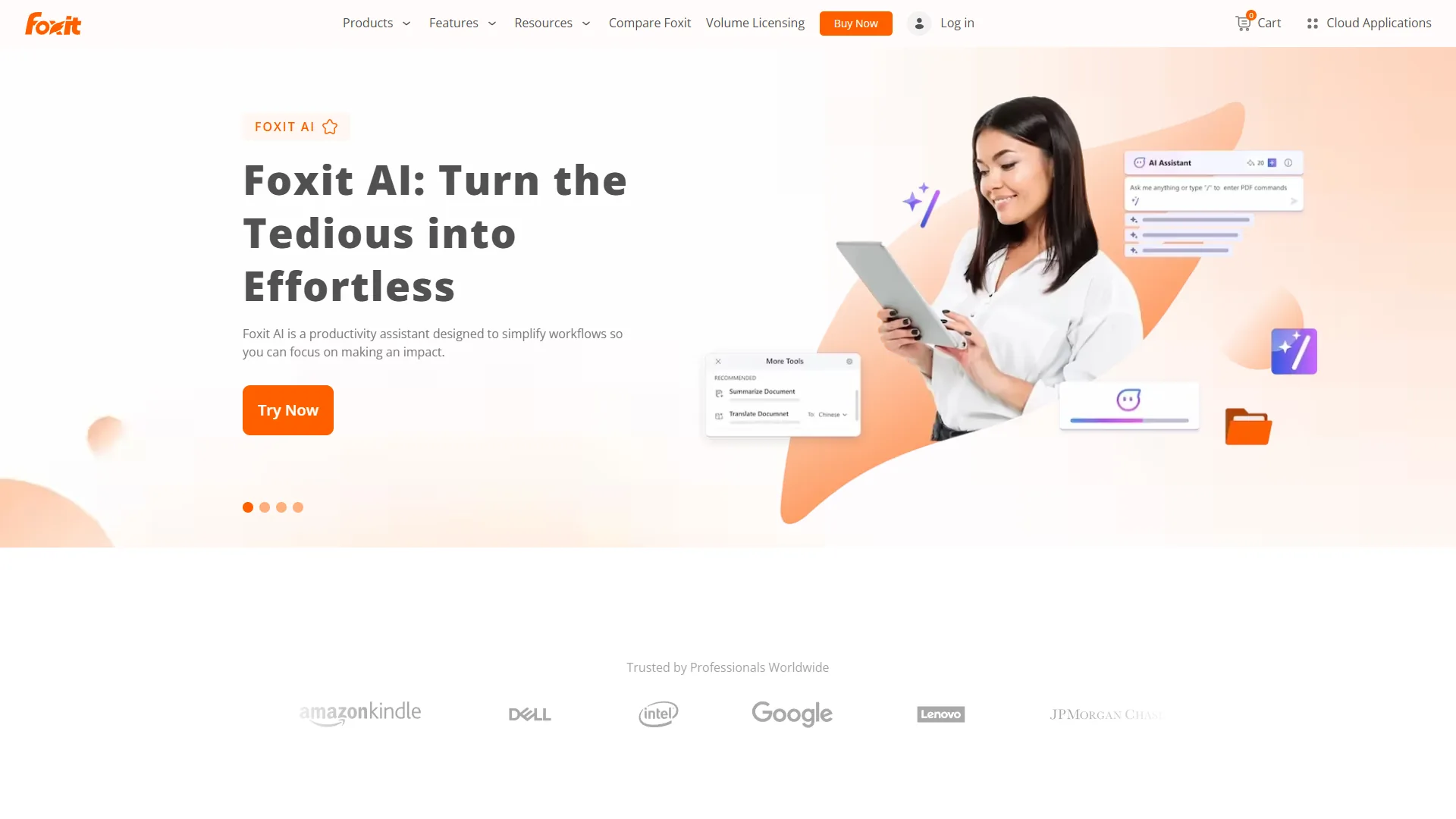
Foxit PDF Editor costs $10.99 per month and offers full text editing, AI summarization, OCR, and a one-time perpetual license option, sitting between PDF24’s free toolkit and Adobe Acrobat’s premium subscription. Foxit PDF Editor sits in the middle ground: more capable than PDF24, far cheaper than Adobe, and it undercuts Adobe Acrobat Standard ($12.99 per month) while delivering features Standard does not include.
What You Get for $10.99
The Pro tier bundles AI summarization (Foxit AI Assistant), full text editing with reflow, form creation, OCR, redaction, digital signatures, and cloud collaboration. Power users on Windows or Mac get everything needed for professional PDF work without Adobe’s premium tier.
The application also feels lighter - Foxit uses about 150MB of RAM versus Adobe’s 400MB, a meaningful gap on older laptops with limited resources.
Perpetual License Option
Here’s something Adobe eliminated years ago: Foxit still offers perpetual licenses. You can pay around $149 once and own the software forever (check Foxit’s pricing page for current pricing). No subscription treadmill.
The catch is you only get one year of updates - after that, you keep the version you bought but get no new features. For many users this is fine, since PDF tools do not need constant updates like antivirus software, and many freelancers still run a multi-year-old Foxit license daily with strong ROI on that $149 spend.
Foxit Limitations
Foxit isn’t perfect either. The AI features, while useful, aren’t as sophisticated as Adobe’s AI Assistant. The cloud storage integration works but feels clunkier than Adobe’s Document Cloud.
The mobile apps are functional but basic. If you need robust mobile PDF editing, Adobe’s mobile experience is smoother.
For collaboration with large teams, Adobe’s ecosystem integration is stronger. Foxit works, but Adobe’s enterprise tools are more mature.
Adobe Acrobat: The Enterprise Standard
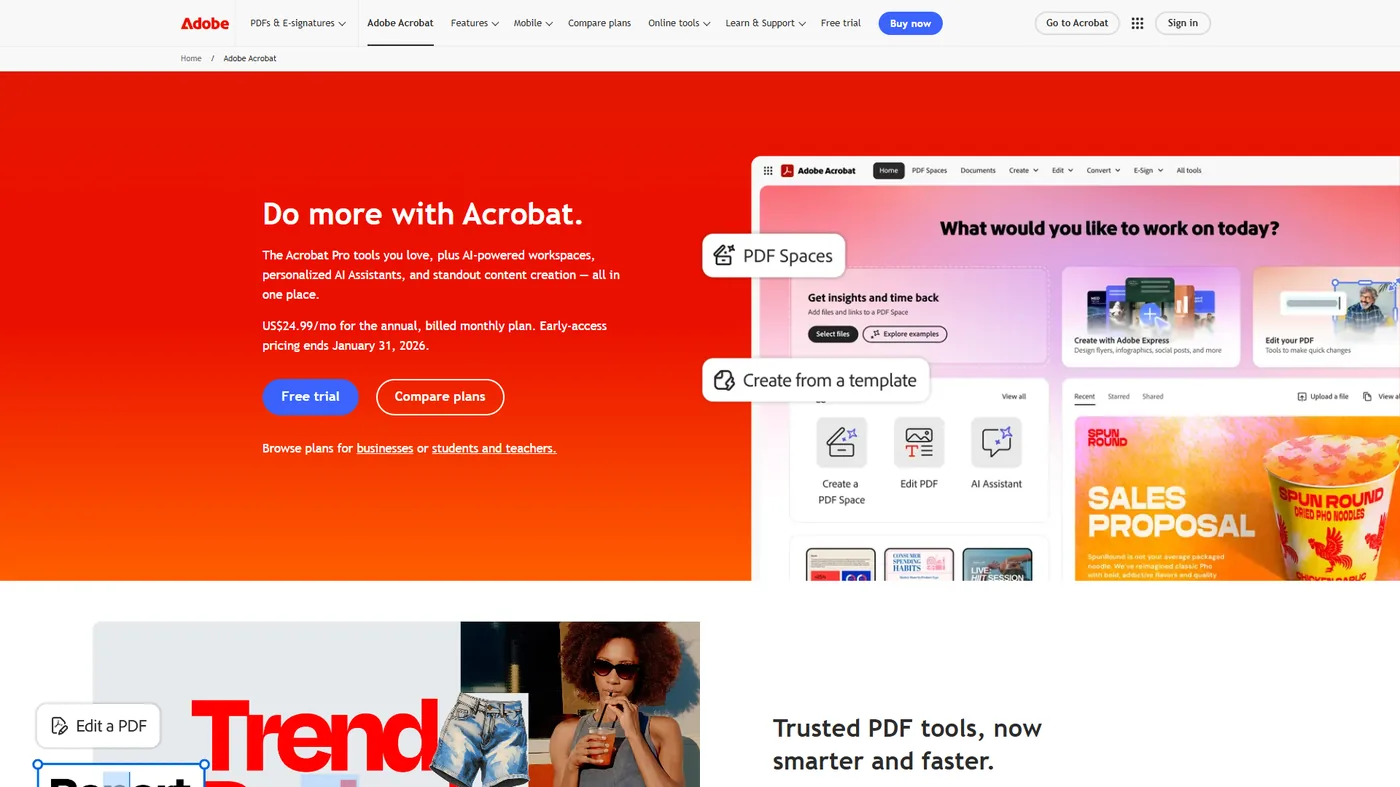
Adobe Acrobat is the enterprise PDF standard, priced at $12.99-$29.99 per month and required in most regulated legal, finance, and healthcare workflows due to its certified signatures, ISO 32000 authorship, and deep Microsoft 365 and Google Workspace integration. It might seem odd to include Adobe Acrobat in an article about free PDF tools, but if you work in those regulated environments, Adobe is often non-negotiable.
Why Adobe Still Dominates
Adobe created the PDF format (ISO 32000). That history shows in the depth of features and reliability.
Premium Features:
- AI Assistant that summarizes, answers questions, and generates content from PDFs
- PDF Spaces for organizing up to 100 documents with AI-powered search
- Industry-leading OCR with 99%+ accuracy
- Advanced redaction with pattern recognition
- Liquid Mode that reformats PDFs for mobile reading
- Certified digital signatures with compliance tracking
- Deep integration with Microsoft 365, Google Workspace, and enterprise systems
Adobe’s AI Assistant works with complex legal contracts. It correctly identifies key clauses, explains obligations in plain language, and flags potential issues. This capability alone could justify the cost for lawyers billing $300+ per hour.
The OCR quality is noticeably better than competitors. Adobe’s OCR handles challenging documents - such as faded older scans - more reliably than competitors, with reported accuracy above 95% on difficult sources.
Adobe Limitations and Who It’s Not For
Skip Adobe Acrobat if you’re a solo consultant editing fewer than 5 PDFs per month (the $360 per year cost dwarfs occasional usage), if you need a one-time perpetual license (Adobe eliminated those years ago), or if you only need merge / split / compress workflows (PDF24 covers those for free). Adobe also locks you out of all your tools the moment you stop paying - there’s no offline fallback the way Foxit’s perpetual license gives you.
The Cost Problem
Adobe Acrobat Standard costs $12.99 per month and Pro is $29.99 per month - $360 per year for a tool many people use occasionally. Adobe eliminated perpetual licenses years ago, so you are locked into the subscription model. For a 5-person team, that is $1,800 per year, making Foxit’s $660 annual cost for 5 users far more appealing.
When Adobe Makes Sense
Despite the cost, Adobe is the right choice for specific scenarios:
Legal and financial services: Certified signatures and compliance features are mature and trusted, including support for WCAG accessibility tagging required for public-sector documents. See Adobe’s official Acrobat help docs for the full digital-signature workflow.
Enterprise workflows: When everyone else uses Adobe, compatibility issues disappear.
Heavy collaboration: Adobe’s review and approval workflows are the most sophisticated available.
Mobile-first work: Adobe’s mobile apps are genuinely excellent on tablets and phones.
If you are a solo consultant who occasionally edits PDFs, Adobe is overkill. For a law firm managing thousands of documents under strict compliance, Adobe’s cost is justified.
Which tool fits your workflow: Best Free PDF Tools 2026
The best free PDF tools 2026 each fit a different workflow: PDF24 Creator suits Windows users with routine merge / split / compress needs at zero cost, Foxit PDF Editor suits professionals who need AI editing and OCR for under $11 per month, and Adobe Acrobat suits enterprise teams that require certified signatures and regulated-industry compliance. Based on thorough comparison of all three tools, here is how to decide which fits best:
Choose PDF24 Creator If:
- You’re on Windows and need basic-to-intermediate PDF features
- You want genuinely free tools without watermarks or restrictions
- You handle sensitive documents and need offline processing
- You primarily merge, split, compress, and convert PDFs
- Budget is tight or you’re building a tool stack on a shoestring
Real user scenario: Freelance graphic designer combining client proofs, compressing portfolios for email, and converting designs to PDF - PDF24 handles all of this free.
Choose Foxit PDF Editor If:
- You need advanced editing but find Adobe too expensive
- You want AI-powered features without premium pricing
- You work on PDFs regularly and need professional capabilities
- You prefer a perpetual license option over subscriptions
- You want better performance on older hardware
Real user scenario: Real estate agent editing contracts, adding signatures, redacting sensitive information, and collaborating with clients - Foxit delivers professional results at a price that fits commission-based income.
Choose Adobe Acrobat If:
- You work in legal, finance, healthcare, or regulated industries
- Your clients or partners require Adobe compatibility
- You need the most advanced AI and OCR capabilities
- Mobile PDF editing is a regular part of your workflow
- Your company can expense or write off the subscription cost
Real user scenario: Law firm associate reviewing hundreds of pages daily, needing certified signatures, and collaborating with partners across multiple firms - Adobe’s ecosystem integration and compliance features justify the cost.
Pro Tips: Recommended Setup
The recommended stack starts with PDF24 Creator for free daily tasks and layers in Foxit PDF Editor or Adobe Acrobat only when AI editing, OCR, or certified-signature workflows require it. The three options below pair tool choice to budget tier, so you can scale up as needs grow rather than overpaying on day one.
Option A - Zero cost: PDF24 Creator alone handles the core PDF tasks that most users need - merging, splitting, compressing, and converting - completely free.
Option B - AI-first workflow: PDF24 for daily tasks + Foxit PDF Editor ($10.99 per month). Costs $132 per year but adds AI summarization and real-time collaboration.
Option C - Enterprise: Adobe Acrobat Pro ($29.99 per month) for teams that need certified signatures, advanced compliance, and deep workflow integration.
If budget is the top priority, start with PDF24 at zero cost and upgrade to Foxit when you need advanced editing.
Frequently Asked Questions
Is PDF24 Creator really free with no catches?
Yes. PDF24 Creator is genuinely free for personal and commercial use with no watermarks, feature restrictions, or time limits. The company makes money from web-based premium features and advertising on their website, but the desktop application is fully functional at no cost. Users report running it for years without paying anything or being nagged to upgrade.
Can I edit PDF text with free tools?
PDF24 Creator allows basic text additions but not editing existing PDF content. For true text editing with reflow capabilities, you’ll need a paid tool like Foxit or Adobe. However, PDF24’s PDF-to-Word conversion works well for documents you need to edit extensively. You can convert to Word, make changes, and save back to PDF.
Which tool has the best OCR accuracy?
Adobe Acrobat has the most accurate OCR, particularly with low-quality scans or unusual fonts. Foxit’s OCR is very good for standard documents and costs less. PDF24’s OCR is functional for basic needs but struggles with complex layouts or poor-quality scans. For occasional OCR, PDF24 works fine. For daily OCR work with critical accuracy needs, Adobe is worth the investment.
Do these tools work on Mac?
Adobe Acrobat and Foxit PDF Editor both have full Mac versions. PDF24 Creator is Windows-only on the desktop, though PDF24 does offer web-based tools that work on any platform. If you’re on Mac and need a full offline editor, Foxit is the best budget option.
Can I use these tools for business documents?
Yes. PDF24 Creator explicitly allows commercial use at no cost. Foxit and Adobe both offer business licenses with volume pricing. For GDPR compliance and sensitive business documents, PDF24’s offline processing or Foxit/Adobe’s enterprise compliance features ensure you meet regulatory requirements.
Final Recommendation
The best free PDF tools 2026 depend on your needs: PDF24 Creator delivers zero-cost merging, splitting, compressing, and converting without watermarks; Foxit PDF Editor adds AI editing and OCR for $10.99 per month; Adobe Acrobat remains the enterprise standard for compliance-heavy workflows.
If you are not sure where to start, try PDF24 Creator at zero cost, then upgrade to Foxit PDF Editor when you need advanced editing, OCR, or conversion features.
Related Reading
Related Reading covers the three tools compared above plus deeper guides on OCR, Adobe Acrobat power-user techniques, and document automation workflows.
Tools covered in this article:
- PDF24 Creator - Free PDF toolkit with offline processing
- Foxit PDF Editor - Budget-friendly PDF editor with AI features
- Adobe Acrobat - Enterprise PDF standard with AI Assistant
More document workflow guides:
- Best OCR Software 2026 - Compare dedicated OCR tools for high-volume document digitization
- Adobe Acrobat Tips and Tricks - Get more value from your Adobe subscription with power user techniques
- Document Automation Tips - Automate repetitive PDF tasks to save hours each week
- Best PDF Editors 2026 - Full-featured PDF editor comparison
- Best Free PDF Editors 2026 - Expanded comparison including more freemium options
- Adobe Acrobat Alternatives 2026 - Cheaper alternatives reviewed in depth
External Resources
External Resources includes the official vendor pages plus standards bodies for verifying PDF compliance, archival, and accessibility requirements.
- PDF24 Creator - Free PDF toolkit, official site
- Foxit PDF Editor - Official website
- Adobe Acrobat - Official website
- PDF Association - Standards and resources
- U.S. National Archives (NARA) - PDF/A guidance for long-term archival