




Airtable is a relational database with a spreadsheet UI starting at $20 per seat each month, while Notion is a docs-first workspace with multi-model AI agents starting at $10 per seat each month. Picking the wrong one means shoehorning spreadsheet data into a docs tool or burying your wiki under database tables.
Airtable works like a modern Microsoft Access for teams - which is why the Airtable vs Google Sheets debate comes up when people outgrow flat spreadsheets - while Notion is a workspace that happens to include database capabilities. Notion now serves more than 100 million users worldwide, according to the company’s own usage figures, one of the largest workspace communities in the category.
This comparison covers database structure, views, AI features, automation, and pricing. Our analysis draws on current vendor documentation, pricing pages, and independent research rather than sponsored placement. AI Productivity may earn a commission from links on this page; our rankings are editorially independent.
Comparison Table: Airtable vs Notion
Airtable is the relational-depth winner and Notion is the price winner, and the table below summarizes every category. The Notion vs Airtable for project management question comes up as often as the Airtable vs ClickUp matchup:
| Category | Airtable | Notion |
|---|---|---|
| Core identity | Relational database platform | All-in-one workspace |
| Best for | Structured data, reporting, complex relationships | Documentation, wikis, flexible workspaces |
| Free tier | 1,000 records per base, 5 editors | Unlimited pages (individual), limited blocks (team) |
| Paid starting price | $20/seat/mo (Team, annual) | $10/seat/mo (Plus, annual) |
| Database model | True relational with linked records | Inline databases with relations |
| Views | Grid, calendar, kanban, gallery, timeline, Gantt, form | Table, board, calendar, gallery, timeline, list |
| AI features | AI field types, formula generation | Multi-model AI agents (GPT-5, Claude Opus 4.1, o3) |
| Automation | 25,000+ runs/mo (Team) | Basic automations, AI agents (Business) |
| API | REST API with rich filtering | REST API with growing capabilities |
| Rating |
Short version: Choose Airtable when your workflow revolves around structured data, reporting, and complex record relationships. Choose Notion when you need an all-in-one workspace for docs, wikis, and project management.
Airtable: The Database-First Platform
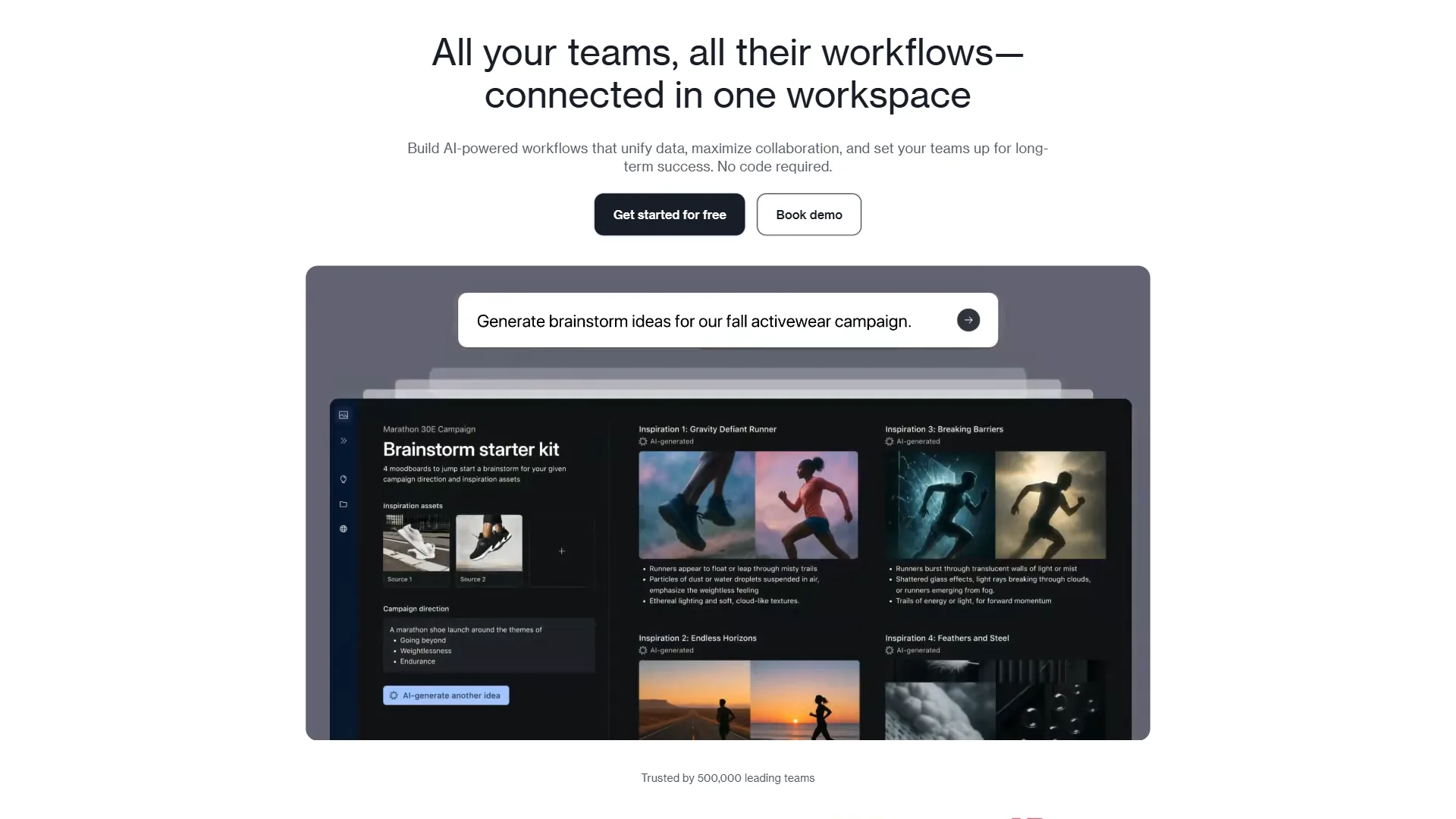
Airtable is a relational database platform founded in 2012 to make databases accessible to non-technical users. The interface looks like a spreadsheet, but underneath you get linked records, rollup fields, and relational logic that once required SQL. The Airtable vs Coda guide breaks down how both platforms differ from Notion.
Where Airtable excels:
- Rich field types. Over 25 field types - documented in the official field reference - including attachments, currency, formulas, lookup, and rollup, each enforcing data integrity Notion cannot match.
- Relational data. Link records between tables with true foreign key relationships and build rollups that aggregate across links.
- Views per table. Each table supports saved views (grid, calendar, kanban, gallery, timeline, Gantt, form) with independent filters and sorts.
- Automation engine. Trigger on record creation, field changes, or schedules; run scripts, send emails, or call webhooks. The Team plan includes 25,000 automation runs per month.
- Forms and interfaces. Custom forms feed into your database, and Interface Designer builds dashboards and apps without code.
Limitations and who it’s not for:
- Not a document tool. There is no long-form writing experience and nobody writes a team wiki in Airtable.
- Record limits on free tier. 1,000 records per base is restrictive - active projects hit that ceiling within weeks.
- Pricing climbs fast. At $20/seat/month (Team) and $45/seat/month (Business), a 10-person team pays $200-$450 per month before Enterprise.
Skip Airtable if your team’s center of gravity is documentation - Notion fits that brief better.
Notion: The Docs-First Workspace
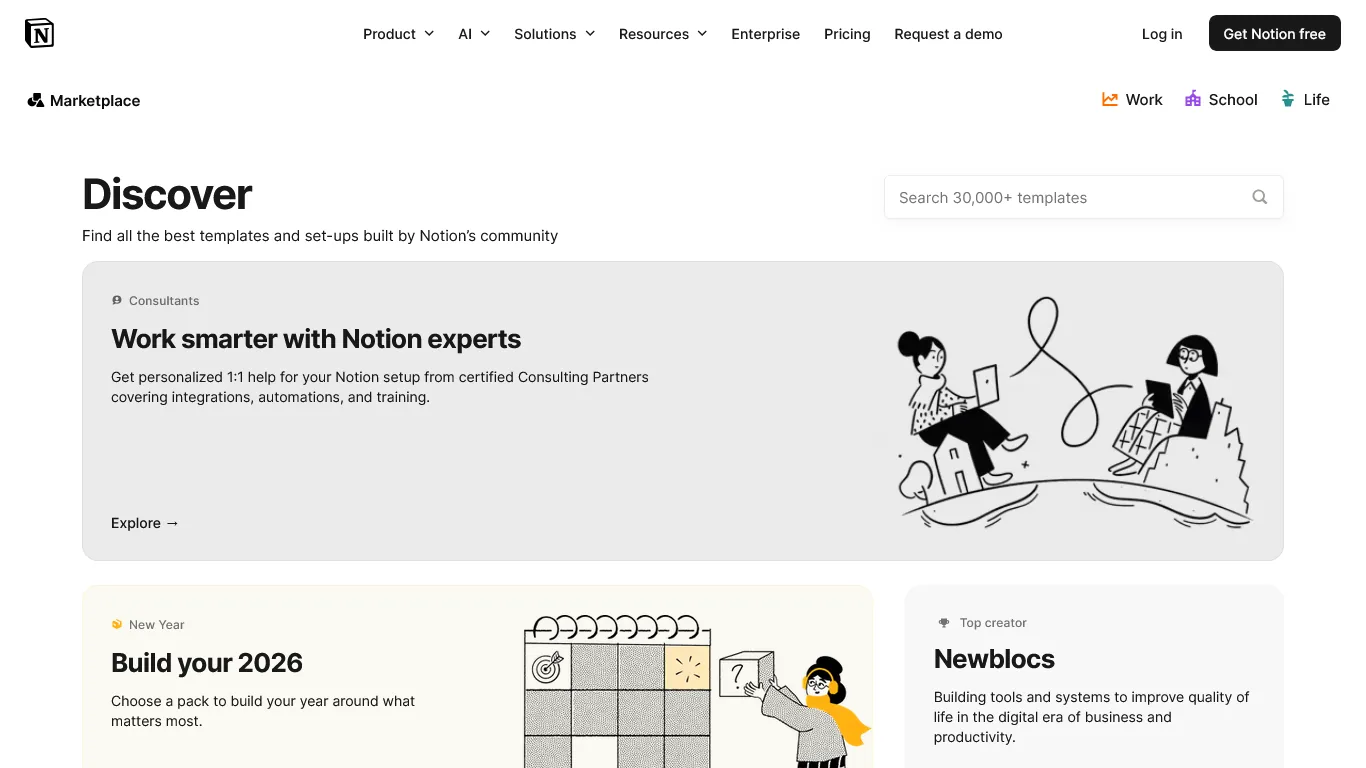
Notion is a docs-first all-in-one workspace built on flexible pages that combine freeform text, embedded databases, code blocks, and images - databases are a feature within Notion, not the entire product. The best Notion alternatives roundup covers similar workspace tools.
Where Notion excels:
- All-in-one workspace. Docs, wikis, project boards, meeting notes, and databases live in one tool with no context-switching.
- Page flexibility. A single page mixes narrative text, embedded databases, images, and synced blocks - ideal for SOPs and team handbooks.
- AI agents. The Business plan includes multi-model AI powered by GPT-5, Claude Opus 4.1, and o3 - explained on the official Notion AI page. The Notion AI vs ChatGPT breakdown covers these agents.
- Templates ecosystem. Thousands of community templates from CRM to content calendars - larger than Airtable’s marketplace.
- Generous free tier. Unlimited pages for individual users, viable as a personal knowledge base at zero cost.
Limitations and who it’s not for:
- Database limitations. Notion databases lack true relational depth - rollup and formula capabilities are far more limited than Airtable’s.
- Performance drawbacks at scale. Large databases (5,000+ rows) can feel sluggish, with slower filtering and loading than Airtable.
- Team blocks limit on free. Individual use is unlimited, but team usage on the free plan hits a block limit quickly.
Skip Notion if your workflow depends on advanced relational logic or high-volume automations - Airtable’s database engine is materially stronger there.
Feature-by-Feature: Database Models
Airtable provides a true relational database with foreign-key links, rollups, and lookup fields, while Notion offers simpler inline databases with a less powerful formula language. Airtable describes its core as “a low-code platform for building collaborative apps,” according to the company’s product documentation, reaching well beyond a flat spreadsheet.
Data Structure
Airtable gives you a proper relational database. Each base contains multiple tables linked through linked record fields that create foreign key relationships, and lookup fields pull specific column values from related records - a project management base might link Projects to Tasks to Team Members, with a rollup showing total hours logged.
Notion offers relations between databases, but the implementation is simpler. The formula language is less powerful with no equivalent to Airtable’s lookup field, and Notion’s formula 2.0 update improved this in 2025 but formulas still cannot reference properties across relations.
Winner: Airtable. For structured data with relationships between entities, Airtable’s relational model is materially better.
Field Types and Data Integrity
Airtable offers over 25 field types with strict validation - a currency field formats numbers, an email field checks for @ symbols, a single select restricts entries to predefined options. This enforcement means cleaner data, similar discipline to the best AI database tools 2026 roundup. Notion has roughly 15 property types with less strict validation.
Winner: Airtable. More field types with better validation means cleaner datasets when multiple people enter data.
Formulas
Airtable’s formula language is similar to Excel, supports over 100 functions, and can reference fields in the same record and aggregate data from linked records via rollups. Notion’s formula 2.0 system improved in 2025 but remains less powerful, and its syntax differs from spreadsheet conventions - a steeper learning curve for Excel users.
Winner: Airtable. The formula engine is deeper, more familiar, and more capable for complex calculations.
Feature-by-Feature: Views
Airtable supports seven configurable view types plus Interface Designer for custom apps, while Notion offers six cleaner but less configurable view types. Both visualize the same data, similar to the trade-offs in the best AI data visualization tools guide.
Airtable Views
Each table supports multiple named views - covered in Airtable’s views documentation - including grid, kanban, calendar, and Gantt, each with independent filters and field visibility. Interface Designer builds custom dashboards and data entry forms - closer to a lightweight internal app.
Notion Views
Notion databases support six view types - table, board, calendar, gallery, timeline, and list - each with independent filters and cleanly integrated into the page-based workspace. Notion views are less configurable: no Gantt chart with dependency tracking, no shareable form view, and no interface designer.
Winner: Airtable for data-heavy views and custom interfaces. Notion for simplicity and document-based workflows.
Feature-by-Feature: AI Features
Notion offers broader AI than Airtable, with multi-model agents powered by GPT-5, Claude Opus 4.1, and o3 on the Business plan, while Airtable’s AI focuses on field-level intelligence and formula generation. Both platforms invested heavily in AI during 2025-2026, reflecting their core identities.
Airtable AI
Airtable’s AI shows up in AI field types and formula generation. AI fields - documented on the Airtable AI platform page - can categorize records, extract sentiment, summarize text, or generate content from other fields. The formula assistant generates formulas from natural-language descriptions.
Notion AI
Notion went bigger. The Business plan includes multi-model AI with access to GPT-5, Claude Opus 4.1, and o3 - the Notion AI vs Coda AI comparison shows how this stacks up against another all-in-one workspace. The AI can summarize any page, answer questions about your workspace, generate content inline, create action items from meeting notes, and run autonomous agents that execute multi-step workflows. The autonomous agents introduced with Notion 3.0 are the differentiator - an agent can monitor a database, detect changes, draft responses, and notify team members without manual intervention.
Winner: Notion for breadth and autonomy. Airtable for structured, field-level AI that enforces data consistency.
Feature-by-Feature: Automation
Airtable Automations
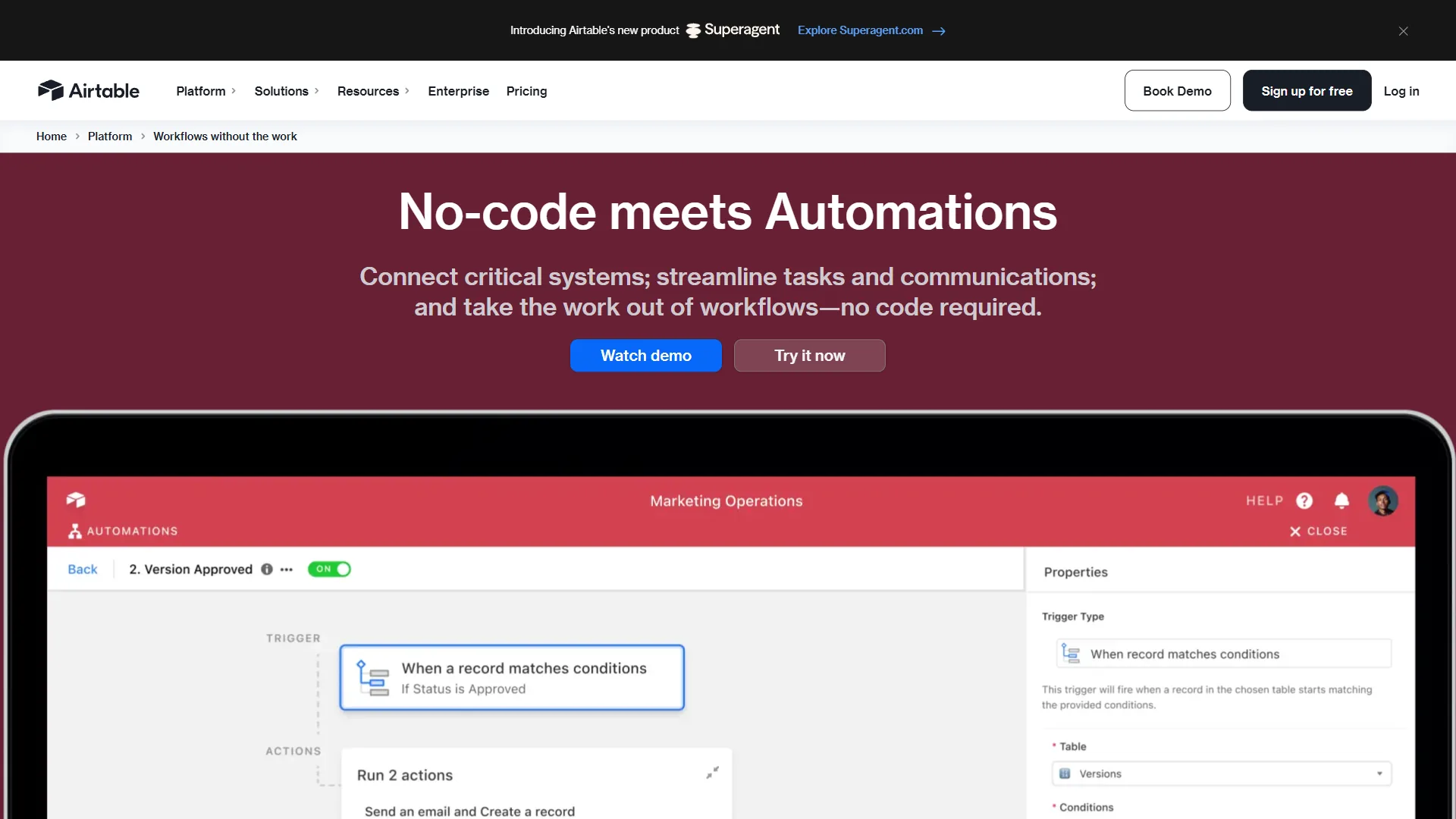
Airtable’s automation engine is mature and powerful. Triggers include record creation, view changes, schedules, button clicks, and webhooks, and actions include creating records, sending emails, running JavaScript, and calling APIs - multi-step automations with conditional logic replace workflows that would otherwise require Zapier or Make. The Team plan includes 25,000 runs per month and Business bumps that to 100,000.
Notion Automations
Notion’s automation capabilities are newer and more basic. Simple triggers like property changes execute actions such as updating properties or sending notifications, and the Business plan’s AI agents add autonomous execution - but the builder lacks custom scripting, webhook triggers, or conditional branching. Most Notion users rely on Zapier or Make for complex workflows - the best AI automation tools 2026 guide compares the options.
Winner: Airtable. The automation engine is more mature, more flexible, and supports higher-volume workflows.
Pricing Comparison: Airtable vs Notion
Notion is significantly cheaper than Airtable at every tier, with paid plans starting at $10 per seat each month versus Airtable’s $20.
Airtable Pricing (per seat, billed annually)
| Plan | Price | Records/Base | Automations/Month | Key Additions |
|---|---|---|---|---|
| Free | $0 | 1,000 | 100 | 5 editors, 1 GB attachments |
| Team | $20/mo | 50,000 | 25,000 | Extensions, Gantt, timeline |
| Business | $45/mo | 125,000 | 100,000 | SSO, two-way sync, admin panel |
| Enterprise | Custom | 500,000 | 500,000 | SCIM, advanced security |
Notion Pricing (per seat, billed annually)
| Plan | Price | Key Limits | Key Additions |
|---|---|---|---|
| Free | $0 | Limited blocks (teams) | Unlimited pages (individual) |
| Plus | $10/mo | Unlimited blocks | 100 guests, synced databases |
| Business | $15/mo | Everything unlimited | AI agents, SAML SSO, private spaces |
| Enterprise | Custom | Custom | Audit logs, SCIM, dedicated support |
Cost Comparison for a 10-Person Team
| Price | Airtable Team | Notion Plus | Notion Business |
|---|---|---|---|
| Monthly (annual) | $200/mo | $100/mo | $150/mo |
| Annual total | $2,400 | $1,200 | $1,800 |
Notion Plus costs half of Airtable Team, and Notion Business with full AI agent access still costs $50 per month less than Airtable Team. For cost-sensitive teams this gap is hard to ignore. The best AI spreadsheet tools 2026 guide covers cheaper alternatives if structured data is your only need.
Winner: Notion. Significantly cheaper at every tier, and the all-in-one nature means fewer total subscriptions.
Feature-by-Feature: Integration Ecosystem
Airtable offers a deeper, better-documented REST API and JavaScript scripting for developers, while Notion provides cleaner native workspace integrations and synced databases. Both connect to Slack, Google Workspace, and GitHub, differing most in API maturity.
Airtable
Airtable integrates natively with Slack, Google Workspace, Salesforce, Jira, GitHub, Tableau, and dozens more. The REST API supports complex filtering and field selection, the scripting extension runs JavaScript inside Airtable, and Airtable also works with Zapier, Make, and n8n.
Notion
Notion’s API has improved steadily since its 2021 launch. Native integrations include Slack, Google Drive, GitHub, and Figma, and the API supports creating, reading, updating, and searching pages and databases. Notion’s API is still less mature than Airtable’s - complex filtered queries require workarounds, though synced databases partially compensate by pulling data from Google Sheets and Jira into Notion.
Winner: Airtable for API depth and developer flexibility. Notion for native workspace integrations and synced databases.
Best Picks by Use Case
Airtable is the best pick for structured-data and high-volume-automation teams, and Notion is the best pick for documentation, wikis, and budget-conscious all-in-one workspaces. Choose Airtable when relational reporting sits at the center of your work, and choose Notion when docs, wikis, and all-in-one workflow matter most.
When Should You Choose Airtable?
- Structured data is your primary need. Inventory tracking, CRM pipelines, and project portfolios where data integrity and record relationships matter most.
- You need advanced reporting. Rollups, lookups, and the formula engine build dashboards Notion cannot replicate without external BI tools.
- Automation volume is high. Airtable’s engine handles workflows triggering thousands of automated actions per day.
- You build internal tools. Interface Designer turns databases into lightweight apps for data entry and dashboards.
When Should You Choose Notion?
- Documentation is central to your work. Team wikis, SOPs, and meeting notes - if your team writes and reads more than it manipulates spreadsheet data, Notion is the better home.
- You want one tool, not five. Notion can replace your docs tool, wiki, project board, and database.
- Budget matters. At $10/seat/month (Plus) vs $20/seat/month (Airtable Team), the savings are real for growing teams.
- AI capabilities are a priority. Notion’s multi-model AI agents go beyond Airtable’s AI fields for content generation and autonomous workflows.
Should You Consider Using Both?
Some teams run Notion as their workspace and wiki while using Airtable for data-heavy workflows like a detailed CRM. Zapier connectivity makes this pairing workable.
Honest Tradeoffs: Who Should Not Pick Either
Neither tool is right for every situation. For a true enterprise database with SQL access, look at Retool or Supabase. For dedicated project management with resource leveling, consider Monday.com or Asana - the best AI project management tools 2026 guide covers options. If the comparison you need is ClickUp vs Notion, that is a different dynamic. For collaborative document editing with track changes, Google Docs handles that better than either tool.
The Bottom Line
The airtable vs notion debate does not have a universal winner. Airtable is the stronger tool for structured data, complex relationships, advanced formulas, and high-volume automations, while Notion is stronger for documentation, team wikis, and AI-powered content workflows. Airtable charges more but delivers deeper database functionality; Notion charges less and covers a broader range of team needs.
For small-to-medium teams that mix documentation and light project tracking, Notion offers better value. For teams whose workflows depend on structured relational data - product inventories or complex CRMs covered in the best CRM software 2026 roundup - Airtable’s database engine justifies the higher price.
FAQ
Q: What is the main difference between Airtable and Notion?
Airtable is a relational database with a spreadsheet UI, something like a modern Microsoft Access for teams. Notion is a docs-first workspace that happens to include database capabilities. They are not interchangeable.
Q: Should I choose Airtable or Notion for my team?
Choose Airtable when your workflow revolves around structured data, reporting, and complex record relationships. Choose Notion when you need an all-in-one workspace for docs, wikis, and project management. The right choice depends on your workflow, budget, and team size.
Q: How do Airtable and Notion pricing compare?
Airtable’s paid plans start at $20 per seat per month on the Team plan billed annually, while Notion’s paid plans start at $10 per seat per month on the Plus plan billed annually. Airtable’s free tier allows 1,000 records per base with 5 editors, and Notion offers unlimited pages for individuals.
Q: What AI features do Airtable and Notion include?
Airtable offers AI field types and formula generation aimed at structured data workflows. Notion provides multi-model AI agents powered by GPT-5, Claude Opus 4.1, and o3 on the Business plan. The two platforms take different approaches to AI, matching their database-first and workspace-first identities.
Q: Is Airtable an Israeli company, and who is Notion’s biggest competitor?
Airtable is not an Israeli company - it is headquartered in San Francisco and was founded in 2012. Notion’s biggest competitor is Coda, with Confluence and ClickUp also competing on documentation surfaces.
Q: What are the downsides of Airtable?
The main downsides of Airtable are pricing that climbs fast at $20-$45 per seat per month, no long-form document editor, and a 1,000-record free-tier ceiling that active projects exhaust within weeks.
Related Reading
Six related guides are listed below to extend the airtable vs notion comparison, including Notion alternatives, project management options, and database picks for teams comparing more than two products.
- Notion and Airtable - Full tool reviews with pricing and ratings
- Monday.com Review and Asana Review - Alternative project management platforms
- Obsidian vs Logseq: Which PKM Tool Is Right for You?
- Best AI Project Management Tools 2026
- Notion Database Templates Guide
- Best Productivity Suites
External Resources
The two vendor links below are the primary references that back the technical claims in this comparison.
- Airtable API Documentation - Official REST API reference for building integrations
- Notion API Documentation - Official developer docs for the Notion API