


Google Sheets and Airtable are the two best AI spreadsheet tools in 2026: Google Sheets is the free, collaborative spreadsheet with Gemini AI for formula generation, while Airtable is the relational database platform with native AI field types for teams that have outgrown flat grids. This comparison draws on each vendor’s current documentation, pricing pages, and independent research across budgets, content calendars, client trackers, and product launches. AI Productivity may earn a commission from links on this page; rankings are editorially independent and based on research, not sponsored placement.
Comparison Table
The Google Sheets vs Airtable comparison comes down to two facts: Google Sheets is free with a 10-million-cell flat grid and Gemini AI, while Airtable costs $20-45 per user each month and adds relational links, multiple views, and native AI field types. The table below compares both head to head on rating, pricing, AI engine, and scale.
| Category | Google Sheets | Airtable |
|---|---|---|
| Rating | ||
| Best For | Collaborative spreadsheets, formulas, analysis | Relational databases, workflow automation |
| Starting Price | Free (full features) | Free (1,000 records) |
| Paid Plans | $7-22/user/mo (Workspace) | $20-45/user/mo |
| AI Engine | Gemini AI | Native AI field types |
| Users | 900M+ monthly active | 500K+ organizations |
| Record Limits | 10M cells per sheet | 1K-500K per base (by plan) |
| Offline Access | Yes (Chrome/mobile) | Limited (mobile only) |
| Integration Style | Apps Script + add-ons | Automations + extensions |
| Learning Curve | Low | Moderate |
Quick verdict: Pick Google Sheets for traditional spreadsheet work with real-time co-editing at zero cost, pick Airtable for structured data with relational links, multiple views, and workflow automation, or run both - Sheets for analysis, Airtable for operations.
Google Sheets: The Collaborative Spreadsheet That 900 Million People Trust
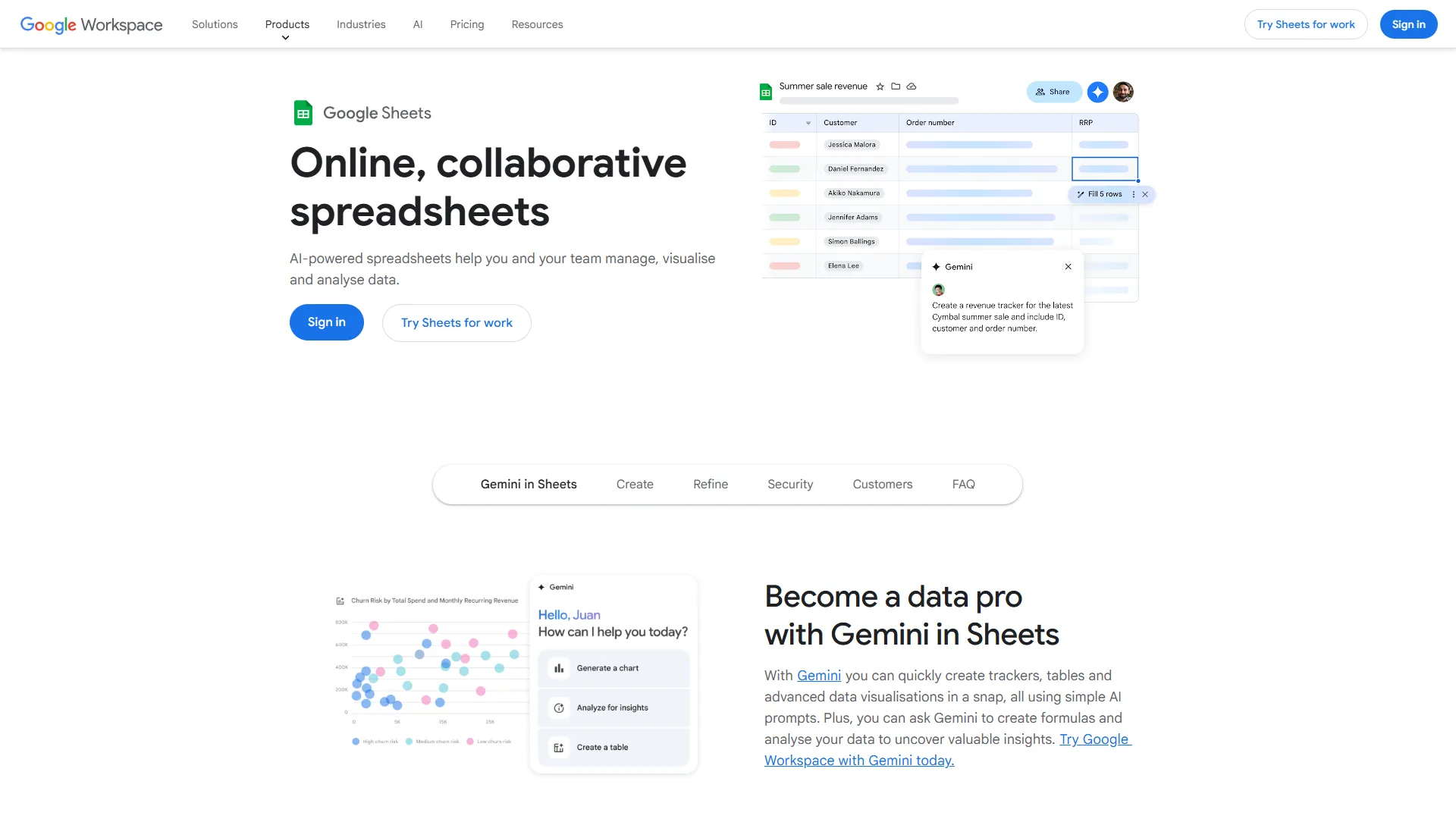
Google Sheets is the spreadsheet most teams actually need: it handles formulas, charts, pivot tables, and real-time collaboration better than anything else at its price point - which is free. Gemini AI integration is turning the passive grid into an assistant that suggests formulas, generates charts from natural-language prompts, and organizes messy data automatically.
What Makes Google Sheets Stand Out
Three strengths separate Sheets from every other free spreadsheet: friction-free multi-user collaboration with live cursors and cell-anchored @mention comments; Gemini AI for “Help me organize,” Smart Fill, formula suggestions, and the Explore panel; and a massive ecosystem of Apps Script, add-ons, and native links to Zapier and Make that turn Sheets into a lightweight backend for almost any workflow.
Pricing
| Plan | Monthly Price | Key Additions |
|---|---|---|
| Personal (Free) | $0 | Full spreadsheet features, 15 GB Drive storage |
| Business Starter | $8.40/user/mo | Custom email, 30 GB storage, standard support |
| Business Standard | $16.80/user/mo | Gemini AI features, 2 TB storage, AppSheet |
| Business Plus | $26.40/user/mo | 5 TB storage, advanced security, Vault |
| Enterprise | Custom | Unlimited storage, DLP, dedicated support |
Sheets functionality is identical across every plan; paid tiers buy Workspace features (business email, storage, admin controls), not better spreadsheet capabilities. For spreadsheet-only use, the free tier is genuinely complete.
AI Features and Limits
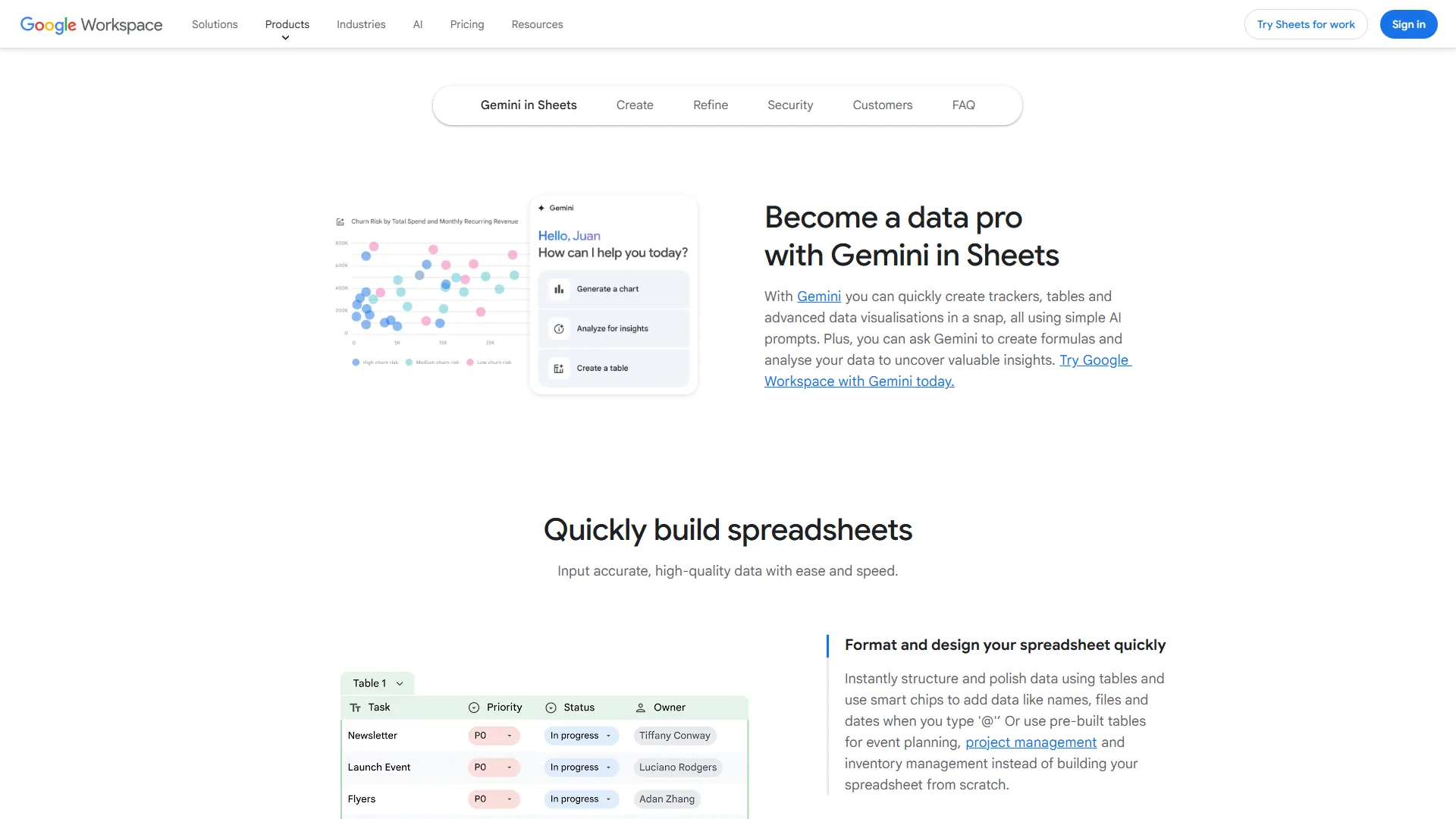
Gemini AI in Sheets covers four primary capabilities: formula generation from plain-English prompts, Smart Fill for pattern-based column completion, the Explore panel for natural-language charts and pivots, and Help me organize for messy-text-to-table conversion. Formula suggestions land around 80% of the time on first try; most users save 15-30 minutes per day on routine work. Sheets is not for data engineers or million-row datasets: performance degrades past a few thousand rows of complex formulas, there is no relational data model, and advanced features (VBA, Power Query, Power Pivot) remain Excel-superior.
Airtable: The Database Platform That Makes Flat Spreadsheets Obsolete

Airtable is not really a spreadsheet, and that is precisely why it belongs here: it bridges spreadsheets and databases with 25+ field types, relational links between tables, and built-in AI that categorizes, summarizes, and generates content inside the data - the natural next step for teams that have outgrown rows and columns.
What Makes Airtable Stand Out
Four traits distinguish Airtable from a spreadsheet: relational power without SQL through the linked-record model, so a content calendar connects to author, asset, and publication tables and propagates changes automatically; multiple views of the same data - grid, Kanban, calendar, gallery, Gantt, and timeline - that let marketing and engineering share one base without duplication; AI field types that auto-categorize, summarize, or generate descriptions from other fields; and the built-in automation builder with triggers, conditions, multi-step actions, and up to 100,000 monthly runs on the Business plan.
Pricing
| Plan | Monthly Price | Records Per Base | Automation Runs |
|---|---|---|---|
| Free | $0 | 1,000 | 100/month |
| Team | $24/user/mo ($20 annual) | 50,000 | 25,000/month |
| Business | $54/user/mo ($45 annual) | 125,000 | 100,000/month |
| Enterprise Scale | Custom | 500,000 | 500,000/month |
Airtable pricing is per-seat and scales linearly with team size - a 10-person Business plan is around $540 per month against zero for Sheets. For teams that genuinely need relational data and automation the ROI justifies the cost, with Red Bull reporting 70-80% time savings in media planning and Code and Theory saving 10,000+ hours annually.
AI Features and Limits
Airtable’s AI is built into the data model through AI field types: a field auto-generates text from other fields, handles summarization, categorization, and sentiment analysis, and refreshes when source data changes. Natural-language formula generation and AI-powered search across bases extend the same approach. The tradeoff is scope: Airtable AI does not match Gemini’s open-ended analytical reach, and the platform is wrong for finance teams in pivot tables, solo founders avoiding per-seat costs, or anyone past 125,000 records on the Business plan.
Feature-by-Feature: Google Sheets vs Airtable
Feature by feature, Google Sheets wins on data analysis and financial modeling while Airtable wins on project management and no-code automation, so the right choice depends on whether your core workflow is crunching numbers or coordinating structured work. “We don’t think of Airtable as a spreadsheet - we think of it as a way to build the tools you need,” says Howie Liu, Airtable’s co-founder and CEO, in the company’s platform overview.
Data Analysis and Financial Modeling
Google Sheets wins decisively. Pivot tables, VLOOKUP cascades, conditional formatting, and Gemini-suggested formulas make Sheets the home turf for crunching numbers; Airtable has no pivot tables and a more limited formula system.
Project and Workflow Management
Airtable wins by a wide margin. Kanban, Gantt, timeline views, linked records, and the automation builder create a legitimate project management environment that flat spreadsheets cannot replicate without breaking down past medium complexity.
Team Collaboration
A tie. Sheets excels at synchronous collaboration (multiple editors on the same cells in real time); Airtable excels at asynchronous collaboration (different team members viewing the same data through grid, Kanban, or calendar lenses with role-based permissions).
Automation and Integration
Airtable has the edge for no-code automation - triggers, conditions, multi-step actions, and up to 100,000 monthly runs on the Business plan. Sheets counters with Apps Script, a full JavaScript environment that can do anything but requires coding. Both connect to Zapier and Make.
AI Capabilities
| AI Feature | Google Sheets (Gemini) | Airtable |
|---|---|---|
| Formula Generation | Natural language to formula | Natural language to formula |
| Data Analysis | Explore panel, charts, summaries | Limited (no pivot tables) |
| Content Generation | Basic via Gemini | AI field types (native) |
| Auto-Categorization | Manual or add-on | Built-in AI fields |
| Integration Depth | Workspace-wide Gemini | Base-level AI fields |
Use Google Sheets for analytical AI and Airtable for workflow-integrated AI.
ROI Calculator: The Numbers That Matter
A 5-person team on free Google Sheets recovers roughly $7,800 per year in time savings at zero software cost, while a 10-person team on Airtable’s Team plan ($2,400 per year) can return an estimated $52,000 through automation - a 21x payback. The math:
- Google Sheets - free; 10 hours per week of spreadsheet work shrinks by roughly 3 hours per person once real-time collaboration replaces email-attached files (Google Workspace customer studies), conservatively booked at $7,800 net of training. The 10-hour baseline tracks U.S. Bureau of Labor Statistics time-use data for information workers.
- Airtable - Team plan at $24 per user/mo ($20 annual); the Red Bull case study shows 70-80% reductions in media planning and Code and Theory saved 10,000+ hours annually. A conservative 2-hour weekly automation gain across 10 people at $50/hour yields $52,000 against $2,400 in software cost.
Which Tool Fits Your Best AI Spreadsheet Tools 2026 Decision
Pick Google Sheets when traditional spreadsheet work, free access, and real-time collaboration on the same document are your priorities; pick Airtable when relational data, multiple views, or no-code workflow automation matter more than formulas; and run both together when financial analysis lives in Sheets and project management lives in Airtable.
Choose Google Sheets if your primary need is formulas, charts, or financial modeling; budget is tight; real-time co-editing is essential; or your team already lives in Google Workspace.
Choose Airtable if you have outgrown flat spreadsheets, workflow automation is a priority, multiple teams need different views of the same data (Kanban, Gantt, calendar), or you manage projects and content calendars worth paying per seat for.
What About Excel, Notion, and Smartsheet?
Excel, Notion, and Smartsheet each cover a niche the Sheets vs Airtable pairing leaves open: Microsoft Excel for power-user financial modeling, VBA macros, Power Query, and datasets past Google Sheets’ limits (its Copilot is the most advanced spreadsheet AI available but assumes a desktop-first workflow and a Microsoft 365 subscription); Notion for light databases inside an all-in-one workspace alongside docs and wikis - though it lacks pivot tables and complex formulas, so finance teams or anyone past 10,000 rows should stay in Sheets or Airtable; and Smartsheet for enterprise spreadsheet-style project management with Gantt charts and resource management. Smartsheet’s per-user pricing only pays off at 20+ seats with formal PMO needs; smaller teams will get further with the best free project management tools. For the database side, see the best AI database tools 2026 breakdown.
The Bottom Line
Google Sheets is the best free collaborative AI spreadsheet for 2026 and Airtable is the best spreadsheet-to-database bridge, so the choice ultimately comes down to one question: do you need a spreadsheet or a database? Google Sheets wins for 900 million monthly users who need formulas, charts, and real-time editing at zero cost; Airtable wins for teams that have outgrown rows and columns and need relational data, multiple views, AI field types, and serious automation. For most data-driven teams the answer is both, paired with the right AI automation tools for end-to-end workflows.
FAQ
Q: What is the best AI spreadsheet tool in 2026?
The best AI spreadsheet tool in 2026 is Google Sheets for free collaborative work and Airtable for relational workflows - the two lead the best ai spreadsheet tools 2026 landscape. Sheets pairs a free 10-million-cell grid with Gemini AI for formula suggestions, Smart Fill, and the Explore panel. Airtable adds 25+ field types, linked records, and native AI fields. Choose Sheets for formula-driven analysis, Airtable for structured workflows and automation.
Q: What are the best AI spreadsheet tools 2026 free options?
The best AI spreadsheet tools 2026 free options are the Google Sheets Personal plan (full spreadsheet features, 15 GB Drive storage, Gemini formula suggestions on the consumer side) and the Airtable Free plan (1,000 records per base, 5 editors, basic AI fields). For dedicated AI tools for data analysis and visualization beyond spreadsheets, Julius AI offers a free tier focused on natural-language chart generation, and Microsoft Excel for the web is free with a Microsoft account but excludes Copilot.
Q: Is Google Sheets free to use with Gemini AI?
Google Sheets is free on the Personal plan with full spreadsheet features and 15 GB of Drive storage. The richer Gemini AI features - Help me organize, Smart Fill, and the Explore panel - are included with Business Standard at $16.80 per user per month and higher Workspace tiers. Spreadsheet functionality itself is identical across every plan.
Q: How much does Airtable cost compared to Google Sheets?
Airtable starts free with 1,000 records per base, then moves to Team at $24 per user per month ($20 annual) and Business at $54 per user per month ($45 annual). Google Sheets is free for spreadsheet use or $8.40 to $26.40 per user per month for Workspace features. A 10-person Airtable Team plan runs around $2,400 per year versus zero for Sheets.
Q: When should you use Airtable instead of Google Sheets?
Choose Airtable when you need relational data with linked records, rollups, and lookups across tables, or when you want multiple views of the same data such as Kanban, Gantt, calendar, and gallery. Airtable also wins for no-code workflow automation with up to 100,000 runs per month on the Business plan. Pick Sheets for formulas, pivot tables, and financial modeling.
Related Reading
Related reading extends this best AI spreadsheet tools 2026 comparison into the automation, project management, and tool reviews that pair with Sheets and Airtable in practice.
- Best AI Automation Tools 2026
- Best Free Project Management Tools
- Remote Collaboration Tools
- How to Automate Email with AI
- Google Sheets Review
- Airtable Review
External Resources
External resources cited above include the primary vendor and government documentation that back the pricing, feature, and time-savings claims in this comparison.