








Notion AI is the better choice for collaborative documentation and knowledge management, while Coda AI wins for relational data, programmable tables, and operations workflows. Both cost $10 per user per month at the team tier, but they diverge on AI access: Notion gates full AI behind its $18 Business plan, while Coda includes AI in Team and bills only doc-makers.
McKinsey research on generative AI’s economic potential finds AI tools can boost knowledge worker output by 20-40%. The real question is which app is right for you - an honest comparison for 2026 framed below.
“Generative AI could add the equivalent of $2.6 trillion to $4.4 trillion annually across business use cases,” according to the McKinsey Global Institute’s 2023 report on the economic potential of generative AI.
The NIST AI Risk Management Framework is the federal baseline for evaluating AI systems embedded in workspace tools - a useful checklist before adopting either platform at scale.
TL;DR: Quick Verdict
Notion AI wins for content teams; Coda AI wins for operations teams. Both platforms cost $10 per user per month at the team tier, but they diverge on AI pricing - Notion gates full AI behind its $18 Business plan, while Coda includes AI in Team and bills only doc-makers. This comparison draws on each vendor’s current pricing and feature documentation plus independent research rather than sponsored placement, and AI Productivity may earn a commission from links on this page, though our rankings remain editorially independent.
Choose Notion if you want flexible documentation, powerful AI agents, and a polished UX. Best for content teams, startups, and knowledge-management-first organizations.
Choose Coda if you want spreadsheet-like logic, complex no-code automation, and table-driven workflows. Best for operations teams, product managers, and automation enthusiasts.
Quick Comparison Table
| Factor | Notion | Coda |
|---|---|---|
| Rating | ||
| Free Tier | Unlimited pages (individual) | Unlimited docs, 1000 rows |
| Team Price | $10/user/month (Plus) | $10/user/month (Pro) |
| AI Price | around $18 per user per month (Business) | $10/user/month (included in Team+) |
| AI Models | GPT-5, Claude Opus 4.1, o3 | GPT-4 Turbo, proprietary |
| Best For | Knowledge management, wikis | Workflow automation, ops |
| Core Strength | Flexible documentation | Programmable databases |
| Learning Curve | Moderate | Steep (formula-heavy) |
Notion AI vs Coda AI: Head-to-Head Feature Comparison
Notion is document-first; Coda is database-first. That single philosophical split shapes every other feature difference, from formula depth to mobile polish to which tool should you use for a given workflow.
Notion uses a “blocks and databases” model: everything is a block - text, images, embeds, databases - and databases are features within your documentation rather than the organizing principle.
Coda uses a “docs as apps” model: every Coda doc is a lightweight application of tables, buttons, automations, and formulas that rival spreadsheet complexity - the doc wrapper exists, but tables drive the logic.
| Feature Area | Notion | Coda |
|---|---|---|
| Page Structure | Blocks in hierarchies | Sections with embedded tables |
| Database Power | Views, relations, rollups | Formulas, buttons, automations |
| Formula Complexity | Basic (date math, simple) | Advanced (Excel-like, cross-table) |
| Automation | AI agents, simple rules | Robust (buttons, time-based, cross-doc) |
| Templates | Gallery with community | Template gallery plus “Packs” |
| API | REST API, broad support | REST API plus “Packs” ecosystem |
| Mobile | Full-featured | Functional but limited |
Tradeoffs at a glance: Notion falls short on spreadsheet-grade formulas, cross-doc automation, and fine-grained role permissions - all of which Coda handles natively. Coda falls short on learning curve, mobile, and documentation aesthetics. Skip Notion for formula-heavy work; skip Coda if your team rejects anything resembling a spreadsheet.
AI Capabilities Deep Dive
Notion AI leads on raw capability; Coda AI leads on practicality. Notion ships multi-model autonomous agents powered by GPT-5, Claude Opus 4.1, and o3, while Coda weaves AI directly into formulas and automations - built-in beats bolted-on in many operational contexts.
Notion AI: Multi-Model Agents
Notion rebuilt its AI in the September 2026 “Notion 3.0” release - instead of a single assistant, you now get autonomous agents powered by GPT-5, Claude Opus 4.1, or o3. The architecture follows patterns documented in Anthropic’s Claude release notes, which Notion cites as the backbone for long-context analysis.
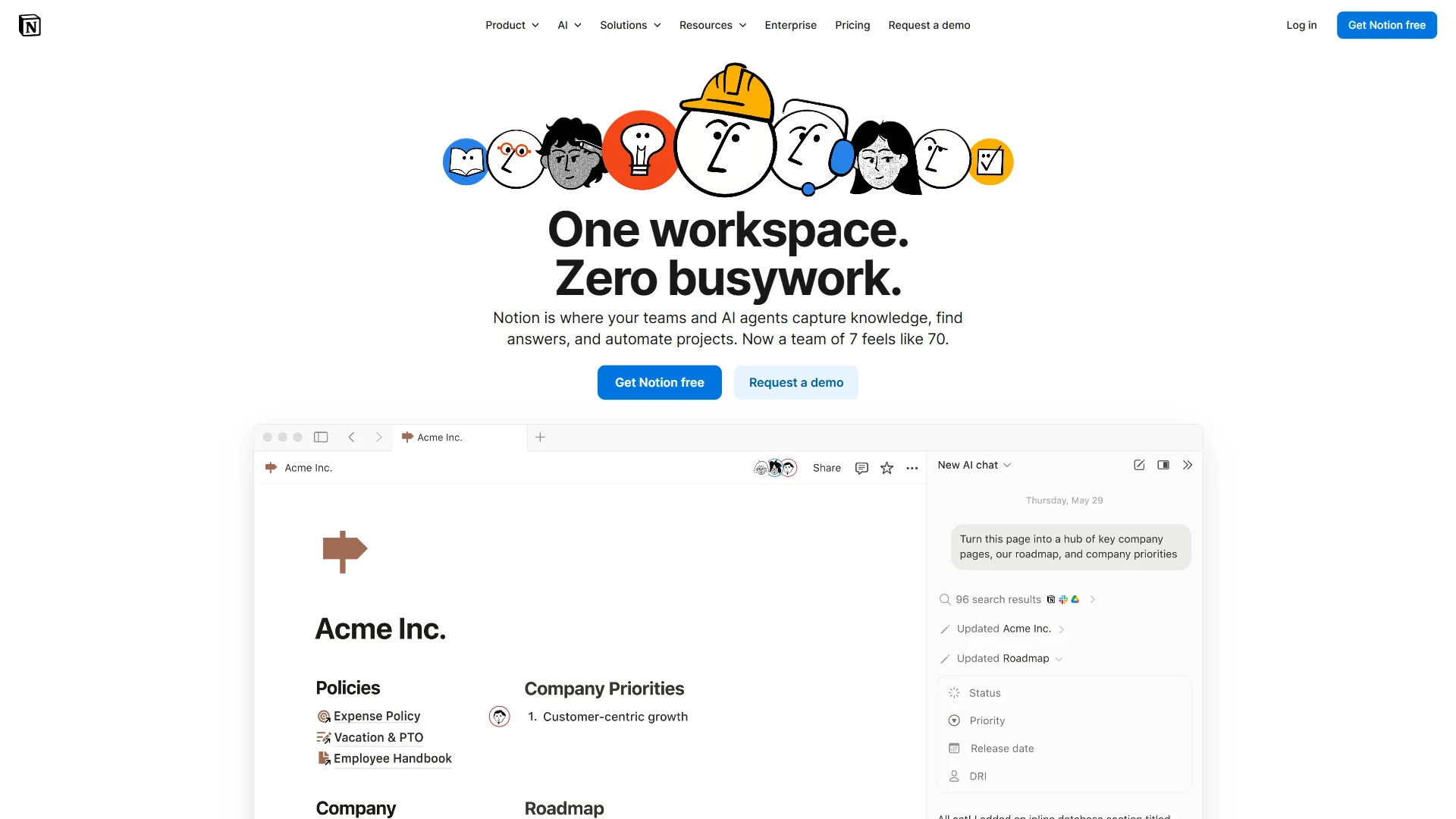
Key Notion AI capabilities:
- Multi-model access: GPT-5 for creative, o3 for reasoning, Claude for analysis
- Autonomous agents: Workflows that execute without prompting
- Context awareness: AI reads comments, calendar, and connected Slack
- Meeting transcription: Notes with timestamps and action-item extraction
- Inline assistance: Highlight text to transform, expand, or rewrite
The catch: full AI requires Business at ~$18/user/month - Free and Plus lost AI access in August 2026 when Notion discontinued the ~$8/month add-on.
Coda AI: Integrated Automation
Coda’s AI approach is utilitarian - rather than a separate feature, Coda weaves AI into its automation and formula system.
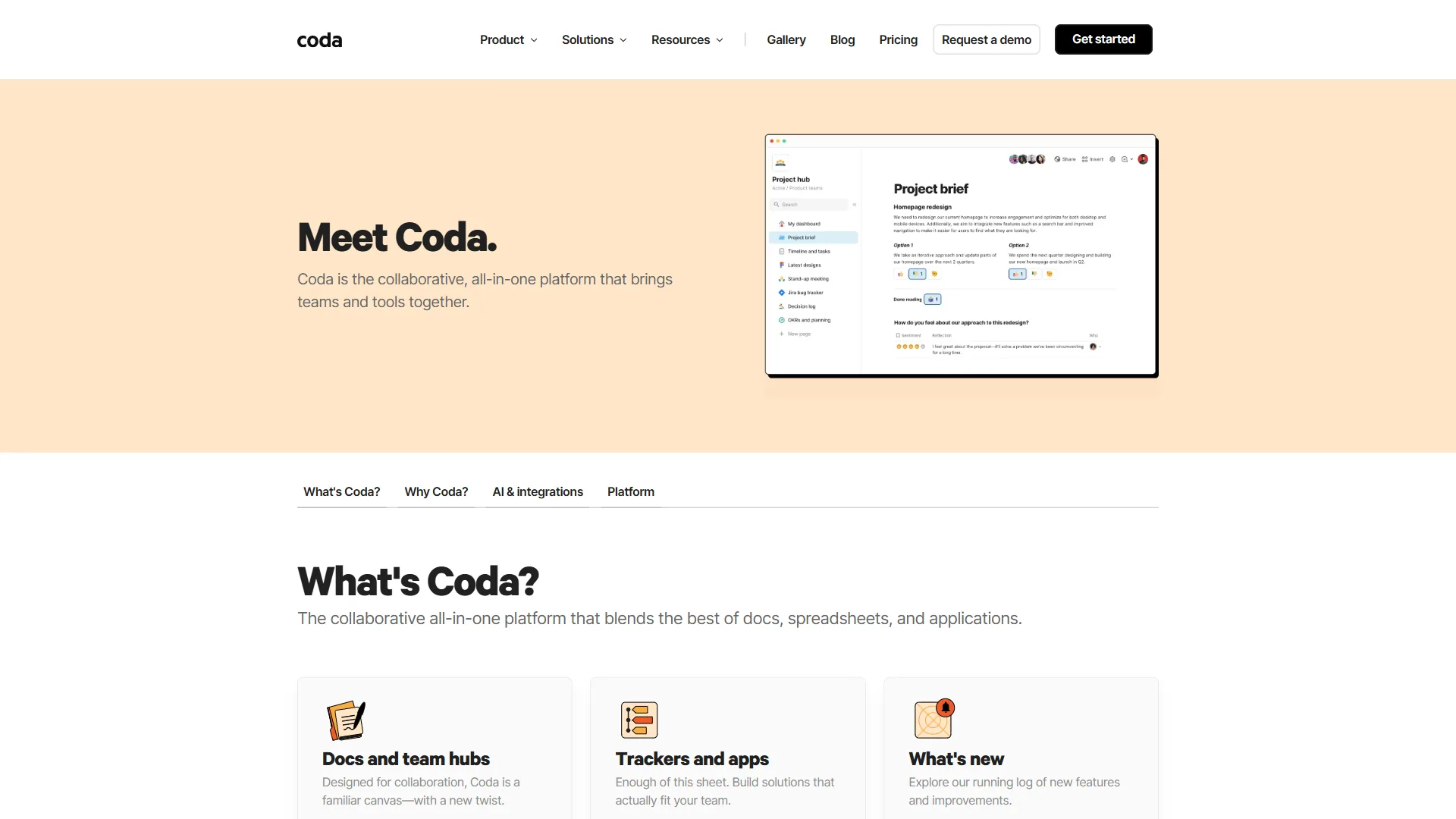
The official Coda AI overview documents the column types, prompts, and pack hooks available to developers extending Coda’s AI.
Key Coda AI capabilities:
- AI columns: Auto-populate from other column data
- AI blocks: Generate content inside docs via prompts
- Formula AI: Have AI write complex formulas - useful given Coda’s formula depth
- Summarization: Condense tables, pages, or external content
- Pack integration: AI features tap external tools through the Pack ecosystem
Coda includes AI in Team plans and above - more accessible than Notion’s premium gating, though Coda’s AI models sit a generation behind Notion’s multi-model offering.
AI Winner Breakdown
| AI Use Case | Winner | Why |
|---|---|---|
| Content generation | Notion | Multi-model access, better inline tools |
| Formula/automation help | Coda | AI understands Coda’s formula syntax |
| Meeting notes | Notion | Native transcription and extraction |
| Data processing | Coda | AI columns process entire tables |
| Knowledge Q&A | Notion | Better semantic search across workspace |
| Cost efficiency | Coda | AI included at lower price tier |
AI limitations on both sides: Notion AI can hallucinate citations when summarizing connected Slack/email content, carries a roughly $18 per seat floor, and sometimes executes the wrong workflow when context is ambiguous. Coda AI runs older models, lacks an autonomous-agent equivalent, and its AI columns silently fail on tables past a few thousand rows. Skip either platform’s AI if you require strict factual grounding without manual verification.
Notion AI Strengths
Notion AI’s strengths are scalable documentation, multi-model AI flexibility, and user-experience polish - the three areas that matter most for knowledge-intensive teams.
1. Documentation That Scales
Notion’s block-based editor produces clean documentation without fighting formatting, and teams regularly migrate from Confluence and Google Docs. Notion’s AI documentation details how these features integrate platform-wide.
The wikis feature turns any database into a searchable knowledge base with automatic categorization, verification workflows, and AI-powered Q&A across the workspace.
2. Multi-Model AI Flexibility
Choosing GPT-5, Claude Opus 4.1, or o3 within one interface is useful - Claude for long documents, GPT-5 for creative content, o3 for technical reasoning, all one click apart.
Autonomous agents are Notion’s standout feature, drawing on capabilities introduced in OpenAI’s GPT-5 announcement. An agent can monitor a meeting-notes database, extract action items, create tasks in a tracker, and send a Slack summary every morning - all without prompting. Coda can approximate this with automations but requires more manual formula work.
3. User Experience Polish
Notion simply feels better to use - the interface is consistent across web, desktop, and mobile, and adoption ramps faster than Coda’s formula-heavy approach.
Limitations and who it is not for: Notion is a poor fit for teams needing spreadsheet-grade calculations, cross-doc data sync, or strict relational integrity - rollups break in subtle ways at scale. Skip Notion if your workflows rely on Excel-style formulas (XLOOKUP, complex IF chains) or permissioned view-only sub-pages, and note that Notion AI agents cannot trigger external systems as reliably as a dedicated automation platform.
Coda AI Strengths
Coda AI’s strengths are programmable databases, the 600-plus-Pack integration ecosystem, and built-in automation that replaces Zapier - the areas where Notion’s flexibility falls short.
1. Programmable Databases
If you have ever wished Notion databases could do “just a bit more,” Coda is the answer - cross-table formulas, buttons that trigger multi-step actions, and conditional formatting that rivals Excel make Coda tables programmable. Example: when a feature request reaches 10 upvotes, a formula calculates a priority score, a button promotes it to the roadmap, and an automation notifies stakeholders - all in one table.
2. Packs Ecosystem
Coda’s “Packs” go beyond embedding external data - they pull data into tables for use in formulas. The Salesforce Pack syncs deal data into a table where you can run formulas, trigger automations, and build dashboards, and the Coda Gallery showcases hundreds of Pack-powered templates. Over 600 Packs connect Coda to Jira, Shopify, and custom APIs; Notion’s integrations are broader but shallower, Coda’s narrower but deeper.
3. Automation Without Zapier
Coda’s native automation rivals Zapier for workspace-internal workflows - time-based, row-change, and button triggers, configurable without code or third-party subscriptions. Operations teams report replacing 3-4 Zapier zaps with Coda automations, saving $50-100/month. For broader orchestration, our Make automation guide and HubSpot CRM review explore where dedicated tools still earn their place.
Limitations and who it is not for: Coda’s drawbacks center on its learning curve - the formula language rewards spreadsheet veterans and punishes everyone else. Skip Coda if your team is primarily writers; the editor is utilitarian, the mobile app lacks desktop parity, and Notion’s wikis render polished public-facing documentation better. Coda also lacks a native autonomous-agent system, so cutting-edge AI workflows still require manual setup.
Pricing Comparison
Notion and Coda both start at $10 per user per month for their paid team tier. They diverge sharply on AI access - Notion gates full AI behind its $18 Business plan, while Coda includes AI in its Team tier and bills only doc-makers, a pricing model that favors read-heavy teams.
Notion Pricing
| Plan | Monthly Price | AI Access | Key Features |
|---|---|---|---|
| Free | $0 | Trial only | Unlimited pages (individual), 10 guests |
| Plus | $10/user | None | Unlimited blocks, 100 guests, 30-day history |
| Business | $18/user | Full | Multi-model AI, advanced analytics, SAML SSO |
| Enterprise | Custom | Full | Audit logs, dedicated support, custom contracts |
The AI trap: Notion AI requires $18 per user minimum - a 10-person team pays ~$180/month for Business versus ~$100 for Plus without AI.
Coda Pricing
| Plan | Monthly Price | AI Access | Key Features |
|---|---|---|---|
| Free | $0 | Limited | Unlimited docs, 1000 rows total |
| Pro | $10/user | Basic | Unlimited rows, 5 doc-makers |
| Team | $30/user | Full | Unlimited doc-makers, cross-doc packs |
| Enterprise | Custom | Full | Advanced permissions, SSO, dedicated support |
Cost Comparison Example
For 10 creators and 50 viewers needing AI, Notion Business costs $1,080/month (60 × $18); Coda Team costs $300/month (10 doc-makers × $30).
| Platform | Calculation | Monthly Cost |
|---|---|---|
| Notion Business | 60 users × $18 | $1,080 |
| Coda Team | 10 doc-makers × $30 | $300 |
Coda’s model can run 70%+ cheaper for view-heavy teams; if everyone creates, costs converge.
When to Choose Each Platform
Notion fits knowledge-base and documentation teams; Coda fits operations and workflow-automation teams. This decision turns on how your team thinks - in prose or in formulas - and which tool should you use depends more on cognitive style than on feature checkboxes.
Choose Notion If You:
- Build knowledge bases: Wikis, docs, and SOPs are Notion’s sweet spot
- Value polished documentation: The editor produces clean output with less effort
- Want cutting-edge AI: Multi-model access and autonomous agents lead the category
- Have mobile workers: Notion’s mobile experience is meaningfully better
- Prefer intuitive over powerful: Lower learning curve drives faster adoption
Ideal teams: Content, marketing, startups, remote-first companies, knowledge workers
Choose Coda If You:
- Build operational workflows: CRMs, project trackers, inventory systems
- Think in spreadsheets: Excel formulas feel native in Coda
- Need complex automation: Multi-step workflows without Zapier
- Have many viewers: Doc-maker pricing favors read-heavy teams
- Want deep integrations: Packs pull external data into your workspace
Ideal teams: Operations, product management, data-driven workflows, agencies
Consider Both If You:
Some teams use Notion for documentation and Coda for operations - the overlap cost is justified by specialization. Pair either with Granola for meeting notes or Paperguide for AI-summarized research.
Where each falls short: Notion bites teams needing formula complexity or cross-doc automation; Coda frustrates teams prioritizing polished documentation, mobile, or low learning curves. Skip both and stick with Google Docs plus Airtable if your team is too small to absorb migration costs.
Frequently Asked Questions
These FAQs answer the most common Notion AI vs Coda AI questions on AI quality, relative cost, agent capability, integrations, security, and migration - a comparison for teams choosing between the two in 2026.
Is Notion AI better than Coda AI?
Notion AI is better for content creation; Coda AI is better for automation. Notion’s multi-model setup (GPT-5, Claude Opus 4.1, o3) produces stronger writing, while Coda AI’s formula and table integration is more practical for ops work.
Can Coda replace Notion?
Coda can replicate most Notion functionality, but the editor is more utilitarian, the mobile app is weaker, and the learning curve is steeper. Teams prioritizing documentation aesthetics prefer Notion; teams needing programmable databases prefer Coda.
Which is cheaper, Notion or Coda?
Coda is cheaper for teams with many viewers. Notion charges per user regardless of role; Coda charges per “doc-maker” only. For 10 creators and 50 viewers, Coda Team ($300/month) beats Notion Business ($1,080/month); if everyone creates, costs converge.
Does Coda have AI agents like Notion?
Coda does not match Notion’s autonomous agents. Notion’s agents execute workflows without prompting; Coda’s AI is reactive, responding to requests and integrating into automations rather than independently monitoring and acting.
Which has better integrations?
Notion has broader integration support (100+ official, thousands via Zapier); Coda’s Packs offer deeper integration, pulling external data into tables where formulas can manipulate it. Choose Notion for passive embeds, Coda for active data manipulation.
Is Coda more secure than Notion?
Both platforms offer SOC 2 Type II compliance, SSO, and encryption at rest and in transit. Notion adds HIPAA support on Enterprise; Coda offers similar Enterprise controls plus granular cross-doc permissions. Neither holds a decisive security advantage for typical SMB use.
Can I migrate from Notion to Coda or vice versa?
Both support import/export, but conceptual translation is harder than technical migration - Notion’s blocks do not map cleanly to Coda’s sections, and Coda’s formulas have no Notion equivalent. Budget 2-4 weeks for a 500+ page migration including restructuring.
Final Verdict
Notion AI wins for content-heavy teams; Coda AI wins for ops teams needing spreadsheet-level logic. Both evolve fast, and the feature gap is narrowing while the philosophical gap widens.
Notion is a documentation platform that added databases and AI - it excels at creating, organizing, and searching knowledge, and the 2026 multi-model agents make it powerful for teams who live in documents.
Coda is a database platform that added documents and AI - it excels at operational systems with programmable logic, and the formula-first approach rewards spreadsheet thinkers. Choose the platform that matches how your team organizes work.
Related Reads
These companion guides cover Notion, Coda, and adjacent workspace platforms across team sizes and project management tools, with limitations and best-fit scenarios for each.
- Notion - Full tool review with pricing and features
- Coda - Full tool review with pricing and features
- Wiki Platform Comparison: Which Wins for Your Team?
- Best AI Project Management Tools in 2026
- ClickUp vs Notion 2026: Which Productivity Tool Wins?
- Notion Database Templates Guide
- Craft Review and Taskade Review - note-taking and AI project tools
- Make Review, HubSpot Review, Granola Review, and Paperguide Review
External Resources
These primary vendor resources document Notion AI and Coda AI features directly from each platform, plus independent research underpinning the productivity claims in this comparison.
- Notion Help Center - Official documentation and tutorials
- Coda Resources - Templates, guides, and best practices
- McKinsey on the economic potential of generative AI - Source for the $2.6T-$4.4T productivity figure cited above
- NIST AI Risk Management Framework - Federal guidance relevant to enterprise AI workspace governance