


ClickUp is a project management platform that costs $10/user/month and added docs second, while Notion is a knowledge management platform that costs $12/user/month and added tasks second. That single distinction drives every meaningful difference between the two tools and almost always means one fits your team better than the other.
Both platforms have free tiers, both added AI in 2026, and both sit in the $10-20 per user per month range for paid plans. On the surface, they look interchangeable. They are not.
According to Microsoft’s Work Trend Index, 75% of knowledge workers now use AI tools in some capacity, which raises the stakes on choosing the right hub for that work. Research from Forrester’s Total Economic Impact study on ClickUp found a 214% ROI over three years for teams that consolidated onto the platform.
Our analysis draws on vendor documentation and independent industry research; some links on this page are affiliate links, and our analysis remains independent. According to Zeb Evans, founder and CEO at ClickUp, “ClickUp’s mission is to make the world more productive by replacing several work apps with one unified platform.” This guide is a data-backed comparison covering the dimensions that matter most: task management depth, knowledge organization, AI capabilities, pricing, and clear verdicts by team type.
Comparison Table: ClickUp vs Notion at a Glance
ClickUp leads on task management depth and pricing entry-tier, while Notion leads on docs, wikis, and structural flexibility - the table below summarizes the features and pricing trade-offs side by side.
| Factor | ClickUp | Notion |
|---|---|---|
| Rating | ||
| Free Tier | Yes - unlimited tasks, unlimited users | Yes - unlimited pages, individual use |
| Paid Entry | $10/user/mo (Unlimited, annual) | $12/user/mo (Plus, annual) |
| Business Plan | $19/user/mo (Business, annual) | $18/user/mo (Business, annual) |
| AI | ClickUp Brain (add-on, from $9/user/mo) | Notion AI (add-on, $10/user/mo) |
| 4.7/5 | 4.7/5 | |
| Views | 15+ (List, Board, Gantt, Timeline, etc.) | 6 (Table, Board, Gallery, Calendar, etc.) |
| Best For | Project management, automation, workflows | Knowledge bases, wikis, flexible docs |
| Learning Curve | High (feature depth) | Moderate (structural flexibility) |
TL;DR: Choose ClickUp if your primary need is managing tasks, projects, and team workflows. Choose Notion if your primary need is organizing knowledge, building wikis, and connecting information across your work.
How Do ClickUp and Notion Compare on Task Management?
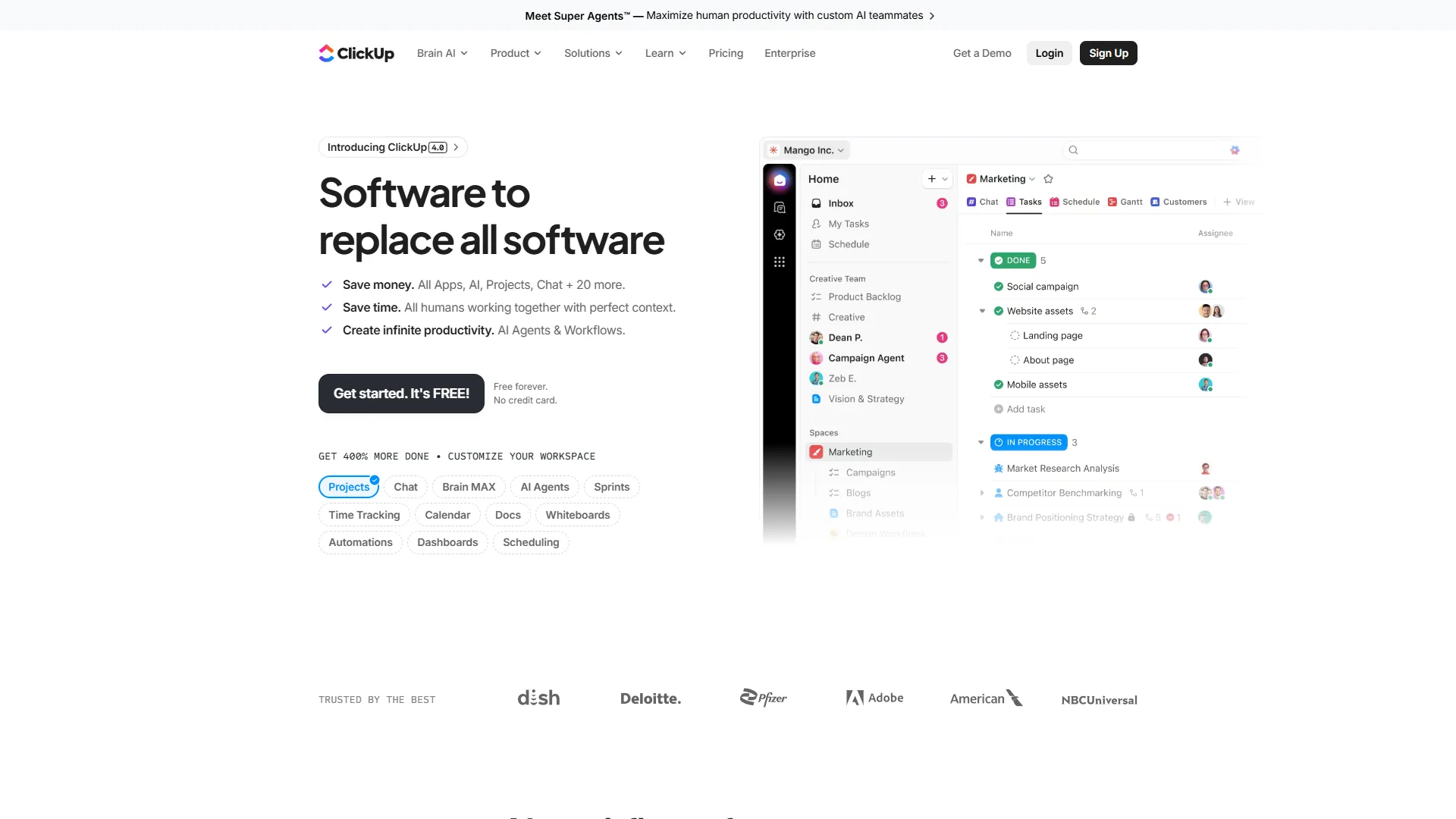
ClickUp delivers purpose-built task management with custom statuses, dependencies, time tracking, and sprint points, while Notion treats tasks as database rows that work but require configuration to reach parity.
ClickUp was built from the ground up as a task manager. You get custom statuses per list, nested subtasks with no depth limit, task dependencies, time tracking, multiple assignees, priorities, custom fields, and recurring tasks - all on the free plan. The Business plan adds sprint points, custom automations, and workload management views, as outlined in the ClickUp views documentation. For pricing context, see our ClickUp pricing breakdown.
Notion handles tasks but treats them as a secondary use case. You can build a kanban board, track tasks in a database, and filter by any property. But you will not get built-in time tracking, native Gantt views on most plans, sprint management, or task-level automations without significant configuration.
Winner: ClickUp for teams whose primary work is managing projects, sprints, or client deliverables.
Knowledge Management and Docs
Notion provides a first-class docs and wiki engine built on relational databases and a block-based editor, while ClickUp Docs is a competent but secondary editor layered onto a task management platform.
Notion’s “everything is a block” system lets you embed databases, toggles, callouts, tables, and linked mentions inside any page, as documented in the Notion databases help center. Relational databases - connecting Projects to Clients to Tasks - create a living knowledge graph that auto-updates as work progresses. Our Notion database templates guide shows how far you can push this system, and the Notion pricing guide breaks down what each tier unlocks.
ClickUp Docs are improving. You can create nested docs, link them to tasks, embed tables, and use templates. But the doc editor feels like an add-on, and the wiki experience does not match Notion’s polish.
Winner: Notion for teams building internal wikis, SOPs, or product documentation - and for operations teams looking for the platform that is better for operations teams running playbooks alongside docs.
Which Has Better AI Features in 2026?
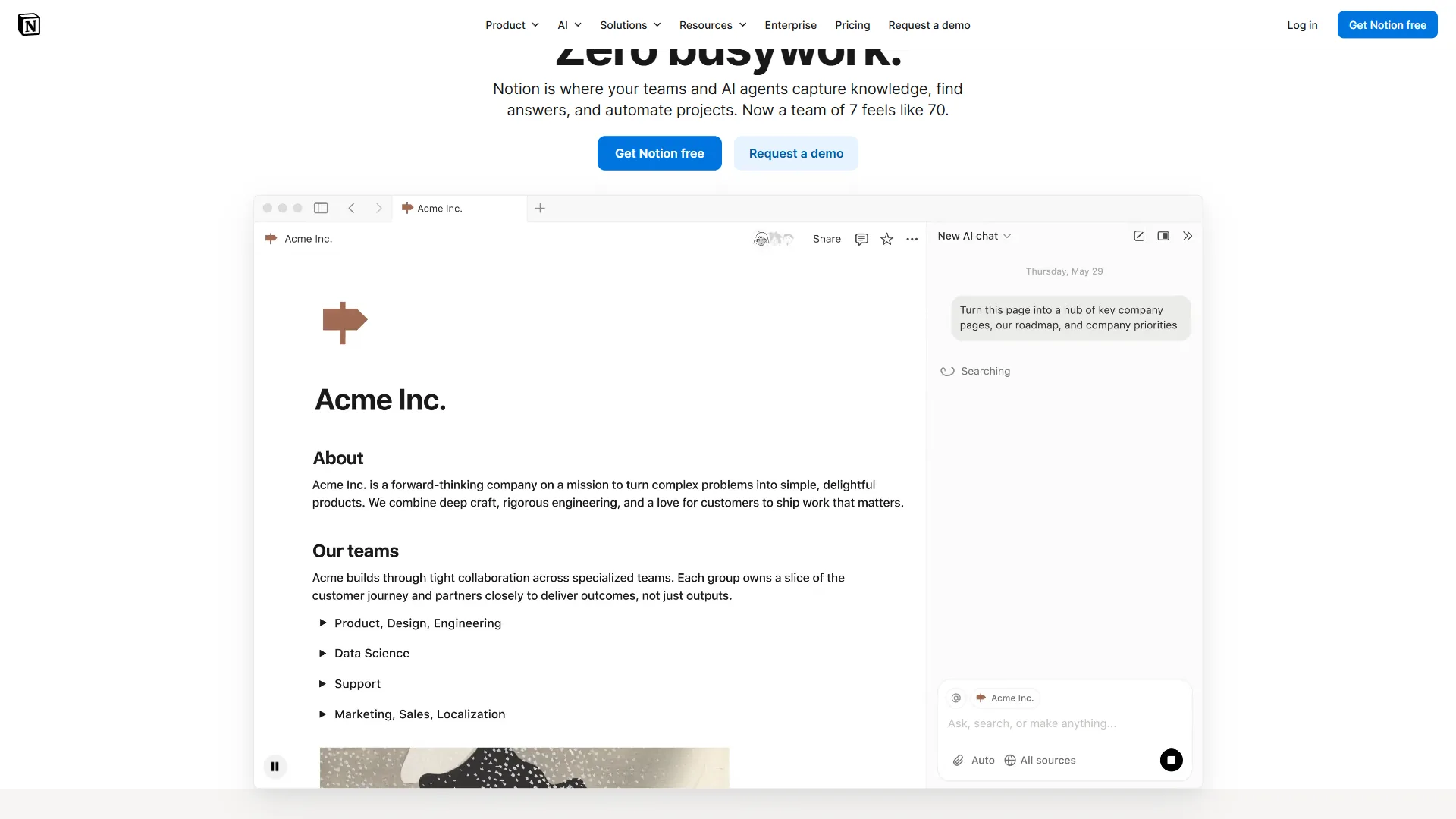
ClickUp Brain and Notion AI both cost roughly $9-$10 per user per month as add-ons and both expanded into multi-model agents in 2026, but Brain is stronger for project triage while Notion AI is stronger for knowledge retrieval.
ClickUp Brain Standard adds AI writing, task summaries, workspace search, and an AI project manager that detects scope drift and surfaces blockers. The higher Brain MAX tier adds multi-model access (GPT-5, Claude Opus 4, and o3) plus a desktop app. The Autopilot tier adds agents that triage, summarize, and update task statuses automatically.
Notion AI integrates as an add-on at $10 per user/month on top of any paid plan. For practical workflows, see our Notion AI workflows guide. It covers AI writing, AI Q&A across your workspace, and in 2026, autonomous Agents that can update database properties and trigger actions.
Winner: Tie, with a role-based edge. ClickUp Brain wins on project triage; Notion AI wins on Q&A across docs.
Customization and Automations
ClickUp customizes additively through custom fields, statuses, views, automations, and dashboards layered on top of tasks. Notion customizes compositionally through blocks, database properties, and filtered views with no fixed hierarchy. If you are also comparing ClickUp’s AI against Monday.com’s, our ClickUp AI vs Monday AI head-to-head covers that question.
ClickUp’s automation engine is purpose-built for project workflows. Trigger-action rules with complex conditions are outlined in the ClickUp Automations guide, and the Business plan includes 250+ runs per month. Native integrations cover Slack, Google Workspace, GitHub, HubSpot, and Salesforce.
Notion’s automations are simpler by design - database property triggers with a clean builder, plus the Notion API documentation for custom work. In 2026, Notion AI Agents handle some automation use cases without manual rule configuration.
Winner: ClickUp for complex, multi-step workflow automation. Tie for in-tool customization depth.
How Do ClickUp and Notion Compare on Pricing?
Plan Breakdown
| Plan | ClickUp | Notion |
|---|---|---|
| Free | $0 - unlimited tasks, unlimited users | $0 - unlimited pages, 1 user |
| Entry Paid | $10/user/mo (Unlimited, annual) | $12/user/mo (Plus, annual) |
| Business | $19/user/mo (Business, annual) | $18/user/mo (Business, annual) |
| AI Add-on | ClickUp Brain Standard: from $9/user/mo | Notion AI: $10/user/mo |
| Enterprise | Custom | Custom |
Real Cost for a 10-Person Team
Let’s model actual annual costs for a team that needs solid features and AI:
ClickUp Business + Brain Standard: $19 + $9 = $28 per user/month × 10 users × 12 months = $3,360/year
Notion Business + Notion AI: $18 + $10 = $28 per user/month × 10 users × 12 months = $3,360/year
The business-tier costs are essentially identical once AI is added. The differentiation comes at the entry level: ClickUp Unlimited at $10 per user/month offers more project management features than Notion Plus at $12 per user/month, making ClickUp the better value for teams focused purely on task tracking. Notion Plus is slightly pricier but more capable for knowledge management at that tier.
Winner: ClickUp for entry-tier value on project management features and pricing. Tie at business tier.
Learning Curve
ClickUp has a steep 2-4 week learning curve driven by deep configuration, while Notion’s curve is moderate at first but structural - new users get going in an hour but spend weeks iterating on workspace organization.
ClickUp’s depth of features means there is always more to discover, which is exciting for power users and paralyzing for less technical team members. The number of settings, views, and configuration options is daunting at first.
Notion’s interface is clean and approachable, but its infinite flexibility means new users have to decide how to organize their workspace without much guidance. Teams often spend weeks iterating before landing on a structure that sticks.
Winner: Notion for initial onboarding. ClickUp wins once the setup investment is made.
Which Tool Fits Your Workflow
Solopreneurs and Freelancers
Consider Notion first. For individuals, Notion’s free plan is genuinely powerful - unlimited pages, databases, and flexible organization for a single user. If you are primarily managing personal projects and knowledge (client notes, content calendars, SOPs), Notion handles it elegantly at $0. For more freeform options, browse our apps like Notion roundup.
ClickUp’s free plan is also strong (unlimited tasks, unlimited users), but the complexity-to-benefit ratio tips toward Notion for solo users who do not need multi-project sprint management.
Exception: If your work is primarily deadline-driven task management (freelance client projects, deliverable tracking), ClickUp’s free plan is the more appropriate tool.
Small Teams (2-20 People)
Depends on your primary pain. If the team’s biggest challenge is organizing information and building shared knowledge - SOPs, meeting notes, project docs, onboarding guides - Notion wins clearly. If the main challenge is tracking who is doing what and when across multiple projects, ClickUp wins.
The “can we use Notion for tasks and docs” question: yes, but expect friction. Notion’s task capabilities are functional but require more setup than ClickUp’s out-of-the-box project management.
Agencies
ClickUp for most agency types. Client work demands deadline tracking, status visibility, and the ability to switch between multiple concurrent projects. ClickUp’s customizable workspaces, client-specific spaces, and robust time tracking make it well-suited to agency workflows. Compare it head to head with peers in our ClickUp vs Asana breakdown and the best ClickUp alternatives roundup.
Notion is useful as a client-facing knowledge base (proposals, project docs, onboarding material) but less effective as the operational hub for a busy agency.
Knowledge-Intensive Teams (Product, Engineering, Research)
Notion for product and research teams. Product wikis, design decisions, engineering runbooks, and research repositories all benefit from Notion’s relational databases and flexible page structure. GitHub integration and the ability to embed live data make it a strong hub for technical documentation.
For pure engineering sprint management, neither tool is purpose-built - Linear or Jira are better fits. But Notion handles the documentation and knowledge-sharing side better than ClickUp for technical teams.
Enterprise
Both have enterprise options, with different strengths. ClickUp Enterprise adds advanced security (SSO, SCIM, HIPAA), dedicated onboarding, and priority support. Notion Enterprise adds team spaces with granular permissions, audit logs, and enterprise SAML/SSO.
Neither has a decisive advantage at the enterprise tier - the decision comes down to whether the organization’s primary need is unified project management (ClickUp) or scalable knowledge management (Notion).
The Bottom Line
Choose ClickUp if your team spends most of its time tracking projects and deadlines; choose Notion if your team spends most of its time creating, organizing, and retrieving knowledge.
ClickUp wins for:
- Teams managing multiple projects, deadlines, and deliverables simultaneously
- Organizations that want to replace project management tools (Asana, Monday, Jira) with one platform
- Agencies and service businesses tracking client work
- Teams that need strong automations and time tracking built in
- Users willing to invest configuration time for a highly tailored workflow
Notion wins for:
- Teams building and maintaining internal wikis, SOPs, or documentation
- Organizations where information retrieval and connected knowledge matter
- Product teams managing specs, research, and decisions alongside light task tracking
- Solopreneurs and small teams that want flexible organization without PM complexity
- Teams that value clean, minimal interfaces with structural flexibility
Both tools offer free plans worth trying with real work before committing. Spend a week using each with your actual workflow - the one that disappears into the background is the right choice.
FAQ
Q: Who is Notions’ biggest competitor?
ClickUp is one of Notion’s biggest competitors in the all-in-one productivity space. Both tools offer free tiers, support teams of any size, added AI in 2026, and sit in the $10-20 per user per month range for paid plans. On the surface they look interchangeable, but ClickUp leads with project management while Notion leads with knowledge management.
Q: Is Notion overkill for personal use?
Consider Notion first. For individuals, Notion’s free plan is genuinely powerful - unlimited pages, databases, and flexible organization for a single user.
Q: Is there a better app than ClickUp?
Winner: Notion for initial onboarding. ClickUp once the setup investment is made - a well-configured ClickUp workspace often delivers better daily usability than a poorly structured Notion.
Q: What is the main difference between ClickUp and Notion?
ClickUp is a project management platform that added docs and wikis, while Notion is a knowledge management platform that added tasks and databases. That distinction sounds subtle, but it drives fundamentally different product decisions and means one tool will almost always suit your workflow better than the other depending on your primary need.
Q: How much do ClickUp and Notion cost?
Both tools offer free tiers and sit in a similar price range. ClickUp’s Unlimited plan starts at $10 per user per month annually, with Business at $19 per user per month. Notion’s Plus plan starts at $12 per user per month annually, with Business at $18 per user per month. AI is an add-on for both, with ClickUp Brain from $9 and Notion AI at $10 per user per month.
Related Reading
The following guides extend this ClickUp vs Notion comparison into adjacent tools and pricing breakdowns most teams evaluate next.
- ClickUp vs Asana - How ClickUp compares to the other major PM platform
- Apps Like Notion - Best Notion alternatives for knowledge management
- Notion AI vs ChatGPT - Comparing Notion’s AI to standalone AI assistants
- ClickUp - Full ClickUp review with pricing, ratings, and feature breakdown
- Notion - Full Notion review with pricing, ratings, and use case guidance
External Resources
These external resources include the official ClickUp and Notion comparison pages plus primary vendor documentation cited throughout this analysis.
- ClickUp vs Notion Comparison - Official ClickUp comparison page
- Notion vs ClickUp - Official Notion comparison page
- ClickUp Blog: ClickUp vs Notion Deep Dive - Feature-by-feature breakdown from the ClickUp team