






Introduction
Meeting culture reform AI is the use of AI-powered scheduling tools, strategies, and workflows to fix broken meeting habits without requiring company-wide policy changes or executive buy-in. Tools like Reclaim AI and Motion address dysfunctions such as calendar fragmentation, zombie recurring meetings, and lost focus time - problems that cost large organizations millions annually. For a wider view of related options, our best AI calendar tools 2026 roundup compares the leading platforms side by side.
Meeting Culture Reform AI covers the strategies, tools, and workflows that deliver real productivity gains. This guide walks through the practical steps from initial setup through advanced optimization, with specific recommendations based on team size and budget.
Your calendar looks like a game of Tetris gone wrong. Back-to-back meetings from 9am to 5pm, zero time to actually do the work you discussed in those meetings, and a growing sense that you’re drowning in collaborative quicksand. Sound familiar?
You’re not alone. The average knowledge worker now spends 21.5 hours per week in meetings - up from 10 hours just three years ago. But here’s what most people don’t realize: the problem isn’t meetings themselves. It’s meeting culture. And unlike culture change initiatives that take years and require executive buy-in, you can start fixing your meeting culture tomorrow with AI calendar tools.
This meeting culture reform AI guide shows you how AI-powered scheduling tools like Reclaim AI and Motion can transform toxic meeting patterns into productive collaboration - without requiring permission from anyone, without implementing new company policies, and without turning into the person who complains about meetings while booking more meetings.
The Meeting Culture Problem
Before we talk about solutions, let’s get specific about what “broken meeting culture” actually looks like, because understanding the problem helps you pick the right tools.
The Symptoms of Meeting Dysfunction
Calendar Fragmentation: Swiss cheese schedules with 30-minute gaps everywhere. UC Irvine research shows 23 minutes to regain focus after interruption - six interruptions daily means 2+ hours lost to context switching.
Last-Minute Meetings: Someone books your “available” 3pm slot that you were planning to use for project work. Calendar availability != actual availability.
Zombie Recurring Meetings: Weekly syncs that made sense six months ago but nobody remembers the purpose - still blocking everyone’s Tuesday.
Time Zone Roulette: Every meeting is too early for someone, too late for someone else. Cognitive load of constant time conversion causes missed meetings.
No Sacred Focus Time: You need 4 hours for deep work but your longest calendar block is 90 minutes.
The Costs of Meeting Dysfunction
Harvard Business School found large companies spend 15% of collective time in meetings - $25M annually for 500-person organizations. Beyond dollars: opportunity cost (strategic projects never started), burnout, quality degradation, and employee attrition.
Traditional fixes fail because they require consensus and policy changes across entire teams. The key to meeting culture reform AI tools offer is that they work at the individual level, require no organizational buy-in, and start improving meeting culture immediately.
How AI Calendar Tools Help
Effective meeting culture reform AI solutions don’t just schedule meetings - they actively reshape your calendar to defend what matters. Here’s how they approach the problem differently than traditional calendar apps.
Proactive vs. Reactive Scheduling
Traditional calendars are reactive. Someone wants to meet, they look at your calendar, they see a gap, they book it. Your calendar is a passive victim of other people’s scheduling decisions.
AI calendar tools are proactive. They look at your entire calendar, identify patterns in your work, understand when you need focus time versus when you’re naturally more interruptible, and automatically defend the time that matters most. Instead of letting your calendar fill up like water finding every crack, AI tools create intentional structure.
Context-Aware Time Protection
Not all empty calendar slots are created equal. A 30-minute gap at 4:30pm on Friday is very different from a 30-minute gap at 10am on Tuesday. AI calendar tools understand context:
- Energy patterns: Most people do better deep work in the morning. AI tools preferentially protect those hours.
- Meeting density: If you already have four meetings scheduled, AI tools will defend remaining slots more aggressively.
- Work type requirements: Writing code requires longer blocks than answering emails. AI tools match your task types to appropriate time blocks.
- Personal preferences: You can teach the AI that you prefer external meetings in the afternoon and internal meetings in the morning.
Automatic Rescheduling
Here’s where AI tools get really powerful. When your calendar changes - a meeting gets canceled, someone declines your invite, a project deadline moves - AI tools automatically reshuffle everything else to optimize around the new reality.
That meeting that got canceled at 2pm? The AI immediately offers to use that time for the focus work you needed to do, and suggests rescheduling the less important meeting that was blocking your best morning slot. This happens continuously, without you touching anything.
Coordination Without Conflict
The hardest part of fixing meeting culture is that your calendar doesn’t exist in isolation. When you block focus time, someone else can’t reach you. When you push back on meeting requests, you’re creating friction with colleagues. AI tools solve this by coordinating scheduling decisions across teams. If three people on your team all use the same AI calendar tool, it can find meeting times that work for everyone’s focus time patterns, not just their availability.
Now let’s look at the two strongest AI calendar tools for meeting culture reform, starting with Reclaim AI.
Reclaim AI: Intelligent Habit Defense and Team Coordination
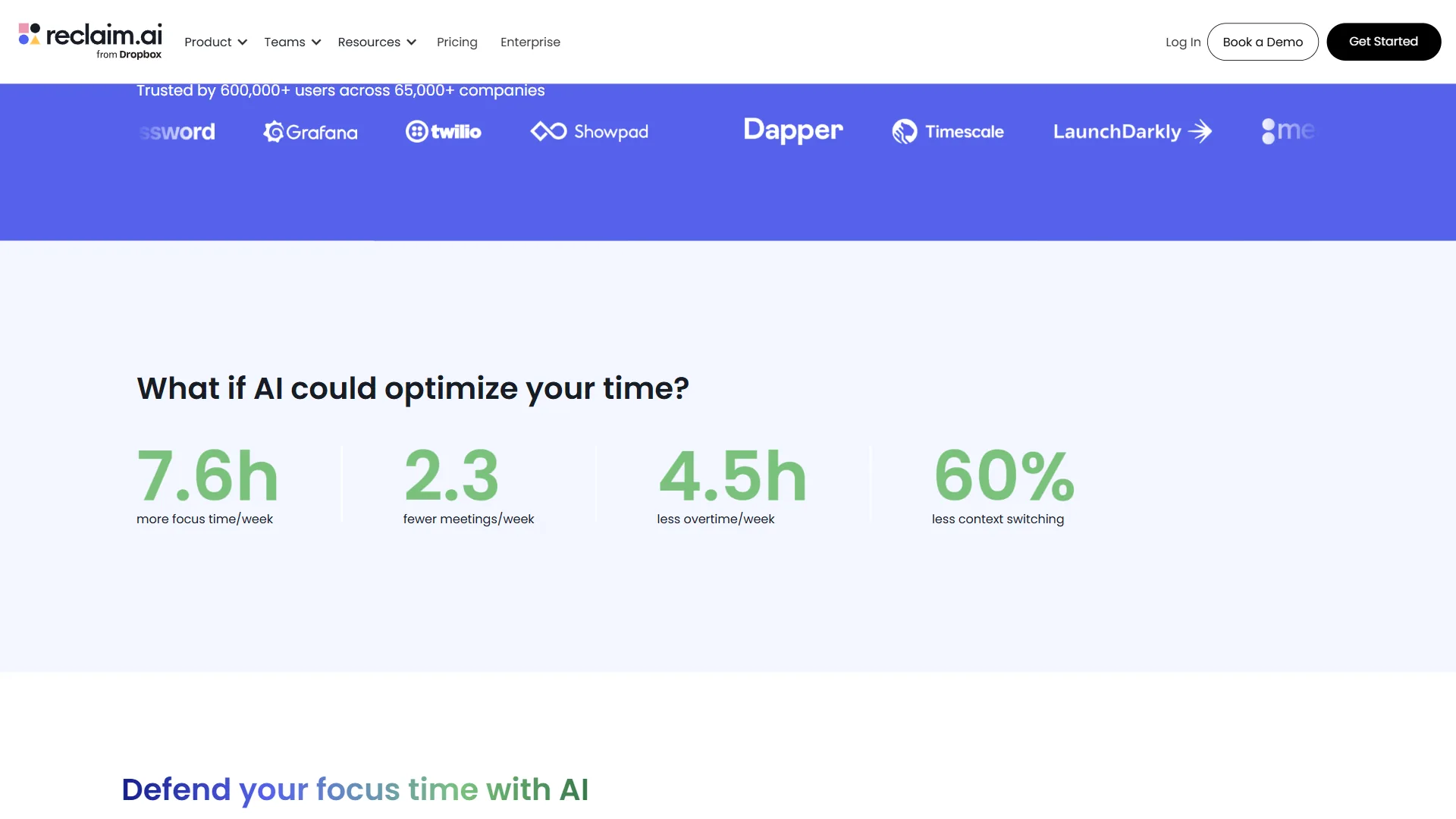
Reclaim AI is an AI-powered calendar assistant that integrates with Google Calendar and Microsoft 365 to automatically organize your week around what actually matters. Instead of letting meetings fill every gap, Reclaim treats your calendar as a living plan, continuously moving flexible items so you keep meaningful blocks of focus time.
How Reclaim Works
After you connect your calendar, Reclaim analyzes your schedule to understand patterns: when you typically have meetings, which meetings are flexible (meaning they could move without causing problems), and when you need focus time for deep work.
The core feature is Habits - recurring time blocks for the work that should happen regularly but rarely makes it onto your calendar. You define a habit like “Deep Work” (90 minutes daily, between 9am-12pm), and Reclaim automatically finds slots and schedules them. If a meeting gets booked over a habit, Reclaim quietly finds another slot that same day and reschedules.
When someone tries to schedule over your protected time, Reclaim can show those blocks as “busy” on your shared calendar so people don’t even try to book over them. You control how aggressive the protection is.
Team-Wide Coordination
Where Reclaim really shines for meeting culture is the Smart Meetings layer. If multiple people on your team use Reclaim, it orchestrates scheduling across everyone’s calendars to maximize collective focus time.
For example: Your team has a weekly 1:1 that could happen any time Tuesday through Thursday. Person A works best in the morning, Person B works best in the afternoon. Reclaim automatically finds the Tuesday afternoon slot that gives Person A their morning focus time and Person B their afternoon focus time, without anyone manually coordinating.
At scale, this creates “Focus Time Fridays” organically - not because someone mandated it, but because the AI recognized that moving flexible meetings earlier in the week creates a critical mass of focus time on Friday.
Smart Meeting Scheduling
Reclaim’s Scheduling Links work like Calendly but with AI optimization. When you send someone a scheduling link, Reclaim doesn’t just show your available times - it shows times that minimize calendar fragmentation. So if you have a meeting at 2pm and open slots at 1pm and 3pm, Reclaim will preferentially show 3pm (creating a meeting block) rather than 1pm (creating calendar fragmentation).
The Buffer Time feature lets you tentatively pad time around meetings, and Reclaim will automatically tighten or release that padding if someone needs to schedule and there’s no better option. This solves the “I need to protect time for project work but I don’t want to seem unavailable” dilemma.
Pricing and Availability
Reclaim AI offers a free tier that includes basic focus time protection, habits, and calendar analytics - enough to see immediate improvement in your meeting culture. The paid Starter plan removes limits and adds priority rules - see current pricing at Reclaim AI. The Business plan adds team scheduling coordination and unlimited scheduling links, and an Enterprise tier is available for advanced analytics and custom policies.
The free tier is legitimately useful, which makes Reclaim easy to pilot before you need to get budget approval.
Best For
Reclaim works best for teams that want to improve meeting culture collectively, and for individual contributors who have a mix of flexible and inflexible meetings. If your calendar has recurring team meetings that could potentially move to better times, Reclaim’s automatic rescheduling creates huge value.
It’s particularly effective in organizations where most people use Google Calendar or Microsoft 365 consistently, since that enables the cross-calendar optimization features.
Motion: AI Project Manager Meets Calendar
Motion takes a different angle on meeting culture reform. Instead of just optimizing your existing meetings, Motion treats every commitment - meetings, projects, deadlines, recurring work - as something its AI plans across your week. You declare what needs to happen, and Motion figures out where it goes.
The Auto-Scheduling Framework
Here’s the problem Motion solves: Important-but-not-urgent work never makes it onto your calendar. You know you should spend 30 minutes daily reviewing your team’s pull requests, or an hour each week planning next quarter’s roadmap, but when you look at your calendar, it’s all meetings and no time for the work that actually matters.
Motion’s Auto-Scheduler lets you define tasks with priority, duration, and deadline, and the AI continuously slots them into open calendar time around your meetings. Create a task for “Code Review” (30 minutes daily, due end of day), and Motion finds the gap. If a meeting gets booked over it, Motion automatically reshuffles to another time that day.
This is fundamentally different from blocking your calendar manually, because:
- Flexibility: If you manually block 9-9:30am for code review and someone needs to meet at 9am, you have to manually find another time. Motion does this automatically.
- Priority ordering: You can tell Motion that code review is more important than email catch-up, so if there’s only one good slot available, code review gets it.
- Adaptive scheduling: Motion learns when you typically complete or skip work and adjusts scheduling accordingly.
Task-Calendar Integration
The other major feature is Project Workspaces, which connect your team’s project work to the calendar. You can also sync external task managers (Asana, ClickUp, Linear, Jira, Todoist) so deliverables flow into Motion. A task like “Write Q2 strategy doc” that needs 4 hours total gets broken into four 1-hour slots over the next week, and Motion moves them automatically when meetings shift.
This solves the “my calendar is full but my to-do list keeps growing” problem. Your tasks are now calendar events that defend themselves against meeting encroachment.
Smart 1:1 Scheduling
Motion’s Recurring Meetings feature is designed for syncs that should happen regularly but don’t need to be at the same time every week. You set up a weekly 1:1 with your manager, and instead of it being “every Tuesday at 2pm,” it becomes “once per week, at the best time for both of us.”
Motion looks at both calendars, finds the optimal slot (minimal fragmentation, no conflicts with focus blocks, good time of day for both people), and automatically schedules the meeting. Next week, if Tuesday at 2pm isn’t optimal anymore, Motion moves it to Thursday at 11am. No manual rescheduling, no “can we move our 1:1” Slack messages.
Calendar Sync and Meeting Buffers
For people with multiple calendars (personal and work, or work across multiple organizations), Motion can sync availability across calendars without exposing details. Your work calendar sees that you have a “Personal” block at 3pm but doesn’t see that it’s your kid’s soccer game.
The Meeting Buffer option automatically adds padding before and after meetings. No more back-to-back Zoom calls with zero time to mentally transition or use the bathroom. Motion can add 5-10 minutes before/after meetings automatically.
Pricing and Availability
Motion has a 7-day free trial and starts at $19/month for the individual Pro AI plan, with team plans adding shared project workspaces and team scheduling coordination. Pricing has shifted upward over the past year as Motion has leaned harder into AI project management features.
Unlike Reclaim’s free tier, Motion is paid-only, but the project-management depth often justifies it for teams that want one tool covering tasks and calendar.
Best For
Motion works exceptionally well for individual contributors with task-heavy workloads, freelancers juggling multiple clients, and managers who need to protect time for “manager work” that isn’t meetings (like strategic planning, 1:1 prep, or team analysis).
It’s particularly valuable if you use a task manager religiously and want your calendar to reflect your actual workload, not just your meeting commitments.
Comparison: Which Tool is Right for You?
Both Reclaim AI and Motion represent the best of meeting culture reform AI, but they approach the problem differently. Here’s how to choose:
| Feature | Reclaim AI | Motion |
|---|---|---|
| Primary Focus | Defend habits and coordinate team meetings | Plan tasks, projects, and meetings as one calendar |
| Team Coordination | Excellent - orchestrates across team calendars | Good - shared project workspaces and recurring meetings |
| Focus Time Protection | Habit-based, you define what needs protection | Auto-scheduled around tasks and priorities |
| Task Integration | Native habits + task manager sync | Native projects + task manager sync |
| Meeting Rescheduling | Automatic for flexible meetings and habits | Automatic when tasks or meetings shift |
| Calendar Support | Google, Microsoft 365, Apple | Google, Microsoft 365 |
| Best Use Case | Teams with lots of internal meetings and habits | Individuals and teams with heavy task workloads |
| Free Tier Value | High | None (7-day trial only) |
| Learning Curve | Moderate - requires habit setup | Moderate - requires task setup |
| Price | Free tier + paid plans - see Reclaim pricing | $19/month individual - see Motion pricing for team plans |
| Works with Calendly | Yes - can protect around Calendly bookings | Yes - can protect around Calendly bookings |
Decision Framework
Choose Reclaim AI if:
- Your biggest pain point is too many meetings that could be better organized
- You work on a team where most people use the same calendar platform
- You want a useful free tier before committing budget
- Your meetings are mostly internal (team meetings, 1:1s) that could potentially move
- You want to improve team-wide meeting culture, not just your own calendar
Choose Motion if:
- Your biggest pain point is not having time for actual work between meetings
- You have clear recurring tasks and projects that should happen but keep getting bumped
- You want one tool covering tasks, projects, and calendar
- You need to juggle multiple calendars (work/personal, multiple jobs)
- You work independently or manage a small team with flexible scheduling
Use Both if:
- You have budget for both tools
- Your role combines meeting-heavy coordination work with task-heavy execution work
- You want Reclaim’s team coordination plus Motion’s task and project depth
Some power users run both tools simultaneously. Reclaim handles meeting optimization and team coordination, while Motion plans the project work that fills the rest of the week. They don’t conflict because they optimize different parts of your calendar.
Implementation Tips
Having the right tool is half the battle. Here’s how to actually implement AI calendar tools in a way that fixes meeting culture instead of just adding another tool to your stack:
Start with Audit Mode
Both tools offer analytics that show you what your calendar currently looks like. Before you turn on automatic features, spend a week in “observe mode” where the tool shows you what it would do but doesn’t actually make changes. This helps you:
- Understand which meetings the AI considers “flexible” (and adjust if the AI is wrong)
- See how much focus time you could realistically protect
- Identify meetings that should happen at fixed times (client calls, executive reviews) versus meetings that could move
Don’t skip this step. You need to teach the AI about your specific calendar culture before you let it start making changes.
Define Your Non-Negotiables
Tell the tool what absolutely cannot move:
- External meetings (clients, partners, interviews)
- Meetings with executives who don’t have flexible calendars
- Time-sensitive syncs (daily standups, incident reviews)
- Personal commitments (doctor appointments, school pickups)
Mark these as “fixed” or high-priority so the AI schedules everything else around them.
Set Realistic Habits and Focus Time
When you first set up Reclaim or Motion, there’s a temptation to create habits and tasks for everything you wish you did: exercise daily, read for an hour, learn a new language, write blog posts, meditate, review analytics, plan next week…
Don’t do this. Start with 2-3 protected blocks maximum:
- Your highest-impact work activity (the thing that actually moves projects forward)
- One maintenance activity (email, Slack catch-up, admin work)
- Optionally, one personal habit (exercise, lunch break)
After a month, once you’re consistently completing these blocks, add one more. Building up gradually creates sustainable behavior change.
The same applies to focus time on a team. Don’t try to protect 4 hours of focus time daily if you currently have zero. Start with protecting one 2-hour block twice per week. Success builds momentum.
Communicate with Your Team
AI calendar tools work better when your colleagues understand what’s happening. Send a quick message:
“I’m using [tool name] to automatically organize my calendar around focus time. If you see meeting invites moving occasionally, that’s the tool optimizing for everyone’s focus time. The tool only moves flexible internal meetings, never external meetings or time-sensitive syncs. Let me know if you see something weird!”
This prevents confusion when someone notices their 1:1 with you moved from Tuesday to Thursday, and it opens the door for team members to adopt the same tool (which makes the coordination features more valuable).
Review Weekly, Adjust Monthly
Every Friday, look at your analytics:
- How much focus time did you actually get this week?
- Did you complete your scheduled habits and tasks?
- Were there meetings that moved that shouldn’t have?
- Were there time blocks that should be protected more aggressively?
Make small adjustments based on actual behavior patterns. The AI learns from your usage, but it needs feedback to improve.
Monthly, do a deeper review:
- Are your habits still aligned with current priorities, or did your role change?
- Should any recurring meetings be eliminated entirely?
- Are there new team members who should adopt the same tools?
- Has meeting culture actually improved, or did the problem just shift?
Meeting culture reform is an ongoing process, not a one-time fix. The tools make it sustainable by automating the tedious parts.
Handle the Edge Cases
| Situation | Solution |
|---|---|
| Someone schedules over focus time | Let important ones happen; AI reschedules focus time. Address repeat offenders directly |
| Manager wants fixed meeting times | Mark manager 1:1s as “fixed”; AI optimizes around them |
| Cross-timezone team | Set working hours accurately; AI respects everyone’s local time |
| Company meeting-free days | Mark those days unavailable; AI works within constraints |
| Urgent scheduling need | Both tools support manual override; AI optimizes around additions |
The Bottom Line on Meeting Culture Reform AI
Meeting culture reform AI makes this transformation possible without organizational mandates, culture change initiatives, or permission from executives. It requires one decision: installing an AI calendar tool and letting it defend what matters.
Reclaim AI excels at team-wide meeting optimization and habit defense, automatically moving flexible meetings to create focus time for everyone. Motion excels at blending task and project work into the calendar, defending time for the deliverables that otherwise get squeezed out by meetings. Both are dramatically more effective than manual calendar management, and Reclaim has a free tier that provides real value before you spend a dollar.
The key insight is this: broken meeting culture isn’t a people problem, it’s a coordination problem. Humans are bad at coordinating dozens of scheduling constraints across multiple people with conflicting priorities. AI tools are very good at exactly that type of optimization problem.
Start with one tool, run it for two weeks, and look at your analytics. You’ll see the difference immediately - more focus time, less calendar fragmentation, and fewer “how is it 5pm and I’ve accomplished nothing” days.
Your meeting culture won’t fix itself. But with the right AI tools, it can fix itself automatically.
Frequently Asked Questions
What is meeting culture reform AI?
Meeting culture reform AI refers to AI-powered scheduling tools and workflows that reshape your calendar to defend focus time and reduce toxic meeting patterns. Tools like Reclaim AI and Motion work at the individual level, requiring no organizational buy-in or company policy changes, and can start improving your meeting culture immediately.
What is the difference between Reclaim AI and Motion?
Reclaim AI focuses on defending recurring habits, optimizing existing meetings, and coordinating scheduling across shared team calendars. Motion focuses on auto-scheduling tasks and projects into your calendar alongside meetings, and integrates directly with task managers like Asana, ClickUp, and Jira. Reclaim leans toward meeting culture and team coordination; Motion leans toward task and project execution.
Can I use Reclaim AI and Motion at the same time?
Yes - some users run both simultaneously without conflict. Reclaim handles meeting optimization and team coordination, while Motion plans the task and project work that fills the rest of the week. They optimize different parts of your calendar, so they complement rather than interfere with each other. Check current pricing at each tool’s page for combined cost.
Do Reclaim AI or Motion have free plans?
Reclaim AI offers a genuinely useful free tier that includes unlimited habits, basic task scheduling, and smart 1:1s for up to a few hours per week. Motion is paid-only with a 7-day free trial, starting at $19/month for individuals. Reclaim provides real value before any paid upgrade is needed.
How much time do knowledge workers spend in meetings each week?
The average knowledge worker now spends 21.5 hours per week in meetings - up from 10 hours just three years ago. Harvard Business School research also found that large companies spend 15% of collective time in meetings, costing 500-person organizations roughly $25 million annually.
Related Guides
- Focus Time Productivity Tips - Protect your uninterrupted time for deep work
- Calendly Tips and Tricks - Master the most popular scheduling tool
- How to Schedule Smarter With AI - Practical patterns for AI calendar coordination
- Client Onboarding Automation - Automate the meeting cadence for new clients
Want to learn more about Reclaim AI?
Related Reading
- Reclaim AI - Intelligent habit and meeting scheduling
- Motion - AI-powered task and calendar planning
- Best AI Calendar Tools 2026 - AI scheduling tools compared
- Calendar Blocking Techniques - Time blocking for deep work
- AI Meeting Tools Comparison - AI meeting assistants
External Resources
Related Guides
- 15 Calendly Tips and Tricks to Save 4+ Hours Weekly
- ActiveCampaign CRM Setup: How to Set Up ActiveCampaign CRM
- AI Workflow Automation Maturity Model: 5 Levels
- Atlassian Tools for Developers: Jira, Confluence & Bitbucket
- Client Onboarding Automation: Automate Client Onboarding
- Focus Time Productivity: 2026 Walkthrough for Teams
- GitHub Actions Tutorial: Build a CI/CD Pipeline Fast
- How to Automate Invoicing with AI: Complete Guide for 2026
- How to Manage Clients with AI Without Hiring in 2026
- How to Schedule Smarter with AI in 2026 - Step-by-Step