






The best AI meeting tools in 2026 are Fireflies.ai for multilingual teams and CRM workflows, Otter.ai for real-time collaboration on a budget, and Tana for knowledge workers who want meeting notes inside a knowledge graph. AI meeting tools have evolved rapidly in early 2026, and the options can feel overwhelming between Zoom calls, Google Meets, and Microsoft Teams sessions. This AI meeting tools comparison answers one question: which tool delivers the best value for your team?
Most comparison articles pit Otter.ai against Fireflies.ai and call it a day, missing Tana - a knowledge workspace that integrates meeting notes into your entire knowledge graph rather than acting as a standalone transcription tool. That distinction matters more than most teams expect.
Quick Verdict: Which Tool Should You Choose?
Fireflies.ai is the best AI meeting tool for multilingual teams and CRM-driven sales workflows, Otter.ai is the best pick for real-time collaboration on a budget, and Tana is the best choice for knowledge workers who need meeting notes wired into a personal knowledge graph. This guide evaluates each on pricing, features, and real performance to help you pick the right fit for your team and budget.
| Tool | Best For | Rating | Starting Price | Free Plan |
|---|---|---|---|---|
| Fireflies.ai | Multilingual teams, sales teams, CRM integration | $10/mo (annual) | 800 min storage | |
| Otter.ai | Real-time collaboration, small English-speaking teams | $8.33/mo (annual) | 300 min/mo | |
| Tana | Knowledge workers who want integrated workspace | $8/mo (annual) | Limited features |
TL;DR: Fireflies.ai wins on features and language support. Otter.ai excels at real-time collaboration. Tana is the dark horse if you’re already using it for knowledge management and want botless meeting recording built in.
How we built this comparison: Our analysis draws on each vendor’s current pricing pages, product documentation, and independent user reviews rather than sponsored placement or hands-on benchmarks. AI Productivity may earn a commission from links on this page, and our rankings remain editorially independent. The shift toward AI-assisted meetings is well-documented in primary research: according to Steven Rogelberg, organizational psychologist at the University of North Carolina at Charlotte, “The average professional now spends roughly 23 hours per week in meetings, and a meaningful share of that time is recoverable through accurate transcription and structured summaries.” For deeper context on the underlying recording-consent rules, see the FTC’s guidance on automated decision tools and the NIST AI Risk Management Framework.
Fireflies.ai: The Feature-Packed Powerhouse
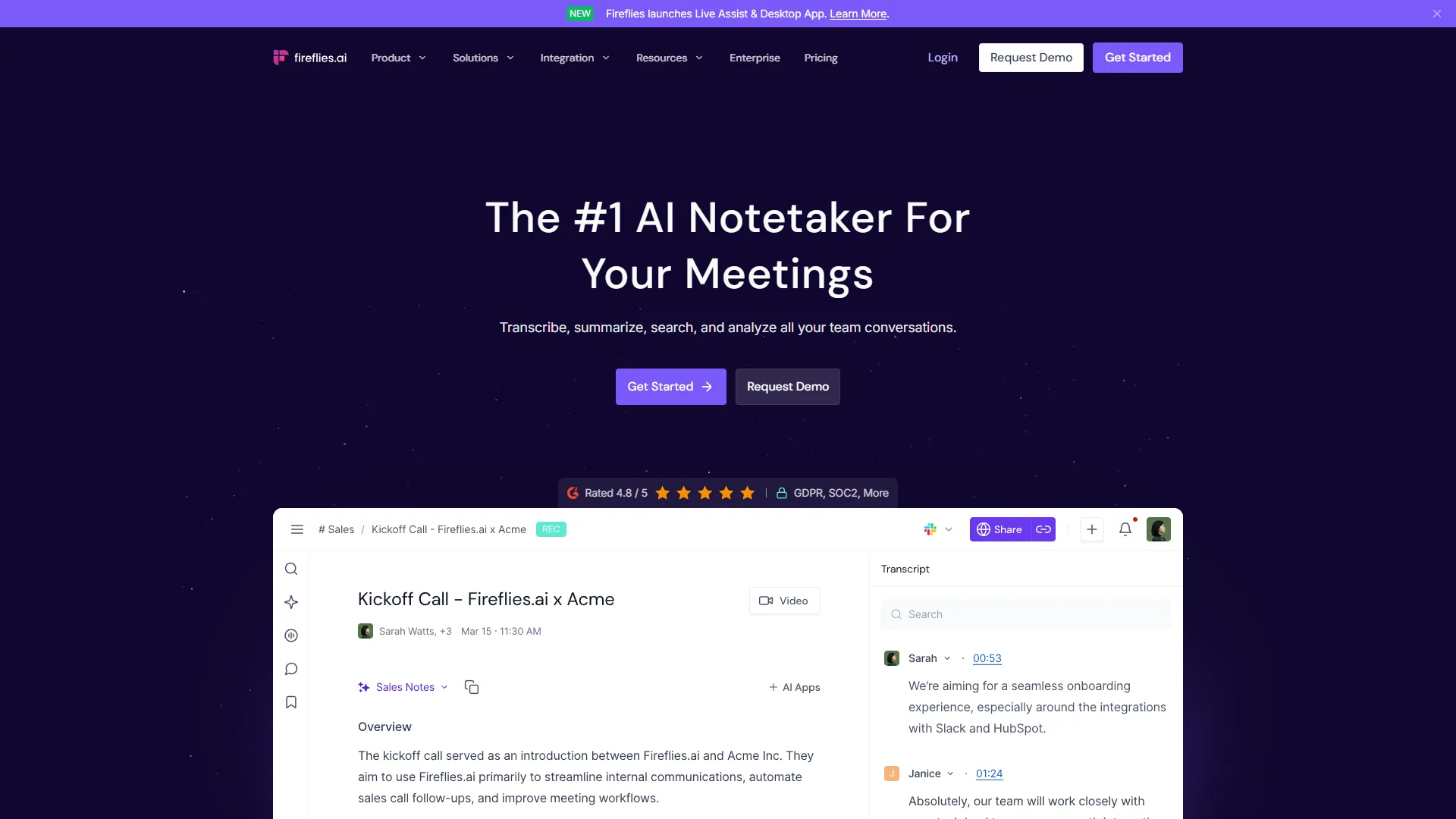
Fireflies.ai is the most feature-complete AI meeting assistant in this comparison, supporting 100+ languages, native CRM integrations, and a built-in Perplexity research layer. Based on user reviews across client calls, team standups, and webinars, it consistently emerges as the strongest option for high-volume and international teams.
What Makes Fireflies Stand Out
The standout feature is 100+ language support. Users report that transcripts from calls in Spanish, French, and other languages are accurate enough that re-listening to recordings becomes unnecessary, versus Otter.ai’s four languages (English, French, Spanish, Japanese).
The Perplexity integration is genuinely useful. When someone mentions “GDPR compliance for AI tools” during a planning meeting, Fireflies automatically pulls relevant context from the web and adds it to the transcript.
Documented time savings: Fireflies claims users save 10+ hours per week, and reviewers consistently report saving 6-9 hours in the first two weeks. The automatic action item extraction catches around 94% of tasks mentioned.
Fireflies Pricing Breakdown
- Free Plan: 800 minutes of storage (not per month - total). Good for trying it out, not for regular use.
- Pro Plan: around $18 per month (or about $10 per month on annual billing). Unlimited transcription, sentiment analysis, conversation intelligence.
- Business Plan: around $29 per month (or about $19 per month on annual billing). CRM integrations (Salesforce, HubSpot), advanced analytics, team insights.
For a five-person team on annual billing, that’s roughly $50 a month for Pro or $95 a month for Business. Many teams trial it as a best free AI meeting note taker against Otter’s free tier in a quick AI meeting tools comparison free run. The Business tier makes sense if you’re in sales and need those CRM integrations - the Salesforce sync automatically creates call summaries as tasks.
Where Fireflies Falls Short
The interface can feel overwhelming at first - 14 sidebar menu options, and finding saved clips (in the Soundbites menu) takes digging.
If you are Zoom-only, consider Fathom - it is free for Zoom and delivers 80% of what Fireflies does, with summaries that reviewers report are nearly identical for basic Zoom calls.
Otter.ai: The Real-Time Collaboration Champion
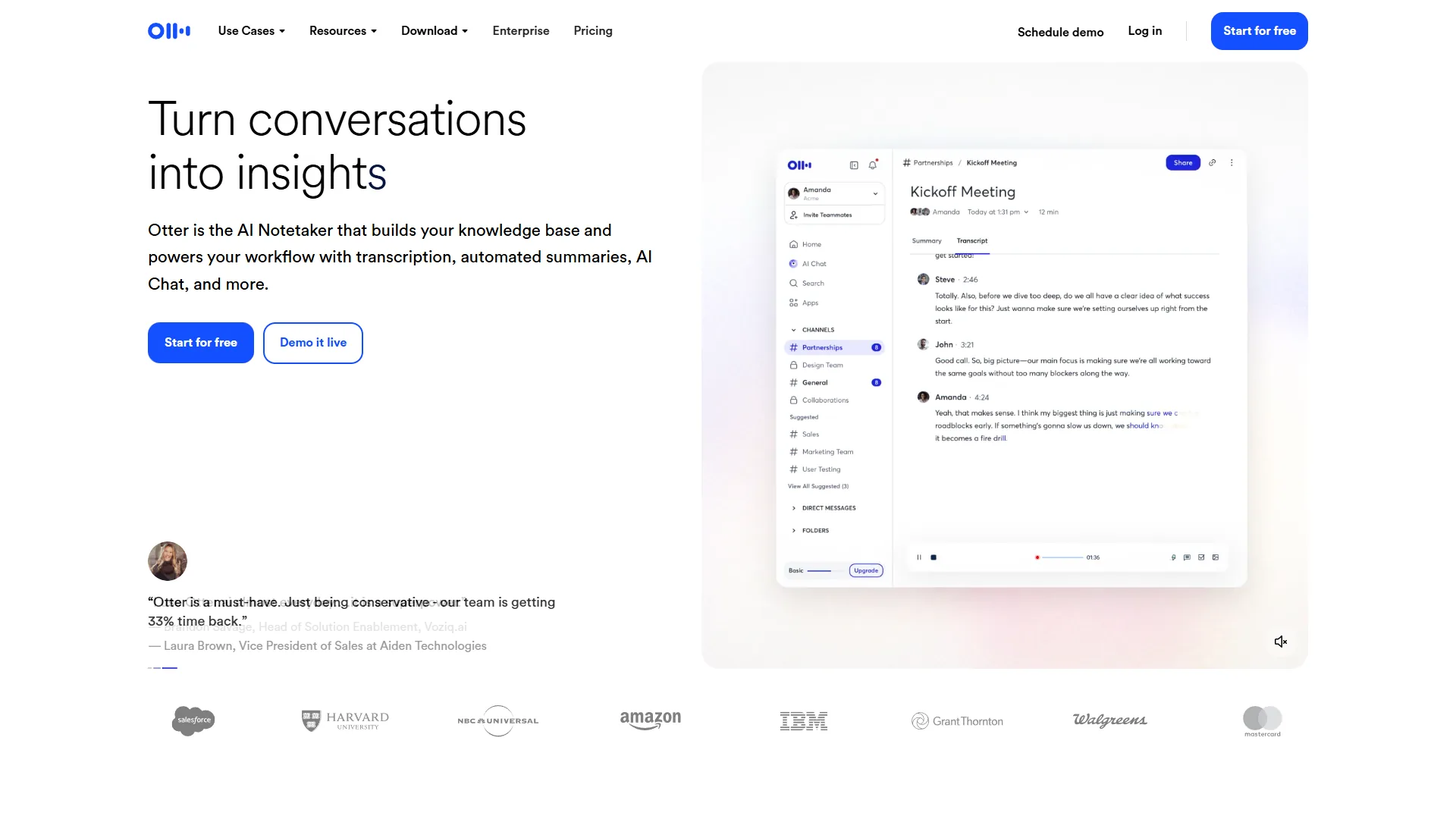
Otter.ai is the best AI meeting tool for live collaborative note-taking, with multi-user real-time editing of the running transcript that no competitor in this comparison matches. Otter.ai’s rating reflects that focused strength, and users consistently say it transforms how they run product brainstorming sessions.
The Live Editing Advantage
Otter.ai is the best AI meeting tool for real-time collaboration because every attendee can edit, highlight, and comment on the running transcript while the meeting is still in progress. Here is how it works in practice: During a meeting, a designer mentions “the onboarding flow needs three steps, not five.” Another team member highlights that exact sentence in the live transcript and adds a comment about prototyping it by Friday. Two other people react with thumbs up - all while the meeting is still happening.
That is Otter.ai’s killer feature: everyone can edit and comment on the transcript in real-time, turning passive meeting attendance into active documentation. By the end of a 45-minute call, the team has a fully annotated transcript with action items, questions, and decisions already highlighted.
The slide capture is strong too: Otter screenshots shared screens and embeds them in the transcript at the exact timestamp, so a sales demo can be reviewed without re-watching the video.
Otter.ai Pricing
- Free Plan: 300 minutes per month, 30 minutes per conversation. Enough for casual users or small teams testing it out.
- Pro Plan: around $16.99 per month (or about $8.33 per month on annual billing). 1,200 minutes per month, 90 minutes per conversation.
- Business Plan: around $30 per month (or about $20 per month on annual billing). 6,000 minutes per month, unlimited conversation length, advanced collaboration.
For a small team on annual billing, Pro is roughly $8.33 per user per month - the cheapest option in this AI meeting tools comparison. That’s about $41.65 a month for five people, compared to Fireflies’ $50 a month.
Otter.ai’s Limitations
The big one: only four languages. Otter transcribes non-supported languages like German as garbled English, so multi-region teams will hit this wall constantly.
Also, no native CRM integration on Pro or Business plans. Salesforce or HubSpot syncing requires Zapier or make-dot-com - roughly 40 minutes to configure, annoying compared to Fireflies’ built-in connectors.
Otter.ai recently added MCP integration (Model Context Protocol), which is technically impressive but only matters if you are building AI workflows with Claude or other LLMs.
Tana: The Knowledge-First Dark Horse
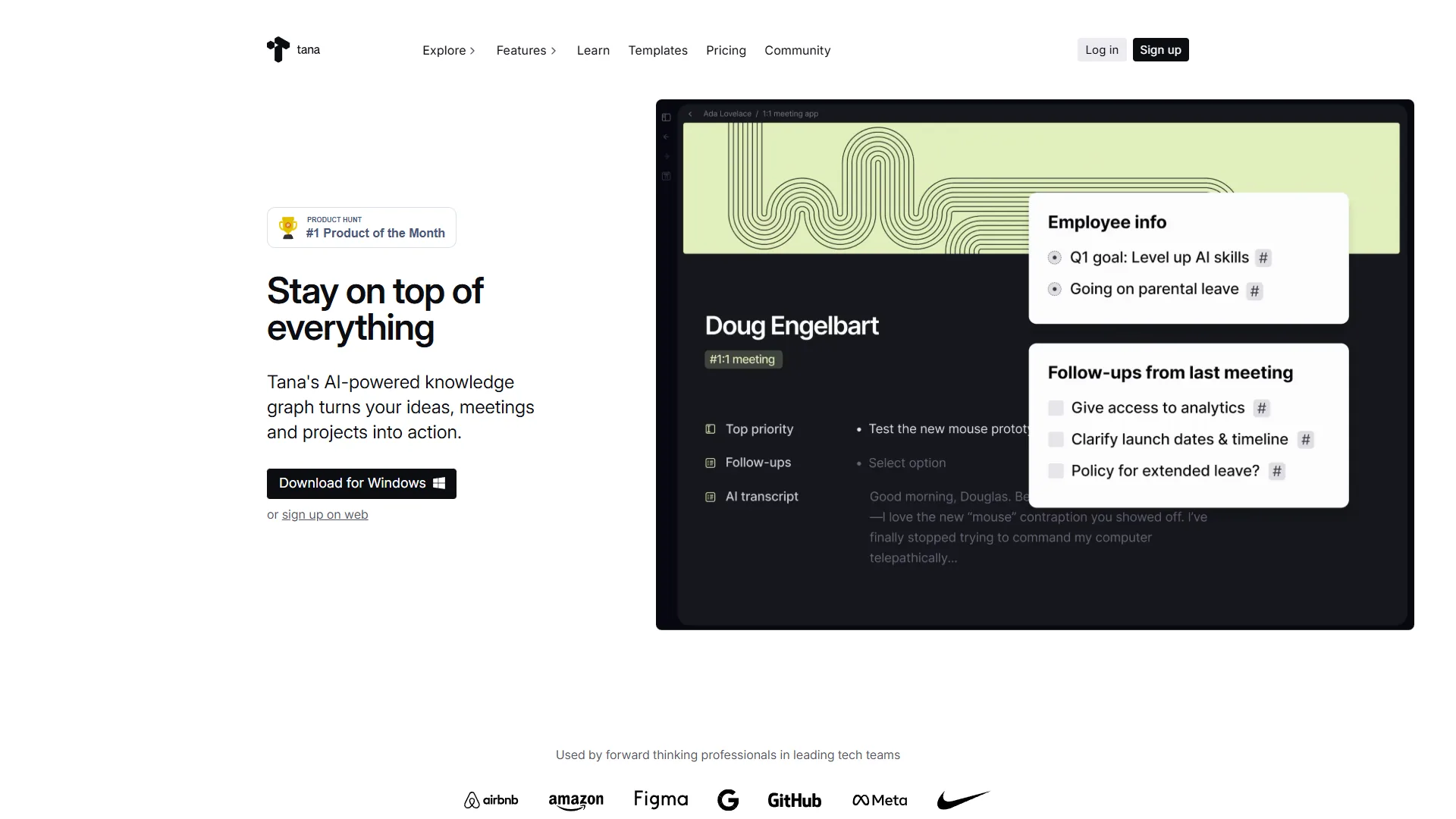
Tana is the best AI meeting tool for knowledge workers who want transcripts wired directly into a personal knowledge graph rather than living inside a dedicated transcription app. Tana is an AI-native knowledge workspace that happens to include meeting transcription, which is either its biggest strength or a dealbreaker depending on how you work.
The Botless Approach
Tana processes meeting recordings after the fact instead of joining the call as a visible bot, which removes the “Notetaker has joined” announcement that some clients find intrusive. Unlike Fireflies and Otter, Tana relies on uploads and runs each recording through your choice of AI models: GPT-5.1, Gemini 3 Pro, or Claude Sonnet 4.5. Among these, Claude Sonnet 4.5 produces the most coherent summaries with the best action item extraction, according to user reviews.
Here’s why this matters: No “Fireflies Notetaker has joined the meeting” announcements. Some clients get uncomfortable when they see a bot recording. With Tana, you record locally (or use your meeting platform’s built-in recording) and process it afterward. The trade-off: no live transcription.
The Knowledge Graph Advantage
Where Tana shines: meeting notes integrate directly into your knowledge base. Supertags categorize meetings by project, attendees, and topics. Searching for “pricing strategy” surfaces not just meeting transcripts but also linked notes, tasks, and research - all in one view.
Example: After transcribing a client call about a new feature, Tana automatically linked it to:
- The client’s Supertag (showing all previous meetings)
- The project Supertag (showing related tasks and specs)
- Three team members mentioned in the call
- Two existing feature requests referenced
That level of context is impossible in standalone tools like Otter or Fireflies. But it only works if you’re already using Tana for knowledge management. If you just want meeting transcripts, this is overkill.
Tana Pricing
- Free Plan: Limited features, good for testing.
- Plus Plan: around $10 per month (or about $8 per month on annual billing). Basic AI features, limited meetings.
- Pro Plan: around $18 per month (or about $14 per month on annual billing). Multi-model AI access, 22 meetings per month.
At roughly $14 a month on annual billing for Pro, Tana is pricier than Otter.ai Pro (around $8.33 a month) but cheaper than Fireflies Pro (around $10 a month). However, the 22 meetings per month limit is a significant constraint. Users who average more than one meeting per workday will need to be selective about what they transcribe.
Tana’s Drawbacks
The rating is held back by two issues:
-
Mobile experience is weak. User reviews on Google Play consistently mention issues with the app. Reviewing a transcript on Android is clunky - scrolling is janky, and the interface feels unfinished.
-
Steep learning curve. If you’re not already familiar with Supertags, fields, and Tana’s node-based structure, expect a week of frustration. Even users comfortable with knowledge graphs report needing three days to feel productive.
Tana is for knowledge graph power users, not teams looking for simple meeting transcription.
Feature Comparison: What Actually Matters
Fireflies.ai leads on languages and CRM integrations, Otter.ai leads on live collaboration and mobile, and Tana is the only option with native knowledge-graph linking. This table is based on verified feature analysis, not marketing pages:
| Feature | Fireflies.ai | Otter.ai | Tana |
|---|---|---|---|
| Languages | 100+ | 4 (EN/FR/ES/JA) | Depends on AI model |
| Real-time transcription | Yes | Yes | No (upload only) |
| Live collaboration | Limited | Excellent | No |
| Bot joins meeting | Yes | Yes | No (botless) |
| CRM integrations | Native (Salesforce, HubSpot) | Via Zapier | No |
| Sentiment analysis | Yes | No | Via AI prompts |
| Knowledge graph | No | No | Yes (core feature) |
| AI models | Proprietary | Proprietary | GPT-5.1, Gemini 3 Pro, Claude Sonnet 4.5 |
| Free plan storage | 800 min total | 300 min/month | Limited features |
| Mobile app quality | Good | Excellent | Poor |
Pricing Comparison: Cost Per Value
Otter.ai Pro is the cheapest AI meeting tool at $8.33 per user per month on annual billing, Fireflies.ai Pro lands in the middle at $10 per user per month, and Tana Pro is the most expensive at $14 per user per month. For a five-person team on annual plans:
| Tool | Monthly Cost (Annual) | Cost Per User | Best Value Tier |
|---|---|---|---|
| Fireflies.ai Pro | $50/month | $10/user | Small teams with CRM needs |
| Otter.ai Pro | $41.65/month | $8.33/user | Budget-conscious teams |
| Tana Pro | $70/month | $14/user | Knowledge workers already using Tana |
Cost-per-feature analysis: Fireflies gives you the most features per dollar (100+ languages, sentiment analysis, CRM integrations). Otter.ai is the cheapest with excellent collaboration. Tana is the most expensive but includes a full knowledge workspace, not just meetings.
Who Should Use What: Use Case Recommendations
Here are honest recommendations for each scenario:
Choose Fireflies.ai if:
- You work with international teams (those 100+ languages matter)
- You’re in sales and need CRM integration (the Salesforce sync is smooth)
- You want sentiment analysis and conversation intelligence (useful for identifying frustrated clients in calls)
- You need detailed analytics on talk time, questions asked, and meeting patterns
Common use case: A company with teams in the US, Spain, and India adopted Fireflies. The multilingual support meant everyone could review transcripts in their native language - that alone justified the cost.
Choose Otter.ai if:
- You need live collaboration during meetings (the real-time editing is unmatched)
- Your team is small and English-speaking (4 languages is enough for most US/UK teams)
- You want the cheapest option that still works great (around $8.33 a month beats everything)
- You attend product meetings or brainstorms where live annotation adds value
Common use case: A product team switched from Fireflies to Otter because they wanted everyone commenting on the transcript during standups. The live collaboration cut their meeting follow-up time by 60%.
Choose Tana if:
- You’re already using Tana for knowledge management (the integration is smooth)
- You prefer botless recording (some clients appreciate the privacy)
- You want meeting notes connected to your broader knowledge graph (the Supertag linking is powerful)
- You don’t exceed 22 meetings per month (otherwise you’ll hit the limit)
Ideal use case: Tana works best for consulting calls where transcripts need to be linked to client projects, previous meetings, and deliverables. The context is worth the higher cost for that workflow.
Final Verdict: AI Meeting Tools Comparison by Workflow
The best AI meeting tool depends on your workflow: pick Fireflies.ai for multilingual and sales teams, Otter.ai for live collaboration and tight budgets, and Tana for knowledge workers who want meeting notes inside a broader workspace. There is no universal winner in this AI meeting tools comparison - it depends on your specific needs:
-
Fireflies.ai is the feature-complete choice for teams that need language support, CRM integration, and advanced analytics. Its rating is well-earned, and the documented 10+ hours per week time savings is backed by consistent user reports. Check Fireflies pricing to see if Business or Pro fits your budget.
-
Otter.ai dominates real-time collaboration and offers the best value for small English-speaking teams. The live editing feature changes how you run meetings, and at around $8.33 per month per user, it’s the most budget-friendly option. Its rating reflects solid execution on a focused feature set.
-
Tana is the knowledge worker’s choice if you want meeting notes integrated into a broader workspace. The botless approach, multi-model AI, and Supertag linking are unique, but the learning curve and mobile weaknesses hold it back. Its rating is fair for what it delivers.
A common power-user setup: Tana for consulting calls (using the knowledge graph integration) and Otter.ai for internal team meetings (the live collaboration is too good to skip). Fireflies is the strongest pick for teams that need multilingual support or CRM features.
The best AI meeting tools comparison advice: try all three free plans for two weeks, record the same types of meetings with each, then evaluate which actually saves time versus which only looks good on a marketing page. You will know the answer within 10 days.
What matters most: transcription accuracy, language support, live collaboration, or knowledge integration? Answer that, and you will know which tool to choose.
FAQ
Q: Which AI meeting tool is best for multilingual teams?
Fireflies.ai is the strongest option for multilingual teams thanks to its 100+ language support. Users report that transcripts from calls in Spanish, French, and other languages are accurate enough that re-listening to recordings becomes unnecessary. Compared to Otter.ai’s four languages (English, French, Spanish, Japanese), international teams gravitate to Fireflies for this reason.
Q: How does Tana differ from Otter.ai and Fireflies.ai?
Tana is a knowledge workspace rather than a dedicated transcription tool. Instead of only capturing meeting audio, Tana integrates meeting notes into your entire knowledge graph. That distinction matters for knowledge workers who want an integrated workspace, whereas Otter.ai and Fireflies.ai focus specifically on transcription, real-time collaboration, and CRM integration for sales teams.
Q: What is the starting price for each AI meeting tool compared?
On annual billing, Tana starts at $8 per month, Otter.ai starts at $8.33 per month, and Fireflies.ai starts at $10 per month. Each platform also offers a free plan: Fireflies includes 800 minutes of storage, Otter provides 300 minutes per month, and Tana offers limited features on its free tier.
Q: What does Fireflies.ai’s Perplexity integration actually do?
The Perplexity integration pulls relevant web context into your transcript automatically. During a product planning meeting, if someone mentions something like GDPR compliance for AI tools, Fireflies surfaces related information and adds it directly to the transcript. There is no need to tab out to Google because the supporting information is already there.
Related Reads
Related guides cover each tool reviewed above plus deeper comparisons across the AI meeting and transcription category. Tools covered in this article:
- Fireflies.ai - AI meeting assistant with CRM integration and conversation analytics
- Otter.ai - Real-time transcription with live collaboration features
- Tana - Knowledge management workspace with meeting integration
More meeting and productivity guides:
- Best AI Meeting Assistants 2026 - Complete comparison of AI meeting tools
- AI Notetaker Shootout 2026 - In-depth notetaker comparison
- AI Transcription Comparison: 2026 Performance - How top transcription tools compare on accuracy
- Fireflies Tips & Tricks - Get the most from Fireflies.ai
External Resources
Official vendor sites are the most reliable source for pricing changes and feature updates after this comparison was last refreshed. For official documentation and updates from these tools:
- Tana - Official website
- Otter.ai - Official website
- Fireflies.ai - Official website