









Confluence is the structured enterprise wiki priced from around $6 per user per month, while Notion is the flexible all-in-one workspace priced from around $10 per user per month - the right pick depends on whether your team needs governed hierarchies or adaptable databases. Confluence represents the enterprise playbook: structured hierarchies, deep integrations with Atlassian tools, and governance controls that make compliance teams happy. Notion offers the startup manifesto: flexible databases, modern aesthetics, and an all-in-one workspace that blurs the line between wiki, project manager, and note-taking app.
This comparison draws on each vendor’s current pricing and feature documentation plus independent research rather than sponsored placement, and AI Productivity may earn a commission from links on this page while keeping rankings editorially independent. According to McKinsey research on knowledge work, employees spend “close to 20 percent of their week” searching for internal information - which is why the wiki you pick matters more than most teams expect. According to Mike Cannon-Brookes, co-founder at Atlassian, “the way teams capture and share knowledge is the difference between scaling smoothly and grinding to a halt.” Engineering teams routinely migrate from Confluence to Notion for flexibility, only to migrate back at 100+ users when they need enterprise controls.
Comparison Table: Confluence vs Notion at a Glance
Confluence wins on price and Atlassian integration, while Notion wins on flexibility and external collaborator access - the table below summarizes the core differences across pricing, AI access, integrations, and structure for small business and enterprise buyers.
| Factor | Confluence | Notion |
|---|---|---|
| Rating | ||
| Starting Price | Free (up to 10 users) | Free (unlimited individual use) |
| Team Price | around $6 per user per month | around $10 per user per month |
| Best For | Enterprise teams, Jira users | Startups, flexible workflows |
| AI Features | Atlassian Intelligence (Premium+) | Notion AI (Business+ only) |
| Key Integration | Deep Jira integration | Zapier, API-first approach |
| Learning Curve | Moderate | Steep initially |
| Structure | Hierarchical spaces | Flexible databases |
What Is Confluence?
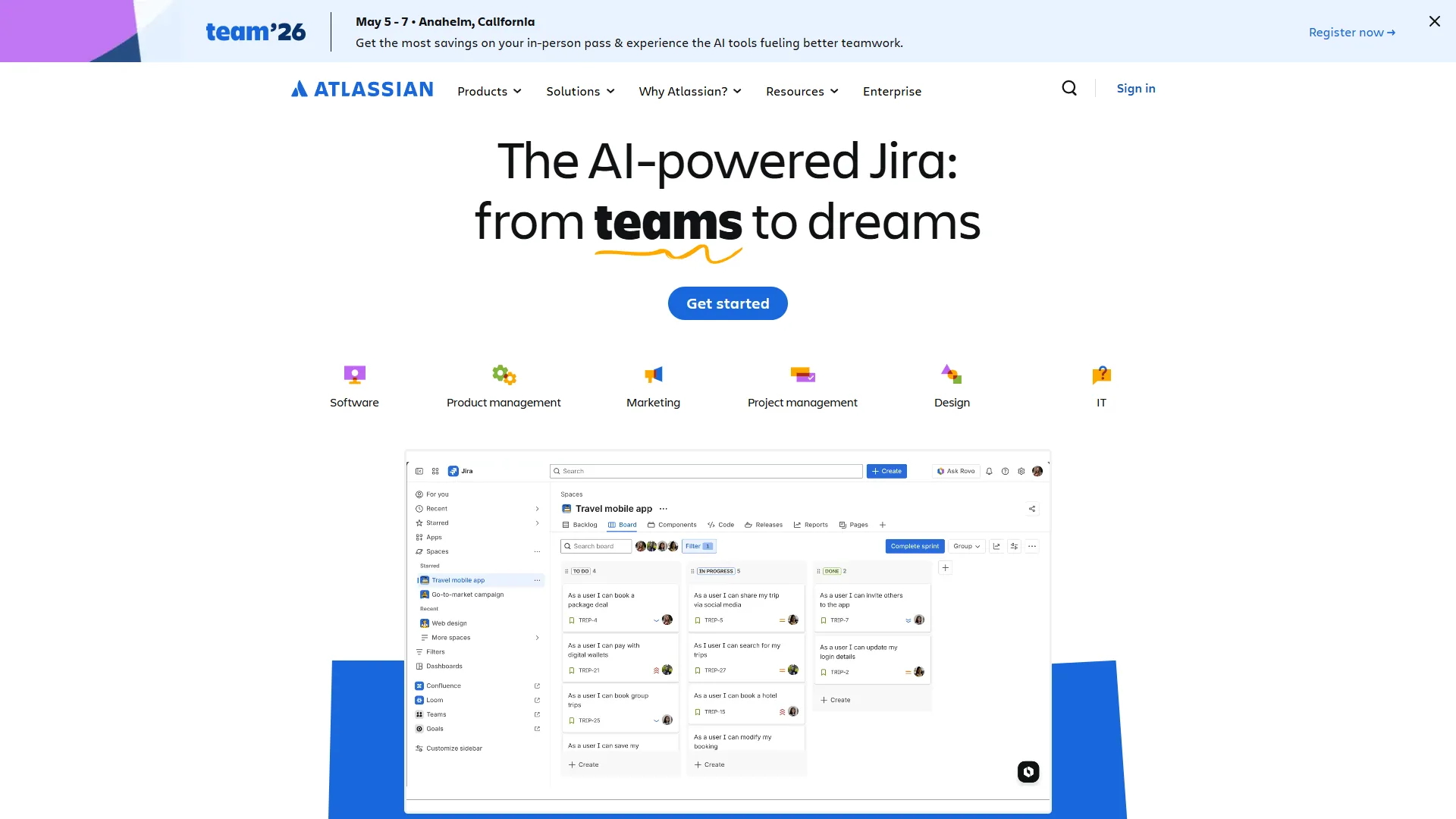
Confluence is Atlassian’s team workspace built around “spaces” - dedicated areas for projects, teams, or topics, with collaborative editing, page templates, and deep Atlassian integration. Its opinionated structure is the defining trait: pages live in spaces, spaces carry clear permissions, and everything connects to Jira or other Atlassian products - rigidity that is either your biggest asset (compliance-driven industries) or your biggest frustration (teams that prize flexibility).
Atlassian Intelligence, the platform’s AI layer, launched in 2023 and reached Premium plans in 2024 per Atlassian’s release notes. It generates summaries, answers knowledge-base questions, and creates content from prompts; the official Confluence Cloud documentation details how it is wired into pages, whiteboards, and automation rules. In practice it is solid for summarizing documentation but weaker than standalone AI writing tools for creating new content.
The Standard plan at around $6 per user per month includes 250GB storage, Jira integration, and 1,000 automation actions per user monthly. The Premium plan at around $11.75 per user per month unlocks unlimited storage, Atlassian Intelligence, and a 99.9% uptime SLA.
Key strengths: unmatched bi-directional Jira integration, enterprise permissions and audit logs, page templates for standardized documentation, and strong version history.
Notable limitations: mobile lags Notion, the editor feels dated next to modern block-based editors, AI is Premium-only, and flexibility is limited outside documentation.
What Is Notion?
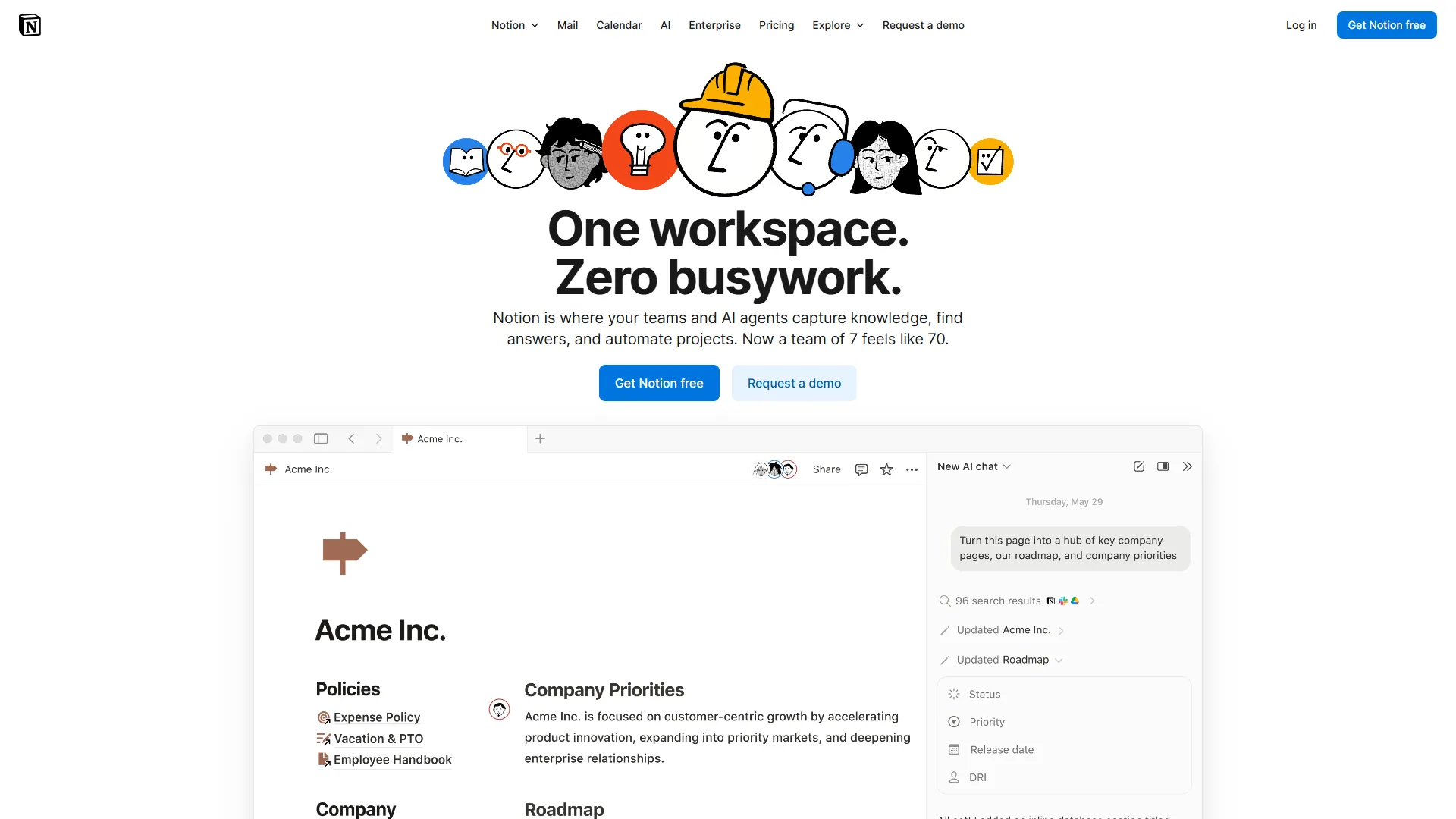
Notion is the all-in-one workspace that combines wiki, database, project manager, and notes into a single interface. Instead of Confluence’s rigid spaces, Notion gives you building blocks - pages, databases, embeds, and toggle lists - arranged however your workflow needs. The “everything is a block” philosophy means you build systems, not just documentation.
Notion AI, bundled into the Business plan (around $15 per user per month annual) per Notion’s official AI FAQ, offers multi-model access to GPT-5, Claude Opus 4.1, and o3, and developers can wire AI calls into custom workflows via the Notion API documentation. In August 2026, Notion discontinued the standalone AI add-on for new Free and Plus users, making AI a premium-only feature. Autonomous agents execute workflows without constant prompting - “update project status when deadline is today” rather than a manual update.
The Plus plan at around $10 per user per month is the team entry point, offering unlimited blocks, 30-day version history, and up to 100 guests. The Business plan at around $15 per user per month adds unlimited Notion AI, advanced analytics, and SAML SSO.
Key strengths: database functionality (filter, sort, link records across pages), a modern interface users enjoy, cross-platform consistency, and a templates community with thousands of shared workflows.
Notable limitations: steep learning curve for database-naive teams, performance lag on pages with hundreds of blocks, less mature enterprise controls than Confluence, and no native Jira integration.
Templates and Page Organization
Confluence uses prescriptive templates that enforce a fixed structure, while Notion uses flexible templates you can reshape entirely - that single difference drives Confluence’s edge on standardization and Notion’s edge on customization. Confluence templates are prescriptive blueprints - a “Product Requirements” page gives you predefined sections that enforce consistency across large teams, and the same blueprints standardize incident reports so every outage shares one structure (Impact, Timeline, Root Cause, Action Items).
Notion templates are starting points, not blueprints - a project template might include a database, task list, and timeline, but teams reshape a “Product Roadmap” template into a customer research tracker by adding fields, changing views, and linking databases.
The tradeoff: Confluence maintains consistency with less effort; Notion requires more setup but adapts to edge cases better. Teams weighing other options can reference our best knowledge management tools roundup or our knowledge sharing best practices guide.
Winner for standardization: Confluence Winner for customization: Notion
Feature-by-Feature: AI Capabilities Head-to-Head
Confluence’s Atlassian Intelligence is stronger at summarizing and searching existing documentation, while Notion AI is stronger at content creation with multi-model access to GPT-5, Claude Opus 4.1, and o3 - both platforms launched assistants in 2023-2024, but the implementations diverge significantly.
Atlassian Intelligence (Confluence Premium, around $11.75 per user per month) summarizes pages, answers knowledge-base questions, creates content from prompts, drives 10+ automation triggers (like “create Jira tickets from pages”), tracks page changes since your last visit, and powers whiteboard idea generation. It excels at consuming existing documentation (summaries, Q&A) but produces generic content from scratch - the “generate product brief” prompt delivers usable structure but bland copy that needs heavy editing.
Notion AI (Business plan, around $15 per user per month) gives multi-model access to GPT-5, Claude Opus 4.1, and o3, runs autonomous agents that execute workflows, embeds inline writing assistance (continue writing, change tone, fix grammar), and automates database fields based on page content. The inline approach feels more integrated into the writing flow, and autonomous agents reward teams that invest setup time - such as an agent that auto-tags customer feedback pages by sentiment.
The pricing catch: Both require premium tiers - Confluence Standard and Notion Plus include no AI. This makes Confluence Premium ($11.75) a better AI value than Notion Business ($15), assuming you do not need Notion’s database features.
Winner for AI content consumption: Confluence (better summaries, search) Winner for AI content creation: Notion (more flexible, better inline tools)
Integrations and Ecosystem
Confluence integrates deepest with the Atlassian stack, especially bidirectional Jira sync, while Notion integrates broadest through an API-first model with 100+ official integrations plus Zapier and Make - your existing tech stack drives the decision, and the right fit for your business depends on whether you already live inside Atlassian. Confluence lives in the Atlassian universe. If you use Jira, Trello, or Bitbucket, Confluence becomes your central documentation hub. Jira integration is bidirectional - embed issues in pages, reference docs in tickets, and sync status both ways - eliminating documentation drift for compliance-heavy teams. Outside the ecosystem, Confluence offers 3,000+ Atlassian Marketplace apps, but most integrations are shallow embeds; on a Slack, Google Workspace, and HubSpot stack it feels like an island.
Notion takes the API-first approach with 100+ official integrations via its integration gallery, plus thousands more through Zapier, Make, and direct API access. Notion databases can pull data from external tools into unified views - one content team aggregated SEO data from Ahrefs, an editorial calendar from Google Sheets, and publishing status from WordPress in a single table, where Confluence would require three separate iframes.
The mobile caveat: Confluence mobile apps are functional but clunky, so most users stick to comments and approvals. Notion’s mobile app mirrors the desktop experience - you can build databases on your phone.
Winner for Atlassian users: Confluence (obviously) Winner for API/automation power users: Notion Winner for mobile productivity: Notion
Limitations to weigh: Confluence is not ideal on a Slack, Google Workspace, and HubSpot stack since most non-Atlassian integrations are shallow embeds, and Notion’s API gives you reads but not Confluence-grade bidirectional Jira or Bitbucket sync.
Collaboration and Permissions
Both platforms handle real-time collaboration (multiple cursors, live updates), but their permissions models differ fundamentally.
Confluence uses space-based permissions. You grant access to entire spaces, then optionally restrict individual pages, across three main roles:
- Space Admin: Full control over space settings, permissions, templates
- Can Edit: Create and modify pages within the space
- Can View: Read-only access
The model works for organizations with clear team boundaries but breaks down for granular control - allowing contractors to edit specific pages without seeing the rest of the space means managing dozens of messy exceptions.
Notion uses page-level permissions with inheritance. Every page can carry its own permission set, and child pages inherit parent permissions by default, with access granted to specific people, groups, or anyone with the link - well suited to client projects where each client gets a dedicated page with view-only access.
The guest user difference: Confluence Free allows 10 users total, and Standard-tier guests count toward your user limit. Notion Plus allows 100 guests who do not count as paid users - a major advantage for agencies and teams with external partners.
Winner for enterprise governance: Confluence Winner for flexible client/partner access: Notion
Limitations to weigh: Confluence is not ideal when you need page-level guest access without paying per seat, since every Standard-tier guest counts toward your bill, and Notion’s inheritance model lacks Confluence’s space-admin role separation and audit-grade governance.
Pricing: The Full Picture
Confluence costs around $6 per user per month on Standard and $11.75 on Premium, while Notion costs around $10 per user per month on Plus and $15 on Business - but Notion’s free guest slots can flip the math for collaborator-heavy teams.
Confluence: Free up to 10 users (2GB); Standard around $6/user (250GB, Jira integration, 1,000 automations); Premium around $11.75/user (unlimited storage, Atlassian Intelligence, 24/7 support); Enterprise custom (801+ users, 99.95% SLA).
Notion: Free for individuals (10 guests); Plus around $10/user (unlimited blocks, 100 guests, no AI); Business around $15/user (unlimited AI, advanced analytics, 250 guests); Enterprise custom (audit logs, SSO).
The math favors Confluence for large internal teams: at 100 users, Standard runs roughly $600 per month versus Notion Plus at about $1,000, and Confluence Premium ($1,175) undercuts Notion Business ($1,500) while including AI. Notion’s guest model flips that for collaborator-heavy teams - a 10-person team with 30 freelancers pays Confluence for all 40 seats (around $240 on Standard) but pays Notion for only 10 seats with 100 guest slots (about $100 on Plus), a 50-60% cost comparison delta for consultant-heavy work.
Winner for large internal teams: Confluence Winner for teams with many external collaborators: Notion
Best Picks by Use Case: Recommendations
Confluence fits regulated, Atlassian-centric enterprises that need governance and lower per-seat costs, while Notion fits flexible startups and agencies that work with many external collaborators - the lists below sharpen that pick into expert reviews for the two most common buyer profiles. Choose Confluence if you:
- Use Jira, Trello, or other Atlassian products
- Work in regulated industries needing audit logs
- Have 50+ employees requiring structured documentation
- Need enterprise SSO, compliance controls, and SLAs
- Prefer traditional wiki hierarchy over flexible databases
- Want lower per-user costs for large teams
Example scenario: A healthcare startup chose Confluence for SOC 2 compliance because auditors required versioned, approval-gated documents - page approval workflow, version history, and Jira remediation tracking made audits straightforward.
Choose Notion if you:
- Want an all-in-one workspace (wiki + project management + notes)
- Work with many contractors or clients (generous guest access)
- Prize flexibility over standardization
- Have strong mobile work requirements
- Need advanced automation and AI workflow tools
- Value modern UX and higher user adoption
Example scenario: A distributed marketing agency used Notion for client deliverables, giving each client a dedicated page with view-only access. The 8-person team paid for Notion Plus (around $80 per month) and collaborated with 40+ clients as free guests, where Confluence would have charged for those guests.
The migration middle ground: Many teams use both - Confluence for engineering documentation integrated with Jira, Notion for marketing and content operations. The tools serve different organizational needs rather than competing directly.
Pro Tips: Migration Considerations
Migration between Confluence and Notion is technically straightforward but conceptually hard - macros and databases rarely map cleanly across the two paradigms.
Confluence to Notion: Export spaces as HTML or XML and use Notion’s import tool, which handles Confluence exports reasonably well. Plan 2-4 weeks for 1,000+ pages including restructuring, and expect to lose macros (embedded Jira issues, page trees, status indicators) - rebuilding these as Notion databases consumes more time than the migration itself.
Notion to Confluence: Export pages as Markdown or HTML; Confluence accepts Markdown via third-party tools. Plan 1-3 weeks for most workspaces. The bigger loss is databases - a Notion content calendar with filters, views, and automation becomes a static table, so teams often rebuild these as Airtable, Coda, or Google Sheets. Our Airtable vs Notion databases breakdown covers that split.
Migration advice: Start with a pilot team - migrate one space and run it for 4-6 weeks before committing company-wide. For other Notion-style options, our Notion alternatives roundup covers Logseq, Obsidian, and Anytype, and our knowledge management ROI guide models the dollar impact of either platform.
Final Thoughts
Confluence is the better choice for pure, governed knowledge management while Notion is the better choice for an all-in-one workspace - there is no universal winner because they optimize for different values.
Confluence wins for: Teams in the Atlassian ecosystem, enterprises needing governance, and organizations prioritizing documentation standardization.
Notion wins for: Teams wanting an all-in-one workspace, startups prioritizing modern UX, and organizations with many external collaborators.
Confluence is a wiki with integrated collaboration; Notion is a workspace that can function as a wiki - both excel at their primary jobs and are merely adequate when stretched beyond them. Before choosing, audit whether you spend more time on structured documentation or flexible workflows, whether your team is committed to Atlassian tools, and whether you will invest setup time for customization.
FAQ
Which is cheaper, Confluence or Notion?
Confluence is cheaper for paid team plans at around $6 per user per month versus Notion’s $10. Both offer a free tier - Confluence for up to 10 users, Notion for unlimited individual use - but for larger paid teams Confluence holds a meaningful per-seat advantage.
Should a small team choose Confluence or Notion?
Confluence fits small teams already standardized on Jira and governance-heavy documentation, while Notion fits small teams that want an all-in-one workspace combining wiki, project management, and notes. The right choice depends on existing tooling and how much structure the team wants imposed.
How do Confluence and Notion compare on AI features?
Confluence offers Atlassian Intelligence on Premium plans and above, integrated across the Atlassian ecosystem, while Notion offers Notion AI restricted to Business plans and above. Both gate AI behind higher-priced tiers, so factor AI access into your plan selection.
Is Confluence being discontinued?
Confluence is not being discontinued - Atlassian retired Confluence Server in February 2024 but is actively investing in Confluence Cloud, including Atlassian Intelligence and the 2025 whiteboards and databases features per Atlassian’s release notes.
Who is Notion’s biggest competitor?
Confluence is Notion’s biggest competitor in the team-wiki and knowledge-management category, followed by Coda, Microsoft Loop, and ClickUp - all of which compete on the “all-in-one workspace” positioning Notion popularized.
Related Reading
Related reading collects the tools referenced above plus deeper knowledge-management context for buyers comparing features, integrations & pricing across the wider wiki and workspace category:
- Confluence - Team wiki and documentation
- Notion - All-in-one workspace
- Obsidian - Local-first note and knowledge base
- Jira - Project tracking from Atlassian
- Slack, Google Workspace, HubSpot - Messaging, productivity, and CRM
- Zapier, Make - Workflow automation
- Airtable, Logseq, Anytype - Database and knowledge-graph alternatives
- Best Knowledge Base Software - Wiki platforms compared
- Best AI Knowledge Management Tools - AI-powered knowledge tools
- Best Note Taking Apps 2026 - Note apps compared
External Resources
The official vendor sites below are the authoritative sources for current Confluence and Notion pricing, features, and release updates:
- Confluence - Official website
- Notion - Official website