

ElevenLabs Voice Design is a generative AI feature that creates a completely original voice from a plain English text prompt, with no audio samples or recording sessions required. Available on the Starter tier and up, Voice Design v3 lets you build custom characters - narrators, podcast hosts, fictional personalities - using prompt formulas and parameter sliders.
ElevenLabs Voice Design lets you describe a voice in plain English and generate a completely original AI character from that description. No audio samples. No recording sessions. Just a text prompt and a few parameter adjustments. If you have ever wanted a grizzled detective narrator, a cheerful podcast host, or a mythological god reading your audiobook, Voice Design v3 is how you build that voice from scratch.
This is not a feature overview. This is an ElevenLabs voice Design prompt guide for the voice design generator. You will learn the exact formula that produces consistent results, see real character demos built entirely from text descriptions, and walk away with a library of prompts you can use immediately. Voice Design is available on ElevenLabs Starter tier and up, so you do not need a premium plan to start experimenting.
By the end of this guide, you will know how to write prompts that nail the voice on the first or second attempt instead of burning through dozens of generations hoping something sticks. If you are brand new to the platform, the Getting Started with ElevenLabs walkthrough covers account setup and basic Studio navigation before you start designing voices. The official Voice Design documentation - the canonical ElevenLabs voice design docs - is also worth bookmarking for parameter reference.
When to Use ElevenLabs Voice Design
ElevenLabs Voice Design covers the strategies and prompts that deliver real productivity gains for narration, gaming, branded content, and audiobook work. The next sections walk through prompt structure, parameter tuning, and the iteration patterns that produce usable voices in two or three generations rather than twenty.
Voice Design fills a specific gap in the voice creation workflow. Understanding when to reach for it - and when to use something else - saves time and credits.
Use Voice Design when you need:
- A completely fictional character voice that does not exist in reality
- A specific accent, age, or personality combination that the Voice Library does not cover
- Rapid prototyping of voice concepts before committing to a project
- Multiple distinct characters for a narrative project like an audiobook, game, or animated series
- A brand mascot voice that no competitor can replicate because it was generated uniquely for you
The ElevenLabs Voice Library Guide covers community voices in depth if you want to see what is already available before designing your own.
Use the Voice Library instead when:
- You need a polished, production-ready voice immediately
- The exact voice type you want already exists in the community library
- You are on a tight deadline and cannot afford iteration time
Use Voice Cloning instead when:
- You need the voice to sound like a specific real person (with their consent)
- Brand consistency requires matching an existing spokesperson
- You already have high-quality audio recordings to work from
For a deep dive on cloning, see the ElevenLabs Voice Cloning Tutorial.
Interface Walkthrough
The Voice Design interface lives inside the Voices section of your ElevenLabs dashboard. Here is how to find it and what each control does.
Step 1: Log into your ElevenLabs account and navigate to the Voices section in the left sidebar. If you have not already chosen a paid tier, the ElevenLabs pricing page shows which Voice Design generation limits apply at each level.
Step 2: Click Add Voice and select Voice Design from the creation options. This opens the generation panel.
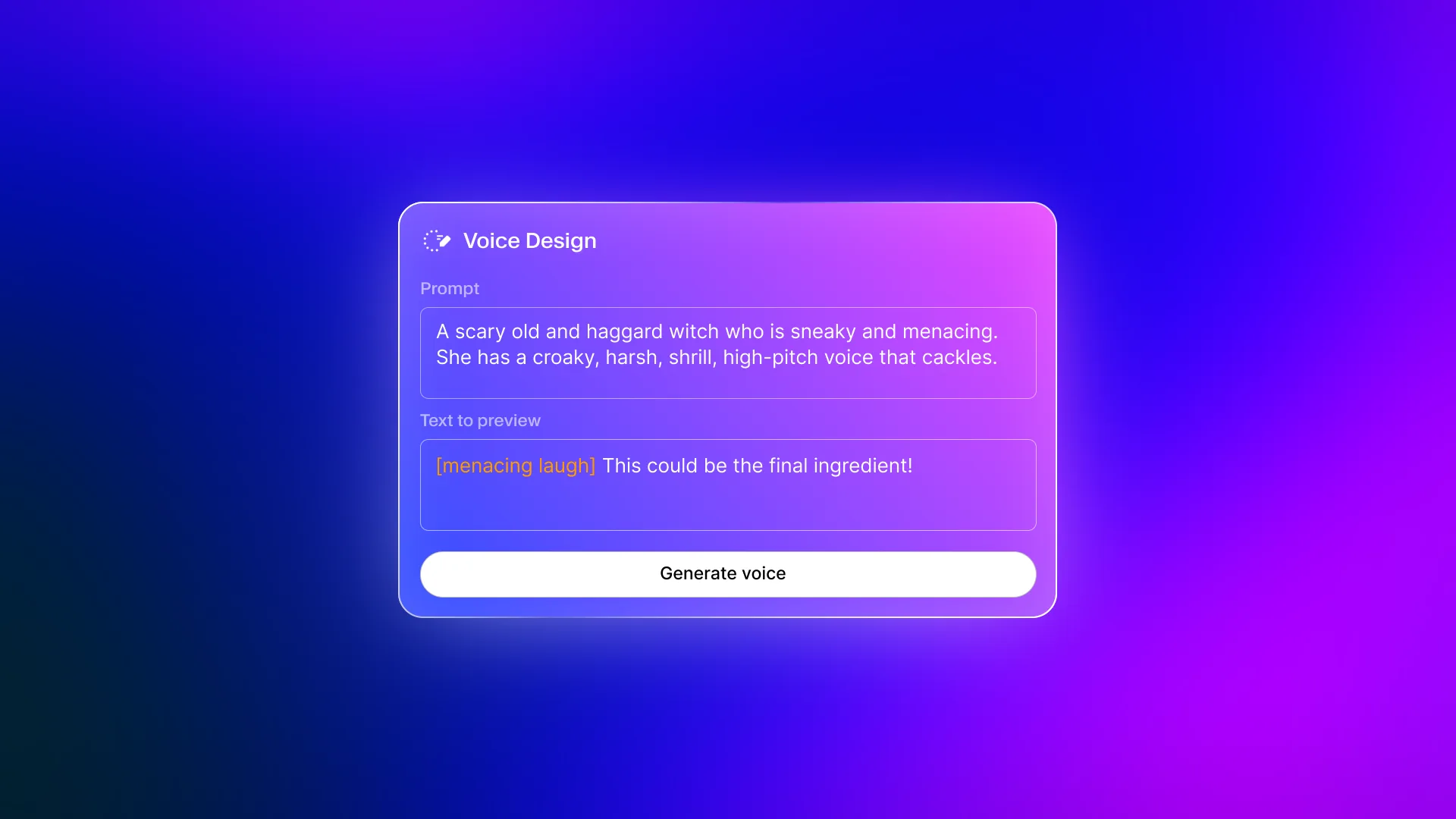
Step 3: You will see three main controls:
- Text prompt - The natural language description of your desired voice. This is where the magic happens, and where most people underperform by writing vague descriptions.
- Generation preview text - The sample text that the generated voice will read aloud. Use text that matches your actual use case so you can evaluate the voice in context.
- Parameter sliders - Fine-tuning controls for stability, similarity, and style exaggeration that shape the final output after the base voice is generated.
Step 4: Write your prompt, click Generate, and listen. Each generation creates a unique voice. If you like it, save it to your voice library. If not, refine the prompt and generate again.
The key insight most people miss is that the prompt does the heavy lifting. The sliders are for fine-tuning after you have a strong base. If your prompt is vague, no amount of slider adjustment will fix the output. The ElevenLabs Audio Quality Optimization guide goes deeper on the slider behaviour and how it interacts with content type.
What Is the ElevenLabs Voice Design Prompt Formula?
After testing hundreds of Voice Design generations, a clear pattern emerges for prompts that consistently produce strong results on the first attempt. The formula is:
[Age] [Gender] [Accent] [Tone] [Pacing] + [Unique trait]
Each element narrows the AI’s interpretation, reducing randomness and producing more predictable output. Here is what each component does:
- Age - Gives the voice its fundamental texture. “Young” produces brightness and energy. “Middle-aged” adds warmth and authority. “Elderly” introduces gravitas and softness.
- Gender - Sets the pitch range and vocal resonance baseline.
- Accent - One of the most powerful controls. “British RP” versus “Cockney” versus “Scottish Highland” produce dramatically different characters from the same prompt.
- Tone - The emotional quality. “Warm,” “cold,” “playful,” “menacing,” “reassuring” - this is the personality layer.
- Pacing - Controls rhythm. “Measured and deliberate” versus “quick and energetic” versus “slow with dramatic pauses” shapes how the voice feels in longer content.
- Unique trait - The differentiator. “With a slight rasp,” “as if telling a secret,” “with barely contained excitement” - this is what makes the voice memorable.
Example: Building a Prompt Step by Step
Bad prompt: "A cool male voice"
This gives the AI almost nothing to work with. “Cool” is subjective. “Male” is the only concrete instruction. You will get a generic result.
Better prompt: "A 40-year-old male with a British accent, calm and authoritative tone, measured pacing, with a slight gravelly quality like he's narrating a documentary"
Every element is specific. The AI has clear instructions for age, gender, accent, tone, pacing, and a unique trait. The result will be dramatically more focused.
Prompt Library by Use Case
Here are 20+ tested prompts organized by common use cases. Each follows the formula and has been validated through actual Voice Design generations.
For narration projects specifically, see the ElevenLabs Projects Audiobook Guide for end-to-end audiobook production using your designed voices.
Narration and Audiobooks
"Elderly British woman, warm and wise tone, slow deliberate pacing, like a grandmother telling a bedtime story by firelight""30-year-old American male, neutral accent, crisp and engaging tone, moderate pacing, with the clarity of a professional audiobook narrator""Middle-aged Irish man, rich baritone, contemplative tone, unhurried pacing, with the storytelling warmth of a pub raconteur""Young French woman, soft accent, intimate and confiding tone, gentle pacing, as if sharing diary entries with a close friend"
Gaming and Animation
"Ancient male voice, deep and echoing, mythological authority, slow and thunderous pacing, like a god addressing mortals from a mountaintop""Young female warrior, Northern European accent, fierce and determined tone, clipped military pacing, with battle-hardened grit in every word""Alien entity, androgynous, no specific accent, cold and analytical tone, precise pacing, with an unsettling harmonic resonance""Cheerful male goblin, high-pitched, cockney accent, mischievous and sly tone, rapid chattering pacing, always scheming"
For long-form podcast workflows that combine designed voices with cleanup, see the ElevenLabs Podcast Creation Workflow guide.
Podcasts and Video Content
"25-year-old American woman, California accent, enthusiastic and genuine tone, conversational pacing, with infectious energy that makes listeners lean in""35-year-old Australian man, relaxed and confident tone, easy conversational pacing, like chatting with a knowledgeable friend over coffee""Middle-aged Southern American man, warm and folksy tone, unhurried storytelling pacing, with dry humor woven into every sentence"
Corporate and Professional
Corporate and professional voices work well in training videos, product demos, and internal communications. The ElevenLabs eLearning Narration Workflow shows how to deploy professional voices across full course modules.
"40-year-old British woman, received pronunciation, professional and reassuring tone, measured pacing, with the polished delivery of a news anchor""50-year-old American male, Midwest accent, trustworthy and steady tone, moderate pacing, like a seasoned executive presenting quarterly results""30-year-old German man, slight accent, precise and analytical tone, measured pacing, authoritative without being cold"
Creative and Experimental
"1920s radio announcer, male, mid-Atlantic accent, theatrical and grandiose tone, dramatic pacing with emphatic pauses, overflowing with showmanship""Whispered female voice, no specific accent, mysterious and ethereal tone, slow floating pacing, like a spirit guide speaking from another dimension""Gruff male cowboy, deep Southern drawl, laconic and world-weary tone, slow measured pacing, like he's seen everything and is not easily impressed""Young Japanese woman, slight accent, bright and precise tone, quick energetic pacing, with the crispness of an anime character introduction""Victorian gentleman, posh British accent, pompous and self-important tone, deliberate pacing, dripping with condescension and charm in equal measure""Noir detective, male, 1940s New York accent, cynical and sardonic tone, slow drawling pacing, narrating from a dimly lit office at 2 AM"
Character Demos
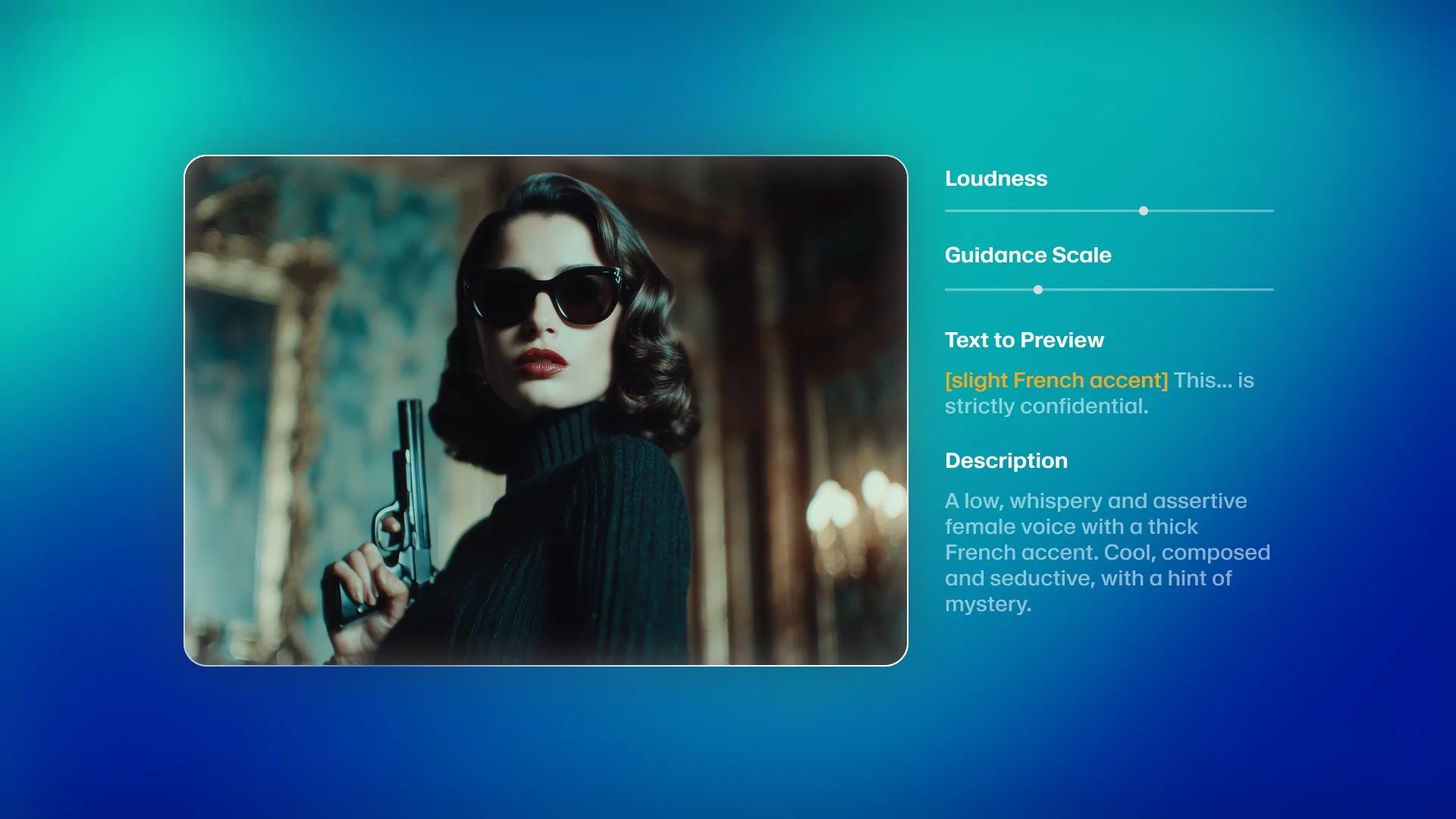
The best way to understand what Voice Design can produce is to hear it. These four characters were created entirely from text prompts - no audio samples, no cloning, just the prompt formula in action.
Alien Entity
Prompt used: "Alien entity, androgynous, no specific accent, cold and analytical tone, precise pacing, with an unsettling harmonic resonance"
Cowboy
Prompt used: "Gruff male cowboy, deep Southern drawl, laconic and world-weary tone, slow measured pacing, like he's seen everything and is not easily impressed"
Spy
Prompt used: "40-year-old British male, received pronunciation, smooth and controlled tone, measured pacing with calculated pauses, like a spy debriefing after a mission"
Zeus
Prompt used: "Ancient male voice, deep and echoing, mythological authority, slow and thunderous pacing, like a god addressing mortals from a mountaintop"
Each of these voices took between one and three generations to nail. The prompts above are the final versions after minor iteration. That is the power of the formula - you are not guessing, you are engineering.
Advanced Techniques
Once you have the formula down, these techniques push Voice Design from good to exceptional.
Layered Descriptions
Instead of cramming everything into one sentence, build the description in layers. Start with the physical voice characteristics, then add the emotional quality, then the situational context.
"Deep male voice, 50 years old, slight Scottish accent. Warm but authoritative, like a beloved university professor. Speaking as if explaining something fascinating to a small group of eager students."
The three-layer approach (physical, emotional, situational) gives the AI richer context than a single run-on description.
Negative Prompting
Tell Voice Design what the voice is NOT. This narrows the generation space and reduces unwanted outputs.
"Young female narrator, American accent, confident but NOT aggressive, energetic but NOT shrill, professional but NOT corporate-sounding"
Negative instructions are especially useful when you keep getting a close-but-not-quite result. If the voice keeps coming out too aggressive, explicitly exclude that quality.
Reference Characters (Without Copying)
You cannot and should not try to clone a real person’s voice with Voice Design. The ElevenLabs Voice Cloning Ethics guide covers what is and is not appropriate when working from a real person’s voice. But you can reference the qualities of well-known voice archetypes.
"Male narrator with the calm authority of a nature documentary presenter, British accent, measured pacing, with genuine wonder at the subject matter"
This references a voice archetype (nature documentary presenter) without naming a specific person. The AI understands the pattern and generates accordingly.
Iteration Strategy
Most voices require two to three generations before you find one you love. Here is how to iterate efficiently:
- First generation - Use the full formula prompt. Listen for the fundamental qualities: is the age right? The accent? The basic tone?
- Second generation - If the fundamentals are close but something is off, adjust only the problematic element. Do not rewrite the entire prompt.
- Third generation - Fine-tune the unique trait or situational context. This is where you dial in the personality.
If after three attempts the voice is still far off, the issue is usually in the first two elements (age and gender). Reset those and start the iteration cycle again.
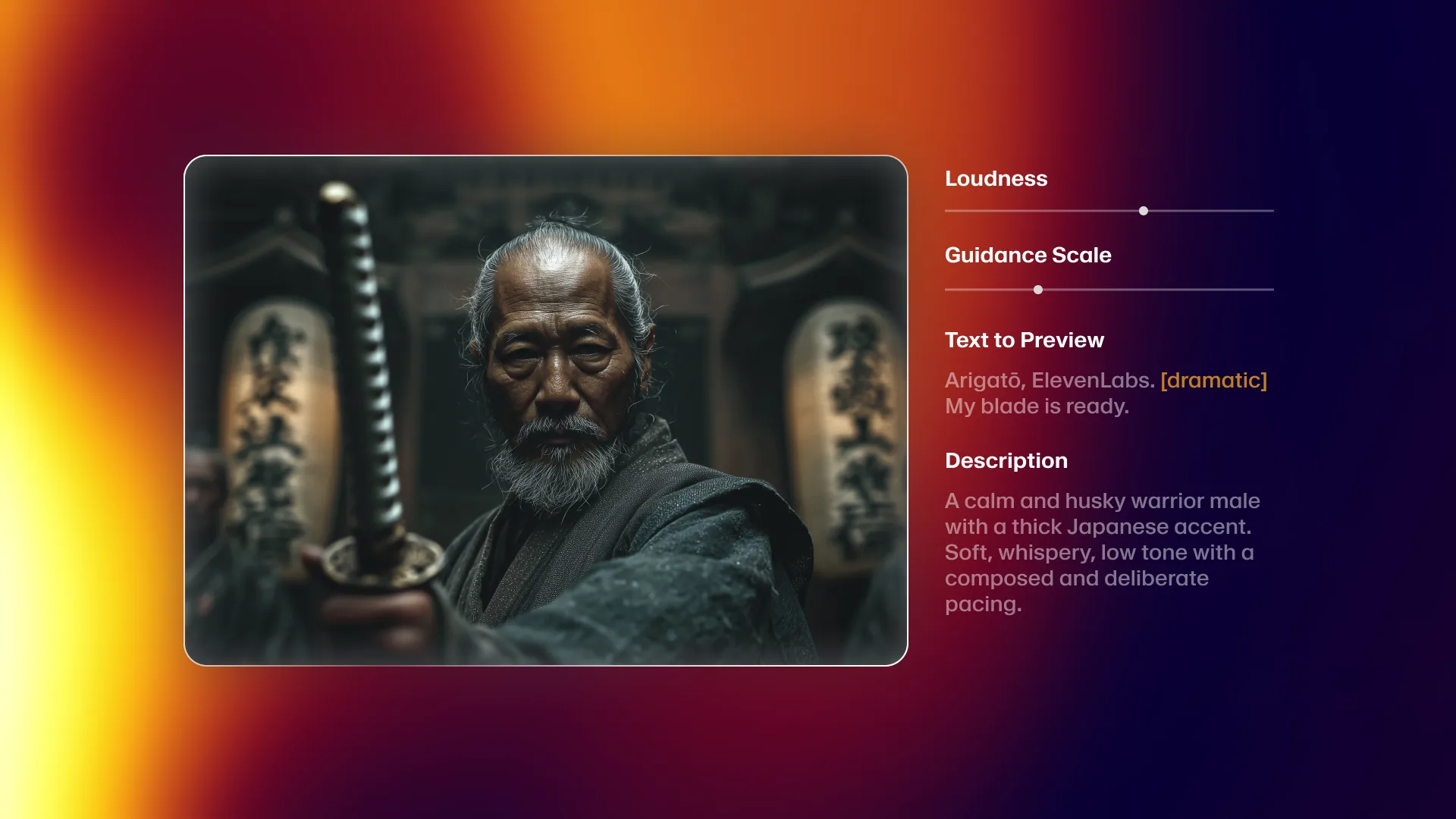
Parameter Tuning After Generation
Once you have a base voice you like, the parameter sliders refine the output:
- Stability - Higher values produce more consistent output across different text inputs. Lower values add natural variation but risk inconsistency. For narration, keep this at 60-80%. For conversational content, 40-60% adds natural feel.
- Clarity + Similarity Enhancement - Higher values sharpen the voice characteristics defined in your prompt. Too high can sound artificial. 50-70% is the sweet spot for most use cases.
- Style Exaggeration - Amplifies the tonal qualities. A little goes a long way. Start at 0% and increase in small increments. Going past 50% often introduces artifacts.
How Does Voice Design Compare to Voice Cloning?
These two features serve fundamentally different purposes, and choosing the wrong one wastes time and credits. Here is when to use each.
| Factor | Voice Design | Voice Cloning |
|---|---|---|
| Input | Text description | Audio recording |
| Output | Original synthetic voice | Replica of existing voice |
| Best for | Fictional characters, brand mascots, creative projects | Matching a specific person’s voice |
| Audio samples needed | None | 1-2 min (instant) or 30+ min (professional) |
| Iteration method | Edit prompt, regenerate | Record better samples |
| Minimum plan | Starter ($5/mo) | Starter (instant) or Creator (professional) |
| Uniqueness | Every generation is unique | Designed to match source exactly |
| Emotional range | Defined by prompt | Captured from samples |
Choose Voice Design when you want a voice that does not exist in the real world. Character voices for games, mascots for brands, narrators for content - these are Voice Design territory.
Choose Voice Cloning when the voice needs to sound like a specific person. Your own voice for scaled content production, a spokesperson’s voice for consistency across hundreds of clips, a podcast host who cannot record every episode - these are cloning territory. For YouTube creators specifically, the ElevenLabs YouTube Voiceover Workflow shows how to apply both approaches in a video editing pipeline.
Combine both approaches for complex projects. Design character voices with Voice Design, clone the narrator with Voice Cloning, and use them together in the same project. Many audiobook producers use exactly this workflow - cloned author voice for narration, designed voices for dialogue characters. The ElevenLabs Projects Audiobook Guide walks through how to assign multiple voice types within a single long-form project.
For the complete cloning workflow, see the ElevenLabs Voice Cloning Tutorial.
Pro Tips
These are the lessons that come from extensive use, not from reading documentation.
Save every voice you like, even if you do not need it now. Voice Design generates unique voices every time. If you hear something interesting during experimentation, save it immediately. You cannot recreate the exact same voice by running the same prompt again. The ElevenLabs Team Workspace Guide covers shared voice libraries if you collaborate on projects.
Write your preview text to match your actual content. If you are building a voice for audiobook narration, use a paragraph from your manuscript as the preview text. If it is for a customer service bot, use a realistic support response. Evaluating a voice on generic sample text tells you very little about how it will perform in production. The ElevenLabs Studio First Project guide covers how to test voices across full multi-block projects before committing to a final voice selection.
Keep a prompt journal. When you find a prompt that produces excellent results, save it alongside the voice. When a prompt consistently fails, note that too. Over time you build a personal reference that makes every future generation faster.
Design in batches for multi-character projects. If you need five characters for a game, generate all five in the same session. This helps you ensure the voices are distinct from each other. It is easy to accidentally create similar-sounding characters when you design them weeks apart.
Test with long-form content before committing. A voice that sounds great on a single sentence can fall apart on a 500-word paragraph. Always test your saved voice with content that matches the length and style of your actual project before investing hours of production time. The ElevenLabs E-Learning Narration Workflow covers long-form testing strategies in detail.
Use Voice Design for prototyping, then upgrade if needed. Some projects start with Voice Design for concept approval and then switch to professional Voice Cloning of a real actor for the final production. Voice Design is excellent for proving that a voice concept works before spending money on voice talent and professional cloning. For automated voice generation pipelines, the ElevenLabs Zapier Automations guide shows how to wire your designed voice into Zapier workflows.
Frequently Asked Questions
How many Voice Design generations do I get per month?
Voice Design generations are included with your character quota on any paid plan. Each generation uses a small number of characters from your monthly allowance. On the Starter plan ($6/month), you get 30,000 characters per month, which supports dozens of voice generations alongside regular text-to-speech usage.
Can I use Voice Design voices commercially?
Yes. Voices created with Voice Design are original synthetic voices that you own the rights to use commercially. This applies to all paid plans. Check the ElevenLabs terms of service and the pricing page for the most current licensing details, but commercial use is explicitly supported for generated voices on every paid tier.
Why does the same prompt produce different voices each time?
Voice Design is generative - each prompt run produces a unique voice based on the description. This is by design. It means you might need two or three generations to find the perfect voice, but it also means every voice you create is truly unique. Once you find a voice you like, save it immediately to your library.
Can I edit a Voice Design voice after saving it?
You cannot modify the fundamental voice characteristics after saving. However, you can adjust the parameter sliders (stability, clarity, style exaggeration) on saved voices to fine-tune how they perform with different content. If you need significant changes to the voice itself, generate a new one with an updated prompt.
What is the difference between Voice Design v2 and v3?
Voice Design v3 uses ElevenLabs’ latest Eleven v3 model, which produces significantly more natural and expressive voices than v2. The main improvements are in emotional range, accent accuracy, and the ability to capture nuanced personality traits from text descriptions. Prompts that produced mediocre results in v2 often produce noticeably better voices in v3. The ElevenLabs Voice Cloning Tutorial also benefits from the v3 model improvements.
Does Voice Design work in languages other than English?
Voice Design prompts should be written in English, but the generated voices can speak in multiple languages depending on your ElevenLabs plan. The accent control in your prompt (e.g., “slight French accent”) influences how the voice sounds when speaking English. For non-English content production, generate the voice with Voice Design and then use it with ElevenLabs’ multilingual text-to-speech capabilities. The ElevenLabs Multilingual Dubbing Workflow shows the full multi-language pipeline. Review the ElevenLabs pricing page to confirm which plans include multilingual generation.
Want to learn more about ElevenLabs?
Related Reading
- ElevenLabs Voice Cloning Tutorial - Step-by-step guide to instant and professional voice cloning
- Getting Started with ElevenLabs - Complete setup guide for new users
- ElevenLabs - Full review with pricing, features, and ratings
- Best AI Voice Generators 2026 - How ElevenLabs compares to the competition
Related Guides
- ElevenLabs Voice Library Guide - Browse and pick from community-shared voices
- ElevenLabs Voice Cloning Tutorial - Clone instead of design when you need a specific person’s voice
- ElevenLabs Audio Quality Optimization - Tune stability, similarity, and style for your designed voice
- ElevenLabs Projects Audiobook Guide - End-to-end audiobook production using designed voices
External Resources
- ElevenLabs Voice Design Documentation - Official parameter reference and prompt guidelines
- ElevenLabs Engineering Blog - Product updates, new model releases, and technique posts
Related Guides
- AI Video Creation Tips: 2026 Walkthrough for Teams
- AI Voice Cloning Ethics Best Practices: Complete 2026 Guide
- AI Voiceover Corporate Training With WellSaid Labs
- AI Voiceover Tips: Making Synthetic Voices Sound Human
- ElevenLabs API Setup: Developer Quick Start Guide (2026)
- ElevenLabs Audio Native Embed Audio on Any Website
- ElevenLabs Audio Quality Settings: Pro Tips and Settings
- ElevenLabs Audiobook Creation: Long-Form Audiobook
- ElevenLabs Conversational AI Agents: Build Voice Agents
- ElevenLabs Dubbing Studio: Video Translation and Dubbing