





ElevenLabs API setup is a developer integration process that takes about 30 minutes from account signup to your first generated audio file. It covers generating your API key, installing the Python SDK, making a text-to-speech call, implementing streaming, selecting the right model, handling rate limits, and estimating costs before scaling.
The ElevenLabs API setup process takes about 30 minutes from signup to your first generated audio file, and that includes installing the Python SDK, making a test call, and understanding how streaming works. If you have built anything with REST APIs before, this will feel familiar. If you have not, the official SDK abstracts away most of the HTTP complexity so you can focus on integrating text-to-speech into your application.
This guide walks through the complete developer setup path: generating your API key, installing the Python SDK, making your first text-to-speech call, implementing streaming audio for real-time applications, choosing the right model for your latency and quality requirements, handling rate limits and errors gracefully, and estimating costs before you scale. It is written for developers who want to integrate ElevenLabs programmatically rather than through the Studio UI.
If you are new to ElevenLabs entirely and want to explore the platform visually before writing code, start with the Getting Started with ElevenLabs guide instead. This guide assumes you are comfortable with Python, pip, and basic API concepts.
ElevenLabs API Setup Prerequisites
Before starting the ElevenLabs API setup, make sure you have the following ready.
Python 3.8 or higher. The official ElevenLabs Python SDK requires Python 3.8+. Check your version with python --version. If you are on macOS or Linux and only have Python 2 installed, use python3 explicitly or set up a virtual environment with the correct version.
A package manager. You will use pip to install the SDK. If you prefer Poetry, uv, or conda, the package name is the same. A virtual environment is recommended to avoid dependency conflicts with other projects.
An ElevenLabs account with API access. The free tier includes 10,000 characters per month and API access, which is enough for initial testing. For production use, the Starter plan ($6/month, 30,000 characters) provides a commercial license and higher limits. The Pro plan ($99/month, 500,000 characters) is what most production applications need. Compare plans on the pricing page.
A text editor or IDE. Any editor works. If you are using an AI-assisted editor like Cursor or GitHub Copilot, the SDK has good type hints that will give you accurate autocomplete suggestions.
Getting Your API Key
Your API key is the credential that authenticates every request to the ElevenLabs API. Treat it like a password - never commit it to version control or expose it in client-side code.
Step 1: Sign in to your ElevenLabs account. Navigate to elevenlabs.io and log in. If you do not have an account yet, the signup process takes under two minutes and does not require a credit card for the free tier.
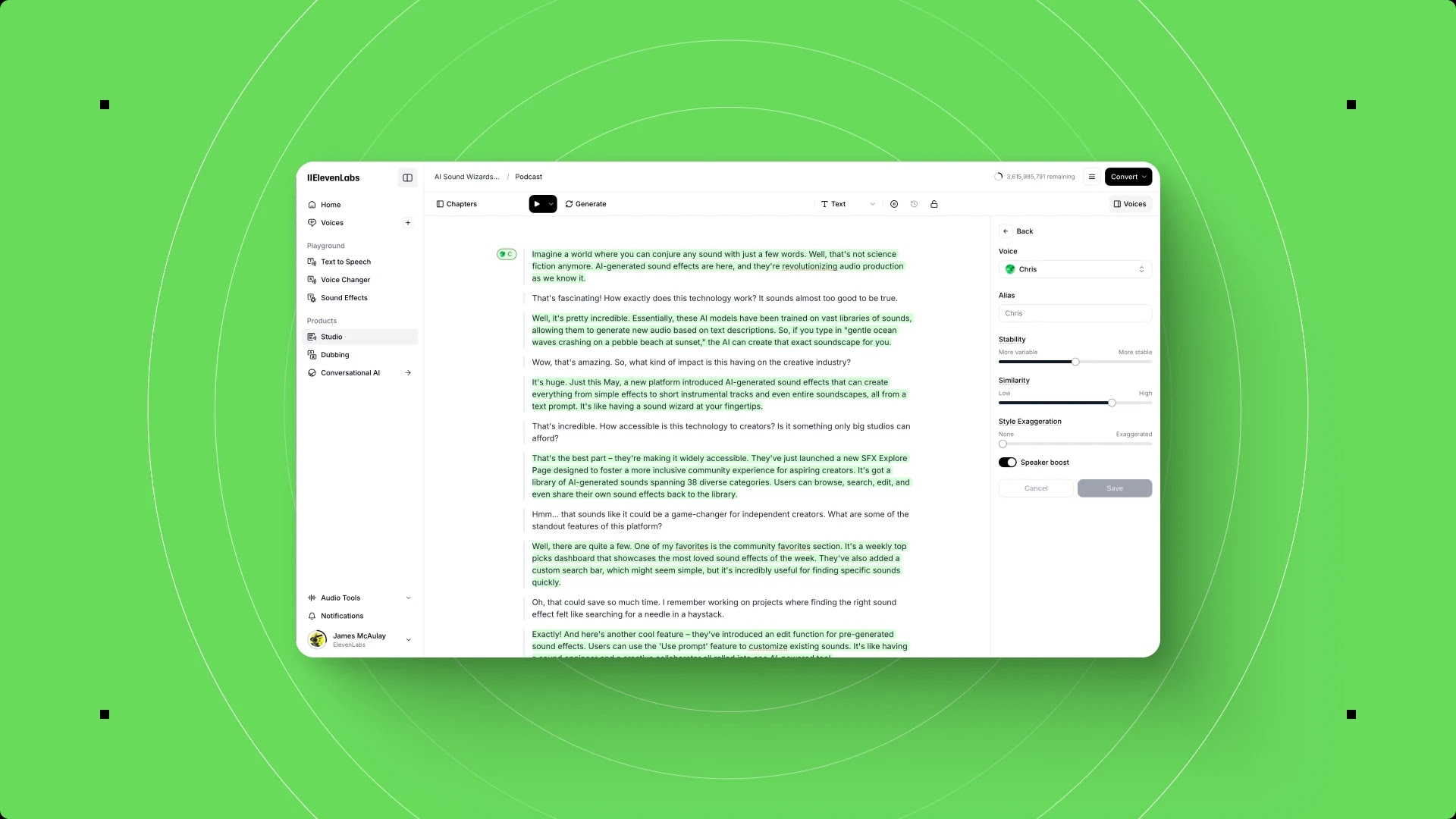
Step 2: Open your profile settings. Click your profile avatar in the bottom-left corner of the Studio interface, then select “Profile + API key” from the menu.
Step 3: Copy your API key. Your key is displayed in the API key section. Click the copy button to grab it. The key starts with a prefix and is roughly 32 characters long.
Step 4: Store it securely. Create a .env file in your project root and add your key:
ELEVENLABS_API_KEY=your_api_key_hereAdd .env to your .gitignore immediately. The SDK reads this environment variable automatically, so you never need to hardcode the key in your application code.
SDK Installation
The official Python SDK wraps the REST API with typed methods, automatic retries, and built-in streaming support. Install it with pip:
pip install elevenlabsIf you also need to play audio locally during development (useful for testing), install with the optional audio dependency:
pip install "elevenlabs[play]"Verify the installation by checking the version:
import elevenlabs
print(elevenlabs.__version__)
For projects that also need async support, the SDK includes async variants of every method out of the box - no additional packages required. The full API surface is documented in the ElevenLabs API reference.
Environment Configuration
The SDK automatically reads ELEVENLABS_API_KEY from your environment. You can also pass it explicitly when creating the client:
from elevenlabs import ElevenLabs

# Option 1: Reads ELEVENLABS_API_KEY from environment (recommended)
client = ElevenLabs()

# Option 2: Explicit key (use for testing only)
client = ElevenLabs(api_key="your_api_key_here")
Always use the environment variable approach in production. It keeps secrets out of your codebase and works cleanly with Docker, CI/CD pipelines, and deployment platforms like Vercel.
Your First API Call
Let us generate speech from text. This is the foundational call that every ElevenLabs integration starts with.
from elevenlabs import ElevenLabs, play

client = ElevenLabs()

# Generate speech with a pre-made voice
audio = client.text_to_speech.convert(
    text="Hello from the ElevenLabs API. This is your first generated audio.",
    voice_id="JBFqnCBsd6RMkjVDRZzb",  # "George" - a pre-made voice
    model_id="eleven_multilingual_v2",
    output_format="mp3_44100_128",
)

# Play locally (requires elevenlabs[play])
play(audio)
The convert method returns an iterator of audio bytes. The play function consumes that iterator and plays it through your default audio device.
Saving Audio to a File
For production use, you will typically save the audio rather than play it:
from elevenlabs import ElevenLabs

client = ElevenLabs()

audio = client.text_to_speech.convert(
    text="This audio will be saved to a file.",
    voice_id="JBFqnCBsd6RMkjVDRZzb",
    model_id="eleven_multilingual_v2",
    output_format="mp3_44100_128",
)

with open("output.mp3", "wb") as f:
    for chunk in audio:
        f.write(chunk)
Listing Available Voices
Before hardcoding a voice ID, browse what is available:
voices = client.voices.get_all()

for voice in voices.voices:
    print(f"{voice.name}: {voice.voice_id}")
This returns both pre-made voices from the ElevenLabs library and any custom voices you have cloned. Each voice has a unique voice_id that you pass to the generation endpoint.
Streaming Audio
Non-streaming generation waits for the entire audio to finish before returning any data. Streaming returns audio chunks as they are generated, which is critical for real-time applications like chatbots, virtual assistants, and live narration systems.
HTTP Streaming
The simplest streaming approach uses the same SDK but with the streaming endpoint:
from elevenlabs import ElevenLabs

client = ElevenLabs()

audio_stream = client.text_to_speech.convert_as_stream(
    text="Streaming reduces time-to-first-byte significantly.",
    voice_id="JBFqnCBsd6RMkjVDRZzb",
    model_id="eleven_flash_v2_5",
    output_format="mp3_44100_128",
)

# Process chunks as they arrive
for chunk in audio_stream:
    # Send to audio player, write to buffer, stream to client, etc.
    process_audio_chunk(chunk)
With the Flash v2.5 model, time-to-first-byte is typically under 150ms, making this suitable for conversational interfaces.
WebSocket Streaming for Real-Time Applications
For the lowest latency in real-time scenarios - voice assistants, interactive characters, live translation - use the WebSocket API. It maintains a persistent connection and streams audio with minimal overhead.
import asyncio
from elevenlabs import ElevenLabs

client = ElevenLabs()

async def stream_realtime():
    async with client.text_to_speech.stream_realtime(
        voice_id="JBFqnCBsd6RMkjVDRZzb",
        model_id="eleven_flash_v2_5",
        output_format="pcm_24000",
    ) as stream:
        # Send text chunks as they become available
        await stream.send("This is the first sentence. ")
        await stream.send("And here comes the second. ")

        # Signal end of input
        await stream.flush()

        # Receive audio chunks
        async for audio_chunk in stream:
            process_realtime_audio(audio_chunk)

asyncio.run(stream_realtime())
WebSocket streaming is particularly powerful when combined with LLM output. As your language model generates text token by token, you can feed those tokens into the ElevenLabs WebSocket to produce audio with almost no perceptible delay between the text arriving and the speech playing.
Model Selection
Choosing the right model is the single most impactful decision for both quality and cost. ElevenLabs offers several models optimized for different trade-offs.
Model Comparison
| Model | Latency | Quality | Best For | Languages |
|---|---|---|---|---|
| Eleven v3 | ~75ms | Highest | Premium content, audiobooks | 32 |
| Eleven Multilingual v2 | ~200ms | Very High | Polished voiceovers, dubbing | 29 |
| Eleven Flash v2.5 | ~75ms | Good | Real-time apps, chatbots | 29 |
| Eleven Turbo v2.5 | ~100ms | Good | Balanced speed and quality | 29 |
Eleven v3 is the flagship model released in early 2026. It delivers the highest voice quality with approximately 75ms latency - a combination that previously required choosing between the two. Use it for audiobooks, premium video voiceovers, and any content where voice quality is the top priority.
Eleven Flash v2.5 is the speed-optimized model. It generates audio the fastest and is designed for real-time conversational AI, interactive voice response systems, and scenarios where users are waiting for an immediate reply. Quality is good but noticeably below v3 for long-form content.
Eleven Multilingual v2 remains the go-to choice for multilingual content across 29 languages. If your application serves a global audience and needs consistent quality across languages, this model handles accent preservation and natural intonation well.
Choosing a Model in Code
# For premium quality (audiobooks, marketing videos)
audio = client.text_to_speech.convert(
    text="Your text here",
    voice_id="JBFqnCBsd6RMkjVDRZzb",
    model_id="eleven_v3",
    output_format="mp3_44100_192",
)

# For real-time applications (chatbots, assistants)
audio = client.text_to_speech.convert_as_stream(
    text="Your text here",
    voice_id="JBFqnCBsd6RMkjVDRZzb",
    model_id="eleven_flash_v2_5",
    output_format="pcm_24000",
)
A practical approach for applications that serve both use cases: use Flash for the initial fast response in conversations, then re-generate with v3 for any content that gets saved, published, or reused. For deeper guidance on dialing in stability and similarity for each model, see the ElevenLabs audio quality optimization guide. For voice library exploration before hardcoding a voice ID, the ElevenLabs voice library guide covers filtering and auditioning options.
Rate Limits and Quotas
ElevenLabs enforces rate limits per tier to ensure fair usage across the platform. Understanding these limits prevents your application from hitting errors during peak usage.
Limits by Plan
| Plan | Characters/Month | Concurrent Requests | Requests/Second |
|---|---|---|---|
| Free | 10,000 | 2 | 2 |
| Starter | 30,000 | 3 | 3 |
| Creator | 100,000 | 5 | 5 |
| Pro | 500,000 | 10 | 10 |
| Scale | 2,000,000 | 25 | 25 |
Character counts include every character in your input text, including spaces and punctuation. Failed requests that return an error before generation starts do not count against your character quota, but successful partial generations do.
Implementing Rate Limit Awareness
Build rate limit handling into your application from the start rather than bolting it on after you start getting 429 errors:
import time
from elevenlabs import ElevenLabs
from elevenlabs.core import ApiError

client = ElevenLabs()

def generate_with_retry(text, voice_id, model_id, max_retries=3):
    """Generate speech with exponential backoff on rate limits."""
    for attempt in range(max_retries):
        try:
            audio = client.text_to_speech.convert(
                text=text,
                voice_id=voice_id,
                model_id=model_id,
                output_format="mp3_44100_128",
            )
            return audio
        except ApiError as e:
            if e.status_code == 429:
                wait_time = 2 ** attempt  # 1s, 2s, 4s
                print(f"Rate limited. Retrying in {wait_time}s...")
                time.sleep(wait_time)
            else:
                raise
    raise Exception("Max retries exceeded for rate limit")
For batch processing - generating audio for hundreds of text segments - add a small delay between requests and respect the concurrent request limit for your tier. A simple semaphore works well for async code:
import asyncio

# Adjust based on your plan's concurrent request limit
semaphore = asyncio.Semaphore(5)  # Pro plan: 10 concurrent

async def generate_batch(texts, voice_id, model_id):
    async def generate_one(text, index):
        async with semaphore:
            audio = await client.text_to_speech.convert_async(
                text=text,
                voice_id=voice_id,
                model_id=model_id,
            )
            with open(f"output_{index}.mp3", "wb") as f:
                async for chunk in audio:
                    f.write(chunk)

    tasks = [generate_one(text, i) for i, text in enumerate(texts)]
    await asyncio.gather(*tasks)
Error Handling
Robust error handling separates a prototype from a production integration. The ElevenLabs API returns standard HTTP status codes, and the SDK wraps these in typed exceptions.
Common Error Codes
| Code | Meaning | Recovery |
|---|---|---|
| 400 | Bad request (invalid params) | Check voice_id, model_id, text length |
| 401 | Invalid API key | Verify ELEVENLABS_API_KEY |
| 403 | Insufficient permissions | Check plan tier for feature access |
| 429 | Rate limited | Exponential backoff (see above) |
| 500 | Server error | Retry after brief delay |
Production Error Handling Pattern
from elevenlabs import ElevenLabs
from elevenlabs.core import ApiError

client = ElevenLabs()

def generate_speech(text, voice_id, model_id="eleven_multilingual_v2"):
    """Production-ready speech generation with error handling."""
    # Validate input before making the API call
    if not text or not text.strip():
        raise ValueError("Text cannot be empty")
    if len(text) > 5000:
        raise ValueError("Text exceeds 5000 character limit per request")

    try:
        audio = client.text_to_speech.convert(
            text=text,
            voice_id=voice_id,
            model_id=model_id,
            output_format="mp3_44100_128",
        )
        return audio

    except ApiError as e:
        if e.status_code == 401:
            raise RuntimeError(
                "Invalid API key. Check your ELEVENLABS_API_KEY."
            )
        elif e.status_code == 429:
            raise RuntimeError(
                "Rate limit exceeded. Implement backoff or upgrade plan."
            )
        elif e.status_code == 400:
            raise RuntimeError(
                f"Bad request: {e.body}. Verify voice_id and model_id."
            )
        else:
            raise RuntimeError(f"ElevenLabs API error {e.status_code}: {e.body}")
Input Validation
Always validate text before sending it to the API. Some common issues:
- Empty strings return a 400 error. Check before calling.
- Extremely long text should be chunked. The API handles up to 5,000 characters per request. For longer content, split on sentence boundaries and generate sequentially.
- Special characters and SSML are not supported in all models. Test with your actual content format before deploying.
import re

def chunk_text(text, max_chars=4500):
    """Split text into chunks at sentence boundaries."""
    sentences = re.split(r'(?<=[.!?])\s+', text)
    chunks = []
    current_chunk = ""

    for sentence in sentences:
        if len(current_chunk) + len(sentence) + 1 > max_chars:
            if current_chunk:
                chunks.append(current_chunk.strip())
            current_chunk = sentence
        else:
            current_chunk += " " + sentence

    if current_chunk.strip():
        chunks.append(current_chunk.strip())

    return chunks
Cost Estimation
Understanding the pricing model helps you budget accurately and avoid surprises. ElevenLabs charges based on character consumption, and costs vary by plan tier.
Cost Per 1,000 Characters by Plan
| Plan | Monthly Cost | Characters | Cost per 1,000 Chars | Cost per Minute (~) |
|---|---|---|---|---|
| Free | $0 | 10,000 | $0.00 | $0.00 |
| Starter | $6 | 30,000 | $0.17 | $0.20 |
| Creator | $22 | 100,000 | $0.22 | $0.26 |
| Pro | $99 | 500,000 | $0.20 | $0.24 |
| Scale | $299 | 2,000,000 | $0.17 | $0.20 |
Roughly 1,000 characters produce 60 to 75 seconds of audio depending on the voice speed and model. A typical blog post of 1,500 words contains approximately 8,000 to 10,000 characters. Always cross-check current rates on the ElevenLabs pricing page before committing to a tier.
Estimating Usage for Your Application
def estimate_monthly_cost(
    texts_per_day: int,
    avg_chars_per_text: int,
    plan: str = "pro"
):
    """Estimate monthly ElevenLabs costs."""
    plans = {
        "starter": {"price": 5, "chars": 30_000},
        "creator": {"price": 22, "chars": 100_000},
        "pro": {"price": 99, "chars": 500_000},
        "scale": {"price": 330, "chars": 2_000_000},
    }

    monthly_chars = texts_per_day * avg_chars_per_text * 30
    plan_data = plans[plan]

    if monthly_chars <= plan_data["chars"]:
        return {
            "plan": plan,
            "monthly_cost": plan_data["price"],
            "usage_percent": round(monthly_chars / plan_data["chars"] * 100, 1),
            "chars_remaining": plan_data["chars"] - monthly_chars,
        }
    else:
        overage_chars = monthly_chars - plan_data["chars"]
        # Overage rates vary - check current pricing
        return {
            "plan": plan,
            "monthly_cost": plan_data["price"],
            "usage_percent": round(monthly_chars / plan_data["chars"] * 100, 1),
            "overage_chars": overage_chars,
            "recommendation": "Consider upgrading to the next tier",
        }

# Example: SaaS app generating 50 audio clips/day, 500 chars each
result = estimate_monthly_cost(50, 500, "pro")
print(result)
# {'plan': 'pro', 'monthly_cost': 99, 'usage_percent': 150.0, ...}
Cost optimization tips:
- Cache generated audio. If the same text is requested multiple times, serve the cached version instead of regenerating.
- Use Flash for drafts. Generate with the cheaper, faster Flash model during development and switch to v3 for final output.
- Trim input text. Remove unnecessary whitespace, markdown formatting, and metadata before sending text to the API. Every character counts toward your quota.
- Monitor usage. The API returns quota information in response headers. Track this programmatically rather than waiting for the monthly email notification.
Frequently Asked Questions
What is the maximum text length per API request?
The ElevenLabs API accepts up to 5,000 characters per request for standard text-to-speech endpoints. For longer content, split your text into chunks at natural sentence boundaries and generate each chunk sequentially. The SDK does not handle chunking automatically, so you need to implement this in your application code. When concatenating audio from multiple chunks, use a consistent output format and consider adding brief pauses between segments for natural pacing.
Can I use the API with languages other than English?
Yes. The Multilingual v2 and Flash v2.5 models support 29 languages, and the newer v3 model supports 32 languages. You do not need to specify the language explicitly - the models detect it automatically from the input text. For best results with non-English text, choose a voice that was trained on or is native to your target language. The voices endpoint returns language metadata for each voice to help with selection.
How do I handle WebSocket disconnections in production?
WebSocket connections can drop due to network instability, server maintenance, or idle timeouts. Implement automatic reconnection with exponential backoff - start at 1 second and cap at 30 seconds. Buffer any unsent text during disconnection and replay it after reconnecting. For mission-critical real-time applications, maintain a fallback path that uses HTTP streaming when the WebSocket connection cannot be established within a timeout window.
What output audio formats does the API support?
The API supports MP3 (various bitrates from 64 to 192 kbps), PCM (16-bit and 24-bit at sample rates up to 44.1 kHz), and u-law format for telephony integrations. Use mp3_44100_128 for general-purpose web and mobile applications. Use pcm_24000 for real-time streaming where you need raw audio data for processing or playback through Web Audio API. The format you choose does not affect character consumption or pricing.
Do API calls from the SDK count differently than Studio usage?
No. API calls and Studio usage draw from the same character pool on your account. If you use 5,000 characters through the Studio interface and 5,000 through the API, you have consumed 10,000 characters total. This is important to keep in mind if your team uses both the web interface for testing and the API for production - set up a separate account or workspace for production API usage if you need a clean separation.
Want to learn more about ElevenLabs?
Related Guides
- Getting Started with ElevenLabs - Account setup and Studio interface for first-time users
- ElevenLabs Audio Quality Optimization - Stability, similarity, and model settings for broadcast-ready output
- ElevenLabs Pronunciation Dictionary Setup - Fix mispronunciations across every voice and generation
- ElevenLabs Voice Cloning Quality Guide - Get production-ready clones from your reference audio
Related Reading
- Getting Started with ElevenLabs - Account setup, Studio interface, and first voice generation for beginners
- ElevenLabs - Full review with pricing, ratings, and feature breakdown
- Best AI Voice Generators 2026 - How ElevenLabs compares to Murf, LOVO, WellSaid Labs, and others
External Resources
- ElevenLabs API Reference - Official endpoint documentation, request/response schemas, and authentication details
- ElevenLabs Python SDK on GitHub - Source code, issue tracker, and SDK release notes
- ElevenLabs WebSocket Streaming Docs - Real-time streaming protocol specification and examples
- View ElevenLabs API Pricing Plans - Compare Starter, Creator, Pro, and Scale tiers for API usage
Related Guides
- AI Video Creation Tips: 2026 Walkthrough for Teams
- AI Voice Cloning Ethics Best Practices: Complete 2026 Guide
- AI Voiceover Corporate Training With WellSaid Labs
- AI Voiceover Tips: Making Synthetic Voices Sound Human
- Claude Code Hooks Guide: PreToolUse, PostToolUse, Stop
- Claude Code Tips and Tricks (2026): 10 Power Workflows
- Cursor AI Productivity Tips 2026 - 12 Hacks Compared
- ElevenLabs Audio Native Embed Audio on Any Website
- ElevenLabs Audio Quality Settings: Pro Tips and Settings
- ElevenLabs Audiobook Creation: Long-Form Audiobook