


ElevenLabs GenFM podcast generation is an AI production feature inside the ElevenLabs Reader app that analyzes a URL, PDF, or pasted document and outputs a scripted two-host conversation with natural back-and-forth, topic transitions, and commentary. Episodes typically run 5 to 15 minutes and are ready for distribution without recording or editing.
ElevenLabs GenFM podcast generation turns written content into multi-host audio discussions that sound like two people actually talking about a topic - not just reading it aloud. If you have ever wanted to turn a blog post, research paper, or company newsletter into a podcast episode without booking guests, setting up microphones, or editing hours of raw audio, GenFM and the ElevenLabs Reader app handle the entire pipeline. You paste a URL or upload a document, select your AI hosts, and get a finished conversational episode in minutes.
This guide walks you through both tools. ElevenLabs Reader is the mobile and web app that converts any text into single-voice audio for personal listening. GenFM is the podcast-style engine that takes that same content and transforms it into a dynamic two-host discussion complete with natural back-and-forth, topic transitions, and conversational commentary. Together, they cover the full spectrum from private audio consumption to publishable podcast content.
Whether you are a content marketer studying an ElevenLabs podcast example before repurposing blog posts, an educator turning course material into audio discussions, or a researcher who wants to listen to papers during a commute, this guide gives you the practical steps to get started and the optimization strategies to produce better output.
What Is the Difference Between ElevenLabs GenFM and Reader?
GenFM and Reader solve related but different problems. Understanding what each one does - and where they overlap - helps you pick the right tool for each situation.
Reader is a consumption tool. It converts text into single-voice audio so you can listen to articles, PDFs, emails, and web pages instead of reading them. Think of it as a personal audio assistant that reads content to you in a natural AI voice. Reader is available as a mobile app (iOS and Android) and through the ElevenLabs web platform. You paste a URL, upload a file, or input text directly, choose a voice, and press play. The output is a straightforward narration - one voice, reading your content clearly and naturally.
GenFM is a production tool - an ElevenLabs podcast generator that analyzes your source content, identifies the key themes and talking points, and generates a scripted conversation between two AI hosts who discuss the material. The hosts summarize concepts, ask each other questions, add context, and move between topics with natural transitions. The result is not a reading of your content - it is a discussion about your content, structured like a real podcast episode.
Key differences at a glance:
| Field | Value |
|---|---|
| Voices | Reader uses one voice. GenFM uses two hosts in conversation. |
| Output style | Reader produces narration. GenFM produces discussion. |
| Use case | Reader is for personal listening. GenFM is for creating distributable podcast content. |
| Content transformation | Reader reads your text as written. GenFM rewrites and restructures your content into a conversational format. |
| Length | Reader output matches your source length. GenFM episodes are typically 5 to 15 minutes regardless of source length. |
Both tools accept the same input types - URLs, PDFs, plain text, and uploaded documents. The difference is what comes out the other end.
When to Use GenFM and Reader
These tools fit naturally into several content workflows. Here are the scenarios where they deliver the most value.
Blog-to-podcast repurposing. If you publish written content regularly, you can create a podcast episode with ElevenLabs by running each article through GenFM - no additional research, scripting, or recording required. A 2,000-word blog post becomes a 10-minute audio discussion that you can distribute on Spotify for Podcasters, Apple Podcasts, or embed on your site. This doubles your content reach without doubling your production effort.
Research and report summaries. Academic papers, industry reports, and long-form analysis are easier to absorb as conversations than as dense text. Upload a PDF and GenFM distills the key findings into an accessible discussion. This works well for teams that need to stay current on industry research but do not have time to read every report.
Newsletter audio editions. If you send a weekly or monthly newsletter on a platform like Substack or Beehiiv, run the content through GenFM to create an audio companion. Subscribers who prefer listening get a podcast version, and you get an additional distribution channel from the same source material.
Internal communications. Company updates, policy changes, and team announcements can be converted into short audio segments using Reader for straightforward narration or GenFM for a more engaging discussion format. This is particularly useful for distributed teams in different time zones, and the audio can be shared through internal tools like Slack or Microsoft Teams.
Educational content. Course creators and educators can transform lesson materials, textbook chapters, or lecture notes into audio discussions. The conversational format of GenFM makes complex topics more approachable than a straight narration.
Personal knowledge consumption. Reader is ideal when you simply want to listen to an article during a walk, commute, or workout. Save articles from your browser, paste URLs into the app, and build a personal audio library of content you want to consume.
Plan Requirements
ElevenLabs GenFM podcast generation and the Reader app are available across multiple ElevenLabs plans, but the access level and usage limits vary.
Free plan. You get access to Reader with limited usage. ElevenLabs GenFM podcast generation is available with a restricted number of episodes per month. The free tier is enough to test both features and decide if they fit your workflow, but not enough for regular production use.
Starter plan ($6/month). Includes Reader access with the same voice library as paid tiers. GenFM generations are limited but sufficient for occasional use - roughly a few episodes per month depending on length. This tier works for individuals who want to create the occasional podcast episode without committing to a higher plan.
Creator plan ($22/month). The practical starting point for regular GenFM use. You get more generous generation limits and access to the full voice library. If you plan to produce weekly podcast content from written sources, this is the minimum tier to consider.
Scale plan ($299/month) and above. Higher generation limits, priority processing, and access to premium voices. If you are running a content operation that produces multiple episodes per week or serves a team of creators, the Scale plan provides the headroom you need.
Character usage. GenFM generations consume characters from your monthly quota, but the consumption rate differs from standard text-to-speech because the system generates a full script from your source content. A single GenFM episode may use more characters than you would expect based on the source text length, since the AI creates an entirely new conversational script. Monitor your usage dashboard after your first few generations to understand the actual consumption pattern for your typical content.
Using the Reader App
Reader is the simpler of the two tools and the fastest way to start listening to written content as audio. Here is the complete walkthrough.
Getting the App
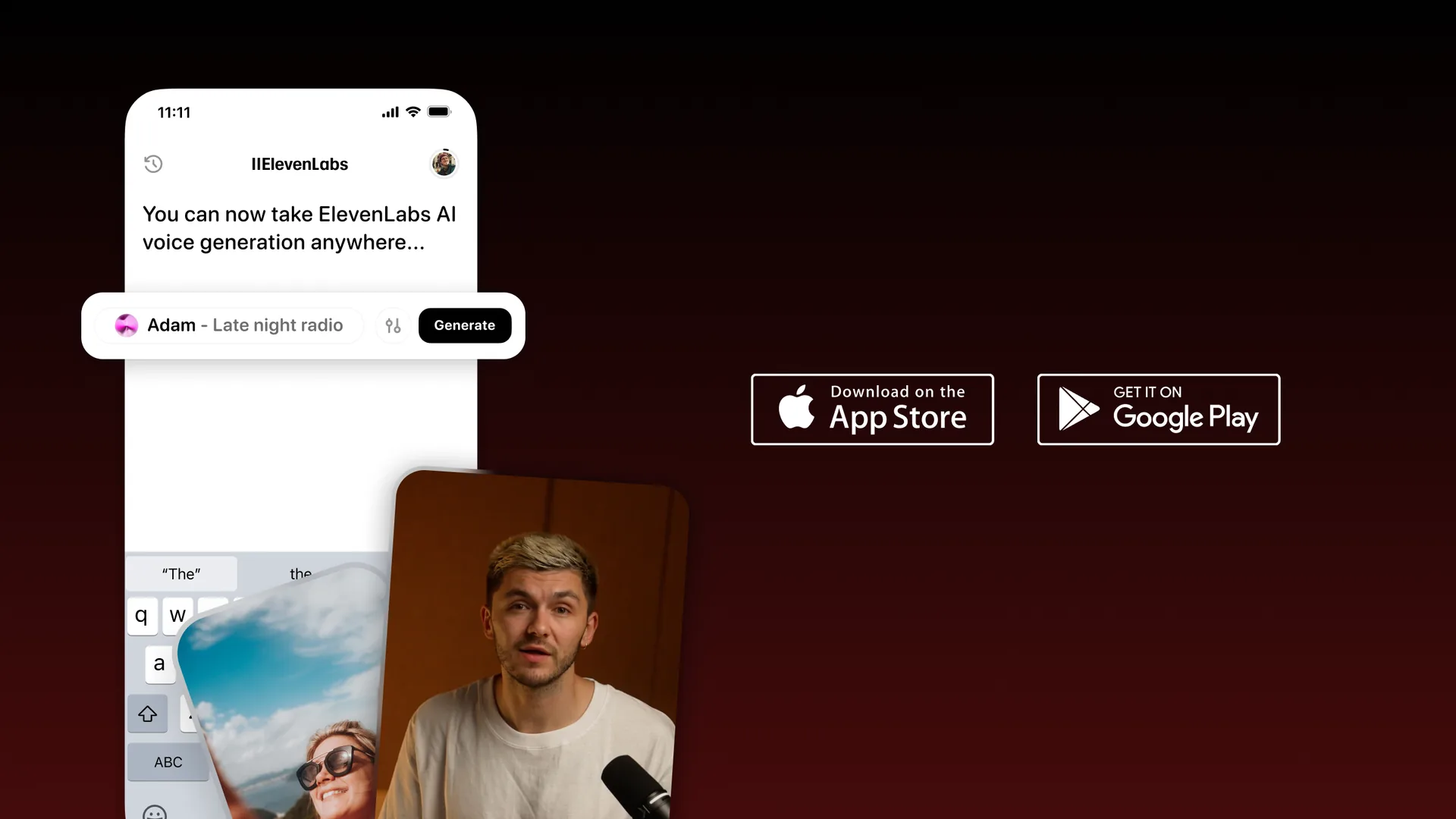
On mobile. Download the ElevenLabs Reader app from the Apple App Store (iOS) or Google Play Store (Android). The app is free to download. Sign in with your existing ElevenLabs account, or create a new one directly in the app.
On the web. Navigate to the ElevenLabs platform and access Reader through the main dashboard. The web version offers the same core functionality as the mobile app but is better suited for longer reading sessions at your desk.
Adding Content
There are several ways to feed content into Reader.
Paste a URL. Open Reader and tap or click the URL input field. Paste any web article URL and Reader fetches the page content, strips navigation and ads, and prepares the text for audio conversion. This works with most standard web pages, blogs, and news articles. Sites behind paywalls or with aggressive bot blocking may not load correctly.
Upload a file. Tap the upload option and select a PDF, EPUB, or text file from your device. Reader processes the document and presents the extracted text for audio playback. PDFs with complex layouts, heavy graphics, or scanned images may produce inconsistent results - text-based PDFs work best.
Paste text directly. If you have text in your clipboard from any source, paste it into the text input field. This method gives you the most control over exactly what gets converted to audio.
Choosing a Voice and Playback Settings
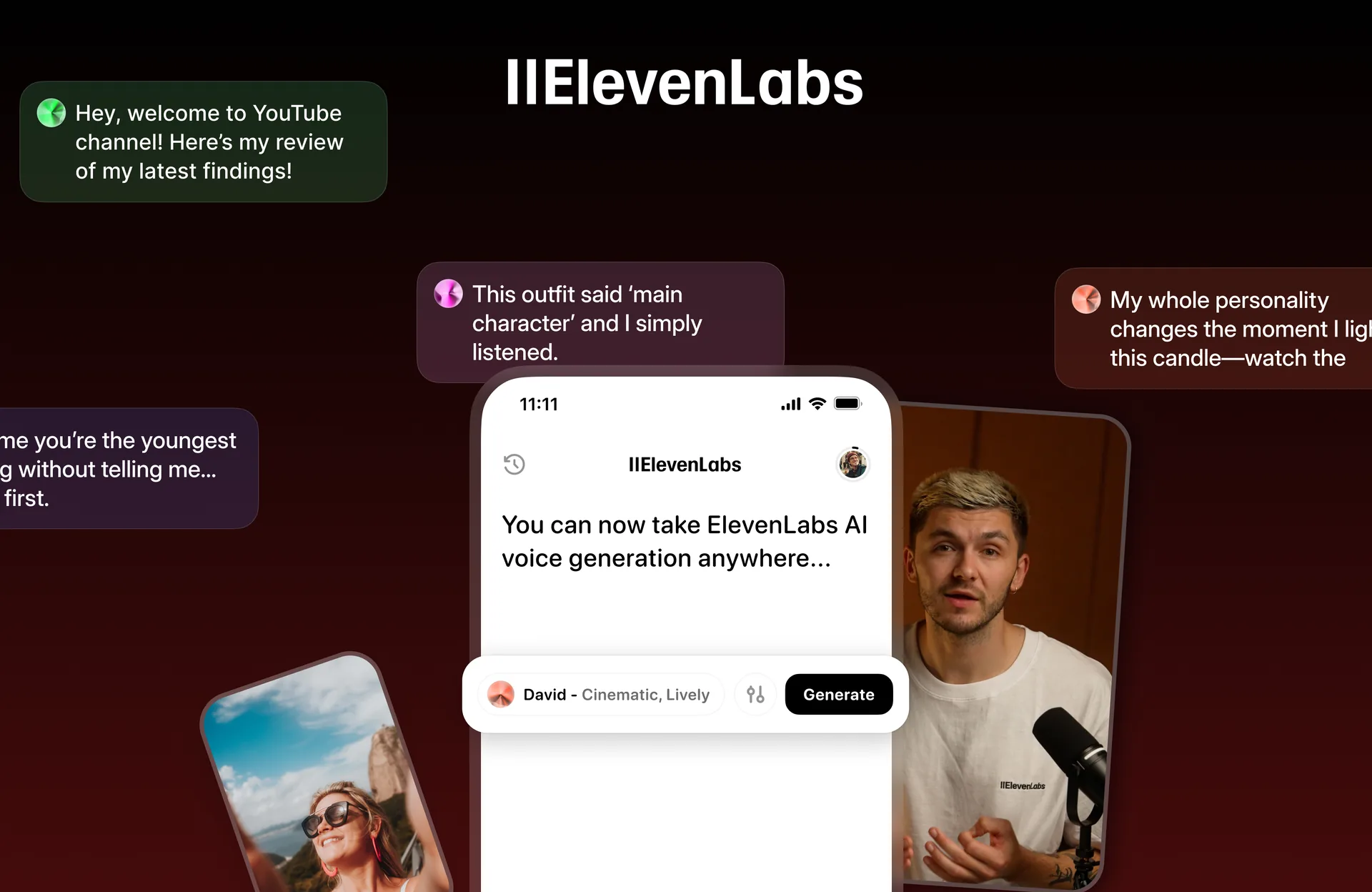
After adding content, select the voice you want to hear. Reader gives you access to the same voice library available in the main ElevenLabs platform. Scroll through the available voices, tap the preview button on any voice to hear a short sample, and select the one that suits your content and personal preference.
Playback speed. Adjust the speed slider to match your listening preference. Most people find 1.0x to 1.25x comfortable for general content, while experienced audio listeners may prefer 1.5x or even 2.0x for familiar material. Start at 1.0x for your first session and increase gradually.
Language. Reader supports the same multilingual capabilities as the ElevenLabs platform. If your content is in a language other than English, select a voice that matches the source language for the most natural results.
Saving and Sharing
Library management. Content you add to Reader is saved to your library automatically. You can return to any piece later and resume listening from where you left off. Organize your library by removing finished items to keep it manageable.
Sharing. Reader does not currently offer direct sharing of generated audio to other users. The audio is generated for your personal consumption within the app. If you want to distribute audio versions of content publicly, use GenFM or the standard ElevenLabs text-to-speech tools instead.
Creating Your First GenFM Episode
GenFM is where the real content creation happens. This walkthrough takes you from source material to a finished AI podcast episode.
Step 1: Choose Your Source Material
Log in to your ElevenLabs account and navigate to the GenFM section. You will see an input area where you can provide your source content. ElevenLabs GenFM podcast generation accepts three input types:
- URL. Paste the link to any public web article. GenFM fetches and processes the content automatically. This is the fastest input method for published content.
- PDF upload. Upload a PDF document from your device. Research papers, reports, whitepapers, and ebooks all work well. Text-based PDFs produce the best results.
- Text paste. Copy and paste text directly into the input field. Use this when your content is not yet published or when you want to feed in text from multiple sources combined into a single input.
For your first episode, choose a source between 1,000 and 3,000 words. Shorter content may produce episodes that feel thin, while very long content (10,000+ words) may result in the AI selecting only certain sections to discuss rather than covering everything.
Step 2: Select Your Hosts
GenFM generates a conversation between two AI hosts. You can choose the voices for each host from the ElevenLabs voice library. Consider these factors when selecting:
Contrast between hosts. Pick voices that are distinctly different from each other - different genders, different tonal qualities, or different accents. This makes it easier for listeners to follow who is speaking at any given moment.
Match the content tone. A discussion about enterprise security software calls for measured, professional voices. A conversation about creative tools or lifestyle products can use warmer, more energetic voices. Let the subject matter guide your selection.
Consistency across episodes. If you plan to produce a series of GenFM episodes, use the same two host voices throughout. This builds a recognizable audio brand, similar to how a real podcast has consistent hosts.
Step 3: Set Episode Style and Tone
GenFM offers controls that influence how the AI structures the conversation. Depending on the current interface, you may see options for:
- Conversation depth. A surface-level discussion that hits the highlights versus a deeper analysis that explores nuances and implications.
- Episode length. Shorter episodes (5 to 7 minutes) work for quick summaries. Longer episodes (10 to 15 minutes) allow for more thorough discussion.
- Tone. Casual and conversational versus formal and analytical. Match this to your target audience and distribution platform.
For your first episode, start with the default settings to establish a baseline. You can adjust after hearing the initial output.
Step 4: Generate and Review
Click the generate button. Processing typically takes between 30 seconds and a few minutes depending on the length of your source content and current server load. Once generation completes, you will see the finished episode ready for playback.
Listen to the full episode before publishing. Pay attention to:
- Accuracy. Does the conversation accurately represent the key points from your source material? GenFM interprets and restructures content, so confirm it has not misrepresented any claims or data.
- Flow. Do the transitions between topics feel natural? Are there awkward pauses or abrupt topic changes?
- Pronunciation. Technical terms, product names, and proper nouns sometimes get mispronounced. Note any issues for future reference - some can be addressed by adjusting the source text.
If the episode does not meet your standards, try adjusting the source text for clarity, selecting different voices, or modifying the episode style settings before regenerating.
Customizing AI Host Voices
Voice selection has a significant impact on how your GenFM episodes are received. Beyond the basic selection covered above, here are strategies for getting the most out of host voice customization.
Personality matching. Each voice in the ElevenLabs library has inherent characteristics - some sound authoritative, others conversational, others warm and approachable. Listen to preview samples with your specific content type in mind, not just in isolation. A voice that sounds great reading a product description may feel wrong for a research discussion.
Multi-host dynamics. The most engaging GenFM episodes have a clear dynamic between the two hosts. Consider pairing a voice that sounds like a subject expert with one that sounds like a curious interviewer. This creates a natural teach-and-learn rhythm that keeps listeners engaged.
Voice library exploration. The ElevenLabs voice library includes thousands of community voices alongside the platform defaults. Spend time browsing and saving voices that work for your content niche. Create a shortlist of 4 to 6 voices that you rotate between or use for different content categories.
Custom voices. If you have a Scale plan or above, consider using voice cloning to create custom host voices. Cloning your own voice or a team member’s voice adds authenticity and brand recognition. See the ElevenLabs Voice Cloning Tutorial for the full setup process.
How Do You Optimize Source Content for Better GenFM Podcasts?
The quality of your GenFM output depends heavily on what you feed into it. Not all content translates equally well into a conversational format.
Formats that work best:
- Opinion and analysis articles. Content that takes a position or evaluates options gives the AI hosts something to discuss and debate, producing more engaging conversations.
- How-to and explainer content. Step-by-step guides and concept explanations translate well because one host can explain while the other asks clarifying questions.
- Listicles and comparisons. Articles that compare tools, rank options, or list recommendations give the hosts natural topic segments to move between.
- News and industry updates. Current events and announcements provide discussion material that feels timely and relevant.
Formats that need extra attention:
- Data-heavy reports. Tables, charts, and statistics do not translate well to audio. If your source is data-heavy, add written commentary that explains the data in narrative form before feeding it to GenFM.
- Code tutorials. Source code is meaningless in audio form. If you want to convert a technical tutorial, focus on the conceptual explanation sections and remove or minimize code blocks.
- Content with heavy visual references. Articles that rely on screenshots, diagrams, or embedded media lose context in audio. Rewrite visual references as descriptive text before generating.
Length recommendations:
- Sweet spot: 1,500 to 3,000 words. This produces episodes between 8 and 15 minutes, which is the ideal length for most podcast audiences.
- Under 800 words. The AI may not have enough material to create a substantive conversation. Consider combining multiple short pieces into a single input.
- Over 5,000 words. GenFM will select key sections rather than covering everything. If comprehensive coverage matters, split the source into multiple episodes.
Structuring for audio. Before feeding content into GenFM, scan your source for elements that will confuse the AI - URLs, image captions, footnote markers, HTML artifacts, or formatting characters. Clean text produces cleaner conversations.
Sharing and Distribution
Once you have a finished GenFM episode you are happy with, here is how to get it in front of listeners.
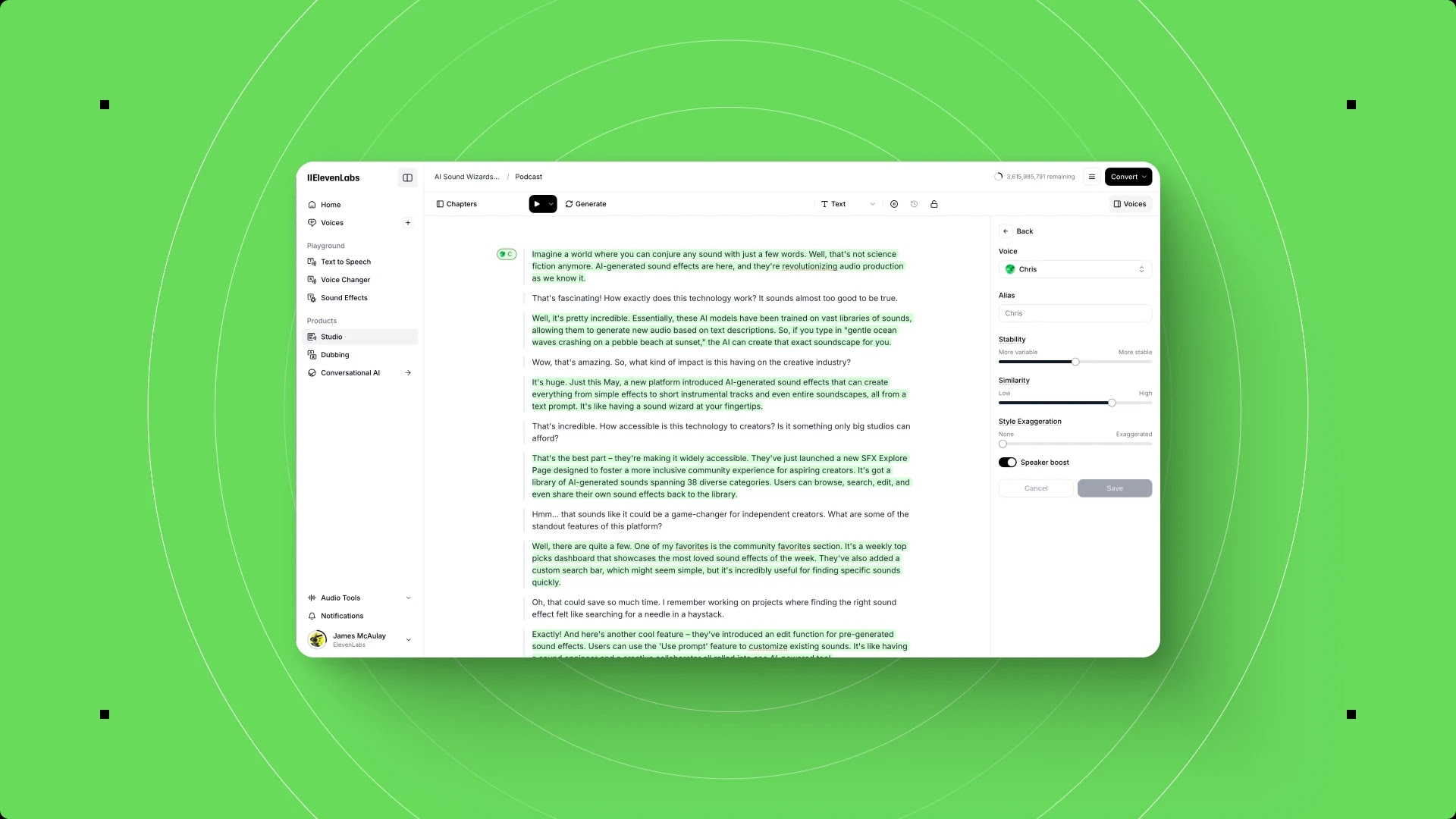
Download and export. Download the generated audio file from the ElevenLabs Studio dashboard. Episodes export as standard audio files (MP3) that are compatible with any podcast hosting platform, social media site, or web player.
Podcast hosting. Upload your exported ElevenLabs GenFM podcast generation episodes to a hosting service like Buzzsprout, Transistor, or Podbean. These platforms distribute your episodes to Apple Podcasts, Spotify, Google Podcasts, and other directories automatically through RSS. If you are starting a new AI-generated podcast series, most hosting platforms offer free tiers that accommodate the typical output volume.
Website embedding. Embed episodes directly on your website alongside the original written content. This gives visitors the choice between reading and listening. If you use WordPress, Webflow, or another CMS, most podcast hosting platforms provide embed codes or plugins for this purpose.
Social media clips. Extract the most interesting 60 to 90-second segment from an episode and share it as a teaser on LinkedIn, X, or Instagram. Pair the audio with a static image or simple waveform animation to meet platform video requirements. This drives traffic back to the full episode.
RSS feeds. If you produce ElevenLabs GenFM podcast generation episodes regularly, set up a dedicated RSS feed through your podcast host. Subscribers get new episodes automatically, and the feed serves as the backbone for directory distribution per the Apple Podcasts spec.
Pro Tips for Better AI Podcasts
After creating your first few episodes, these strategies will improve your output quality and efficiency.
Edit the source, not the output. If something sounds wrong in an ElevenLabs GenFM podcast generation episode, the most effective fix is usually to adjust the source text and regenerate rather than trying to edit the audio file directly. Clearer, more explicit source material produces better conversations - a finding consistent with Google Research on long-form audio generation.
Front-load key points. GenFM pays more attention to content that appears early in the source. If there is a specific point you want the hosts to discuss in depth, position it in the first third of your input text.
Test with different voice pairings. The same source content can feel completely different with different host voices. Generate two or three versions with different voice combinations before committing to your final pick. The character cost is worth it when you find a pairing that clicks.
Create a content pipeline. Set up a recurring workflow where you feed each week’s published articles through GenFM to maintain a consistent episode schedule. This works especially well for blogs, newsletters, and content marketing operations that already produce regular written output.
Listen as your audience would. Do not just listen at your desk. Play episodes through car speakers, earbuds during a walk, and phone speakers in a kitchen. Audio that sounds polished on studio monitors might have clarity issues in real-world listening environments.
Combine multiple sources. For richer discussions, paste text from two or three related articles into a single GenFM input. The AI will find connections between the sources and create a more nuanced conversation than any single article would produce alone.
Keep a generation log. Track which source URLs, voice pairings, and settings you used for each episode. This makes it easy to reproduce successful results and identify what changed when an episode does not meet your expectations.
Frequently Asked Questions
How long does it take to generate an ElevenLabs GenFM podcast generation episode?
Generation time depends on the length of your source content and current server demand. Most ElevenLabs GenFM podcast generation runs finish processing in 1 to 3 minutes. Longer source documents or periods of high platform usage may push this to 5 minutes. Once generation starts, you can navigate away and return - the episode will be waiting in your dashboard when processing completes.
Can I edit the AI-generated conversation script?
GenFM produces a finished audio file based on the script it generates internally. You do not have direct access to edit the conversation script before generation. If you want to influence the content of the discussion, adjust your source material to emphasize, de-emphasize, or clarify specific points. For post-production editing of the audio itself, download the file and use an audio editor like Descript, Audacity, or Adobe Audition.
What languages does GenFM support?
GenFM supports the same languages as the broader ElevenLabs platform, which includes over 29 languages. However, the quality of conversational generation varies by language. English produces the most natural-sounding conversations. Other widely supported languages like Spanish, French, German, Portuguese, and Japanese produce strong results. For less common languages, test with a short source text before committing to a full production workflow.
Is the output good enough to publish as a real podcast?
For many use cases, yes. The audio quality is clear and professional, the conversational flow is natural, and the content coverage is accurate when the source material is well-written. That said, AI-generated podcasts sound different from human-hosted shows - the hosts do not share personal anecdotes, make jokes that land naturally, or bring lived experience to the discussion. GenFM works best as a content repurposing tool that extends the reach of your written material, not as a replacement for podcasts built around host personality and audience relationships.
Does ElevenLabs GenFM podcast generation work with audio or video input?
No. ElevenLabs GenFM podcast generation currently accepts text-based inputs only - URLs, PDFs, and pasted text. If you want to convert audio or video content into a GenFM episode, first transcribe the source using a transcription tool like Otter, Fireflies, or ElevenLabs’ Scribe speech-to-text, then feed the transcript into GenFM as text input.
Want to learn more about ElevenLabs?
Related Guides
- Getting Started with ElevenLabs
- ElevenLabs Podcast Creation Workflow
- ElevenLabs Voice Library Guide
- ElevenLabs Voice Cloning Tutorial
- ElevenLabs Studio First Project
Related Reading
- Getting Started with ElevenLabs - Account setup, first generation, and model selection for beginners
- ElevenLabs - Full review with pricing, ratings, and feature breakdown
- Best AI Voice Generators 2026 - How ElevenLabs compares to Murf, LOVO, WellSaid Labs, and others
- Best AI Podcast Editing Tools - Tools for editing and producing podcast content with AI
- ElevenLabs Alternatives - Other platforms for AI voice generation and audio content
External Resources
- ElevenLabs GenFM Documentation - Official product docs for GenFM podcast generation
- ElevenLabs Pricing - Compare Starter, Creator, and Scale plans for GenFM generation limits
- ElevenLabs Reader app - Listen to articles, PDFs, and web pages on the go
Related Guides
- AI Video Creation Tips: 2026 Walkthrough for Teams
- AI Voice Cloning Ethics Best Practices: Complete 2026 Guide
- AI Voiceover Corporate Training With WellSaid Labs
- AI Voiceover Tips: Making Synthetic Voices Sound Human
- ElevenLabs API Setup: Developer Quick Start Guide (2026)
- ElevenLabs Audio Native Embed Audio on Any Website
- ElevenLabs Audio Quality Settings: Pro Tips and Settings
- ElevenLabs Audiobook Creation: Long-Form Audiobook
- ElevenLabs Conversational AI Agents: Build Voice Agents
- ElevenLabs Dubbing Studio: Video Translation and Dubbing