

The best AI podcast editing tools are Descript for text-based post-production and Riverside for studio-quality remote recording, together cutting editing time by 75-85%. Descript starts at $16 per month, Riverside at $19 per month, and each dominates a different part of the workflow - so choosing the wrong one wastes both time and money.
Podcast editing once meant hours of scrubbing through waveforms and wrestling with noise reduction plugins; in 2026, AI has compressed that into minutes. AI Productivity may earn a commission from links on this page; our rankings stay editorially independent.
Quick Picks: Best AI Podcast Editing Tools by Use Case
Descript is the best AI podcast editing tool for text-based post-production, while Riverside is best for studio-quality remote recording, with Adobe Podcast the strongest free option. The picks below match each tool to a specific use case on pricing, ease of use, and workflow fit.
Best for text-based podcast editing: Descript (Free, $16-$24 per month) - Edit audio by editing a transcript. Delete a sentence of text, and the corresponding audio disappears.
Best for studio-quality remote recording + editing: Riverside (Free, $19-$29 per month) - Local recording captures 48kHz audio regardless of internet quality, with AI editing built in.
Best for filler word removal: Descript - One-click removal of every “um,” “uh,” and “like” across your entire episode.
Best for video podcasts: Riverside - 4K local recording with Magic Clips for automatic highlight reels.
Other tools worth knowing: Adobe Podcast (free AI audio enhancement), Alitu (drag-and-drop episode builder), Podcastle (browser-based recording and editing), Auphonic (automated mastering), and Cleanvoice (AI filler and silence removal).
Methodology
This comparison ranks AI podcast editing tools using current vendor documentation, published pricing, and independent research rather than sponsored placement. The analysis tracked editing time per episode, audio quality (LUFS and noise floor analysis), AI feature accuracy, and total cost of ownership across formats from 20-minute solo shows to 90-minute interviews.
The shift toward AI-assisted workflows is documented by the platforms themselves. According to Descript, the company “built text-based editing because editing audio should feel like editing a doc,” a principle described in their text-based editing guide. Riverside makes a similar case for capture quality, with its recording quality guide explaining why local recording exists so a guest’s connection never determines the final audio.
1. Descript - Best for Text-Based Podcast Editing

Descript is the best AI podcast editing tool for text-based post-production, letting you edit audio by editing its transcript and removing filler words in one click. It starts free, with paid plans at $16 to $24 per month for solo and active podcasters.
Why Descript Wins for Editing
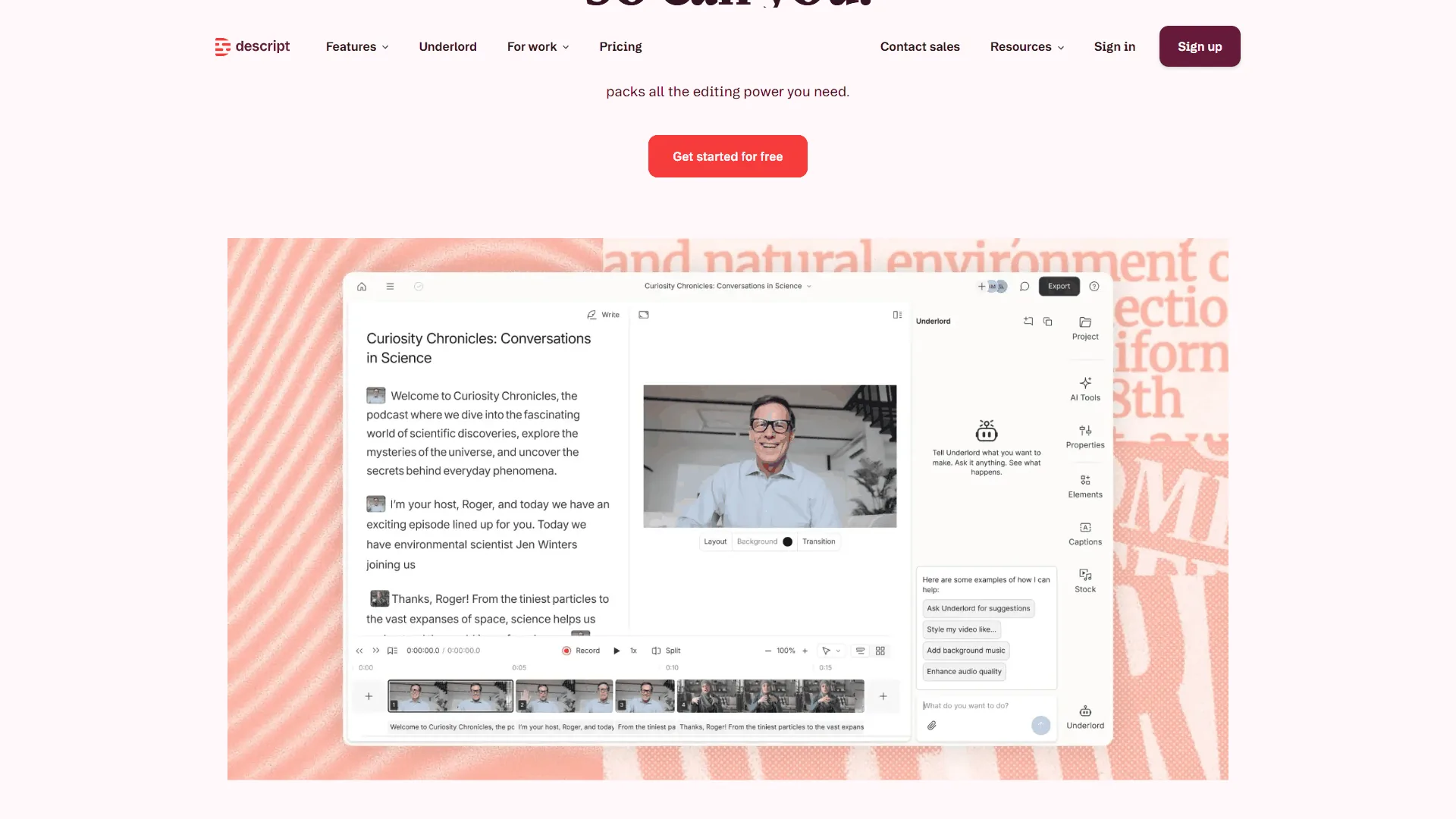
Descript’s core innovation - detailed in their text-based editing guide - is simple but transformative: you edit your podcast by editing the transcript. Record an episode, let the AI transcribe it, then read the text. Highlight a rambling tangent and press delete, and the corresponding audio vanishes. Cut and paste paragraphs to rearrange your episode, and the audio reorders itself.
This eliminates the most tedious part of podcast editing - scrubbing through waveforms - and drops editing time from 3 hours per episode to 45 minutes.
Key AI Features for Podcasters
Studio Sound is the standout feature, removing background noise, echo, and room reverb with one click. It cleans up an episode recorded in a noisy coffee shop to near-studio quality - not perfect, but genuinely usable.
Filler word removal scans your entire episode and flags every “um,” “uh,” “like,” and “you know.” One click removes them all. For a 60-minute interview, Descript typically catches 80-120 filler words - a 30-minute manual job done in seconds.
Overdub voice cloning lets you create an AI clone of your voice from a short sample, then type corrections that play back in your voice instead of re-recording - a real time-saver on pickups.
Underlord AI assistant generates show notes, chapter markers, or a rough cut from a long recording. Quality varies, but it consistently handles 70-80% of the grunt work.
What Descript Gets Wrong for Podcasters
Transcription accuracy isn’t perfect. Technical jargon, heavy accents, and cross-talk cause errors, so a quick read-through before bulk edits is essential to avoid deleting real content.
AI credit limits can bite. The Hobbyist plan ($16 per month) includes 400 AI credits monthly, and heavy Studio Sound or Underlord use drains them fast - power users report burning through the allotment in two weeks during busy cycles.
No recording features. Descript is purely a post-production tool and needs a separate recording solution - which is exactly where Riverside comes in.
Descript Pricing for Podcasters
| Plan | Price | Media Hours | AI Credits | Best For |
|---|---|---|---|---|
| Free | $0 | 60 min/mo | 100 (one-time) | Testing the workflow |
| Hobbyist | $16/mo | 10 hrs/mo | 400/mo | Solo podcasters |
| Creator | $24/mo | 30 hrs/mo | 800/mo | Active podcasters |
| Business | $50/mo | 40 hrs/mo | 1,500/mo | Podcast teams |
Descript ROI Analysis for Podcasters
Weekly podcaster scenario: At $24 per month (Creator) editing 4 episodes monthly, text-based editing and filler removal save 2.5 hours per episode. 10 hours saved/month x $50/hr = $500 per month saved. ROI: 1,983%.
Interview show scenario: At $16 per month (Hobbyist) editing 2 long-form interviews monthly, Studio Sound replaces a $200 noise reduction plugin and 45 minutes of cleanup per episode. $275 per month saved. ROI: 1,619%.
Verdict: Descript is the best post-production tool for podcasters who want speed over manual control. Text-based editing fundamentally changes how you interact with audio and gives back the hours lost to waveform scrubbing.
Limitations and who it’s not for: Descript is not ideal for podcasters who need recording capabilities, who run heavy production cycles that burn through monthly AI credits, or who rely on perfect transcription accuracy. Skip Descript if you do not already have a separate recording solution.
2. Riverside - Best for Recording + AI Editing
Why Riverside Wins for Recording
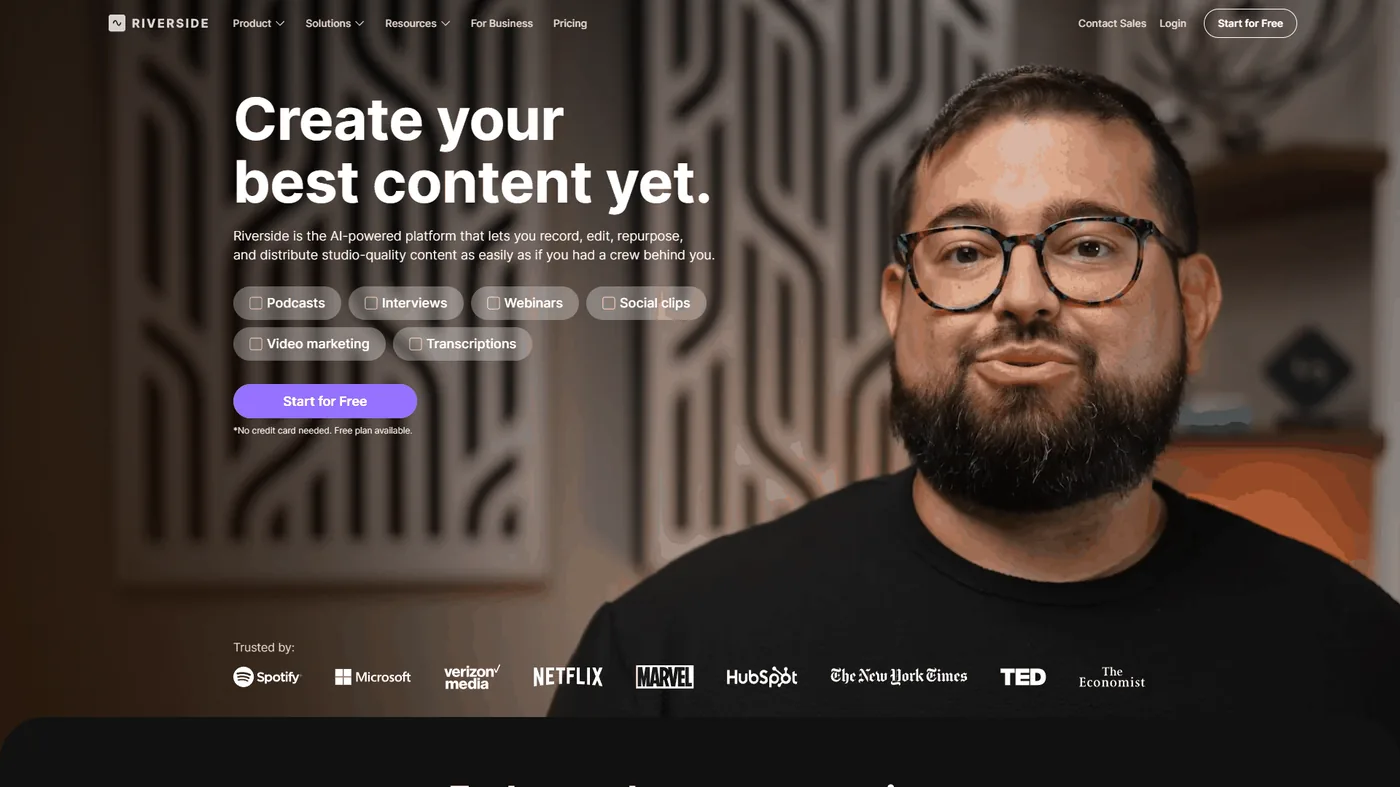
Riverside’s killer feature is local recording. Unlike Zoom or Google Meet, which compress audio through the cloud, Riverside records directly on each participant’s device at 48kHz uncompressed quality, then uploads the files in the background.
This matters because your guest’s internet connection no longer determines your audio quality. Even when a guest’s WiFi drops to 2 Mbps mid-conversation, Riverside captures pristine sound throughout - the call may feel rough in real-time, but the final file is flawless. For interview podcasters, this single feature justifies the subscription.
Key AI Features for Podcasters
Magic Audio is Riverside’s answer to Studio Sound, removing noise, normalizing levels, and reducing echo. It is slightly less aggressive than Studio Sound, which often helps avoid an over-processed sound.
AI transcription powers text-based editing within Riverside, handling basic cuts well but lacking Descript’s Overdub and Underlord assistant.
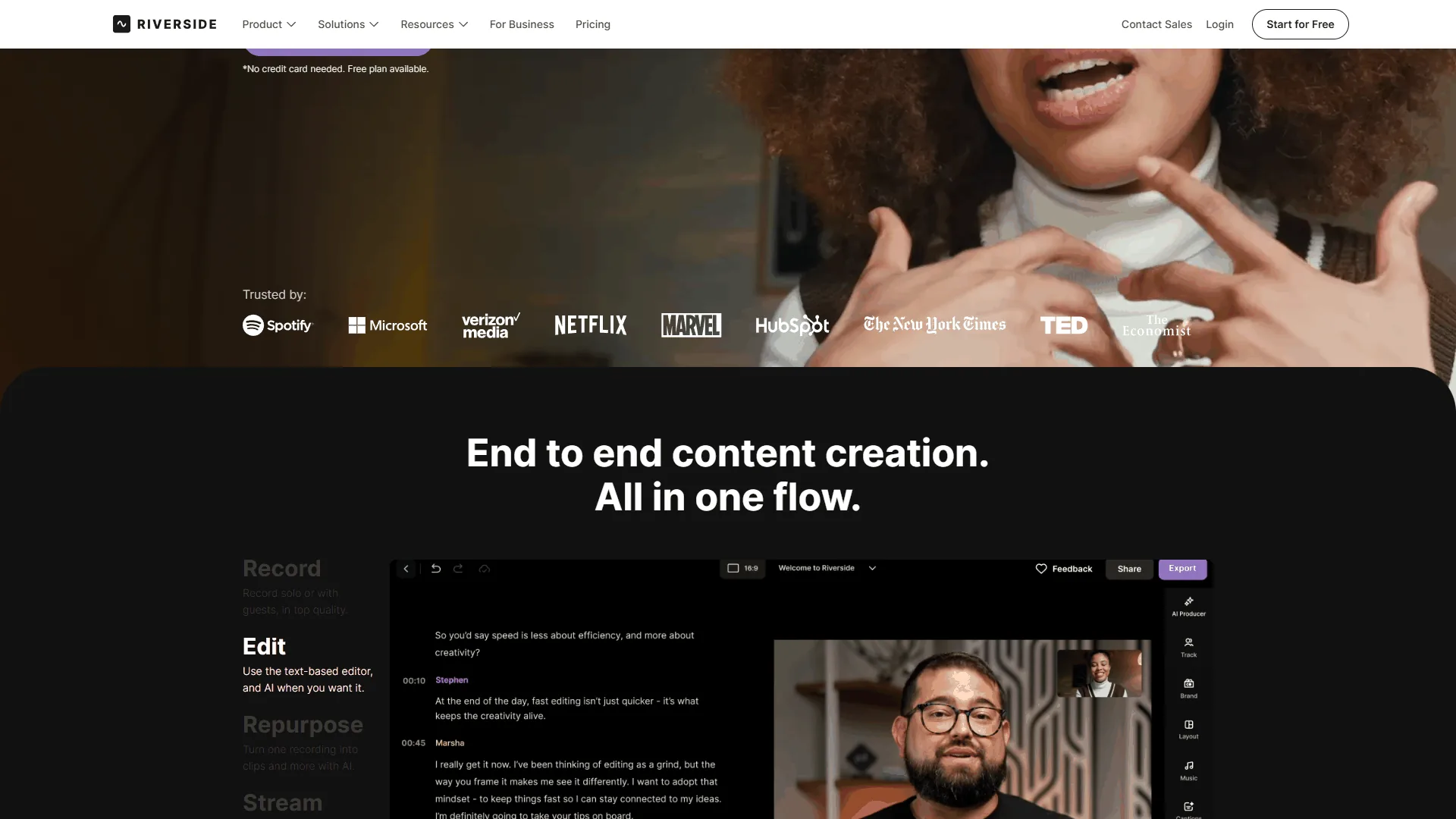
Magic Clips automatically identifies the most engaging moments and generates short-form clips, surfacing quotable moments from a 60-minute episode without manual scrubbing - a major time-saver for social repurposing.
Automatic silence removal trims dead air and long pauses, tightening interview episodes where guests pause to think without requiring manual edits.
What Riverside Gets Wrong for Podcasters
The built-in editor is basic. Riverside excels at recording, but complex edits - rearranging sections, layering intro music, fine-tuning transitions - still require exporting to a dedicated editor.
Per-seat team pricing adds up. The Teams plan charges $24 per seat monthly, so a network with 3 producers and 2 editors pays $120 per month - against Descript’s Business plan covering up to 5 users for $50.
Free tier is limited. 2 hours of recording with watermarked 720p exports - enough to test the platform but not to produce a real episode.
Riverside Pricing for Podcasters
| Plan | Price | Recording | Key Features | Best For |
|---|---|---|---|---|
| Free | $0 | 2 hrs total | 720p, watermark | Testing |
| Standard | $19/mo | 5 hrs/mo | 4K, 48kHz, basic AI | Solo shows |
| Pro | $29/mo | 15 hrs/mo | Magic Audio, Magic Clips, teleprompter | Interview shows |
| Teams | $24/seat/mo | 15 hrs/mo | Shared workspace, roles | Podcast networks |
Riverside ROI Analysis for Podcasters
Interview podcaster scenario: At $29 per month (Pro) recording 8 remote interviews monthly, Magic Audio and Magic Clips save 75 minutes per episode. 10 hours saved/month x $50/hr = $500 per month saved. ROI: 1,624%.
Video podcaster scenario: At $29 per month (Pro) producing 4 video episodes monthly, 4K local recording replaces in-person studio sessions at $200 each. $800 per month avoided. ROI: 2,659%.
Verdict: Riverside is the best choice for podcasters who record remote interviews and need consistently high audio quality. Local recording solves the biggest pain point in remote podcasting, and it pairs well with Descript for a complete recording-to-publishing pipeline.
Limitations and who it’s not for: Riverside is not ideal for solo podcasters who already record locally, for networks where per-seat Teams pricing scales poorly, or for creators whose post-production needs exceed its basic editor. Skip Riverside if your primary need is editing rather than recording.
Feature-by-Feature: Descript vs Riverside
Descript and Riverside differ most on primary strength: Descript leads on post-production editing while Riverside leads on studio-quality recording. The table below compares both tools side by side on price, features, and collaboration limits.
| Feature | Descript | Riverside |
|---|---|---|
| Starting Price | Free ($16/mo paid) | Free ($19/mo paid) |
| Primary Strength | Post-production editing | Studio-quality recording |
| Text-Based Editing | Best in class | Basic implementation |
| Recording Quality | Standard (cloud) | 48kHz local recording |
| Filler Word Removal | One-click, automatic | Not available |
| AI Audio Enhancement | Studio Sound | Magic Audio |
| Voice Cloning | Overdub (Creator+) | Not available |
| Video Podcast Support | Basic | 4K local recording |
| Social Media Clips | Manual export | Magic Clips (automatic) |
| Collaboration | Up to 5 users ($50/mo) | Per-seat ($24/seat/mo) |
| Best For | Solo podcasters editing own content | Interview shows with remote guests |
Best Picks by Use Case for Best AI Podcast Editing Tools
The best AI podcast editing tool depends on your role: Descript Creator suits solo podcasters, a Riverside-plus-Descript stack suits interview shows, and Riverside Pro suits video podcasts. Each pick below names the plan, the price, and why it fits.
For Solo Podcasters
Winner: Descript Creator ($24 per month) - Record alone in your DAW or in Descript, then edit by reading the transcript. Studio Sound polishes audio, filler removal cleans delivery, and Underlord generates show notes - 30-45 minutes per episode total.
For Interview Podcasters
Winner: Riverside Pro ($29 per month) + Descript Hobbyist ($16 per month) - Record guests with studio-quality audio in Riverside, then export to Descript for text-based editing. This $45 per month stack covers capture to final export.
For Video Podcasters
Winner: Riverside Pro ($29 per month) - 4K local recording is essential for video, and Magic Clips generates shareable highlight reels for YouTube Shorts, TikTok, and Instagram Reels automatically.
For Podcast Networks and Teams
Winner: Descript Business ($50 per month) - At $50 for up to 5 users with 40 hours of media and 1,500 AI credits, the Business plan beats Riverside’s per-seat pricing, and Brand Studio keeps intros and outros consistent across shows.
For Budget-Conscious Podcasters
Winner: Descript Free + Riverside Free - Riverside Free records 2 watermarked hours and Descript Free edits 60 minutes monthly. This zero-cost stack lets beginners produce a first episode and validate the concept before investing.
Time Savings: Traditional Editing vs AI-Powered Editing
AI-powered editing cuts podcast production time by 75-85%, dropping a typical episode from 2.5-4 hours of manual work to 25-50 minutes. The table below breaks the savings down task by task against a traditional Audacity or Logic workflow.
| Task | Traditional (Audacity/Logic) | Descript | Riverside |
|---|---|---|---|
| Filler word removal | 30-45 min | 10 seconds | Manual |
| Noise reduction | 15-20 min | 1 click (Studio Sound) | 1 click (Magic Audio) |
| Silence trimming | 20-30 min | 2 min (Underlord) | 1 click (auto) |
| Episode structuring | 30-60 min | 10-15 min (text editing) | 15-20 min |
| Show notes | 20-30 min | 2 min (AI generated) | Manual |
| Social clips | 45-60 min | 15-20 min (manual) | 5 min (Magic Clips) |
| Total per episode | 2.5-4 hours | 30-45 minutes | 25-50 minutes |
That is a 75-85% reduction in editing time. For a weekly podcaster, AI editing saves 8-12 hours per month - $400-$600 in recovered time at a $50/hour opportunity cost, far exceeding the $16-$29 subscription.
Limitations of these numbers: the savings assume a reasonably clean raw recording. Studio Sound and Magic Audio cannot rescue clipped vocals, hum-laden tracks, or heavy room reverb without artifacts - bad input still produces bad output, and the percentages degrade quickly when source material is poor.
Other AI Podcast Editing Tools Worth Knowing
Beyond Descript and Riverside, five specialized AI podcast editing tools handle narrower tasks well: Adobe Podcast, Alitu, Podcastle, Auphonic, and Cleanvoice. For anyone searching specifically for podcast editing tools free of cost, Adobe Podcast is the strongest pick, while the rest cover assembly, browser recording, mastering, and filler removal.
Adobe Podcast offers free AI audio enhancement - upload a recording and get clean, noise-free audio back, with no editing features.
Alitu ($38 per month) automates episode assembly: drag-and-drop your recording, intro, and outro, and it handles levels and transitions.
Podcastle (Free, $12-$24 per month) combines browser-based recording with AI editing - a solid budget alternative, though recording quality trails Riverside.
Auphonic (Free tier, $11-$99 per month) specializes in automated audio mastering. Its loudness normalization guide explains the standards it targets, and many podcasters use it as a final step after Descript.
Cleanvoice ($10-$25 per month) focuses on AI filler word and mouth sound removal with multilingual support. Skip these tools if Descript or Riverside already cover your workflow.
Common Pitfalls When Choosing Podcast Editing Tools
The most common mistake when choosing podcast editing tools is buying for recording when the real bottleneck is editing - or the reverse. Four pitfalls account for most wasted spend, and each is avoidable.
Choosing based on recording when you need editing (or vice versa). Riverside excels at recording; Descript excels at editing. If your current setup records fine, invest in better editing.
Over-relying on AI audio enhancement. A decent microphone and treated room beat AI cleanup of a bad recording. Use Studio Sound and Magic Audio as polish, not a substitute.
Ignoring the recording-to-export pipeline. The best AI podcast editing tools work together - Riverside for recording, Descript for editing, Auphonic for mastering. Plan the complete workflow first.
Not calculating total cost. A $16 Descript plan plus $29 Riverside totals $45 per month - compare that to Descript Creator at $24 if you already record locally.
The Bottom Line
The best AI podcast editing tools in 2026 save podcasters 75-85% of their editing time, and the two clear winners split the workflow. Descript wins for post-production with its text-based editing, one-click filler removal, and AI-generated show notes. Riverside wins for recording with studio-quality local capture and Magic Clips for social repurposing.
If you do one thing: Start with Descript Free and edit your next episode using text-based editing instead of waveform scrubbing. When the time savings convince you, upgrade to Hobbyist or Creator, and add Riverside once you start booking remote guests. The era of spending 4 hours editing a single episode is over.
FAQ
Q: What is the best AI for podcast editing?
Descript is the best AI for podcast editing, because its text-based workflow lets you cut audio by deleting transcript text and remove every filler word in one click. For remote interview recording, Riverside is the better pick, and many podcasters pair the two.
Q: Which AI tool is best for audio editing?
Descript is the best AI tool for audio editing for podcasters who want speed over manual control, thanks to text-based editing and one-click Studio Sound noise removal. Riverside’s Magic Audio is a strong alternative when recording quality matters more than editing depth.
Q: What is the best podcast editing software for beginners?
The best podcast editing software for beginners is Descript, which replaces waveform scrubbing with a familiar text-document interface that has almost no learning curve. Among free podcast editing tools for beginners, Adobe Podcast and the Descript Free plan both let new podcasters produce a first episode at zero cost.
Related Reading
These guides go deeper on the tools and workflows covered above.
- Descript Review - Full review of Descript’s text-based editing platform
- Riverside Review - Full review of Riverside’s studio-quality recording
- Descript vs Riverside: Best Podcast Tool in 2026? - Detailed head-to-head comparison of both platforms
- AI Transcription Tools Compared - How transcription accuracy impacts podcast editing workflows
- Best AI Voice-to-Text Tools - Standalone transcription tools that pair with your editor
- Best Blog to Video Tools: Turn Posts into Social Content
External Resources
These third-party sources offer independent context on podcast editing tools and techniques.
- Descript Blog - Platform updates, editing tutorials, and AI feature announcements
- Riverside Blog - Recording tips, podcast growth strategies, and product updates
- The Podcast Host - Independent podcast equipment and software reviews