
What Is ActiveCampaign Predictive Sending
Every email marketer faces the same timing problem. Send a campaign at 9 AM and you catch the early inbox checkers, but your email is buried by lunchtime for everyone else. Send at 2 PM and you miss the morning audience entirely. The traditional approach - picking a single “best” send time based on aggregate open rate data - ignores the fact that your subscribers have wildly different email habits. This is a limitation shared by most email marketing platforms, not just ActiveCampaign.
ActiveCampaign predictive sending solves this by removing the guesswork entirely. Instead of sending your entire campaign at one fixed time, the platform uses machine learning to analyze each individual contact’s engagement history and deliver the email during the window when that specific person is most likely to open it.
The AI model examines multiple data points per contact: when they typically open emails, which days of the week show the highest engagement, what time zone they operate in, and how their behavior patterns have shifted over recent weeks. It then assigns each contact a personalized optimal delivery window within a 24-hour period after you hit send.
The result is that a single campaign might be delivered to one subscriber at 7:14 AM, another at 11:42 AM, and a third at 8:03 PM - all based on when those individuals historically engage with email. This is fundamentally different from basic send time optimization tools that pick one “best” hour for your entire list. Predictive sending operates at the individual contact level, which is why it requires machine learning rather than a simple analytics dashboard.
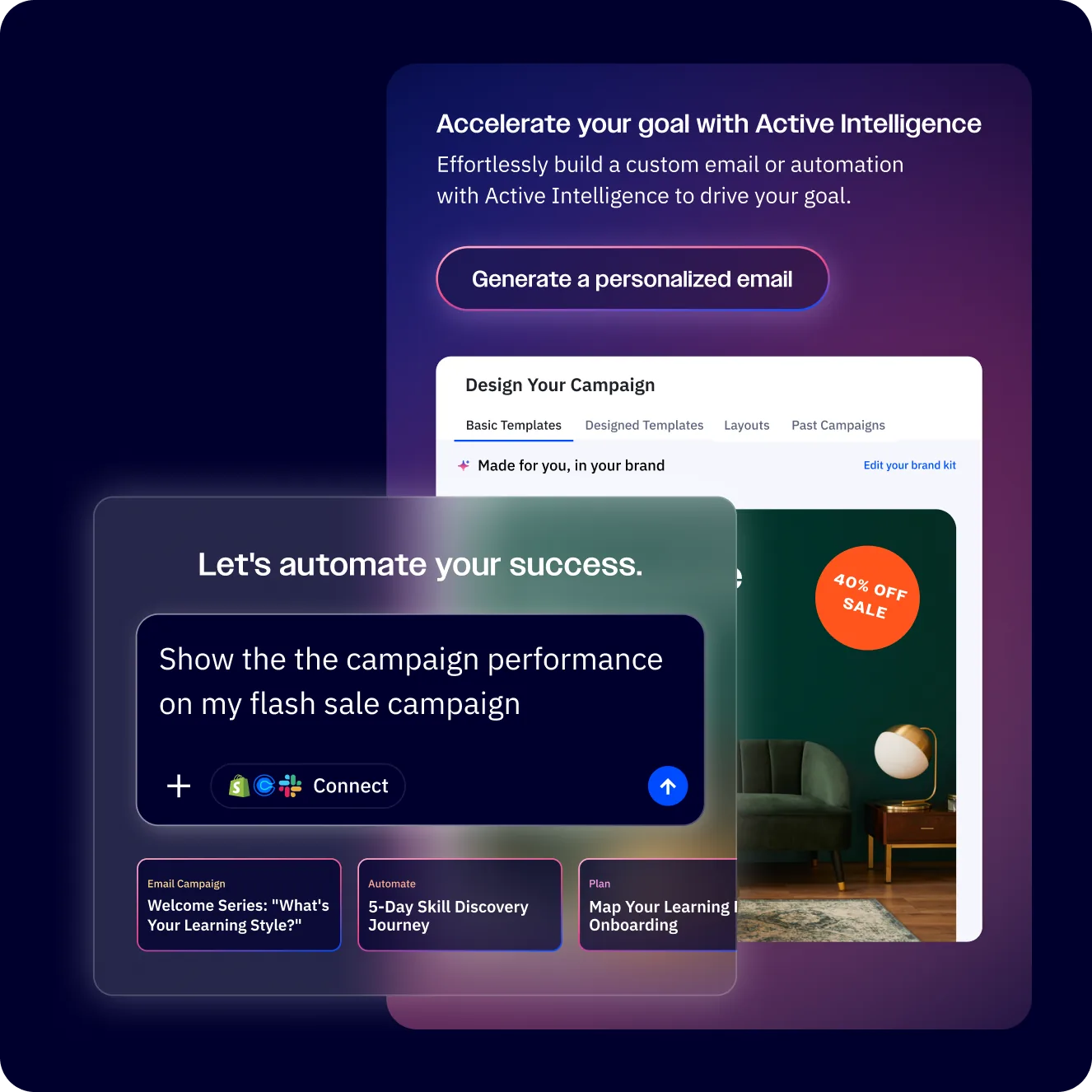
Predictive sending is part of ActiveCampaign’s broader Active Intelligence suite, which includes AI-powered features like win probability scoring, sentiment analysis, and predictive content. Among these, predictive sending is one of the most immediately impactful because it improves open rates without requiring you to change your email content, design, or segmentation at all.
When to Use ActiveCampaign Predictive Sending
Predictive sending is not the right choice for every campaign. Understanding when it helps and when it gets in the way is the difference between seeing a meaningful open rate lift and wondering why the feature did not seem to do anything.
Best use cases for predictive sending:
- Newsletters and regular content emails. Built in the ActiveCampaign email designer, these are not time-sensitive, so spreading delivery across a day has no downside. Subscribers receive your content when they are most likely to read it.
- Nurture sequences. Lead nurture and onboarding emails built in the ActiveCampaign automation builder that are triggered by actions but do not require immediate delivery benefit from per-contact timing optimization.
- Re-engagement campaigns. When you are trying to win back inactive subscribers, timing matters more than usual. Reaching someone during their natural inbox-checking window increases the chance they actually see and open your email.
- Promotional campaigns without hard deadlines. A general product promotion or feature announcement that does not expire at a specific hour works well with predictive sending. Pair the timing logic with personalized blocks from the ActiveCampaign conditional content guide to deliver the right offer at the right moment.
When to avoid predictive sending:
- Flash sales with countdown timers. If your sale ends at midnight, you need everyone to receive the email with enough time to act. Predictive sending might deliver to some contacts at 11 PM, leaving them almost no window.
- Event reminders. A webinar starting at 2 PM needs its reminder email sent well before 2 PM for everyone, not optimized per-contact.
- Breaking news or urgent announcements. System outages, security alerts, or time-critical updates should go out immediately to the entire list.
- Transactional emails. Order confirmations, password resets, and account notifications - including those wired through the ActiveCampaign email platform - should send instantly, not wait for an optimal window.
Contact volume requirements:
Predictive sending becomes more accurate with more engagement data. The model works best when a contact has at least 5 to 10 email interactions (opens, clicks) recorded in your ActiveCampaign account. For brand-new contacts with no engagement history, the system falls back to general audience-level patterns derived from your overall account data. This fallback is better than a random guess, but it does not provide the same per-contact precision. To collect more first-party engagement signals, the ActiveCampaign site tracking guide explains how to capture browsing data that feeds the same model.
For accounts with fewer than 500 active contacts, the aggregate patterns the model learns from are thinner. Pairing predictive sending with strong segmentation strategies helps ensure the model has clean, engaged groups to learn from. You will still see results, but the improvement over a well-chosen manual send time will be smaller. Accounts with thousands of contacts and months of engagement history see the strongest lifts.
Which ActiveCampaign Plans Include Predictive Sending?
Predictive sending is not available on every ActiveCampaign plan. Here is a clear breakdown of where it sits in the pricing structure.
| Plan | Monthly Price | Predictive Sending |
|---|---|---|
| Starter | $15/mo | Not included |
| Plus | $49/mo | Not included |
| Professional | $149/mo | Included |
| Enterprise | $259/mo | Included |
You need the Professional plan at minimum. This is the same tier that unlocks other machine learning features like win probability scoring and predictive content. If you are currently on a Starter or Plus plan and want to test ActiveCampaign predictive sending, you have two options: upgrade your plan, or start a free trial that includes full access to Professional-tier features for 14 days.
The Professional plan also includes split automations, site messaging, attribution reporting, and conversion tracking - features that pair well with predictive sending when you are optimizing your full email marketing stack. Review the pricing page for a complete feature comparison across tiers.
How to Enable ActiveCampaign Predictive Sending
Setting up predictive sending is straightforward once you are on a qualifying plan. The feature is toggled on a per-campaign basis, not as a global account setting.
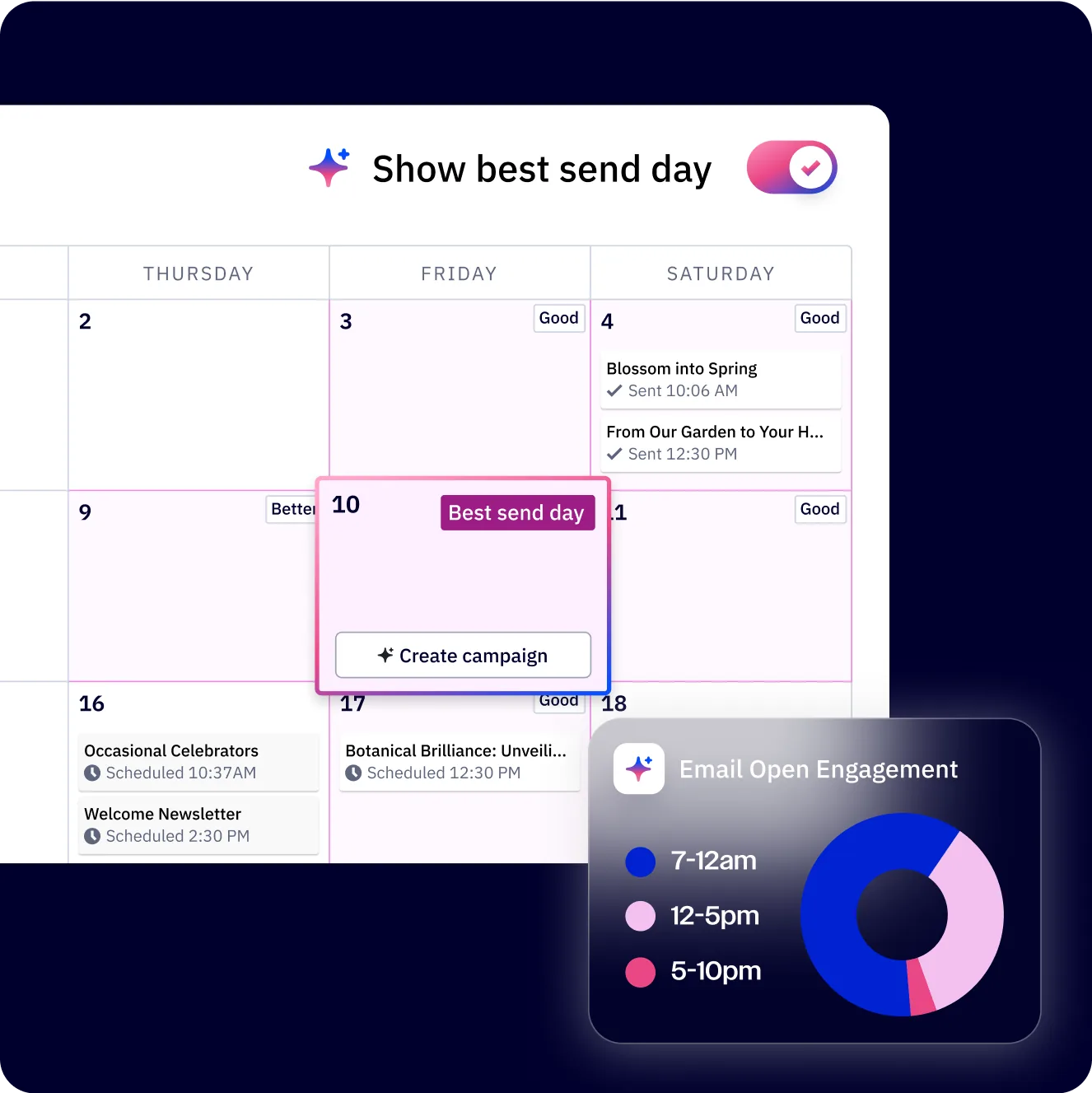
Step 1: Create or open a campaign. Navigate to Campaigns in the ActiveCampaign dashboard left sidebar and either create a new campaign or open an existing draft. Complete your email content, subject line, and audience selection as you normally would.
Step 2: Navigate to the scheduling step. After finalizing your email content and selecting your recipient list or segment, proceed to the scheduling screen. This is where you would normally pick a date and time for delivery.
Step 3: Enable predictive sending. On the scheduling screen, look for the “Predictive Sending” toggle or option alongside the standard date/time picker. Toggle it on. When enabled, you will see a note confirming that ActiveCampaign will deliver the campaign to each contact at their individually optimized time.
Step 4: Set the send window. With predictive sending enabled, you select the start date rather than a specific send time. The platform distributes delivery across a 24-hour window starting from that date, placing each email at the contact’s optimal time within that period.
Step 5: Review and confirm. Check your campaign summary. You should see “Predictive Sending: Enabled” in the scheduling details. Confirm and schedule the campaign.
Step 6: Monitor initial delivery. After ActiveCampaign predictive sending begins, navigate to the campaign report. You will see emails being delivered at different times throughout the day rather than in a single batch. This is normal and expected - it means the system is working.
For automations: Predictive sending can also be applied to individual email steps within an automation workflow. Open the automation, click on the email action you want to optimize, and look for the predictive sending option in the email settings panel. This lets you apply per-contact timing to automated sequences, not just one-off campaigns.
How It Works Under the Hood
Understanding the mechanics behind predictive sending helps you set realistic expectations and troubleshoot when results do not match what you anticipated.
The data collection period. When you first enable predictive sending on a Professional or Enterprise account, the system does not instantly know the optimal send time for every contact. It begins building individual engagement profiles based on existing historical data in your account - every email open, click, and engagement timestamp already recorded. If you have been using ActiveCampaign for months with an active sending history, the model has a strong foundation to work from immediately.
For newer accounts, there is a ramp-up period. The model improves its per-contact accuracy over the first 30 to 60 days of active sending. During this period, it increasingly shifts from audience-level patterns to true individual optimization. You do not need to do anything special during this phase - just keep sending campaigns and automations as normal.
The learning algorithm. ActiveCampaign’s machine learning model processes engagement signals including email open timestamps, click timestamps, time between delivery and open, day-of-week patterns, and engagement recency. It weights recent behavior more heavily than older data, so if a contact’s schedule changes - they switch from a morning email routine to an evening one - the model adapts within a few weeks. These same engagement signals feed into ActiveCampaign’s lead scoring system, giving you a fuller picture of contact activity.
The algorithm also accounts for external factors. If a contact lives in a different time zone than your account default, the model adjusts automatically based on their behavior rather than relying on a stored time zone field that may be inaccurate.
Fallback behavior. When a contact has insufficient engagement data for individual prediction - typically fewer than 5 recorded opens - the system uses aggregate patterns from your broader contact base. This means new subscribers still get a reasonably optimized send time based on when your audience as a whole tends to engage, rather than a random or default time.
Predictive Sending vs Scheduled Sends
To decide whether predictive sending is worth enabling for a specific campaign, it helps to see a direct comparison with traditional scheduled sends.
| Factor | Scheduled Send | Predictive Sending |
|---|---|---|
| Delivery timing | One fixed time for all contacts | Individual time per contact |
| Setup complexity | Pick a date and time | Toggle on, pick a start date |
| Best for | Time-sensitive, event-based emails | Newsletters, nurture, promotions |
| Open rate impact | Dependent on your time selection | Typically 10-25% improvement |
| Deliverability | Full volume hits servers at once | Spread delivery reduces server load |
| Reporting | Clean send time in reports | Distributed send times in reports |
| Time zone handling | Manual or basic offset | Automatic per-contact behavior |
| Minimum data needed | None | 5-10 contact interactions ideal |
| Plan requirement | All plans | Professional or Enterprise |
The deliverability advantage. One underappreciated benefit of predictive sending is that it naturally spreads your email volume across the day. When you send 50,000 emails at 9 AM sharp, inbox providers see a sudden spike from your sending domain. This can trigger throttling or increased spam filtering. With predictive sending, those 50,000 emails are distributed across 24 hours, creating a steady flow that inbox providers treat more favorably.
The reporting trade-off. Scheduled sends give you a clean “sent at X time” data point, making campaign comparison straightforward. With predictive sending, your campaign report shows delivery spread across the full day, which can make apples-to-apples comparisons with previous campaigns trickier. Focus on final open rate and click rate rather than time-based delivery charts when evaluating predictive sending performance.
Advanced Configuration
Predictive sending becomes more powerful when combined with other ActiveCampaign features. These configurations go beyond the basic toggle-on approach.

For teams that also want SMS as a delivery channel, the ActiveCampaign SMS marketing module pairs naturally with predictive timing for cross-channel campaigns - see the ActiveCampaign SMS marketing guide for setup details. Customers running multi-channel WhatsApp outreach can extend the same logic via the WhatsApp messaging channel.
Combining predictive sending with automation triggers. In a multi-step automation, you can apply predictive sending to specific email steps while leaving others on immediate delivery. For example, in a welcome series: send Email 1 (confirmation) immediately when someone subscribes, then apply predictive sending to Emails 2 through 5. This ensures the confirmation arrives instantly while subsequent nurture emails hit the contact’s optimal engagement window.
To configure this, open your automation in the visual builder. Click on the email step you want to optimize. In the email settings panel, enable predictive sending for that specific step. Repeat for each email where per-contact timing adds value. Leave transactional or time-sensitive steps on immediate delivery.
Segment-specific strategies. Create separate campaigns for different engagement segments and apply predictive sending selectively. For your highly engaged segment (opened 3 or more emails in the last 30 days), predictive sending has excellent data to work with and will deliver strong results. For a cold or re-engagement segment with limited recent data, you might get better results with a manually researched send time paired with a strong subject line.
Build these segments in Contacts using conditions based on engagement scoring or email activity recency. Then create separate campaign versions - one with predictive sending for the engaged group, one with a fixed schedule for the less-active group.
Predictive sending with A/B testing. You can run A/B tests on subject lines, content, or sender name while predictive sending handles the timing. This is the recommended approach: let the AI optimize when, while you test what. Configure your A/B test in the campaign builder as you normally would, then enable predictive sending on the scheduling step. Both variants will be delivered at per-contact optimal times. For ecommerce stores, plug the ActiveCampaign Shopify integration into the same campaigns so revenue per send is attributable across both timing and content variants.
Automation wait steps and predictive sending. When you add a wait step before a predictive-sending email in an automation, the wait period completes first, then the predictive sending window applies. If you set a 3-day wait followed by a predictive-sending email, the contact waits 3 days and then receives the email within the next optimal window after that wait period ends. Plan your wait durations accordingly - the actual delivery might be up to 24 hours after the wait completes.
How Do You Measure ActiveCampaign Predictive Sending Results?
Knowing whether predictive sending is actually improving your performance requires deliberate measurement, not just glancing at open rates.
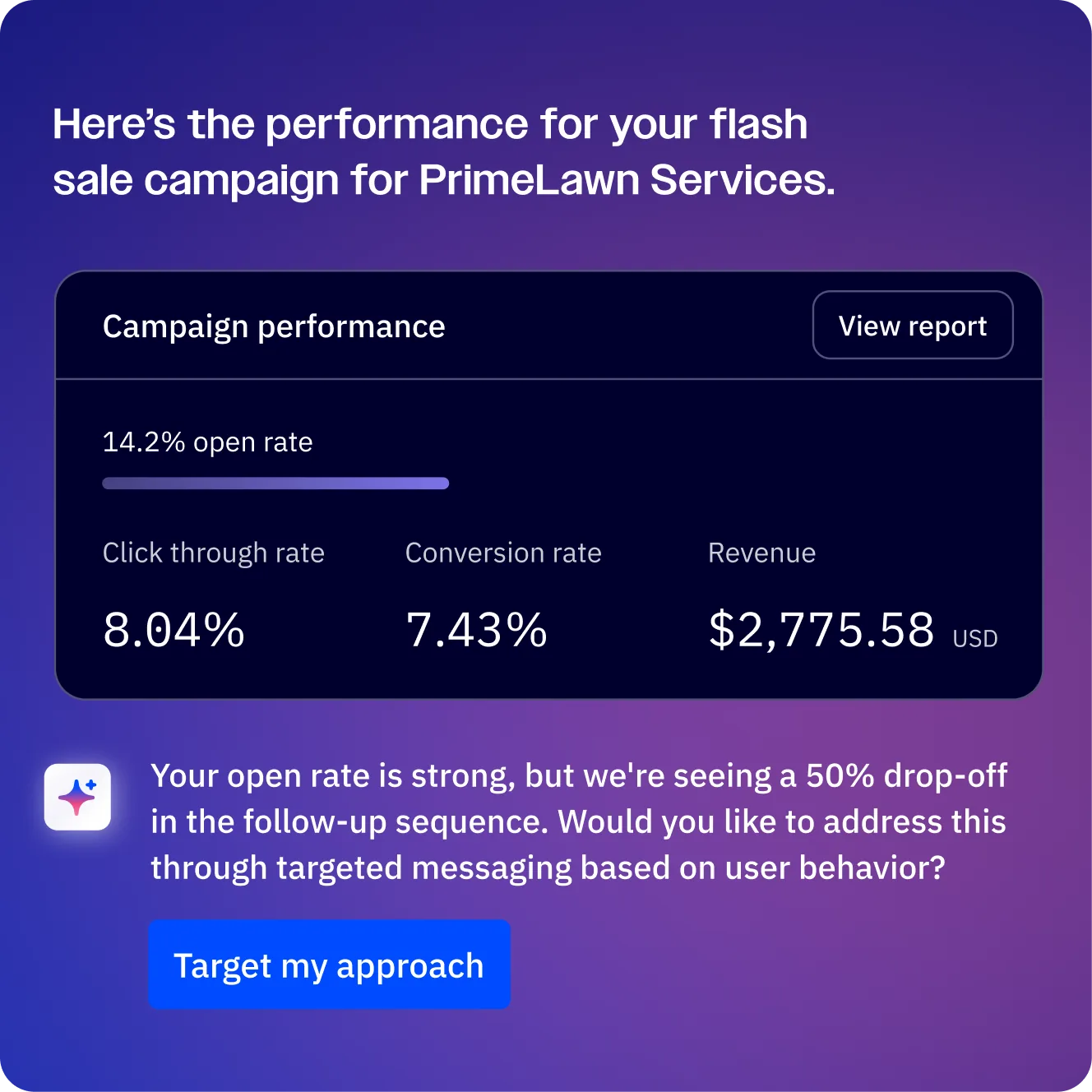
Setting up a proper comparison. The most reliable way to measure predictive sending impact is to run a controlled test. Send a campaign to a segment with predictive sending enabled, and send a nearly identical campaign (same content, same subject line) to a comparable segment at a fixed time. Compare open rates, click rates, and conversion rates between the two groups.
In ActiveCampaign, you can set this up by splitting your target audience into two segments of similar size and engagement history. Send Campaign A with predictive sending to Segment 1. Send Campaign B at your standard best-performing time to Segment 2. Run this test across 3 to 5 campaigns to get statistically meaningful results rather than drawing conclusions from a single send.
Key metrics to track:
- Open rate lift. The primary metric predictive sending targets. Compare your average open rate before enabling the feature against your average after. Account for seasonal variation and content quality differences.
- Click-to-open rate. If predictive sending is working, people are opening at a time when they are more attentive, which should also improve click-through behavior. A rising click-to-open rate (clicks divided by opens) suggests deeper engagement, not just more opens.
- Unsubscribe rate. This should decrease or stay flat. If emails arrive when contacts are receptive, they are less likely to feel annoyed and unsubscribe.
- Revenue per email (for ecommerce). If you track purchases back to email campaigns, compare revenue per email sent with and without predictive sending.
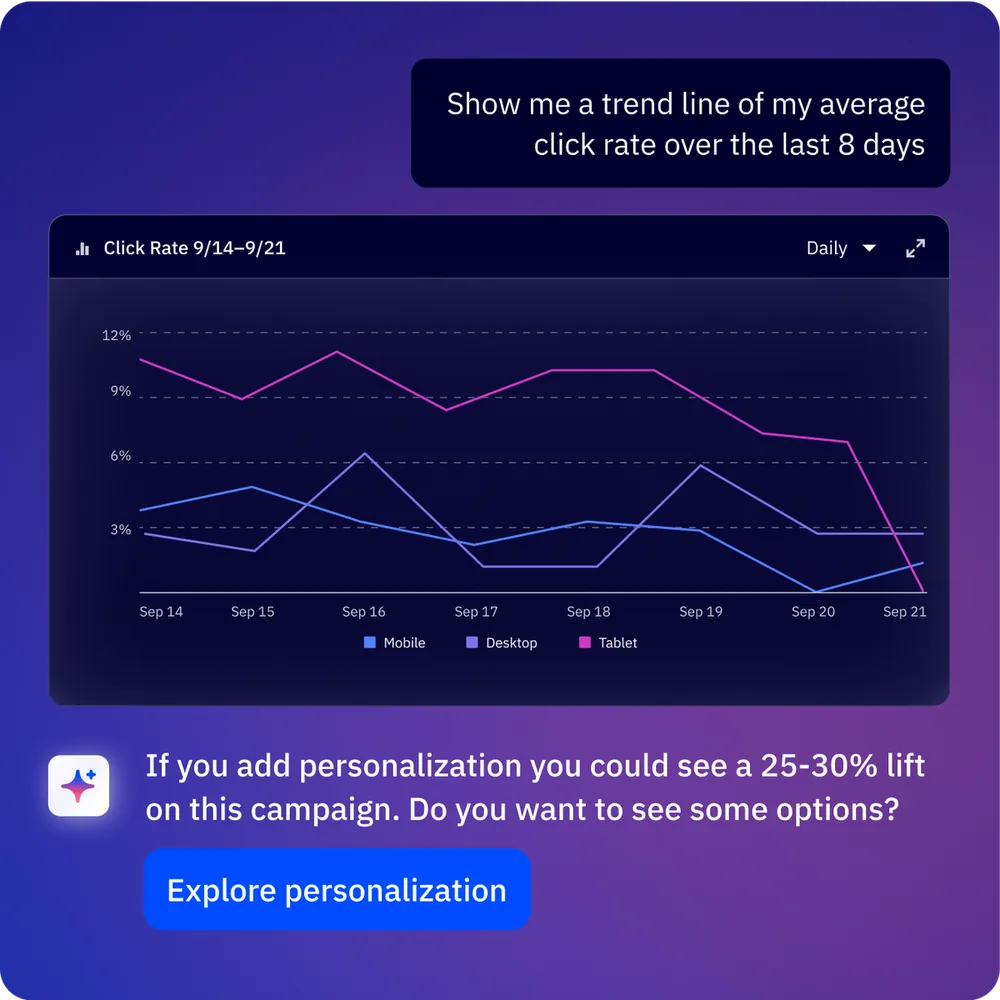
Reading the campaign report. With predictive sending enabled, the delivery graph in your campaign report will show a spread pattern rather than a single spike. Look for the overall metrics - total opens, unique opens, click rate - rather than trying to read patterns from the delivery timeline. The timeline is a feature of the optimization working correctly, not a diagnostic chart. If revenue is the goal, link campaigns into your sales workflow using the ActiveCampaign deal pipeline guide so attributed revenue from predictive sends rolls up to the right deal stages.
Long-term tracking. As ActiveCampaign analytics gathers more engagement data, predictive sending improves over time as the model collects more data per contact. Measure your results at 30, 60, and 90 days after enabling the feature. Initial lifts of 5-10% in open rates are common, with improvements continuing as the model learns your specific audience’s behavior patterns. Pair results tracking with ActiveCampaign lead scoring to correlate send time performance against contact engagement tiers and refine your highest-value segments over time.
Troubleshooting Common Issues
Even with a straightforward feature like predictive sending, issues can arise. Here are the most common problems and how to resolve them.
Problem: Open rates have not improved after enabling predictive sending.
Check how long you have been running predictive sending campaigns. The model needs at least 2 to 4 weeks of data on your account to build reliable per-contact profiles. If you enabled it yesterday and sent one campaign, it is too early to evaluate. Also verify that your contact list has sufficient engagement history - if most contacts are brand new with no prior opens, the model does not have individual data to optimize against.
Problem: Emails seem to be delivering at odd hours.
This is usually the model working correctly, not a bug. If you have contacts across multiple time zones - or contacts whose engagement patterns genuinely peak in the evening or early morning - you will see delivery spread across the full 24-hour window. Check the per-contact engagement data in the contact profile to see if the delivery time aligns with their recorded activity patterns.
Problem: Predictive sending option is not visible.
Confirm you are on a Professional or Enterprise plan via the ActiveCampaign pricing page. The toggle does not appear on Starter or Plus plans. If you recently upgraded, sign out and sign back in, or clear your browser cache - the feature availability sometimes requires a session refresh to appear in the interface.
Problem: Campaign report shows all emails sent at the same time.
If the audience segment is very small (under 50 contacts) or the contacts lack sufficient engagement data, the model may cluster sends around a general optimal window rather than distributing them individually. This is expected with small or data-sparse lists. As your contact base grows and accumulates engagement history, you will see wider distribution.
Problem: Predictive sending conflicts with automation timing expectations.
In automations, predictive sending adds up to 24 hours of variability after a wait step completes. If your automation logic depends on precise timing between steps - for example, sending Email 2 exactly 48 hours after Email 1 - predictive sending on Email 2 could push actual delivery to 49-72 hours. Either accept this variability or use fixed send times for automations where precise intervals matter.
The Bottom Line
ActiveCampaign predictive sending is one of the lowest-effort, highest-ROI features on the Professional plan. Toggle it on for newsletters, nurture sequences, and re-engagement campaigns. Leave it off for time-sensitive sends. Pair it with strong segmentation and lead scoring for the best results, and review the full feature set on the ActiveCampaign tool page.
Frequently Asked Questions
How long does ActiveCampaign predictive sending take to learn my audience?
The model begins generating predictions immediately using whatever historical engagement data exists in your account. If you have months of sending history, the predictions are reasonably accurate from the first predictive send. For newer accounts, allow 30 to 60 days of regular sending for the model to build robust per-contact profiles. During this ramp-up period, the system relies more heavily on aggregate audience patterns and progressively shifts to individual optimization as it collects more data points per contact.
Can I use predictive sending with automation workflows?
Yes. Predictive sending can be enabled on individual email steps within any automation. Open the automation builder, click on the email action, and toggle predictive sending in the email settings. This is particularly effective for nurture sequences and onboarding workflows where the exact delivery minute does not matter but reaching the contact at their peak engagement time does. You can mix predictive and immediate delivery within the same automation - use immediate for transactional or confirmation emails and predictive for content and promotional steps. The full ActiveCampaign email marketing platform supports this toggle at the individual step level.
Does predictive sending work for contacts in different time zones?
Yes, and this is one of its strongest advantages. The model does not rely on a stored time zone field that might be inaccurate. Instead, it learns each contact’s actual behavior patterns - when they open, when they click - and optimizes delivery based on observed behavior. A contact who consistently opens emails at 8 PM their local time will receive predictive-sent emails near that window regardless of what time zone is recorded in their profile. This behavioral approach is more reliable than geographic time zone mapping.
What happens if a contact has no engagement history?
For contacts with no recorded email interactions in your ActiveCampaign account, the model falls back to aggregate patterns. It examines when your overall audience tends to engage and uses those patterns as a baseline prediction. The fallback is still better than a random send time, but it does not provide the per-contact precision that makes predictive sending most valuable. As the new contact opens and clicks on subsequent emails, the model rapidly builds their individual profile and begins personalizing delivery times.
Will predictive sending hurt my email deliverability?
No - in most cases it improves deliverability. Traditional batch sends create a sudden volume spike from your sending domain, which inbox providers may flag for throttling or enhanced spam filtering. Predictive sending distributes your email volume across the day, creating a steady sending pattern that inbox providers treat more favorably. The combination of higher open rates (from better timing) and smoother volume distribution contributes to better sender reputation over time. For more tips on maintaining strong inbox placement, see the ActiveCampaign deliverability guide.
Can I combine predictive sending with A/B testing?
Yes. Configure your A/B test in the campaign builder (test subject lines, content, sender name, or any other variable), then enable predictive sending on the scheduling step. Both test variants will be delivered at each contact’s individually optimized time. This gives you the best of both approaches: the AI optimizes when the email arrives while your A/B test optimizes what the recipient sees. This combination is one of the most effective ways to systematically improve campaign performance.
Want to learn more about ActiveCampaign?
Related Guides
- ActiveCampaign AI Features Guide
- ActiveCampaign Email Automation Workflows
- ActiveCampaign Getting Started Guide
- ActiveCampaign Segmentation Strategies
- ActiveCampaign Lead Scoring Guide
Related Reading
External Resources
- ActiveCampaign Predictive Sending Documentation - Official help center reference
- ActiveCampaign Predictive Sending Blog - Vendor explainer on the underlying machine learning model
- ActiveCampaign Active Intelligence - Official overview of AI-powered features including predictive sending
- ActiveCampaign Free Trial - 14-day trial with full access to predictive sending and AI features
- ActiveCampaign Pricing - Plan comparison showing which tiers include predictive sending
Related Guides
- Activecampaign AI Content Generation: Complete 2026 Guide
- ActiveCampaign AI Features: Active Intelligence Guide
- Activecampaign Automation Builder: Complete 2026 Guide
- Activecampaign Brand Kit: 2026 Walkthrough for Teams
- ActiveCampaign Conditional Content: Personalization Guide
- ActiveCampaign CRM Setup: How to Set Up ActiveCampaign CRM
- ActiveCampaign Deals Pipeline: Stages & Automation
- ActiveCampaign Deliverability: Best Practices Guide
- ActiveCampaign Email Automation: 10 Workflows That Work
- ActiveCampaign Email Campaign Setup: Step-by-Step Guide