



Introduction to ActiveCampaign AI Features
ActiveCampaign AI features are a suite of machine learning and generative AI tools built under the Active Intelligence brand, covering campaign building, automation, content generation, predictive sending, and sentiment analysis. Available across Starter through Enterprise plans - with advanced features like predictive sending reserved for Professional and above - they are designed to automate and personalize email marketing workflows.
ActiveCampaign AI Features covers the strategies, tools, and workflows that deliver real productivity gains. This guide walks through the practical steps from initial setup through advanced optimization, with specific recommendations based on team size and budget.
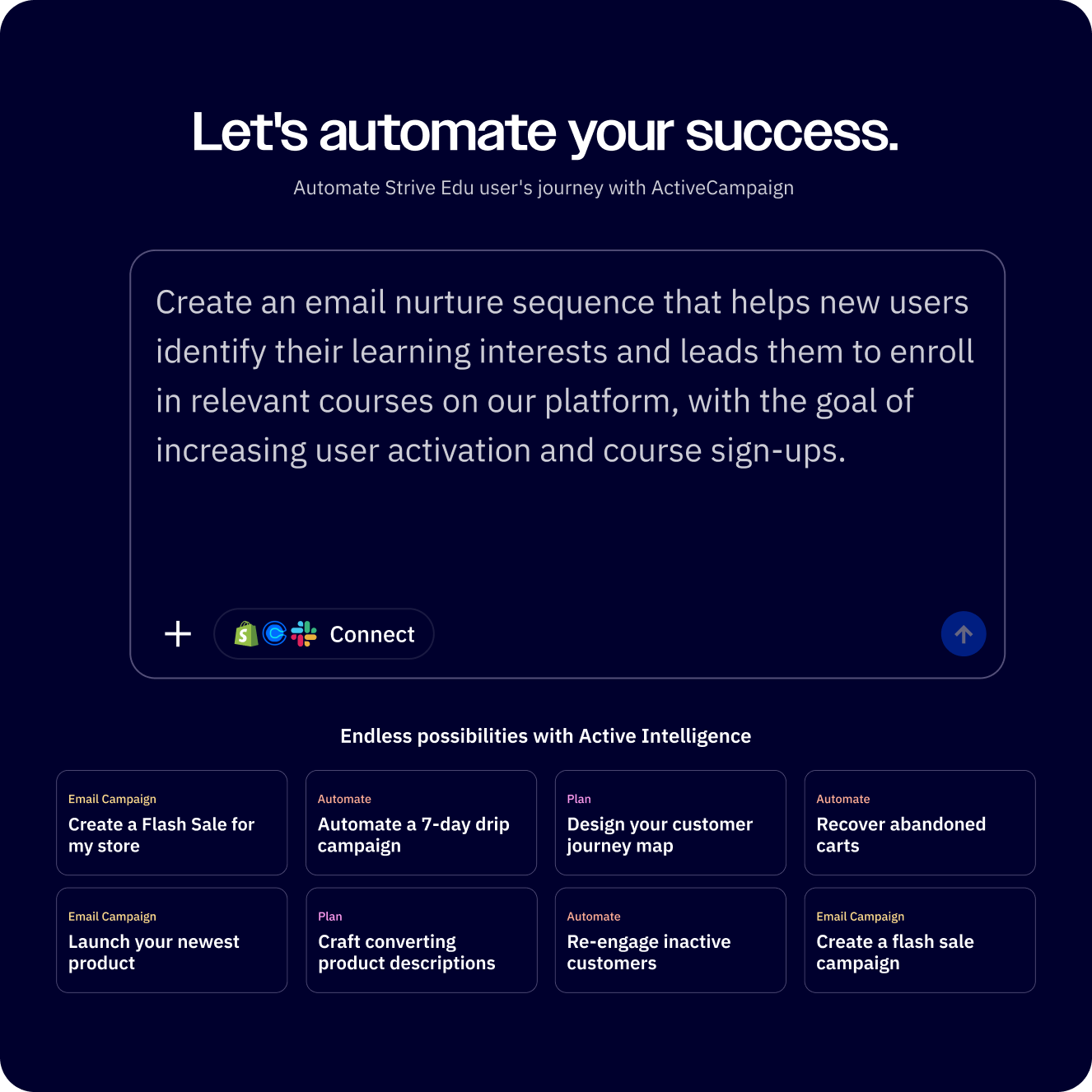
ActiveCampaign AI features have evolved well beyond basic send time optimization. Under the umbrella brand Active Intelligence, ActiveCampaign now offers a full suite of machine learning and generative AI tools that touch every part of the platform - from building campaigns with a text prompt to predicting which deals your sales team is most likely to close.
The scope is impressive. You can describe a marketing campaign in plain English and watch the AI generate a complete multi-step workflow. You can paste your website URL and have the platform auto-import your brand colors, fonts, and logo into every template. Sentiment analysis reads the emotional tone of customer replies, and predictive sending figures out the exact hour each individual contact is most likely to open your email.
But here is the practical question: which of these features actually work well, which ones require specific plans, and how do you set them up without guessing? That is what this guide covers. If you are still evaluating whether ActiveCampaign is the right platform, our best email marketing platforms comparison provides broader context. The official Active Intelligence overview documents the full feature list directly from the vendor.
What you will need to follow along:
- An ActiveCampaign account (features vary by plan - see the table below)
- A configured sending domain and at least one active contact list
- Your website URL ready for the AI Brand Kit import
This guide walks through every ActiveCampaign AI feature available in 2026, organized by function, with the plan tier required for each.
AI Features by Plan
Not every AI feature is available on every pricing tier. Before you start exploring, here is a clear breakdown of what you get at each level.
| AI Feature | Starter ($15/month) | Plus ($49/month) | Professional ($149/month) | Enterprise (custom pricing) |
|---|---|---|---|---|
| AI Campaign Builder | Yes | Yes | Yes | Yes |
| AI Automation Builder | Yes | Yes | Yes | Yes |
| AI Brand Kit | Yes | Yes | Yes | Yes |
| AI Content Generation | Yes | Yes | Yes | Yes |
| AI Image Generation | Yes | Yes | Yes | Yes |
| AI Translation | Yes | Yes | Yes | Yes |
| Sentiment Analysis | No | Yes | Yes | Yes |
| AI Suggested Segments | No | Yes | Yes | Yes |
| AI Suggested Goals | No | Yes | Yes | Yes |
| Predictive Sending | No | No | Yes | Yes |
| Win Probability | No | No | Yes | Yes |
| Predictive Content | No | No | Yes | Yes |
The generative AI features - campaign builder, content generation, brand kit, and image generation - are available across all plans. The predictive and analytical features that use machine learning on your historical data require Professional or higher. Sentiment analysis and AI-suggested segments land in the middle at the Plus tier.
If you are primarily interested in content generation and campaign building, the Starter plan covers those tools - see our ActiveCampaign AI content generation guide for a deep dive on those features. If you want the full Active Intelligence experience including predictive sending and win probability, you need Professional - the predictive sending guide walks through setup.
AI Campaign Builder
The AI Campaign Builder is the fastest way to go from an idea to a ready-to-send campaign. Instead of selecting templates, dragging content blocks, and writing copy manually, you describe what you want and the AI generates a complete email campaign.
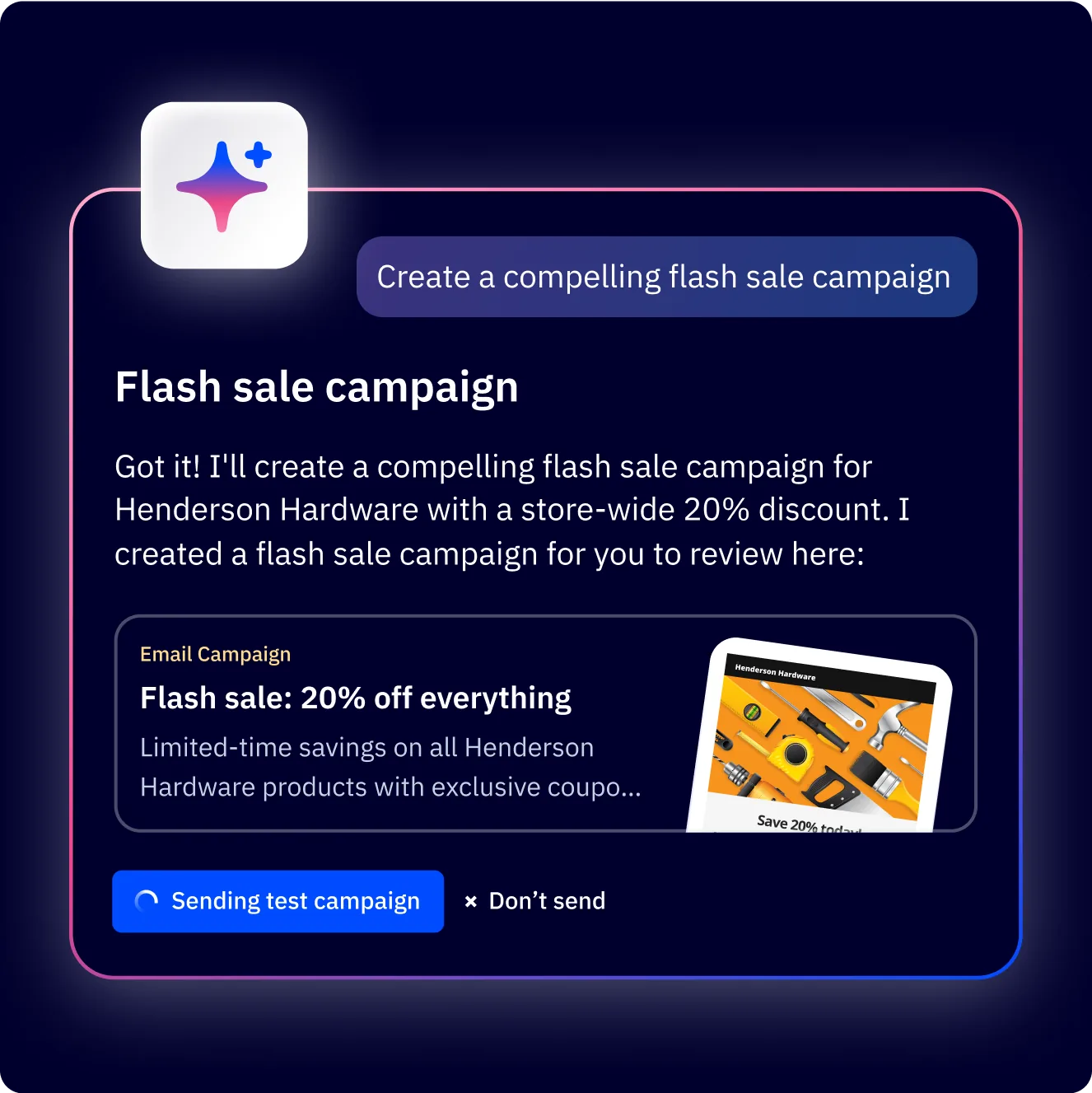
How it works in four steps:
Step 1: Describe your campaign. Navigate to Campaigns and click “Create a campaign.” Select the AI-assisted option and type a natural language description. For example: “Send a product launch email for our new project management feature, targeting existing customers, with a professional tone and a free trial CTA.”
Step 2: Review the generated campaign. The AI produces a complete email with subject line, preview text, body copy, images, and a call-to-action button. It pulls from your Brand Kit (if configured) to match your colors, fonts, and logo.
Step 3: Customize and edit. Everything the AI generates is fully editable. You can swap out sections, rewrite the subject line, change the CTA text, or adjust the layout using the standard drag-and-drop editor. The AI gives you a strong starting point, not a locked template.
Step 4: Set audience and send. Choose your target list or segment, set the send time (or let predictive sending choose it for you on Professional plans), and schedule or send immediately.
When this works best: Product announcements, event invitations, seasonal promotions, and re-engagement campaigns. The AI handles straightforward campaign types well, and you can pair it with conditional content for personalization. For highly custom designs or multi-variant A/B tests, you will still want to build manually and use the AI for copy assistance within individual blocks.
The quality of output depends heavily on how specific your prompt is. “Send a newsletter” produces generic results. “Send a monthly newsletter to premium subscribers highlighting three new integrations released in March, with a casual tone and a link to the changelog” produces something you can send with minimal editing. For step-by-step setup, see the ActiveCampaign email campaign setup guide.
AI Automation Builder
Where the AI Campaign Builder handles one-off sends, the AI Automation Builder tackles multi-step workflows. Describe your automation goal in plain language, and ActiveCampaign generates a complete workflow with triggers, conditions, wait steps, and actions.
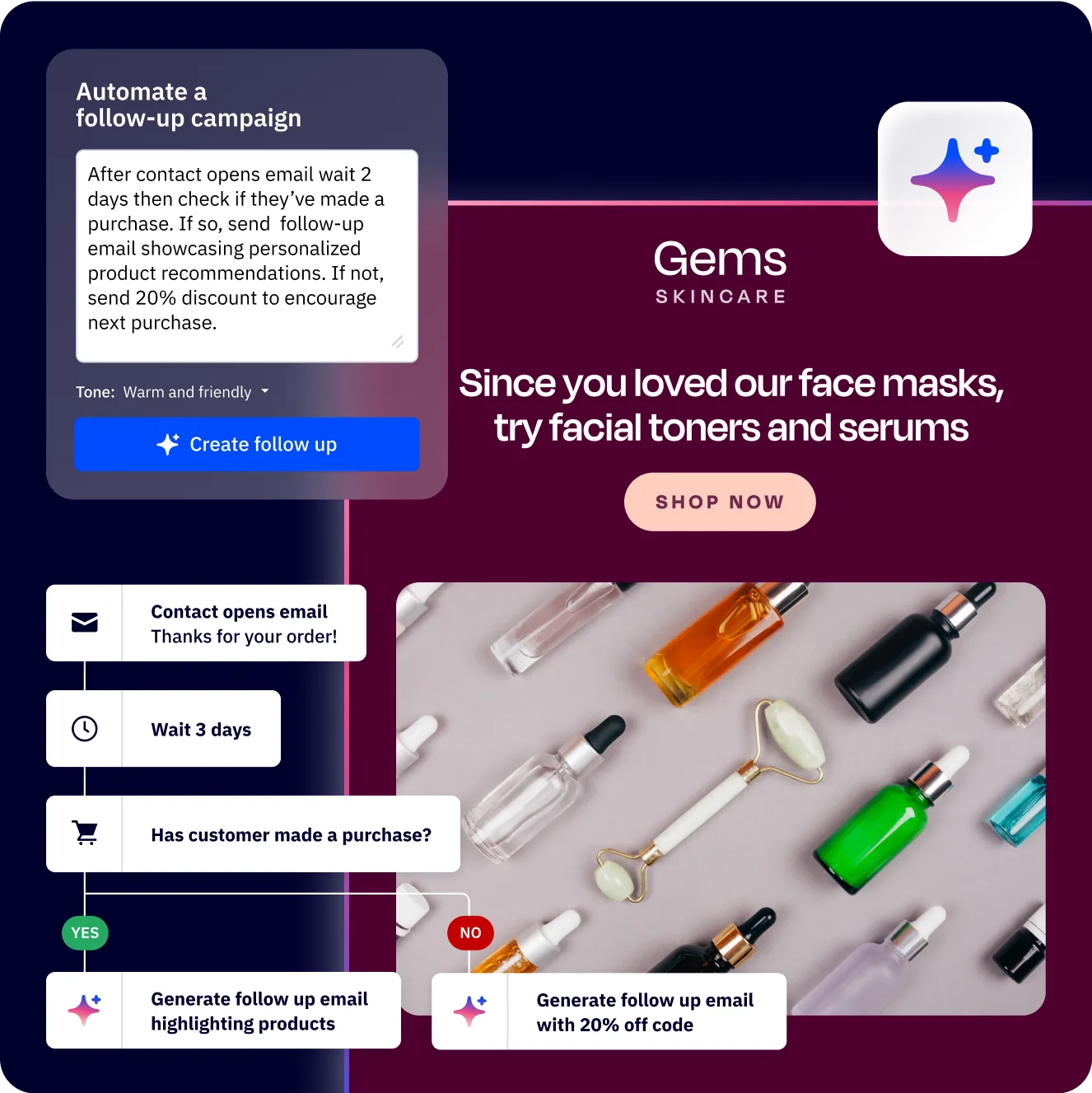
Setting up an AI-generated automation:
Navigate to Automations and click “Create an automation.” Choose the AI builder option and describe what you want. Examples of effective prompts:
- “When someone submits the demo request form, send a confirmation email immediately, wait 2 days, then send a follow-up with case studies. If they click any link in the follow-up, notify the sales team in Slack.”
- “Create a 5-email welcome series for new subscribers that introduces our product features over 2 weeks, with emails spaced 3 days apart.”
- “When a deal moves to the Proposal stage, send the contact a pricing PDF and create a task for the account manager to follow up in 48 hours.”
The AI maps these descriptions to ActiveCampaign’s automation actions: send email, wait, if/else conditions, deal updates, notifications, tags, and integrations. It produces a visual workflow you can review and modify before activating.
Reviewing and customizing generated automations:
The generated workflow appears in the standard visual builder. Every node is editable. You can add branches, insert additional conditions, change wait durations, swap email templates, and add actions the AI did not include. Treat the generated automation as a first draft - it gets the structure right, but you will want to verify trigger conditions, check that the correct lists or tags are referenced, and customize the email content within each send step.
Limitations to know about: The AI does not have access to your specific list names, tag names, or custom field values when generating the workflow. It creates placeholder references that you need to update with your actual data. Complex branching logic with more than three or four conditions sometimes requires manual restructuring - the automation builder guide covers patterns for these situations.
AI Brand Kit
The AI Brand Kit eliminates one of the most tedious parts of email marketing setup: manually configuring your brand assets in every template. Give it your website URL, and it imports your visual identity automatically.
How it works:
Go to Settings and select Brand Kit (or look for the brand configuration option during campaign creation). Enter your website URL and click the import button. The AI scans your site and extracts:
- Logo - Your primary logo image, pulled from the site header
- Brand colors - Primary, secondary, and accent colors from your CSS
- Fonts - Heading and body fonts used across your pages
- Social links - Social media profile URLs found in your footer
The extraction is surprisingly accurate for most websites. It correctly identified brand colors from sites using CSS variables and even picked up secondary accent colors used in buttons and links. Logos are detected from standard header placements, though if your logo is implemented as a background image or SVG sprite, you may need to upload it manually.
Customization after import:
Everything the AI imports is editable. You can adjust color hex values, swap fonts, upload a different logo version, and add additional brand elements. The Brand Kit then applies automatically whenever you use the AI Campaign Builder or email templates, ensuring visual consistency without manual configuration each time.
Best practice: Run the Brand Kit import once, then review and fine-tune the results. Update it whenever you refresh your website branding. Every AI-generated campaign and template will inherit these settings. Our ActiveCampaign AI Brand Kit guide walks through the workflow step by step, and the official Brand Kit help article documents every field.
Predictive Sending
Predictive Sending is one of the most impactful ActiveCampaign AI features for improving open rates - and it is one of the simplest to set up. Instead of guessing when your audience checks email, the AI analyzes each individual contact’s historical engagement patterns and delivers your email at the time they are most likely to open it.
How Predictive Sending works:
ActiveCampaign tracks when each contact opens emails, clicks links, and engages with your campaigns over time. The machine learning model builds an individual engagement profile for every contact and identifies their peak activity windows. When you send a campaign with Predictive Sending enabled, the platform holds each email and delivers it during that contact’s optimal window within a 24-hour period.
Setting it up:
When scheduling a campaign, look for the “Predictive Sending” option alongside the standard date/time picker. Toggle it on, and ActiveCampaign handles the rest. There is no configuration needed beyond enabling it.
Plan requirement: Professional ($149/month) or Enterprise (sales-led). Starter and Plus plans exclude this feature. See our ActiveCampaign predictive sending AI guide for setup specifics.
Best practices for Predictive Sending:
- Minimum data requirement. Predictive Sending works best after a contact has at least 5 to 10 email interactions in your account. For brand-new contacts with no engagement history, the system falls back to general audience patterns.
- Pair it with A/B subject lines. Use predictive sending for delivery timing and A/B testing for subject line optimization. Together, you are optimizing both when the email arrives and what the recipient sees first.
- Monitor individual campaigns. Check the send time distribution in your campaign reports. If the AI is clustering sends at unexpected times, it may indicate your engagement data needs more volume to be reliable.
- Not for time-sensitive sends. Flash sales ending at midnight or event reminders for a specific date should use fixed send times. Predictive Sending spreads delivery across a full day, which does not work when timing is critical.
Sentiment Analysis
Sentiment Analysis reads the emotional tone of incoming email replies and categorizes them as positive, negative, or neutral. This gives your team an instant read on how contacts feel without manually reading every response.
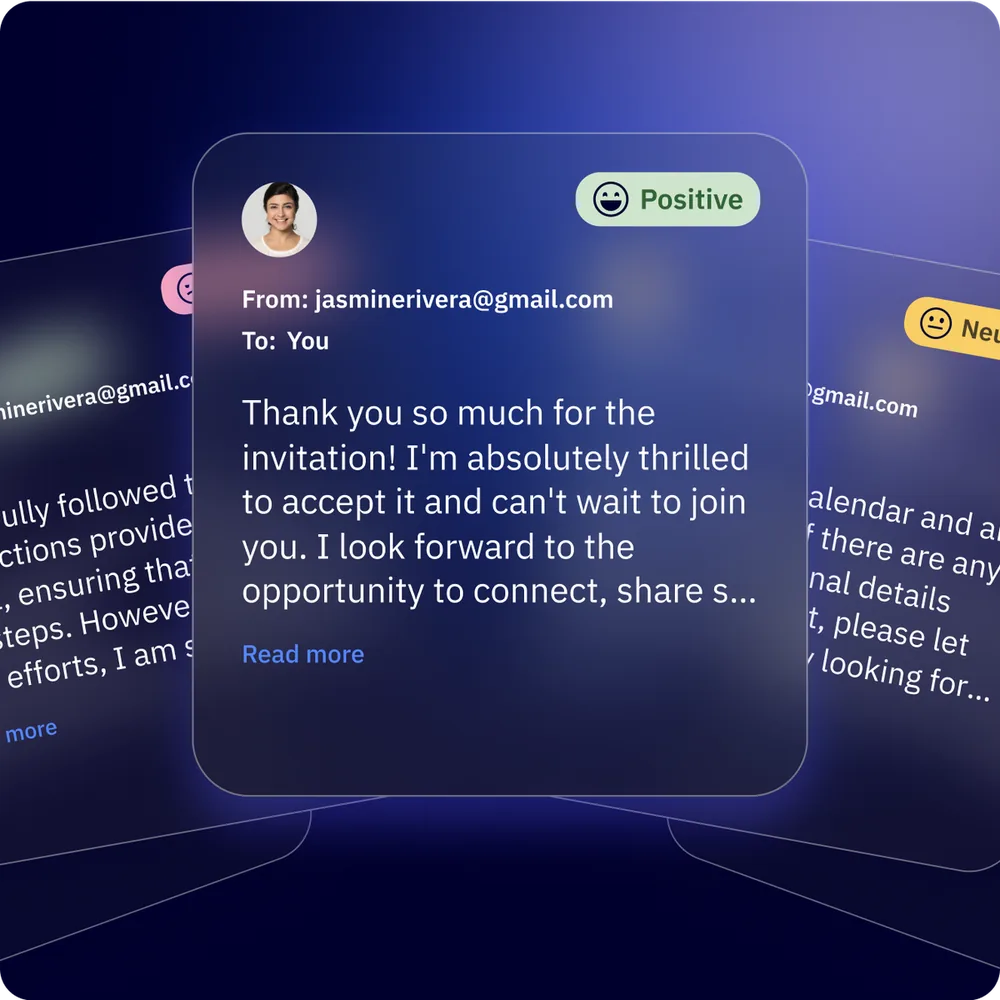
What it detects:
The AI analyzes the text of replies to your campaigns and automation emails. It flags responses that express frustration, satisfaction, urgency, or confusion. The sentiment score appears on the contact record, giving sales and support teams immediate context before they respond.
Using sentiment data in automations:
This is where sentiment analysis becomes genuinely useful. You can create automation triggers based on sentiment:
- Negative sentiment detected - Automatically route the contact to a support queue, notify a team lead, or add a “needs-attention” tag
- Positive sentiment detected - Trigger a review request, referral invitation, or upsell sequence
- Neutral responses - Route to standard follow-up workflows
To set this up, create an automation with a trigger condition that checks the sentiment field on the contact record. Combine it with if/else branches to route contacts differently based on their emotional tone. The ActiveCampaign blog publishes case studies showing sentiment routing in production.
Plan requirement: Plus ($49/month) or higher.
AI Suggested Segments and Goals
ActiveCampaign’s AI analyzes your contact data and engagement patterns to recommend audience segments you might not have considered, along with automation goals that align with your campaign objectives.
AI Suggested Segments:
Instead of manually building segments based on guesswork, the AI identifies meaningful groupings in your data. It might surface segments like “contacts who opened the last 3 campaigns but never purchased,” “highly engaged subscribers who have not visited your site in 30 days,” or “contacts with the highest predicted lifetime value.”
These suggestions appear in the Contacts section when you create a new segment. You can preview the segment size, review the criteria the AI used, and save it as a permanent segment with one click. The AI continuously updates its recommendations as your data changes.
AI Suggested Goals:
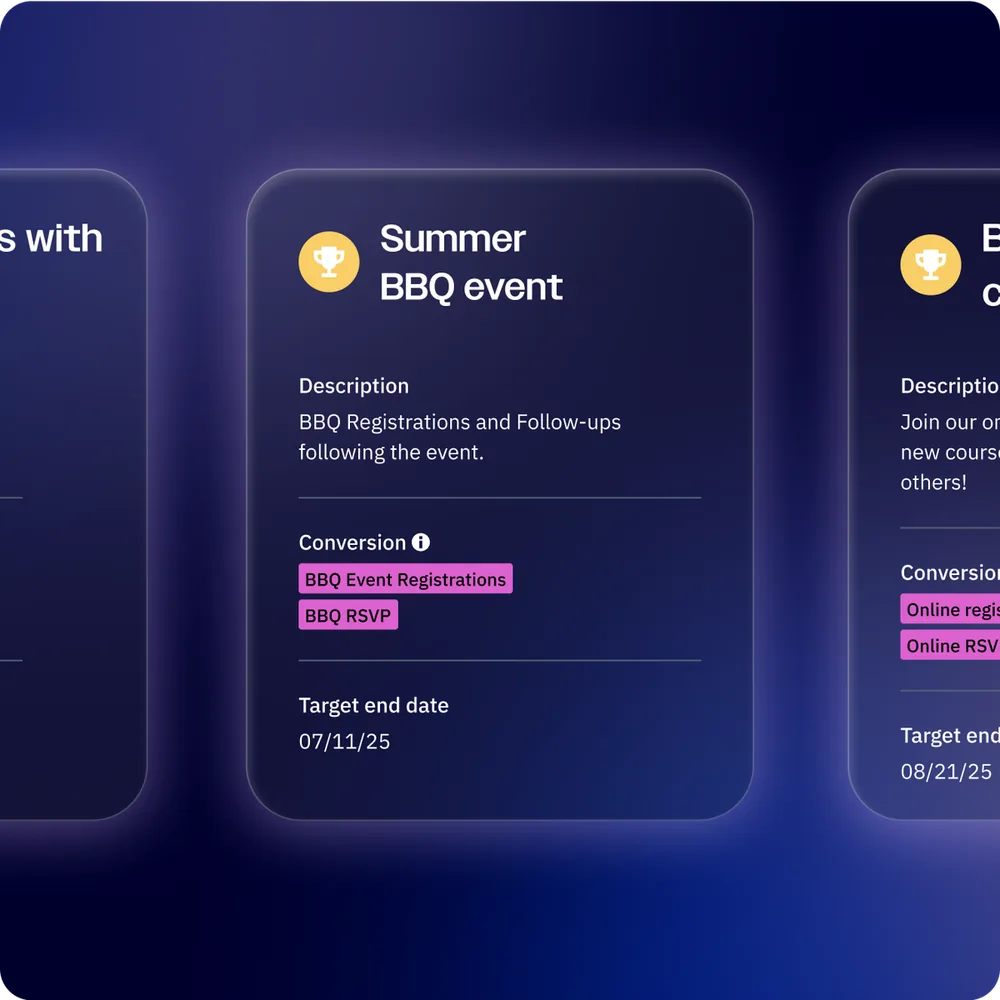
When building automations, ActiveCampaign’s AI recommends goals - measurable outcomes that define success for each workflow. If you are building a welcome series, it might suggest “contact makes first purchase within 14 days” as a goal. For a re-engagement workflow, it might recommend “contact opens at least one email in the next 30 days.”
Goals serve a practical purpose: contacts who achieve the goal exit the automation early, preventing them from receiving unnecessary follow-up emails. The AI’s suggestions are based on patterns it detects across your existing automations and industry benchmarks.
How to use suggested segments and goals effectively:
- Review AI suggestions weekly as your data evolves
- Compare suggested segments against your manually built ones - the AI often finds patterns you would miss
- Always set at least one goal per automation to prevent over-messaging
- Use suggested segments as the audience for targeted campaigns rather than blasting your entire list
Plan requirement: Plus ($49/month) or higher.
Win Probability and Lead Scoring
Win Probability uses machine learning to score your CRM deals based on how likely they are to close. It analyzes historical deal data - which deals closed, which were lost, and what patterns differentiate the two - then applies those patterns to your open deals.
How Win Probability works:
The AI examines factors including deal age, pipeline stage, email engagement between your team and the contact, number of activities logged, deal value relative to your average, and how quickly the deal has progressed through stages. It produces a percentage score visible on each deal card in your CRM pipeline.
Practical applications:
- Pipeline prioritization. Sort your deals by win probability to focus your team’s time on the opportunities most likely to convert. A deal sitting at 85% probability deserves more attention than one at 15%.
- Forecasting accuracy. Multiply deal value by win probability for a weighted pipeline forecast. This gives a far more realistic revenue projection than simply summing all open deal values.
- Stale deal detection. Deals where win probability is dropping over time signal that something has stalled. Use this as a trigger to re-engage or reassess the opportunity.
For an end-to-end example connecting Win Probability to a working pipeline, see our ActiveCampaign deal pipeline guide and CRM setup guide.
AI-Enhanced Lead Scoring:
Beyond deal-level scoring, ActiveCampaign’s contact scoring system uses AI to weight different engagement signals. Email opens, link clicks, page visits, form submissions, and CRM interactions all contribute to a contact’s lead score. The AI learns which behaviors most strongly correlate with conversion in your specific account and adjusts the scoring weights accordingly. For a step-by-step walkthrough, see the ActiveCampaign Lead Scoring Guide.
Plan requirement: Professional ($149/month) or higher for Win Probability. Basic contact scoring is available on Plus plans, with AI-enhanced scoring on Professional.
AI Content and Image Generation
ActiveCampaign includes generative AI tools for writing email copy and creating images directly within the email editor. These are not separate tools - they are built into the content blocks you already use when designing emails.
AI Content Generation:
Inside any text block in the email editor, you will find an AI writing option. Click it and describe what you need:
- “Write a subject line for a spring sale targeting repeat customers”
- “Generate three bullet points highlighting the benefits of our premium plan”
- “Create a compelling CTA paragraph for a webinar registration email”
The AI generates copy that matches your Brand Kit tone (if configured). You can regenerate for alternatives, adjust the tone (formal, casual, friendly, urgent), and edit the output directly. It handles subject lines, preview text, body copy, and CTA text.
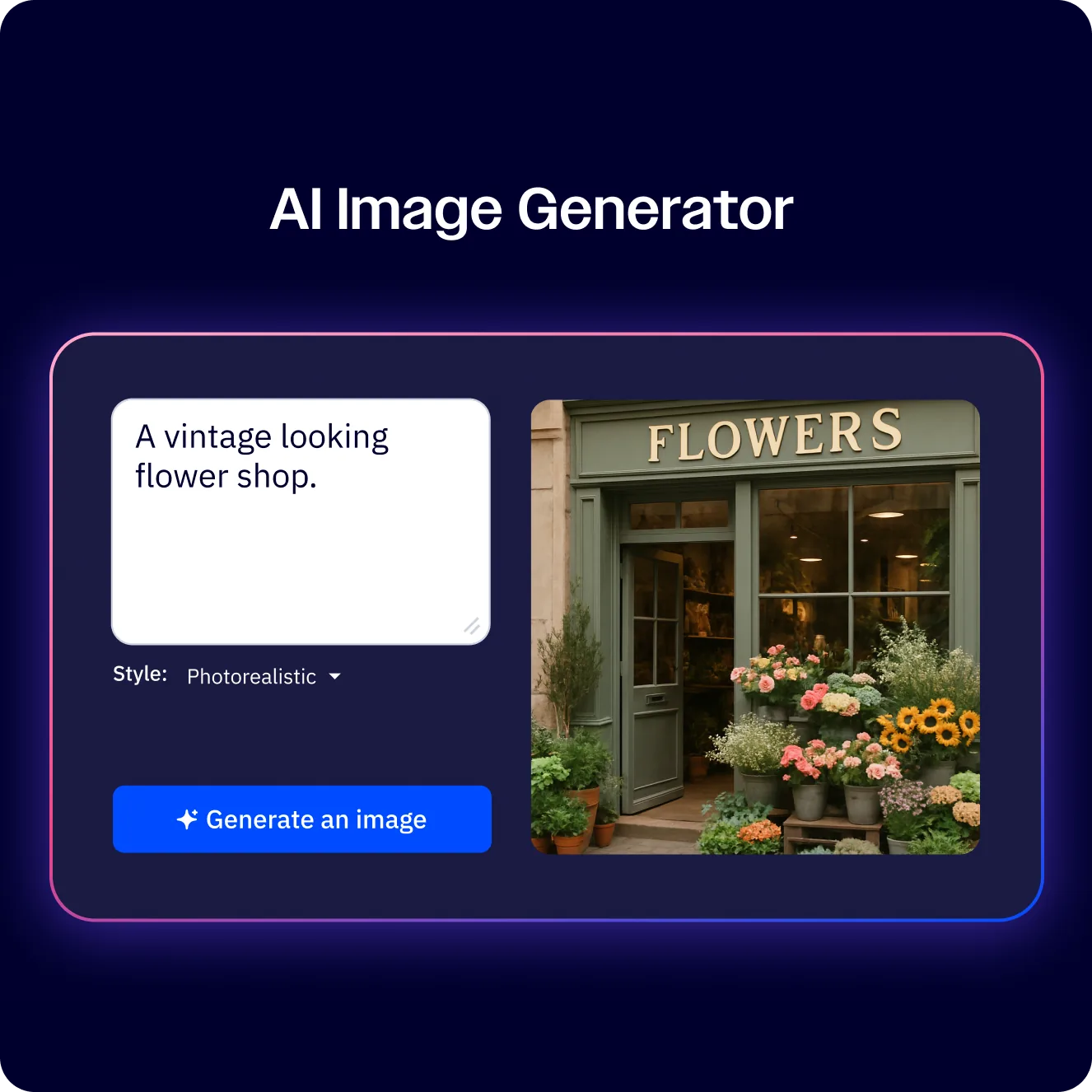
AI Image Generation:
The image generator creates custom visuals from text prompts. Describe the image you want - “a flat illustration of a team collaborating in a modern office, blue and green color palette” - and the AI produces options you can insert directly into your email.
This is useful for creating header images, section dividers, and promotional graphics without leaving the platform. The quality is suitable for email campaigns, though it will not replace professional photography or detailed product shots.
Best practices for AI content:
- Always review and edit generated copy. The AI produces solid first drafts, but your brand voice requires a human pass.
- Use specific prompts. “Write an email” gives generic results. “Write a 3-sentence email to customers who abandoned checkout, mentioning our 10% return discount, in a friendly tone” gives usable content.
- Generate multiple variations for A/B testing. Let the AI create three subject line options, then test them against each other. For deeper coverage of inline copy generation, see the ActiveCampaign AI content generation guide.
AI Translation
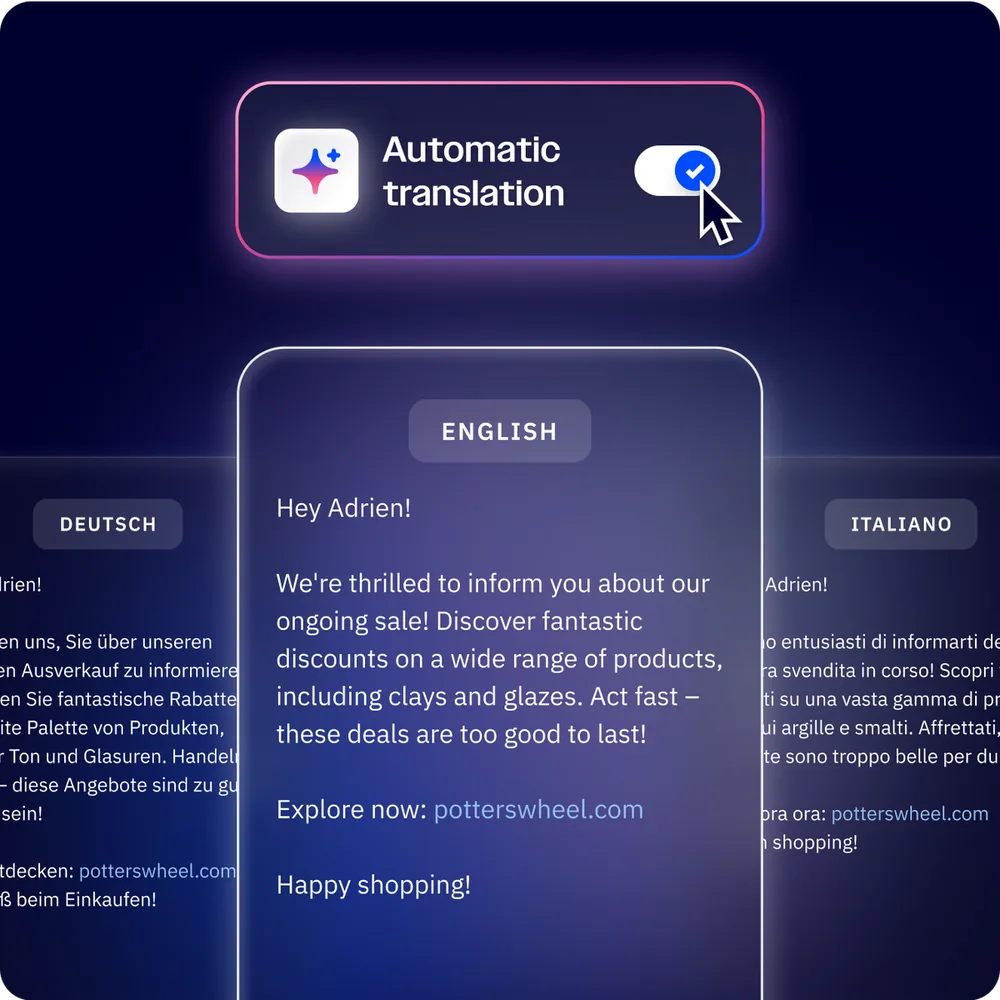
For businesses operating across multiple markets, AI Translation converts your email content into other languages while maintaining your brand voice and messaging intent.
How it works:
Within the email editor, select the translation option on any content block or the entire email. Choose your target language from the supported list, and the AI translates the content in place. It is not a word-for-word translation - the AI adapts phrasing, idioms, and sentence structure to sound natural in the target language.
Key capabilities:
- Translates email subject lines, preview text, body copy, and CTA buttons
- Maintains formatting, links, and dynamic content tags
- Supports major languages including Spanish, French, German, Portuguese, Italian, Dutch, and Japanese
- Preserves brand tone settings from your Brand Kit
When to use AI Translation vs. professional translators:
AI Translation works well for regular marketing emails, newsletters, and promotional campaigns where speed matters more than perfect nuance. For legal communications, highly technical content, or brand-critical messaging in your primary markets, professional human translation remains the better choice. A practical approach is to use AI Translation for your initial draft and have a native speaker review the output before sending.
Advanced: Active Intelligence in Practice
The real power of ActiveCampaign AI features emerges when you combine multiple capabilities into a single workflow. Here are practical examples of how the features work together.
Example 1: AI-Powered Welcome Sequence
Use the AI Automation Builder to generate a 5-email welcome series. Let the AI Campaign Builder draft each email using your Brand Kit. Enable Predictive Sending so each email arrives when the new subscriber is most likely to engage. Set an AI Suggested Goal - “contact makes first purchase within 21 days” - so subscribers who convert early exit the sequence and move into a customer nurture track instead.
Example 2: Sentiment-Driven Support Escalation
Build an automation triggered by negative sentiment detection on incoming replies. When a frustrated customer responds to any campaign, the automation adds an “urgent-support” tag, notifies your support lead via SMS or email, and creates a deal in your support pipeline. Win Probability on the related sales deal updates automatically based on the negative interaction, alerting the account manager to potential churn risk.
Example 3: Data-Driven Campaign Optimization
Start with AI Suggested Segments to identify your most engaged subscribers who have not purchased recently. Use the AI Campaign Builder to create a targeted re-engagement email. Enable Predictive Sending for optimal delivery timing. After sending, use sentiment analysis on replies to split responders into “interested” and “needs nurturing” tracks. This single workflow touches five AI features without requiring manual data analysis at any step.
The pattern across these examples: Each AI feature handles one specific task well. The compounding value comes from connecting them through automations, where the output of one feature feeds into the next. Start with the individual features you need most, then layer in additional AI capabilities as you grow comfortable with how they work.
Frequently Asked Questions
What AI features does ActiveCampaign include?
ActiveCampaign’s Active Intelligence suite includes the AI Campaign Builder, AI Automation Builder, AI Brand Kit, AI Content Generation, AI Image Generation, AI Translation, Sentiment Analysis, AI Suggested Segments, AI Suggested Goals, Predictive Sending, Win Probability, and AI-enhanced Lead Scoring. The generative AI tools (campaign builder, content generation, brand kit, images, and translation) are available on all plans including Starter at $15/month. Predictive and analytical features like Predictive Sending and Win Probability require the Professional plan at $149/month or higher.
What plan do I need for Predictive Sending?
Predictive Sending requires the Professional plan ($149/month) or Enterprise plan (sales-led). Starter and Plus plans exclude this feature. The feature works best when contacts have at least 5 to 10 email interactions in your account so the machine learning model has enough data to identify individual engagement patterns. For new accounts with limited historical data, the system uses general audience patterns as a fallback.
Can AI write email campaigns from a text prompt?
Yes. The AI Campaign Builder lets you describe your campaign in natural language - for example, “Create a product launch email for our new analytics feature, targeting power users, with a professional tone and a free trial CTA.” The AI generates a complete email including subject line, preview text, body copy, images, and call-to-action button, all styled to match your Brand Kit. Everything is fully editable in the standard drag-and-drop editor. The feature is available on all ActiveCampaign plans.
How does Win Probability scoring work?
Win Probability analyzes your historical CRM data to identify patterns that differentiate deals that closed from deals that were lost. It examines factors including deal age, pipeline stage velocity, email engagement between your team and the contact, number of logged activities, deal value relative to your account average, and stage progression speed. The AI produces a percentage score for each open deal, visible on deal cards in your pipeline view. This score updates dynamically as new interactions occur. Win Probability requires the Professional plan or higher and improves in accuracy as your account accumulates more closed deal data.
How does ActiveCampaign AI compare to HubSpot and Mailchimp AI?
ActiveCampaign’s AI is strongest in automation-first workflows where machine learning enhances multi-step sequences. Its AI Automation Builder generates complete workflows from text prompts - something neither HubSpot nor Mailchimp offers at the same depth. Predictive Sending and Win Probability are competitive with HubSpot’s equivalent features but available at a fraction of the price (ActiveCampaign Professional at $149/month vs. HubSpot Marketing Hub Professional at $800 per month). Compared to Mailchimp, ActiveCampaign offers significantly more AI features across the board - Mailchimp’s Intuit Assist is limited to content generation and send time optimization, with no automation building, sentiment analysis, or CRM scoring capabilities. For businesses that prioritize email automation and CRM intelligence over pure email design, ActiveCampaign’s AI suite is the more complete package.
Want to learn more about ActiveCampaign?
Related Guides
- ActiveCampaign Email Automation Workflows
- ActiveCampaign CRM Setup Guide
- ActiveCampaign Automation Builder Guide
- ActiveCampaign AI Brand Kit Guide
- ActiveCampaign AI Content Generation
Related Reading
External Resources
- ActiveCampaign Active Intelligence - Official overview of all AI features and capabilities
- ActiveCampaign Help Center - Setup documentation for every AI feature
- ActiveCampaign Blog - Use-case write-ups for predictive sending, sentiment analysis, and the AI campaign builder
Related Guides
- 15 Calendly Tips and Tricks to Save 4+ Hours Weekly
- Activecampaign AI Content Generation: Complete 2026 Guide
- Activecampaign Automation Builder: Complete 2026 Guide
- Activecampaign Brand Kit: 2026 Walkthrough for Teams
- ActiveCampaign Conditional Content: Personalization Guide
- ActiveCampaign CRM Setup: How to Set Up ActiveCampaign CRM
- ActiveCampaign Deals Pipeline: Stages & Automation
- ActiveCampaign Deliverability: Best Practices Guide
- ActiveCampaign Email Automation: 10 Workflows That Work
- ActiveCampaign Email Campaign Setup: Step-by-Step Guide