


ClickUp AI costs $9 per user per month as a flat add-on, while Monday AI is included on paid plans through a credit system that meters usage by tier. ClickUp Brain works as a single workspace-wide assistant; Monday AI is fragmented across agents, magic, sidekick, and AI Blocks. Our analysis draws on vendor documentation and independent industry research. Some links on this page are affiliate links; our analysis remains independent.
The clickup ai vs monday ai decision comes down to three factors: how much AI your team actually uses, what you are willing to pay, and whether you want AI deeply embedded in one platform or distributed across visual boards.
Comparison Table: ClickUp AI vs Monday AI
ClickUp AI and Monday AI differ on pricing model, AI architecture, and minimum seats, as the side-by-side table below shows. The right choice depends on your workflow, budget, and team size, which is the better than ClickUp question many teams ask before switching.
| Factor | ClickUp | Monday.com |
|---|---|---|
| Rating | ||
| AI Product Name | ClickUp Brain | Monday AI (agents, magic, sidekick) |
| AI Pricing | $9/user/mo add-on (Standard) | Credits included in plan tier |
| Free Tier AI | Trial access (limited) | No AI credits |
| AI Content Generation | Yes - docs, tasks, summaries | Yes - via AI Blocks and sidekick |
| AI Task Management | Auto-tracking, assignments | Categorization, extraction |
| AI Agents | Autopilot Agents ($28/user/mo) | Monday agents (Pro+ plans) |
| Knowledge Search | Enterprise search across apps | Board-level context only |
| Base Platform Price | $7/user/mo (Unlimited, annual) | $9/seat/mo (Basic, annual) |
| Minimum Paid Users | 1 user | 3 seats |
| Best For | Deep AI integration, tool consolidation | Visual workflows, structured automations |
What Is ClickUp Brain?
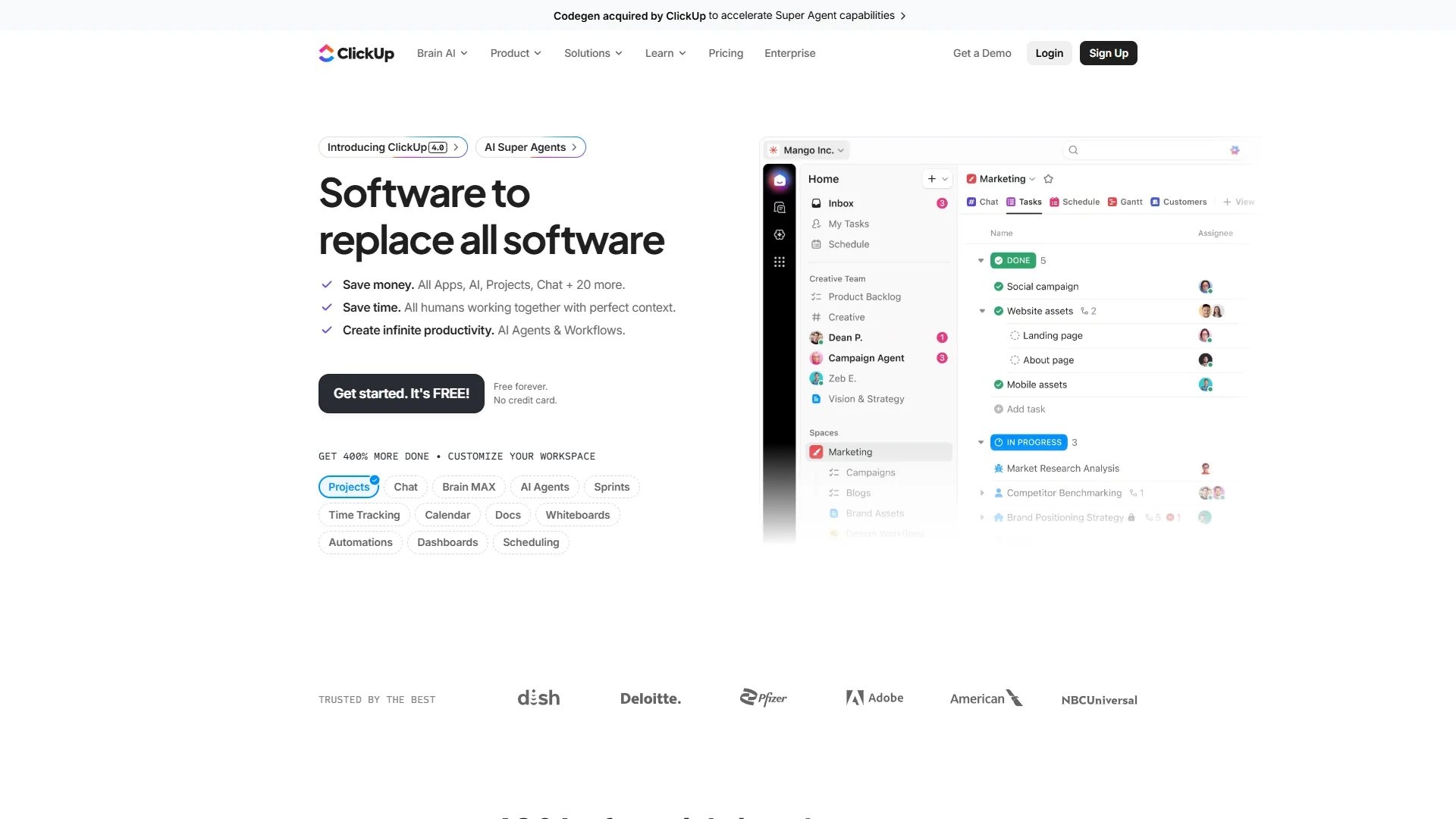
ClickUp Brain is a workspace-wide AI assistant that runs through tasks, docs, goals, whiteboards, and chat as one connected layer. Rather than bolting AI onto specific features, ClickUp treats Brain as a single assistant that understands context across your entire project ecosystem.
Ask ClickUp Brain to summarize a project, and it pulls from tasks, docs, comments, and activity logs - not just a single board or view. The ClickUp AI documentation details how Brain integrates across the platform. As ClickUp CEO Zeb Evans put it on the ClickUp Brain launch announcement, “ClickUp Brain is the world’s first neural network connecting tasks, docs, people, and all of your company’s knowledge.”
ClickUp Brain Key Features
- AI Writing Assistant. Generates task descriptions, project briefs, and documentation inside ClickUp Docs with workspace context, so output references your real project data.
- Stand-Up Reports. Scans task activity, comments, and status changes to produce two-paragraph daily summaries, replacing 15-minute meetings for distributed teams.
- AI Project Manager. Auto-tracks progress, identifies bottlenecks from task dependencies and team workloads, and suggests reassignments before problems cascade.
- Knowledge Search. Searches tasks, docs, comments, and connected Google Sheets to answer questions like “What was the Q3 marketing budget?”; the late-2026 acquisition of Qatalog expanded the enterprise search layer.
- Autopilot Agents. Custom multi-step AI bots on the AI Autopilot tier ($28 per user/month) that triage tickets, route feature requests, or generate templates.
- Brain MAX Desktop App. System-wide AI access outside the browser, similar to Spotlight Search for your workspace.
ClickUp Brain Limitations
Brain is an add-on, not bundled, so a 10-person AI Standard team pays $90 per month on top of base seats and a 10-person AI Autopilot team pays $280. The learning curve is steep on top of 35+ views, custom fields, and whiteboards, and cross-workspace search can lag on large indexes. Our ClickUp alternatives roundup covers leaner options.
ClickUp Pricing Breakdown
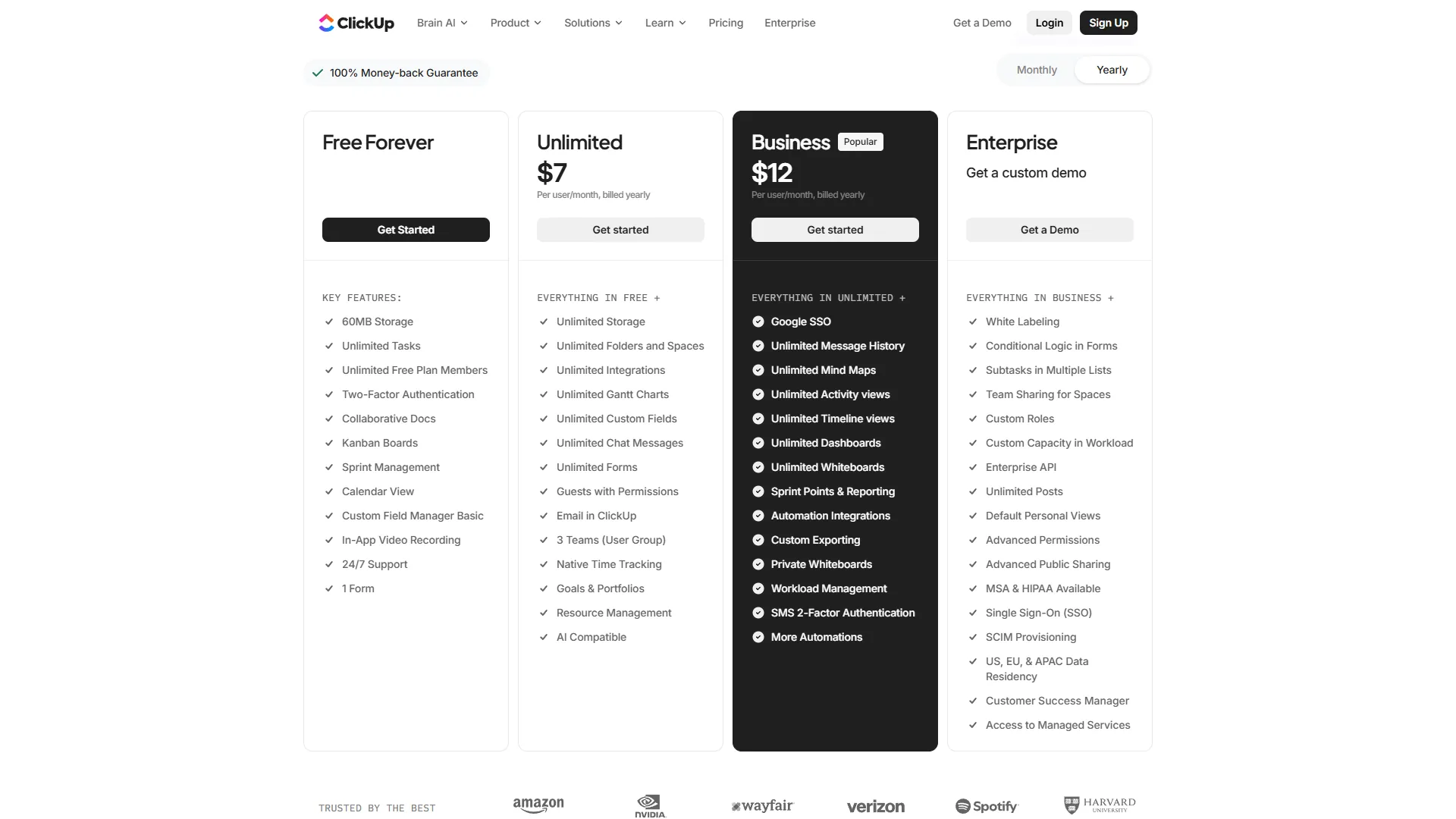
| Tier | Monthly Price | Annual Price | AI Access |
|---|---|---|---|
| Free Forever | $0 | $0 | Trial access (limited) |
| Unlimited | $10/user | $7/user | Add-on: $9/user/mo |
| Business | $19/user | $12/user | Add-on: $9/user/mo |
| Enterprise | Custom | Custom | Add-on: Custom |
| AI Standard | +$9/user | +$9/user | Unlimited AI essentials, Brain MAX |
| AI Autopilot | +$28/user | +$28/user | Agents, enterprise search, unlimited automations |
The key detail: ClickUp’s AI add-on is per user, and there is no way to buy it for select team members only on most plans. If you activate Brain, the cost applies across the board.
What Is Monday AI?
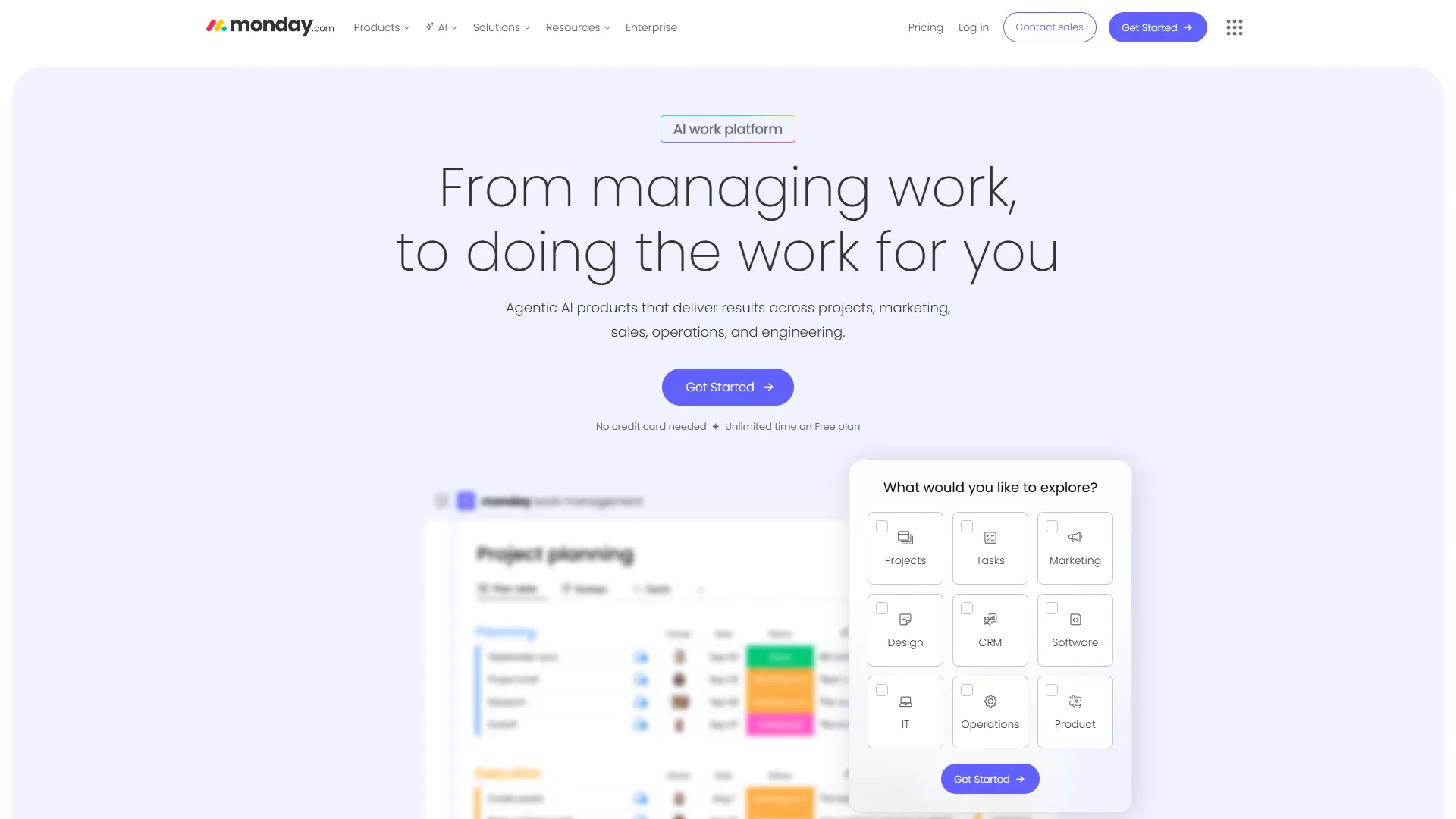
Monday AI is a credit-metered suite of five specialized AI products built into Monday.com’s visual Work OS, including monday agents, monday magic, monday sidekick, monday vibe, and AI Blocks. Each handles a different aspect of AI-powered work, and Monday distributes that intelligence across the board-based interface the platform is known for.
The credit system is the defining architectural choice. Rather than unlimited AI usage, Monday meters AI interactions through credits - 500 per account per month on Basic, scaling up with higher tiers. This means your team needs to be intentional about when and how they use AI features.
Monday AI Key Features
- Monday Agents. AI specialists on Pro and Enterprise plans that run end-to-end workflows: marketing campaigns, project risk-flagging, sales pipeline updates.
- Monday Magic. Generates boards, columns, automations, and views from a natural-language description, eliminating blank-canvas setup.
- Monday Sidekick. Context-aware assistant that answers board questions, summarizes project status, and drafts item descriptions.
- AI Blocks. Modular functions added to any board for categorization, text extraction, sentiment analysis, and content generation - all running automatically on new items.
- Monday Vibe. No-code app builder that turns natural-language prompts into functional internal tools with their own UI and data connections.
Where Monday AI Falls Short
The credit system caps Basic at 500 per account per month, which gives a 10-person team about 2-3 AI actions per workday. Monday AI has no cross-workspace knowledge search, paid plans require a 3-seat minimum, and the AI surface is fragmented across five products with no unified “ask anything” interface. Our best AI project management tools roundup covers the broader field.
Monday.com Pricing Breakdown
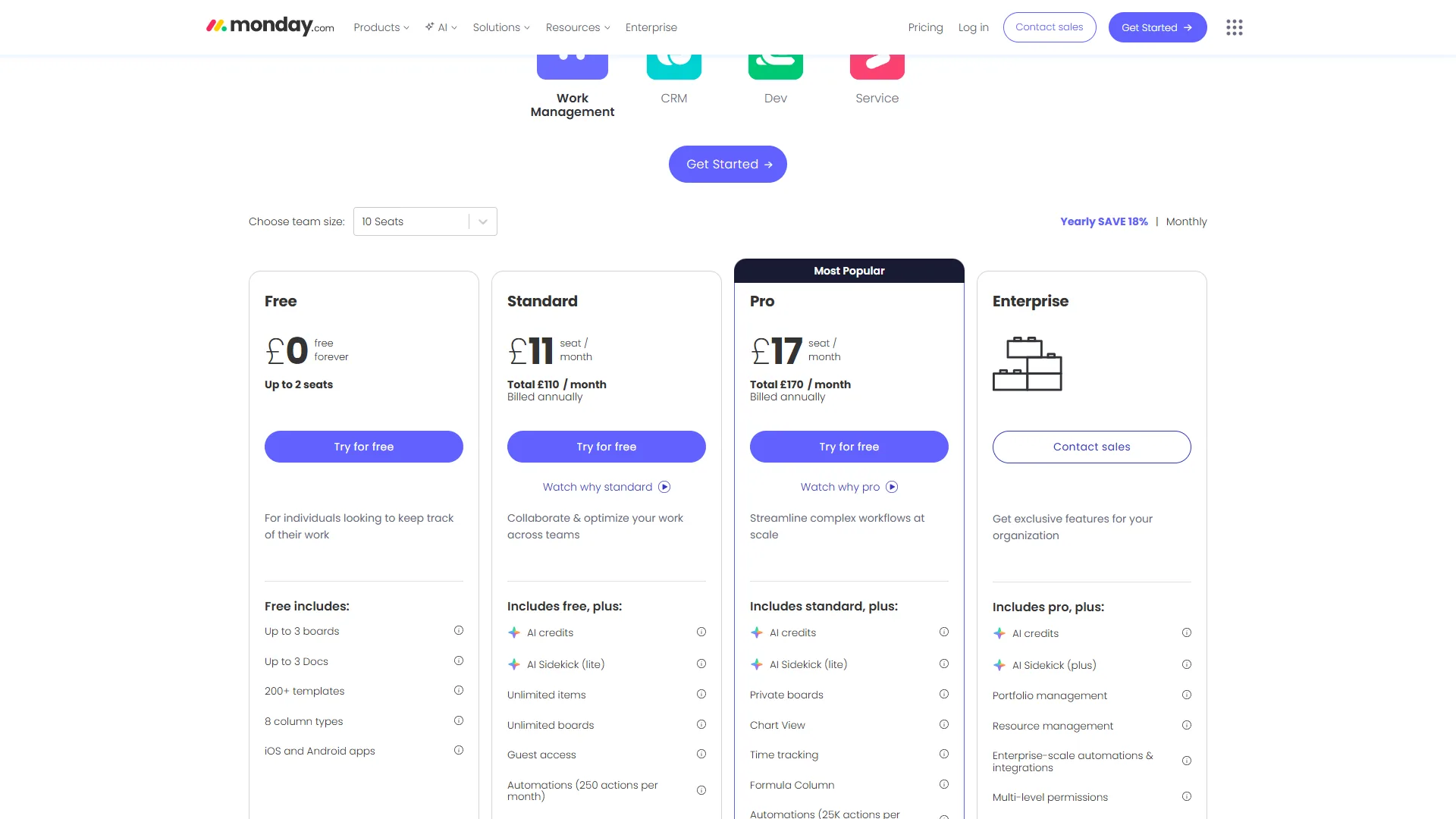
| Tier | Monthly Price | Annual Price | AI Access |
|---|---|---|---|
| Free | $0 | $0 | No AI credits (2 users max) |
| Basic | $12/seat | $9/seat | 500 credits/account/month |
| Standard | $14/seat | $12/seat | Increased credits, AI Blocks |
| Pro | $24/seat | $19/seat | Monday agents, expanded credits |
| Enterprise | Custom | Custom | Full AI suite, advanced agents |
Remember: Monday.com requires a minimum of 3 seats on all paid plans. A Basic plan for 3 users costs $36 per month (annual) versus ClickUp Unlimited for 3 users at $21 per month (annual) before AI add-ons.
Feature-by-Feature: ClickUp AI vs Monday AI
Content Generation. ClickUp Brain writes inside Docs using full workspace context, so a project brief references your real tasks and timelines. Monday Sidekick writes within board items and docs with single-board context only. ClickUp wins.
Task Management. ClickUp Brain’s AI Project Manager continuously scans for bottlenecks and auto-generates stand-up reports. Monday handles task management through AI Blocks and agents that automate categorization, sentiment flagging, and pipeline workflows. Tie.
Automation. ClickUp offers standard automations on paid plans plus Autopilot Agents on the $28 per user tier for multi-step decision logic. Monday.com is one of the strongest automation engines available, with 250 actions on Standard, 25,000 on Pro, and 250,000 on Enterprise per their automation documentation. Monday Magic generates automations from natural language. Monday wins. Our Asana vs ClickUp deep dive covers another automation contender.
Knowledge Search. ClickUp Brain’s Knowledge Manager searches tasks, docs, comments, connected apps, and files; the Qatalog acquisition expanded this to enterprise search across integrated tools. Monday Sidekick can only answer about the current board or workspace. ClickUp wins decisively.
Security. Both platforms hold SOC 2 Type II. ClickUp Brain uses GPT-5, Claude, and other models with no training on customer data and offers US/EU/APAC data residency (see ClickUp security documentation and SOC 2 Type II definition). Monday.com adds HIPAA compliance, SAML SSO, and SCIM on Enterprise. Tie.
Total Cost: What You Actually Pay
Total cost of ownership for ClickUp AI vs Monday AI ranges from $540 per year for a 5-person Monday Basic team to $11,400 per year for a 50-person Monday Pro team, with ClickUp cheaper at enterprise scale and Monday cheaper for small teams. The breakdowns below show every line item for 5, 15, and 50-person teams on annual billing.
| Team Size | ClickUp Total | Monday.com Total | Cheaper |
|---|---|---|---|
| 5 users | $960/year (Unlimited + AI Standard) | $540/year (Basic, 500 credits) | Monday (-$420) |
| 15 users | $2,880/year (Unlimited + AI Standard) | $2,160/year (Standard) | Monday (-$720) |
| 50 users | $9,600/year (Unlimited + AI Standard) | $11,400/year (Pro + agents) | ClickUp (-$1,800) |
The hidden cost is the AI credit ceiling: ClickUp Brain delivers unlimited interactions for the add-on fee, while Monday meters every query. For 5 users on Monday Basic, 500 monthly credits split across the team works out to about 100 interactions per person - enough for light use, not for daily heavy use.
Who Should Pick ClickUp?
ClickUp is the right pick for heavy AI users, tool-consolidation teams, and remote teams that need cross-workspace knowledge search and unlimited Brain usage.
- Heavy AI users. Teams that generate content, summarize projects, and search knowledge bases multiple times per day benefit from Brain’s unlimited model versus Monday’s credits. The Monday.com automation tips guide helps stretch credits if you stay on Monday.
- Tool-consolidation teams. ClickUp replaces Google Docs, Miro, Asana Goals, Harvest, and Slack in one platform; Brain layers intelligence on top. Teams saving $40+/user/month in consolidated tools can offset the add-on. See our ClickUp vs Notion deep dive for knowledge-first alternatives.
- Remote teams. Auto-generated stand-up reports and AI project summaries reduce async communication overhead.
Skip ClickUp if your team needs AI on day one, runs on a tight budget, or has only 1-2 members - the learning curve spans weeks, AI pricing adds $9-$28 per user per month, and light users pay for unused capacity.
Who Should Pick Monday.com?
Monday.com is the right pick for visual thinkers, budget-conscious teams, automation-heavy workflows, and CRM-plus-PM teams that benefit from bundled AI credits and natural-language board generation.
- Visual thinkers. Monday’s board-based interface ranks alongside the best kanban tools; AI Blocks slot into visual workflows without a separate AI interface.
- Budget-conscious teams. AI credits are bundled into paid plans. Our best free project management tools list covers zero-cost options.
- Automation-heavy workflows. 25,000 actions per month on Pro plus AI-generated templates make Monday’s automation engine best-in-class.
- Sales and CRM teams. Monday CRM and Monday Work Management share one platform - a unified experience ClickUp cannot match.
- Mixed-skill teams. Monday Magic generates boards, automations, and apps from natural-language prompts, lowering the build barrier.
Skip Monday.com if your team runs dozens of AI actions per day or needs cross-workspace knowledge search - the credit ceiling and board-scoped context will frustrate heavy AI users.
The Bottom Line
ClickUp AI is the stronger pick for heavy daily AI users who need unlimited usage and cross-workspace knowledge search, while Monday AI is the better choice for visual teams that want bundled AI credits and powerful automation without an add-on fee.
ClickUp delivers AI depth, knowledge search, and unlimited usage in a single workspace assistant. Trade-offs include a steeper learning curve and add-on pricing that raises total cost. Monday.com delivers visual workflows, bundled AI value, and best-in-class automation, but caps usage with credits and lacks cross-workspace knowledge search.
Both platforms offer free trials. Test ClickUp Brain’s Knowledge Manager against Monday Magic’s board generation - whichever you cannot live without should drive the decision. If neither fits, our ClickUp alternatives roundup covers the wider PM landscape.
FAQ
Q: Who is Monday.com’s biggest competitor?
Automation-heavy workflows. Monday’s automation engine is best-in-class. 25,000 actions per month on Pro tier with AI-generated automation templates means you can build sophisticated workflows faster than on any competitor.
Q: Is there anything better than ClickUp?
Winner: Monday.com - more generous automation limits and better automation creation experience. ClickUp’s Autopilot Agents are more capable, but the price premium is steep.
Q: How much does ClickUp Brain cost compared to Monday AI?
ClickUp Brain is a flat $9 per user/mo add-on on the Standard plan, while Monday AI runs on a credit system with credits included in your plan tier. ClickUp’s base platform starts at $7 per user/mo on the Unlimited annual plan, and Monday.com starts at $9/seat/mo on the Basic annual plan with a three-seat minimum.
Q: What is ClickUp Brain?
ClickUp Brain is a workspace-wide AI assistant that acts as the connective tissue running through tasks, docs, goals, whiteboards, and chat. Rather than bolting AI onto specific features, ClickUp treats Brain as an assistant that understands context across your entire project ecosystem, pulling from tasks, docs, comments, and activity logs when you ask it to summarize a project.
Related Reading
Related reading includes the two tools compared above plus three deeper roundups covering Monday.com’s biggest competitor set, AI-powered PM platforms, and free options for smaller teams.
Tools covered in this article:
- ClickUp - All-in-one productivity platform with AI-powered Brain
- Monday.com - Visual Work OS with AI agents and automation
More project management comparisons:
- Asana vs ClickUp 2026 - Complete project management showdown
- Best AI Project Management Tools 2026 - Top PM tools with AI features compared
- Monday.com Automation Tips - Get more from Monday automations
- Best Free Project Management Tools for Small Teams in 2026 - Zero-cost options for lean teams
External Resources
External resources below link directly to vendor documentation, pricing pages, and a third-party industry analysis you can use to verify the claims in this comparison.
- ClickUp Brain - Official AI features page
- Monday AI - Official AI products overview
- ClickUp Pricing - Current plans and AI add-on costs
- Monday.com Pricing - Current plans with AI credit details