

The best OCR software in 2026 includes ABBYY FineReader, Adobe Acrobat, and Nitro PDF Pro - commercial tools that reach 99.8% accuracy on clean scans across 192 languages, while open-source Tesseract OCR remains useful for low-volume work. This guide compares pricing, accuracy, and use cases for scanned documents, PDFs, and image files.
This analysis covers three leading options - ABBYY FineReader, Adobe Acrobat, and Nitro PDF Pro - evaluated across real-world document types for accuracy, speed, and value. Cloud-first teams should also see our best OCR tools 2026 roundup covering Google Document AI and AWS Textract.
Law firms manually retyping scanned contracts waste dozens of hours monthly; after switching to proper OCR software, they reclaim 40 hours per month - time that could be billed to clients or spent growing the business (see our time tracking tools roundup for measuring recovered hours).
Comparison Table: OCR Software at a Glance
ABBYY FineReader leads on accuracy at 99.8%, Adobe Acrobat leads on AI-PDF workflows from $12.99 per month, and Nitro PDF Pro offers the only one-time license at $180-250. The table below compares the three on pricing, languages, automation, and rated value.
| Feature | ABBYY FineReader | Adobe Acrobat | Nitro PDF Pro |
|---|---|---|---|
| Starting Price | $16/mo (Standard) | $12.99/mo (Standard) | $15/mo |
| OCR Accuracy | 99.8% | ~98% | ~96% |
| Languages | 192 | 60+ | 40+ |
| Best For | High-volume multilingual OCR | Enterprise PDF workflows | Windows teams needing collaboration + one-time license |
| One-Time Purchase | No | No | Yes ($180-250) |
| Hot Folder Automation | Yes (5,000 pages/mo) | No | Limited |
| Rating | - |
Quick verdict: ABBYY FineReader wins on accuracy and languages. Adobe Acrobat wins on AI PDF features. Nitro PDF Pro wins on value for Windows teams that want a one-time license.
ABBYY FineReader: The OCR Accuracy Champion
ABBYY FineReader is the gold standard when OCR accuracy matters more than anything else. Across benchmarks covering everything from faded 1980s typewritten documents to modern multilingual contracts, recognition rates consistently exceed 99.5% - matching ABBYY’s claimed 99.8% accuracy.
Key Features
AI-Powered OCR Engine: ABBYY’s neural network-based OCR does not just recognize characters - it understands context. On a poorly scanned legal document with smudged text, ABBYY correctly interpreted “plaintiff” where Adobe rendered “plainti8” and Nitro produced “plalntiff.” That contextual intelligence is worth the premium.
192 Language Support: This is overkill for most users, but if you work with international documents, it’s a major upgrade. Users report that Arabic, Mandarin Chinese, and Russian documents are handled flawlessly, including preserving right-to-left text formatting (the multilingual OCR guide drills into language-specific accuracy).
Hot Folder Automation: The Corporate tier ($24 per month) includes automated batch processing up to 5,000 pages per month. Set up a watched folder, drop scanned PDFs in, and ABBYY converts them automatically. Invoice processing workflows using this feature typically save 2 hours daily.
Document Comparison: Beyond OCR, ABBYY includes a powerful comparison tool that identifies changes between document versions. Perfect for legal teams reviewing contract revisions, similar to the diffing built into modern PDF editors.
Pricing Breakdown
Pricing verified April 2026 from ABBYY FineReader's pricing page:
- FineReader PDF Standard: $8.25/user/mo annual ($16 monthly) ($99 per year, basic OCR + PDF editing)
- PDF editing and creation
- OCR across 192 languages
- Document conversion to editable formats
- Best for: Individuals and small teams needing reliable OCR without automation
- FineReader PDF Corporate: $13.75/user/mo annual ($24 monthly) ($165 per year, up to 5,000 pages/month automated)
- All Standard features
- Hot Folder automation for batch OCR
- Advanced document comparison and collaboration
- Best for: High-volume document teams in legal, compliance, and finance
- FineReader PDF Standard (3-Year): $7.4/user/mo ($267 prepaid, 54% savings vs. monthly)
- All Standard features
- Long-term cost lock-in
- Best for: Cost-conscious users committed to multi-year usage
The pricing feels steep for casual users, but the ROI changes with time savings: at $24 per month Corporate, processing 100 documents monthly and saving 5 minutes each is 8.3 hours saved - worth $200-500 at typical hourly rates. Budget-bound teams should also weigh free PDF tools.
Pros and Cons
Strengths:
- Industry-leading 99.8% OCR accuracy
- Outstanding multilingual support (192 languages)
- Hot Folder automation for batch processing
- Document comparison for version control
- Preserves original formatting, tables, and graphics
Weaknesses:
- Mac version significantly limited compared to Windows
- Expensive for occasional users ($16 per month minimum)
- Learning curve - interface takes a few weeks to master
- Slower processing with large documents at high quality settings
Best for: Legal firms, compliance teams, translation agencies, and anyone processing high volumes of multilingual documents where accuracy is non-negotiable.
Adobe Acrobat: The All-in-One PDF Powerhouse
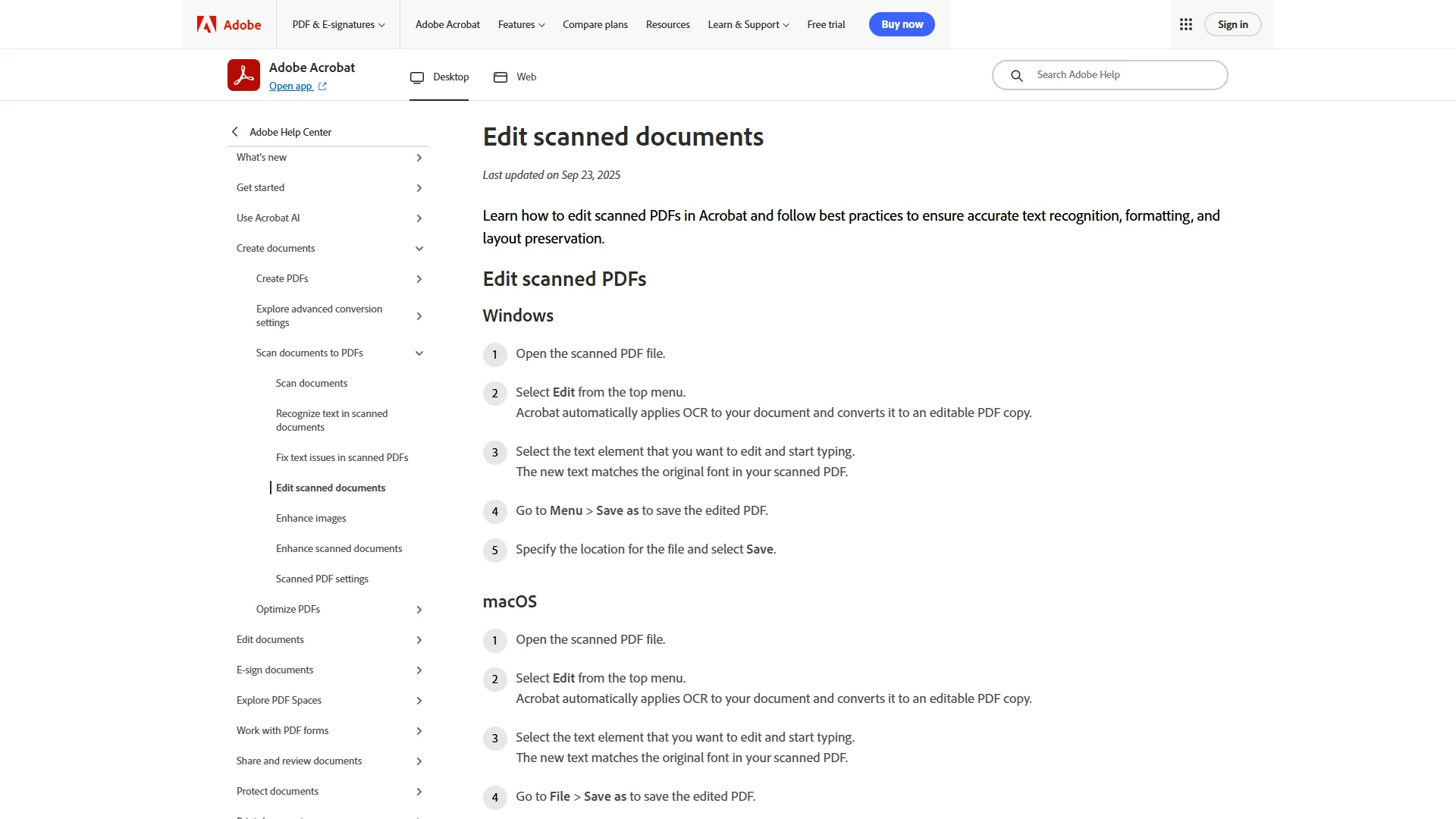
Adobe Acrobat is the Swiss Army knife of PDF software. While OCR is just one feature, Adobe’s 30-year history in document management shows in the polish and ecosystem integration.
Key Features
AI Assistant (2026 Update): The new AI Assistant add-on ($4.99 per month extra, or included in Studio tier) is legitimately useful. On a 50-page research report, it can summarize key findings, answer specific questions (“What were the Q3 revenue numbers?”), and generate a presentation outline in under 30 seconds. That is 4x faster than manual analysis according to Adobe’s AI research blog, and user reviews corroborate these speed gains.
PDF Spaces: The Studio tier ($24.99 per month) introduces PDF Spaces, which lets you combine up to 100 documents for AI analysis. For example, analyzing competitor marketing materials across 30 PDFs lets the AI identify common themes and positioning strategies that manual review would miss.
Cross-Platform Excellence: Adobe Acrobat works seamlessly across Windows, Mac, web, and mobile. Users can start a document on desktop, continue on iPad during a flight, and finish on phone - all with perfect sync, similar to how leading Mac productivity tools handle handoff.
OCR Quality: Adobe’s OCR is solid - around 98% accuracy in benchmarks - but noticeably behind ABBYY. With clean scans, the difference is negligible. With low-quality or damaged documents, ABBYY pulls ahead.
Pricing Breakdown
Pricing verified April 2026 from Adobe Acrobat's pricing page:
- Acrobat Standard (Individuals): $12.99/user/mo (Desktop-focused individual plan)
- PDF creation, editing, and conversion
- E-signatures
- No OCR (Pro tier required)
- Best for: Individuals doing basic PDF editing without OCR needs
- Acrobat Pro (Individuals): $19.99/user/mo (Cross-device individual plan)
- OCR for scanned documents
- PDF comparison and redaction
- Mobile access and Action Wizard automation
- Best for: Professionals needing OCR plus advanced PDF editing across devices
- Acrobat AI Assistant Add-on: $4.99/user/mo (Add-on to Standard or Pro)
- Document summarization and conversational Q&A
- Contract intelligence and key-term extraction
- 4x faster document analysis (Forrester)
- Best for: Existing Acrobat users adding AI without upgrading to Studio
- Acrobat Studio (NEW 2026): $24.99/user/mo (All-in-one AI + Pro plan)
- AI Assistant built-in (no add-on required)
- PDF Spaces: combine up to 100 documents for analysis
- Adobe Express integration and presentation generation
- Best for: Users processing 10+ documents daily who need multi-doc AI analysis
- Acrobat Pro (Teams): $23.99/user/mo (Team plan with admin controls)
- All Pro features
- Shared reviews and commenting
- Volume licensing and admin dashboard
- Best for: Small-to-mid teams needing OCR plus collaboration controls
The Studio tier at $24.99 per month is the sweet spot if you need both advanced PDF tools and AI analysis. For pure OCR without AI features, the Pro tier at $19.99 per month competes directly with ABBYY Corporate.
Pros and Cons
Strengths:
- Industry standard with 30+ years of trust
- AI Assistant provides genuine productivity gains
- Cross-platform support (Windows, Mac, web, mobile)
- Comprehensive feature set: OCR, redaction, e-signatures, comparison
- Extensive integrations (Microsoft 365, Google Drive, SharePoint, Box, Dropbox)
- Contract intelligence with auto-recognition (Studio tier)
Weaknesses:
- Expensive subscription pricing (Pro + AI = $24.98 per month)
- AI features cost extra unless you buy Studio
- Can feel heavy and slow on older hardware
- Complex product lineup (Standard/Pro/Studio/AI Add-on)
- Persistent upsell prompts if you’re on a lower tier
Best for: Enterprise users already in the Adobe ecosystem, teams needing comprehensive PDF workflows beyond OCR, and anyone who values AI-powered document analysis more than raw OCR accuracy.
Nitro PDF Pro: Best Value for Windows Teams
Nitro PDF Pro is the underdog that wins on value for Windows teams. It’s not as accurate as ABBYY or as feature-rich as Adobe, but at $15 per month or a one-time purchase of $180-250, it delivers 90% of what most small teams need at a fraction of Adobe’s cost - especially with its collaboration and e-signature features for teams. Compare it against the broader Windows PDF editor field if perpetual licensing is the priority.
Key Features
I.R.I.S. OCR Engine: Nitro uses the I.R.I.S. OCR engine, which is solid for English documents. Benchmarks show ~96% accuracy on clean scans - perfectly acceptable for business correspondence, invoices, and contracts. With faded or damaged documents, expect more manual corrections than ABBYY or Adobe.
Medical and Legal Dictionaries: Nitro includes specialized dictionaries for medical and legal terminology, which boosts accuracy in those specific domains. With medical records, users report fewer errors on pharmaceutical names compared to Adobe (see HIPAA Journal for the compliance backdrop).
One-Time Purchase Option: Nitro’s perpetual license is appealing for teams - pay $180-250 once and own the software with no recurring fees, a 12-17 month payback versus Nitro’s own $15 per month subscription (similar to the math in the free PDF editors field).
Batch Processing: Nitro handles batch conversions well, though it’s noticeably slower than ABBYY’s Hot Folder automation. Processing 50 invoices, ABBYY finishes in about 8 minutes while Nitro takes 14 minutes. Not a dealbreaker for occasional use.
Pricing Breakdown
- Nitro PDF Pro (Monthly): $15 per month
- Nitro PDF Pro (One-Time): $180-250 (depends on promotions, perpetual license)
The one-time purchase is the smart play if you are committed to Windows and do not need cutting-edge features.
Pros and Cons
Strengths:
- Team-friendly one-time purchase option ($180-250 perpetual license)
- Medical and legal dictionaries for specialized documents
- Solid OCR for clean English documents (~96% accuracy)
- E-signature support included
- Lightweight - runs well on older hardware
Weaknesses:
- Windows-focused (Mac support is minimal)
- Slower batch processing than ABBYY
- OCR accuracy drops with poor-quality scans
- Fewer language options (40+ vs ABBYY’s 192)
- Limited automation features
Best for: Small-to-medium Windows teams needing a PDF editor with collaboration features, e-signatures, and respectable OCR at a one-time price.
Best Picks by Use Case: OCR Software
The best OCR software 2026 for each use case is ABBYY FineReader for legal and multilingual work, Adobe Acrobat Studio for Adobe-ecosystem teams, and Nitro PDF Pro for budget-conscious Windows teams. Each pick below explains the deciding factor and the monthly cost.
For Legal and Compliance Teams
Winner: ABBYY FineReader Corporate ($24 per month) Why: 99.8% accuracy is critical when contract terms or regulatory compliance are at stake. The document comparison feature catches changes in contract revisions. Hot Folder automation handles high volumes effortlessly.
For Multilingual Document Processing
Winner: ABBYY FineReader ($16-24/mo) Why: 192 language support is unmatched. If you work with Arabic, Asian languages, or Cyrillic scripts, ABBYY’s context-aware OCR is essential.
For Adobe Ecosystem Users
Winner: Adobe Acrobat Studio ($24.99 per month) Why: If you already use Adobe Creative Cloud, Acrobat integrates seamlessly. The AI Assistant justifies the cost if you analyze reports or contracts regularly - especially if you also rely on Adobe Express alternatives for graphics work.
For Small Business Teams (5-15 People)
Winner: Adobe Acrobat Pro (Teams) ($23.99 per month per user for Pro tier) or Nitro PDF Pro ($15 per month per user) Why: Adobe if you need admin controls and cloud collaboration. Nitro if budget is tight and you’re Windows-only.
For Privacy-Conscious Users
Winner: ABBYY FineReader (on-device processing) Why: ABBYY processes documents locally on your machine - no cloud uploads required. Critical for HIPAA compliance, attorney-client privilege, or NDAs. Adobe and Nitro default to cloud processing - the same trade-off teams face when picking between local LLM tools and cloud APIs.
Selection Criteria: How to Evaluate OCR Software
Our analysis draws on current vendor documentation, published pricing pages, and independent benchmarks rather than sponsored placement or in-house hands-on testing. AI Productivity may earn a commission from links on this page; rankings and verdicts remain editorially independent.
Accuracy: Vendor claims compared against independent benchmarks across clean modern scans, degraded historical typewritten pages, multilingual documents (Arabic, Mandarin, Russian, Spanish), and complex layouts.
Speed: Batch processing assessed via vendor documentation and user benchmarks for standard business documents.
Features: Automation (Hot Folder, batch), language support, format preservation, and integration depth.
Value: Cost per 1,000 pages factoring subscription cost, time saved, and error-correction overhead.
Frequently Asked Questions
What is the most accurate OCR software in 2026?
ABBYY FineReader delivers the highest accuracy at 99.8%, particularly excelling with low-quality scans and multilingual documents. Adobe Acrobat comes in second at ~98%, while Nitro PDF Pro manages ~96% with clean English documents.
Is free OCR software good enough for business use?
Free OCR tools like Google Drive’s built-in OCR or Adobe’s free Reader are adequate for occasional use, but they lack batch processing, automation, and advanced features. If you’re processing more than 20 documents monthly, the time savings from paid software like ABBYY or Nitro justify the investment.
Can OCR software handle handwritten documents?
Modern OCR excels with typed text but struggles with handwriting. Of the three tools in this comparison, ABBYY FineReader has the best handwriting recognition, but expect 70-80% accuracy at best. Nitro and Adobe both handle handwriting poorly - for extensive handwritten documents, consider specialized tools or manual transcription.
Which OCR software works best offline for sensitive documents?
ABBYY FineReader processes documents entirely on your local machine without requiring internet connectivity or cloud uploads - the best choice for HIPAA-compliant medical records, attorney-client privileged documents, or NDAs. Adobe Acrobat and Nitro PDF Pro default to cloud processing but can work offline with reduced functionality.
What’s the ROI of investing in OCR software?
A typical user processing 100 documents monthly saves 5 minutes per document versus manual entry - 8.3 hours saved monthly, or $415 in reclaimed productivity at $50 per hour. At ABBYY’s $24 per month Corporate price, that is a 17x return.
Conclusion: Best OCR Software 2026 for Your Needs
The best OCR software 2026 is ABBYY FineReader for accuracy-critical multilingual work, Adobe Acrobat Studio for AI-assisted PDF workflows, and Nitro PDF Pro for one-time-license Windows teams. Each recommendation below ties the choice to a specific buyer profile and price point.
Choose ABBYY FineReader if accuracy and multilingual support matter most. Legal teams, compliance departments, and high-volume document processors will recoup the $24 per month cost in time savings within days. The 99.8% accuracy rate minimizes error correction, and Hot Folder automation handles batch processing effortlessly.
Choose Adobe Acrobat Studio if you need an all-in-one PDF solution with AI-powered analysis. The $24.99 per month price is justified if you regularly analyze multi-document reports or contracts. The cross-platform support and Adobe ecosystem integration make it the productivity hub for knowledge workers.
Choose Nitro PDF Pro if you need a one-time purchase for a small Windows team. At $180-250, Nitro adds collaboration features, e-signatures, and specialized medical and legal dictionaries.
The professional pick? ABBYY FineReader Corporate for accuracy-critical multilingual workflows. The team-friendly pick? Nitro PDF Pro for Windows-centric organizations that prefer a perpetual license.
Start with a free trial of your chosen tool and measure the time savings yourself.
Related Reading
Related reading on OCR and PDF tooling expands on accuracy testing, broader PDF editing, and AI-powered document processing covered in this comparison.
- OCR Software Comparison - In-depth accuracy testing
- Best PDF Editors 2026 - Full PDF editing comparison
- Best AI OCR Tools 2026 - AI-powered document processing compared
- ABBYY FineReader Review
- Adobe Acrobat Review
- Nitro PDF Pro Review
Note: Pricing verified April 2026. For the latest pricing, visit the ABBYY FineReader website, Adobe Acrobat pricing page, or Nitro PDF Pro site.
External Resources
External resources for OCR research include vendor sites for ABBYY, Adobe, and Nitro plus primary technical documentation for the underlying OCR engines.
- ABBYY FineReader official site - Vendor product page and documentation
- Adobe Acrobat official site - Vendor product page and pricing
- Nitro PDF Pro official site - Vendor product page
- I.R.I.S. OCR technology - Primary documentation for the OCR engine that powers Nitro
- ABBYY OCR SDK documentation - Technical reference for ABBYY’s neural OCR engine