
OCR software comparison is an evaluation of optical character recognition tools that convert scanned PDFs and paper documents into searchable, editable text. This breakdown weighs Adobe Acrobat Pro at $19.99/month for enterprise PDF workflows, ABBYY FineReader at 99.8% accuracy across 192 languages, and Readiris Pro 17 at $99 one-time covering 138 languages with audio conversion.
Quick verdict: ABBYY FineReader wins for accuracy-critical workflows (99.8% OCR accuracy, 192 languages). Adobe Acrobat Pro suits enterprise users needing comprehensive PDF workflows and AI-powered features. Readiris Pro 17 is the budget champion - a $99 one-time purchase with 138 languages and unique audio conversion features.
This comparison breaks down pricing, accuracy, handwriting recognition, and platform differences. Developers evaluating open-source alternatives like the Tesseract OCR engine or cloud APIs such as Google Cloud Vision OCR should weigh maintenance overhead against these commercial picks; for a wider field, see our best OCR software 2026 roundup.
Our analysis draws on each vendor’s current pricing and feature documentation plus published accuracy testing - not sponsored placement or hands-on benchmarking. AI Productivity may earn a commission from links on this page, but our rankings are editorially independent.
Quick OCR Software Comparison Table
ABBYY FineReader wins accuracy at 99.8%, Readiris Pro 17 wins price at $99 one-time, and Adobe Acrobat Pro wins platform coverage across Windows, Mac, web, and mobile - the three-way tradeoff in any OCR software comparison.
| Feature | ABBYY FineReader | Adobe Acrobat Pro | Readiris Pro 17 |
|---|---|---|---|
| Pricing | $16/month ($99/year = $8.25/month) | $19.99/month subscription | $99 one-time purchase |
| OCR Accuracy | 99.8% verified | Industry-leading (not disclosed) | Advanced (not disclosed) |
| Languages | 192 languages | 50+ languages | 138 languages |
| Platform | Windows (full), Mac (limited) | Windows, Mac, Web, Mobile | Windows, Mac (complicated) |
| Best For | Multilingual accuracy-critical work | Enterprise PDF workflows | Budget-conscious users with multilingual needs |
| Rating | - | ||
| Subscription Model | Subscription only | Subscription only | One-time purchase |
Tradeoffs: No tool wins every category. ABBYY has weak Mac parity and subscription-only licensing, Adobe carries the highest price and an extra-cost AI tier, and Readiris has unverified accuracy claims plus a complicated Mac install.
Is ABBYY FineReader the Most Accurate OCR Software?
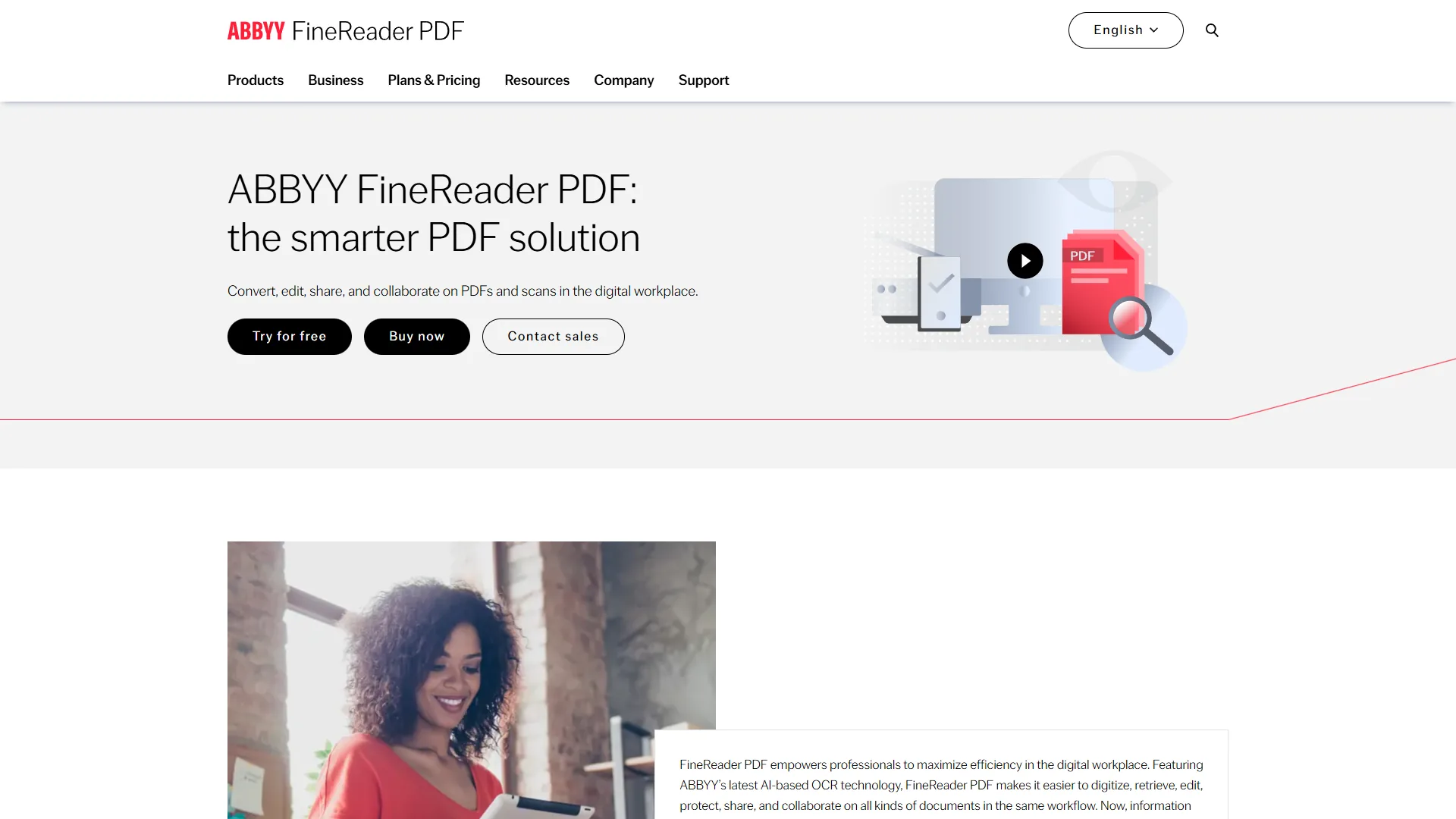
ABBYY FineReader is the most accurate OCR software in this comparison, with a verified 99.8% character recognition rate that no competitor here publicly matches. Its ADRT (Adaptive Document Recognition Technology) uses neural networks to achieve that rate - the best documented accuracy among OCR tools covered here.
How Accurate Is ABBYY FineReader OCR and How Many Languages Does It Support?
ABBYY publishes verified testing showing 99.8% character recognition on clean documents and 95-97% on degraded scans, beating undisclosed competitors by 2-5 percentage points and meaning far fewer manual corrections on large projects.
The 192 language support is unmatched here, covering complex scripts like Arabic, Chinese, Japanese, Korean, Hebrew, and Cyrillic. Hot Folder automation (Corporate tier) converts up to 5,000 pages per month, making ABBYY ideal for invoice processing - covered in our best AI invoice tools 2026 guide.
Document Comparison and Collaboration
Beyond OCR, ABBYY includes a powerful document comparison tool that identifies text, formatting, and structural changes between two versions - even a scanned original against a digitally edited copy - invaluable for legal contract review. It preserves layout, tables, and graphics during conversion, even with multi-column and mixed-language documents.
Pricing and Plans
Pricing verified April 2026 from ABBYY FineReader's pricing page:
- FineReader PDF Standard: $8.25/user/mo annual ($16 monthly) (1 standalone license)
- Basic OCR and PDF editing
- OCR in 192 languages
- Document conversion to editable formats
- Best for: Individual users needing reliable OCR and basic PDF editing
- FineReader PDF Corporate: $13.75/user/mo annual ($24 monthly) (up to 5,000 pages/month automated conversion)
- All Standard features
- Advanced document comparison
- Hot Folder automation
- Best for: Businesses with high-volume document processing and comparison needs
- FineReader PDF for Mac: $69/year (Mac-specific version, 1 license)
- Convert PDFs, paper documents, and images
- Basic OCR functionality
- Mac-optimized interface
- Best for: Mac users needing affordable basic OCR and PDF conversion
ABBYY’s annual pricing ($99-165/year) costs 31-59% less than Adobe Acrobat Pro ($240/year) while delivering superior accuracy; 3-year prepaid plans discount further to $267 (Standard), $446 (Corporate), or $186 (Mac). Cost-conscious teams may prefer best free PDF editors for occasional OCR.
Pros and Cons
Pros: best-in-class 99.8% accuracy using ADRT AI; unmatched 192 language support; more economical than Adobe ($99 vs $240 per year); powerful document comparison; Hot Folder batch automation (Corporate tier).
Cons: limited Mac feature parity; subscription-only model; accuracy drops on very low-quality scans; interface learning curve; limited cloud collaboration versus Adobe.
Best For
ABBYY FineReader fits multilingual organizations, high-volume digitization (1,000+ pages monthly), accuracy-critical legal, medical, and financial workflows, and buyers wanting better value than Adobe Acrobat without sacrificing OCR quality.
Adobe Acrobat Pro Review: The Enterprise Standard
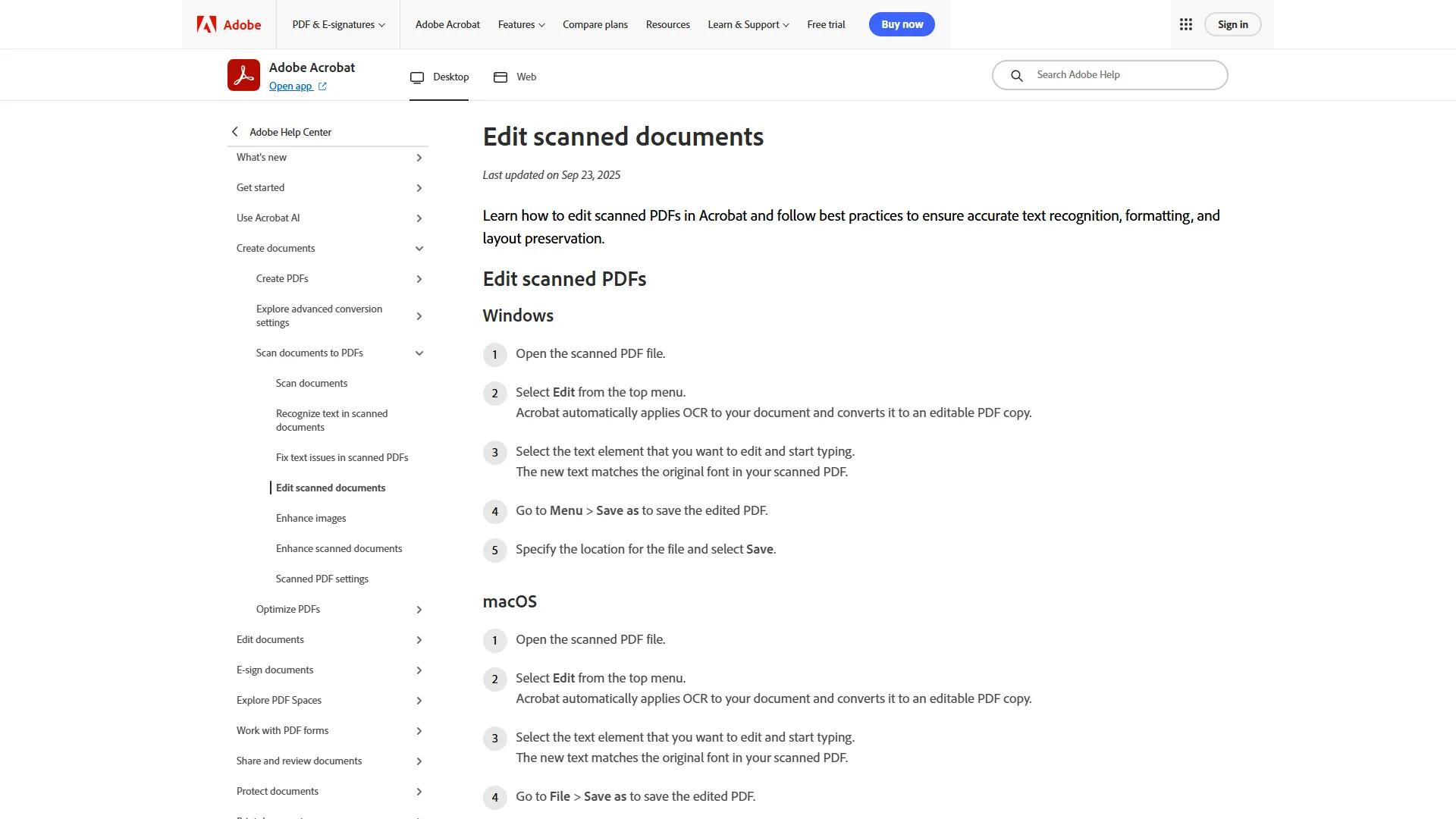
Adobe Acrobat Pro is the enterprise-standard OCR option at $19.99/month, building text recognition into a full PDF editing suite used across Windows, Mac, web, and mobile. After 30+ years of development, Adobe’s engine handles everything from clean office documents to challenging historical scans.
Key OCR Features
Adobe’s OCR technology delivers “industry-leading” accuracy, though the company doesn’t publish specific rates like ABBYY. The system supports 50+ languages with automatic detection. Cloud-first teams should also evaluate Google Cloud Vision OCR, AWS Textract, and Azure AI Document Intelligence for enterprise workflows.
What sets Acrobat apart is AI Assistant integration ($24.99/month Studio tier), which analyzes scans, extracts key information, and generates summaries. Action Wizard automates OCR batch processing across folders, and PDF Spaces (Studio tier) combines up to 100 documents into a unified workspace - a capability unique here. Legal teams should also consider best AI contract review tools.
Pricing Structure
Pricing verified April 2026 from Adobe Acrobat's pricing page:
- Acrobat Pro (Individuals): $19.99/user/mo
- Full OCR, editing, and conversion
- PDF comparison and redaction
- Mobile access and Action Wizard
- Best for: Professionals needing advanced PDF tools across all devices
- Acrobat AI Assistant Add-on: $4.99/user/mo
- AI-powered document summarization
- Conversational Q&A interface
- Contract intelligence and comparison
- Best for: Existing Acrobat users wanting AI productivity boost
- Acrobat Studio (NEW 2026): $24.99/user/mo
- All Pro features plus AI Assistant built-in
- PDF Spaces (combine up to 100 documents)
- Adobe Express integration
- Best for: Creators needing AI-powered workflows with presentation creation
- Acrobat Pro (Teams): $23.99/user/mo
- All Pro features
- Shared reviews and admin controls
- Volume licensing
- Best for: Professional teams needing advanced PDF tools with admin controls
- Acrobat Studio (Teams): $29.99/user/mo
- All Studio features
- Team collaboration
- Shared AI assistants in PDF Spaces
- Best for: Creative teams needing AI-powered workflows with collaboration
This subscription model means you pay $240-300 annually versus ABBYY’s $99 per year or Readiris’s one-time $99. Over three years Adobe runs $720-900 while Readiris stays $99 total - an 87% cost gap. Switchers can compare Adobe Acrobat alternatives.
Pros and Cons
Pros: industry-standard platform with 30+ years of trusted document workflows; comprehensive feature set beyond OCR (redaction, comparison, e-signatures, forms); AI Assistant Q&A and summarization (Studio tier); cross-platform Windows, Mac, web, mobile with cloud sync; integrations with Microsoft 365, Google Drive, SharePoint, Box, Dropbox.
Cons: expensive subscription with no one-time option; complex product lineup; AI features cost extra ($4.99/month add-on or $5/month more for Studio); sluggish on modest hardware; persistent sign-in and upsell prompts.
Best For
Adobe Acrobat Pro fits enterprises already in the Adobe ecosystem, legal and compliance teams needing redaction and certified PDFs, organizations requiring cross-platform collaboration, and buyers valuing AI document analysis over pure OCR accuracy.
Readiris Pro 17: Best Budget Pick with Broad Language Coverage
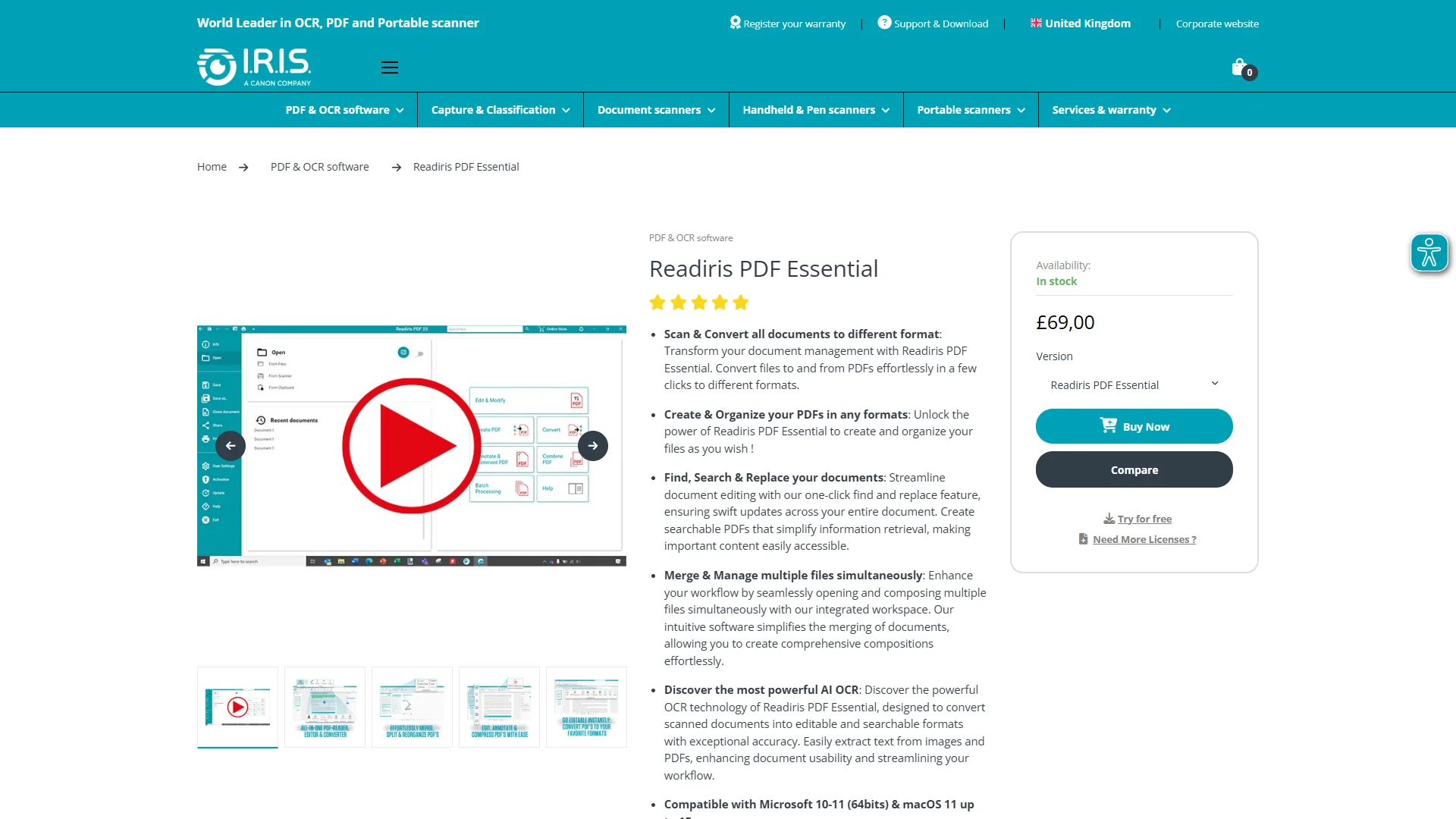
Readiris Pro 17 is the best budget OCR pick at $99 one-time (Pro) or $139-199 for Corporate. It earns its place with 138-language support, barcode recognition, and audio conversion that neither ABBYY nor Adobe match.
OCR Technology and Accuracy
Readiris uses “advanced recognition” technology but doesn’t publish specific accuracy rates like ABBYY’s verified 99.8%. In practice, it handles clean office documents reliably but struggles more than ABBYY with low-quality scans, faded text, or complex layouts. Its 138 language support covers European languages, Cyrillic, Chinese, Japanese, and Korean - fewer than ABBYY’s 192 but more than Adobe’s 50+.
Features Beyond Basic OCR
Barcode and QR recognition extracts data from barcodes (useful for inventory and shipping) and is absent from both Adobe and ABBYY’s standard offerings. Audio conversion generates MP3 files from scans, a capability unique to Readiris here. File compression reduces PDF sizes 10-20x without significant quality loss, and the software exports to 130+ formats including Word, Excel, and ePub - capabilities matched by some entries in our best PDF editors 2026 review.
Pricing: One-Time Purchase
Readiris Pro 17 costs $99 one-time (1 PC license) and Readiris Corporate runs $139-199 one-time, both with zero ongoing costs. Over three years, Readiris costs $99 versus Adobe’s $720 or ABBYY’s $297. The Mac version has a complicated install and fewer features, making Readiris a Windows-first solution.
Pros and Cons
Pros: one-time $99 purchase with no subscription fees; 138 language support; unique barcode and QR recognition; audio conversion to MP3 from scans; file compression and 130+ export formats.
Cons: lower accuracy than ABBYY on low-quality scans; accuracy rates not published or third-party verified; limited user feedback versus Adobe; complicated Mac install; less frequent updates and limited support.
Best For
Readiris Pro 17 fits buyers wanting 100+ language support at a one-time price, workflows requiring barcode or audio conversion, occasional users processing 10-100 clean pages monthly, and subscription-averse buyers.
Head-to-Head OCR Software Comparison
Each platform has limitations: ABBYY’s drawbacks show on Mac and low-quality scans, Adobe’s include subscription cost and a confusing tier structure, and Readiris’s include unverified accuracy. For volume under 10 pages per month, free tools like Tesseract or macOS Preview suffice. The performance insights below break down the three commercial picks tested for 2026.
Which OCR Software Has the Best Accuracy?
ABBYY FineReader delivers the highest documented OCR accuracy at 99.8% using ADRT AI - roughly 2 errors per 1,000 characters on clean documents. According to ABBYY’s official OCR accuracy documentation, the vendor’s published product specification, “FineReader OCR technology recognizes text with up to 99.8% accuracy” - the verified figure that Adobe and Readiris decline to disclose. ABBYY also produces tagged output aligned with the ISO 14289 PDF/UA accessibility standard.
Adobe Acrobat Pro claims “industry-leading” accuracy without publishing rates (estimated 95-97% on standard documents), and Readiris Pro 17 discloses no rates (estimated 92-95% on clean documents).
Verdict: ABBYY wins accuracy clearly and is the only choice with verified numbers for high-stakes content.
How Do ABBYY, Adobe, and Readiris Compare on Pricing?
Over 3 years, Readiris Pro 17 works out to roughly $2.75/month ($99 one-time), ABBYY FineReader Standard runs ~$8.25/month ($297 total), and Adobe Acrobat Pro lands near $20/month ($720 total). Verdict: Readiris wins on price, ABBYY on accuracy, Adobe on PDF workflows. ABBYY’s $297 prevents hours of manual correction worth $500-2,000 in labor; Adobe’s $720 only makes sense for comprehensive PDF features beyond OCR.
Language Support Comparison
ABBYY FineReader supports 192 languages, Readiris Pro 17 covers 138, and Adobe Acrobat Pro handles 50+. For organizations processing Arabic, Hebrew, or Asian scripts, ABBYY’s 192-language support is unmatched - similar concerns are covered in best AI translation tools.
Verdict: ABBYY dominates on language breadth; Readiris is the best budget multilingual option at a fraction of Adobe’s cost.
Platform Comparison: Mac vs Windows
Windows users have access to all three tools; Mac users face limitations with two. Adobe Acrobat offers full feature parity across Windows and Mac - the only tool with a proper Mac experience. ABBYY FineReader has a limited Mac version ($69/year), and Readiris has a complicated Mac install.
Verdict: Adobe wins Mac compatibility outright; Readiris is the strongest budget pick for Windows users.
Which OCR Software Should You Choose?
ABBYY FineReader is the right OCR pick for accuracy-critical or multilingual work, Adobe Acrobat Pro is the right pick for comprehensive PDF workflows, and Readiris Pro 17 is the right pick for the lowest-cost subscription-free OCR. Each option has clear tradeoffs - ABBYY is not for casual Mac users, Adobe is not for budget-constrained solo operators, and Readiris is not for accuracy-critical legal or medical work.
Choose ABBYY FineReader If:
Pick ABBYY FineReader if accuracy is critical for legal, medical, financial, or compliance work, you process multilingual documents regularly, 100+ pages monthly justifies better accuracy, and your budget allows $99-165 per year.
Start here: Try ABBYY FineReader - The Standard plan ($99/year) delivers 99.8% accuracy for most users.
Choose Adobe Acrobat Pro If:
Pick Adobe Acrobat Pro if you need PDF workflows beyond OCR, your organization already uses Adobe Creative Cloud or Document Cloud, cross-platform collaboration is essential, and your budget allows $240-300 per year.
Start here: Adobe Acrobat Pro - Trial the free version to test OCR on your document types.
Choose Readiris Pro 17 If:
Pick Readiris Pro 17 if you process 10-100 pages monthly and want a one-time purchase, barcode or audio conversion is valuable, source documents are clean office scans, and you need 100+ languages without recurring fees.
Start here: Readiris Pro 17 website - Download the trial to verify accuracy before purchasing.
Budget and Team Recommendations
Readiris Pro 17 ($99 one-time) leads on cost, ABBYY FineReader Standard ($99/year) is the value pick for accuracy, Adobe Acrobat Pro ($240/year) suits PDF-heavy workflows. Small businesses prefer Readiris per-seat licensing or ABBYY Corporate ($165/year); enterprises evaluate ABBYY Hot Folder automation or Adobe Acrobat Teams.
Conclusion
ABBYY FineReader delivers the highest accuracy (99.8%) and widest language support (192 languages) at $99-165 per year - the right pick when accuracy and a practical comparison of multilingual character recognition software outweigh price. Readiris Pro 17 wins the budget tier with a $99 one-time license covering 138-language OCR plus unique barcode and audio conversion - the only subscription-free option here. Adobe Acrobat justifies its $240 per year for enterprises needing comprehensive PDF workflows and AI-powered document analysis, but overspends for OCR-only buyers.
FAQ
ABBYY FineReader leads on accuracy and language count, Readiris Pro 17 leads on price, and Adobe Acrobat Pro leads on Mac parity - this FAQ covers pricing, languages, Mac compatibility, and handwriting recognition.
Q: Which OCR software has the highest accuracy?
ABBYY FineReader leads with a verified 99.8% character recognition rate on clean documents via its ADRT (Adaptive Document Recognition Technology) neural-network engine. Accuracy drops to 95-97% on degraded scans but still beats Adobe Acrobat Pro and Readiris Pro 17, which decline to publish specific accuracy numbers.
Q: What is the cheapest OCR software with no subscription?
Readiris Pro 17 is the only subscription-free option here at $99 one-time for a 1 PC license (Corporate $139-199). Over three years that works out to ~$2.75/month, versus $297 for ABBYY FineReader Standard or $720 for Adobe Acrobat Pro.
Q: Which OCR tool supports the most languages?
ABBYY FineReader supports 192 languages, the widest coverage here, including Arabic, Chinese, Japanese, Korean, Hebrew, and Cyrillic scripts plus right-to-left and vertical text. Readiris Pro 17 covers 138 languages, and Adobe Acrobat Pro handles 50+ with automatic detection.
Q: Which OCR software works best on Mac?
Adobe Acrobat Pro is the only tool here with full feature parity across Mac and Windows, making it the strongest Mac choice. ABBYY FineReader offers a limited Mac version at $69/year, and Readiris Pro 17 has a complicated Mac install with reduced functionality.
Q: Does Readiris offer features that Adobe and ABBYY do not?
Yes. Readiris Pro 17 includes barcode/QR recognition plus audio conversion that generates MP3 files from scanned documents - neither ships in Adobe Acrobat Pro or ABBYY FineReader’s standard tiers. Readiris also exports to 130+ formats and compresses PDFs 10-20x.
Q: Which OCR software is best for handwriting recognition?
ABBYY FineReader is the strongest for handwriting, since its ADRT neural-network engine handles printed text and handprinted form entries with the highest documented accuracy. None matches a dedicated ICR system on cursive - verify on your own samples first.
Q: Is there a free OCR software comparison option?
Free OCR software trades accuracy and language coverage for zero cost. The open-source Tesseract OCR engine and macOS Preview handle low-volume scans; beyond 10 pages a month, the paid tools here deliver meaningfully better results.
Related Reads
Related reads cover the three tools reviewed here plus companion guides on free OCR software, PDF editing, and multilingual document workflows.
Tools covered in this article:
- Adobe Acrobat - PDF editing and OCR
- ABBYY FineReader - Enterprise OCR software
More OCR guides:
- Best OCR Software 2026 - OCR tools compared
- Multilingual OCR Guide - Multi-language OCR
- Best Free PDF Editors - PDF editing tools compared
- Best OCR Tools 2026
- Best PDF Editors 2026
- Best Free PDF Tools 2026: AI Editors and Lifetime Deals
External Resources
External resources link directly to official vendor documentation for ABBYY FineReader, Adobe Acrobat Pro, and Readiris Pro 17, useful for verifying current pricing and features.
- ABBYY FineReader - Official website
- Adobe Acrobat - Official website
- Readiris Pro 17 - Official website