

Local LLM tools are free, open-source software that download, configure, and run open-weight large language models like Llama 3.3, Qwen 3.5, and DeepSeek V3 directly on your hardware. The six best local LLM tools - Ollama, LM Studio, llama.cpp, vLLM, Jan, and GPT4All - differ in interface, performance, and developer workflows.
Running large language models locally has gone from a niche hobby to a mainstream development practice. Open-weight models like Llama 3.3, Qwen 3.5, and DeepSeek V3 now rival proprietary APIs in quality, so the tooling that runs them is the part that actually decides your experience.
The local LLM tools landscape in 2026 has matured dramatically. Ollama crossed 52 million monthly downloads in Q1 2026. LM Studio became free for commercial use. And the underlying inference engine that powers most of these tools - llama.cpp - now supports everything from Raspberry Pis to multi-GPU server clusters.
This guide compares the six best local LLM tools available today, explains exactly who each one is built for, and provides a clear framework for choosing the right tool based on your hardware, technical skill level, and use case. Pair it with our AI coding assistants roundup when planning a local-first developer stack.
Disclosure: AI Productivity may earn a commission from links on this page; our rankings are editorially independent and based on vendor documentation, published benchmarks, and independent research.
How Do the Top Local LLM Tools Compare?
Local LLM Tools is a topic that directly impacts how teams work day to day. Running large language models locally has gone from a niche hobby to a mainstream development practice. This guide breaks down the practical details you need to make an informed decision.
| Tool | Best For | Interface | Price | GPU Required | OpenAI-Compatible API |
|---|---|---|---|---|---|
| Ollama | Developers & automation | CLI + REST API | Free | No (helps) | Yes |
| LM Studio | Model evaluation & beginners | Desktop GUI | Free | No (helps) | Yes |
| llama.cpp | Maximum control & performance | CLI | Free | No (helps) | Yes (built-in server) |
| vLLM | Production serving at scale | CLI + API | Free | Yes (NVIDIA/AMD) | Yes |
| Jan | Privacy-first desktop use | Desktop GUI | Free | No (helps) | Yes |
| GPT4All | Enterprise & document chat | Desktop GUI | Free | No (helps) | Yes (Python bindings) |
Every tool on this list is free and open-source. The differences come down to interface, performance characteristics, and the workflows each tool is optimized for.
1. Ollama - The Developer Default
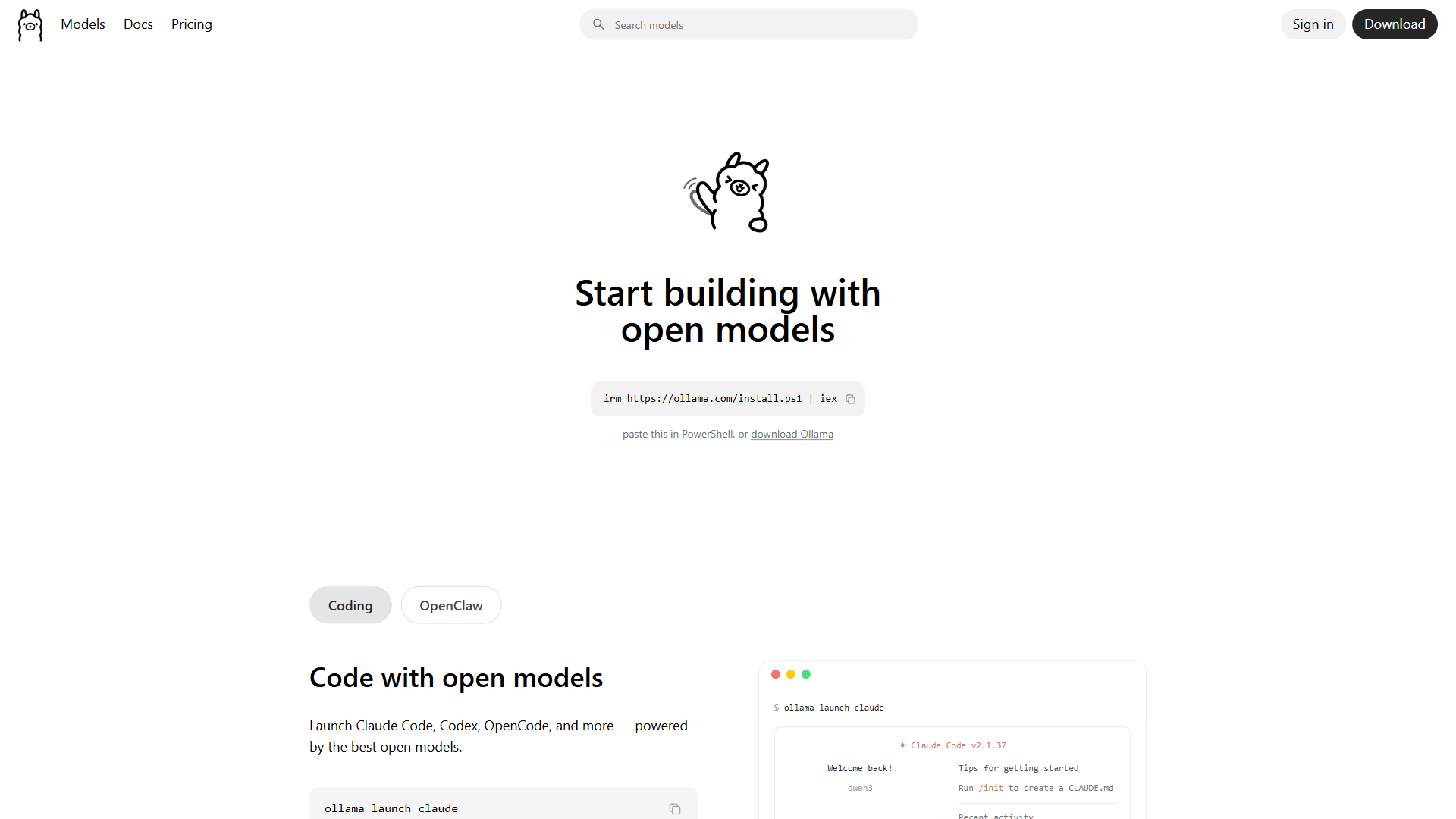
Ollama has become the default local LLM tool for developers in 2026, and for good reason. It reduces the entire workflow of downloading, configuring, and running a model to a single command: ollama run llama3.3. No Python environments. No dependency conflicts. No YAML configuration files.
Key Features:
- Single-binary installation on macOS, Linux, and Windows
- Built-in model registry with hundreds of pre-quantized models
- Automatic GPU detection and memory allocation
- OpenAI-compatible REST API at
localhost:11434 - Model management via simple CLI commands (
pull,run,list,rm) - Daemon architecture keeps models warm in VRAM between requests
- MLX backend on Apple Silicon for optimized performance
Why Developers Choose Ollama:
The REST API is the killer feature. Any application that works with the OpenAI API can point at Ollama’s local endpoint instead - no code changes required beyond swapping the base URL. This makes Ollama the backbone of local development workflows, powering everything from VS Code extensions to custom RAG pipelines.
Ollama also handles the tedious parts of model management automatically. When you pull a model, it downloads the correct quantization for your hardware. When you run inference, it allocates GPU layers based on available VRAM. When a model is not in use, it unloads gracefully to free memory.
Limitations:
Ollama optimizes for simplicity, which means limited control over inference parameters. You cannot specify custom quantization schemes, adjust batch sizes granularly, or access the kind of low-level tuning that llama.cpp exposes. For most developers, this trade-off is worth it. For ML engineers who need every last token per second, it can be frustrating.
GitHub: 167,000+ stars | Downloads: 52M monthly (Q1 2026) | License: MIT
2. LM Studio - The Visual Model Explorer
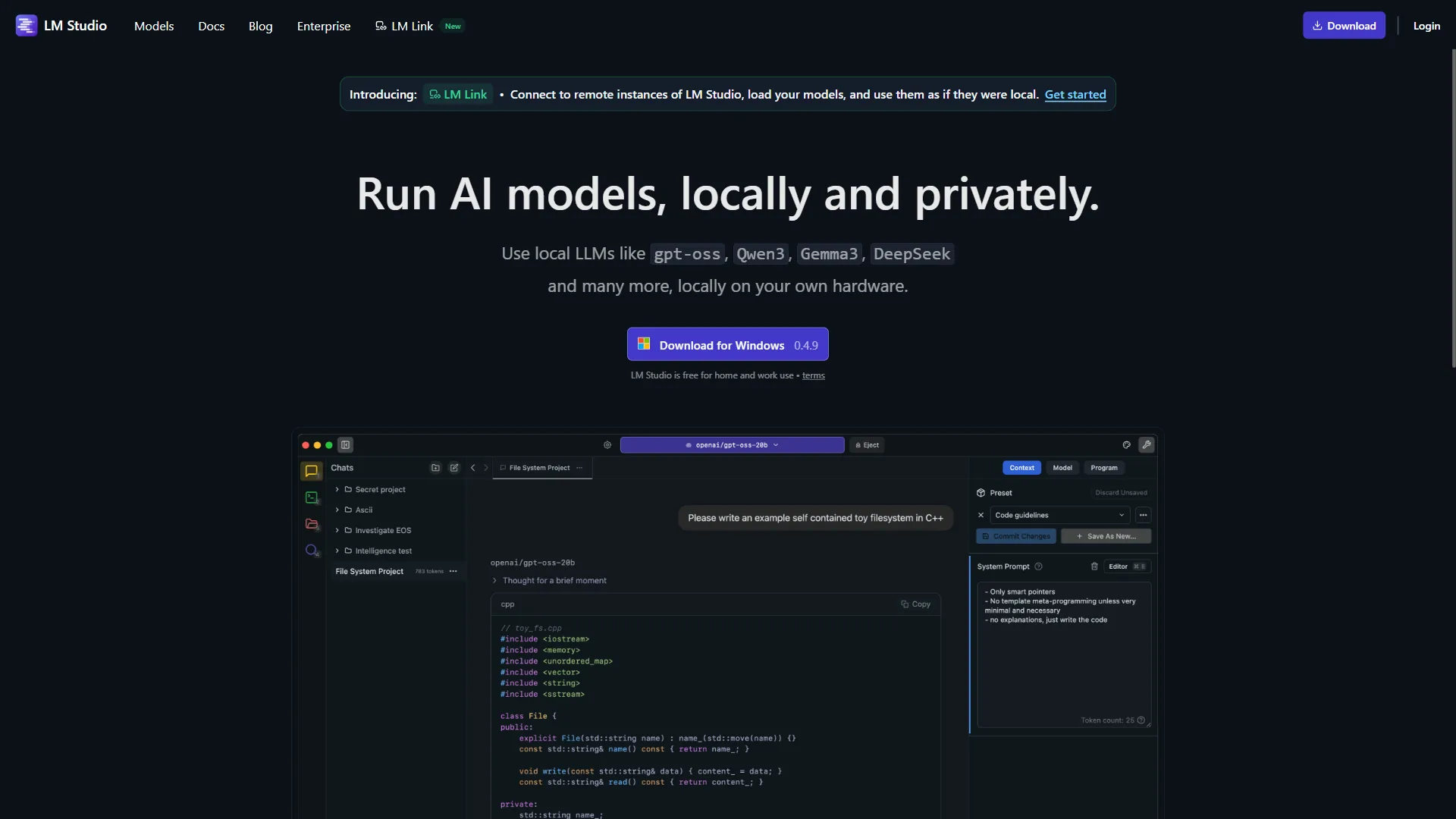
LM Studio is the best local LLM tool for anyone who prefers a graphical interface over the command line. Its model browser connects directly to Hugging Face, letting you search, filter, and download models without touching a terminal. Side-by-side model comparison, built-in chat, and a local inference server make it the most complete desktop experience available.
Key Features:
- Clean desktop GUI for Windows, macOS, and Linux
- Integrated Hugging Face model browser with search and filtering
- Side-by-side model comparison for evaluating outputs
- Built-in local inference server with OpenAI-compatible API
- Real-time token generation speed and memory usage monitoring
- Automatic hardware detection with GPU/CPU split configuration
- Free for both personal and commercial use (no license required)
Why LM Studio Stands Out:
The first-run experience is unmatched. Download the installer, open the app, search for a model, click download, and start chatting - all in under five minutes. For teams evaluating which open-weight model works best for their use case, the side-by-side comparison feature alone justifies the install.
LM Studio is also the best tool for the “model shopping” phase of any local LLM project. Before committing to a model in production, most developers use LM Studio to test a handful of candidates against their specific prompts and data. Once the winner is chosen, they deploy it via Ollama or vLLM.
Limitations:
LM Studio’s server handles concurrent requests less gracefully than Ollama’s daemon architecture. For single-user experimentation, this does not matter. For multi-user or production-adjacent workloads, Ollama or vLLM are better choices. LM Studio also only provides access to pre-quantized models - you cannot create custom quantizations within the app.
License: Proprietary (free) | Platforms: Windows, macOS, Linux
3. llama.cpp - The Performance Foundation
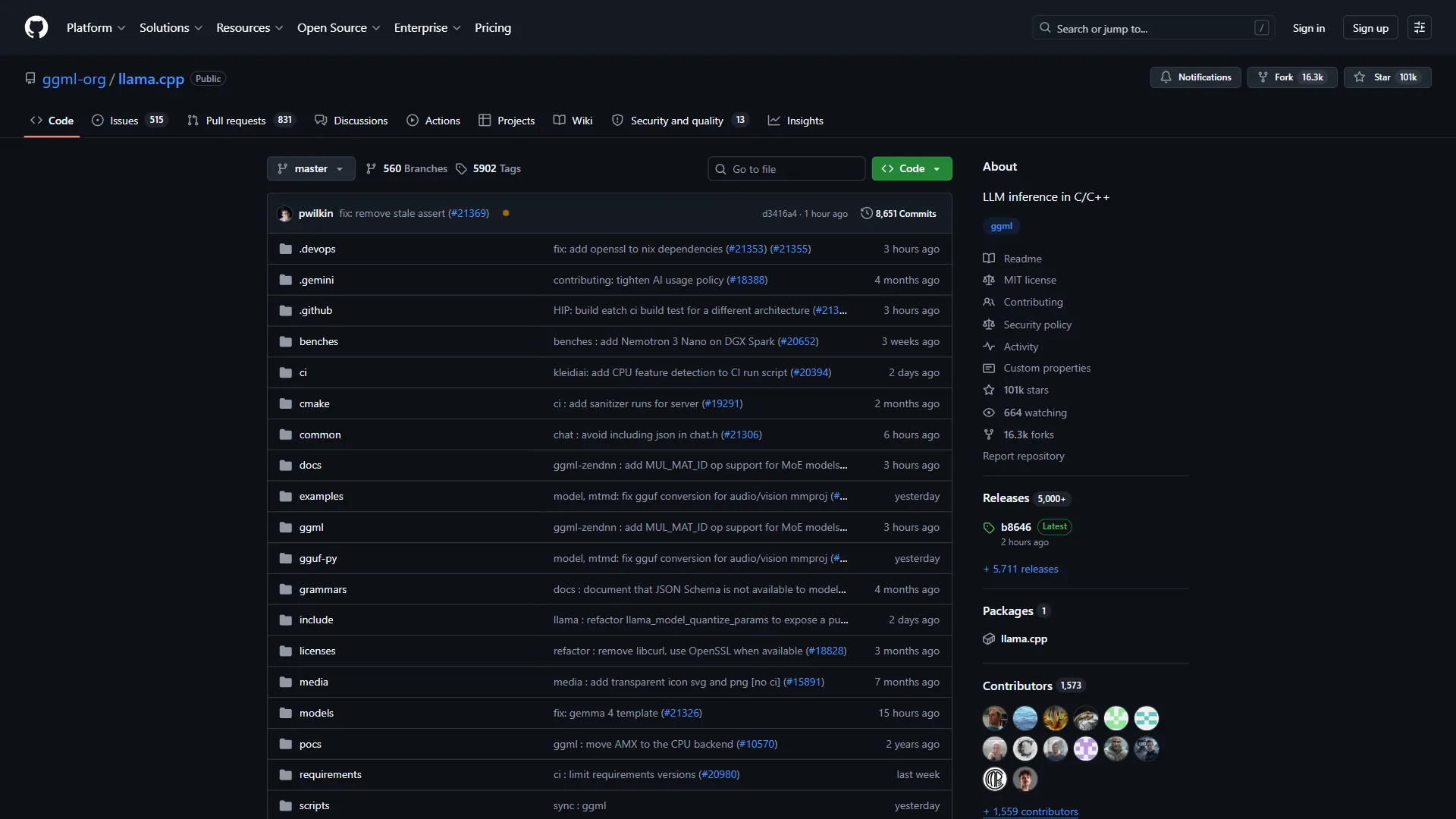
Here is a fact that reframes the entire local LLM landscape: Ollama, LM Studio, Jan, and GPT4All all use llama.cpp as their inference engine under the hood. When you strip away the GUIs and CLIs and REST APIs, the actual computation - the matrix multiplications that turn model weights into coherent text - happens in llama.cpp.
So why would anyone use llama.cpp directly instead of one of its wrappers?
Control. Running llama.cpp directly gives you access to every inference parameter, every quantization option, and every performance optimization that the wrapper tools abstract away.
Key Features:
- C/C++ implementation with no external dependencies
- CPU inference with AVX, AVX2, and AVX-512 optimizations
- GPU acceleration via CUDA, Metal, Vulkan, ROCm, and SYCL
- Custom quantization: create Q2, Q3, Q4, Q5, Q6, Q8, or mixed schemes
- Speculative decoding for up to 2-3x speed improvement on supported models
- Grammar-constrained generation for structured JSON output
- Built-in HTTP server with OpenAI-compatible endpoints
- Support for GGUF model format (the standard for local inference)
When llama.cpp Makes Sense:
The primary use case is performance optimization. When running llama.cpp directly, you can tune the number of GPU layers offloaded, the batch size, the context length, the thread count, and dozens of other parameters that Ollama and LM Studio handle automatically. For edge deployments, embedded systems, or latency-critical applications, this level of control matters.
Custom quantization is the other major draw. Ollama gives you whatever quantization the model publisher uploaded. With llama.cpp, you can download full-precision weights and quantize them yourself, choosing the exact balance of quality and size for your hardware - the Hugging Face quantization guide walks through the trade-offs.
Limitations:
The setup process is significantly more involved. Building from source requires a C++ compiler, CMake, and platform-specific GPU SDK installation. Model management is entirely manual - you download GGUF files, specify their paths, and manage storage yourself. There is no model registry, no automatic updates, and no daemon to keep models warm.
GitHub: 80,000+ stars | License: MIT
4. vLLM - The Production Throughput Engine
vLLM is a GPU-only inference engine built for high-throughput production serving, delivering up to 24x higher throughput than naive approaches through PagedAttention memory management. While Ollama and LM Studio are optimized for single-user local inference, vLLM is designed for production serving where multiple users or applications hit the same model simultaneously.
Key Features:
- PagedAttention memory management for efficient KV cache utilization
- Continuous batching for up to 24x higher throughput than naive approaches
- Multi-GPU tensor parallelism and pipeline parallelism
- Support for NVIDIA CUDA, AMD ROCm, Intel XPU, and TPU backends
- OpenAI-compatible API server with streaming support
- AWQ, GPTQ, and FP8 quantization with optimized Marlin kernels
- Multimodal model support via vLLM-Omni (Qwen-Omni, vision models)
Performance Numbers:
The throughput difference is not subtle. In 2026 benchmarks, vLLM achieved 793 tokens per second compared to Ollama’s 41 tokens per second on the same hardware when serving concurrent requests. For single-user inference, the gap narrows considerably - but for any workload involving multiple simultaneous requests, vLLM is in a different category.
vLLM’s PagedAttention algorithm is the core innovation. Traditional inference engines allocate a fixed block of memory for each request’s attention cache, wasting significant memory on partially-filled blocks. According to Woosuk Kwon and colleagues at UC Berkeley in the original PagedAttention paper, the technique “allows storing continuous keys and values in non-contiguous memory space” by paging the KV cache in fixed-size blocks - similar to how operating systems manage virtual memory - reducing waste and enabling higher concurrency. The vLLM project blog documents the resulting throughput gains in production.
When vLLM Makes Sense:
The sweet spot is self-hosted API serving. Teams running internal LLM APIs for code review, document summarization, or customer support automation need the throughput and concurrency handling that vLLM provides. It is also the best option for benchmarking and evaluation pipelines that need to process thousands of prompts quickly.
Limitations:
vLLM requires dedicated GPU hardware - NVIDIA GPUs with substantial VRAM are the primary target, though AMD ROCm support has improved significantly. It does not run on CPU-only machines and has no support for Apple Silicon’s unified memory. The setup is also more complex than Ollama, requiring Python environment management and CUDA toolkit installation.
GitHub: 50,000+ stars | License: Apache 2.0
5. Jan - The Privacy-First Desktop App
 alternative interface](/images/blog/best-local-llm-tools-2026/screenshot-04-jan.webp)
Jan is a fully open-source ChatGPT-style desktop app that runs entirely offline, with hybrid mode for switching between local models and cloud APIs. Instead of optimizing for API access and automation, Jan optimizes for the end-user experience - providing a familiar chat interface that runs on your local machine with no data leaving your device by default.
Key Features:
- ChatGPT-style desktop interface with conversation history
- Fully open-source (AGPLv3) with auditable codebase
- Hybrid mode: seamlessly switch between local models and cloud APIs (OpenAI, Groq)
- Model Context Protocol (MCP) support for agentic AI capabilities
- Built-in web search for augmenting local model responses with current information
- OpenAI-compatible API server at localhost:1337
- Extension ecosystem for adding functionality
- Cross-platform: Windows, macOS, Linux
Why Jan Matters:
The hybrid architecture is Jan’s distinguishing feature. You can run a local 7B model for everyday tasks that require privacy - drafting emails, summarizing internal documents, brainstorming - and seamlessly switch to GPT-4 or Claude for complex tasks that benefit from larger models. This workflow happens within a single interface, with conversation history preserved across both local and cloud models.
For organizations with strict data governance requirements, Jan provides the auditability that proprietary tools cannot. The entire codebase is open-source, community-audited, and designed so that local inference never contacts external servers - aligning with the enterprise AI search data-residency model many teams now require.
Limitations:
Jan’s inference performance lags behind Ollama and llama.cpp because it prioritizes UI polish and user experience over raw speed. The extension ecosystem, while growing, is smaller than Ollama’s integration ecosystem. And because Jan targets end users rather than developers, the API server and programmatic access feel like secondary features rather than core ones.
GitHub: 28,000+ stars | License: AGPLv3
6. GPT4All - The Enterprise Document Chat Tool
GPT4All is an enterprise-focused desktop LLM tool from Nomic AI that ships with built-in document chat (LocalDocs), a zero-configuration RAG pipeline that no other tool on this list offers. Drop a folder of PDFs, Word documents, or text files into GPT4All, and it automatically indexes them using Nomic’s embedding model, then retrieves relevant passages during conversations.
Key Features:
- LocalDocs: built-in document indexing and retrieval (RAG) with no setup
- Desktop GUI with conversation management
- On-device reasoning via GPT4All Reasoner with tool calling and code sandboxing
- GPU acceleration through Vulkan (cross-platform), Metal (macOS), and CUDA (NVIDIA)
- Python bindings for programmatic access
- Usage analytics and model performance tracking for enterprise deployment
- Windows ARM support for Snapdragon and SQ-series devices
The LocalDocs Advantage:
With Ollama or LM Studio, building a document chat system requires assembling a separate embedding model, vector database, chunking strategy, and retrieval pipeline. GPT4All handles all of this internally. Point it at a folder, wait for indexing, and start asking questions about your documents. For non-technical users who need local document Q&A, nothing else comes close to this simplicity - rivaling the polish of dedicated AI knowledge management tools.
Nomic AI positions GPT4All explicitly for enterprise use, with features like centralized model distribution for IT departments deploying local LLMs to non-technical employees. The usage analytics help organizations track adoption and model performance across teams.
Limitations:
GPT4All’s model support is narrower than Ollama or LM Studio. You are limited to models that Nomic has packaged and validated, which means newer or more niche models may not be available immediately. Performance also trails the competition slightly - GPT4All prioritizes stability and compatibility over cutting-edge speed.
GitHub: 74,000+ stars | License: MIT
Which Local LLM Tool Should You Choose?
The best local LLM tool depends on your role: Ollama for developers, LM Studio for model evaluation, llama.cpp for ML engineers, vLLM for production serving, Jan for privacy-focused end users, and GPT4All for enterprise document chat. With six strong options, the right choice depends on three factors: who you are, what you are building, and what hardware you have.
By User Profile
| Profile | Recommended Tool | Why |
|---|---|---|
| Developer building apps | Ollama | Best API, largest ecosystem, simplest integration |
| Developer evaluating models | LM Studio | Side-by-side comparison, visual model browser |
| ML engineer optimizing inference | llama.cpp | Full parameter control, custom quantization |
| Team serving internal API | vLLM | Highest throughput, production-grade concurrency |
| Privacy-conscious end user | Jan | Best desktop UX, hybrid local/cloud mode |
| Enterprise deploying to non-technical staff | GPT4All | LocalDocs RAG, usage tracking, IT-friendly |
By Hardware
Apple Silicon Mac (M-series): Ollama with its MLX backend is the fastest option. LM Studio and Jan also work well. vLLM does not support Apple Silicon.
NVIDIA GPU (RTX 3000/4000/5000 series): All six tools work. For single-user use, Ollama or LM Studio. For multi-user serving, vLLM delivers dramatically higher throughput - the CUDA Toolkit documentation covers driver compatibility.
AMD GPU: llama.cpp has the best ROCm support. Ollama supports AMD GPUs but with fewer optimizations. vLLM’s ROCm support has improved significantly in 2026.
CPU Only (No Dedicated GPU): Ollama, LM Studio, llama.cpp, Jan, and GPT4All all support CPU-only inference. Expect 5-15 tokens per second with a 7B model, which is usable for chat but slow for batch processing.
The Three-Tool Pipeline
Many developers in 2026 have converged on a practical workflow that uses multiple tools:
- LM Studio for model discovery and evaluation - browse Hugging Face, test candidates, compare outputs side by side
- Ollama for development and integration - build applications against Ollama’s API, test locally, iterate quickly
- vLLM for production deployment - deploy the chosen model at scale with maximum throughput
This pipeline separates concerns cleanly: exploration, development, and production each get the best tool for the job.
What Hardware Do You Need to Run a Local LLM?
A useful local LLM requires at least 16GB of RAM or VRAM for an 8B model; a 70B model needs 64GB, and frontier-class 120B+ models need 128GB. The most common question about local LLM tools is whether your hardware can run the models you want, not which software to use. Here is the practical breakdown.
| Available RAM/VRAM | Model Size (Q4 Quantized) | Example Models | Experience |
|---|---|---|---|
| 8GB | Up to 7B parameters | Llama 3.2 3B, Phi-4 Mini | Usable for simple tasks, slow on complex prompts |
| 16GB | Up to 13B parameters | Llama 3.2 8B, Gemma 2 9B | Good for daily use, coding assistance, chat |
| 32GB | Up to 30B parameters | Gemma 2 27B, Qwen 2.5 32B | Strong quality, handles most professional tasks |
| 64GB | Up to 70B parameters | Llama 3.3 70B (Q4) | Near-frontier quality for most use cases |
| 128GB | Up to 120B+ parameters | Qwen 3.5 122B MoE, gpt-oss-120B | Frontier-class performance locally |
For a deeper dive into what fits on Apple Silicon specifically, including quantization trade-offs and cost-per-token analysis, see the Apple M5 Max local LLM benchmarks guide.
The key insight is that 16GB of RAM is the practical minimum for a useful local LLM experience in 2026. You can run a 7B model on 8GB, but the experience will be constrained. With 16GB, an 8B model like Llama 3.2 runs comfortably with room for context and system overhead.
Methodology: Privacy, Cost, and Latency
Three factors drive enterprise adoption of local LLM tools in 2026: data privacy, total cost at scale, and zero-latency availability. This analysis is based on current vendor documentation, published benchmarks, and independent research rather than sponsored placement. Beyond the technical comparison, these factors shape every local deployment decision:
Privacy: Local inference means your data never leaves your machine. For lawyers working with privileged communications, healthcare organizations handling patient data, or any team with strict compliance requirements, local LLMs eliminate an entire category of risk. No API logs, no third-party data processing agreements, no wondering what happens to your prompts after they are sent.
Cost at scale: API pricing adds up quickly. Running Llama 3.3 70B locally on a $3,000 Mac Studio with 192GB of unified memory costs nothing per token after the hardware investment. At moderate usage (50,000 tokens per day), the hardware pays for itself within 3-6 months compared to equivalent API costs. At heavy usage, the payback period drops to weeks.
Latency and availability: Local inference has zero network latency and zero downtime. The model is always available, responses start instantly, and there are no rate limits. For developer tools, IDE integrations, and real-time applications, this reliability advantage compounds over time.
The Bottom Line
The best local LLM tools in 2026 have eliminated the technical barriers that once made local inference impractical. Ollama makes it trivial for developers. LM Studio makes it accessible for everyone. llama.cpp provides the performance foundation. vLLM handles production scale. Jan prioritizes privacy. GPT4All brings document intelligence.
The real question is no longer whether to run models locally - it is which combination of tools fits your workflow. If you are coming from a cloud-first workflow built around ChatGPT, the closest local equivalent is Jan paired with Ollama: same chat-style interface, same OpenAI-compatible API surface, but every token stays on your machine. Start with Ollama if you are a developer, LM Studio if you prefer a GUI, or GPT4All if you need document chat. As your needs grow, the other tools will be there when you need them.
FAQ
Q: What is the best local LLM tool for developers?
Ollama is the developer default in 2026. It reduces downloading, configuring, and running a model to a single command and exposes an OpenAI-compatible REST API at localhost:11434, so any application built for the OpenAI API can point at Ollama by swapping the base URL. Its daemon keeps models warm in VRAM between requests.
Q: How much RAM do I need to run a local LLM?
16GB of RAM is the practical minimum for a useful local LLM experience in 2026. With 8GB you can run a 7B model but the experience is constrained. 16GB comfortably handles an 8B model like Llama 3.2, 32GB fits 30B models, 64GB handles 70B at Q4 quantization, and 128GB reaches frontier-class 120B+ models.
Q: What is the difference between Ollama and llama.cpp?
Ollama, LM Studio, Jan, and GPT4All all use llama.cpp as their inference engine under the hood. Ollama wraps llama.cpp with a model registry, daemon, and simple CLI for ease of use. Running llama.cpp directly gives access to every inference parameter, custom quantization schemes, and low-level performance tuning that the wrapper tools abstract away.
Q: Which local LLM tool is best for production serving?
vLLM is designed for high-throughput production serving where multiple users hit the same model simultaneously. Its PagedAttention memory management and continuous batching deliver up to 24x higher throughput than naive approaches. vLLM requires dedicated GPU hardware - primarily NVIDIA with substantial VRAM, though AMD ROCm support has improved significantly in 2026.
Related Reading
Related Reading covers the cloud LLM baseline, Apple Silicon benchmarks, AI code editors, and the broader Mac productivity stack that pairs well with local inference.
- ChatGPT - the cloud baseline that local LLM tools are most often compared against; useful for hybrid local + cloud workflows
- Running LLMs on Apple M5 Max: 128GB Benchmarks - deep dive into Apple Silicon for local inference with quantization trade-offs and cost analysis
- Best AI Code Editors 2026: Cursor vs Windsurf vs Copilot - how AI coding tools (many powered by local models) compare for developer productivity
- The Future of AI Coding Assistants: 2026 and Beyond - where AI development tools are heading, including local-first architectures
- Best Mac Productivity Tools 2026 - the broader Mac productivity ecosystem for running local AI alongside other tools
External Resources
External Resources points to the primary vendor and research documentation behind each tool covered above.
- Ollama on GitHub - source code, documentation, and model library
- llama.cpp on GitHub - the open-source inference engine powering most local LLM tools
- vLLM Project documentation - architecture, benchmarks, and deployment guides for the high-throughput inference engine
- PagedAttention paper (UC Berkeley, 2023) - the original research that introduced vLLM’s KV-cache memory management
- NIST AI Risk Management Framework - federal guidance frequently cited by enterprises adopting local inference for compliance