



Warp is an AI-native terminal that handles shell commands like git push and docker-compose, while Cursor is an AI-native code editor built on VS Code for writing TypeScript, Python, and other application code. Most professional developers need both because one handles the shell and the other handles the editor.
Our analysis draws on vendor documentation and independent industry research. Some links on this page are affiliate links; our analysis remains independent.
Warp replaces the command line interface you use for git operations, server management, build commands, and system tasks. Cursor is a VS Code fork where you write, edit, and refactor code with AI assistance. This guide explains what each tool does well, where they overlap (minimally), and how to combine them for maximum productivity in 2026. Unlike warp vs cursor vs windsurf or warp vs Claude Code comparisons, this is a terminal-versus-editor question rather than a Cursor vs VSCode style replacement debate.
The developer tools landscape has shifted rapidly toward AI-native environments. According to the Stack Overflow 2024 Developer Survey, 76% of developers now use or plan to use AI tools in their development process, with terminal and IDE tools like Warp AI and Cursor AI leading adoption. As GitHub’s productivity research published in CACM reported, “developers who used GitHub Copilot completed the task 55% faster than the developers who didn’t use GitHub Copilot,” a baseline that frames the gains both Warp and Cursor build on with their own agent layers. See the ACM peer-reviewed analysis on AI-assisted code completion for broader study data.
How Do Warp and Cursor Compare at a Glance?
Warp is a terminal replacement that runs shell commands with AI assistance, while Cursor is a code editor replacement that writes and refactors application code with AI assistance. The fundamental architecture difference matters before any feature-by-feature comparison:
Warp is a terminal replacement. It is the window where you run git push, npm install, docker-compose up, kubectl get pods, and hundreds of other shell commands. Warp adds AI command generation, error debugging, and team workflow sharing to that terminal experience. It does not write application code.
Cursor is a code editor replacement. It is the window where you write TypeScript files, Python scripts, React components, SQL queries, and configuration files. Cursor adds AI completion, multi-file refactoring, and agent-based code generation to that editing experience. It does not manage your terminal workflows.
Where they overlap: Cursor has an integrated terminal and both tools offer shell-related AI assistance, but the overlap is shallow - Cursor’s terminal is basic compared to Warp, and Warp has no code editing.
How Do Warp and Cursor Compare Feature by Feature?
Warp and Cursor share the same $20 per month entry price but differ on nearly every capability: Warp delivers AI command generation and team workflow sharing for the terminal, while Cursor delivers multi-file editing and up to 8 parallel agents for the codebase.
| Feature | Warp | Cursor |
|---|---|---|
| Rating | ||
| Primary Function | AI-native terminal | AI-native code editor |
| Free Tier | 75 AI credits/month | Limited trial |
| Paid Price | $20/month (Build) | $20/month (Pro) |
| Built On | Rust (from scratch) | VS Code fork |
| AI for Commands | Excellent (core feature) | Basic |
| AI for Code | None | Excellent (core feature) |
| Multi-File Editing | No | Yes (Composer) |
| Parallel Agents | Terminal tasks only | Up to 8 code agents |
| Team Features | Warp Drive (command sharing) | Centralized billing, SSO |
| Platform | macOS, Linux, Windows | Windows, macOS, Linux |
How Has Warp Reimagined the Terminal?
Warp has reimagined the terminal as an “Agentic Development Environment” built in Rust from scratch, adding AI command generation, error debugging, a blocks-based output system, and team command sharing on top of a modern interface with IDE-like text editing. As Warp CEO Zach Lloyd wrote on the Warp engineering blog, “We rebuilt the terminal from the ground up so AI is a first-class citizen, not a bolted-on chat panel.” This positions Warp closer to an agentic workspace than a traditional emulator.
How Much Does Warp Cost?
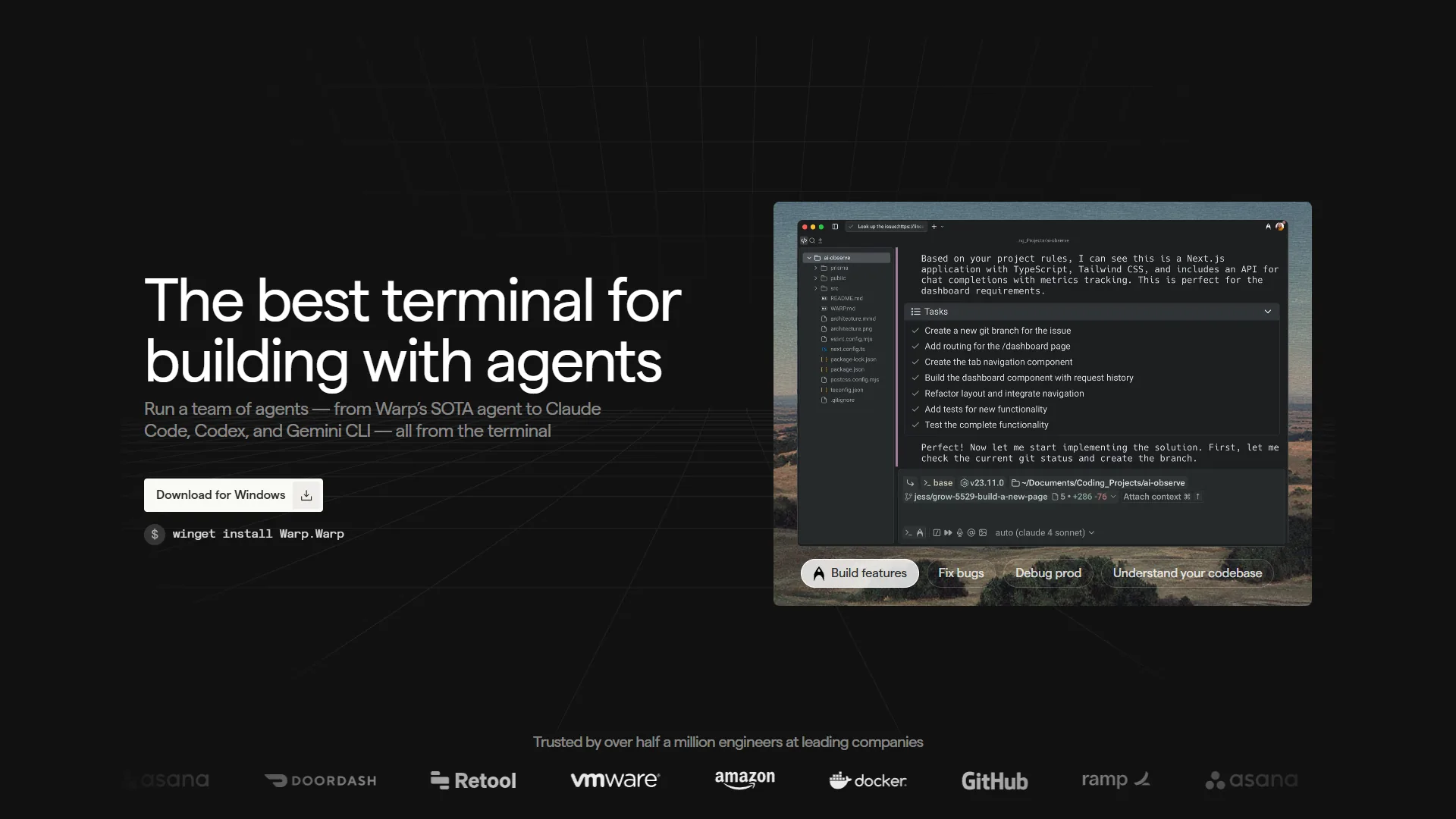
Pricing verified April 2026 from Warp's pricing page:
- Free: $0/mo
- Full terminal functionality
- 75 AI credits/month (150 for first 2 months)
- Multi-model AI access (OpenAI, Anthropic, Google)
- Best for: Individual developers trying Warp or light AI usage
- Build: $16.2/user/mo annual ($18 monthly)
- 1,500 monthly AI credits with 12-month rollover
- BYOK for OpenAI, Anthropic, and Google
- Agents 3.0 with interactive code review and unlimited Warp Drive
- Best for: Developers who rely on AI command generation daily
- Business: $45/user/mo
- Everything in Build
- SSO and enforced Zero Data Retention
- Shared credit pools, up to 50 team members, SOC 2 compliance
- Best for: Teams needing administrative controls and security
- Enterprise: Contact sales
- SAML-based SSO and SCIM provisioning
- Admin panel for user management
- Custom security requirements and dedicated support
- Best for: Large organizations with strict compliance needs
The free tier works for occasional AI usage. Build at $20 per month is the sweet spot for daily AI command generation.
What Warp Does That No Other Terminal Can
AI Command Generation: Type a plain-English description and Warp generates the exact shell command, including correct flags and piped operations. The official Warp Agents 3.0 documentation explains how the underlying model selects flags and chains operations.
Error Debugging: When a command fails, Warp’s AI analyzes the output and suggests fixes - useful for cryptic stack traces and permission errors. See our AI pair programming guide on how AI compresses the debugging loop.
Blocks System: Each command invocation becomes a navigable, copyable, collapsible output block instead of an undifferentiated scroll.
Warp Drive: Share commands, scripts, and workflow documentation through a synchronized team knowledge base, replacing buried Slack history and stale wikis.
Agents 3.0: Terminal agents execute multi-step sequences autonomously - “Set up a new Next.js project with TypeScript, ESLint, and deploy to Vercel” runs end to end without shell scripting.
Warp’s Limitations
Account Required: Unlike iTerm2, Kitty, or Alacritty, Warp requires account creation and authentication for full functionality - a dealbreaker for privacy-conscious developers. See our Warp vs iTerm2 breakdown for an open-source comparison.
Higher Resource Usage: Warp uses more memory and CPU than minimal terminals, which becomes noticeable on constrained machines.
Less Customizable: Veteran iTerm2 users with custom profiles, themes, and keybindings will find Warp’s options more limited.
Credit Limits on Free Tier: 75 AI credits/month depletes quickly with frequent use; Build’s 1,500 credits is much more comfortable.
Cursor: The Code Editor Built for AI
Cursor is a VS Code fork built for AI-assisted development. Founded in 2023, it reached $500 million ARR by June 2026 and is used by over half of Fortune 500 companies. It adds deep codebase understanding, multi-file editing, and parallel agent execution to code editing.
Cursor Pricing
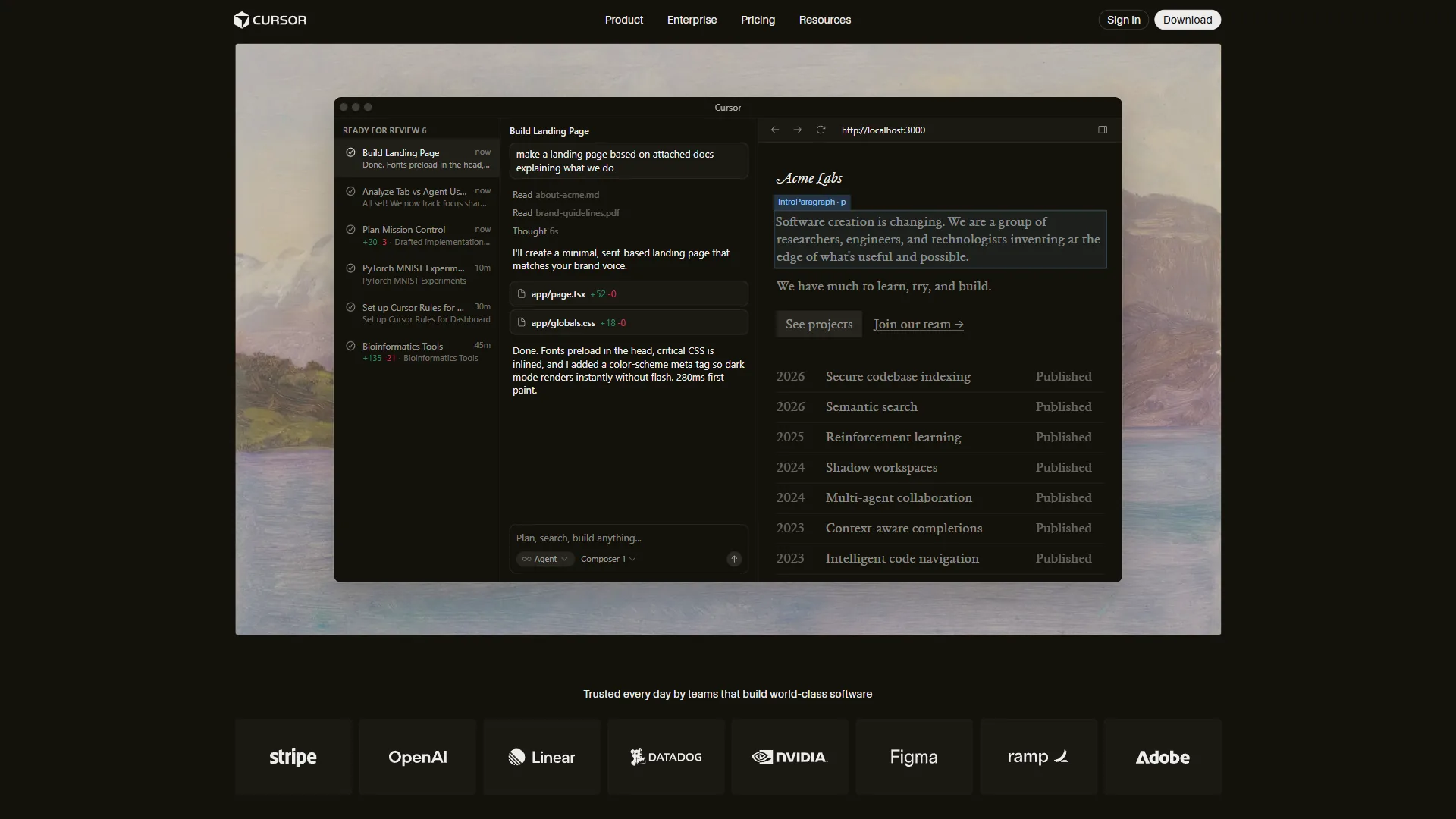
Pricing verified April 2026 from Cursor's pricing page:
- Hobby: $0/mo
- One-week Pro trial
- Limited Agent requests
- Limited Tab completions
- Best for: Trying Cursor before committing to a paid plan
- Pro: $20/user/mo
- $20 of API agent usage per month
- Unlimited Tab completions (Fusion model)
- Background Agents and maximum context windows
- Best for: Individual developers writing code most of the day
- Pro+: $60/user/mo
- $70 of API agent usage (3x Pro)
- Access to GPT-5, Claude 4 Opus/Sonnet, Gemini 2.5 Pro
- All Pro features
- Best for: Heavy multi-agent users who deplete Pro credits quickly
- Ultra: $200/user/mo
- $400 of API agent usage (20x Pro)
- Priority access to new features
- All Pro features
- Best for: Developers running multi-agent workflows all day
- Teams: $40/user/mo
- Centralized team billing
- Usage analytics and org-wide privacy controls
- SAML/OIDC SSO and role-based access control
- Best for: Engineering teams needing centralized administration
Pro at $20 per month suits most individual developers. Ultra only pays off for all-day multi-agent workflows.
What Cursor Does That VS Code Cannot
Composer Agent: Cursor’s proprietary model completes multi-file tasks in under 30 seconds, roughly 4x faster than GPT-5 for similar complexity, by modifying route files, middleware, database schema, and tests simultaneously. The Cursor engineering blog documents the orchestration.
Parallel Agent Execution: Run up to 8 agents simultaneously, each in an isolated git worktree, dispatching frontend, backend, migrations, tests, and docs in parallel - no equivalent in VS Code with Copilot.
Tab Completion with Fusion Model: Powered by Supermaven technology, Cursor’s Tab completions predict your next edit and jump your cursor there. Our GitHub Copilot vs Cursor breakdown shows the head-to-head data.
Deep Codebase Context: Cursor indexes your whole project to learn naming conventions, architecture patterns, and file relationships, then suggests changes that fit instead of generic examples.
Zero Migration Cost: Because Cursor is a VS Code fork, extensions, themes, and keybindings transfer immediately. Switching from VS Code takes 10 minutes. See our best AI code editors roundup for the broader landscape.
Cursor’s Limitations
Memory Consumption: Cursor uses 1-2GB more RAM than VS Code; multi-agent mode spikes past 4GB. 8GB machines will feel it.
Occasional Instability After Updates: New releases sometimes break Tab completions or agent behavior; fixes ship quickly but the pattern recurs.
Credit Pool Depletion: Pro’s $20 API credit covers 40-60 Composer requests. Heavy users hit Pro+ ($60 per month) within days.
VS Code Only: JetBrains and Visual Studio users cannot use Cursor without switching editors.
How Do You Use Warp and Cursor Together?
You use Warp and Cursor together by running shell commands, deployments, and infrastructure tasks in Warp while writing and refactoring application code in Cursor, with both AI engines active in parallel. The most productive developer workflow in 2026 treats them as complementary tools rather than competing ones. Here is how a typical development session looks:
Morning Setup
Open Warp, navigate to your project, and use AI command generation to check overnight changes: “show me all git changes from the last 24 hours grouped by author.” Then open Cursor, which indexes your codebase in the background while you review.
Active Development
In Cursor, open the controller file and let Tab completion suggest the method signature, then use Composer to generate the route handler, validation, and tests in one operation. Meanwhile, Warp runs the dev server in a split pane and explains any stack traces it sees.
Debugging a Deployment Issue
In Warp, type “check nginx configuration for syntax errors and show me which virtual host handles port 443.” Fix the certificate path in Cursor, then back in Warp run “reload nginx and verify it restarted successfully.”
Team Workflows
Your team documents deployment procedures in Warp Drive so junior engineers can run production deployments without memorizing 15-step procedures. Cursor’s shared snippets cover common code patterns.
Which Tool Fits Each Scenario
Cursor fits any scenario centered on writing or refactoring application code across multiple files, while Warp fits any scenario centered on shell commands, infrastructure, deployments, or team-shared workflows. The five scenarios below show the split in practice.
Scenario 1: “I need to refactor the authentication system across 12 files”
Use Cursor. This is exactly what Composer’s multi-file editing was built for - coordinated changes with a comprehensive diff. See our best AI coding assistants 2026 for cross-tool comparison.
Scenario 2: “I need to set up a local Kubernetes cluster with monitoring”
Use Warp. AI command generation produces the kubectl, helm, and configuration commands for each step and debugs failures inline. Cursor’s integrated terminal is too basic for this workflow.
Scenario 3: “I keep forgetting the kubectl syntax for specific operations”
Use Warp. “Get all pods in the production namespace and filter by status” becomes kubectl get pods -n production --field-selector=status.phase=Running without leaving the terminal. The Warp AI features documentation walks through the pipeline.
Scenario 4: “I need to add comprehensive test coverage to this module”
Use Cursor. Cursor understands your testing framework and codebase conventions and generates tests that match your project style. See our Cursor vs Windsurf comparison for context.
Scenario 5: “I need to share the exact production deployment procedure with my team”
Use Warp Drive. Documented command sequences give the whole team access to tested procedures. See our Warp terminal guide for team workflow structure.
How Much Do Warp and Cursor Cost Together?
Both tools cost $20 per month for the paid tier and offer a free tier:
Both free tiers: Warp gives 75 AI credits/month plus full terminal features; Cursor gives a one-week Pro trial then limited completions. Viable for occasional use, restrictive for daily AI-assisted work.
Both paid tiers: $40 per month total ($20 Warp Build + $20 Cursor Pro) is the recommended setup, covering 1,500 Warp credits and unlimited Cursor Tab completions with agent requests.
Strategic prioritization: Code 70% of the day -> Cursor Pro first. Heavy DevOps or infrastructure -> Warp Build first. See our Cursor pricing breakdown for tier detail.
The Bottom Line
The warp vs cursor question has a clear answer: you need both, and the comparison is between two complementary tools rather than competing ones.
Warp makes your terminal productive, handling git operations, server management, infrastructure, and builds. At $20 per month (or free for moderate usage), it is the best terminal investment available. Cursor makes your code editor productive, handling generation, refactoring, and testing across entire codebases. At $20 per month (or free with the one-week trial), it delivers measurable productivity gains for anyone writing code daily.
Start with Cursor Pro if you write application code most of the day; start with Warp Build if you spend significant time on DevOps. Add the second tool when your workflow demands it - which, for most developers, happens quickly.
FAQ
Q: Is Warp the same as Cursor?
Warp and Cursor are different tools. Warp is a terminal replacement for running shell commands like git push and docker-compose. Cursor is a code editor replacement built on VS Code for writing TypeScript, Python, and other application code.
Q: Is Warp better than Cursor AI?
The warp vs cursor question has a clear answer: you need both, and the comparison is between two complementary tools rather than competing ones.
Q: Is there any better tool than Cursor?
For pure code editing in 2026, no rival matches Cursor’s combination of Composer multi-file editing, up to 8 parallel agents, and Fusion-model Tab completion. Windsurf and Aider compete on specific axes; our Cursor vs Windsurf comparison covers the trade-offs.
Q: Can I use Warp with Cursor?
The warp vs cursor question has a clear answer: you need both, and the comparison is between two complementary tools rather than competing ones.
Q: How much does it cost to use Warp and Cursor together?
Using both paid tiers costs $40 per month - $20 for Warp Build and $20 for Cursor Pro. This covers 1,500 Warp credits and unlimited Cursor Tab completions. Both tools also offer free tiers.
Related Reading
The articles below extend this comparison with deeper individual reviews, head-to-head matchups against other AI coding tools, and a workflow guide for Warp teams.
- Warp Review
- Cursor Review
- Best AI Coding Assistants 2026
- GitHub Copilot vs Cursor: Feature-by-Feature Breakdown
- Aider vs Cursor 2026: Terminal AI Coding vs AI-Enhanced IDE
- Warp Terminal AI Productivity Guide
External Resources
The vendor documentation and pricing pages below provide the primary-source detail behind the claims in this guide.