


Aider is a free, open-source terminal AI coder, while Cursor is a $20-per-month VS Code-based AI IDE - Aider suits terminal power users who want Git-native commits and model choice, and Cursor suits developers who want a polished, zero-config experience. The deeper question in 2026 is how you want to work: a purpose-built AI IDE that handles everything through one interface, or a terminal-based tool that integrates with your existing editor, uses any model you choose, and costs only what you pay for API tokens.
Cursor is the AI-enhanced IDE built for developers who want power without friction. Aider is the open-source alternative for developers who live in the terminal, value Git-native workflows, and want full control over their AI stack without a monthly subscription.
This comparison draws on each vendor’s current documentation, pricing pages, and independent research rather than sponsored placement, and neither tool is universally better - the right choice depends entirely on how you code. AI Productivity may earn a commission from links on this page, but our rankings are editorially independent.
Comparison Table: Aider vs Cursor at a Glance
Aider is free and open-source with automatic Git commits and any-model support, while Cursor is a closed-source VS Code fork at $20 per month with Composer multi-file editing. Aider vs Cursor is one of the most common comparisons in this category, alongside Cursor vs VSCode and Aider vs Cline debates that developers bring up constantly. This guide compares both tools across the features that actually matter for daily work.
| Feature | Cursor | Aider |
|---|---|---|
| Type | AI-enhanced IDE (VS Code fork) | Terminal-based AI pair programmer |
| Price | Free / Pro $20/mo | Free (you pay API costs) |
| Open Source | No | Yes (MIT license) |
| Editor | Built-in (VS Code) | Works with any editor |
| AI Models | GPT-4o, Claude, Gemini, Composer | Claude, GPT-4o, Gemini, any OpenAI-compatible API |
| Git Integration | Manual commits | Automatic commits per change |
| Setup | Install and go | Requires Python + API keys |
| Best For | Daily driver for most developers | Terminal power users, open-source contributors |
| Context Window | Whole codebase mode | Repo map + file selection |
Quick verdict: On the Aider vs cursor cost question, choose Cursor if you want a polished, turnkey AI coding experience with a predictable monthly subscription. Choose Aider if you prefer open-source tools, live in the terminal, want Git-native workflows, and are comfortable managing your own AI API keys. Cursor vs Copilot is the other comparison worth running if you already pay for GitHub.
What Is Cursor?
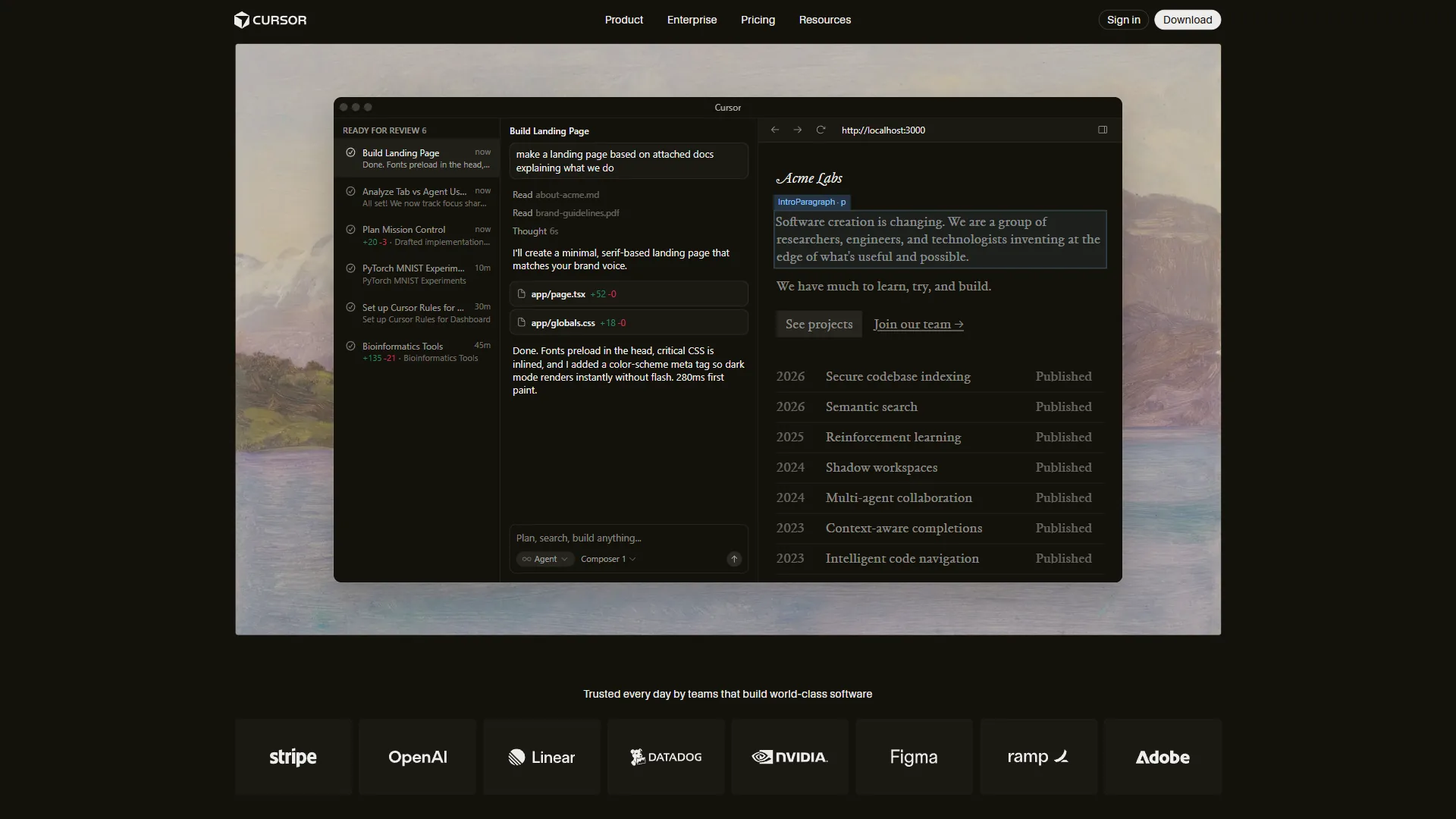
Cursor is a fork of VS Code rebuilt for AI-assisted development. It retains everything developers love about VS Code - extensions, keybindings, themes - while adding a deeply integrated AI layer that operates across your entire codebase, not just the current file.
The flagship feature is Composer, Cursor’s multi-file editing mode. You describe what you want in plain English, and Cursor analyzes your codebase, identifies which files need changes, and makes them - showing diffs before applying anything. This is genuinely agentic code editing, not tab completion.
Key Cursor capabilities:
- Composer (Agent mode) - Describe a feature or bug fix in natural language; Cursor plans and executes across multiple files (see Composer’s official documentation)
- Tab completions - Context-aware completions that understand your codebase, not just the current file
- Chat panel - Ask questions about your code, get explanations, request refactors, all with access to the full repository context
- Codebase indexing - Cursor indexes your project so the AI can answer questions about code anywhere in the repo, similar to the AI tools for coding we have benchmarked elsewhere
- Model flexibility - Switch between GPT-4o, Claude Sonnet/Opus, Gemini, or Cursor’s proprietary Composer model
- Privacy mode - Code is not stored on Cursor servers when privacy mode is enabled
Pricing: Free plan includes limited completions and chat messages per month. Pro is $20 per month for unlimited completions, 500 fast premium requests, and 10 agent uses per day. Business is $40 per user/month for team features and centralized billing.
Cursor is a subscription service. Your cost is predictable regardless of how much you use it - a big advantage if you write a lot of code daily.
Limitations and who Cursor is not for: The biggest drawbacks are around lock-in and openness. Cursor is closed-source, so you can’t audit it, self-host, or run it against a local model - a real downside for security-sensitive teams. The 500 fast-request cap on Pro hits heavy users mid-session, and you’re locked into the VS Code fork even if you prefer Neovim, Emacs, or JetBrains. Skip Cursor if open source matters or your editor of choice is anything other than VS Code.
What Is Aider?
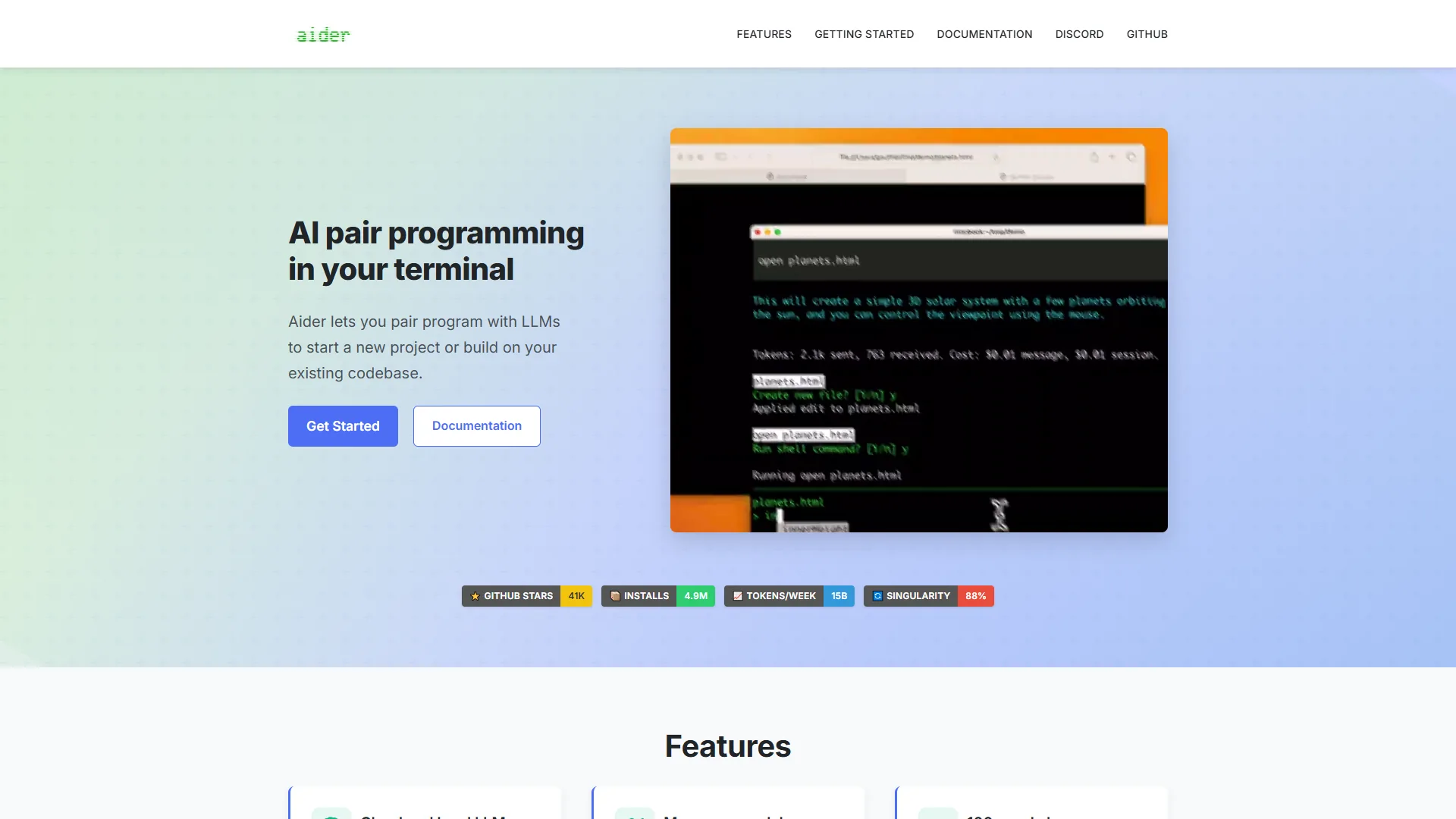
Aider is an open-source AI pair programmer that runs in your terminal. You launch it from the command line in your project directory, add files to context, chat with the AI about changes, and Aider edits your files and commits them to Git automatically.
Aider is not an editor. It works alongside whatever editor you use - Neovim, VS Code, Emacs, Helix, anything - so you edit code in your normal environment while Aider handles the AI conversation and file modification in the terminal.
Key Aider capabilities:
- Terminal-native - Runs in any terminal, works with any editor, no IDE lock-in
- Git-integrated - Every change Aider makes is automatically committed with a descriptive commit message, giving you granular version history of every AI-assisted edit
- Model agnostic - Works with Claude (Anthropic), GPT-4o (OpenAI), Gemini, Ollama (local models), and any OpenAI-compatible API
- Repo map - Aider builds a tree-sitter based repository map so the AI understands the codebase structure without including every file in context
- Voice coding - Dictate code changes using the
/voicecommand - Linting and testing - Can automatically run your linter and tests after each change, re-prompting the AI if failures occur
- Multi-file edits - Despite being terminal-based, Aider handles multi-file changes well through its diff-based editing format
Pricing: Aider itself is free and open source. You pay directly for API usage:
- Claude Sonnet 3.7: approximately $3 per million input tokens / $15 per million output tokens (see Anthropic’s pricing page)
- GPT-4o: approximately $2.50 per million input tokens / $10 per million output tokens (see OpenAI’s API pricing)
For light to moderate use, this is often cheaper than Cursor’s $20 per month. For heavy daily use - long sessions with large codebases - API costs can exceed a subscription.
Installation: Aider installs via pip: pip install aider-chat. You need Python 3.9+ and API keys for whichever model you want to use. For a head-to-head with the leading IDE alternative, see our GitHub Copilot vs Cursor breakdown.
Limitations and who Aider is not for: Aider has clear tradeoffs. Setup needs Python, pip, and API key wrangling, which is friction for developers used to GUI tools. There’s no built-in editor, no inline tab completion, and no Composer-style multi-file agent - so big greenfield refactors feel slower than in Cursor. API costs on heavy daily sessions with Claude Sonnet can exceed $20 per month, the very subscription Aider was meant to undercut. Skip Aider if you want zero-config installation, inline completions, or polished UI for multi-file agent runs.
Head-to-Head: Where Each Tool Wins (Plus Limitations)
Cursor wins on setup, code-editing polish, and large-codebase performance, while Aider wins on Git workflow, model choice, editor flexibility, and open-source auditability. The seven dimensions below detail those tradeoffs - including the limitations and drawbacks of both tools, not just where each wins.
Setup and Onboarding
Cursor wins decisively here. Download the installer, open your project, and you are writing AI-assisted code within minutes. No configuration, no API keys, no environment setup.
Aider requires Python, pip, API key configuration, and some familiarity with command-line tools. For experienced developers comfortable with the terminal, this is trivial. For developers used to GUI tools, the setup friction is real.
Winner: Cursor.
Code Editing Experience
Cursor’s Composer mode is impressive. You describe a feature, watch it plan across your codebase, review the diffs, and apply with one click. The tab completion is best in class - context-aware in a way that feels genuinely intelligent.
Aider handles multi-file edits effectively, but differently. You add files to context explicitly, describe changes in chat, and Aider edits and commits - more like pair programming with a colleague than directing an agent.
For complex, multi-step feature development, Cursor’s agent mode is faster and more capable. For targeted, precise changes, Aider’s explicit context control gives you more predictability. Our best AI code editors 2026 roundup covers the broader landscape.
Winner: Cursor for multi-file agent workflows; Aider for targeted precision.
Git Workflow
This is Aider’s standout feature. Every change Aider makes - even experimental ones - gets committed automatically with a meaningful commit message. According to Aider’s official Git documentation, the tool “automatically commits each change with a sensible commit message” so you keep a granular, revertible history of every AI-assisted edit.
Cursor does not commit automatically. You see diffs and apply changes, but committing is your responsibility - and as Cursor’s own documentation notes, version control stays a manual step. For teams or solo developers who want a clean audit trail of AI-assisted work, this gap matters.
Winner: Aider.
Model Choice and Cost Control
Aider connects to any model with an OpenAI-compatible API, including local models via Ollama. You can run entirely offline with a local LLM if you want. You pay per token, so light use is cheap and you always know exactly what you are spending. Aider publishes a public code-editing leaderboard so you can compare model accuracy before committing budget; as Paul Gauthier, founder of Aider, says, “aider works best with Claude 3.7 Sonnet, OpenAI o1 & o3-mini, and GPT-4o.” For developers curious about which AI model works best for coding tasks, our guide on which Claude model for coding breaks down the differences.
Cursor supports multiple models but is a closed platform with its own pricing. You cannot run Cursor against a local model or an arbitrary API. The subscription pricing is predictable but removes your ability to optimize cost.
Winner: Aider for flexibility; Cursor for simplicity.
Editor Flexibility
Aider works with any editor. Neovim users, Emacs users, JetBrains users - all can use Aider while staying in their preferred environment. This matters to developers who have invested years in their editor configuration and workflow.
Cursor is a VS Code fork. If you use VS Code already, this is a non-issue. If you use another editor, switching to Cursor means abandoning your existing setup.
Winner: Aider.
Performance on Large Codebases
Cursor’s codebase indexing handles large repositories well, letting the AI answer questions about code across the entire project without manual context management.
Aider’s repo map is sophisticated - it builds a tree-sitter based map of your codebase to help the AI navigate without including all files in context - but for very large codebases, you still manage which files are in the active context window explicitly.
Winner: Cursor for large codebases.
Privacy and Open Source
Aider is MIT-licensed, entirely open source, and your code never leaves your machine unless you send it to an API of your choosing. You can audit every line of code, self-host, or modify it for your needs.
Cursor is closed-source. Privacy mode exists, but the application itself is not auditable. For organizations with strict code confidentiality requirements, this matters.
Winner: Aider.
Choose Cursor if You Want a Polished IDE
Cursor is the right choice if:
- You want a turnkey AI coding experience. Install and start getting value immediately without configuration overhead
- You use VS Code already. Cursor’s settings import means your existing setup migrates seamlessly
- Multi-file agent workflows are your primary use case. Cursor’s Composer mode is the most capable multi-file AI editor available
- You code heavily every day. At $20 per month flat, heavy users get better value than paying per API token
- You work in a team and want centralized billing. Cursor’s Business plan simplifies AI tooling management for organizations
Choose Aider if You Live in the Terminal
Aider is the right choice for terminal-centric developers who want open-source software, Git-native commits, free per-token pricing, and the freedom to switch between any AI model. Aider fits best if:
- You live in the terminal. Aider fits naturally into a terminal-centric workflow without forcing an IDE change
- You want open-source software. Aider is MIT-licensed, auditable, and entirely free to modify
- Git commit history matters to your workflow. The automatic, granular commit per change is uniquely valuable for reviewing AI-assisted work
- You want model flexibility. Connect to any API including local Ollama models, or switch models per project based on cost and capability
- You code occasionally or in short sessions. Per-token pricing is often cheaper than a subscription for light users
- You are building AI tooling. Aider’s architecture and open-source nature make it easy to integrate into custom workflows and scripts
Cost Comparison: When Does Aider Beat Cursor on Price?
Cursor Pro is $20 per month regardless of usage. Aider costs what you spend on API tokens.
A typical hour-long Claude Sonnet 3.7 session - asking questions, making edits, reviewing code - uses roughly 50,000-200,000 tokens, or $0.15-$3.00 per session at current pricing.
Aider is cheaper if you: Code fewer than 10-15 hours per month, work on smaller codebases where context is limited, or use less expensive models like GPT-4o Mini.
Cursor is cheaper if you: Code daily for extended sessions, work with large codebases that consume significant context, or value the predictability of a flat monthly fee.
Cost tradeoffs to watch: Aider’s per-token pricing has real downsides for heavy users - large repos with deep context can blow past $20 per month in API spend. Cursor’s flat fee has its own drawbacks: light users effectively subsidize heavy users, and you can’t shift to cheaper models when the task is simple. Skip a flat subscription if your monthly coding hours swing wildly week to week.
Final Verdict: The Aider vs Cursor Decision Framework
Choose Cursor if you want a turnkey VS Code-based AI IDE and code more than 15 hours per month, and choose Aider if you want open-source software, automatic Git commits, and freedom to use any editor or model. The decision tree below walks those branches in order.
Do you use VS Code (or want to switch to it)?
├── YES → Cursor is a natural fit
└── NO → Aider preserves your editor setup

Do you want automatic Git commits per AI change?
├── YES → Aider's workflow is built for this
└── NO → Either tool works fine

Is open source and auditability important?
├── YES → Aider is the only choice
└── NO → Either tool works fine

Do you code more than 15 hours per month?
├── YES → Cursor's flat fee is likely cheaper
└── NO → Aider's per-token pricing may save money
The Bottom Line
The aider vs cursor comparison is not about which tool is objectively better - it is about which tool fits your workflow, values, and usage patterns.
Cursor is the right default for most developers. It is polished, powerful, handles complex multi-file workflows through Composer, and requires zero configuration. The $20 per month subscription delivers clear value for anyone coding regularly.
Aider is the right choice for developers who value open-source software, want Git-native AI workflows with automatic commits, prefer to stay in their existing editor, or want full control over model selection and cost. For terminal-centric developers, Aider often feels more natural than any IDE.
Try both before committing - Aider is free to install and Cursor has a free tier. For deeper terminal-AI alternatives, see Claude Code vs Aider.
FAQ
Q: What is the difference between Cursor agent and aider?
Cursor is an AI-enhanced IDE - a VS Code fork with a built-in editor, Composer multi-file editing, and a polished interface billed at $20 per month Pro. Aider is a terminal-based AI pair programmer that works with any editor, uses any OpenAI-compatible API, and makes automatic Git commits per change. Cursor is turnkey; Aider requires Python and API keys.
Q: How much is aider vs Cursor?
Cursor offers a free tier and a Pro plan at $20 per month covering its AI features. Aider itself is free and open-source under the MIT license, but you pay API costs directly for whichever model you use - Claude, GPT-4o, Gemini, or any OpenAI-compatible provider. Aider has no subscription; Cursor bundles usage into one monthly fee.
Q: Is Cursor better than aider?
The aider vs cursor comparison is not about which tool is objectively better - it is about which tool fits your workflow, values, and usage patterns.
Q: Is there any better tool than Cursor?
The aider vs cursor comparison is not about which tool is objectively better - it is about which tool fits your workflow, values, and usage patterns.
Related Reading
These guides extend the Aider vs Cursor comparison with full tool reviews and adjacent AI-coding matchups.
- Cursor Review - Full breakdown of features, pricing, and Composer agent mode
- Aider Review - Open-source terminal AI coder: setup, models, and Git workflows
- Cursor vs Replit: Which AI Coding Tool Wins?
- Lovable vs Cursor: AI App Builder Comparison
- Claude Code vs Aider: AI Terminal Coding Tools
External Resources
The primary-source documentation below verifies the pricing, features, and benchmark claims in this comparison.