







Cursor is a desktop AI code editor for professional developers with existing codebases, while Replit is a browser-based platform for getting from idea to deployed app fast. Both use AI to write code faster and both have free tiers, but they are built on fundamentally different premises about AI-assisted development.
Cursor is a fork of VS Code that bakes AI deeply into local development and ranks among the best AI code editors in 2026. Replit lets you write, run, and deploy code without touching your local machine, as outlined in our Cursor pricing breakdown.
AI coding tools are now used by over 62% of professional developers, with adoption growing fastest among early-career engineers, according to Stack Overflow’s 2024 Developer Survey. “Cursor learns how you code and predicts your next edit,” states Cursor’s official documentation, describing the codebase-aware Tab model behind its high acceptance rates. Neither tool is universally better - the right choice depends on what you are building, how you work, and what stage you are at.
This comparison draws on current vendor documentation, pricing pages, and independent research rather than sponsored placement. AI Productivity may earn a commission from links on this page; our rankings are editorially independent.
Comparison Table: Cursor vs Replit at a Glance
Cursor costs $20 per month for Pro and runs as a local VS Code fork, while Replit costs $25 per month for Core and runs in the browser with built-in deployment. The table below compares both tools across pricing, AI agents, deployment, and collaboration.
| Feature | Cursor | Replit |
|---|---|---|
| Rating | ||
| Free Tier | Yes (Hobby - limited) | Yes (Starter - generous) |
| Pro Price | $20/month | $25/month (Core) |
| Teams Price | $40/user/month | $40/user/month |
| Where it runs | Local desktop (VS Code fork) | Browser-based |
| Best For | Professional developers with existing codebases | Learning, prototyping, instant deployment |
| AI Agent | Cursor Composer (multi-file editing) | Replit Agent 3 (full app builder) |
| Deployment | External service required | Built-in, one-click |
| Collaboration | Limited | Real-time multiplayer |
| Key Strength | Deep codebase context, professional workflow | Zero setup, instant deploy, 300+ AI models |
Quick verdict: Cursor is the choice for professional developers who live in VS Code and want the most powerful AI-assisted editing for complex projects. Replit is the choice for anyone who wants to go from idea to deployed application fast - learning, prototyping, or building internal tools.
Cursor: The Professional AI Code Editor
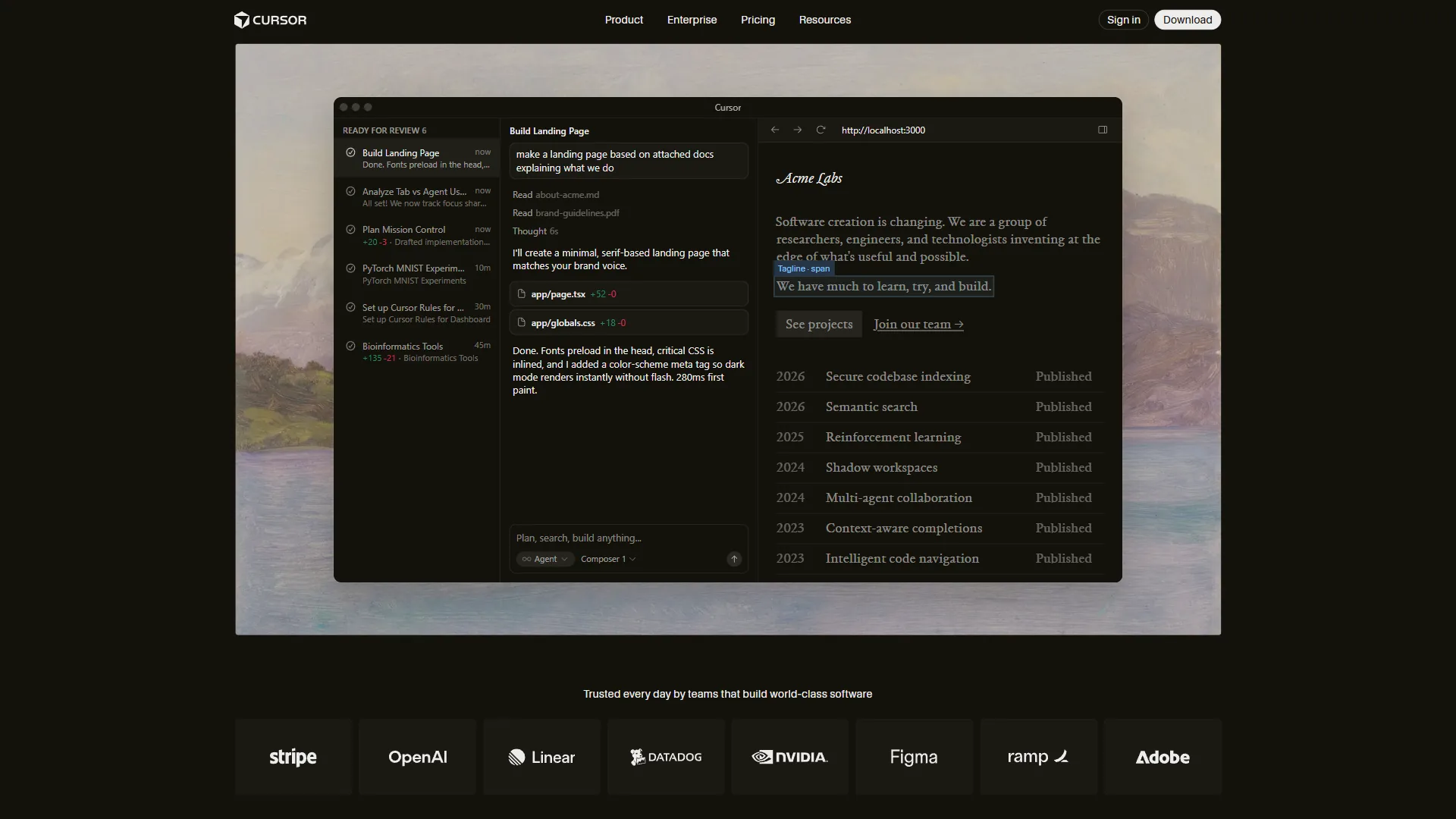
Cursor is an AI-first code editor built as a fork of VS Code, designed for professional developers who want AI deeply integrated into their local workflow. Cursor launched in 2023 with a simple premise: take VS Code and rebuild it from the ground up to work with AI natively - not an extension or plugin, but an editor that feels exactly like what you already know.
That familiarity is Cursor’s first advantage. For an existing VS Code user, switching takes about 15 minutes - extensions, keybindings, and settings all transfer. The only difference is the substantial AI layer.
How Cursor’s AI Works
Cursor’s AI operates at several levels simultaneously.
Tab completion suggests not just the next line but often the next several lines, predicting intent rather than pattern-completing syntax. Acceptance rates are higher than earlier AI completions because the model is trained specifically for this low-latency inline use case.
Cursor Composer is the more transformative feature, as detailed in the Cursor Agent overview. Describe a task in natural language - “add authentication to this Express app” - and Composer uses your full codebase context to make coordinated changes across multiple files, showing a diff before applying. This is AI-assisted development that understands your project architecture, not just your current file.
Chat gives you a conversation interface that can reference any file in your already-indexed codebase, with no copy-pasting context. For more, see our Cursor AI productivity tips guide. Background Agents (Pro tier and above) let you kick off longer-running tasks - test generation, documentation, refactoring - while you keep working.
Cursor Pricing
Pricing verified April 2026 from Cursor's pricing page:
- Hobby: $0/mo
- One-week Pro trial
- Limited agent requests after trial
- Limited Tab completions
- Best for: Evaluating Cursor before committing
- Pro: $20/user/mo
- $20 of API agent usage per month
- Unlimited Tab completions and all AI models
- Background Agents and maximum context windows
- Best for: Most professional developers
- Pro+: $60/user/mo
- $70 of API agent usage (3.5x Pro)
- Frontier models: GPT-5, Claude Opus 4, Gemini 2.5 Pro
- All Pro features included
- Best for: Heavy Composer users hitting Pro credit limits
- Ultra: $200/user/mo
- $400 of API agent usage
- Priority support
- For developers running agents constantly
- Best for: Power users running multi-agent workflows daily
- Teams: $40/user/mo
- Everything in Pro
- Centralized billing and usage analytics
- SSO and privacy controls
- Best for: Engineering teams needing admin controls
The $20 Pro plan is the right starting point for most developers. Hitting the API credit limit regularly signals enough value from Composer to justify stepping up to Pro+.
Who Cursor Is Best For
Cursor earns its reputation among professional developers because it fits into rather than replaces their workflow. You keep your local environment, Git workflow, and deployment process, and AI enhances every step without changing your fundamental approach to writing code.
It is particularly strong for:
- Maintaining existing codebases - Composer understands your architecture and generates code that fits
- Refactoring and technical debt - Coordinated multi-file changes that would take hours manually
- Code review and comprehension - Understanding inherited code or unfamiliar libraries quickly
- Senior developers wanting leverage - Cursor amplifies existing skill rather than replacing it
Where Cursor shows limitations: the free tier is nearly unusable for real work, API credits on Pro deplete faster than expected under heavy Composer use, and memory consumption is higher than standard VS Code. For lighter alternatives, see our best Cursor alternatives roundup.
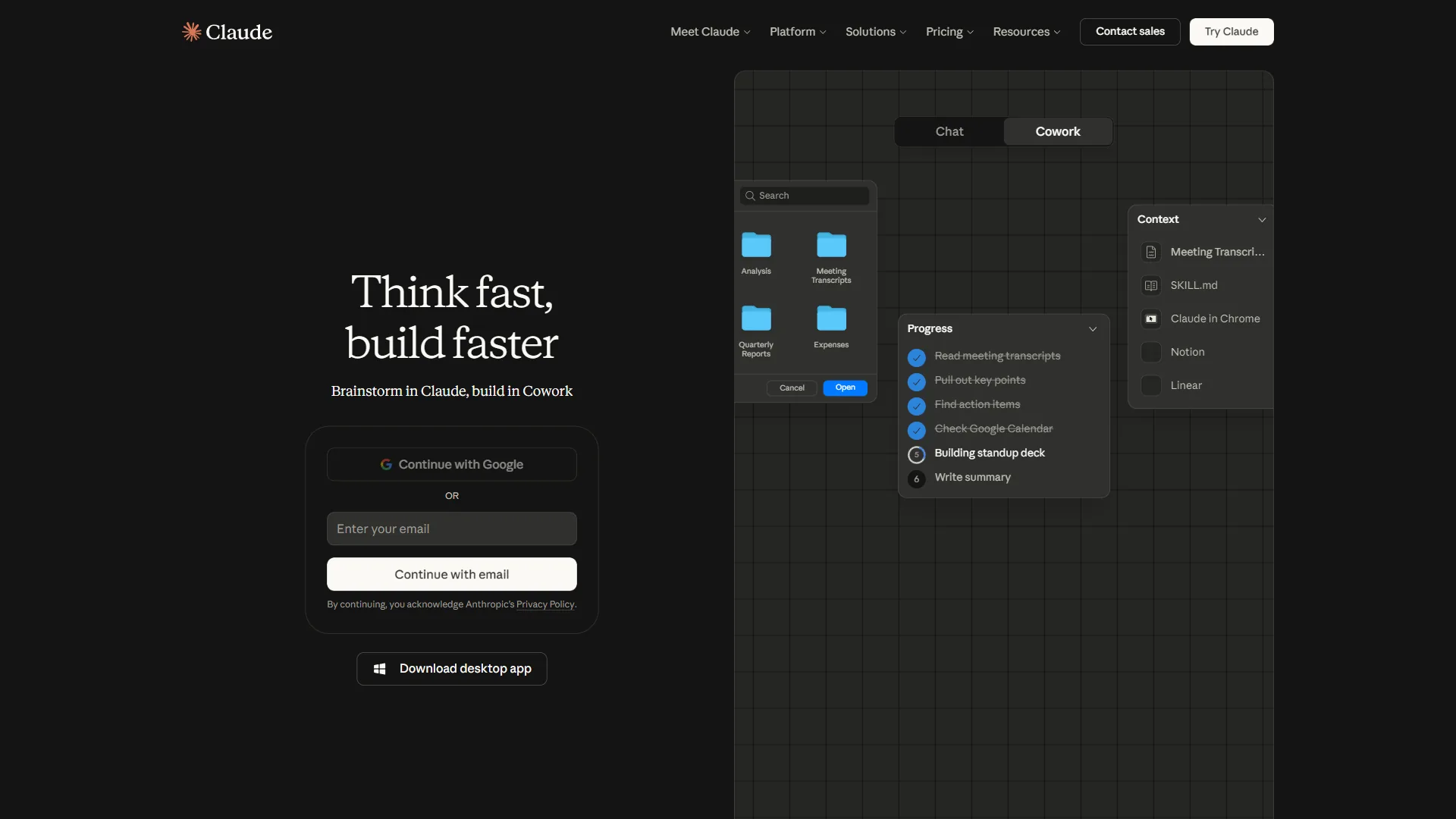
Replit: The Browser-Based AI Development Platform
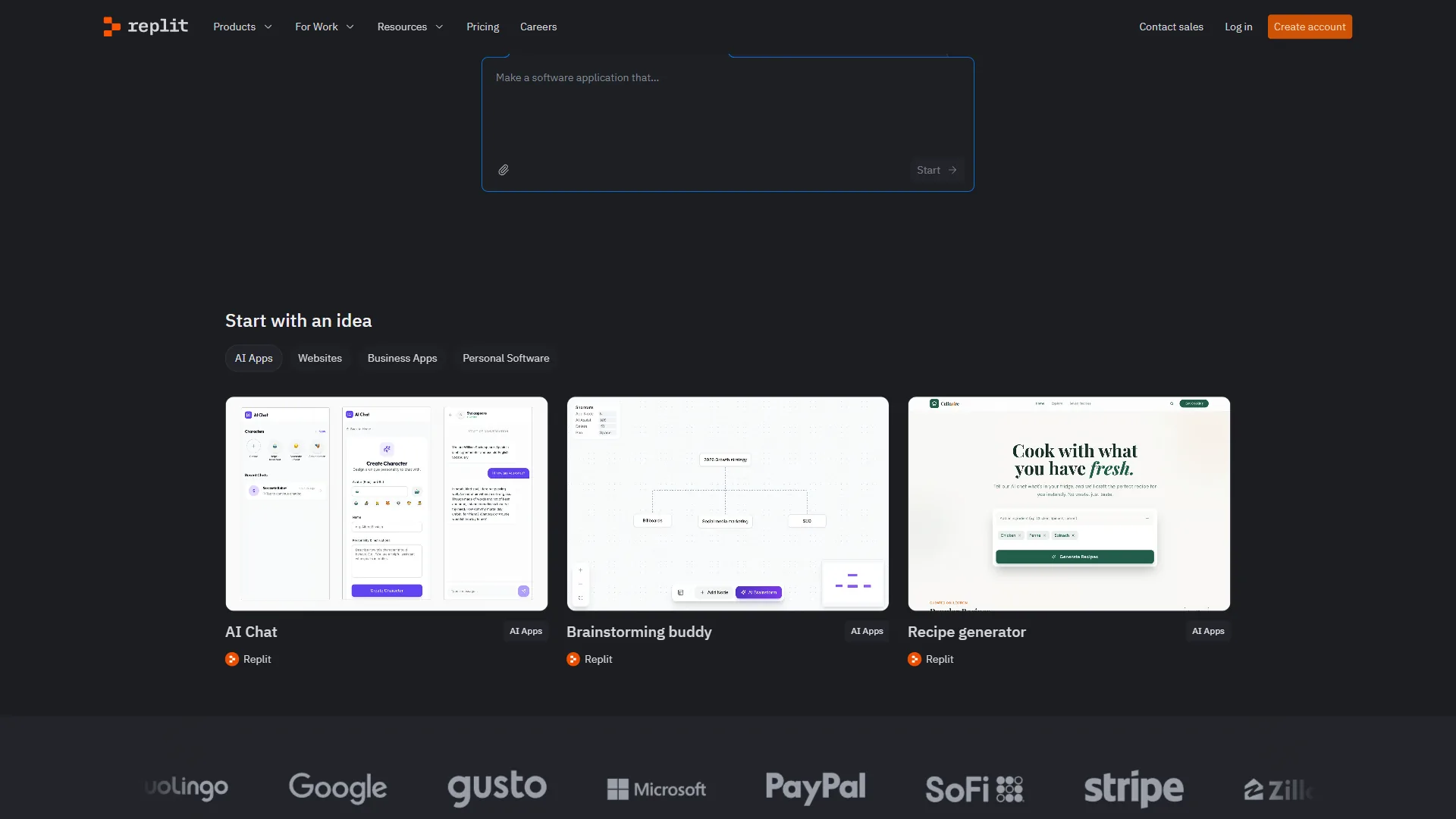
Replit has been a browser-based coding environment since 2016, and Replit Agent 3 - an autonomous AI agent capable of building full applications from natural language - has moved it from a learning tool to a serious development platform.
The core proposition differs from Cursor’s. Replit does not ask you to maintain a local environment, manage dependencies, or configure deployment infrastructure - you open a browser, describe what you want, and Replit handles the rest, including deploying to a live URL with SSL.
How Replit’s AI Works
Replit Agent 3 is the flagship AI feature, documented in the official Replit Agent docs. Tell it in plain English what application you want - “build a web app where users upload CSV files and see charts” - and Agent 3 writes the code, installs dependencies, runs the application, tests it, and fixes errors autonomously. It can operate for up to 200 minutes continuously, so complex applications build without constant supervision.
What makes Agent 3 distinctive is the testing layer. Rather than writing code and stopping, it navigates the application like a real user, records video replays of issues, and enters a self-correction loop to fix problems before surfacing them - producing better results than agents that hand over untested code.
300+ AI Models are available through Replit’s AI Integrations feature. Claude Sonnet 4.5 and Opus 4.5, GPT-4o, Gemini, Llama, Grok, and Mistral are all accessible without API keys, working out of the box on Replit’s built-in credit system.
Real-time Collaboration works like Google Docs for code: multiple people edit simultaneously with shared cursors, execution environments, and integrated chat - substantially better than VS Code Live Share.
One-Click Deployment gives your application a live URL instantly, with no cloud provider, DNS, or SSL certificates to configure - transformative for prototyping and demos.
Replit Pricing
Pricing verified April 2026 from Replit's pricing page:
- Starter: Contact sales (10 public apps, 2 GiB storage per app, 10 GiB outbound data transfer)
- $3 in AI credits to try Agent
- Basic workspace, up to 10 public apps
- 2 GiB storage per app
- Best for: Learning to code and small public projects
- Core: $20/user/mo annual ($25 monthly) (Unlimited apps, 50 GiB storage per app, 100 GiB outbound data transfer)
- Full Replit Agent 3 access (200 min autonomous runtime)
- $25 monthly AI credits (raised from $10 in early 2026)
- 4 vCPUs with 8 GiB RAM, unlimited private apps
- Best for: Solo developers wanting full Agent 3 access
- Teams: $35/user/mo annual ($40 monthly) (Per user, 250 GiB storage, 1 TB outbound data transfer)
- Everything in Core
- 8 vCPUs with 16 GiB RAM, $40 AI credits per user
- Centralized billing, RBAC, private deployments
- Best for: Small teams collaborating on shared apps
- Enterprise: Contact sales (Custom compute and storage)
- SSO/SAML and SCIM provisioning
- Custom infrastructure
- Dedicated support
- Best for: Organizations with compliance and scale needs
The free Starter tier is more useful than Cursor’s - $3 in AI credits is modest, but the basic environment works without AI for simple projects. Core at $25 per month is the right entry point for full Agent 3 access.
Who Replit Is Best For
Replit’s browser-based, zero-setup approach makes it the fastest path from idea to running application. Replit excels for:
- Learning to code - Instant environment, no local setup, AI that explains as it builds
- Rapid prototyping - Go from idea to deployed prototype in under an hour
- Non-technical teams - Marketing and operations teams can build internal tools without engineering dependencies
- Demonstrations and sharing - Every project has a live URL anyone can visit
- Multiplayer development - Seamless real-time collaboration
- Students and educators - The free tier works well for coursework, no installation required
Where Replit shows limitations: it is not ideal for large production applications requiring dedicated infrastructure, enterprises with strict compliance needs, or developers who need deep local tooling or Git provider integrations beyond GitHub. For more, browse our best Replit alternatives.
Replit Agent vs Cursor Composer: The Core AI Comparison
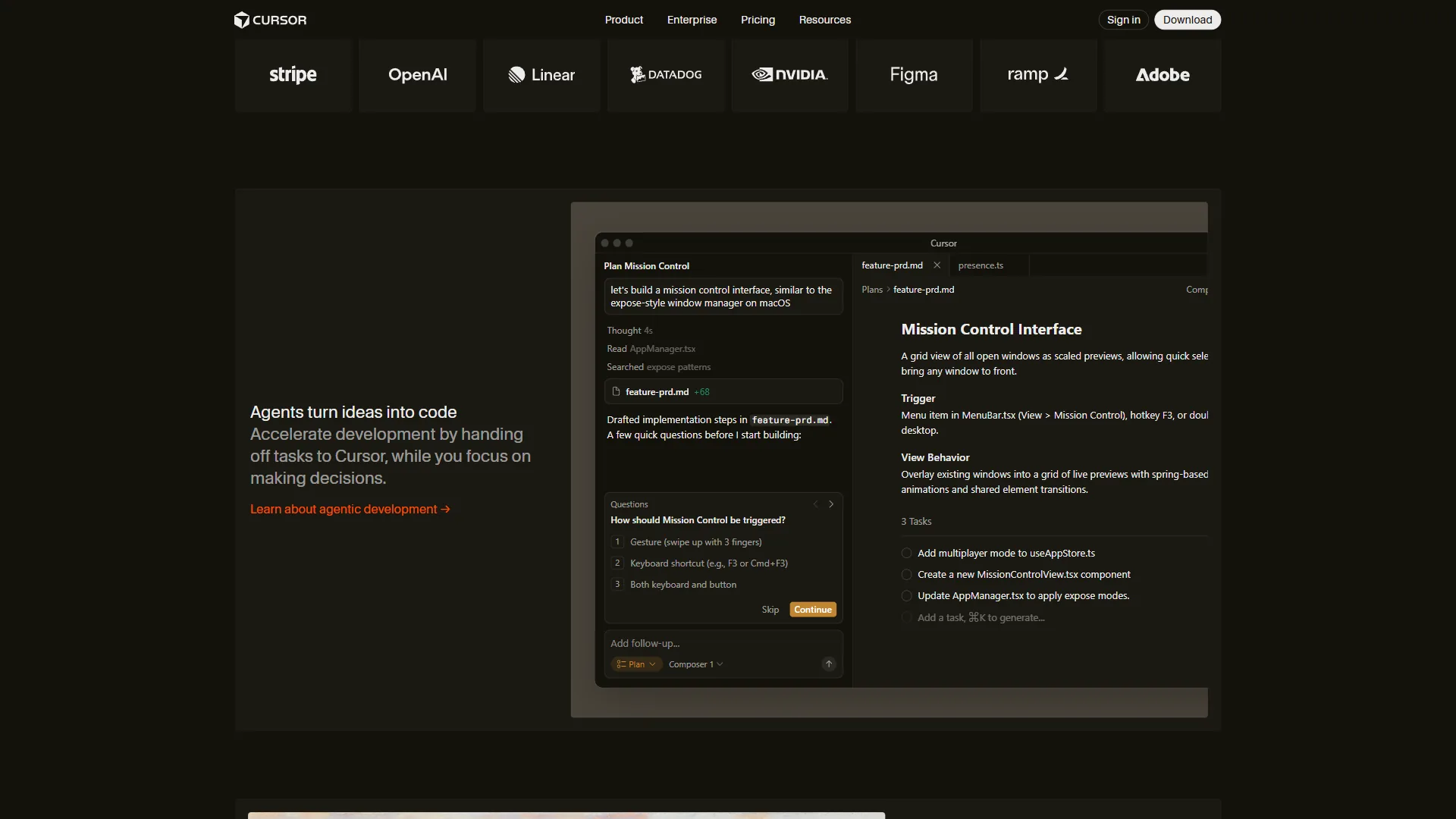
Replit Agent 3 is built to create full applications from scratch, while Cursor Composer is built to make coordinated, multi-file edits inside an existing codebase. These two flagship AI features are the most meaningful comparison in the cursor vs replit debate - both use AI to build and modify code, but they approach the problem differently.
Replit Agent 3 is optimized for building from scratch. Give it a natural language description of an application, and it produces something working and deployed - best when starting something new and wanting the AI to do the heavy lifting.
Cursor Composer is optimized for working within existing code. It understands your codebase, generates changes that fit your architecture, and makes coordinated edits across files - best when adding to, modifying, or refactoring something that already exists.
The practical implication: for a greenfield project built with minimal input, Replit Agent 3 will impress you; for an existing production codebase that needs AI matching your patterns, Cursor Composer is stronger. Neither eliminates the need for developer judgment - both make mistakes and generate code that needs review.
Limitations and tradeoffs: Replit Agent 3’s biggest drawbacks are runaway credit consumption on long autonomous runs and limited insight into mid-loop changes, making audits painful for production work. Cursor Composer’s downsides are slower performance on very large monorepos, occasional hallucinated imports, and inheriting whatever bad patterns already exist in your codebase. Skip Agent 3 if you need predictable, reviewable diffs every step; skip Composer if your codebase is empty and you want the AI to scaffold from scratch.
Feature-by-Feature Breakdown
Code Quality and AI Accuracy
For inline completions: Cursor’s tab completion is more refined for professional development, with higher acceptance rates and better context awareness. Replit’s completions are solid but optimized for the learning use case.
For agent-built code: Replit Agent 3’s self-testing loop produces more complete applications from scratch, while Cursor Composer fits better into existing architectures.
Verdict: Cursor wins for professional development; Replit wins for new application generation.
Development Environment
Cursor gives you a full local development environment - file system, terminal, Git client, and Docker setup - with AI assistance layered in. Replit gives you a containerized cloud environment with browser-based file access, an integrated terminal, and automatic resource provisioning - nothing installed locally.
Verdict: Depends on your preference. Local development gives you more control; browser-based development gives you less to manage.
Deployment
Cursor has no deployment capability - you use whatever workflow you already have, such as Vercel, AWS, or GitHub Actions. This is a non-issue for experienced developers, who would not want Cursor managing deployments anyway.
Replit’s one-click deployment is a genuine differentiator - projects can be live in seconds with automatic SSL and domain routing, removing friction for prototypes, demos, and side projects.
Verdict: Replit wins decisively on deployment simplicity.
Collaboration
Cursor’s collaboration is limited to standard Git workflows and VS Code Live Share, which requires setup and is typically asynchronous. Replit’s real-time multiplayer editing is seamless and built-in.
Verdict: Replit wins on collaboration.
Privacy and Security
Cursor processes your code locally, with AI queries going to Cursor’s servers and underlying model providers; Business and Teams tiers include privacy controls, and code stays on your machine by default. Replit is entirely cloud-based, so your code lives on Replit’s infrastructure - a non-issue for most use cases, but relevant for organizations with data residency requirements.
Verdict: Cursor wins for privacy-sensitive work.
Learning Curve
Cursor requires almost zero learning for VS Code users - the UI is identical and basic Tab completion works immediately, though Composer’s full capabilities take time. Replit has a minimal learning curve because the environment is so simplified, and Agent 3 is particularly accessible.
Verdict: Tie for different audiences. Cursor is easier for experienced VS Code developers; Replit is easier for beginners. Compare more entrants in our Cursor vs Windsurf and Cursor vs GitHub Copilot breakdowns.
Pricing Comparison
| Plan | Cursor | Replit |
|---|---|---|
| Free | Hobby (very limited) | Starter ($3 AI credits) |
| Entry Paid | Pro - $20/month | Core - $25/month |
| Mid Tier | Pro+ - $60/month | Teams - $40/user/month |
| Teams | $40/user/month | $40/user/month |
| Power User | Ultra - $200/month | Enterprise (custom) |
Entry paid-tier costs are similar - $20 for Cursor Pro versus $25 for Replit Core - but what you get differs: Cursor Pro gives $20 in API credits, while Replit Core gives $25 in AI credits plus built-in deployment and 4 vCPUs of compute.
For developers who would otherwise pay separately for hosting, Replit Core’s all-in pricing can be more economical; for those who just want AI-enhanced editing, Cursor Pro is slightly cheaper. The official Replit pricing page details current credit allowances and tier limits.
Choose Cursor if You Want Local IDE Depth, or Replit if You Want Browser-First Speed
Choose Cursor if you maintain a production codebase and want deep local IDE control; choose Replit if you want browser-first speed from idea to deployed app. The checklists below break down which tool fits your profile.
Choose Cursor if you:
- Are an experienced developer actively maintaining an existing codebase
- Already use VS Code and want a zero-friction upgrade
- Do complex multi-file refactoring and need AI that understands your architecture
- Work on private, proprietary code that must stay on your local machine
- Need deep integration with local tools, Docker, or custom Git workflows
Choose Replit if you:
- Are learning to code and want the fastest path to running real programs
- Are building prototypes and need to share a live URL within an hour
- Work on a team that needs real-time collaboration without setup
- Are a non-technical founder or maker building internal tools without a development background
- Do not want to manage local setup, dependencies, or deployment infrastructure
The Case for Using Both
Many developers use both tools for different contexts: Cursor for serious work on production codebases, Replit for quick experiments, demos, and prototypes shared with non-technical stakeholders. The $45 per month combined cost ($20 Cursor Pro + $25 Replit Core) is reasonable if you get value from both. A practical pattern is to prototype in Replit to validate the idea quickly, then rebuild in Cursor when it is ready for production. For more, see our AI pair programming guide.
The Bottom Line
Cursor is the better choice for professional developers amplifying an existing codebase, and Replit is the better choice for shipping a deployed app from scratch fast. The decision comes down to where you are in your development journey and what work you are doing.
Cursor’s Composer feature for multi-file editing is transformative for complex codebase work, and its Tab completion is the best in the local IDE category. Replit is the better tool when your priority is getting from idea to a deployed application as quickly as possible - Agent 3’s autonomous building, real-time collaboration, and one-click deployment remove more friction than any other tool in this category.
If you are an experienced developer maintaining production codebases, start with Cursor. If you are learning, prototyping, or building tools you need deployed immediately, start with Replit.
FAQ
Q: Is there a better option than Cursor?
It depends on the work. For building full applications from scratch, Replit Agent 3’s self-testing loop produces more complete results. For editing an existing codebase, Cursor Composer fits better. Windsurf and GitHub Copilot are the closest direct alternatives to Cursor’s local-IDE approach.
Q: What is the main difference between Cursor and Replit?
Cursor is a desktop IDE built as a fork of VS Code that bakes AI deeply into local development, while Replit is a browser-based platform that lets you write, run, and deploy code without touching your local machine. Cursor amplifies existing developer workflows; Replit removes setup friction to get from idea to deployed app fast.
Q: Who should use Cursor vs Replit?
Cursor is optimized for developers with existing codebases who want AI to amplify what they already do, while Replit is optimized for getting from idea to running application as fast as possible. Professional devs with local toolchains tend to pick Cursor; learners, prototypers, and non-technical teams lean toward Replit.
Q: Are Cursor and Replit actually used by professional developers?
Yes. According to Stack Overflow’s 2024 Developer Survey, AI coding tools are used by over 62% of professional developers, with adoption growing fastest among early-career engineers. Both Cursor and Replit are used across professional development - Cursor for production codebases, Replit for prototyping and team collaboration.
Related Reading
These guides compare Cursor and Replit against other AI coding tools and the platforms they integrate with.
- Lovable vs Cursor
- Aider vs Cursor
- Warp vs Cursor
- Cursor - Full Cursor review with pricing, ratings, and AI coding features
- Replit - Full Replit review with Agent capabilities and deployment features
- Claude - AI assistant powering Cursor’s Pro+ tier models
- Vercel - Deployment platform commonly paired with Cursor workflows
- GitHub - Version control and Actions integration for both platforms
External Resources
These official vendor pages document the current features and AI capabilities of both tools.