



Lovable and Cursor serve different users: Lovable generates full web apps from prompts for non-developers, while Cursor accelerates coding for professional developers inside a VS Code editor. The two tools are not really competing for the same audience, so choosing between them is less about which is better and more about which category you fall into.
Lovable is built for founders, product managers, and non-developers who want to ship web apps without writing code. Cursor is built for professional developers who already write code and want to do it faster.
There is real overlap, though: experienced developers build prototypes in Lovable, and non-technical founders pick up Cursor to understand their builds. The “vibe coding” wave - which also drives comparisons like Lovable vs Cursor vs Windsurf and Lovable vs Cursor vs Claude Code - has made AI-generated apps feel accessible to people who would never have touched an IDE two years ago. This comparison draws on each vendor’s current documentation, pricing pages, and independent research rather than sponsored placement, and AI Productivity may earn a commission from links on this page - our rankings stay editorially independent. For broader context, our best AI coding assistants shortlist groups every major contender by workflow.
Comparison Table: Lovable vs Cursor at a Glance
Lovable and Cursor both start at $20 per month but diverge sharply on everything else: Lovable produces deployable web apps with no coding required, while Cursor is a VS Code fork that assists developers who write the code themselves. The table below compares both tools across the features that matter for daily work - including Lovable vs Cursor GitHub integration, deployment, and coding requirements.
| Feature | Lovable | Cursor |
|---|---|---|
| Rating | ||
| Free Tier | Yes (5 messages/day) | Yes (limited trial) |
| Paid Entry | $20/mo (100 messages) | $20/mo Pro |
| Target User | Non-technical builders | Professional developers |
| Primary Use | Generate full web apps from prompts | AI-assisted coding in VS Code |
| Tech Required | None | Yes - you write the code |
| Deployment | One-click built-in | You handle it separately |
| IDE | Browser-based, no IDE | VS Code fork |
| Database | Supabase integration built-in | Not included |
| GitHub Sync | Yes | Yes (it’s a VS Code fork) |
The short version: In the lovable vs cursor debate, if you cannot or do not want to write code, choose Lovable. If you are a developer who wants AI to accelerate your coding, choose Cursor.
What Lovable Actually Is
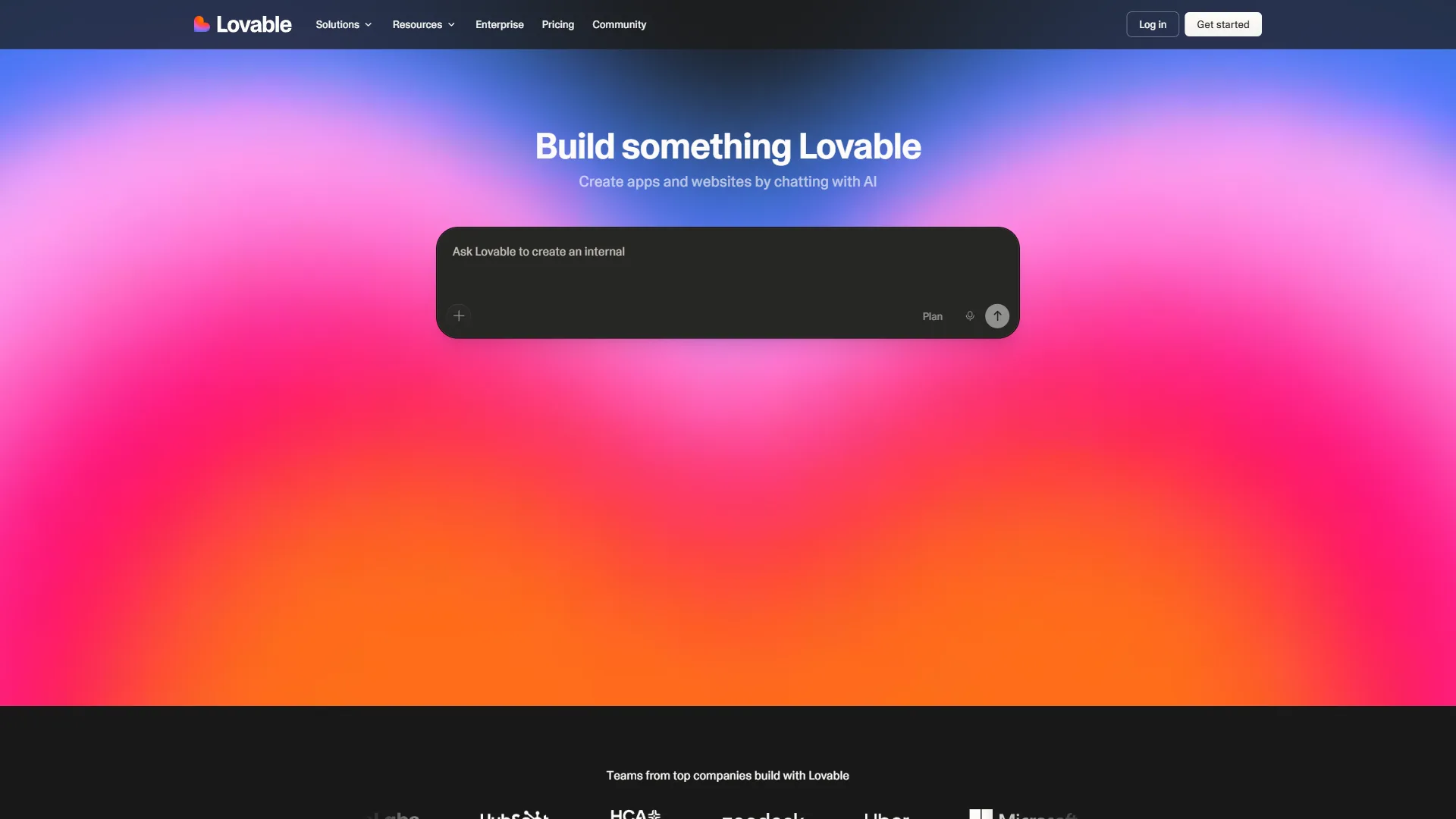
Lovable is an AI app builder that generates a complete, deployable web application - frontend, backend, and database - from a plain-language prompt, with no coding required. Lovable describes itself as a “superhuman full-stack engineer” you can point at a problem to get a working application back. The recurring analogy is Figma for app building: you describe what you want to see and the tool produces something visual and functional.
The workflow is straightforward: type a description of what you want, Lovable generates the frontend and backend code, and you see a live preview immediately. You refine through conversation - “add a dark mode toggle”, “connect this to my Supabase database” - and each prompt updates the live app. Lovable’s documentation walks through the prompt-to-app loop in detail.
Under the hood, Lovable generates React and TypeScript code with a built-in Supabase integration for authentication, databases, and storage, so you can build apps with user accounts and persistent data without touching backend configuration. One-click deployment through Lovable’s hosting gets the app live in seconds.
Pricing
Pricing verified April 2026 from Lovable's pricing page:
- Free: $0/mo
- 5 daily credits (up to 150/month)
- Unlimited public projects
- GitHub sync and one-click deployment
- Best for: Exploring the platform and simple prototypes
- Pro: $25/user/mo
- 100 monthly credits plus 5 daily credits
- Custom domains and credit rollovers
- Shared across unlimited collaborators
- Best for: Solo builders and small teams shipping real apps
- Business: $50/user/mo
- 100 monthly credits shared across unlimited users
- SSO, internal publish, opt-out of training
- Personal projects and design templates
- Best for: Organizations needing compliance and SSO
- Enterprise: Contact sales
- Volume-based credits and dedicated support
- Onboarding services and custom design systems
- SCIM, audit logs, and group-based access
- Best for: Large organizations requiring governance
The credit-based pricing model is worth understanding: each exchange with Lovable consumes credits, and complex prompts that generate large code changes cost more. For active builders running multiple projects, Business at $50 per month beats rationing credits on Pro.
What Lovable Does Well
App generation from a single prompt is impressive when project scope is clear - describe a task manager or simple SaaS dashboard and Lovable produces a working starting point in under a minute. The code is real React and TypeScript, not a no-code export, so a developer can take it anywhere.
Supabase integration is the standout feature for non-technical builders: authentication, database tables, row-level security, and file storage are all configured through conversation rather than SQL.
GitHub sync commits everything Lovable generates to a real GitHub repository, so hiring a developer later means handing over professional-grade source control from day one. Teams comparing repo-aware AI options can also see our best AI code editors 2026 shortlist. One-click deployment takes non-technical builders from “idea” to “live URL” without a DevOps conversation.
Where Lovable Falls Short
Limitations and who it’s not for: Lovable’s biggest drawbacks are credit-based pricing that punishes long iteration cycles and hard complexity ceilings on multi-tenant or compliance-heavy apps. Skip Lovable if you maintain a production codebase or need deep custom backend logic the AI cannot reliably generate.
Complexity limits emerge quickly. Lovable handles a simple CRUD app with auth well, but a complex multi-tenant SaaS with custom billing and intricate state management pushes the AI into mistakes that compound across a long conversation - and debugging those through prompts is slower than reading code directly.
Limited debugging affects non-developers most: when something breaks, the fix often requires understanding the generated code, so non-technical users must describe the symptom and hope the AI diagnoses it. Message limits on lower tiers add friction - running out mid-project means paying for more or waiting until the next day.
What Cursor Actually Is
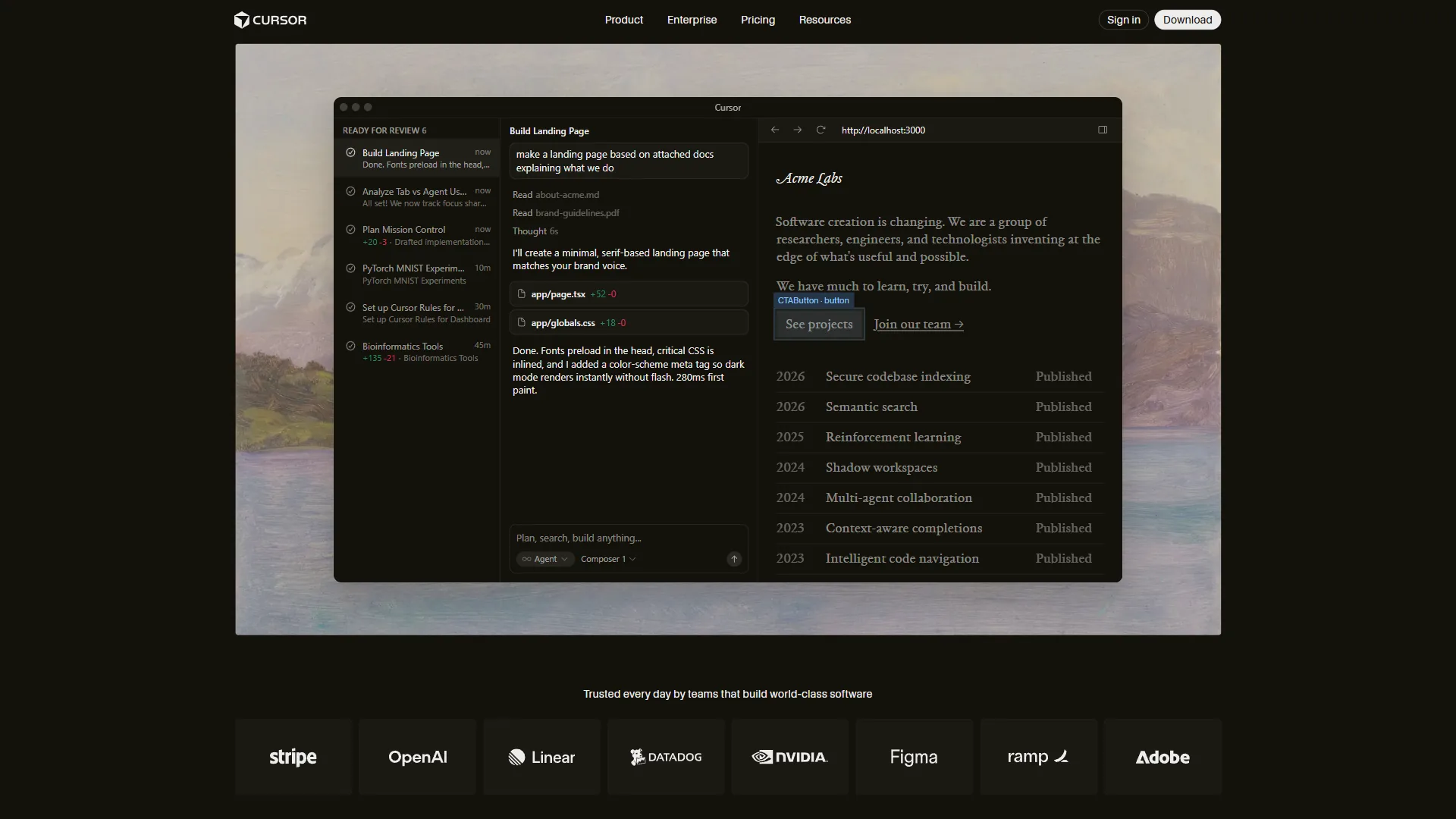
Cursor is a fork of VS Code with AI deeply integrated into the development workflow. It is not an app generator and does not deploy code or handle databases - what it does is make writing code significantly faster for developers who already know how to code.
The core experience is a VS Code installation where the AI understands your entire codebase - not just the open file - and makes coordinated changes across multiple files from natural language instructions. It is less “AI writes code for you” and more “AI accelerates the coding you are already doing.” See our AI pair programming guide for workflow patterns.
Pricing
Pricing verified April 2026 from Cursor's pricing page:
- Hobby: $0/mo
- Limited agent requests
- Limited Tab completions
- One-week Pro trial
- Best for: Trying Cursor before subscribing
- Pro: $20/user/mo
- Unlimited Tab completions (Fusion model)
- $20 API credit for agent usage
- Background Agents and all models
- Best for: Most professional developers
- Pro+: $60/user/mo
- $70 API credit (3.5x Pro usage)
- Frontier model priority
- All Pro features
- Best for: Heavy Composer users running multi-file refactors daily
- Teams: $40/user/mo
- Centralized billing and SSO
- Usage analytics and reporting
- Privacy mode controls
- Best for: Engineering teams needing admin controls
The Pro tier is the right starting point for most developers. API credits cover Composer requests (multi-file AI editing), the most resource-intensive operations; heavy users running complex refactors all day may exhaust their credits and find Pro+ justifies the upgrade.
What Cursor Does Well
Tab completion powered by Cursor’s Fusion model predicts not just the current line but where you will edit next, jumping the cursor there - the acceptance rate is high enough that the experience shifts from correcting suggestions to approving correct predictions.
Composer mode is where Cursor’s advantage becomes clearest. Describe a change at a high level - “refactor this auth system to use JWTs instead of sessions” - and Composer edits the relevant files at once, showing a unified diff before applying. Multi-file refactoring that took an hour takes minutes.
Codebase indexing means Cursor understands your project: ask “how does the payment system work?” and it references your actual code, not generic documentation.
Multi-model access covers GPT-4o, Claude Sonnet, Claude Opus, Gemini, and Cursor’s own Composer model, switchable mid-session. And all VS Code extensions work since Cursor is a fork - your keybindings, themes, and extensions transfer immediately with no relearning period.
Where Cursor Falls Short
Limitations and who it’s not for: Cursor’s main drawbacks are higher RAM usage than vanilla VS Code, API credits on Pro that vanish fast during heavy Composer use, and zero deployment or hosting features. Skip Cursor if you do not write code today, run an 8 GB laptop, or want a single tool that builds and deploys an app end to end.
Not useful for non-developers. Cursor assumes you can read its code and judge whether it is correct - it accelerates people who already code rather than replacing coding knowledge.
Memory usage is higher than standard VS Code, typically 1-2 GB more RAM, and multi-agent workflows can spike to 4 GB - enough to slow 8 GB machines.
API credit limits on the Pro tier surprise users running frequent Composer sessions: the $20 monthly credit covers 40-60 typical requests. And Cursor offers no deployment or hosting - many teams pair it with platforms like Vercel or Netlify to ship the code.
Feature-by-Feature Breakdown: Lovable vs Cursor
Lovable wins on whole-app generation, built-in deployment, and ease for non-developers, while Cursor wins on targeted code changes, professional coding speed, and codebase context - the two rarely beat each other on the same feature.
Code Generation Quality
For complete app builds from scratch: Lovable wins. When you want a working application from a prompt with no prior code, Lovable produces a complete result, while Cursor produces suggestions a developer stitches together - Lovable generates, Cursor assists.
For targeted code changes in an existing codebase: Cursor wins. Once you have a codebase, Cursor’s context-aware suggestions and Composer mode outperform anything Lovable can do. We compare similar workflows in our Aider vs Cursor breakdown.
User Experience for Non-Developers
Lovable wins decisively.
The Lovable interface is a chat box and a preview pane, with no code visible unless you choose to look. A non-technical founder can build a prototype, refine it through conversation, and deploy it without opening a terminal. Cursor instead requires comfort in a code editor - reading code, evaluating suggestions, running terminal commands, and managing git commits - which is high friction for someone who does not code.
Speed for Professional Developers
Cursor wins for most development workflows.
For a developer’s day-to-day work - writing functions, debugging, refactoring, code review, testing - Cursor is the faster tool, with tab completion and Composer cutting the time between idea and working code. A developer using Lovable for complex feature work finds the prompt-response loop slower than writing code directly. Where Lovable genuinely competes for developers is rapid prototyping: spinning up a throwaway demo or MVP, it produces something presentable faster than building from scratch in any IDE. Compare them in our Cursor vs Replit write-up.
Deployment and Infrastructure
Lovable wins for built-in deployment. Lovable includes hosting, deployment, Supabase integration, and a custom domain option, so the path from “idea” to “live URL” needs no external services. Cursor provides none of this - deployment is entirely outside its scope.
Pricing Value
Comparable at the base tier ($20 per month each), with different tradeoffs. Both tools start at $20 per month: Lovable’s entry plan provides 100 messages, adequate for 2-4 projects per month, and Cursor’s Pro plan provides unlimited Tab completions plus $20 in API credits, covering most developers’ Composer usage. The wider AI tools for developers roundup frames where each fits in a modern stack. For heavy users, Lovable Pro at $50 per month stays cheaper than Cursor Pro+ at $60 per month, though the tools serve different needs at those tiers.
Pro Tips: The Vibe Coding Question
Vibe coding favors Lovable for non-developers and Cursor for developers who can review AI output - both tools support the workflow, but the safe way to use each differs. “Vibe coding” - building apps by describing what you want and accepting AI output without reading it - is where the lovable vs cursor comparison gets most interesting, because both tools overlap here.
The phrase was coined by AI researcher Andrej Karpathy in a widely cited February 2025 post on X:
“There’s a new kind of coding I call ‘vibe coding’, where you fully give in to the vibes, embrace exponentials, and forget that the code even exists,” Karpathy wrote.
The approach is now mainstream enough that Merriam-Webster added “vibe coding” to its watchlist of trending words in 2025, though Karpathy noted it works best for “throwaway weekend projects” rather than production software.
Lovable is designed for vibe coding - the product assumes you will describe what you want and let the AI handle implementation, hiding the code by default. Cursor supports vibe coding for experienced developers: Composer can “vibe code” at the feature level, implementing a complex feature across multiple files from a natural-language description, but the developer still reviews the output and remains responsible for the result.
The risk with pure vibe coding in either tool is accumulated technical debt - code you do not understand is code you cannot debug or extend confidently. Lovable mitigates this by generating real, portable code so you can hire a developer to take over; Cursor mitigates it by keeping the developer in the loop at every step.
Choose Lovable if You Want No-Code App Generation
Lovable is the better choice when you need to ship a working web app without writing code - founders, product managers, and designers validating an idea get the most value. Choose Lovable if you:
- Are a founder, product manager, or designer who wants to ship web apps without writing code
- Need to validate an idea quickly with a working prototype, not a mockup
- Want built-in deployment, authentication, and database without infrastructure setup
- Are hiring a developer later and want to hand them a real codebase from day one
- Are running multiple small projects and want to spin them up fast
- Already use Supabase or want to start with a managed database solution
Choose Cursor if You Already Code Daily
Cursor is the better choice when you already write code daily and want AI to accelerate it inside a familiar VS Code environment. Choose Cursor if you:
- Are a professional developer who writes code every day and wants AI to accelerate it
- Work on existing codebases with multiple files and complex interdependencies
- Use VS Code already and want your extensions, keybindings, and workflow to transfer
- Do multi-file refactoring, debugging, or feature development where codebase context matters
- Want to stay in a code editor rather than a chat interface
- Need multi-model flexibility (Claude, GPT-4o, Gemini) in a single tool
Can You Use Both?
Yes - using Lovable and Cursor together is a common and effective workflow. A reasonable Lovable + Cursor pattern is to generate an initial prototype fast in Lovable, download the code from GitHub, then open it in Cursor to extend and refine it with proper development practices. This plays to each tool’s strengths: Lovable handles the “get something working quickly” phase, Cursor the “make it production-ready” phase, and the handoff is clean because Lovable generates standard React and TypeScript code. The combined cost ($20-$50 per month for Lovable plus $20 for Cursor) is reasonable for a solo developer or small team needing both rapid prototyping and quality code editing.
The Bottom Line
Non-developers should choose Lovable to build and ship web apps without code, and developers should choose Cursor to write code faster - the lovable vs cursor decision comes down to who you are, not which tool is objectively better.
Lovable is the right choice if your goal is “build and ship a web app” and you cannot or do not want to write the code yourself - its built-in deployment, Supabase integration, and prompt-driven interface make it the fastest path from idea to live product for rapid prototyping and MVP validation in 2026.
Cursor is the right choice if your goal is “write better code faster” and you already code - its tab completion, Composer mode, and codebase context make professional developers significantly more productive. For serious software development, nothing in this category outperforms it.
If you are somewhere in between, try Lovable for prototyping and Cursor for everything else.
FAQ
Q: Is Lovable good for coding?
Lovable is good for generating complete web apps from a single prompt - a task manager, landing page, or SaaS dashboard in under a minute - and the code is real React and TypeScript, not a no-code export. Complexity limits emerge quickly on larger projects with intricate state management, where the AI can make compounding mistakes that are hard to debug without reading the code.
Q: Is there anything better than Lovable?
For non-developers, Lovable is among the strongest AI app builders, though Bolt, v0, and Replit compete closely. Lovable’s edge is its built-in Supabase integration and GitHub sync, which give non-technical builders real, portable code from day one.
Q: Is there a better option than Cursor?
For professional developers, Cursor remains one of the strongest AI code editors, though Windsurf, Claude Code, and Aider compete closely depending on workflow. Cursor’s edge is codebase indexing and Composer multi-file editing inside a familiar VS Code fork.
Q: Can you use Lovable with Cursor?
Yes - the Lovable + Cursor combination is a common workflow: generate a prototype in Lovable, sync the React and TypeScript code to GitHub, then open it in Cursor to extend and harden it for production. The handoff is clean because Lovable produces standard, portable code rather than a proprietary no-code format.
Related Reading
These guides compare Lovable, Cursor, and competing AI coding tools across different workflows.
- Cursor vs Replit - Local IDE vs cloud IDE for AI-assisted development
- Aider vs Cursor - Command-line AI coding vs VS Code AI coding compared
- Claude Code vs Aider - Terminal-based AI coding tools compared
- Warp vs Cursor - AI terminal vs AI code editor for developer workflows
- Lovable - Full tool profile: pricing, ratings, and use cases
- Cursor - Full tool profile: pricing, ratings, and use cases
External Resources
These are the primary vendor sources used to verify the pricing and features described above.