


Cursor vs GitHub Copilot is the question every developer hits when choosing an AI coding assistant in 2026, and it often widens into Cursor vs GitHub Copilot vs Claude Code once teams shortlist tools. Both promise faster development through fundamentally different approaches: one is an AI-native IDE, the other a plugin for the editor you already use.
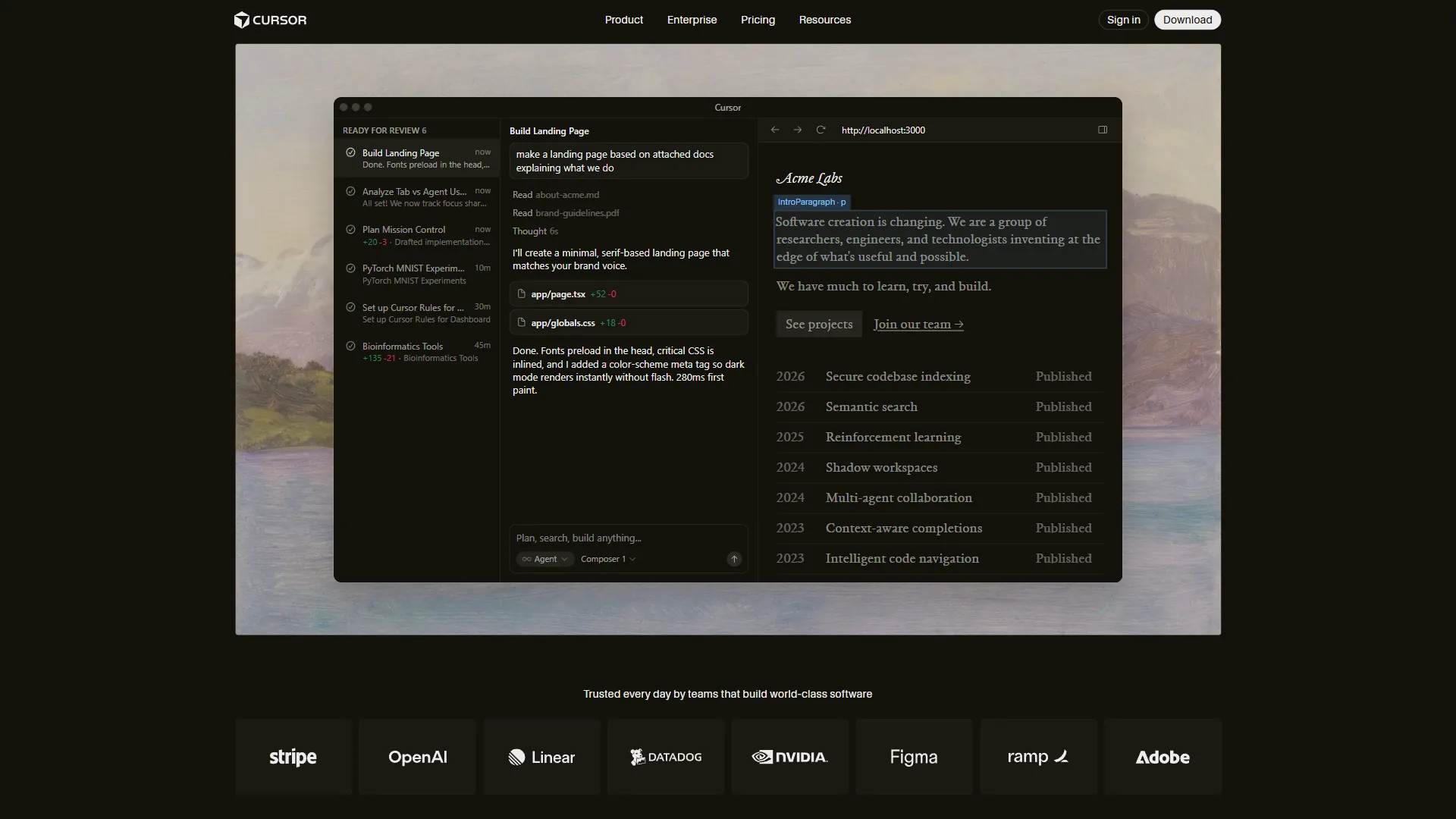
Cursor is a VS Code fork built from the ground up for AI-assisted development. It reached $500 million ARR by mid-2026, with over half of Fortune 500 companies now using it. GitHub Copilot is the market leader with 1.8 million users - an extension that adds AI capabilities to VS Code, JetBrains, Visual Studio, and Neovim without replacing your editor. A GitHub research study on developer productivity documented the 55% task-completion lift that anchors most Copilot value claims today.
Our analysis is research-based and draws on primary vendor documentation, published engineering posts, and independent benchmark data; we do not claim hands-on production testing. In a GitHub controlled productivity study, Eirini Kalliamvakou, senior researcher at GitHub, said that “Developers using Copilot completed the task 55% faster than the developers who didn’t use Copilot.” As an affiliate publisher we earn a commission when readers sign up through our tool links; that does not change editorial verdicts.
The short answer: Choose Cursor if multi-file refactoring and agent-based workflows are central to how you code. Choose GitHub Copilot if you want the most affordable AI assistant that works across multiple IDEs.
This comparison breaks down pricing, features, code completion quality, and real use cases, including how they stack up against Gemini Code Assist. For pricing-only context, see our Cursor pricing guide and the broader AI coding assistants landscape.
TL;DR Verdict
Cursor wins for multi-file refactoring and parallel-agent workflows at $20 per month, while GitHub Copilot wins for IDE breadth, IP indemnity, and value at $10 per month - the right choice depends on how cross-file your work is.
Cursor wins for power users who do complex multi-file editing, full-stack feature development, and parallel agent workflows. Its Composer model handles cross-file tasks 4x faster than competing models, and running 8 agents simultaneously has no equivalent in Copilot.
GitHub Copilot wins for versatility and value. At $10 per month (half of Cursor Pro), it works in every major IDE, offers a free tier with 2,000 monthly completions, and shows a 55% task-completion lift in GitHub’s own study. For developers who mainly need inline suggestions, Copilot is the better deal.
| Category | Winner |
|---|---|
| Price | GitHub Copilot ($10/mo vs $20/mo) |
| Free tier | GitHub Copilot (2,000 completions vs 1-week trial) |
| Multi-file editing | Cursor (Composer + parallel agents) |
| IDE support | GitHub Copilot (VS Code, JetBrains, Visual Studio, Neovim) |
| Code accuracy | Cursor (85% vs ~80% logic-correct) |
| Enterprise features | GitHub Copilot (IP indemnity, custom training) |
| Best overall | Depends on your workflow (see below) |
Comparison Table: Cursor vs GitHub Copilot
At a glance, Cursor is a $20-per-month standalone AI IDE with a proprietary Composer model and parallel agents, while GitHub Copilot is a $10-per-month plugin that runs in every major IDE with a free 2,000-completion tier and IP indemnity at Business.
| Feature | Cursor | GitHub Copilot |
|---|---|---|
| Rating | ||
| Type | Standalone AI IDE (VS Code fork) | IDE extension/plugin |
| Free Tier | Hobby (1-week Pro trial, limited requests) | Free (2,000 completions + 50 chat messages/mo) |
| Pro Price | $20/month | $10/month |
| Premium Price | Pro+ $60/mo, Ultra $200/mo | Pro+ $39/mo, Business $19/mo |
| AI Models | GPT-5, Claude 4 Opus/Sonnet, Gemini 2.5 Pro | GPT-5, Claude Sonnet 4/4.5, Gemini 2.5/3 Pro |
| Proprietary Model | Composer (4x faster multi-file tasks) | None (uses third-party models) |
| Tab Completion | Fusion model (28% higher acceptance) | Standard inline suggestions |
| Multi-File Editing | Composer Agent (under 30 seconds) | Limited (single-file focused) |
| Parallel Agents | Up to 8 concurrent | No |
| Background Agents | Yes (Pro and above) | Coding agent (preview) |
| IDE Support | Cursor only (VS Code fork) | VS Code, JetBrains, Visual Studio, Neovim, CLI, Mobile |
| Team Plan | $40/user/month | Business $19/user/month |
| IP Indemnity | No | Yes (Business/Enterprise) |
Code Completion: Head-to-Head
Code completion is where the cursor vs GitHub Copilot comparison matters most, and the experience differs significantly between the two tools.
Cursor’s Approach
Cursor uses its proprietary Fusion model (built on Supermaven technology) for tab completions, claiming 28% higher acceptance with 21% fewer distracting suggestions versus standard models. Most single-line suggestions arrive in under 200ms, and full project context keeps it from hallucinating file paths or non-existent functions. The Cursor engineering post on Tab explains the reinforcement-learning training behind that acceptance rate.
GitHub Copilot’s Approach
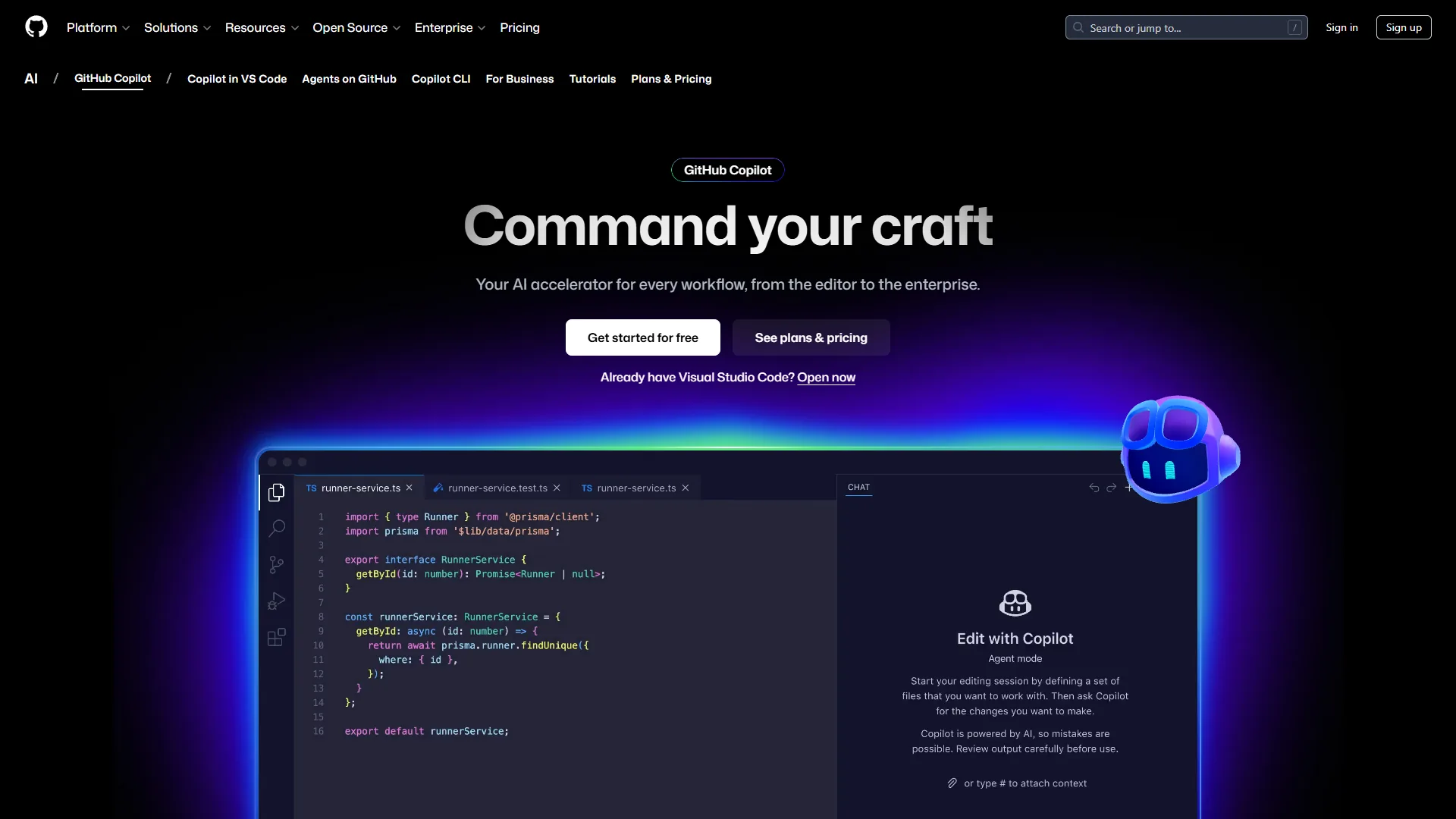
GitHub Copilot generates inline “ghost text” suggestions as you type. The free tier covers 2,000 completions per month - enough for casual use, as the Copilot subscription plans page documents. Pro subscribers get unlimited completions across multiple frontier models, and Copilot supports dozens of languages identically across every supported IDE, though cross-file awareness is more limited than Cursor’s approach.
Completion Quality Comparison
| Metric | Cursor | GitHub Copilot |
|---|---|---|
| Single-line speed | ~150-180ms | ~180-220ms |
| Multi-line accuracy | 85% logic-correct | ~80% logic-correct |
| Cross-file awareness | Full project context | Current file + limited context |
| Suggestion frequency | Fewer, higher-quality | More frequent, mixed quality |
| Language breadth | Strong (20+ languages) | Excellent (40+ languages) |
Verdict: Cursor provides more accurate suggestions with better project-wide context, as the GitHub Copilot context engineering blog explains its own narrower window. Polyglot developers get more from Copilot’s breadth; single-codebase developers get more from Cursor’s depth. Skip Cursor if you live in JetBrains; skip Copilot if multi-file context is the deciding factor.
Multi-File Editing
Multi-file editing is Cursor’s clearest advantage over GitHub Copilot: Composer can coordinate edits across a handful of files in under 30 seconds, while Copilot’s plugin architecture still works best one file at a time.
Cursor’s Composer Agent
Cursor’s Composer modifies multiple files in a single operation, as detailed in the Cursor Agent overview. Ask it to “add authentication middleware to all API routes” and it opens the relevant files, makes coordinated changes, updates imports, and adjusts tests - typically in under 30 seconds. With Cursor Pro, up to 8 agents run concurrently in isolated git worktrees, each handling a slice of a full-stack feature in parallel without merge conflicts. The Background Agents documentation covers worktree setup for these multi-agent runs.
GitHub Copilot’s Multi-File Capabilities
GitHub Copilot was designed primarily as an inline completion tool. Its chat interface can discuss multiple files, and the coding agent (preview) can plan multi-step tasks - but it does not match Cursor’s speed or coordination across many files. For cross-file refactoring you typically guide it file by file: workable, but slower than Cursor’s Composer workflow.
Multi-File Test: React Component Refactoring
Both tools were given the same task: extract shared logic from a React component into a custom hook across 5 files, updating all imports and modifying tests.
| Metric | Cursor | GitHub Copilot |
|---|---|---|
| Time to complete | ~28 seconds | ~3 minutes (manual guidance) |
| Files correctly updated | 5/5 | 3/5 without manual help |
| Manual fixes required | 1 | 4 |
| Confidence level | High (would merge as-is) | Moderate (needs review) |
Verdict: Cursor wins decisively for multi-file editing. If cross-file refactoring is a significant share of your work, the $10 per month premium over Copilot pays for itself. Anthropic’s Claude Code best practices guide describes similar agentic patterns and is useful background before adopting a multi-agent workflow inside Cursor.
Pricing Comparison
Pricing is where GitHub Copilot holds a clear advantage, especially for individual developers and teams watching their budget.
Individual Developer Costs
| Tier | Cursor | GitHub Copilot |
|---|---|---|
| Free | Hobby: 1-week Pro trial, limited requests | Free: 2,000 completions + 50 chat messages/mo |
| Standard | Pro: $20/mo ($20 API credit, unlimited Tab) | Pro: $10/mo (unlimited completions, 300 premium requests) |
| Premium | Pro+: $60/mo ($70 API credit) | Pro+: $39/mo (1,500 premium requests) |
| Power User | Ultra: $200/mo ($400 API credit) | N/A (Pro+ is the top individual tier) |
Copilot’s free tier is substantially more useful than Cursor’s: 2,000 completions per month indefinitely beats a one-week trial. At Pro, Copilot costs half as much - the $10 vs $20 monthly gap is $120 per year, and the value question is whether Cursor’s multi-file capabilities and higher accuracy justify doubling the price.
Team and Enterprise Costs
| Tier | Cursor | GitHub Copilot |
|---|---|---|
| Team | $40/user/month | Business: $19/user/month |
| Enterprise | Custom pricing | Enterprise: $39/user/month |
| 10-person team (annual) | $4,800 | $2,280 (Business) |
| IP Indemnity | Not available | Included (Business/Enterprise) |
| Custom training | Not available | Enterprise only |
For teams, the gap widens. A 10-person team pays $4,800/year for Cursor versus $2,280/year for Copilot Business - a $2,520 annual difference - and Copilot Business includes IP indemnity protection that is a legal requirement for many organizations.
Verdict: GitHub Copilot wins on price at every tier. Cursor justifies the premium only if your team relies heavily on multi-file editing and parallel agents.
IDE Experience
The IDE question is straightforward but important: Cursor replaces your editor, while GitHub Copilot extends it.
Cursor: The AI-Native IDE
Cursor is a fork of VS Code, as explained on the Cursor migration guide, so extensions, themes, and keybindings carry over. But it is a separate application installed instead of (or alongside) VS Code, with AI woven into every surface. The trade-off is lock-in: if your team uses JetBrains or Visual Studio, Cursor is not an option without switching editors. It also uses 1-2GB more RAM than stock VS Code (4GB+ in multi-agent mode), so budget 16GB minimum. For lighter alternatives, see our best Cursor alternatives roundup.
GitHub Copilot: The Universal Plugin
GitHub Copilot runs as an extension in VS Code, JetBrains IDEs (IntelliJ, PyCharm, WebStorm), Visual Studio, and Neovim, plus CLI and mobile. The trade-off is that a plugin cannot modify the fundamental editing experience the way Cursor does, so features like parallel agents and Composer-style multi-file editing stay out of reach.
Verdict: Choose Cursor if your entire team uses VS Code and wants the deepest AI integration; choose GitHub Copilot if your team uses mixed IDEs. For organizations with JetBrains or Visual Studio users, Copilot is the only option without forcing an editor change. Compare against newer entrants in our Cursor vs Windsurf breakdown.
Quick Picks: Which Should You Choose?
Pick Cursor if you do frequent cross-file refactoring or want parallel-agent workflows; pick GitHub Copilot if you want the cheapest broadly-supported AI assistant or need IP indemnity for an employer.
Choose Cursor If You:
- Do frequent multi-file refactoring - Composer handles cross-file changes 4x faster than single-file tools
- Build full-stack features requiring simultaneous frontend, backend, and database work
- Want parallel agent execution - 8 concurrent agents working in isolated worktrees
- Prioritize code accuracy - 85% logic-correct on first attempt vs ~80% for Copilot
- Use VS Code exclusively and are comfortable with a VS Code fork
- Work on mid-sized codebases (50K-100K lines) where deep context awareness pays off
- Can justify $20 per month for measurably faster complex task completion
Choose GitHub Copilot If You:
- Want the best value - $10 per month Pro is half the cost of Cursor Pro
- Need IDE flexibility - works in VS Code, JetBrains, Visual Studio, Neovim, CLI, and mobile
- Primarily write new code rather than refactoring existing code across multiple files
- Work across many languages where Copilot’s 40+ language support matters
- Require IP indemnity for compliance (Business/Enterprise tiers)
- Want a useful free tier - 2,000 monthly completions vs a 1-week trial
- Are part of a mixed-IDE team where not everyone uses VS Code
Decision Framework by Role
| Role | Recommended Tool | Why |
|---|---|---|
| Solo freelancer | GitHub Copilot Pro ($10/mo) | Best value, works in any IDE |
| Startup developer | Cursor Pro ($20/mo) | Multi-file speed pays for itself |
| Enterprise engineer | GitHub Copilot Business ($19/mo) | IP indemnity, team management |
| Full-stack developer | Cursor Pro ($20/mo) | Parallel agents for cross-stack work |
| Open-source contributor | GitHub Copilot Free | 2,000 completions/month at no cost |
| JetBrains user | GitHub Copilot Pro ($10/mo) | Cursor does not support JetBrains |
| Budget-conscious dev | GitHub Copilot Free | Genuinely useful without paying |
The Bottom Line
For most developers GitHub Copilot at $10 per month is the better starting point, and Cursor at $20 per month is worth the upgrade only if multi-file refactoring or parallel agents are a daily part of your workflow.
GitHub Copilot is the safer, more affordable choice for most developers. At $10 per month with a genuinely useful free tier, IDE flexibility, and 1.8 million users, Copilot covers 80% of what developers need. It is strongest for mixed-IDE teams, organizations needing IP indemnity, and developers who mostly write new code rather than refactoring across files.
Cursor is the more powerful choice for developers who push AI coding to its limits. Composer, parallel agents, and deep codebase awareness create a workflow Copilot cannot replicate within a plugin architecture. For full-stack developers and frequent refactorers, the $10-per-month premium delivers outsized time-saved returns.
The practical recommendation: start with GitHub Copilot Free, and if you frequently wish for multi-file editing or deeper project context, try Cursor’s one-week Pro trial. Many developers end up running both - Copilot in JetBrains for Java, Cursor for JavaScript/TypeScript full-stack projects - for $30 per month total. For deeper context, see our Claude Code vs Cursor comparison and the GitHub Copilot guide.
FAQ
Q: Is GitHub Copilot better than Cursor?
GitHub Copilot’s free tier is substantially more useful than Cursor’s. Getting 2,000 completions per month indefinitely beats a one-week trial that expires and leaves you with severely limited functionality.
Q: Can I use my GitHub Copilot with Cursor?
Code completion is where the cursor vs GitHub Copilot comparison matters most, and the experience differs significantly between the two tools.
Q: What’s better than GitHub Copilot?
For multi-file refactoring and parallel-agent workflows, Cursor outperforms Copilot at the cost of $10 per month extra and VS Code-only lock-in.
Q: Why don’t people like Copilot?
Copilot integrates at the plugin level, so it cannot modify the fundamental editing experience the way a forked editor like Cursor does.
Q: Can I use GitHub Copilot inside Cursor?
Cursor is a VS Code fork that replaces your editor, while Copilot is a plugin for VS Code, JetBrains, Visual Studio, and Neovim. Cursor ships its own AI using GPT-5, Claude 4 Opus/Sonnet, and Gemini 2.5 Pro, so most developers use one or the other rather than layering them.
Related Reading
These linked guides extend this Cursor vs GitHub Copilot comparison with deeper coverage of pricing, alternatives, and the broader AI coding-assistants market.
Tools covered in this article:
- Cursor - AI-first code editor with Composer and parallel agents
- GitHub Copilot - AI pair programmer for every IDE
More comparisons and guides:
- Windsurf vs Cursor 2026: AI Code Editor Benchmarks
- Best AI Coding Assistants for Developers in 2026
- Best AI Code Editors 2026
- Claude Code vs Cursor 2026: Complete Comparison
- AI Pair Programming Guide
External Resources
These are the primary vendor sources used to verify the feature, pricing, and capability claims in this comparison.