



Motion vs Reclaim is the cleanest head-to-head in the AI calendar category - two tools chasing the same problem from very different angles. Motion bundles calendar, tasks, and project management into one all-in-one operating system, billed monthly or annually. Reclaim.ai stays focused on calendar defense, ships a genuinely useful free tier, and scales from solo professionals all the way up to enterprise teams.
This Motion vs Reclaim comparison breaks down both platforms based on research and user feedback - covering which one wins for different use cases, team sizes, and budgets. For broader category context, see our best AI calendar apps 2026 roundup.
The short answer? It depends on what you need. Motion dominates if you want one tool to replace your calendar, task manager, and project board. Reclaim.ai wins for meeting-heavy calendars, teams that already have a project manager they love, and anyone who wants the strongest free tier in the category. Both tools sit on top of Google Calendar or Microsoft Outlook as the underlying calendar layer. Calendar overload is a measurable problem: a 2023 Reclaim.ai productivity report found professionals lose roughly 26 hours per month to meetings that could have been managed better. Let’s dig into the details.
This comparison draws on each vendor’s current pricing and feature documentation plus independent research rather than sponsored placement. AI Productivity may earn a commission from links on this page; our rankings are editorially independent.
Comparison Table
Motion costs $19-34 per month and bundles project management, while Reclaim.ai starts free and integrates with external project tools - the table below compares both head-to-head. Motion vs Reclaim comes down to scope: Motion is a productivity operating system that happens to include a calendar, and Reclaim is a calendar defense system that integrates with the project tools you already use. The right choice depends on your team size, budget, and specific workflow requirements.
| Feature | Motion | Reclaim.ai |
|---|---|---|
| Pricing | $19-34/mo individual, $12-20/user team | Free tier, $8-18/user/mo paid |
| Free Tier | ❌ No (7-day trial) | ✅ Yes (unlimited use) |
| Rating | ||
| Project Management | ✅ Built-in (tasks, projects, workflows) | ❌ No (integrates with external PMs) |
| Mobile Apps | ✅ iOS + Android | ✅ iOS + Android |
| Automatic Task Scheduling | ✅ Across all tasks and meetings | ✅ Tasks scheduled around meetings |
| Habit / Focus Time Defense | ⚠️ Basic focus blocks | ✅ Recurring habits with auto-reschedule |
| Meeting Scheduler | ✅ Booking links included | ✅ Smart 1:1 + scheduling links |
| Team Features | ✅ Shared projects + workloads | ✅ Team availability + shared scheduling |
| Integrations | 15+ | 50+ |
| Best For | Solopreneurs and small teams wanting all-in-one | Meeting-heavy professionals and teams using external PMs |
Motion: The All-in-One Powerhouse
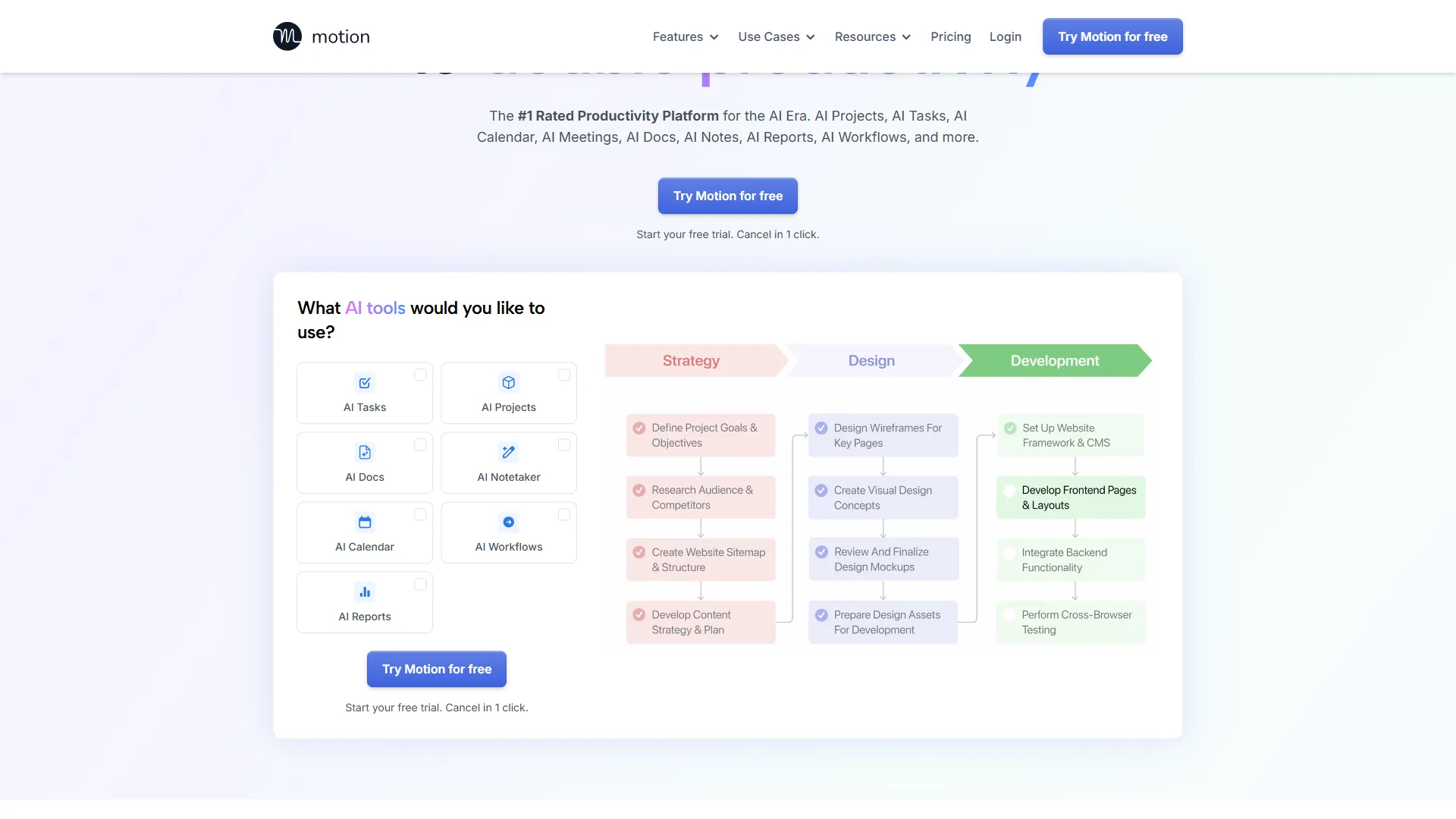
Motion is an all-in-one productivity operating system that combines calendar management, task scheduling, and project planning into a single AI-driven interface. As outlined on Motion’s feature page, the platform unifies those three functions rather than acting as a calendar layer alone. For many users, Motion has replaced three separate tools: a calendar app, Asana, and a standalone task manager.
What Motion Does Best
Motion’s killer feature is automatic task scheduling, documented on the Motion help center. You give it a task, a deadline, and a duration - Motion figures out when to do it, and reschedules everything automatically when a meeting pops up.
The project management system is robust: users manage client projects, content calendars, and personal goals in Motion, and the AI scheduling works across all of it. That is the structural difference vs Reclaim - Motion’s planner sees the entire workload (tasks, projects, meetings, dependencies) and rearranges everything in one pass, while Reclaim pulls tasks from external project tools.
Motion’s team plan adds shared workload views, so a small team can see who is overloaded without manually updating a status board - enough to retire a separate work-management tool. For a wider sweep, see our best productivity suites breakdown covering both calendar and project tooling.
Motion Pricing (2026)
- Individual Pro AI: $19/month (monthly billing) or $12.73/month annual on the annual plan
- Business AI: $19.43/month annual on annual billing, or $29/month month to month
- Enterprise: contact sales for custom pricing
- No free tier - 7-day free trial only
Paying month to month, Motion is expensive for casual testing. But if it replaces both your project manager and your calendar assistant, the math works out - and the annual plan lands at roughly the cost of one mid-tier project tool by itself.
Motion Pros & Cons
Pros:- All-in-one system eliminates tool switching
- Mobile apps are excellent (rare for productivity tools)
- AI task scheduling actually works across tasks + meetings
- Meeting scheduler included - no separate booking tool needed
- Project management depth rare in calendar AI
- Great for solopreneurs and small teams who want one workspace
- No free tier makes it hard to test
- Expensive on the monthly plan if you skip annual billing
- Fewer integrations than Reclaim (15 vs 50+)
- Overkill if you just need calendar help and already have a PM tool
- Steeper learning curve - you’re adopting a system, not just a calendar layer
Who it’s not for: Engineering and data teams already standardized on Linear or Jira - Motion’s project layer cannot replace those tools and forces a parallel workspace. It is also a poor fit for solo freelancers who need fewer than 5 hours of scheduling per week, since Pro AI costs more than dedicated calendar AIs without the project layer being used.
Best for: Solopreneurs, freelancers, and small teams who want one tool to rule them all. If you’re currently paying for Asana + Calendly + a task manager, Motion saves you money and consolidates context.
Learn more about Motion →
Reclaim.ai: The Meeting Master
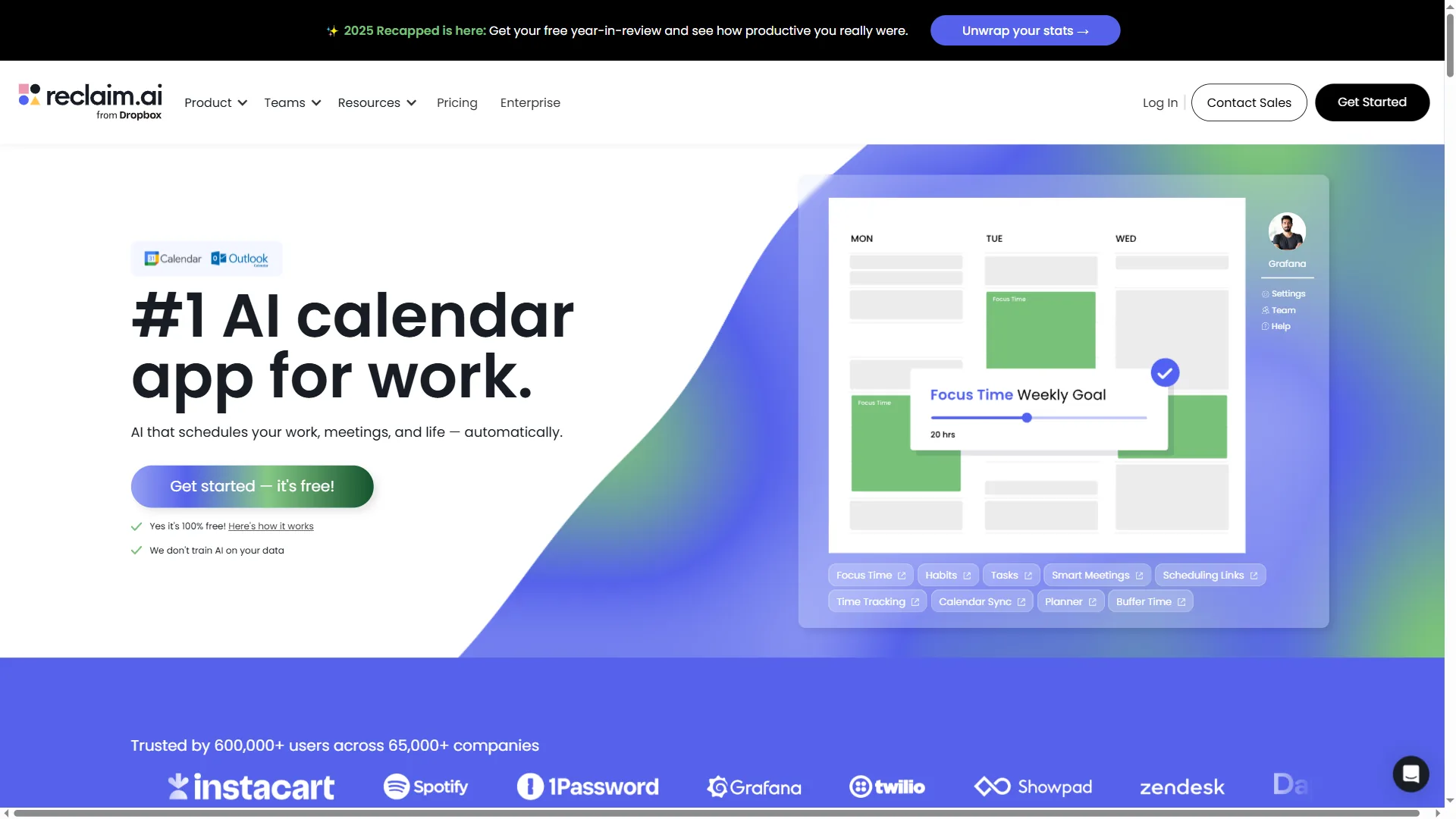
Reclaim.ai is the top recommendation for people who say “I’m in meetings all day and have no time to work.” It’s laser-focused on defending your calendar from meeting overload - and on coordinating that defense across an entire team without forcing anyone to change their existing workflow.
What Reclaim.ai Does Best
Reclaim’s superpower is habit defense, detailed on their habits feature page. You tell it you need 2 hours of deep work daily - it blocks that time and moves it automatically when meetings get scheduled. Motion handles focus blocks too, but Reclaim’s habits are more flexible: recurring, priority-ranked, and aware of your work hours and travel buffers.
The free tier is legitimately useful, unlike most “free trials.” You get unlimited calendar syncing, smart 1:1 meeting scheduling, and basic habits - a sharp contrast with Motion, which gates the entire product behind a 7-day window.
Integration-wise, Reclaim connects to Asana, Todoist, ClickUp, Linear, Jira, and Slack - 50+ tools, listed on the Reclaim.ai integrations directory. If you already love your project manager, Reclaim will not force you to switch - the structural opposite of Motion’s strategy.
For teams, Reclaim adds shared scheduling links, team availability views, and synced no-meeting policies. The Business and Enterprise tiers handle a team-wide coordination layer that Motion’s project view does not fully replicate - similar tradeoffs show up in our best AI meeting assistants 2026 review.
Reclaim.ai Pricing (2026)
- Free: Unlimited calendar sync, basic habits, 1:1 scheduling
- Starter: $10/month annual on annual billing or $12/month month to month
- Business: $15/month annual on annual billing or $18/month month to month
- Enterprise: custom pricing - contact sales
The free tier is Reclaim’s secret weapon - usable indefinitely at no cost. Upgrade when you need travel time buffers, priority ranking, or team-wide scheduling. At Starter pricing ($10/month annual), Reclaim is also the cheaper per-seat entry point for any team that does not need Motion’s full project management layer.
Reclaim.ai Pros & Cons
Pros:- Best free tier of any AI calendar tool
- 50+ integrations (most in the category)
- Habit defense is unmatched
- Highest user rating in this comparison ()
- Cheaper per-seat pricing for teams that don’t need full PM
- Plays nicely with whatever project tool you already use
- No built-in project management - you need an external PM
- Learning curve for advanced features (priorities, buffers, links)
- Task auto-scheduling requires paid tier
- Can feel overwhelming with all the settings out of the box
Best for: Professionals drowning in meetings who already use a project management tool they love, and teams that want calendar coordination without changing their existing stack. The free tier makes it risk-free to try.
Learn more about Reclaim.ai →
Head-to-Head: Where Motion and Reclaim Diverge
Motion and Reclaim diverge most on AI scope, pricing model, and integration depth - Motion plans across your entire workload, while Reclaim defends the calendar and pulls tasks from external tools. The two are optimized for different problems, and here is where the gap is widest:
Scope of the AI: Motion’s planner runs across calendar events, tasks, and project deadlines simultaneously. Reclaim’s planner focuses on the calendar itself - habits, focus time, and meetings - while pulling task data from your existing project tool. If your tasks live outside a calendar AI, Reclaim is a better fit.
Free vs paid model: Reclaim’s free tier is the most generous in the category, while Motion has no free tier at all - confirmed on the Motion pricing page. For testing the AI’s behavior with your own calendar before committing, Reclaim wins outright.
Integration depth: Reclaim’s 50+ integrations make it the obvious pick for stacks already built around Asana, Linear, ClickUp, or Todoist. Motion’s 15+ integrations cover the basics but expect you to migrate work into Motion itself - our how to schedule smarter with AI guide walks through both philosophies side by side.
Team coordination: Both handle teams, but differently. Motion’s team plan is best for small groups that want one shared workspace for projects and calendars. Reclaim’s team tiers are stronger for larger groups where the goal is coordinating availability and meeting load, not consolidating project work.
Pricing per seat: Reclaim Starter at $10/month annual is the cheapest paid entry point for teams. Motion’s annual Business AI plan at $19.43/month annual is competitive once you factor in the bundled project management - but only if your team would actually use that layer.
Best Picks by Use Case
Choose Motion if you want one tool for calendar, tasks, and projects, and choose Reclaim.ai if you need free focus-time protection alongside a project manager you already use. Here is how to decide between Motion vs Reclaim by workflow:
Choose Motion If…
- You want one tool for calendar + tasks + projects
- You’re a solopreneur or freelancer with complex workflows
- You need mobile apps (iOS + Android) for both calendar and project work
- You’re willing to pay for an all-in-one system at $12.73/month annual on annual billing (or more on monthly)
- You hate switching between tools and tabs all day
Motion is the best replacement for multiple tools - if you currently juggle Asana, Google Calendar, and a task manager, Motion consolidates them into one workspace.
Choose Reclaim.ai If…
- You’re drowning in meetings and need focus time protection
- You want to try a free tier before committing
- You already use a project manager you love (Asana, Todoist, Linear, etc.)
- You need 50+ integrations
- Calendar habits (gym, lunch, deep work) are important to you
- You manage a team and want coordination without forcing a workspace migration
Reclaim is the best addition to your existing stack - it plays nice with other tools and the free tier makes it risk-free to test. Pair it with a tracker from our best time tracking tools 2026 list for hour-level visibility on top of the AI scheduling layer.
Quick Picks: Motion vs Reclaim
Reclaim.ai wins best overall value and best free option, while Motion wins best all-in-one and best pick for solopreneurs - there is no universal winner, and each tool dominates different categories:
Best Overall Value: Reclaim.ai (free tier, , 50+ integrations)
Best All-in-One: Motion (calendar + PM + tasks + mobile apps)
Best Free Option: Reclaim.ai (legitimately useful free tier, not a 7-day trial)
Best for Solopreneurs: Motion (replaces 3 tools, mobile apps, one workspace)
Best for Meeting-Heavy Roles: Reclaim.ai (habit defense + smart 1:1 scheduling)
Best for Teams Already on Asana / Linear / Todoist: Reclaim.ai (50+ integrations, no migration - see Linear’s integrations directory for parallel coverage)
Best Per-Seat Pricing: Reclaim.ai Starter at $10/month annual
Best for Small Teams Wanting One Workspace: Motion (Business AI at $19.43/month annual on annual billing)
If I had to pick just one? Reclaim.ai for most people. The free tier lets you test it risk-free, the rating is highest (), and it works with whatever project manager you already use. But if you’re a solopreneur ready to consolidate tools, Motion’s all-in-one approach is worth the premium.
Final Verdict
Reclaim.ai is the best starting point for most people because its free tier lets you test AI scheduling on a real calendar at no cost, and Motion is worth the upgrade only if you want to consolidate calendar, tasks, and projects into one tool. Follow this three-step path:
- Try Reclaim.ai first (free) - See if habit defense and focus time solve your problems
- Stay on Reclaim if your project tool is locked in - 50+ integrations means no migration
- Switch to Motion if you hate tool switching - Worth the entry-level Pro AI plan if it replaces 3 tools
The Motion vs Reclaim debate is not about which is “best” - it is about which fits your workflow. Pick the one that solves your specific calendar chaos.
Pro Tips
Four practical factors decide Motion vs Reclaim.ai: workflow scope, pricing model, mobile access, and integration count. Workflow scope comes first - Motion absorbs your project management, Reclaim slots into the project tool you already use. Pricing model is next: Reclaim’s free tier lets you validate the AI on your real calendar for as long as you want, while Motion only offers a 7-day trial. Mobile access is roughly equal - both ship iOS and Android apps that handle calendar and task views. Finally, integration count matters more than it sounds: a 50+ integration list (Reclaim) vs 15+ (Motion) is the difference between adding a tool and replacing a stack.
“Defragmenting your calendar to create longer blocks of uninterrupted Focus Time is one of the highest-leverage things you can do for deep work,” according to Reclaim.ai co-founder Henry Shapiro.
If you are still weighing whether AI scheduling is worth it at all, our deeper best AI calendar tools 2026 breakdown compares both against newer entrants like Clockwise and SkedPal.
FAQ
Common questions about Motion vs Reclaim cover pricing, free tiers, and how each tool compares to alternatives.
Q: Is there a better app than Motion?
Reclaim.ai is the better app than Motion for meeting-heavy calendars and offers the best free tier in the category, while Motion remains the better choice for an all-in-one project management system. Reclaim can be the stronger pick for users who already have a project tool they trust and just want a smarter calendar layer on top of it.
Q: How does Motion compare to Motion vs ClickUp and Motion vs ChatGPT?
Motion vs ClickUp pits an AI scheduler against a full project management suite - Motion auto-schedules tasks onto your calendar, while ClickUp is a broader work platform without native time-blocking. Motion vs ChatGPT is not a true comparison: ChatGPT is a general-purpose AI assistant with no calendar engine, whereas Motion is a dedicated scheduling and project tool.
Q: What is Reclaim.ai best used for?
Reclaim.ai is best for defending focus time, automatically rescheduling habits and tasks around meetings, and coordinating availability across a team. It’s particularly strong for meeting-heavy professionals and for teams that already use Asana, Todoist, Linear, ClickUp, or Jira and want a calendar AI that integrates instead of replacing those tools.
Q: Is Motion better than Google Calendar?
Motion is far more than a calendar - it is a complete productivity operating system that combines calendar management, task scheduling, and project planning into one AI-driven interface. For many users, Motion has replaced three separate tools: a calendar app, Asana, and a standalone task manager, going well beyond Google Calendar.
Q: Which is cheaper, Motion or Reclaim?
Reclaim.ai is cheaper at every comparable tier. Reclaim has a permanent free tier; Motion does not. Reclaim Starter ($10/month annual) is cheaper than Motion Pro AI ($12.73/month annual). Reclaim Business and Motion Business AI sit close per seat on annual billing, but Motion’s plan includes its full project management system, so the comparison depends on whether you need that layer.
Related Reads
These guides and tool pages expand on Motion, Reclaim.ai, and the wider AI calendar category for your specific scheduling needs:
- Motion - AI-powered task scheduler
- Reclaim.ai - Smart calendar assistant
- Calendly - Meeting scheduling platform
- Asana - Project management
More calendar and productivity guides:
- Best AI Calendar Apps 2026 - Calendar AI tools compared
- Best AI Calendar Tools 2026 - Deep dive into AI scheduling assistants
- Scheduling Optimization Tips - Scheduling optimization
- How to Schedule Smarter with AI - AI scheduling strategies for busy professionals
- AI-Powered Analytics Platforms: Which Delivers Real ROI?
External Resources
The official vendor sources below provide primary documentation and updates for Motion and Reclaim.ai:
- Motion Blog - AI scheduling tips and productivity workflow guides
- Reclaim.ai Blog - Time blocking strategies and calendar automation updates
- Motion Features - Official feature documentation and updates