



GitHub is the stronger choice for most development teams in 2026, while Azure DevOps wins for enterprises with formal Agile, QA, and Microsoft-infrastructure requirements - both products are owned by Microsoft. That shared ownership creates a confusing situation: why do two products from the same company compete, and which should you use?
These platforms were not built for the same audience. GitHub is an open-source-first developer community platform Microsoft acquired in 2018. Azure DevOps is an enterprise-grade project management and CI/CD suite that evolved from Microsoft’s Team Foundation Server. GitHub passed 150 million developers in 2024, and the most recent Stack Overflow Developer Survey ranks Git-based platforms among the most-used developer tools. According to Microsoft, the DevOps engineering team at Azure, “GitHub and Azure DevOps work better together than apart” in its guidance on using both platforms - the choice is not always either-or.
Our research draws on each vendor’s current pricing and feature documentation based on independent analysis; we analyzed published tiers, CI/CD limits, and project-management features side by side. AI Productivity may earn a commission from links on this page; our rankings are editorially independent.
GitHub vs Azure DevOps: Understanding the Two Platforms
GitHub is the world’s largest software development platform, shaped by the open-source community around it. GitHub excels at repository hosting, pull request workflows, community collaboration, and AI-assisted development through GitHub Copilot. GitHub Actions provides cloud-hosted CI/CD through YAML-based workflows.
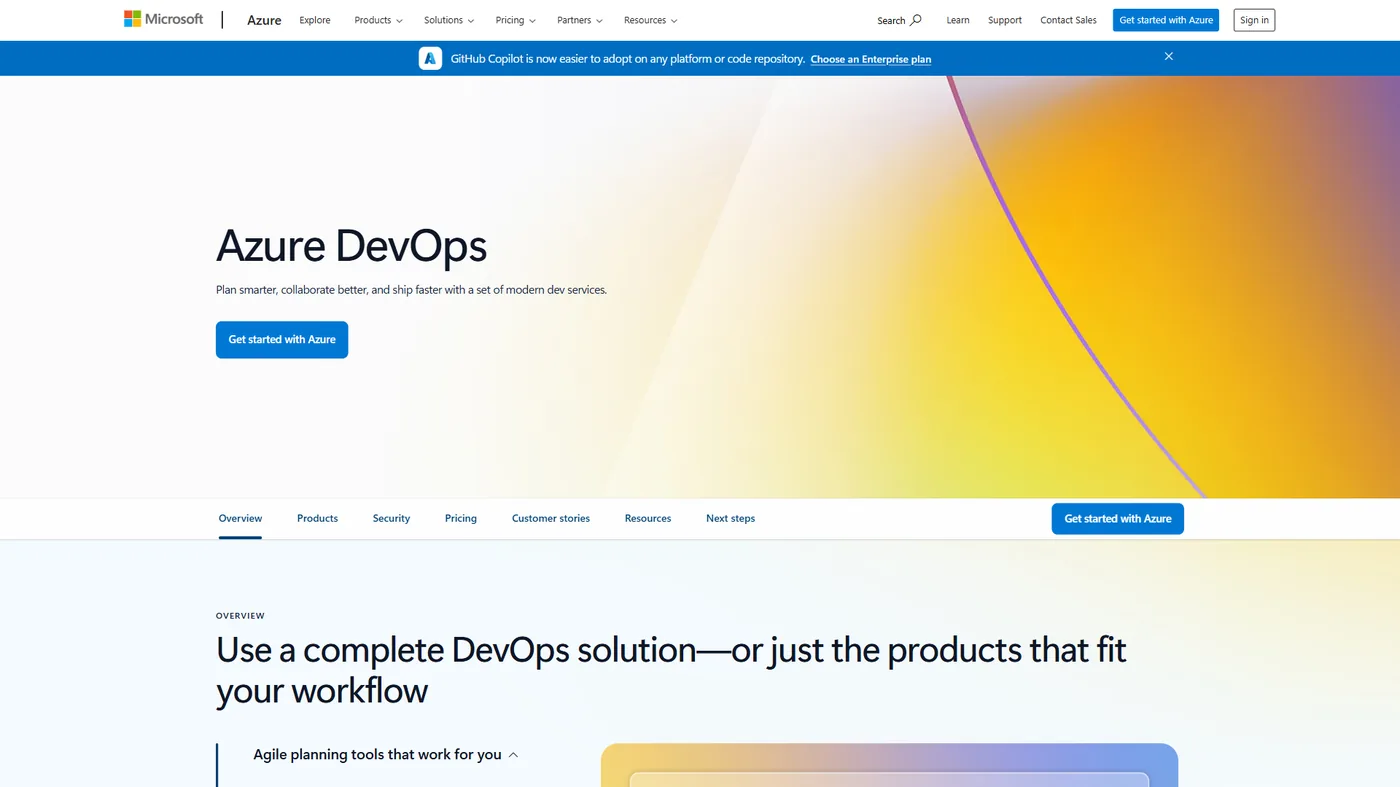
Azure DevOps is Microsoft’s enterprise DevOps suite of five services: Azure Repos (version control), Azure Pipelines (CI/CD), Azure Boards (Scrum/Kanban), Azure Test Plans (testing), and Azure Artifacts (packages). It is designed for enterprises with complex project management requirements already using Microsoft infrastructure.
The key distinction: GitHub is primarily a developer platform, while Azure DevOps is primarily a project management and DevOps suite that includes developer tools. GitHub’s developer-first focus means lighter project-management tooling and no built-in test plan; Azure DevOps’s enterprise focus means a steeper learning curve and weaker open-source ties.
GitHub: Overview and Pricing
GitHub is a developer-first code platform that costs $0 on the Free plan and $4 per user each month on Team, built around repository hosting, pull requests, and the world’s largest open-source community. With over 100 million developers, GitHub is where modern developer tooling has matured over 15+ years.
GitHub Pricing:
| Plan | Monthly Price | Key Features |
|---|---|---|
| Free | $0 | Unlimited public and private repos, 2,000 Actions minutes/month |
| Team | $4/user/month | Protected branches, required reviewers, 3,000 Actions minutes/month |
| Enterprise | $21/user/month | SAML SSO, advanced auditing, 50,000 Actions minutes/month, 99.9% uptime SLA |
GitHub Copilot is a separate subscription at around $10 per month (Individual) or around $19 per user per month (Business) - one of the most compelling reasons to choose GitHub in 2026, though an add-on rather than bundled.
GitHub’s Core Strengths:

Open-Source Community and Ecosystem. If your developers write or contribute to open-source software, GitHub’s centrality matters - it is where developers showcase work and build reputation, a network effect Azure DevOps cannot replicate. Our GitLab vs GitHub comparison covers another developer-centric option.
GitHub Actions for CI/CD.
GitHub Actions is one of the most powerful CI/CD platforms available. The YAML syntax is clean, the 15,000+ Actions marketplace covers nearly any integration, and the free tier includes 2,000 minutes per month - all running directly in your repository with no external setup.
GitHub Copilot. GitHub Copilot is a genuine step-change in developer productivity - AI code completion, Copilot Chat, and agentic code review save meaningful time, with GitHub’s research suggesting a 55% reduction in coding time. Copilot works with Azure DevOps through IDE integrations, but the experience is most native within GitHub.
Pull Request Workflow. GitHub’s PR model is the industry standard for collaborative code review - an interface for reviewing changes, running checks, and merging that is familiar to virtually every developer. GitHub’s pull request documentation details the full workflow. Azure Repos offers PR functionality but does not feel as polished.
Third-Party Integrations. Virtually every developer tool - IDEs, testing platforms, deployment and monitoring services, project management software - has a GitHub integration. Our best AI coding assistants roundup shows how many plug into the GitHub PR flow.
Limitations and who GitHub isn’t for: GitHub’s drawbacks cluster in enterprise project management, formal QA, and add-on cost - Issues and Projects lack native sprint planning or velocity tracking, there is no equivalent to Azure Test Plans, and Copilot is a paid add-on. Skip GitHub if you need a fully integrated Scrum-Kanban layer or formal manual-test infrastructure out of the box.
Azure DevOps: Overview and Pricing
Azure DevOps is Microsoft’s enterprise DevOps platform, strong in the areas where enterprises often struggle: project management, work item tracking, test planning, and Microsoft ecosystem integration. Microsoft’s DevOps Resource Center documents the reference architectures most enterprise customers follow.
Azure DevOps Pricing:
| Component | Free Tier | Paid Pricing |
|---|---|---|
| Azure Repos | Free (up to 5 users, unlimited repos) | around $6 per user per month (Basic plan) |
| Azure Pipelines | Free (1,800 minutes/month, 1 parallel job) | $40/month per parallel job |
| Azure Boards | Free (up to 5 users) | Included with Basic plan |
| Azure Artifacts | 2GB free | $2/GB/month beyond free tier |
| Azure Test Plans | Not free | around $52 per user per month |
For up to 5 users, Azure DevOps is largely free. Beyond that, the Basic plan at around $6 per user per month covers Repos, Pipelines, and Boards; Test Plans add manual and exploratory testing at around $52 per user per month. Microsoft also offers Azure DevOps Server for on-premises.
Azure DevOps Core Strengths:
Azure Boards for Work Management. Azure Boards is excellent for Agile and Scrum, with a customizable work item hierarchy plus built-in backlogs, sprint boards, velocity tracking, and burndown charts. Compare with our best AI project management tools.
Azure Pipelines. Azure Pipelines is a mature, enterprise-grade CI/CD platform supporting YAML pipelines and a classic GUI editor, with multi-stage pipelines, deployment groups, and approval gates. It supports both GitHub repositories and Azure Repos, so teams can use it as their CI/CD layer while hosting code on GitHub - the Azure Pipelines GitHub integration docs cover this hybrid end to end.
Enterprise Microsoft Integration. Where Active Directory, Microsoft Entra ID, and the Microsoft security fabric matter, Azure DevOps integrates more deeply than GitHub - Azure AD SSO, Teams integration, and Azure-aligned policies make it the natural fit for IT-controlled environments.
Azure Test Plans. Structured test case management, manual testing, and exploratory testing live in Azure Test Plans in a way GitHub does not offer - filling a real gap for teams with formal QA and compliance requirements.
On-Premises Option. Azure DevOps Server lets organizations with strict data residency or air-gapped requirements run the full suite internally - a more established on-premises track than GitHub Enterprise Server.
Limitations and who Azure DevOps isn’t for: Azure DevOps’s drawbacks include a less polished pull-request UI, weaker open-source ecosystem ties, and Copilot integration that is available but not as native. Skip Azure DevOps if developer satisfaction matters for hiring, you contribute heavily to open source, or you want the most modern code-review workflow.
Feature-by-Feature: CI/CD (Actions vs Pipelines)
GitHub Actions wins for GitHub-hosted code, while Azure Pipelines wins for Azure-deep infrastructure. The Azure DevOps vs GitHub Actions choice tracks where your code and deployments already live.
GitHub Actions advantages: tighter GitHub integration (triggers, PR status checks, secrets), 15,000+ marketplace Actions, YAML-first definition with strong tooling, a larger community, hosted runners for Linux/macOS/Windows with generous free minutes, self-hosted runners, and matrix builds.
Azure Pipelines advantages: a classic GUI editor for non-YAML users, a more mature deployment-gate and approval system, better native deployment to Azure services, clearer multi-stage visualization, any repository host, deployment groups, and more granular pipeline permissions.
Neither is clearly superior - your existing stack decides it.
Version Control: Azure Repos vs GitHub
Both platforms provide functionally equivalent Git-based version control - branching, merging, pull requests, code review, and access controls work similarly - so the difference is ecosystem and experience, not core capability.
GitHub Repos advantages: the industry-standard pull request experience, code scanning and security alerts, Dependabot dependency updates, GitHub Pages static hosting, the GitHub Actions marketplace, and the most native Copilot code review.
Azure Repos advantages: TFVC support for legacy migrations, more granular branch policies, tighter Azure Boards integration, and better fit for organizations that do not want developers exposed to GitHub’s public community.
Version control is not the differentiating factor for most teams. Skip GitHub Repos if you have legacy TFVC migrations; skip Azure Repos if developer experience is a priority.
Project Management: GitHub vs Azure Boards
Azure Boards is the stronger project management tool, offering full Scrum, sprint, and velocity tracking that GitHub Projects’ lighter Issues-and-Kanban model does not match. GitHub’s features - Issues, Projects, Milestones, and Labels - are functional but lightweight, working well for teams that want issue tracking integrated with code but lacking the structured Agile support Azure Boards offers - the same gap that drives many teams comparing Azure DevOps vs Jira toward a dedicated tracker.
Azure Boards provides full Agile, Scrum, and CMMI process templates, a work item hierarchy (epics, features, user stories, tasks), sprint planning, velocity tracking, backlog management, burndown and burnup charts, capacity planning, and configurable dashboards. For Scrum Masters who need this structure, it is meaningfully better than GitHub Projects; for developer-focused teams that prefer lightweight tracking, GitHub fits better. Skip GitHub Projects if you run formal Scrum; skip Azure Boards if your team will not use the structured features.
Pricing Comparison
GitHub costs around $200 per month for 50 developers on the Team plan, while Azure DevOps costs around $270 per month on Basic. Realistic numbers for a 50-person engineering team:
GitHub for 50 developers: Free $0; Team $4 x 50 = around $200/month; Enterprise $21 x 50 = $1,050/month; Copilot Business adds $19 x 50 = around $950/month.
Azure DevOps for 50 developers: First 5 users free, then Basic (around $6 per user) x 45 = around $270 per month for Repos/Pipelines/Boards; extra Pipelines parallel jobs at $40 each if needed; Azure Test Plans (if needed) $52 x 50 = $2,600/month.
The total depends on which features you need. For version control and CI/CD only, GitHub Team at around $200 per month is cheaper than Azure DevOps Basic at about $270. Adding Copilot raises GitHub’s cost; adding Azure Test Plans makes Azure DevOps considerably more expensive. For open-source, student, and startup use cases, GitHub’s free tier is more generous than Azure DevOps’s free tier for teams under 5 users.
Choose GitHub if
GitHub is the right choice when your team prioritizes developer experience, open-source work, AI-assisted coding with Copilot, or multi-cloud deployment flexibility.
Open-source projects and teams. GitHub is the home of open-source software - if you build in public, accept contributions, or hire developers who value open-source culture, GitHub’s ecosystem is unmatched.
Teams prioritizing developer experience. Developers prefer GitHub: a more polished UI, a more refined PR workflow, and the most native Copilot integration. See our GitHub Copilot complete guide for productivity benchmarks.
Organizations wanting AI-powered development. GitHub Copilot is the leading AI coding assistant, and its GitHub integration is the most seamless. See our best AI coding assistants roundup for a broader look.
Startups and growing tech companies. GitHub’s pricing scales naturally from free to Team to Enterprise, the GitHub Marketplace ecosystem is comprehensive, and there is no lock-in to a Microsoft sales process to start.
Teams using diverse cloud environments. GitHub works equally well with AWS, GCP, and Azure, with mature GitHub Actions integrations for all major cloud providers. Teams running distributed workflows can also explore enterprise collaboration platforms that integrate with both.
Choose Azure DevOps if
Azure DevOps is the right choice when your organization needs formal Agile project management, structured QA test plans, deep Microsoft ecosystem integration, or on-premises deployment.
Enterprises with deep Microsoft investment. If your organization runs on Azure, Active Directory, Microsoft Teams, and Microsoft 365, Azure DevOps integrates more naturally - Azure AD authentication and Azure deployment reduce friction for IT-controlled environments.
Teams with formal QA processes. If your lifecycle includes dedicated test engineers, formal test case management, and compliance evidence for testing, Azure Test Plans fills requirements GitHub does not address. Teams evaluating broader project management tooling should weigh how it fits the stack.
Scrum and Agile teams needing structured work management. If your process requires sprint planning, velocity tracking, capacity planning, and Agile reporting aligned with Scrum or SAFe, Azure Boards provides more structure than GitHub Projects.
Organizations migrating from TFS or TFVC. Legacy Team Foundation Server implementations migrate to Azure DevOps with less disruption than to GitHub - work item history and process templates transfer more cleanly.
On-premises requirements. Organizations with strict data residency, air-gapped environments, or regulatory constraints have a cleaner on-premises path with Azure DevOps Server, alongside enterprise collaboration platforms.
Can You Use GitHub and Azure DevOps Together?
GitHub and Azure DevOps work together in a hybrid setup, where GitHub handles repositories and CI/CD while Azure Boards handles project management. A common setup uses GitHub for repository hosting, PR workflows, and Actions CI/CD; Azure Boards for project management and sprint planning; and Azure Artifacts for packages.
GitHub integrates with Azure Boards - you can link commits and PRs to work items and get bidirectional status updates while keeping the developer workflow on GitHub.
Limitations of the hybrid approach: Running both platforms means paying for two products, managing two sets of users and permissions, and bidirectional sync that sometimes lags or drops events. Identity management gets messier when SSO straddles GitHub Enterprise and Microsoft Entra ID. Skip the hybrid model if you cannot dedicate ongoing attention to keeping both aligned.
Final Verdict
GitHub is the stronger choice for most development teams in 2026, winning on pull request workflow, CI/CD ecosystem, and AI-assisted development with Copilot. Azure DevOps wins in specific scenarios: enterprises with deep Microsoft infrastructure investment, teams with formal QA requirements that need Azure Test Plans, and organizations migrating from on-premises TFS where process continuity matters.
If you are starting fresh without specific Microsoft enterprise requirements forcing your hand, GitHub is the platform your developers will prefer and where modern DevOps practices are evolving fastest.
The Bottom Line
GitHub is the better fit for developer-first and open-source teams, while Azure DevOps is the better fit for enterprises with formal Agile, QA, and Microsoft-infrastructure needs. Both are capable and both come from Microsoft, but they serve different organizational contexts.
Choose GitHub for open-source work, developer-first culture, AI-assisted development with Copilot, and the industry-standard experience 100 million developers already know. Choose Azure DevOps for formal Agile, deep Microsoft ecosystem requirements, structured QA, or on-premises constraints.
For more, see our GitHub tool profile.
FAQ
GitHub is the better choice for most teams in 2026, while Azure DevOps is the better choice for enterprises tied to Microsoft infrastructure. These answers cover the most common GitHub vs Azure DevOps questions.
Which is better, GitHub or Azure DevOps?
GitHub is better for most teams in 2026, particularly for developer experience, open-source work, and AI-assisted coding, while Azure DevOps is better for enterprises needing formal Agile and QA tooling. On GitHub vs Azure DevOps pricing, GitHub’s free tier is more generous for open-source, student, and startup use cases, whereas Azure DevOps is largely free for teams under 5 users.
What is replacing Azure DevOps?
Nothing is replacing Azure DevOps - it remains a fully supported Microsoft product. Microsoft has shifted new DevOps investment toward GitHub, which is why discussions of Azure DevOps vs GitHub future favor GitHub for greenfield projects, but Azure DevOps continues to receive updates and is recommended for enterprise Microsoft environments.
Is GitHub used in Azure DevOps?
Yes, GitHub repositories work directly inside Azure DevOps. Azure Pipelines can build and deploy code hosted on GitHub, and Azure Boards work items can link to GitHub commits and pull requests - the same hybrid pattern teams weighing Azure DevOps vs GitHub Actions often adopt to combine GitHub CI/CD with Azure project management.
Is Azure DevOps being retired?
No, Azure DevOps is not being retired and Microsoft has not announced an end-of-life date. Microsoft’s roadmap focuses new feature work on GitHub, so most Azure DevOps vs GitHub 2026 comparisons recommend GitHub for new teams, but Azure DevOps remains supported for existing customers and on-premises deployments via Azure DevOps Server.
What is the difference between GitHub and Azure DevOps?
GitHub is an open-source-first developer platform with over 100 million developers, used for repository hosting, pull requests, and GitHub Actions CI/CD. Azure DevOps is an enterprise-grade project management and CI/CD suite that evolved from Microsoft’s Team Foundation Server, built for organizations with complex project management requirements already using Microsoft infrastructure.
Related Reading
The following guides cover GitHub, CI/CD, and version-control alternatives in deeper detail.
- GitHub Copilot Complete Guide: AI Coding for 50% Faster Development
- GitHub Actions Tutorial: Build CI/CD Pipelines in 15 Minutes
- GitLab vs GitHub: Complete Comparison for 2026
- Best Version Control Tools: GitHub vs GitLab vs Bitbucket
- Bitbucket vs GitHub: Which Git Platform Fits Your Team in 2026?
- GitHub - Full tool profile: pricing, ratings, and use cases
- GitHub Copilot - AI pair programming assistant for faster development
- Azure DevOps - Microsoft’s end-to-end DevOps platform
External Resources
The following primary sources confirm the pricing and feature details cited above.