


Choosing between Bitbucket and GitHub is one of those decisions that shapes your entire development workflow for years. Both platforms host Git repositories, both offer CI/CD pipelines, and both have free tiers - but the similarities end there. The right choice depends on your existing toolchain and team size far more than any feature comparison chart.
GitHub dominates with 100 million developers and the largest open-source ecosystem on the planet. It’s where most developers learn Git, contribute to projects, and build their professional profiles. The Stack Overflow Developer Survey consistently ranks GitHub as the most-used version control host, and the addition of GitHub Actions and Copilot AI has cemented its position as the default choice for most teams in 2026.
Bitbucket takes a different approach. As Atlassian’s Git platform, it’s purpose-built for teams already using Jira and Confluence. The deep integration between these tools creates a unified workflow that GitHub simply cannot match - if you’re in the Atlassian ecosystem, Bitbucket makes everything smoother.
The decision comes down to this: Choose GitHub for community, open source, and AI-powered development. Choose Bitbucket for Atlassian integration and cost-effective private repositories.
Let’s break down exactly how these platforms compare on CI/CD, pricing, collaboration, and ecosystem so you can make the right call for your team. Tradeoffs run both directions, so each platform has scenarios where it’s the wrong fit.
This comparison draws on current vendor documentation, official pricing pages, and independent developer research rather than sponsored placement or hands-on benchmarking. AI Productivity may earn a commission from links on this page; our rankings are editorially independent.
Comparison Table
Bitbucket and GitHub have three core differences: free CI minutes (50 vs 2,000), starting price ($3 vs $4 per user each month), and AI tooling (none native vs Copilot). The table below maps each platform’s tier-by-tier specifics side by side.
| Feature | Bitbucket | GitHub |
|---|---|---|
| Rating | - | |
| Free Tier | 5 users, unlimited repos | Unlimited users, unlimited public repos |
| Starting Price | $3/user/mo (Standard) | $4/user/mo (Team) |
| CI/CD | Bitbucket Pipelines (built-in) | GitHub Actions (built-in) |
| Free CI Minutes | 50 min/mo | 2,000 min/mo |
| AI Features | Limited | Copilot integration |
| Best Integration | Jira, Confluence, Trello | VS Code, Copilot, npm |
| Community Size | 10M+ users | 100M+ developers |
| Self-Hosted Option | Data Center (on-prem) | Enterprise Server |
| Code Review | Pull requests | Pull requests + Copilot review |
Quick verdict: For teams embedded in the Atlassian ecosystem - Jira for project tracking, Confluence for documentation - Bitbucket provides the tightest integration at a lower per-user cost. For everything else, GitHub wins on community, CI/CD minutes, AI capabilities, and ecosystem breadth.
Bitbucket: The Atlassian Team Player
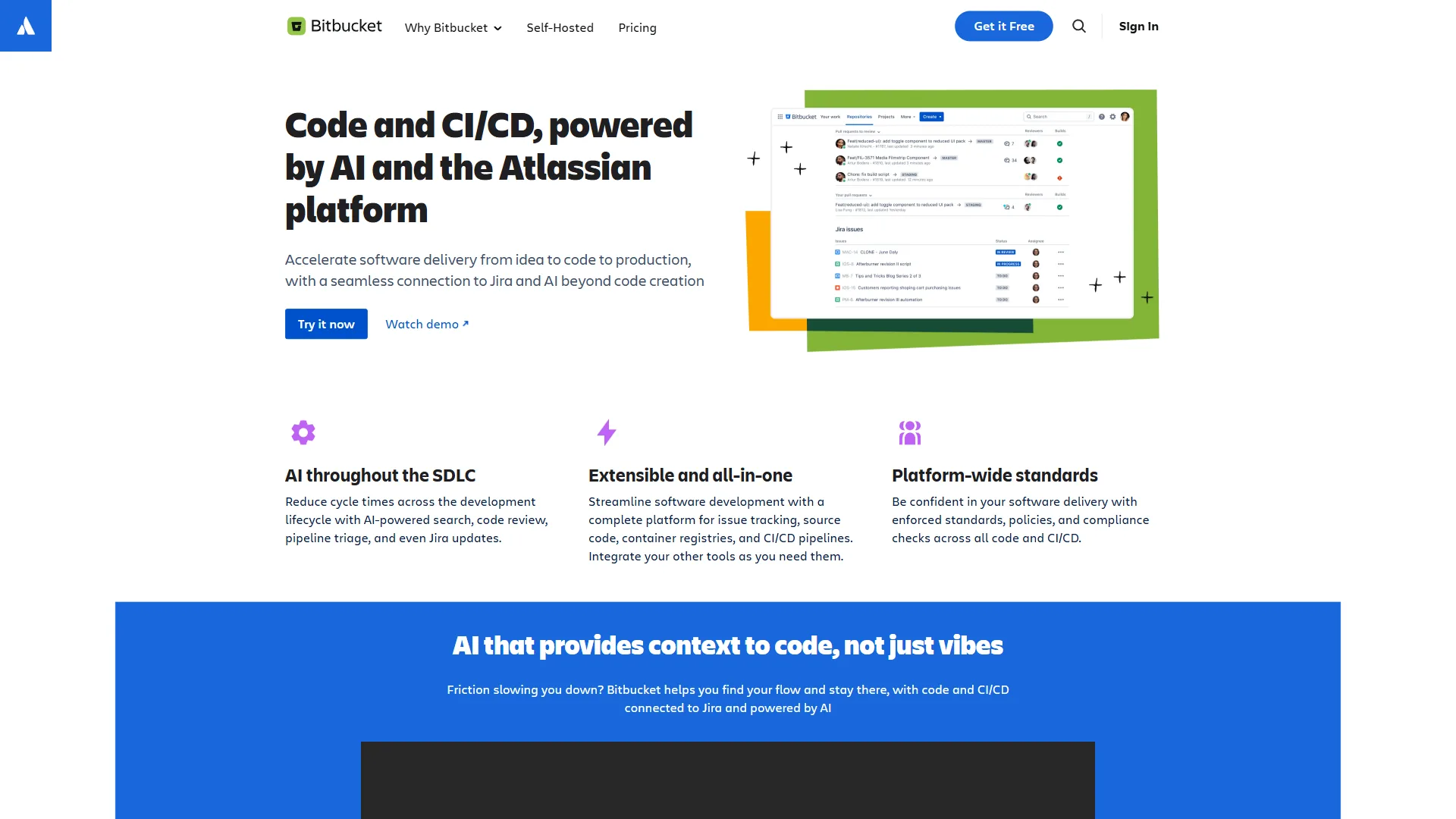
Bitbucket is Atlassian’s Git hosting platform, purpose-built for teams that already run Jira and Confluence as their project-tracking backbone. Where GitHub tries to be everything for everyone, Bitbucket focuses on doing one thing exceptionally well: connecting your code to your project management workflow.
Does Bitbucket’s Jira Integration Actually Work?
This is Bitbucket’s killer feature. When you commit code with a Jira issue key (like PROJ-123), the integration automatically:
- Links the commit to the Jira issue - visible in both platforms
- Transitions issue status - commits can move tickets from “In Progress” to “In Review”
- Shows deployment status - Jira displays which environment your code is running in
- Creates traceability - from requirement to code to deployment, everything is connected
GitHub offers Jira integration through third-party apps, but it’s bolted on rather than native. The difference becomes obvious when you’re tracking dozens of issues across multiple repositories - Bitbucket’s integration just works without configuration headaches, and Atlassian’s DevOps research emphasizes how this kind of end-to-end traceability shortens lead time for changes.
Bitbucket Pipelines: Simple CI/CD
Bitbucket Pipelines is built directly into the platform. You define your CI/CD workflow in a bitbucket-pipelines.yml file, and it runs on every push. The setup is straightforward:
- Docker-based runners - Every pipeline step runs in a container
- Built-in deployment environments - Test, staging, and production with approval gates
- Branch-specific pipelines - Different workflows for feature branches vs. main
- 50 free build minutes per month on the free tier, 2,500 on Standard
The limitation: 50 free minutes is tight. A moderately active team will burn through that in a week. By comparison, GitHub Actions offers 2,000 free minutes - a 40x difference that matters for cost-conscious teams.
Bitbucket’s Pricing Advantage
For small teams, Bitbucket is genuinely cheaper:
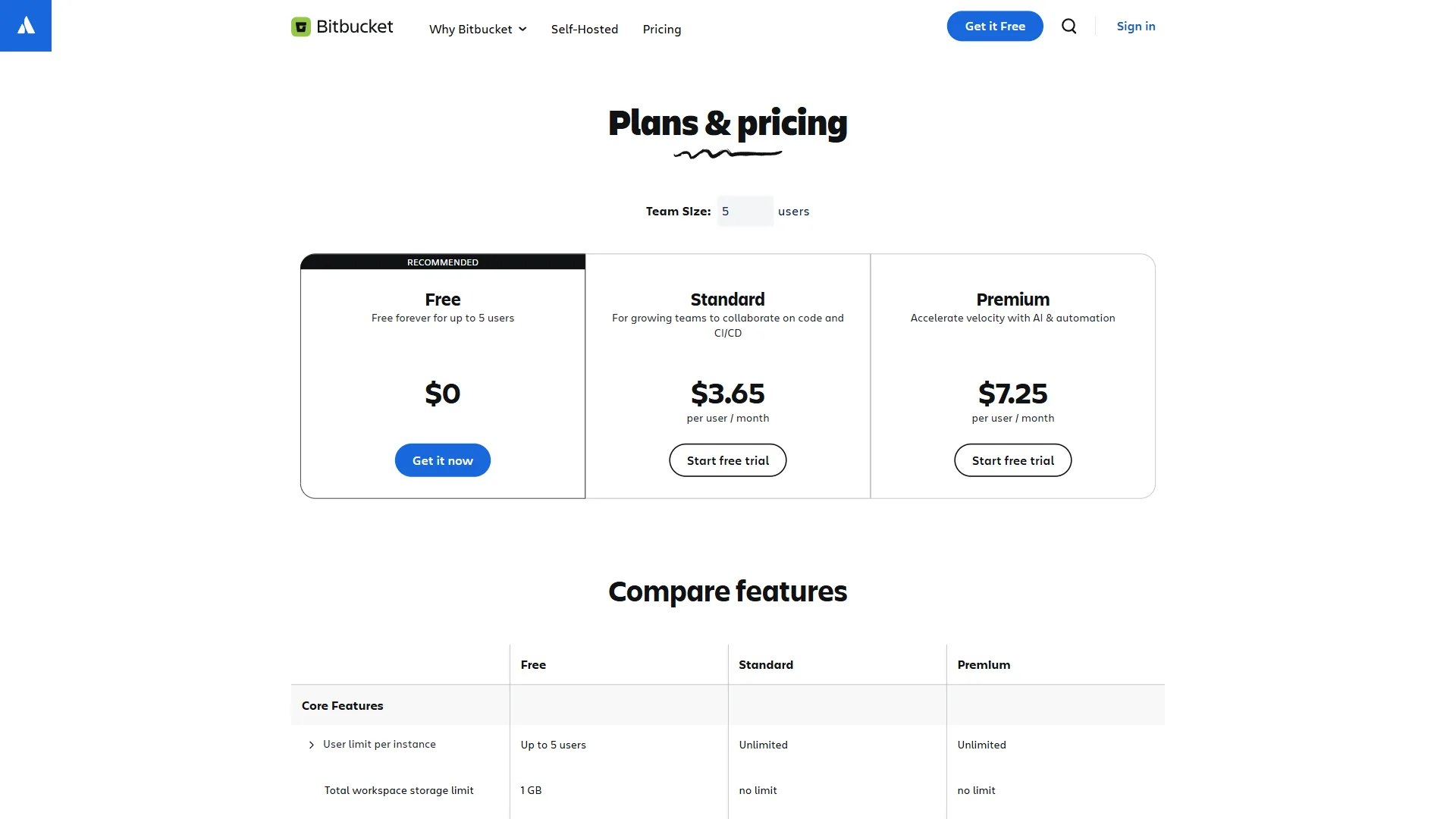
- Free: Up to 5 users with unlimited private repositories
- Standard ($3 per user/mo): Unlimited users, 2,500 build minutes, deployment permissions
- Premium ($6 per user/mo): IP allowlisting, required merge checks, deployment dashboards
A 10-person team on Bitbucket Standard pays $30 per month. The same team on GitHub Team pays $40 per month. That $120 per year difference isn’t huge, but Bitbucket also includes CI/CD minutes in the base price - GitHub Actions minutes are separate if you exceed the free tier.
Limitations and who Bitbucket is not for: Skip Bitbucket if your team isn’t deeply invested in Atlassian tools - the Jira integration is the entire pitch, and outside that ecosystem the drawbacks compound. Key weaknesses include 50 free CI minutes per month (unusable for active teams), no native AI coding assistant, a smaller marketplace than GitHub Actions, and a community a fraction of GitHub’s. Open-source maintainers, contractors switching clients often, and teams hiring from a wider talent pool will find Bitbucket’s network effects working against them.
GitHub: The Developer Platform
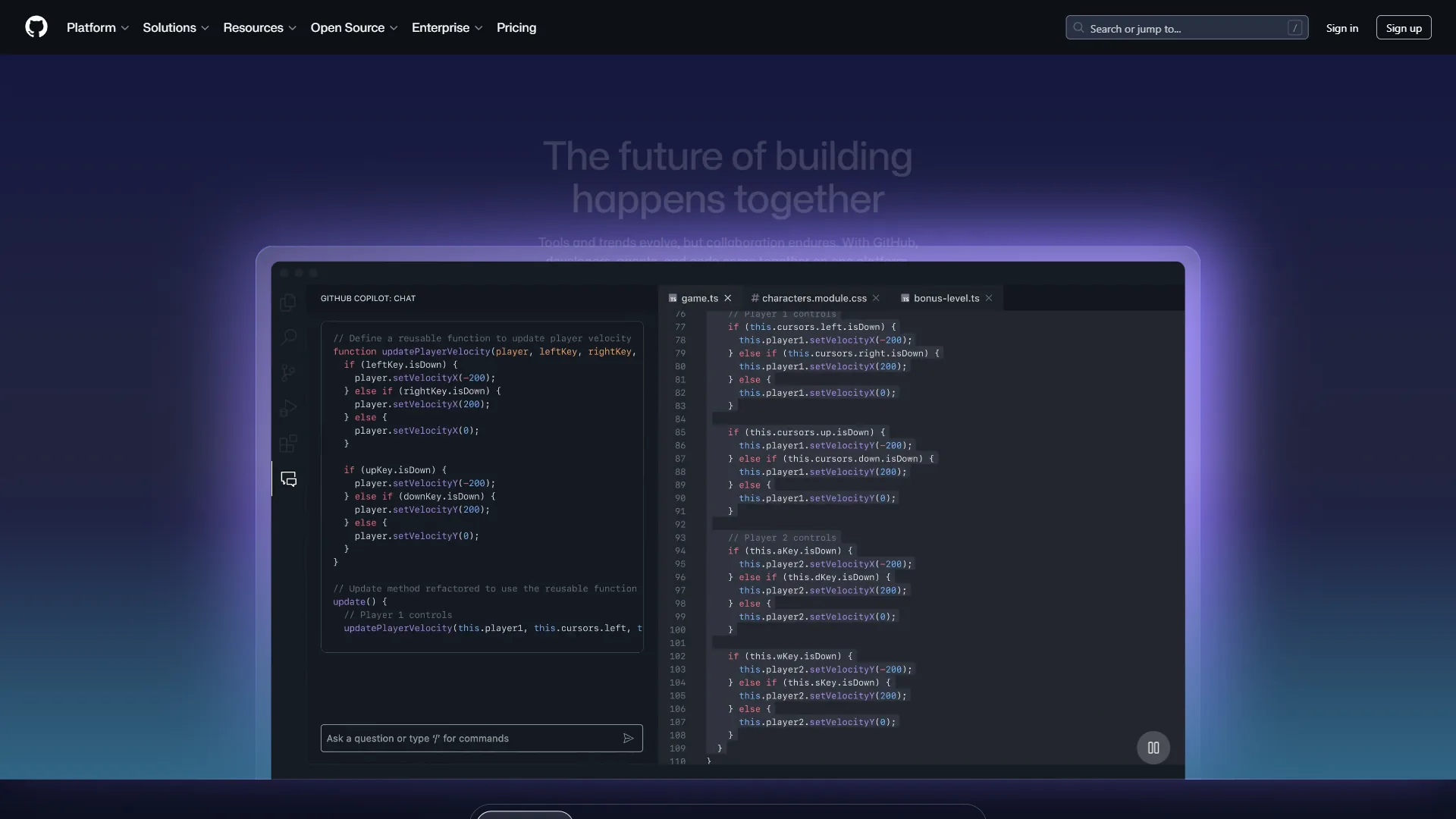
GitHub isn’t just a Git hosting service - it’s the center of the software development universe. With 100 million developers, the npm registry, GitHub Actions, Copilot AI, and the largest open-source ecosystem ever built, GitHub has network effects that no competitor can replicate.
GitHub Actions: The CI/CD Powerhouse
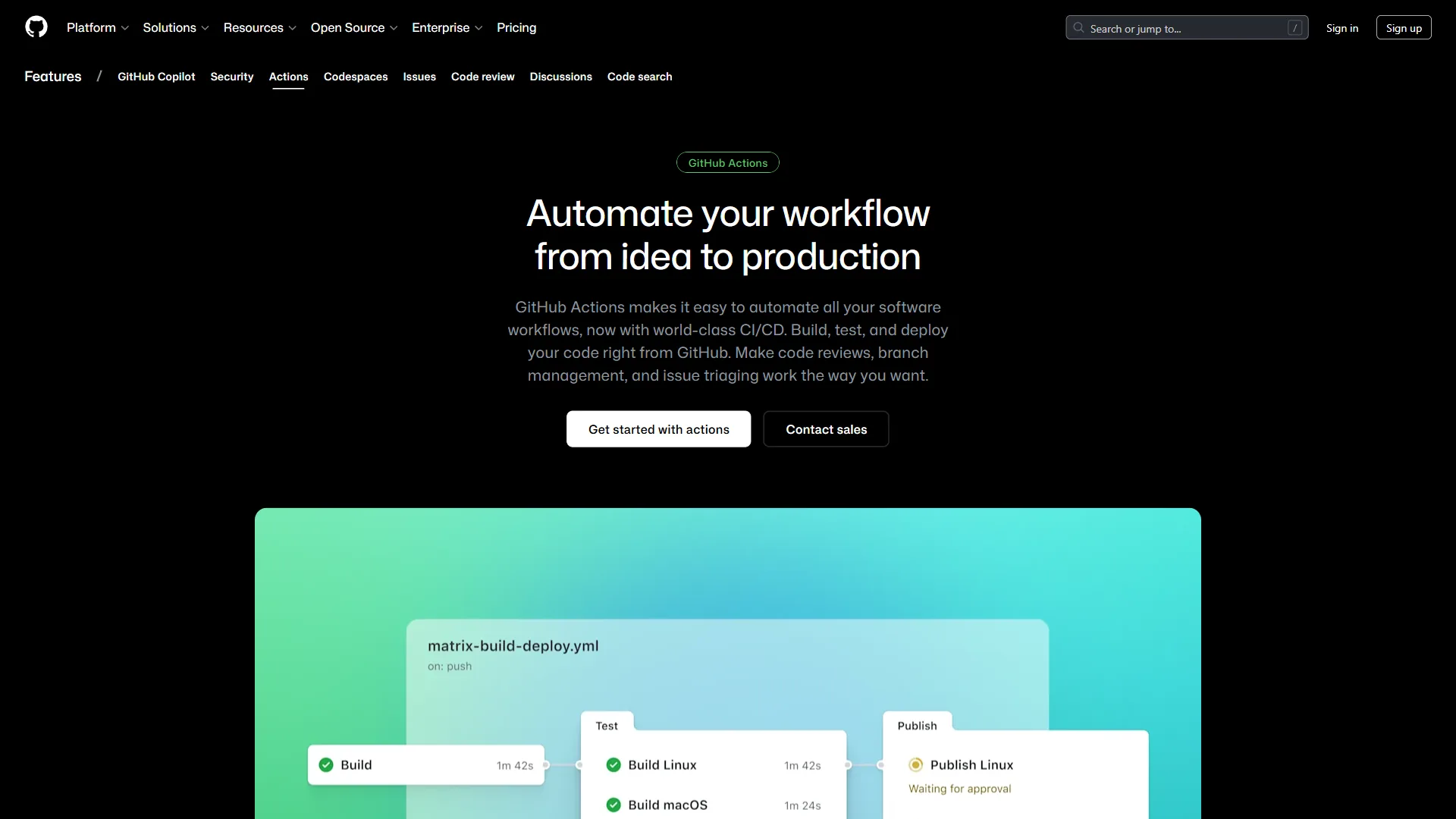
GitHub Actions has become the standard for CI/CD pipelines, and for good reason:
- 2,000 free minutes per month - enough for most small to mid-size teams
- Marketplace with 20,000+ actions - pre-built workflows for almost anything
- Matrix builds - test across multiple OS versions and language versions simultaneously
- Self-hosted runners - run pipelines on your own infrastructure for free
- Reusable workflows - share CI/CD configurations across repositories
The marketplace is the real differentiator. Need to deploy to AWS? There’s an action. Lint your Terraform? Action. Run security scans? Multiple actions. With Bitbucket Pipelines, you’re writing these integrations from scratch or relying on a much smaller pipe ecosystem.
Copilot AI Integration
GitHub’s biggest advantage in 2026 is Copilot. While Bitbucket has no native AI coding assistant, GitHub offers:
- Copilot code suggestions - AI-powered autocomplete directly in your IDE
- Copilot Chat - ask questions about your codebase in natural language
- Copilot for pull requests - automated code review summaries and suggestions
- 2,000 free completions per month on the free plan
For teams evaluating bitbucket vs github purely on features, Copilot tips the scale heavily toward GitHub. AI-assisted development is becoming table stakes, and Bitbucket doesn’t have an answer for it yet - the github-copilot-guide walks through how to get the most out of Copilot day to day.
Community and Open Source
GitHub’s community creates a self-reinforcing advantage:
- 100M+ developers means more contributors for open-source projects
- GitHub Sponsors lets maintainers get paid for their work
- GitHub Discussions provides Q&A directly in repositories
- Profile README and contribution graphs serve as developer portfolios
- npm, GitHub Packages, and Container Registry for artifact hosting
If your team contributes to open source, hiring is another consideration - nearly every developer has a GitHub profile. Bitbucket profiles don’t carry the same weight in hiring conversations.
Limitations and who GitHub is not for: Skip GitHub if you live inside Jira and Confluence - the native Atlassian integrations Bitbucket offers are bolted on as third-party apps here, and they show. GitHub’s drawbacks include higher per-user pricing at the Team tier, Copilot as a $10 per user/month add-on rather than included, and an interface that has grown busy over the years. Cons for Atlassian shops include weaker bidirectional ticket tracking and missing deployment-status surfacing inside Jira. Privacy-strict shops also note that GitHub’s default settings push more telemetry to Microsoft than some legal teams will sign off on.
Which CI/CD Is Better: Bitbucket Pipelines or GitHub Actions?
CI/CD is where the bitbucket vs github comparison gets most practical. According to a 2024 Stack Overflow Developer Survey of more than 65,000 developers, “Git is used by 93.9% of developers as their primary version control system,” making the choice of Git host one of the highest-leverage tooling decisions a team makes. Both platforms offer integrated pipelines, but the implementation philosophy differs significantly.
Configuration Philosophy
Bitbucket Pipelines uses a single bitbucket-pipelines.yml file with a clean, opinionated structure, documented in the Bitbucket Cloud configuration reference. GitHub Actions uses .github/workflows/*.yml with a more verbose but flexible format. Actions supports reusable marketplace integrations (actions/checkout@v4, actions/setup-node@v4) that save significant configuration time for complex workflows. Bitbucket’s configuration is simpler for straightforward build-test-deploy pipelines.
Build Minutes and Pricing
| Plan | Bitbucket Minutes | GitHub Minutes |
|---|---|---|
| Free | 50/month | 2,000/month |
| Paid | 2,500/month | 3,000/month |
| Overage | $10/1,000 min | $0.008/min (around $8/1,000 min) |
GitHub’s 40x advantage on free minutes is hard to ignore. For a team running 10 builds per day averaging 5 minutes each, that’s roughly 1,500 minutes per month - well within GitHub’s free tier but requiring Bitbucket Standard.
Advanced CI/CD Features
GitHub Actions advantages:
- Matrix builds across multiple environments
- 20,000+ marketplace actions
- Self-hosted runners (unlimited free minutes)
- Concurrency controls and environment protection rules
- OpenID Connect for cloud provider authentication
Bitbucket Pipelines advantages:
- Simpler configuration for straightforward workflows
- Built-in deployment tracking tied to Jira
- Pipes marketplace (smaller but curated)
- Native integration with Atlassian Compass for service catalogs
For teams with complex CI/CD needs - multi-platform builds, extensive testing matrices, or dozens of deployment targets - GitHub Actions is the stronger choice. For teams that want simple build-test-deploy pipelines tied to Jira tracking, Bitbucket Pipelines is more straightforward.
CI/CD limitations and who each is not for: Bitbucket Pipelines falls short for any team running matrix builds, multi-region deploys, or anything beyond linear build-test-deploy - the configuration model and pipe library simply aren’t deep enough. Skip GitHub Actions if you need deterministic build cost predictability: overage billing surprises are the most common complaint, and the YAML can sprawl across dozens of files quickly. Both platforms struggle with long-running jobs (over 6 hours) and have weak native support for monorepo-aware caching compared to dedicated CI tools like CircleCI or Buildkite.
Pricing Breakdown
Team Cost Analysis
| Team Size | Bitbucket Standard | GitHub Team | Difference |
|---|---|---|---|
| 5 users | $15/mo ($180/yr) | $20/mo ($240/yr) | Bitbucket saves $60/yr |
| 10 users | $30/mo ($360/yr) | $40/mo ($480/yr) | Bitbucket saves $120/yr |
| 25 users | $75/mo ($900/yr) | $100/mo ($1,200/yr) | Bitbucket saves $300/yr |
| 50 users | $150/mo ($1,800/yr) | $200/mo ($2,400/yr) | Bitbucket saves $600/yr |
Bitbucket is consistently 25% cheaper at the team tier. But this comparison doesn’t tell the whole story - GitHub’s free tier is more generous (unlimited users vs. 5), and GitHub Actions includes far more CI/CD minutes.
Hidden Costs to Consider
Bitbucket hidden costs:
- CI/CD overages at $10/1,000 minutes add up quickly
- Large File Storage (LFS) limited to 1GB free, 5GB on Standard
- No built-in AI features (need separate tools for AI coding assistance)
GitHub hidden costs:
- Copilot Pro at $10 per user/month if you want AI features
- GitHub Actions storage for artifacts ($0.25/GB beyond free tier)
- Enterprise features require $21 per user/month tier
Ecosystem and Integrations
Atlassian Ecosystem (Bitbucket’s Strength)
Bitbucket’s deepest value is its place in the Atlassian stack:
- Jira - Bidirectional issue tracking with smart commits
- Confluence - Documentation linked to repositories and branches
- Trello - Lightweight project boards connected to code
- Compass - Service catalog with deployment tracking
- Statuspage - Incident management tied to deployments
If your team already pays for Jira and Confluence, adding Bitbucket is almost a no-brainer. The workflow from “create Jira ticket” to “merge code” to “deploy and update ticket” is seamless.
GitHub Ecosystem (GitHub’s Strength)
GitHub’s integrations span the entire development landscape:
- VS Code - Native GitHub integration with Copilot
- npm - World’s largest package registry, owned by GitHub
- GitHub Packages - Host Docker, npm, Maven, NuGet packages
- Dependabot - Automated dependency updates and security alerts
- GitHub Advanced Security - Code scanning, secret scanning, supply chain security
- GitHub Codespaces - Cloud development environments
The breadth of GitHub’s ecosystem is unmatched. Where Bitbucket connects deeply to Atlassian tools, GitHub connects broadly to everything else.
Ecosystem tradeoffs and who each is not for: Skip Bitbucket’s ecosystem pitch if you don’t already pay for Jira and Confluence - the integrations only matter inside Atlassian, and the limitations show fast outside it. Skip GitHub if your stack is heavily Microsoft-Azure or Atlassian-centric and you’d rather have first-party integration than third-party apps. Both platforms have weaknesses on niche developer tooling: Bitbucket lacks native package hosting beyond LFS, and GitHub’s package registry pricing gets steep above modest storage thresholds.
Winner by Category
GitHub is the stronger choice for community, CI/CD breadth, and AI tooling, while Bitbucket is the stronger choice for Atlassian integration and per-user cost on small teams. The category-by-category breakdown below maps each platform’s best fit.
Choose Bitbucket If:
- Your team runs on Atlassian - Jira, Confluence, and Trello are your daily tools
- You need tight project tracking - Smart commits and Jira integration create full traceability
- Budget is a primary concern - $3 per user/month is hard to beat for private repos
- Your team is small (under 5) - The free tier covers small teams completely
- You prefer simplicity - Bitbucket’s UI is cleaner and less overwhelming than GitHub’s
Choose GitHub If:
- You contribute to open source - GitHub is where open source lives
- You want AI-assisted development - Copilot has no Bitbucket equivalent
- CI/CD is mission-critical - 2,000 free minutes and Actions marketplace are unbeatable
- You’re hiring developers - GitHub profiles are the industry standard portfolio
- You need advanced security - Dependabot, code scanning, and secret detection are built in
Consider Azure DevOps If:
Neither Bitbucket nor GitHub fits perfectly? Azure DevOps offers a compelling middle ground with Azure Boards, Repos, Pipelines, and Test Plans in a single platform - especially for teams already invested in the Microsoft ecosystem.
The Bottom Line: Bitbucket vs GitHub 2026
The bitbucket vs github debate in 2026 has a clear answer for most teams: GitHub wins on breadth, community, CI/CD, and AI features. Its free tier is more generous, Actions marketplace is unmatched, and Copilot integration gives developers a genuine productivity edge.
But Bitbucket wins where it matters for Atlassian teams. If your organization already invests in Jira and Confluence, the native integration between Bitbucket and these tools creates a workflow that GitHub cannot replicate with third-party plugins. The lower per-user pricing is a bonus.
Recommendation: Start with GitHub unless you have a compelling reason not to. Its community, ecosystem, and AI capabilities make it the safer long-term bet. Switch to Bitbucket only if Atlassian integration is genuinely central to your workflow - not just because you use Jira, but because you need the deep bidirectional tracking between code and issues that only native integration provides.
For teams evaluating bitbucket vs github in 2026, the question isn’t which platform is better - it’s which ecosystem you want to build your workflow around. See our Best Version Control Tools for 2026 guide for a broader comparison including GitLab, or the gitlab-vs-bitbucket head-to-head.
FAQ
Q: Why are companies moving from Bitbucket to GitHub?
The breadth of GitHub’s ecosystem is unmatched. Where Bitbucket connects deeply to Atlassian tools, GitHub connects broadly to everything else.
Q: Is Bitbucket free like GitHub?
Bitbucket is consistently 25% cheaper at the team tier. But this comparison doesn’t tell the whole story - GitHub’s free tier is more generous (unlimited users vs.
Q: Is Bitbucket owned by GitHub?
The breadth of GitHub’s ecosystem is unmatched. Where Bitbucket connects deeply to Atlassian tools, GitHub connects broadly to everything else.
Q: Does Amazon use Bitbucket or GitHub?
The breadth of GitHub’s ecosystem is unmatched. Where Bitbucket connects deeply to Atlassian tools, GitHub connects broadly to everything else.
Related Reading
Related coverage includes a third Git host (GitLab), broader version-control roundups, Copilot deep-dives, and other developer-tool comparisons that orbit the bitbucket vs github decision.
- GitHub - Our full review with pricing, features, and alternatives
- GitLab - Our full review with pricing, features, and alternatives
- Cursor - AI-powered code editor with GitHub integration
- Best Version Control Tools for 2026: GitHub vs GitLab vs Bitbucket
- Bitbucket Pipelines: Complete CI/CD Setup Guide
- GitHub Actions Tutorial: Build CI/CD Pipelines in 15 Minutes
- Atlassian Stack for Developers: Jira, Confluence, and Bitbucket
- AI Coding Assistants Future 2026: What Comes Next - How AI is changing developer workflows
External Resources
Primary vendor pages are the authoritative source for current Bitbucket and GitHub pricing, feature scope, and roadmap commitments.
- Bitbucket - Official features overview
- GitHub - Official features page
- Azure DevOps - Microsoft’s alternative platform