


The best enterprise collaboration platforms in 2026 are Bloomfire for AI knowledge management, Confluence for Atlassian-native developer teams, Notion for flexible all-in-one workspaces, and Document360 for customer-facing help centers. Choosing the right one is not about feature lists - it is about matching your organization’s specific workflow to the right architecture.
The enterprise collaboration platforms landscape now divides into three camps: AI-powered knowledge management like Bloomfire, traditional documentation platforms like Confluence, and flexible all-in-one workspaces like Notion. Each solves a fundamentally different problem. According to McKinsey’s research on workplace productivity, employees spend roughly 1.8 hours every day searching for information - the core inefficiency these platforms exist to solve.
This comparison covers how the four collaboration platforms stack up for teams of 15 to 500+ users. Our analysis draws on current vendor documentation, published pricing pages, and independent research rather than sponsored placement - AI Productivity may earn a commission from links on this page, but our rankings are editorially independent.
Which Enterprise Collaboration Platform Should You Choose?
You should choose the enterprise collaboration platform that matches your primary challenge: Bloomfire for AI-powered search across scattered files, Confluence for Atlassian-integrated technical docs, Notion for customizable all-in-one workspaces, and Document360 for external help centers. The right choice depends on your team size, budget, and specific workflow requirements.
Choose the platform that matches your primary challenge:
Choose Bloomfire if:
- Your team drowns in scattered knowledge across 25+ file types
- Video content and screen recordings make up significant institutional knowledge
- You need AI-powered search that understands context, not just keywords
- Budget allows for enterprise-grade investment ($150K+ annually)
Choose Confluence if:
- Your team already lives in the Atlassian ecosystem (Jira, Bitbucket)
- Technical documentation and structured wikis are your primary use case
- You need granular permissions for complex organizational hierarchies
- Developer teams need integration with CI/CD pipelines
Choose Notion if:
- Team size is under 100 people and you value customization
- You want one platform for docs, tasks, databases, and wikis
- Your team is comfortable with a steeper learning curve
- Budget consciousness matters ($8 per user/month vs enterprise pricing)
Choose Document360 if:
- External-facing knowledge bases and help centers are the priority
- Multilingual support is non-negotiable
- You need something simple that non-technical teams can manage
- Smaller team (under 10 knowledge base managers)
How Do Bloomfire, Confluence, Notion, and Document360 Compare?
Bloomfire, Confluence, Notion, and Document360 differ most on price and search capability: Bloomfire costs roughly $158K per year with advanced AI search, Confluence starts at $6 per user each month with basic keyword search, Notion starts at $8 per user each month with extensive customization, and Document360 starts at $149 per month with knowledge-base specialization. The table below summarizes how the four collaboration platforms compare across the factors that matter most.
| Feature | Bloomfire | Confluence | Notion | Document360 |
|---|---|---|---|---|
| Rating | - | - | - | |
| Starting Price | Custom (approximately $158K/year) | $6/user/month | $8/user/month | $149/month (3 users) |
| AI Search | Advanced (25+ file types) | Basic | Basic | Advanced |
| Video Intelligence | Auto-transcription | Plugin required | Embedded only | Limited |
| Customization | Limited | Moderate | Extensive | Moderate |
| Learning Curve | Steep | Moderate | Steep | Easy |
| Mobile Experience | Excellent | Good | Good | Moderate |
| Enterprise SSO | Included | Extra cost | Extra cost | Extra cost |
| Best For | Knowledge management | Developer docs | Flexible workspace | Help centers |
Bloomfire: AI-Powered Knowledge Management

Bloomfire is an enterprise AI knowledge management platform that indexes 25+ file types - including video transcriptions - and surfaces context-aware answers from scattered institutional knowledge. User reviews from 200+ person teams confirm it delivers on that promise, provided the budget allows for enterprise-grade pricing.
What Sets Bloomfire Apart
The standout feature is genuinely intelligent search. When organizations upload files from scattered SharePoint, Google Drive, and local storage, Bloomfire’s AI does not just index filenames - it transcribes videos, extracts text from images, and understands context within PDFs.
A sales rep searching “Q4 pricing exceptions for healthcare clients” can surface a timestamped Zoom recording, a client-tier spreadsheet, and a compliance email thread at once - results traditional search would miss without exact filenames. The video transcription feature alone can justify the cost for training departments, since every screen recording becomes searchable by spoken content.
The “Self-Healing Knowledge Base”
Bloomfire’s most underrated feature per Bloomfire’s product blog is automated content suggestions: as teams create new materials, the AI flags outdated content and identifies knowledge gaps, preventing the knowledge rot that plagues traditional Confluence setups.
Real Limitations
Pricing is the elephant in the room. Quotes for 200 users come to approximately $158K annually - roughly $790 per user/year versus Confluence’s $72 or Notion’s $96. The ROI math only works if knowledge management problems are costing more than $158K in lost productivity.
Customization is limited compared to Notion: teams get Bloomfire’s opinionated structure or nothing. The mobile app is excellent for consumption but limited for creation - search and reading work beautifully, but rich content creation requires desktop.
Pros and Cons
Pros:
- AI search actually understands context across 25+ file types
- Video transcription and timestamp-level search
- Self-healing knowledge base flags outdated content
- Enterprise-grade security and compliance (SOC 2, GDPR)
- Excellent analytics on content usage and knowledge gaps
Cons:
- Enterprise-only pricing ($158K/year median)
- Limited customization compared to Notion
- Steep learning curve for content creators
- No free or small team tier
- Best features require high content volume to shine
Confluence: The Developer Documentation Standard

Confluence is a structured documentation platform that has been the default for developer teams for over a decade. If an organization runs on Atlassian tools, Confluence integrates so tightly it feels like a native extension.
When Confluence Wins
The Jira integration is unmatched. Every product requirement, technical spec, and release note links bidirectionally to tickets - teams create a Confluence spec, generate Jira tickets from its sections, and auto-populate release notes from closed tickets. This tight coupling means documentation stays current without manual updates.
The permission system handles complex organizational hierarchies better than any competitor, supporting company-wide wikis, department spaces, invite-only project spaces, and read-only client spaces, each with granular permissions that integrate with Active Directory groups.
Where Confluence Shows Its Age
Search is keyword-based and frustratingly literal. Searching “deployment process” will not find a page titled “How We Ship to Production” unless someone manually tagged it. The visual editor feels dated, and creating attractive pages means fighting the WYSIWYG editor. AI features are bolted-on, not native: Confluence Intelligence is an expensive add-on ($4.50 per user/month extra) and does not approach Bloomfire’s contextual understanding.
Pros and Cons
Pros:
- Seamless Jira and Bitbucket integration
- Enterprise-grade permissions and audit logs
- Mature marketplace with 1,000+ plugins
- Strong version control and page history
- Reliable uptime and performance at scale
Cons:
- Basic keyword search, not AI-powered
- Dated visual editor compared to modern tools
- Becomes cluttered without aggressive governance
- AI features cost extra and underperform
- Mobile editing experience is frustrating
Notion: The Flexible All-in-One Workspace
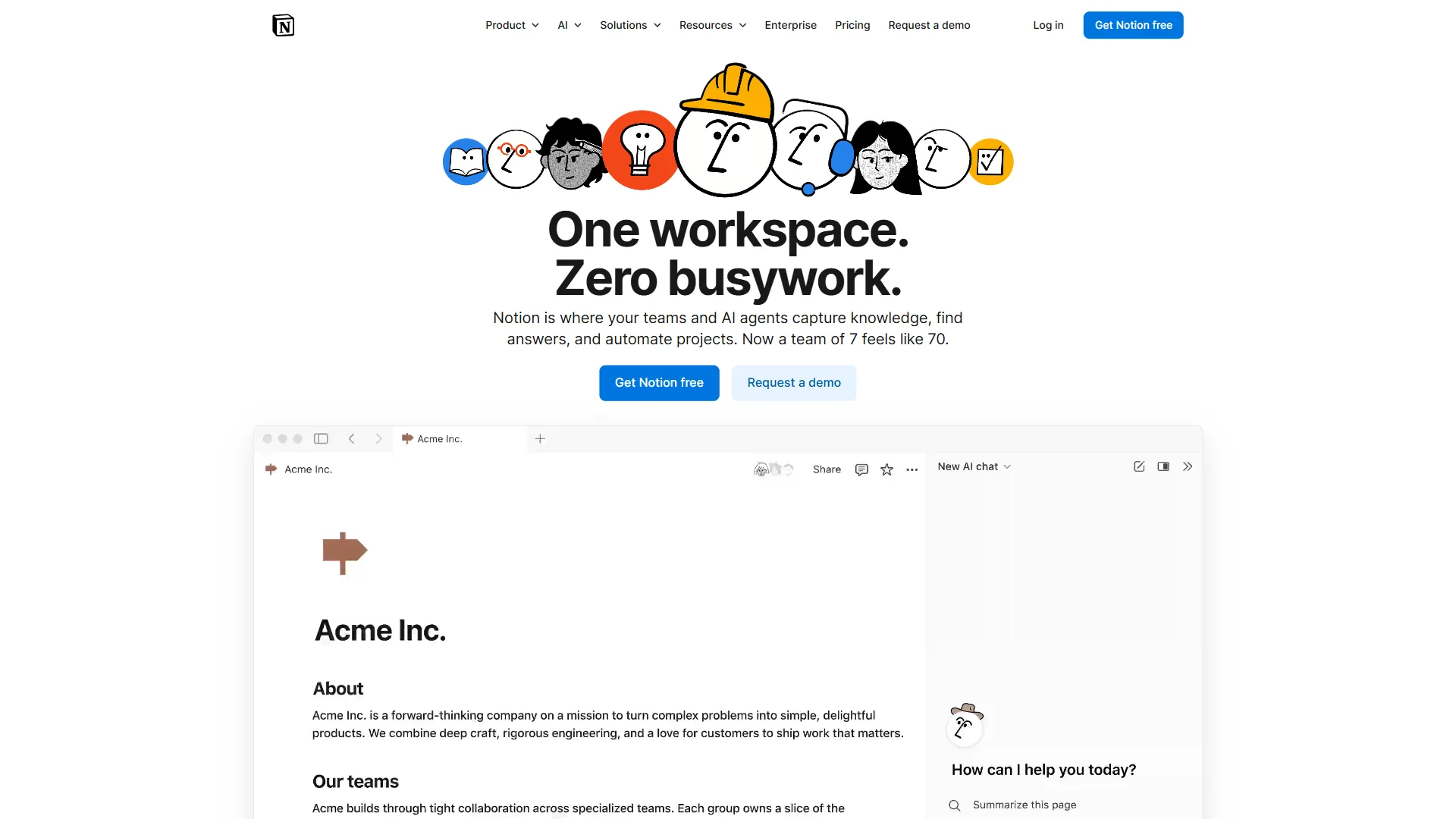
Notion is a flexible all-in-one workspace that combines docs, wikis, tasks, and databases into a single customizable platform, priced at $8 per user each month on the Plus plan. Notion exploded in popularity because it solves the “too many tools” problem - instead of separate platforms for each function, teams get one workspace that morphs to their needs.
Notion’s Superpower: Customization
A 50-person growth team using Notion can build a multi-view content calendar, campaign tracking with automatic status updates, and meeting-notes templates that feed a master task list - typically within two weeks. This level of customization is impossible in Bloomfire and painful in Confluence, because Notion’s database system lets non-technical teams build custom workflows without bothering IT. Its formula and automation capabilities let operations teams build a project tracker that calculates budget burn rate and workload distribution without writing code.
The Learning Curve Trade-Off
Notion’s flexibility comes at a cost: cognitive overhead. New users face decision paralysis, and teams typically take 4-6 weeks to feel comfortable versus 1-2 weeks for Confluence or Document360 - acceptable for a startup, but a real cost at 500-person scale.
Search is better than Confluence but far behind Bloomfire. It is keyword-based with some fuzzy matching, but it will not understand synonyms or context, and an uploaded PDF is searched by filename only, not content.
Enterprise Readiness Concerns
Notion has made huge strides in enterprise features per Notion’s enterprise documentation - SSO, SCIM, and audit logs - but gaps remain: no granular permissions within databases, limited admin controls compared to Confluence, basic version history, and no compliance certifications beyond SOC 2. For teams under 100 people these gaps are manageable; for regulated industries or complex hierarchies, they are dealbreakers.
Pros and Cons
Pros:
- Extremely customizable (databases, formulas, templates)
- Best-in-class visual editor and design
- Affordable at $8 per user/month (Premium plan)
- Strong mobile apps for iOS and Android
- Active community sharing templates and best practices
Cons:
- Steep learning curve for non-technical users
- Search is keyword-based, not AI-powered
- Limited enterprise governance features
- Can become chaotic without discipline
- PDF/document content isn’t searchable
Document360: The Knowledge Base Specialist
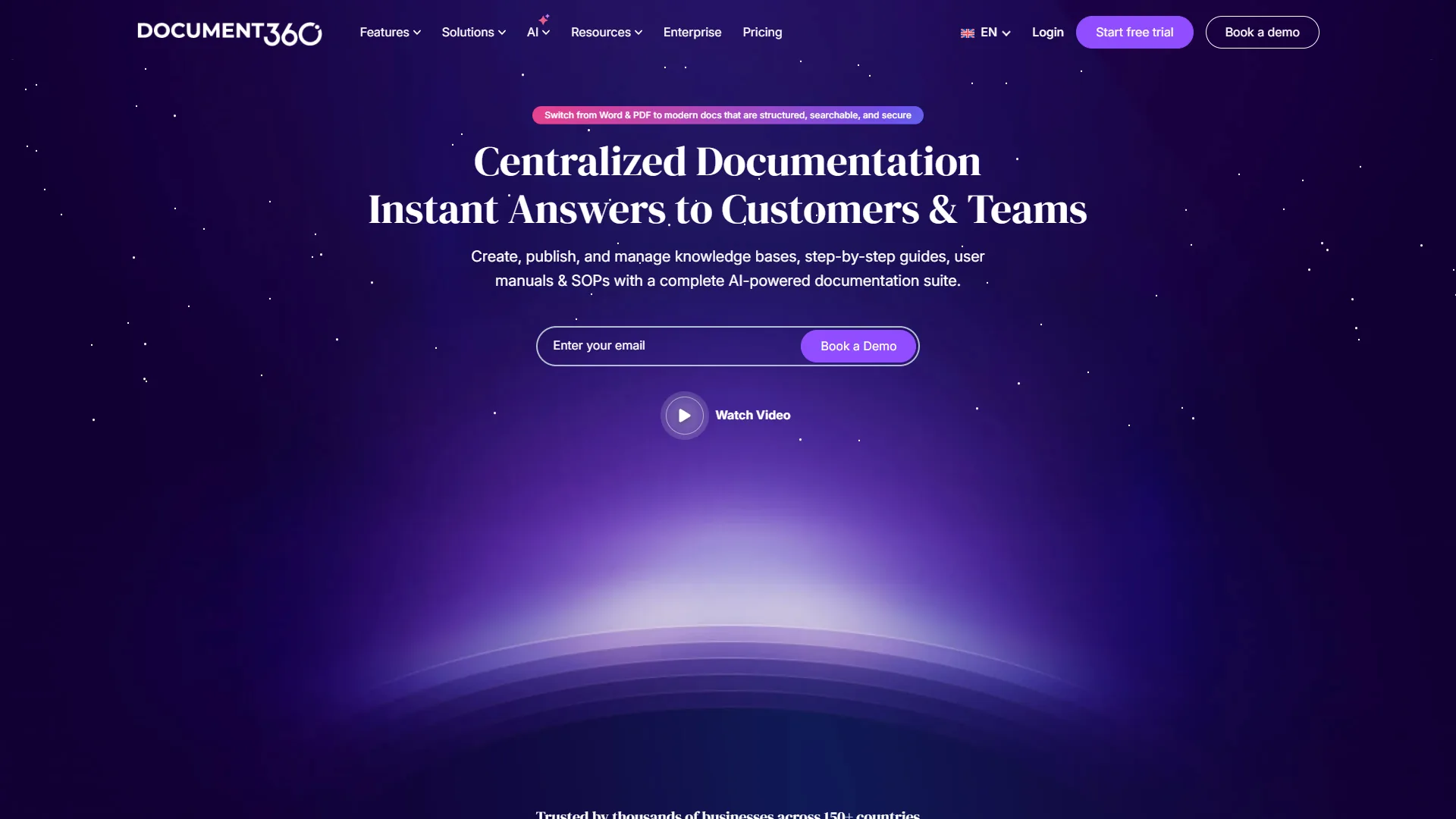
Document360 is a knowledge base specialist built for external-facing help centers and customer documentation, starting at $149 per month for three project members with unlimited viewers. While Bloomfire, Confluence, and Notion focus on internal collaboration, Document360 excels at customer-facing documentation with production-ready multilingual support.
When Document360 Makes Sense
If the primary need is a help center rather than an internal wiki, Document360 delivers impressive value at $149 per month for three project members with unlimited viewers.
The multilingual support is production-ready out of the box per Document360’s multilingual feature documentation, letting SaaS companies maintain documentation in multiple languages with native-speaker review. The category management and navigation tools are superior to building a help center in Notion or Confluence, with pre-built templates that save weeks of design work. Analytics show exactly which articles customers read and where they drop off, driving support teams to rewrite the most-abandoned articles and reduce ticket volume.
Limitations for Internal Use
Document360 is not designed for internal collaboration: there is no task management, no @mentions, and no workflow automation - it is a one-way publishing platform. Its AI search beats Confluence’s keyword matching but trails Bloomfire’s contextual understanding, handling synonyms well enough for customer support rather than enterprise knowledge management.
Pros and Cons
Pros:
- Excellent for external knowledge bases and help centers
- Production-ready multilingual support
- Detailed analytics on article performance
- Affordable ($149 per month for small teams)
- Easy for non-technical users to manage
Cons:
- Not designed for internal collaboration
- No task management or workflow features
- Limited to documentation use case
- Small user limit before pricing jumps
- Basic AI search compared to Bloomfire
How Do Bloomfire, Confluence, Notion, and Document360 Compare on Pricing?
The true cost of these platforms goes well beyond published pricing, since implementation and add-ons materially change first-year totals.
| Platform | Published / quoted price | Total first year (200 users) | Break-even requirement |
|---|---|---|---|
| Bloomfire | ~$158K/year ($790 per user) | $180K-200K with consulting | Save 4+ hours/user each month |
| Confluence | $6-$11.50 per user/month | ~$28K with essential add-ons | Easiest to justify for Atlassian shops |
| Notion | $8-$15 per user/month | ~$20K | Replace 2-3 tools to justify |
| Document360 | $149-$299 per month | ~$2,400 for small teams | Cut support tickets 15-20% |
Hidden costs vary: Bloomfire adds implementation consulting ($20K-40K), Confluence adds marketplace apps and Confluence Intelligence, Notion’s extras are minimal, and Document360 charges separately for custom-domain SSL and analytics.
Which Integration Ecosystems Do These Platforms Support?
These platforms support distinct integration ecosystems: Confluence offers 1,000+ marketplace apps with native Jira and Bitbucket connections, Bloomfire integrates deeply with SharePoint, Salesforce, and Slack, Notion provides 50+ native integrations popular with Zapier and Make, and Document360 focuses on support tools like Zendesk and Intercom. The platforms differ dramatically in how they connect to existing tools.
- Bloomfire: deep integrations with SharePoint, Salesforce, MS Teams, and Slack, plus a robust REST API, though its marketplace is limited compared to Confluence.
- Confluence: 1,000+ marketplace apps and native Jira/Bitbucket integration with a mature REST API, though many integrations require paid apps.
- Notion: 50+ native integrations and an excellent API popular with automation tools like Zapier and Make, though some integrations feel bolted-on.
- Document360: integrations focused on support tools such as Zendesk, Intercom, and Freshdesk, with a solid content-management API but little beyond the documentation use case.
Best Use Cases for Each Platform
The best use case for each platform follows its core design: Bloomfire fits large enterprises with heavy video and file libraries, Confluence fits engineering teams on Jira, Notion fits customization-minded teams of 10-100, and Document360 fits customer-facing support documentation. Platform fit matters more than raw features - as Atlassian co-founder Mike Cannon-Brookes has put it, the company aims “to unleash the potential of every team”, and that potential only unlocks when the tool matches how a team actually works.
Based on analysis of these platforms across different team types, here are the best fits:
- Use Bloomfire when enterprise sales or training teams need instant timestamp-level search across thousands of files, knowledge management is a C-level priority with budget, and you have 100+ users with a content library exceeding 10,000 items.
- Use Confluence when engineering teams already use Jira and need technical documentation coupled to development workflows, complex organizations require granular permissions and audit trails, and you need a mature, battle-tested platform.
- Use Notion when startup to mid-size teams (10-100 people) value customization and affordability, you want to consolidate docs, wikis, and project management, and visual design matters to adoption.
- Use Document360 when customer-facing help centers are the priority over internal wikis, multilingual documentation is essential for global customers, and support teams need analytics on article effectiveness.
Final Verdict: Best Enterprise Collaboration Platforms
The best enterprise collaboration platform is the one that matches your specific situation: Bloomfire for budgeted knowledge management at scale, Confluence for Atlassian-native developer teams, Notion for flexible mid-size workspaces, and Document360 for customer-facing help centers. There is no universal winner - only the right fit.
For large enterprises with knowledge management challenges and budget: Bloomfire justifies its premium pricing for teams drowning in scattered institutional knowledge, delivering measurable time savings - but only at scale.
For Atlassian-native organizations and developer teams: Confluence remains the safe, reliable choice, integrating seamlessly with Jira and handling enterprise permissions better than any competitor.
For small to mid-size teams prioritizing flexibility: Notion offers the best balance of power and affordability, with a real learning curve offset by deep customization.
For customer-facing documentation: Document360 is purpose-built for help centers and beats repurposing internal collaboration tools.
For most teams starting fresh, begin with Notion for internal collaboration, add Document360 for external knowledge bases, and graduate to Bloomfire or Confluence only on hitting specific limitations. Trial your top two choices for 30 days before committing to annual contracts. See our Confluence vs Notion comparison and remote collaboration tools roundup for more.
FAQ
Q: What are enterprise collaboration platforms?
Enterprise collaboration platforms have evolved far beyond simple document sharing. The landscape now divides into three distinct camps: AI-powered knowledge management systems like Bloomfire, traditional team documentation platforms like Confluence, and flexible all-in-one workspaces like Notion. Each solves fundamentally different problems, and picking the wrong one costs organizations far more than the subscription price.
Q: What is an example of an enterprise collaboration system?
Bloomfire, Confluence, Notion, and Document360 are leading examples of enterprise collaboration systems. Each is evaluated for teams ranging from 15 to 500+ users, based on published data for onboarding time, search effectiveness, and adoption rates. These collaboration platforms examples approach the same problem from different angles, covering AI-powered knowledge management, structured wikis, flexible workspaces, and external-facing help centers.
Q: Where can I find a full enterprise collaboration platforms list?
A complete enterprise collaboration platforms list extends well beyond the four reviewed here to include Slack, Microsoft SharePoint, Glean, and Lark, among others. This guide focuses on four collaboration tools examples - Bloomfire, Confluence, Notion, and Document360 - because they represent the three core architectures: AI knowledge management, structured documentation, and flexible workspaces.
Q: What are the top platforms for enterprise collaboration suites?
In 2026, enterprise collaboration platforms have evolved far beyond simple document sharing. Choosing the right platform is not about feature lists - it is about matching your organization’s specific workflow to the right architecture.
Q: What are the best collaboration platforms?
In 2026, enterprise collaboration platforms have evolved far beyond simple document sharing. Choosing the right platform is not about feature lists - it is about matching your organization’s specific workflow to the right architecture.
Related Reads
These related reads expand on the four enterprise collaboration platforms covered above. Tools covered in this article:
- Bloomfire - Enterprise knowledge sharing
- Confluence - Team wiki and documentation
- Document360 - Knowledge base platform
- Notion - All-in-one workspace
More collaboration guides:
- Wiki Platforms Compared - Wiki platforms compared
- Best Knowledge Base Software - Knowledge bases compared
- Best AI Knowledge Management Tools - AI-powered knowledge tools
External Resources
These resources offer independent research on enterprise collaboration platforms.