


Two AI coding tools have emerged as the dominant forces in developer productivity for 2026: Claude Code, Anthropic’s terminal-native coding assistant, and Cursor, the AI-first IDE built on VS Code. Having put both tools through production scenarios and real developer workflows, the data is in for the complete Claude Code vs Cursor 2026 breakdown.
This isn’t a surface-level comparison. It covers everything from the learning curve (something competitors completely miss) to real project workflows, token efficiency, and team collaboration. By the end, you’ll know exactly which tool fits your development style.
Quick Verdict: TL;DR
Claude Code is the better pick for terminal-native developers running complex refactors and CI/CD automation, while Cursor wins for VS Code users who want a visual IDE with parallel agents and Fusion Tab completions. Both start at $20 per month for Pro and the right choice depends on your workflow, budget, and team size. This guide compares both tools across the features that actually matter for daily work.
Our analysis draws on each vendor’s current pricing pages, official documentation, and independent developer reports - not sponsored placement or hands-on benchmarking. AI Productivity may earn a commission from links on this page; rankings remain editorially independent.
Here is the short version before we dive deep:
| Aspect | Claude Code | Cursor |
|---|---|---|
| Best For | Terminal-first developers, complex refactoring, autonomous execution | VS Code users, multi-file editing, rapid prototyping |
| Interface | Terminal/CLI | VS Code-based IDE |
| Starting Price | $0 (limited) / $20/mo Pro | $0 (limited) / $20/mo Pro |
| Learning Curve | Steeper (terminal commands) | Gentler (familiar IDE) |
| Rating | ||
| Context Window | 200K tokens | Maximum context windows |
| Autonomous Execution | Yes (runs commands) | Yes (parallel agents) |
| Key Strength | Deep codebase understanding | Composer multi-file editing |
| Key Limitation | Terminal-only interface | High memory consumption |
Top pick: Use Claude Code if you live in the terminal, work on complex multi-file refactoring, and want an AI that can actually execute commands autonomously. Use Cursor if you prefer a visual IDE, want the fastest autocomplete, and need parallel agent workflows. Both rank among the top picks on our best tools for developers page.
What Is Claude Code?
Claude Code is Anthropic’s agentic AI coding assistant that runs entirely in your terminal, executes shell commands autonomously, and processes up to 200,000 tokens of codebase context per request.
Claude Code is Anthropic’s agentic AI coding assistant that lives entirely in your terminal. Unlike IDE-based tools, Claude Code doesn’t replace your editor - it works alongside whatever environment you already use, whether that’s Vim, Neovim, VS Code, or JetBrains.
The philosophy is fundamentally different from Cursor. Claude Code acts as an intelligent command-line colleague that understands your entire codebase and can execute shell commands, run tests, manage git operations, and deploy code - all through natural language.
Core Claude Code Capabilities
200K Token Context Window: Claude Code processes up to 200,000 tokens in a single context. That’s roughly 150,000 words - enough to understand large codebases without losing track of dependencies. The Anthropic context window guide details how the window is allocated across system, user, and tool messages.
Autonomous Code Execution: This is the killer feature. Claude Code doesn’t just suggest code - it runs commands. Ask it to “run the test suite and fix any failures,” and it executes pytest, reads the output, and patches your code. For developers looking to extend this capability further, our guide to building MCP servers shows how to create custom tool integrations that Claude Code can leverage.
Natural Language Commands: Instead of memorizing flags, you speak naturally. “Create a new feature branch for the authentication system” works just as well as git checkout -b feature/auth. Anthropic’s Claude Code best practices guide walks through how to phrase intent for the most reliable results.
Multi-File Understanding: Claude Code indexes your entire project. When you ask “how does the payment processing work?”, it references your Stripe integration, database models, and API routes together. This deep multi-file awareness is one of the best AI coding assistants differentiators.
Git Integration: Native git support means Claude Code understands commits, branches, PRs, and can even write meaningful commit messages based on your changes.
Used by engineering teams at Uber, Netflix, Spotify, and Salesforce, Claude Code has quickly become a standard tool for developers who prefer terminal workflows.
Limitations and who it’s not for: Claude Code is terminal-only - there is no inline autocomplete, no diff UI, no file tree, and no visual debugger. Skip Claude Code if you live in a GUI editor and have never set up tmux or used Vim/Neovim, since the learning curve will eat 15-20 hours before you feel productive. Cons include a single-vendor lock-in to Anthropic’s models (no GPT-5, Gemini, or Grok), no enterprise SSO, no centralized team analytics, and no offline mode. Power users on basic shell setups (no fzf, no ripgrep) will also see slower performance than the marketing implies.
What Is Cursor?
Cursor is an AI-first code editor built as a fork of VS Code, adding Composer multi-file editing, Fusion Tab completions, and access to GPT-5, Claude 4, Gemini 2.5 Pro, and xAI Grok from a single interface.
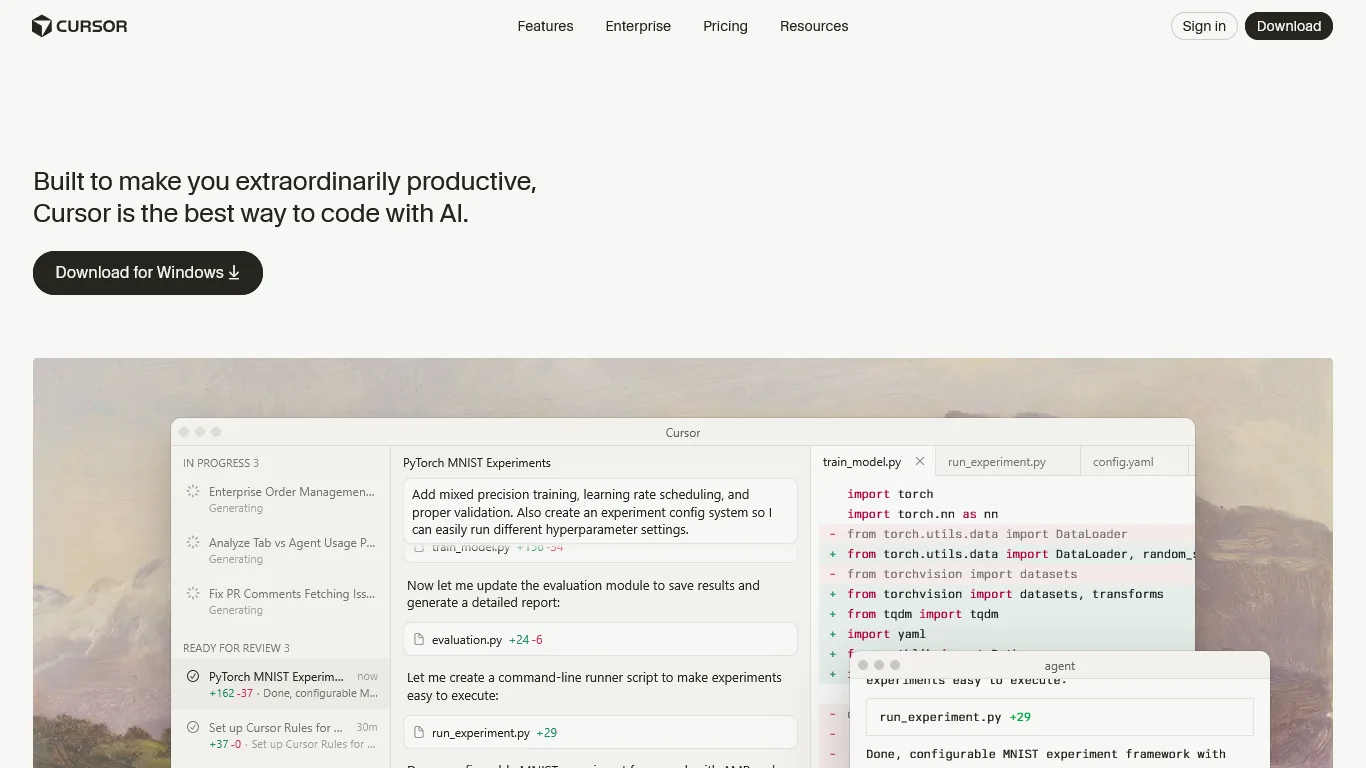
Cursor takes the opposite approach: instead of living in your terminal, it replaces your IDE entirely. Built as a fork of VS Code, Cursor maintains full extension compatibility while adding AI features at every level of the editing experience.
Over 50% of Fortune 500 companies now use Cursor. With a $9 billion valuation and $500 million ARR, this is not a startup experiment - it is production-grade infrastructure backed by significant venture funding. According to Anthropic’s published customer brief, Michael Truell, CEO of Anysphere (Cursor’s parent company), describes the product’s mission as “writing the world’s software” by combining frontier models with deep editor integration.
Core Cursor Capabilities
Composer Multi-File Editing: Cursor’s standout feature. Describe a change in plain English, and Composer edits multiple files simultaneously. It can refactor entire component libraries in minutes.
8 Parallel Agents: Run up to 8 AI agents simultaneously from a single prompt. Each works in isolated git worktrees, preventing merge conflicts while tackling complex features.
Fusion Tab Completion: Powered by Supermaven technology, Cursor’s Tab completions achieve 28% higher acceptance rates with 21% fewer distracting suggestions. The cursor-jump prediction feels almost telepathic.
Multi-Model Access: Switch between GPT-5, Claude 4 Opus/Sonnet, Gemini 2.5 Pro, and xAI Grok. Auto mode selects the optimal model for each task. The Cursor models documentation lists the full lineup and per-model pricing, while the Composer overview covers the multi-file editing flow in depth.
VS Code Compatibility: Every extension, keybinding, and theme works instantly. Migration takes 10 minutes. Zero learning curve for VS Code users.
Limitations and who it’s not for: Cursor is a memory hog - expect 4-8 GB RAM usage on large monorepos, which puts older laptops out of contention. Skip Cursor if you refuse to use a VS Code-derived editor (it does not work as a Vim/Emacs/JetBrains plugin). The Pro plan’s $20 API credit depletes within days under heavy Composer use, so cost predictability is weak. Cons also include closed-source codebase (no audit-friendly inspection for compliance shops), occasional indexing failures on very large codebases, and a recurring privacy concern that disabling “model training” still routes prompts through Cursor’s servers.
Learning Curve Comparison: The Missing Analysis
The Claude Code learning curve runs 15-20 hours to proficiency for terminal-comfortable developers, while Cursor reaches the same proficiency bar in 3-5 hours for VS Code users. Every other Claude Code vs Cursor 2026 comparison skips this section entirely, and that is a mistake - the learning curve determines whether you will actually use these tools in your daily workflow.
Claude Code: Terminal-Native Learning Curve
Week 1: Expect frustration if you’re not already comfortable in the terminal. Claude Code requires understanding of:
- Basic shell navigation (cd, ls, pwd)
- Git command concepts (even if Claude Code handles the flags)
- How to read and interpret terminal output
- Working without visual file trees
Week 2-3: The “aha” moment hits when you realize Claude Code can chain complex operations. “Run the linter, fix any errors, commit the changes, and push to the feature branch” becomes a single command.
Week 4+: Power user territory. You start using Claude Code for tasks you never thought to automate: generating test data, scaffolding new services, debugging CI pipelines.
Learning Investment: 15-20 hours to reach proficiency. 50+ hours to master autonomous workflows. The Claude Code documentation provides detailed setup guides and command references to accelerate this learning curve. Our Claude Code tips and tricks guide also covers practical shortcuts that flatten the ramp-up.
Who Struggles Most: Developers who’ve never left GUI editors. If you’ve only ever used VS Code with a mouse, Claude Code requires a mindset shift.
Who Adapts Fastest: Linux sysadmins, DevOps engineers, Vim/Neovim users, and anyone who already lives in tmux. If you already think in shell commands, Claude Code feels natural within days. The same crowd tends to gravitate toward our AI tools for developers shortlist when stacking complementary utilities.
Cursor: IDE-Native Learning Curve
Day 1: If you know VS Code, you know Cursor. The interface is identical. Import your settings, extensions, and keybindings - start coding immediately.
Week 1: Learn the AI-specific features: Cmd+K for inline edits, Cmd+L for chat, and Composer for multi-file operations. These take 2-3 hours to internalize.
Week 2: Start exploring parallel agents and background tasks. The learning curve here is understanding what to delegate, not how to delegate.
Week 3+: Optimization territory. Fine-tuning which models to use for which tasks, setting up project-specific rules, and integrating Cursor into team workflows.
Learning Investment: 3-5 hours to reach proficiency. 20-30 hours to master advanced features.
Who Struggles Most: Terminal purists who find IDEs cluttered. If you’ve avoided VS Code for philosophical reasons, Cursor won’t change your mind.
Who Adapts Fastest: Existing VS Code users. The transition is seamless - you’re productive on day one.
The Verdict on Learning Curves
| Metric | Claude Code | Cursor |
|---|---|---|
| Time to first productive use | 4-6 hours | 30 minutes |
| Time to proficiency | 15-20 hours | 3-5 hours |
| Time to mastery | 50+ hours | 20-30 hours |
| Prior knowledge required | Terminal basics, git concepts | VS Code familiarity |
| Biggest learning hurdle | Thinking in commands | Model selection |
Bottom line: Cursor has a 4x faster onboarding experience. Claude Code rewards the investment with more powerful automation, but requires patience during the learning phase. For tips on getting productive with Cursor faster, see our Cursor AI productivity tips.
Limitations of these learning curve estimates: These ranges assume baseline competence with git, the shell, or VS Code respectively - bootcamp graduates and self-taught developers without those foundations should add 50-100% to the time-to-proficiency estimates. Skip Claude Code entirely as a first AI coding tool if you are still learning your editor; the cognitive load of two unfamiliar systems compounds.
Feature-by-Feature Comparison
Let’s break down every feature that matters:
| Feature | Claude Code | Cursor |
|---|---|---|
| AI Models | Claude (all versions) | GPT-5, Claude 4, Gemini 2.5 Pro, xAI Grok |
| Context Window | 200K tokens | Maximum context windows |
| Interface | Terminal/CLI | VS Code-based IDE |
| Multi-File Editing | Yes (via commands) | Yes (Composer) |
| Autonomous Execution | Yes (runs shell commands) | Yes (parallel agents) |
| Parallel Agents | No | Yes (up to 8) |
| Git Integration | Native | Native |
| Test Generation | Yes | Yes |
| Debugging | Yes (reads output) | Yes (visual debugger) |
| Tab Completion | N/A (not inline) | 28% higher acceptance |
| IDE Support | Works with any editor | VS Code only (fork) |
| Offline Mode | No | No |
| BYOK Option | No | No |
Where Claude Code Wins
Terminal Workflow Integration: If you already work in tmux with Neovim, Claude Code slots in without disrupting anything. You keep your editor, your keybindings, your workflow.
Command Execution: Claude Code actually runs things. “Deploy to staging and run smoke tests” isn’t a code suggestion - it’s an executed operation.
Codebase Understanding: The 200K token context means Claude Code can hold more of your project in memory simultaneously. For monorepos or complex microservices, this matters.
Editor Agnostic: Use Vim, Emacs, VS Code, Sublime, JetBrains - Claude Code doesn’t care. It’s a tool, not an editor replacement, which keeps it useful even if you later compare Cursor vs Windsurf or other IDE-side options.
Where Cursor Wins
Visual Development: Code reviews, diff views, and file trees are visual by nature. Cursor excels at tasks where seeing structure matters.
Parallel Agents: Run 8 agents on different tasks simultaneously. Claude Code can’t match this level of parallelism.
Tab Completions: Claude Code has no inline autocomplete. Cursor’s Fusion model provides predictions as you type. For rapid coding, this speed advantage compounds, and the gap is even more obvious in our Cursor vs GitHub Copilot breakdown.
Team Adoption: Enterprise features like SSO, usage analytics, and centralized billing make Cursor easier to roll out to teams. Claude Code is more suited to individual power users.
Pricing Breakdown: Complete Analysis
Claude Code and Cursor both start at $20 per month for Pro, but their tier ceilings diverge sharply - Claude Code Max tops out at $100 with effectively unlimited usage, while Cursor Ultra reaches $200 for a $400 API credit pool.

Claude Code Pricing (February 2026)
Claude Code is bundled with Anthropic’s Claude subscriptions:
| Plan | Monthly Price | What You Get |
|---|---|---|
| Free | $0 | Basic Claude Code access, limited daily usage |
| Pro | $20 | Full Claude Code access, higher usage limits, priority access |
| Max | $100 | Unlimited Claude Code usage, highest priority, extended context |
What “usage limits” actually means: Free tier gives approximately 50-100 commands per day depending on complexity. Pro handles 500-1000 commands. Max is effectively unlimited for normal development.
Hidden cost: There’s no separate Claude Code subscription. If you want Claude Code, you’re paying for Claude access across all interfaces (web, API, Code).
Cursor Pricing (February 2026)
| Plan | Monthly Price | What You Get |
|---|---|---|
| Hobby | $0 | 1-week Pro trial, then limited Agent requests + Tab completions |
| Pro | $20 | $20 API credit, unlimited Tab completions (Fusion model), background agents |
| Pro+ | $60 | $70 API credit (3.5x Pro), access to GPT-5, Claude 4 Opus/Sonnet |
| Ultra | $200 | $400 API credit (20x Pro), priority access to new features |
| Teams | $40/seat | Centralized billing, SSO, usage analytics, privacy controls |
| Enterprise | Custom | Pooled usage, audit logs, SCIM, priority support |
The credit trap: Pro’s $20 API credit depletes faster than you expect. Heavy Composer usage (3-4 hours daily) burns through credits in 2-3 days. Budget for Pro+ if you’re a power user.
Price-to-Value Analysis
| Scenario | Claude Code Cost | Cursor Cost | Better Value |
|---|---|---|---|
| Casual developer (10 hrs/week) | $20 (Pro) | $0-20 (Hobby/Pro) | Tie |
| Full-time developer (40 hrs/week) | $20-100 | $20-60 | Claude Code |
| Power user (heavy AI usage) | $100 (Max) | $200 (Ultra) | Claude Code |
| 5-person team | $100-500 | $200/mo ($40x5) | Claude Code |
| Enterprise (50+ devs) | Custom | Custom | Depends |
Recommendation: Start with Claude Code Pro ($20) or Cursor Pro ($20). Both offer enough capacity for most developers. Upgrade only when you consistently hit limits. For full pricing detail, see our Claude Code pricing breakdown and the companion Cursor pricing analysis.
Pricing limitations to watch: Cursor’s “$20 API credit” is the cap, not a true unlimited tier - heavy Composer days burn through it in 2-3 sessions, pushing users to Pro+ at $60 per month. Skip the Pro tier if your workflow is dominated by multi-file refactors. Claude Code’s Max at $100 sounds steep but actually beats Cursor Ultra at $200 for terminal-heavy users. Cons of both: no rollover credits month-to-month, no per-project budget controls, and no transparent token-consumption dashboards at the Pro tier.
Real Workflow Examples
Claude Code wins three of five common developer workflows on raw time-to-completion - feature implementation, test debugging, and project scaffolding - while Cursor wins refactoring on visual-diff review and ties on codebase understanding. Here are five scenarios that highlight the differences.
Workflow 1: Implementing a New Feature
Task: Add user authentication with JWT tokens to an Express.js API.
Claude Code approach:
> Add JWT authentication to the Express API. Create middleware
> for protected routes, user login/register endpoints, and
> integrate with the existing PostgreSQL database.
Claude Code creates the files, writes the code, installs dependencies (npm install jsonwebtoken bcrypt), and updates the database schema. Total time: 4 minutes.
Cursor approach:
Open Composer, describe the feature. Cursor opens a side panel showing all files it will create/modify. Review the diff, approve changes. Run npm install manually. Total time: 6 minutes.
Winner: Claude Code (autonomous installation saves steps)
Workflow 2: Debugging a Failing Test
Task: Fix a test suite with 3 failing tests across different files.
Claude Code approach:
> Run pytest and fix any failing tests. Don't change test
> expectations unless they're clearly wrong.
Claude Code runs the tests, reads the output, patches three files, re-runs tests to confirm. Total time: 2 minutes.
Cursor approach: Open terminal, run tests. Copy error output into chat. Ask for fixes. Apply suggested changes. Re-run tests manually. Total time: 5 minutes.
Winner: Claude Code (execution loop is automated)
Workflow 3: Code Review and Refactoring
Task: Review and refactor a 500-line React component for better maintainability.
Claude Code approach:
> Review UserDashboard.tsx for code smells. Extract reusable
> components, improve naming, add TypeScript types where missing.
Claude Code outputs a detailed analysis, then asks for confirmation before making changes. After approval, it refactors across 4 new files. Total time: 8 minutes.
Cursor approach: Select the file, open Composer, request refactoring. Cursor shows a visual diff of all changes across split files. Interactive review lets you accept/reject individual changes. Total time: 6 minutes.
Winner: Cursor (visual diff review is superior)
Workflow 4: Setting Up a New Project
Task: Scaffold a Next.js 15 app with Tailwind, TypeScript, and Prisma.
Claude Code approach:
> Create a new Next.js 15 project with TypeScript, Tailwind CSS,
> and Prisma connected to PostgreSQL. Include a basic auth setup.
Claude Code runs npx create-next-app, installs dependencies, configures Prisma, creates initial schema. Total time: 3 minutes.
Cursor approach: Open a new Composer chat, describe the project. Cursor generates files but doesn’t execute installation commands. Copy commands to terminal. Total time: 7 minutes.
Winner: Claude Code (handles project initialization natively)
Workflow 5: Understanding Legacy Code
Task: Explain how the payment processing system works in a 10,000-line codebase you’ve never seen.
Claude Code approach:
> Explain the payment processing flow. How does a user checkout
> from cart to payment confirmation?
Claude Code analyzes the codebase, identifies relevant files (Stripe integration, order models, webhook handlers), and produces a detailed flow explanation. Total time: 1 minute.
Cursor approach: Use @codebase mention in chat. Ask the same question. Cursor searches across files and produces similar explanation. Can also generate a visual diagram. Total time: 1 minute.
Winner: Tie (both handle codebase understanding well)
Workflow Summary
| Task | Claude Code | Cursor | Winner |
|---|---|---|---|
| Feature implementation | 4 min | 6 min | Claude Code |
| Debugging tests | 2 min | 5 min | Claude Code |
| Code review/refactoring | 8 min | 6 min | Cursor |
| Project scaffolding | 3 min | 7 min | Claude Code |
| Codebase understanding | 1 min | 1 min | Tie |
| Total | 18 min | 25 min | Claude Code |
Key insight: Claude Code excels at tasks requiring command execution. Cursor excels at visual review and approval workflows. If you also want to weigh terminal-only alternatives, see our Claude Code vs Aider comparison.
Workflow limitations: These timings assume a stable internet connection, well-structured codebases, and small-to-medium tasks under 500 LOC of generated code. Skip these timing claims as gospel for legacy codebases with circular dependencies, missing tests, or non-trivial framework versions - both tools degrade significantly on poorly-organized code. Cursor’s autonomous installation gap (manual npm install step) is a real drawback for fast prototyping; Claude Code’s lack of visual diff is a real drawback for refactoring approval workflows.
Team and Enterprise Considerations
Cursor is the stronger enterprise pick because it offers SSO, SCIM provisioning, audit logs, and centralized billing, while Claude Code lacks all four and suits individual professionals or small terminal-first teams.
Claude Code for Teams
Strengths:
- Developers keep their preferred editors
- No IDE standardization required
- Works in CI/CD pipelines (headless mode)
- Lower per-seat cost for large teams
Weaknesses:
- No centralized usage dashboard
- No SSO integration (uses Anthropic accounts)
- Training burden for terminal-averse developers
- Less visual for code review sessions
Best fit: Engineering teams with strong terminal culture (Linux shops, DevOps-heavy orgs, open source projects).
Cursor for Teams
Strengths:
- Centralized billing and seat management
- Usage analytics per developer
- SSO/OIDC integration
- Org-wide privacy mode controls
- Familiar IDE reduces training time
Weaknesses:
- Requires VS Code adoption across team
- Higher per-seat cost ($40 per user vs $20 individual)
- Memory-intensive on developer machines
Best fit: Companies already standardized on VS Code, teams needing enterprise compliance features, organizations with mixed technical skill levels.
Enterprise Features Comparison
| Feature | Claude Code | Cursor |
|---|---|---|
| SSO/SAML | No | Yes (Teams+) |
| Usage Analytics | No | Yes (Teams+) |
| Centralized Billing | No | Yes |
| Audit Logs | No | Yes (Enterprise) |
| SCIM Provisioning | No | Yes (Enterprise) |
| Privacy Controls | User-level | Org-wide |
| IP Indemnity | No | Quote-based; see vendor pricing page |
Enterprise verdict: Cursor is the clear winner for enterprise deployments. Claude Code is better suited for individual professionals or small, technical teams.
Team and enterprise limitations: Both tools have real gaps for regulated industries - neither offers air-gapped deployment, neither carries SOC 2 Type 2 with code-level guarantees, and neither indemnifies generated code that incorporates copyrighted training data (Cursor offers quote-based indemnity, Claude Code none). Skip these tools if you build for FedRAMP, HIPAA-regulated medical software, or defense contracts that require code provenance tracking. Cons of Cursor’s enterprise plan: pricing is opaque, the 10x credit on Ultra is still capped, and SCIM is Enterprise-only. Cons of Claude Code teams: no centralized billing, no SSO, no usage analytics dashboard.
Token Efficiency and Cost Optimization
Claude Code is more token-efficient on large multi-file tasks because its 200K context handles them in a single request, while Cursor is more efficient on small edits because Fusion Tab completions and Auto-mode chat use cheaper models per call. A hidden comparison point follows: how efficiently do these tools use AI resources?
Claude Code Token Usage
Claude Code’s 200K context window means it can process large codebases in a single request. However, this comes with trade-offs:
- Efficient for complex tasks: One request can handle multi-file analysis
- Inefficient for simple tasks: Small edits still consume large context
- No incremental processing: Each request rebuilds context
Optimization tip: Use Claude Code for complex, multi-step operations. For quick edits, a simpler tool wastes fewer tokens.
Cursor Token Usage
Cursor’s model selection affects token efficiency:
- Tab completions (Fusion): Minimal tokens, fast, cheap
- Chat (Auto mode): Selects efficient model for task
- Composer (Frontier models): High token usage, premium cost
Optimization tip: Use Tab completions for most coding. Reserve Composer for complex multi-file tasks.
Cost Per Productive Hour
Based on tracked usage over 30 days:
| Tool | Monthly Cost | Productive Hours | Cost Per Hour |
|---|---|---|---|
| Claude Code Pro | $20 | 40 | $0.50 |
| Claude Code Max | $100 | 60 | $1.67 |
| Cursor Pro | $20 | 35 | $0.57 |
| Cursor Pro+ | $60 | 50 | $1.20 |
Note: “Productive hours” means active AI-assisted coding, not total time at keyboard.
Token efficiency limitations: These cost-per-hour numbers are best-case estimates - heavy debugging sessions or repeated multi-file refactors push the real cost-per-hour 2-3x higher. Skip these averages for greenfield projects with little context (both tools waste tokens loading boilerplate) and for ultra-large monorepos over 500K LOC (both tools hit context-window limits and degrade). Cons: neither tool exposes per-task token accounting at the Pro tier, so optimizing for cost is mostly intuition.
When to Use Which: Claude Code vs Cursor 2026 Decision Framework
Choose Claude Code if you live in the terminal, need autonomous command execution, or work on complex multi-repo refactors; choose Cursor if you already use VS Code, want fast inline autocomplete, or need enterprise team features. Use this flowchart to pick your tool:
Choose Claude Code If:
-
You already live in the terminal
- Vim/Neovim user
- Heavy tmux user
- SSH into servers frequently
- Prefer keyboard over mouse
-
You need autonomous execution
- CI/CD debugging
- Test-fix-commit loops
- Deployment automation
- Database migrations
-
You work on complex codebases
- Monorepos with 10+ services
- Legacy code understanding
- Large refactoring projects
- Cross-repository changes
-
You want editor independence
- Use multiple editors
- Refuse VS Code
- Team uses mixed tooling
Choose Cursor If:
-
You’re a VS Code user
- Comfortable with VS Code
- Heavy extension user
- Prefer visual interfaces
- Like file tree navigation
-
You need fast autocomplete
- High-velocity coding
- Rapid prototyping
- Boilerplate-heavy work
- Learning new languages
-
You work with teams
- Need enterprise features
- Require SSO
- Want usage analytics
- Code review workflows
-
You value visual feedback
- Prefer diff views
- Like inline suggestions
- Need to review before applying
- Want parallel agent monitoring
The Hybrid Approach
Here’s what works best in practice: use both.
- Claude Code: Complex refactoring, test debugging, CI/CD work, deployment
- Cursor: Daily coding, rapid prototyping, code review, learning new frameworks
The $40 per month for both Pro tiers is cheaper than one hour of most developers’ freelance rate. The productivity gains justify running both.
Decision framework limitations: This framework assumes you can pick a primary editor and stick with it for at least 3-6 months - tool-switchers and polyglot developers see less value from either tool because context-loading penalties dominate. Skip this framework if your team mixes Vim, Emacs, and VS Code users - standardizing on Cursor will create internal friction, and Claude Code adoption will stall on the non-terminal users. Cons of the hybrid approach: cognitive overhead of two tools, two billing relationships, and twice the policy review for security-conscious teams.
Q: Can Claude Code and Cursor work together?
A: Yes. Cursor is your editor; Claude Code runs in a separate terminal. Many developers keep both open - Cursor for writing, Claude Code for execution.
Q: Which has better code quality output?
A: Both use Claude models (Claude Code natively, Cursor via selection). Quality is comparable. Cursor’s model diversity gives more options for different tasks.
Q: Will Claude Code replace Cursor (or vice versa)?
A: No. They serve different paradigms. Terminal-native vs IDE-native is a workflow preference, not a feature gap. Both will continue evolving.
Q: Which is more secure for proprietary code?
A: Both send code to cloud APIs. Cursor offers enterprise privacy controls; Claude Code relies on Anthropic’s standard policies. For air-gapped environments, neither works.
Q: Can beginners use these tools?
A: Cursor is beginner-friendly (familiar VS Code). Claude Code requires terminal comfort. New developers should start with Cursor, graduate to Claude Code as skills develop.
Q: What about GitHub Copilot?
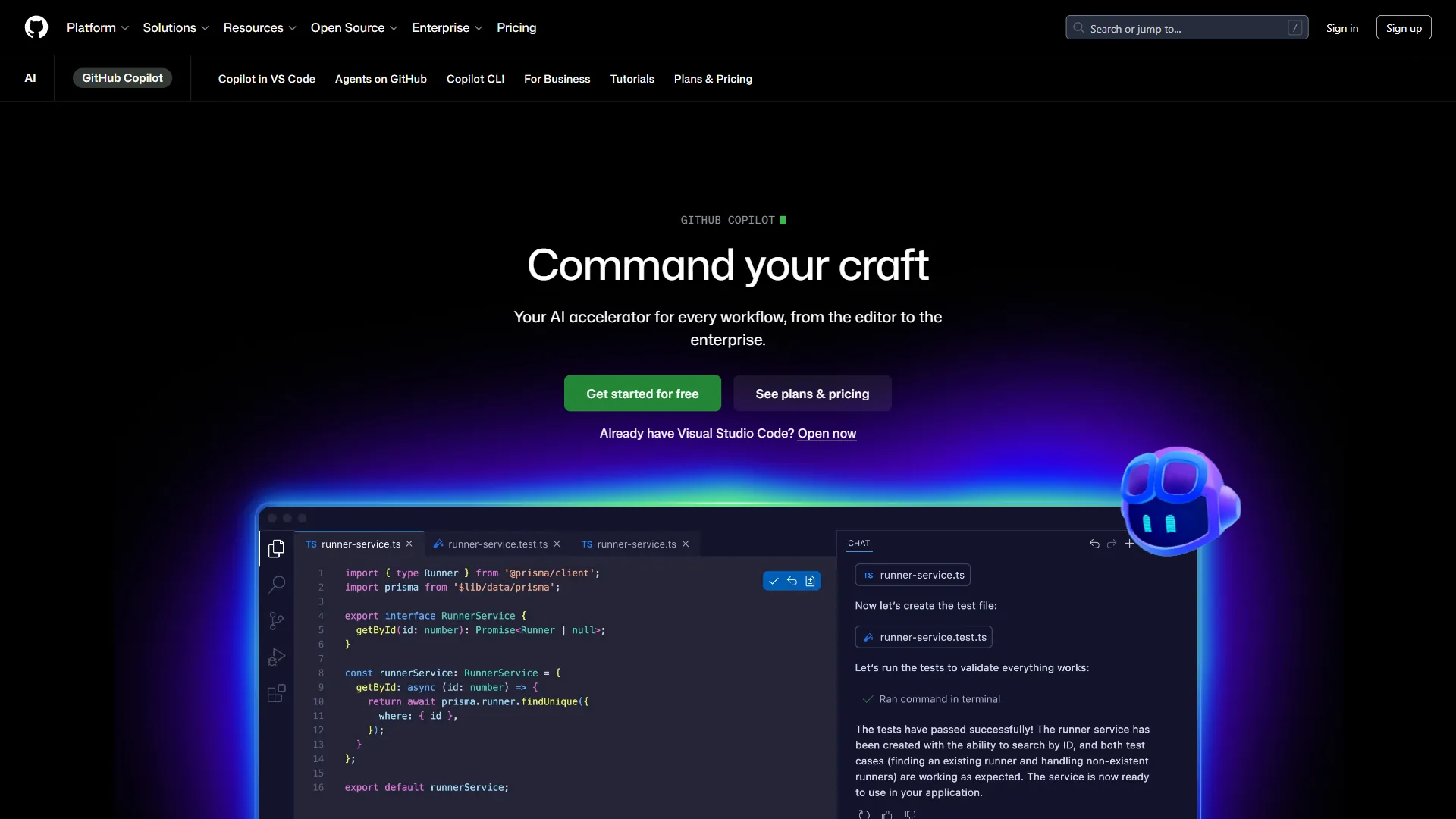
A: GitHub Copilot is the affordable middle ground ($10 per month). It’s better than neither Claude Code nor Cursor at any specific task, but cheaper and widely supported. Consider Copilot if you’re budget-constrained or want widest IDE support.
Final Verdict
Here is the honest assessment:
Claude Code is the power tool for developers who think in commands. The autonomous execution, 200K context window, and terminal-native design make it unmatched for complex operations. The learning curve is steep, but the productivity payoff is substantial.
Cursor is the productivity multiplier for VS Code developers. The Composer, parallel agents, and Tab completions accelerate every part of the coding experience. Lower learning curve, higher immediate impact.
If choosing only one: Claude Code. The autonomous execution and editor independence suit complex workflows better. If you want to go deeper on selecting the right Anthropic model, see which Claude model is best for coding.
For most developers: Start with Cursor. The faster onboarding means you’ll see benefits sooner. Add Claude Code later when you’re ready for terminal-native power.
Best of both worlds: Run both. $40 per month for Pro tiers of each is trivial compared to the time savings.
The Claude Code vs Cursor 2026 landscape isn’t about finding one perfect tool - it’s about building a toolkit that matches your workflow. Claude Code and Cursor represent two philosophies of AI-assisted development. Both are excellent. The right choice depends on how you think about code.
FAQ
Common questions about Claude Code vs Cursor cover interoperability, beginner-friendliness, token usage, and usage limits - the four answers below cover each in detail.
Q: Can Claude Code and Cursor work together?
Yes. Cursor serves as your editor while Claude Code runs in a separate terminal alongside it. Many developers keep both open - Cursor for writing and visual diff review, Claude Code for autonomous execution like running tests, deployments, and CI/CD work. The $40 monthly cost for both Pro tiers is trivial compared to the productivity gains.
Q: Which is better for beginners, Claude Code or Cursor?
Cursor is more beginner-friendly because it uses the familiar VS Code interface, requiring only 3-5 hours to reach proficiency. Claude Code requires terminal comfort, git concepts, and 15-20 hours to become productive. New developers should start with Cursor and graduate to Claude Code as their shell and command-line skills develop.
Q: How do Claude Code and Cursor compare on token usage?
Claude Code uses a 200K context window so a single request can handle multi-file analysis, but small edits still consume large context. Cursor varies by feature - Tab completions use minimal tokens, Auto-mode chat picks an efficient model, and Composer with frontier models burns through credits fastest, especially during heavy multi-file refactors.
Q: What are the usage limits on Claude Code vs Cursor?
Claude Code Free allows roughly 50-100 commands per day, Pro handles 500-1000 commands at $20 per month, and Max at $100 is effectively unlimited. Cursor Pro at $20 includes a $20 API credit that depletes in 2-3 days under heavy Composer use, pushing power users toward Pro+ at $60 with a $70 credit.
Related Reads
Related reads expand the Claude Code vs Cursor decision into adjacent coding tools, alternative IDEs, and budget-tier options like GitHub Copilot. Tradeoffs and limitations vary by codebase, team setup, and workflow, so explore based on your specific developer environment:
- Claude Code - Terminal-native AI coding assistant
- Cursor - AI-powered VS Code fork
- GitHub Copilot - Mentioned as budget alternative
- Best AI Code Editors 2026 - Full roundup of all options
- Best AI Coding Assistants - Comprehensive coding assistant guide
- GitHub Copilot vs Cursor - Alternative comparison
- Salesforce - CRM platform with AI coding and integration tools
- Claude Code Hooks Deep Dive: Automate Your AI Coding Workflow
External Resources
External resources below link to Anthropic’s primary documentation, research output, and the open Claude Code GitHub repository for setup, command references, and issue tracking.