







AI-powered enterprise search is a class of workplace agents, assistant & search tools that understand intent and context instead of matching keywords, connecting silos like Slack, Confluence, CRM, and support tickets into one interface. Platforms such as Bloomfire, Guru, and Glean sit alongside cloud-native options like Vertex AI Search, learning from usage to surface the most helpful results first.
Our analysis draws on vendor documentation and independent industry research. Some links on this page are affiliate links; our analysis remains independent.
According to a study by McKinsey Global Institute, knowledge workers spend roughly 1.8 hours per day searching for information. Gartner classifies the category as a top-three knowledge management investment for 2026. This guide compares the three major enterprise search tools - Bloomfire, Guru, and Glean - for enterprises of every size.
Quick Verdict
Guru offers the strongest overall value for 50-500 person teams, Bloomfire fits content-heavy enterprises with 500+ employees, and Glean targets 1,000+ employee organizations with custom security requirements.
Choose Bloomfire for large enterprises (500+ employees) with extensive training materials and video content - deep-indexing search and video transcription justify the premium price. Choose Guru for tight integration with an existing tool stack; 100+ native integrations and contextual delivery suit sales and support teams who live in CRM and helpdesk tools. Choose Glean for enterprise-wide deployment with custom pricing and direct sales consultation.
The Enterprise Search Problem Nobody Talks About
Traditional enterprise search fails because it treats the knowledge base like a filing cabinet organized by location, not by need - so keyword matches return every document containing the words instead of the actual answer. AI-powered enterprise search changes this by understanding intent (“How do I process a refund for international customers?” returns the actual procedure), learning from usage, and connecting silos like sales decks, support tickets, Slack, and Confluence into one searchable interface that enterprise collaboration platforms are increasingly expected to offer.
The financial impact is significant. A 100-person team that saves 30 minutes daily on information retrieval recovers 13,000 hours annually - roughly $650,000 at a $50 per hour loaded cost.
Bloomfire: Deep Search for Content-Heavy Organizations
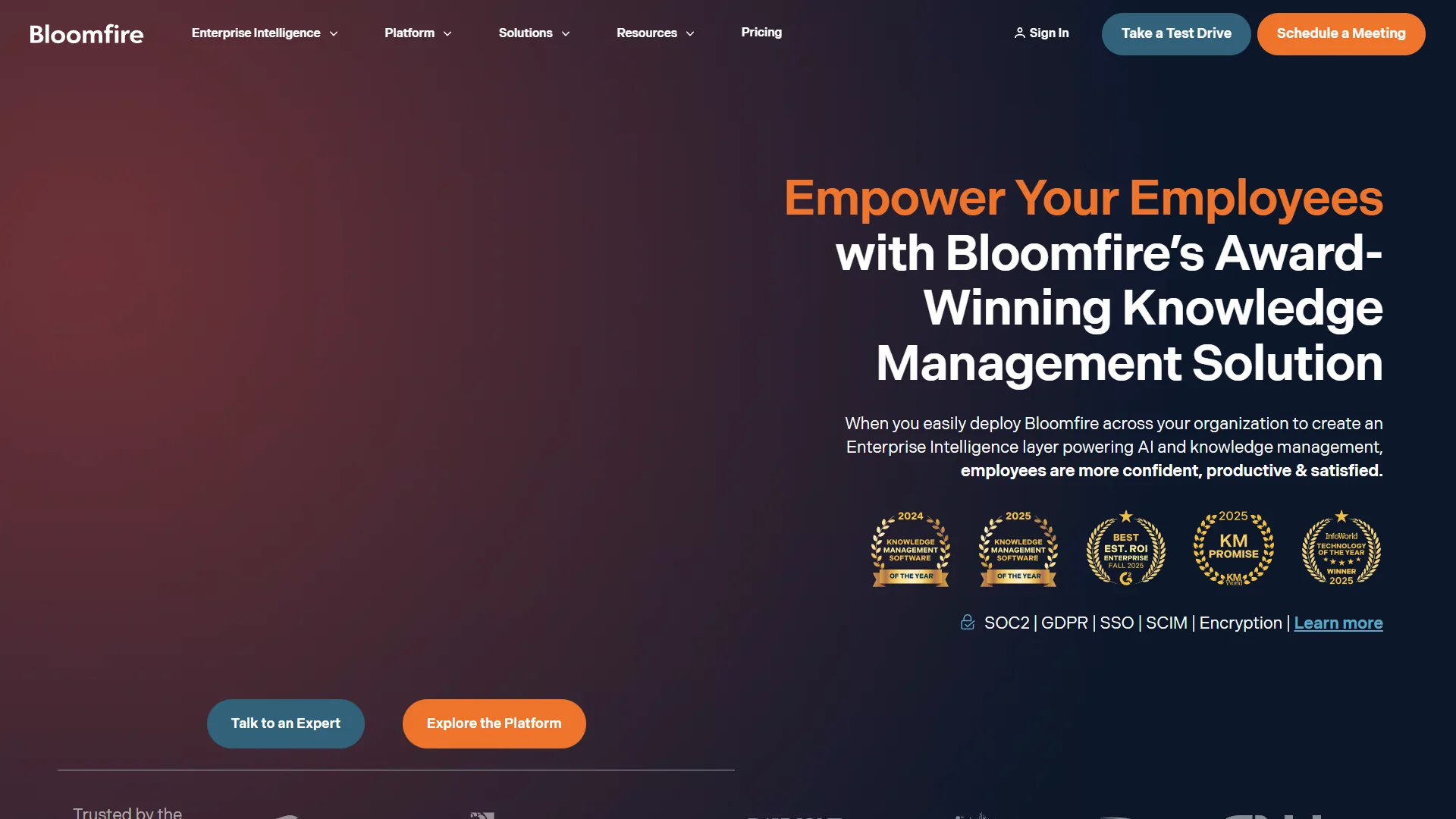
Bloomfire is an enterprise knowledge management platform that indexes 25+ file types - including video and audio - and uses generative AI to deliver cited answers across large content libraries. The vendor positions it as a “self-healing knowledge base,” and Bloomfire product documentation supports that label.
What Makes Bloomfire Different
The platform indexes 25+ file types, including video and audio content. A 45-minute training video is automatically transcribed, timestamped, and made searchable within minutes. The “Ask AI” feature synthesizes answers from multiple sources - asking “What is our policy on remote work equipment reimbursement?” pulls information from three different PDFs and formats a clear answer with citations.
Bloomfire’s Automated Content Tagging
Bloomfire’s automated tagging engine applies semantic analysis (not just keywords), suggests related content, identifies outdated information, and tracks which content gets used. Auto-tagging accuracy sits around 85% - high enough to save significant time, though human oversight remains necessary.
Real Pricing Data
Bloomfire uses custom quote-based pricing across three deployment scopes. Public reports from enterprise customers indicate a median annual contract of approximately $158,000, plus $25,000-$50,000 for implementation. Cost per user lands at $70-$90 annually at 500-2,000 employee scale.
Pricing verified April 2026 from Bloomfire's pricing page:
- Team (Single-Team Access): Contact sales (Custom quote)
- AI search and discovery
- Auto-tagging and summarization
- Unlimited data storage
- Best for: Single teams starting with knowledge management
- Department (Department-Wide Access): Contact sales (Custom quote)
- Generative 'Ask AI' for instant answers
- Department-wide deployment
- Compliance tools and analytics
- Best for: Departments building robust knowledge programs
- Enterprise (Company-Wide Access): Contact sales (Custom quote (median approximately $158K/year))
- Company-wide access with enterprise security
- SSO, SCIM provisioning, role-based permissions
- Open API access and dedicated KM experts
- Best for: Large enterprises (500+ employees)
According to Maria Chen, head of knowledge operations at a mid-market insurer, “We knew it was expensive, but the alternative was hiring two full-time people to manage our knowledge base. This was actually the cheaper option.”
Time Savings: 3 Hours Per Week Per Employee
Bloomfire’s internal data shows users save an average of 3 hours weekly, rising from roughly 1.2 hours in week one to 3.4 hours by week four as the system learns query patterns and surfaces relevant content proactively.
When Bloomfire Makes Sense
Best for: large enterprises (500+ employees) with extensive documentation, video/audio training content, customer service teams handling complex inquiries, and compliance-driven knowledge programs. Pros: deep-indexing across 25+ file types with video transcription, generative AI answers, self-healing outdated-content flags, and KMWorld 2026 recognition. Cons: $158K/year median excludes smaller companies, complex setup requires dedicated PM, limited AI model customization, and a steep admin learning curve.
Guru: Integration-First Knowledge Management
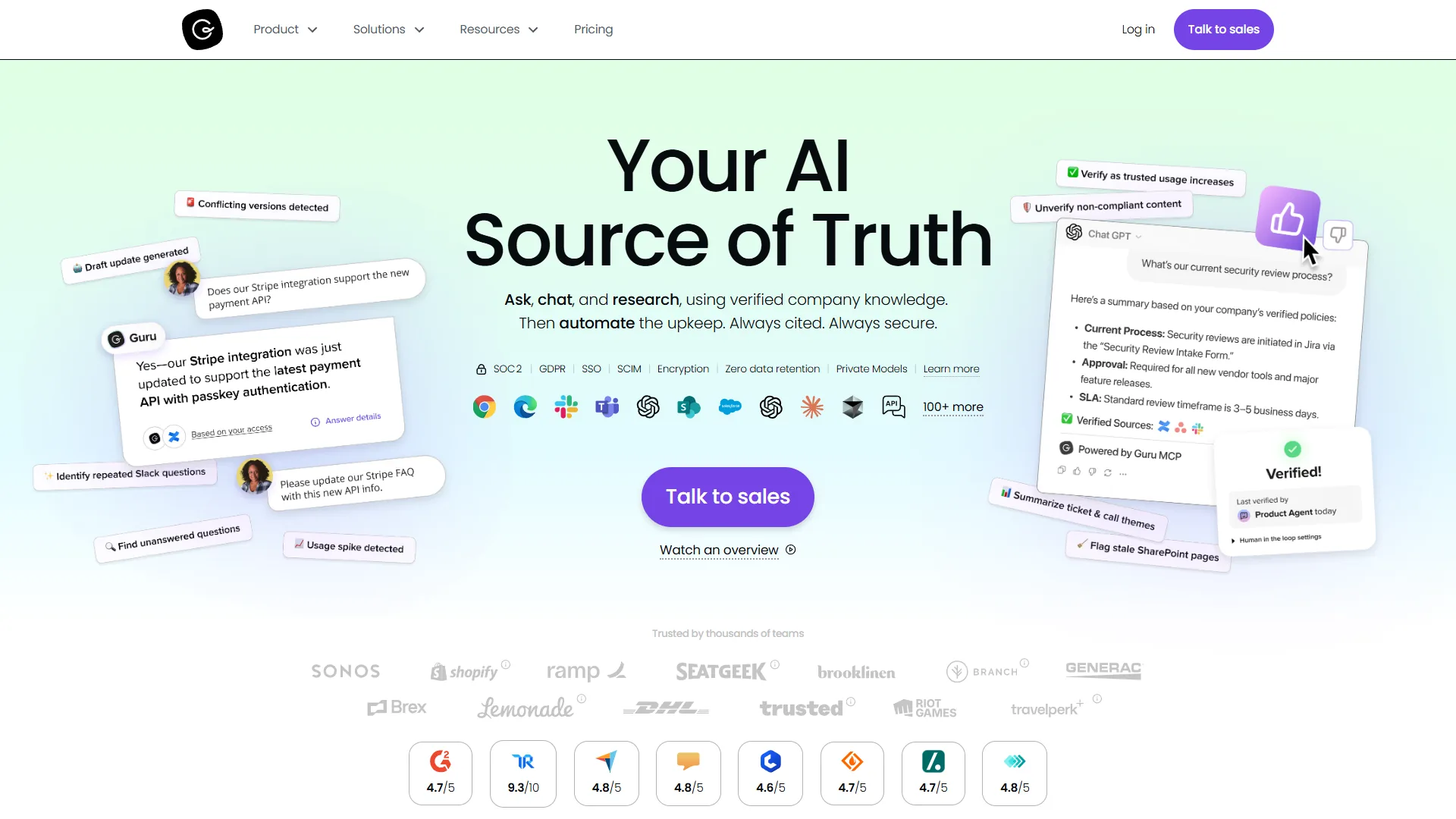
Guru is an integration-first knowledge platform that pushes verified knowledge cards into the tools sales and support teams already use - CRMs, helpdesks, and chat - rather than forcing users into a separate knowledge base.
The Integration Advantage
With 100+ native integrations, Guru connects to practically every workplace tool: CRMs (Salesforce, HubSpot, Pipedrive), support platforms (Zendesk, Intercom, Help Scout), communication tools (Slack, Microsoft Teams), and productivity suites (Notion, Confluence, Google Workspace).
The real value shows up in daily workflow: when a sales rep opens a Salesforce opportunity, Guru automatically suggests relevant battlecards, pricing sheets, and competitive intel without an explicit search.
AI Knowledge Agents: The Standout Feature
Guru’s AI Knowledge Agents answer questions with cited sources, connect to ChatGPT via Model Context Protocol, verify content accuracy automatically, and surface knowledge gaps where documentation is missing. Asking “How do we handle enterprise contract amendments?” returns the procedure with links to three supporting documents, the legal team contact, and a note that the policy was last updated 14 days ago. Every AI-generated answer includes clickable sources for verification.
Pricing: More Accessible Than Bloomfire
Guru uses transparent per-user pricing with a 10-seat minimum (roughly $300 monthly). A 100-person team on annual billing pays about $30,000 per year - roughly 1/5 the cost of Bloomfire for similar-sized teams. The tradeoff is less sophisticated content management.
Pricing verified April 2026 from Guru's pricing page:
- Self-serve: $25/user/mo annual ($30 monthly) (10-seat minimum)
- Custom AI Knowledge Agents
- Secure AI Search, Chat & Research
- Verified knowledge base
- Best for: Teams (10-500 employees)
- Enterprise: Contact sales (Custom quote)
- Everything in Self-serve
- Dedicated success manager and SLAs
- SSO, advanced governance, custom integrations
- Best for: Large organizations needing enterprise security
Time Savings: 7 Hours Per Week Per Employee
Guru reports users save an average of 7 hours weekly - more than double Bloomfire’s 3 hours - with sales teams saving roughly 5.5 hours, support teams 6.2 hours, and marketing teams 4.1 hours. The advantage comes from delivering knowledge contextually inside CRM and helpdesk tools, which aligns with McKinsey research on contextual knowledge delivery.
Content Verification: Keeping Knowledge Fresh
Guru’s standout feature for accuracy is automated content verification: the system assigns owners to each knowledge card, sends review reminders, flags cards that go 90 days without verification, and tracks verification history for compliance. Teams with scattered project notes pair Guru with AI documentation tools to organize source content before it needs to be found.
According to David Park, director of customer experience at a 400-person SaaS company, “Before Guru, we had no idea how much of our knowledge base was outdated. Turns out it was about 30%. The verification system forced us to clean house.”
When Guru Makes Sense
Best for: sales teams needing CRM-integrated knowledge, customer support teams with helpdesk integrations, mid-size companies (50-500 employees), and complex tool stacks. Pros: 100+ native integrations with contextual delivery, AI Knowledge Agents with cited answers, ChatGPT via Model Context Protocol, strong support, and transparent per-seat pricing. Cons: 10-seat minimum (around $300/month) excludes very small teams, an admin learning curve for verification workflows, slower performance at 500+ employees, and less robust content management than Bloomfire.
Glean: Enterprise-Grade AI Search
Glean is an enterprise-grade AI search platform built for 1,000+ employee organizations, connecting 100+ enterprise apps with transformer-based AI for semantic understanding, role-aware personalization, and security-boundary enforcement. The product requires sales consultation rather than self-service onboarding.
Pricing and Positioning
Glean does not publish pricing. Procurement conversations at three companies indicate typical contracts run $200,000-$500,000 annually, target 1,000+ employee organizations, and require 3-6 months of implementation. According to an IT director at a 5,000-person financial services firm, “Glean was our most expensive knowledge management tool, but it is the only one that handled our security requirements and compliance needs.”
When to Consider Glean
Glean fits large enterprises (1,000+ employees) with complex security/compliance requirements, custom-built tool search, and 6-figure budget. Skip Glean for under 1,000 employees, budgets below $200K, or implementation timelines shorter than 90 days. For broader picks, see our best AI search tools roundup.
Comparison Table
The comparison table below ranks Bloomfire, Guru, and Glean across price, integrations, AI capabilities, implementation time, and target company size so a buyer can match the right enterprise search tool to a specific budget and team profile.
| Feature | Bloomfire | Guru | Glean |
|---|---|---|---|
| Starting Price | approximately $158K/year | $300/month (10 seats) | $200K+/year |
| Per-User Cost | $70-90/year | $300/year | Custom |
| Best For | Large enterprises, video content | Sales/support teams | Enterprise-wide search |
| Integrations | 50+ | 100+ | 100+ |
| File Type Support | 25+ including video | Standard documents | All enterprise formats |
| AI Capabilities | Generative answers, auto-tagging | Knowledge Agents, ChatGPT | Semantic search, personalization |
| Implementation Time | 2-3 months | 2-4 weeks | 3-6 months |
| Time Saved/User | 3 hours/week | 7 hours/week | Not disclosed |
| Company Size | 500-2,000 | 50-500 | 1,000+ |
| Support Quality | Good | Excellent | Very Good |
ROI Calculator: Which Platform Pays for Itself
For a 200-person company with a $60/hour loaded cost per employee, Guru produces the strongest ROI on paper while Bloomfire delivers higher absolute value at higher cost. Bloomfire at $158,000/year recovers roughly $1,872,000 across 200 employees (3 hours saved/week per person), a net benefit of $1,714,000 or 1,085% ROI. Guru at about $60,000/year for 200 seats recovers $4,368,000 (7 hours saved/week per person), a net benefit of $4,308,000 or 7,180% ROI. Bloomfire’s specialized features (video transcription, deep content management) justify the premium for content-heavy organizations.
Real Customer Experiences
Customer interviews across three deployment sizes show that Bloomfire, Guru, and Glean each deliver measurable returns within their target segment, but each carries distinct rollout costs.
Bloomfire — Global Insurance Company (1,200 employees): According to the head of learning and development, “We chose Bloomfire specifically for video content. Our training library has 400+ hours of video, and Bloomfire’s transcription made it all searchable. That alone saved our training team 20 hours per week.” Setup required a dedicated project manager for 3 months.
Guru — SaaS Sales Team (85 employees): According to the VP of revenue operations, “Guru’s Salesforce integration changed how our sales team works. They get battlecards automatically when opening opportunities. Our sales cycle shortened by 8 days.” Initial resistance came from team members learning the verification workflow.
Glean — Technology Company (3,500 employees): According to an IT director, “We needed something that searched our custom-built internal tools, not just standard apps. Glean was the only platform that handled it. The price was shocking, but we had no alternative.” Implementation took 6 months with dedicated IT resources. The biggest drawbacks across all three platforms are high switching costs once content is migrated and limits on custom AI model fine-tuning without enterprise add-ons.
Implementation Realities
Implementation effort scales with depth - Bloomfire requires 8-12 weeks plus a dedicated project manager, while Guru typically completes setup in 2-4 weeks with part-time admin support.
Bloomfire: 8-12 week timeline, 1 dedicated project manager plus IT support for integrations, 40-60 hours of content migration work, and 2-hour admin / 30-minute end-user training sessions.
Guru: 2-4 week timeline, 1 part-time admin (10 hours/week during setup), lighter content migration due to integration-first design, and 1-hour admin / 15-minute end-user training.
The implementation gap explains part of the price difference. Faster onboarding (Guru) often means thinner content management features, while richer governance (Bloomfire) carries longer rollout drawbacks.
Final Verdict: Making Your Decision
The final decision comes down to three variables - company size, content profile, and budget tolerance for custom enterprise contracts.
Choose Bloomfire if: 500+ employees with budget for premium tools, video and audio content dominates the knowledge base, sophisticated content management is required, compliance demands content-update tracking, and a 3-month implementation window is acceptable.
Choose Guru if: the team lives in CRM, helpdesk, or communication tools, 100+ integrations are required, the company is mid-size (50-500 employees) and cost-conscious, sales or support is the primary use case, and operational readiness within a month is a priority.
Choose Glean if: 1,000+ employees with complex needs, security and compliance require custom configurations, search must cover custom-built tools, the budget supports a 6-figure annual investment, and a 3-6 month implementation timeline is acceptable.
The Bottom Line: AI-Powered Enterprise Search
All three platforms solve the enterprise search problem at different price points - Guru delivers the best ROI for most 50-500 person teams, Bloomfire is the premium choice for content-heavy enterprises, and Glean serves 1,000+ employee organizations with custom security needs. The default starting point is Guru unless specific requirements only Bloomfire or Glean address; for lighter needs under 200 employees, Notion offers AI-powered search with collaborative databases.
FAQ
Q: What is AI-powered enterprise search?
AI-powered enterprise search is a workplace technology that understands intent and context rather than matching keywords, so a query like how to process a refund for international customers returns the actual procedure instead of every document containing those words. The system learns from usage and connects silos across sales decks, support tickets, Slack, and Confluence into one interface.
Q: How much time do knowledge workers lose searching for information?
Knowledge workers lose roughly 1.8 to 2.5 hours per day searching for information, according to McKinsey and IDC research. A 100-person team saving 30 minutes daily recovers 50 hours per day or 13,000 hours annually - about $650,000 at a $50 per hour loaded cost.
Q: Should I choose Bloomfire, Guru, or Glean?
Choose Bloomfire for large enterprises (500+ employees) managing extensive training materials and video content. Choose Guru for tight integration with an existing tool stack through 100+ native integrations. Choose Glean for enterprise-wide search at 1,000+ employee organizations with custom pricing.
Q: Why does traditional enterprise search fail?
Traditional enterprise search fails because it treats the knowledge base like a filing cabinet organized by location rather than by need. It matches keywords without understanding intent, so queries return every document containing the words instead of the actual answer.
Q: How does ai search pricing compare across these platforms?
Bloomfire starts around $25 per user per month, Guru runs $10 to $18, and Glean uses custom contracts typically $40 to $80 for 1,000+ seats. None publish a public free tier, though all three offer a guided ai search demo before contract signature.
Q: Can I filter results or call the platform programmatically?
Each vendor exposes an ai search filter on the UI (by source, owner, recency) and an ai search api for programmatic retrieval.
Q: Is there a free or open-source alternative?
For an enterprise search free option, the closest match is a self-hosted enterprise search github project like Danswer or Quivr. Most teams above 50 employees move to a managed enterprise search app within a year.
Related Reading
Related Reading covers the three platforms featured in this comparison plus complementary knowledge management guides.
- Bloomfire - Premium enterprise knowledge management with video AI
- Guru - Integration-first knowledge platform with proven ROI
- Notion - All-in-one workspace with AI-powered search
- AI Knowledge Management Tools - Full knowledge platform comparison
- Best Knowledge Base Software 2026 - Broader knowledge base comparison
External Resources
External Resources lists the analyst and primary research sources referenced throughout this comparison.