

Asana is the better project management tool for teams that value a clean interface and fast onboarding, while ClickUp is the better choice for teams that want the most features per dollar and can absorb a 2-3 week learning curve. Asana Starter costs $10.99 per user/month annual with AI Studio bundled in; ClickUp Unlimited costs $7 per user/month annual but charges $9 per user/month extra for ClickUp Brain AI.
Both platforms have invested heavily in AI - Asana with AI Studio and AI Teammates, ClickUp with Brain 4.0 and Autopilot Agents. This comparison is based on each vendor’s current pricing and feature documentation plus independent research. AI Productivity may earn a commission from links on this page; rankings are editorially independent.
Comparison Table
Asana costs $13.49 per user/month at the mid-tier with 6 views, while ClickUp costs $10 per user/month with 35+ views and a steeper learning curve - the headline trade-off in this project management tool for growing teams decision.
| Factor | Asana | ClickUp |
|---|---|---|
| Rating | ||
| Starting Price | Free (10 users) | Free (unlimited users) |
| Mid-Tier Price | $13.49/user/mo (Starter) | $10/user/mo (Unlimited) |
| Premium Price | $30.49/user/mo (Advanced) | $19/user/mo (Business) |
| Free Tier Users | 10 users max | Unlimited users |
| Views | 6 views | 35+ views |
| AI Features | AI Studio (included on paid) | ClickUp Brain ($9/user/mo add-on) |
| Time Tracking | Advanced tier only | Unlimited tier and up |
| Learning Curve | Moderate | Steep |
| Best For | Structured team workflows | Maximum features per dollar |
Quick Verdict
Asana is the right pick for teams that prioritize fast adoption and a polished interface, while ClickUp is the right pick for teams that prioritize feature depth and low cost - the deciding factor is whether your team can absorb a 2-3 week learning curve.
Choose Asana if your team values a clean interface, fast onboarding, and structured timeline-driven projects. Asana reports a 437% three-year ROI documented by IDC research, and 81% of organizations using the platform report improved collaboration.
Choose ClickUp for the most features at the lowest cost when you can invest 2-3 weeks in the learning curve. ClickUp replaces tasks, docs, goals, time tracking, whiteboards, and chat with one platform.
What Is Asana?
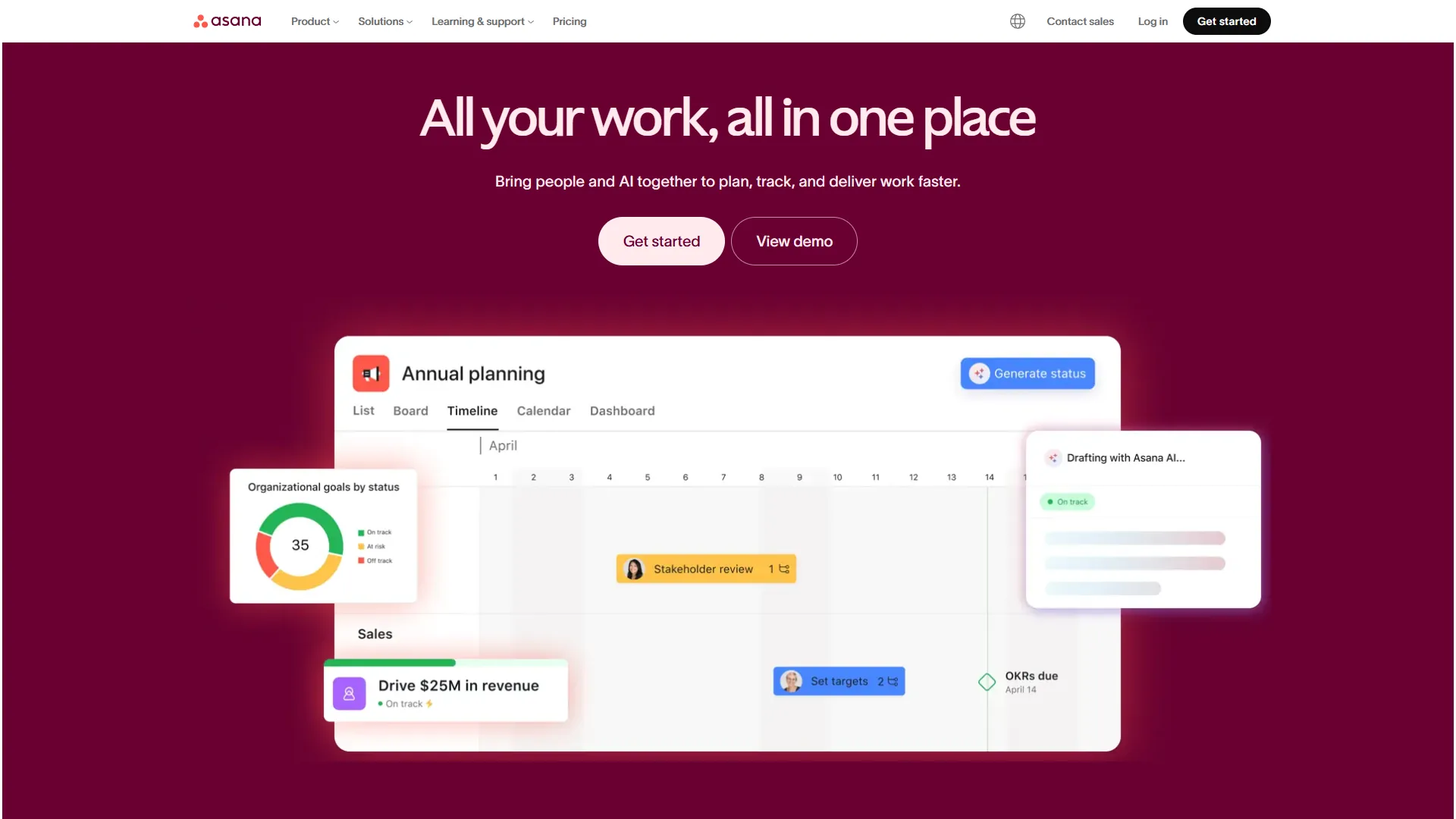
Asana is a work management platform built on the idea that project management should be clean, structured, and immediately usable. Founded in 2008 by Facebook co-founder Dustin Moskovitz, it is widely regarded as the industry standard for timeline-driven project management. According to Dustin Moskovitz, co-founder and CEO of Asana, the company’s mission is “to help humanity thrive by enabling all teams to work together effortlessly,” a framing that explains the platform’s deliberate restraint on view count and customization. Its standout 2026 feature is AI Studio, a no-code natural-language workflow builder on all paid tiers, plus the AI Teammates beta.
Key strengths: Timeline and Gantt views for dependency tracking; AI Studio on all paid tiers with no separate add-on; 200+ integrations; a 437% three-year ROI documented by IDC research; polished interface teams adopt quickly.
Notable limitations: Free tier caps at 10 users with no timeline views; time tracking is Advanced-tier only ($30.49 per month); customization more limited than ClickUp; per-user pricing runs higher across comparable tiers.
What Is ClickUp?
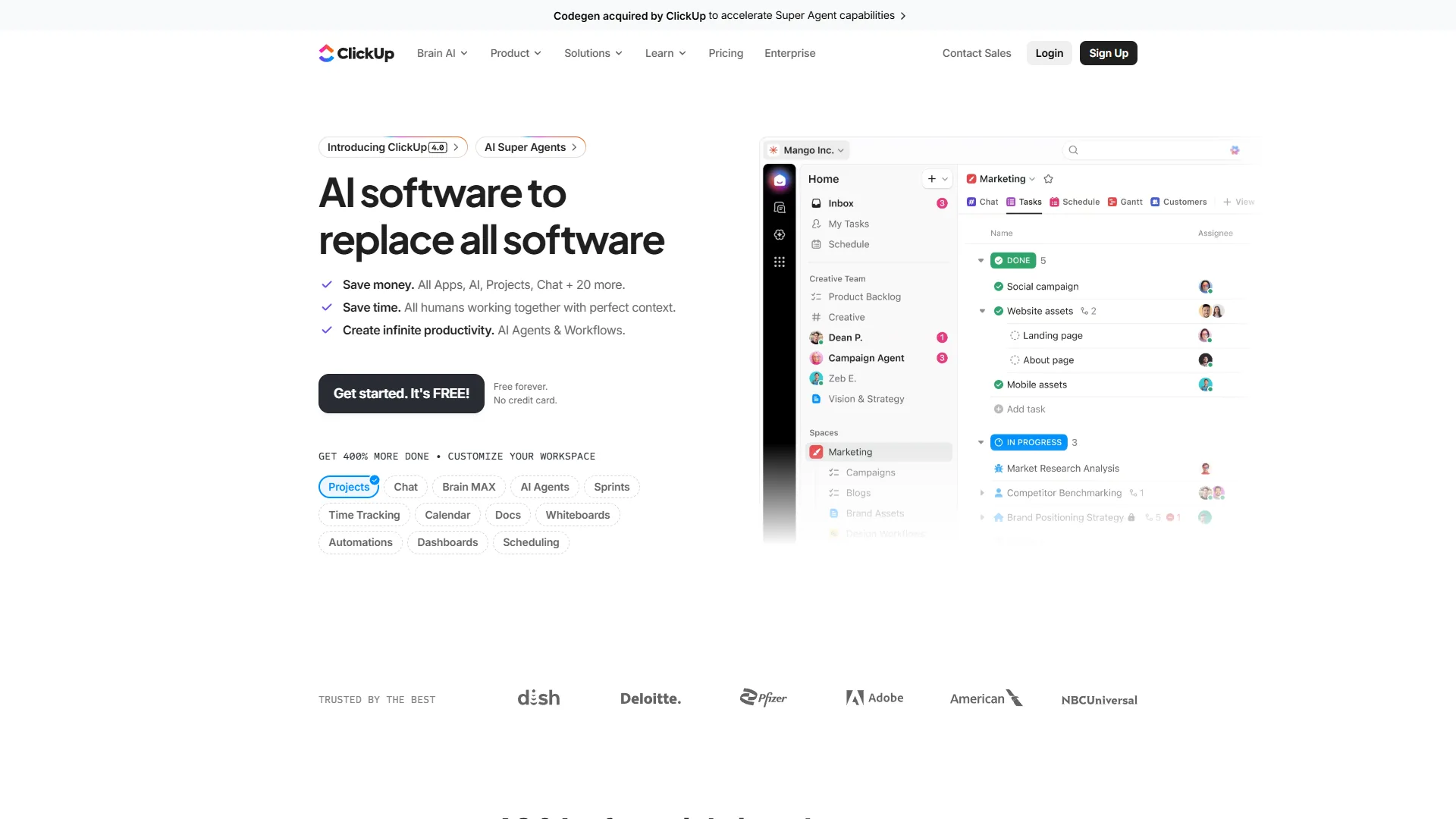
ClickUp is an all-in-one productivity platform that aims to replace your entire work tool stack with one app. Founded in 2017, it has grown rapidly by offering more features at lower prices than established competitors. The November 2026 4.0 release brought ClickUp Brain with multi-model AI (GPT-5, Claude Opus 4.1, o3), Autopilot Agents, and an AI Knowledge Manager that searches across 100+ connected apps.
Key strengths: 35+ view options; Free Forever tier with unlimited tasks and users; built-in docs, whiteboards, chat, and time tracking; ClickUp Brain AI with multi-model support; 3.84x ROI multiplier documented in Nucleus Research case studies.
Notable limitations: Steep 2-3 week learning curve; AI features are a paid add-on ($9-28 per user/month); performance degrades in large workspaces (1000+ tasks); feature density creates decision fatigue.
How Does Asana vs ClickUp Pricing Compare in 2026?
ClickUp is cheaper than Asana on sticker price at every tier, but Asana delivers better total value at the Starter tier because AI is bundled in while ClickUp Brain costs $9 per user/month extra. Total cost of ownership depends on whether your team needs AI-powered automation.
Asana Pricing
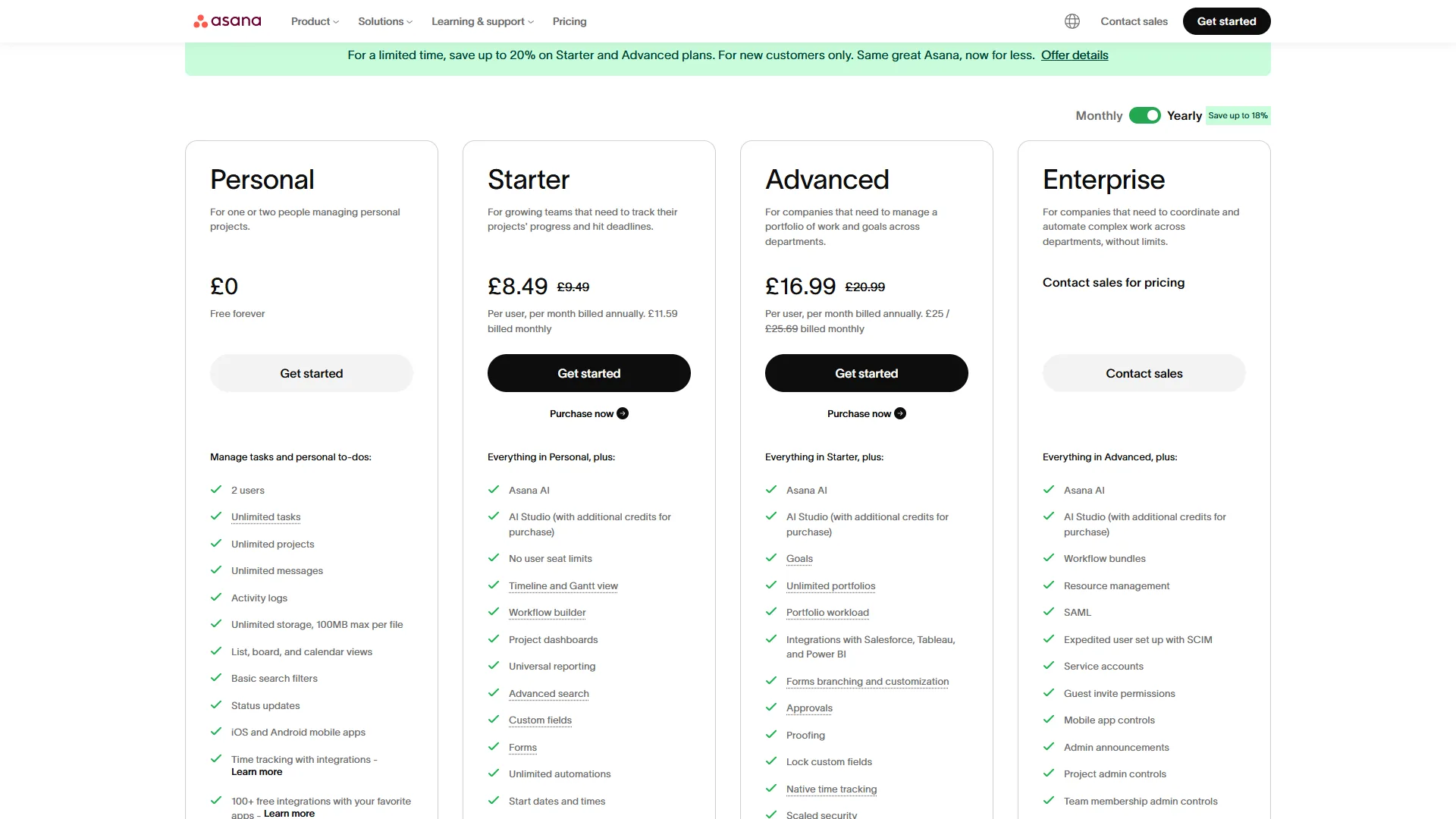
| Tier | Monthly Price | Annual Price | Key Capabilities |
|---|---|---|---|
| Personal | Free | Free | 10 users, basic views, no automations |
| Starter | $13.49/user | $10.99/user | Timeline, 250 automations/mo, AI Studio Basic |
| Advanced | $30.49/user | $24.99/user | Portfolios, workload, time tracking, 25K automations/mo |
| Enterprise | Custom | Custom | SSO/SAML, unlimited automations, 99.9% SLA |
| Enterprise+ | Custom | Custom | HIPAA, data residency, 99.99% SLA |
What is included with AI: AI Studio Basic is bundled with all paid tiers at no extra cost, covering no-code natural-language workflow building and smart summaries. AI Teammates (beta) requires AI Studio Pro on Advanced and above.
ClickUp Pricing
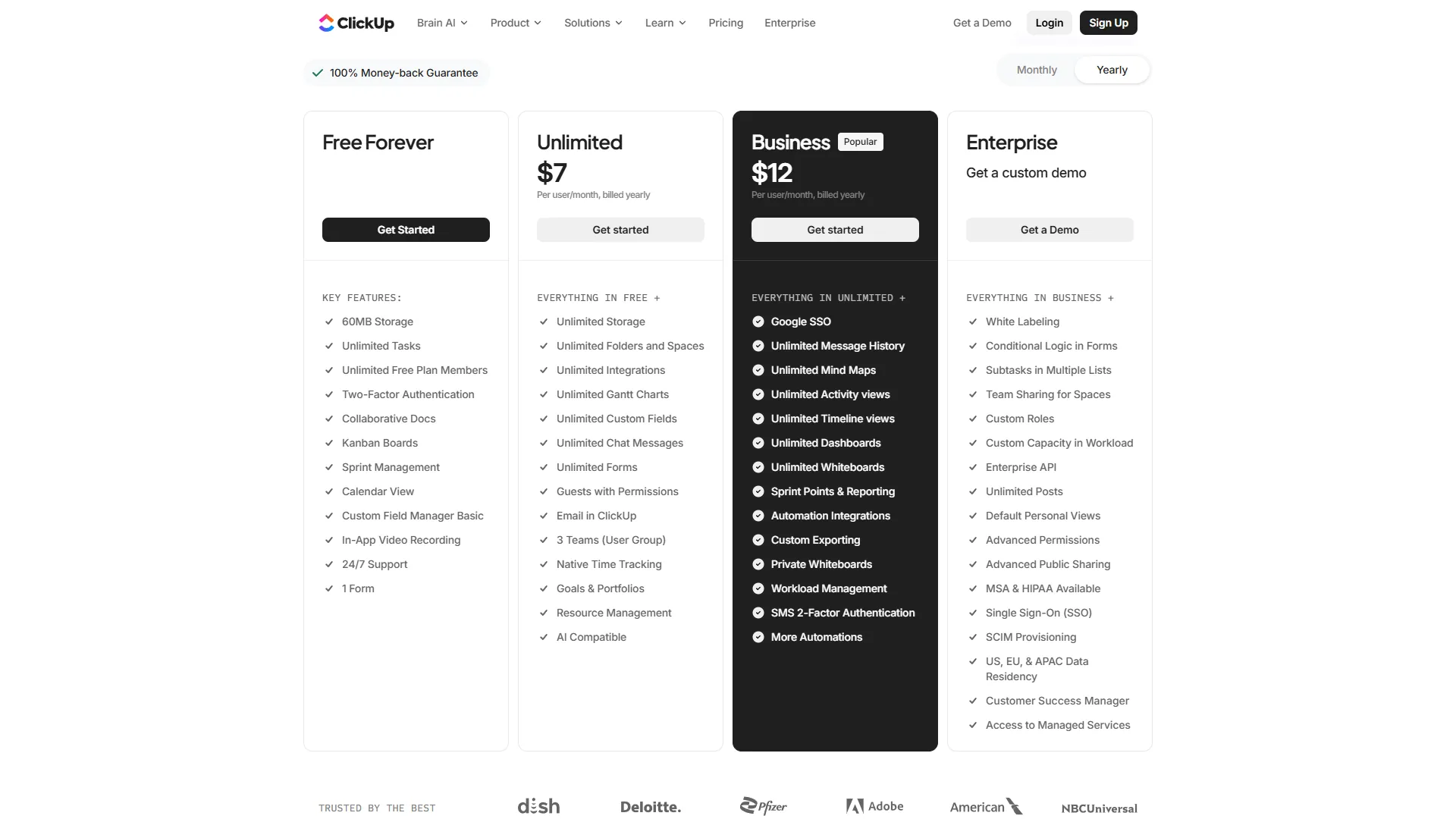
| Tier | Monthly Price | Annual Price | Key Capabilities |
|---|---|---|---|
| Free Forever | Free | Free | Unlimited tasks/users, 100MB storage |
| Unlimited | $10/user | $7/user | Unlimited storage, Gantt, time tracking, goals |
| Business | $19/user | $12/user | Timeline, workload, 250+ automations, Google SSO |
| Enterprise | Custom | Custom | White labeling, SSO/SAML, advanced permissions |
ClickUp Brain (AI add-on):
- AI Standard: $9 per user/mo - unlimited AI essentials, Brain MAX desktop app
- AI Autopilot: $28 per user/mo - agents, enterprise search, AI Notetaker
Total Cost Comparison: 10-Person Team (Annual)
| Cost Factor | Asana (Starter) | ClickUp (Unlimited) | ClickUp + Brain Standard |
|---|---|---|---|
| Software | $1,320/yr ($10.99/user x 10 x 12) | $840/yr ($7/user x 10 x 12) | $840/yr |
| AI Features | Included | Not included | $1,080/yr ($9/user x 10 x 12) |
| Total Year 1 | $1,320/yr | $840/yr | $1,920/yr |
The value math shifts once you factor in AI. Base ClickUp is 36% cheaper than base Asana, but ClickUp with AI Standard costs 45% more than Asana with AI included - so Asana delivers better value at the Starter tier. At the Advanced/Business comparison, ClickUp ($12 per user/month annual) undercuts Asana ($24.99) by 52% and still wins on raw price even with Brain Standard added.
Feature-by-Feature: AI Studio vs ClickUp Brain
Asana AI Studio is bundled into every paid tier, while ClickUp Brain costs $9 per user/month as a paid add-on. The two task management software platforms approach 2026 AI through fundamentally different philosophies - Asana prioritizes inclusion, while ClickUp prioritizes raw capability.
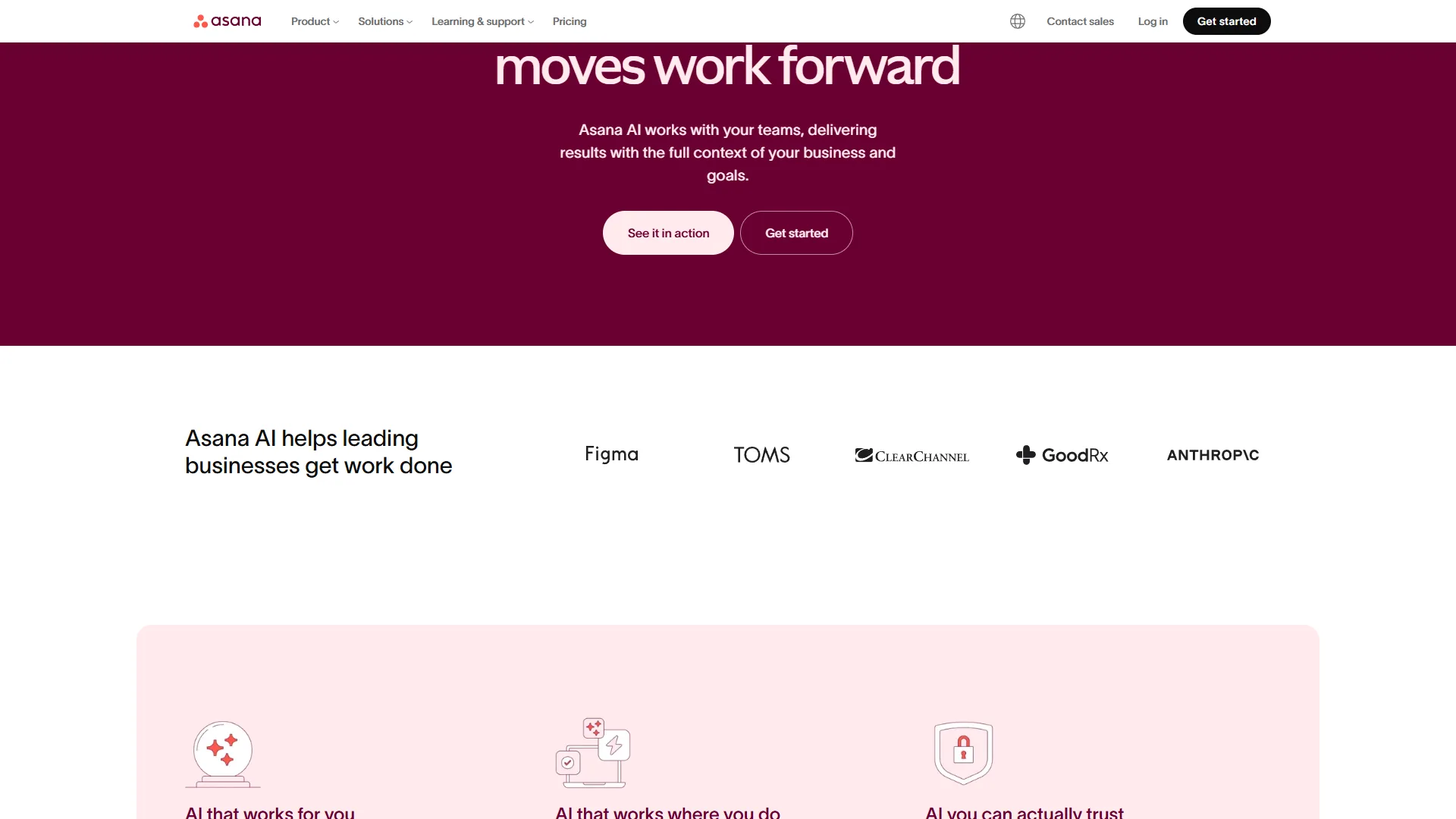
Asana AI Studio
Asana’s AI strategy is inclusion-first, explained on the official Asana AI page. AI Studio Basic ships on all paid tiers from $13.49 per month, giving every paying team a no-code natural-language workflow builder, smart summaries, semantic search, and a Smart Workflow Gallery. AI Teammates (beta, AI Studio Pro) adds collaborative AI agents for strategic work. The key advantage is no surprise AI bills.
ClickUp Brain 4.0
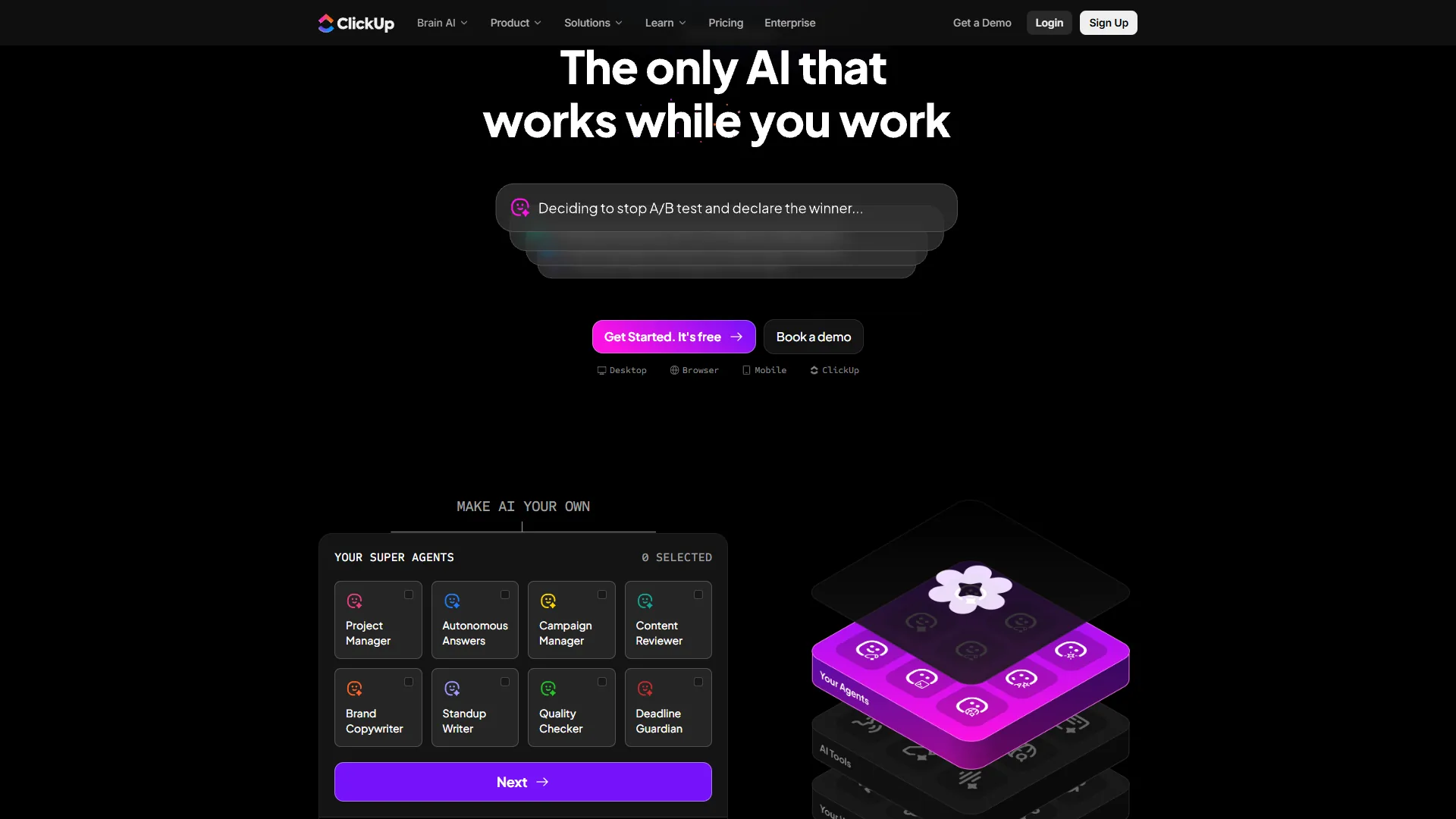
ClickUp Brain is more powerful but costs extra. The November 2026 4.0 release delivered multi-model AI (GPT-5, Claude Opus 4.1, o3), an AI Knowledge Manager with enterprise search across 100+ connected apps, Autopilot Agents for automated standups, an AI Notetaker, and Brain MAX for system-wide voice access. Its multi-model approach and cross-app search give it deeper AI capability than Asana’s current offering.
AI Comparison Summary
| AI Capability | Asana | ClickUp |
|---|---|---|
| Base AI Included | Yes (all paid tiers) | Trial only (paid add-on) |
| Workflow Automation | Natural language rules | Natural language rules |
| Meeting Notes | Not available | AI Notetaker (Autopilot tier) |
| Enterprise Search | Smart search (internal) | Knowledge Manager (100+ apps) |
| AI Agents | AI Teammates (beta) | Autopilot Agents |
| Model Choice | Not specified | GPT-5, Claude Opus 4.1, o3 |
| Min. Cost for AI | $13.49/mo (included) | $9/user/mo (add-on) |
Bottom line: Asana wins on accessibility, since AI is bundled rather than an upsell, while ClickUp wins on raw AI capability. The ClickUp AI vs Monday AI breakdown explains how Brain compares to other AI engines.
Customization and Views
ClickUp offers 35+ view options against Asana’s 6, making ClickUp the more customizable platform for teams with diverse workflow preferences.
ClickUp provides 35+ view options - documented on the ClickUp views page - including List, Board, Gantt, Timeline, Calendar, Mind Maps, Workload, and Table. As ClickUp’s founders explain on the company’s mission page, the goal is “to make the world more productive” by replacing fragmented tools with one configurable workspace.
Asana offers 6 primary views - List, Board, Timeline/Gantt, Calendar, Portfolio, and Workload - polished but deliberately limited, on the philosophy that fewer, better views reduce confusion.
The tradeoff: ClickUp’s 35+ views give power users flexibility but overwhelm newcomers; Asana’s 6 views suit teams managing 3-5 projects, while ClickUp wins for teams juggling 10+ projects across departments. The ClickUp vs Notion deep dive compares this against a docs-first workspace.
Feature-by-Feature: Ease of Use and Onboarding
Asana is significantly easier to learn than ClickUp: most teams reach full proficiency with Asana within one week, while ClickUp typically requires 2-3 weeks.
Asana lets new users create tasks, assign work, and track progress within the first hour. Asana reports 81% of organizations see improved team collaboration - which only happens when people actually use the tool.
ClickUp requires a real investment in learning: 35+ views, unlimited custom fields, and nested spaces create decision fatigue. The best AI project management tools 2026 guide expands on adoption-driven ROI.
Feature-by-Feature: Integrations
Asana offers 200+ integrations against ClickUp’s 100+, but ClickUp narrows the gap by building docs, whiteboards, and chat natively rather than relying on third-party apps.
Asana offers 200+ integrations including Slack, Microsoft Teams, Salesforce, Microsoft 365 Copilot, Tableau, and Power BI - especially polished is the Slack integration, which lets you create tasks without leaving your messaging app. API access is available across paid tiers.
ClickUp offers 100+ native integrations, and ClickUp Brain’s enterprise search extends that value across connected apps like Google Drive, Teams, and Figma. The count is lower than Asana’s, but ClickUp compensates by building docs, whiteboards, and chat natively.
Feature-by-Feature: Time Tracking and Resource Management
ClickUp includes native time tracking from the Unlimited tier at $10 per user/month, while Asana reserves it for the Advanced tier at $30.49 per user/month - a $20 per user/month gap that favors ClickUp for agencies billing by the hour.
ClickUp lets you track time on tasks, set estimates, and generate reports, with goals tracking from Unlimited. Asana users on lower tiers need Harvest or Toggl; workload, portfolio, and goals tracking are all gated behind Advanced.
Choose Asana if you
Asana is the right choice if your team values clean execution over feature maximalism, needs fast adoption, runs structured timeline-driven projects, wants AI included without add-on costs, requires enterprise compliance (SAML/SSO, HIPAA, 99.99% SLA), or manages portfolios of projects.
Choose ClickUp if you
ClickUp is the right choice when your team values maximum features per dollar over interface polish. Pick ClickUp if your team wants to consolidate multiple tools into one platform, has diverse workflow preferences across departments, requires built-in time tracking from $10 per user/month, wants cutting-edge multi-model AI, or is a startup that benefits from the Free Forever tier - the deciding question is whether you should choose feature depth over a polished interface.
Methodology: Implementation and Migration
Asana reaches basic productivity in 1-2 days versus ClickUp’s 2-3 days, and full implementation takes 1-2 weeks for Asana against 2-3 weeks for ClickUp.
Asana setup timeline: Productive within 1-2 days, full implementation 1-2 weeks, enterprise deployments 3-6 weeks. The Trello vs Asana 2026 guide covers migration between similar tools.
ClickUp setup timeline: Basic setup 2-3 days, full deployment 2-3 weeks, enterprise migrations 2-4 weeks. According to Nucleus Research, independent enterprise software analyst firm, “ClickUp delivered a 3.84x ROI multiplier and 7 to 14 day time-to-value for typical mid-market teams,” underscoring why fast onboarding is the decisive factor in Asana vs ClickUp comparison 2026 decisions.
Migrating between platforms: ClickUp provides a direct Asana import that transfers projects, tasks, and subtasks; Asana supports CSV imports and integration connectors. Budget 1-2 weeks for a clean mid-sized migration.
Hidden Costs Nobody Mentions
The biggest hidden costs in an Asana vs ClickUp decision are training-related productivity loss, automation tier limits, AI add-on fees, and third-party time-tracking subscriptions.
Training and productivity loss. Switching PM tools causes a productivity dip; the best Kanban tools 2026 guide covers simpler alternatives. For a 20-person team at $50/hour, one week at 25% efficiency loss costs roughly $5,000 - Asana’s shorter learning curve means a smaller hit.
Automation limits. Asana Starter caps at 250 automations/month and ClickUp Business includes 250+; automation-heavy teams need Asana Advanced (25,000/month) or ClickUp Enterprise (unlimited).
AI add-on costs. ClickUp Brain Standard at $9 per user/month adds $1,080/year for a 10-person team, or $3,240 over three years; Asana includes AI at no extra cost on paid tiers.
Integration costs. Asana’s lack of built-in time tracking on lower tiers means paying for Harvest or Toggl separately - see the best time tracking tools 2026 guide. A 10-person team needing time tracking pays $23.49 per user/month on Asana Starter + Toggl versus $10 on ClickUp Unlimited.
The Bottom Line: Asana vs ClickUp 2026
Asana is the better pick for teams that value simplicity and polish, while ClickUp is the better pick for teams that value flexibility and low cost - the decision hinges on whether your team will invest in a steeper learning curve.
Asana is the better choice for teams wanting a clean, reliable PM tool that works immediately, with polished timeline views, AI Studio on all paid tiers, and a research-backed 437% three-year ROI.
ClickUp is the better choice for teams wanting maximum capability at minimum cost and willing to invest in the learning curve, with a Free Forever tier and ClickUp Brain delivering the most advanced AI in the PM space.
If you are unsure, start with ClickUp’s Free Forever tier; if complexity frustrates your team after two weeks, switch to Asana’s Starter tier. Solo operators evaluating Asana vs ClickUp for personal use should default to ClickUp Free Forever, since it places no user cap and unlocks 35+ views, whereas Asana’s free tier limits seats and view types.
FAQ
Common questions about Asana vs ClickUp are answered below, covering pricing, AI features, ease of use, time tracking, and the number of available views.
Is Asana or ClickUp cheaper in 2026?
ClickUp is cheaper than Asana on raw pricing at every tier. Base ClickUp Unlimited runs $7 per user/month annual versus Asana Starter at $10.99, making ClickUp 36% cheaper. However, once you add ClickUp Brain Standard at $9 per user/month, the total is 45% more than Asana with AI Studio included on all paid tiers.
Does Asana or ClickUp have better AI features?
ClickUp Brain wins on raw capability with multi-model support (GPT-5, Claude Opus 4.1, o3), enterprise search across 100+ connected apps, and Autopilot Agents. Asana wins on accessibility because AI Studio is bundled on all paid tiers at no extra cost, while ClickUp Brain is a $9 to $28 per user/month add-on.
Which is easier to learn, Asana or ClickUp?
Asana is easier to learn than ClickUp. New users can create tasks, assign work, and track progress within the first hour, and most teams reach full proficiency within a week. ClickUp requires 2-3 weeks to reach proficiency because 35+ views and unlimited custom fields create decision fatigue during setup.
Does ClickUp include time tracking on lower tiers than Asana?
ClickUp includes native time tracking from the Unlimited tier at $10 per user/month, along with estimates and time reports. Asana reserves time tracking for the Advanced tier at $30.49 per user/month, so lower-tier Asana users need a third-party integration like Harvest or Toggl to bill by the hour.
How many views do Asana and ClickUp offer?
ClickUp offers 35+ view options including List, Board, Gantt, Timeline, Calendar, Mind Maps, Workload, Table, Activity, and Map. Asana offers 6 primary views: List, Board, Timeline/Gantt, Calendar, Portfolio, and Workload. Asana deliberately limits options to reduce confusion, while ClickUp prioritizes maximum flexibility for diverse workflows.
Related Reading
Asana and ClickUp are the two tools compared above; the guides below extend the comparison to related alternatives.
Tools covered in this article:
- Asana - Timeline-focused project management with AI Studio
- ClickUp - All-in-one productivity platform with ClickUp Brain AI
More project management guides:
- Best Free Project Management Tools - Free PM tools for small teams
- Best Kanban Tools 2026 - Top kanban board tools compared
- Trello vs Asana 2026 - Trello and Asana compared head-to-head
External Resources
The official Asana and ClickUp sites are the authoritative sources for current pricing and feature details, alongside their free training academies linked below for in-depth comparison 2026 readers who want vendor documentation.
- Asana - Official website
- ClickUp - Official website
- ClickUp University - Free training and certification courses
- Asana Academy - Free courses and workflow guides