

Trello costs $0 on Free, $5 per user per month on Standard (annual billing), $10 per user per month on Premium (annual), and $17.50 per user per month on Enterprise with a mandatory 50-seat minimum. For most small teams, Standard at $5 per user per month billed annually is the clear value pick - it unlocks unlimited boards, custom fields, and 1,000 Butler automation runs while staying well below what Asana, monday.com, or ClickUp charge at comparable tiers.
This Trello pricing guide draws on the official Trello pricing page, Atlassian support documentation, and our independent research across competitor plans rather than sponsored placement - AI Productivity may earn a commission from links on this page, but our rankings and recommendations are editorially independent. Trello’s four-tier structure is more straightforward than most project management tools, but the gap between Free and Enterprise hides important limits that affect real-world usage. Butler automation caps, attachment size restrictions, and the view lockout on lower tiers create upgrade pressure that the pricing page downplays. Atlassian’s own kanban methodology guide explains why the board-first design works for visual workflows, but it does not surface the financial trade-offs you hit as the team grows. This guide breaks down every plan, maps out the hidden costs, and identifies exactly which Trello plan is best for your team size and workflow - including how Trello stacks against the best kanban tools in 2026 and the wider field of plans and alternatives.
Trello Pricing Overview
Trello Pricing in 2026 spans multiple tiers starting at $5 per month. Key price points include $5 per month, $10 per month, $17.50 per month. The right plan depends on your team size, feature requirements, and how heavily you use premium capabilities. This breakdown covers every tier with real-world guidance on which one delivers the best value.
Here is every Trello plan side by side as of March 2026:
| Plan | Monthly Price | Annual Price | Key Limit | Best For |
|---|---|---|---|---|
| Free | $0 | $0 | 10 boards per workspace | Solo users, tiny teams |
| Standard | $6/user/mo | $5/user/mo | 1,000 automations/mo | Small teams (3-15 people) |
| Premium | $12.50/user/mo | $10/user/mo | 1 workspace | Mid-size teams needing views |
| Enterprise | Annual only | $17.50/user/mo | 50-seat minimum | Large orgs (50+ users) |
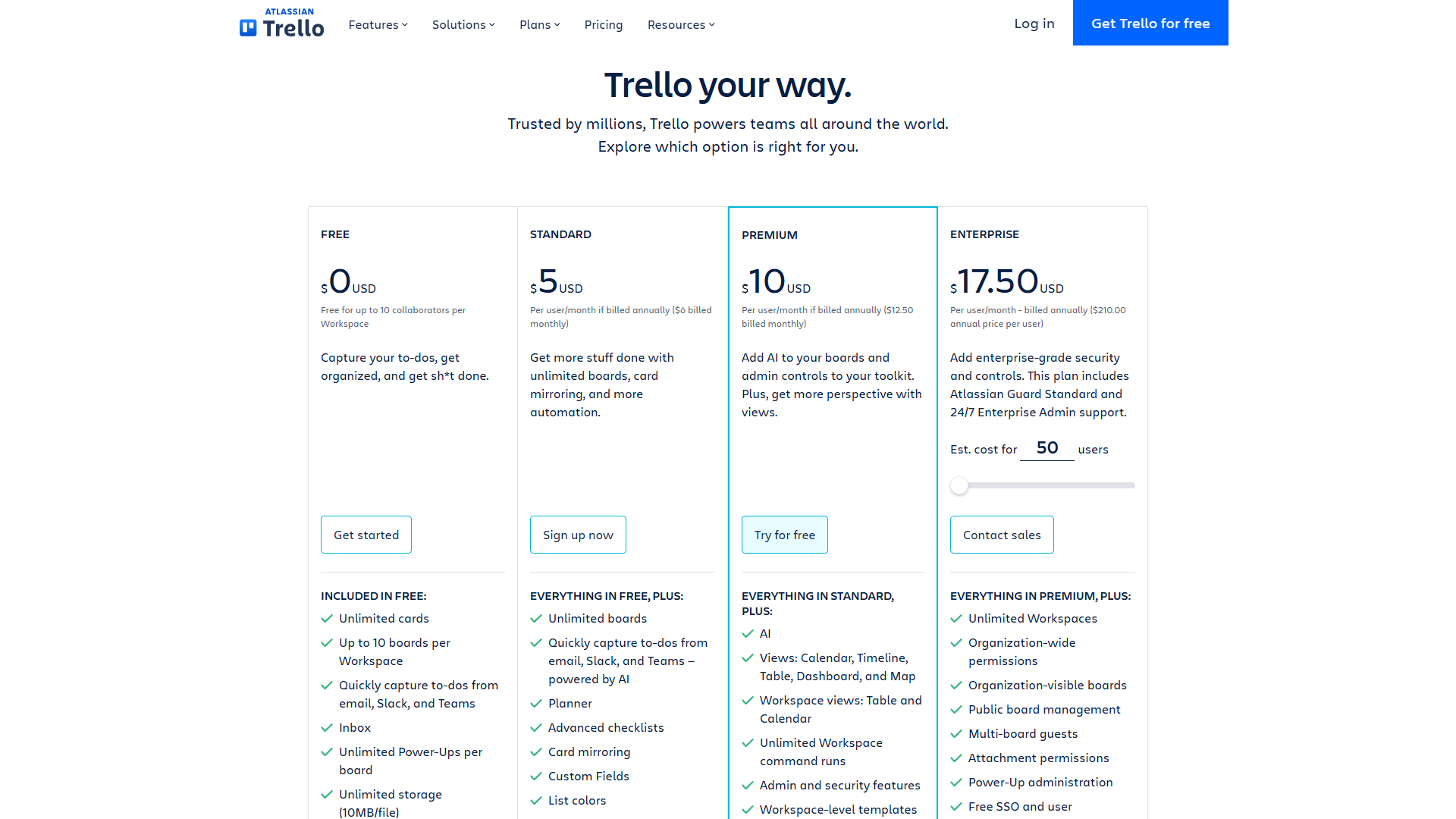
Annual billing cuts costs by roughly 17% across Standard and Premium. For any team planning to use Trello beyond a three-month trial, annual billing is the straightforward choice. Enterprise is annual-only with no monthly option.
Limitations of Trello pricing overall: The drawbacks across the lineup are real. The 50-seat Enterprise minimum locks out mid-size teams, every paid tier still requires Atlassian Access for SSO outside of Enterprise, and there is no native time tracking on any plan. Trello’s pricing is also kanban-first - teams that need Gantt or workload views as a default end up paying Premium just to unlock visualization that competitors include at lower tiers. According to Asana’s Anatomy of Work Index, the annual research report published by Asana, “knowledge workers spend 60% of their day on work about work” rather than on the skilled work they were hired to do - which only sharpens the case for unified views you do not have to upgrade to access. Skip Trello entirely if you need built-in time tracking, advanced reporting, or SSO without an add-on - the best free project management tools roundup covers the trade-offs in more depth.
Is Trello Actually Free, or Is the Free Plan a Tease?
Trello’s Free tier is one of the most generous in project management software. Unlike competitors that limit task counts or strip core functionality, Trello gives you a fully working Kanban board system without paying anything.
What is included:
- Unlimited cards - No cap on tasks. Every card supports descriptions, comments, attachments, labels, due dates, and checklists.
- Up to 10 boards per workspace - Enough for a solo freelancer or a team of 2-3 people organizing by project. This limit is per workspace, not per account.
- Unlimited Power-Ups per board - Trello removed the old one-Power-Up-per-board restriction back in 2022. Free users get unlimited integrations from the Trello Power-Up directory, including Slack, Google Drive, and GitHub.
- 250 Butler automation runs per month - Rule-based automation that triggers actions when cards move, dates arrive, or fields change. The Butler automation docs cover rule design and run accounting. Enough for light automation but not for teams running multiple automated workflows daily.
- 10MB file attachment limit - Per file, not total storage. Adequate for documents and compressed images, but screenshots and design exports regularly exceed this.
- Mobile apps - Full iOS and Android apps with push notifications and offline access.
The real ceilings:
The 10-board limit is the constraint that pushes most teams to upgrade. Teams managing more than 10 projects, clients, or departments hit this wall quickly. Workarounds exist - consolidating multiple projects onto a single board with color-coded labels - but they create clutter that undermines the visual clarity Trello is built on.
Beyond the board cap, Free users miss custom fields, advanced checklists (with due dates and assignees on individual items), and every view beyond basic Kanban boards. There is no calendar view, no timeline view, and no dashboard reporting. The 250 automation cap also depletes faster than expected - a single rule triggering on every card move across a 5-person team can burn through the monthly allowance in a week.
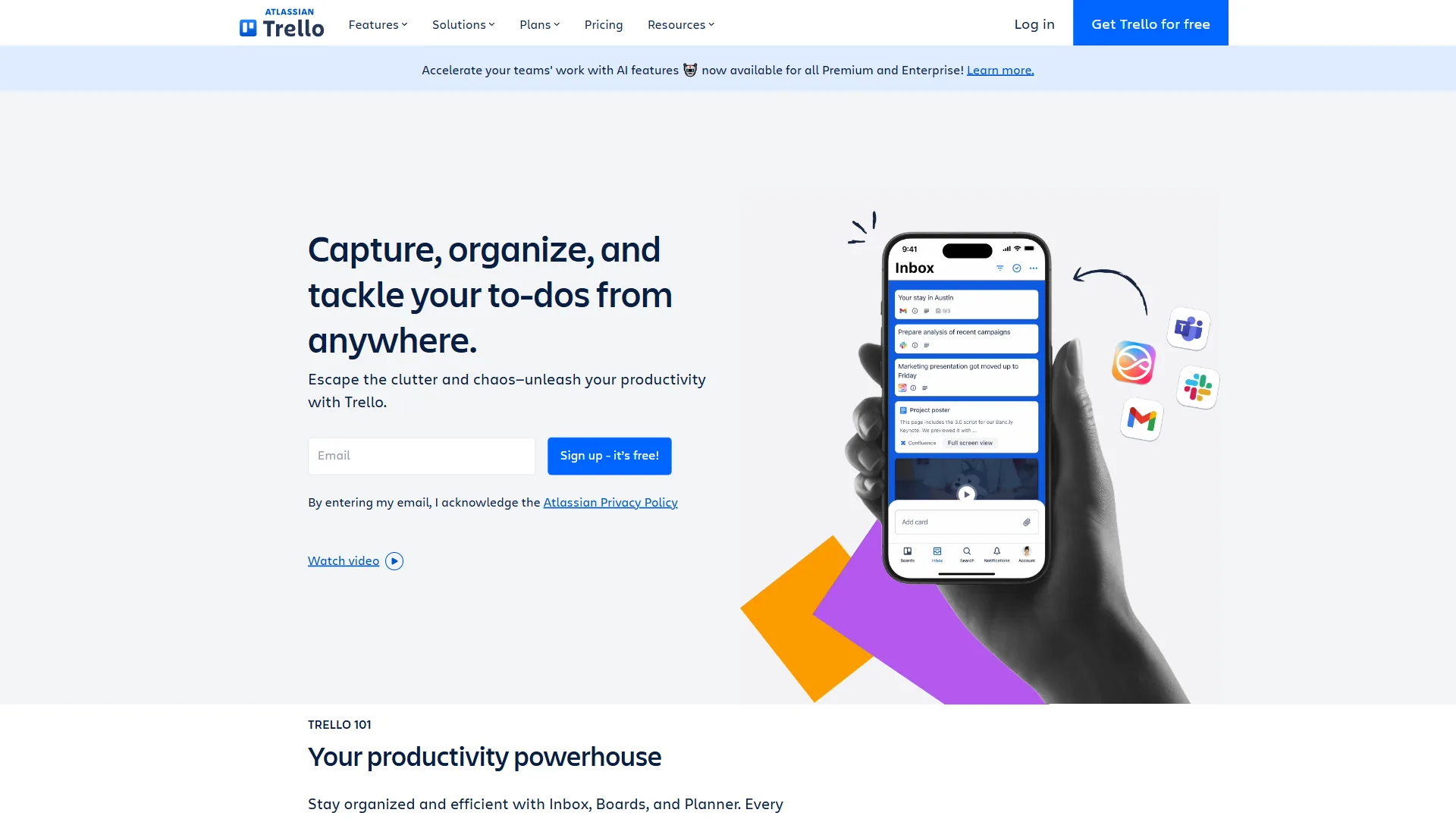
Who it is for: Individuals managing personal tasks, freelancers with a handful of active clients, and teams of 2-3 people with simple workflows. If you need fewer than 10 boards and can live without custom fields, the Free plan serves indefinitely.
Limitations of the Free plan: The drawbacks are real once a team grows beyond a couple of people. The 10-board cap is the primary constraint, but the 250 Butler runs deplete fast under any meaningful automation, the 10MB attachment cap blocks design exports, and there are no calendar, timeline, or table views at all. Skip the Free plan if you need more than 10 boards, automation runs above 250 per month, or any view beyond Kanban.
Trello Standard Plan: The Small Team Sweet Spot
Trello Standard costs $5 per user per month billed annually ($6 per user per month on monthly billing) and is the cheapest paid Trello plan, unlocking unlimited boards, custom fields, advanced checklists, and 1,000 Butler automation runs per month. Standard is where Trello becomes viable for growing teams - the jump from Free removes the most frustrating limitations without a steep price increase.
What Standard adds over Free:
- Unlimited boards - The single biggest upgrade. Create as many boards as your team needs without workarounds or consolidation.
- Custom fields - Add dropdown menus, number fields, dates, and checkboxes to cards. Essential for tracking priority levels, project stages, budgets, or any structured data beyond what labels provide.
- Advanced checklists - Assign individual checklist items to team members and add due dates to each item. This turns checklists from simple to-do lists into mini project plans within a card.
- 1,000 Butler automation runs per month - A 4x increase over Free. Enough for teams running 30-40 automated actions per day, which covers most small-team workflows.
- 250MB file attachment limit - A 25x increase per file. Handles screenshots, presentations, design mockups, and most documents without compression.
- Saved searches - Create reusable search queries to quickly find cards across boards by label, assignee, or due date.
What Standard does not include:
Standard still locks you out of Calendar, Timeline, Table, Dashboard, and Map views. You get the Kanban board and nothing else. Admin and security controls are also Premium-only, so Standard workspaces have limited governance over who can create boards or invite members.
Cost breakdown by team size:
| Team Size | Monthly Billing | Annual Billing | Annual Savings |
|---|---|---|---|
| 3 users | $18/mo ($216/yr) | $15/mo ($180/yr) | $36/yr |
| 5 users | $30/mo ($360/yr) | $25/mo ($300/yr) | $60/yr |
| 10 users | $60/mo ($720/yr) | $50/mo ($600/yr) | $120/yr |
At $5 per user per month annually, a 10-person team pays $600 per year for Trello Standard. The same team on Asana Starter would pay $1,618/year. On monday.com Basic, $1,440/year. On ClickUp Unlimited, $840 per year. Trello Standard is the cheapest paid project management plan among all major competitors. For a deeper feature comparison, see Trello vs Asana 2026.
Who it is for: Small teams of 3-15 people who have outgrown the 10-board limit and need custom fields for structured workflows. Agencies managing multiple client boards, marketing teams tracking campaigns, and development teams organizing sprints all benefit from Standard without overspending.
Limitations of the Standard plan: The plan still has notable drawbacks. Calendar, Timeline, Table, Dashboard, and Map views are all locked behind Premium, so teams that plan around dates or use Gantt views hit a wall fast. Other downsides include no admin or security controls, the 1,000 Butler run cap that automation-heavy teams blow through, and no SSO. Pass on Standard if your team needs deadline visualization, you require workspace-level governance, or you run more than 30 automated actions per day.
Trello Premium Plan: Views That Transform the Tool
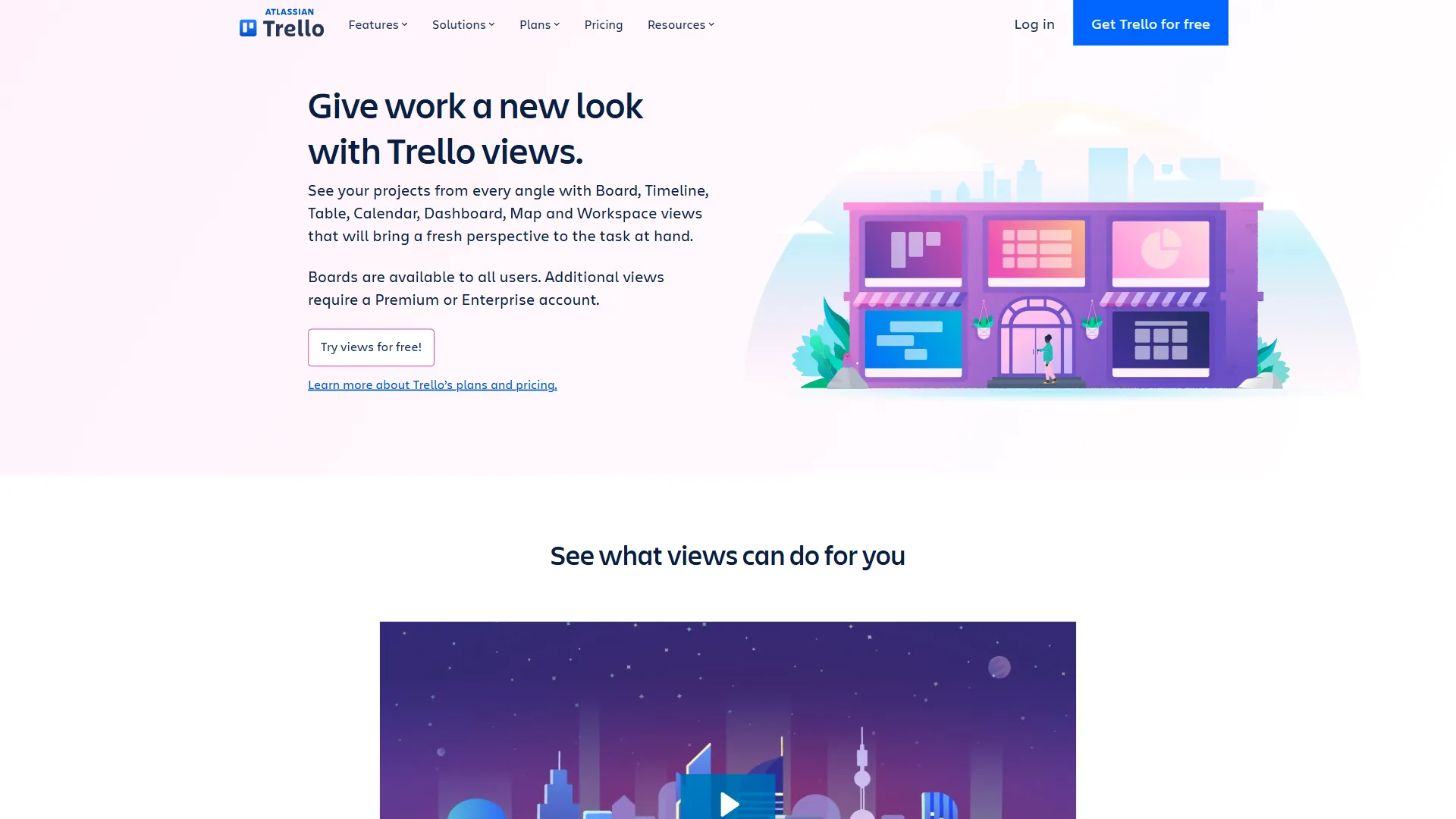
Trello Premium costs $10 per user per month billed annually ($12.50 per user per month monthly) and adds Calendar, Timeline, Table, Dashboard, and Map views plus unlimited Butler automation runs on top of every Standard feature. Premium is where Trello stops being just a Kanban board and becomes a project management platform - the core upgrade is views, six different ways to visualize the same project data.
What Premium adds over Standard:
- Calendar view - See all cards with due dates on a calendar. Drag cards between dates to reschedule. Essential for content calendars, editorial planning, and deadline management. Atlassian documents these in the Trello views guide.
- Timeline view - Gantt-style horizontal bars showing card start and end dates. Visualize project schedules, identify overlapping work, and spot bottlenecks. This is the view that teams upgrading from Standard most frequently cite as the reason they went Premium.
- Table view - Spreadsheet-style view of all cards with sortable and filterable columns. Useful for bulk editing, data review, and managers who prefer structured lists over Kanban boards.
- Dashboard view - Visual charts showing cards per member, cards per list, cards per label, and due date distribution. Basic but functional project reporting.
- Map view - Plot cards with location data on a map. Niche but valuable for real estate teams, event planners, and field service organizations.
- Unlimited Butler automation runs - No monthly cap. Automate as aggressively as your workflows demand.
- Admin and security features - Workspace-level admin controls, board permissions, and the ability to restrict who can create boards or invite members.
- Collections - Group related boards into collections for easier navigation across workspaces with 20+ boards.
- Priority support - Faster response times from Trello’s support team compared to Free and Standard.
Cost breakdown by team size:
| Team Size | Monthly Billing | Annual Billing | Annual Savings |
|---|---|---|---|
| 5 users | $62.50/mo ($750/yr) | $50/mo ($600/yr) | $150/yr |
| 10 users | $125/mo ($1,500/yr) | $100/mo ($1,200/yr) | $300/yr |
| 25 users | $312.50/mo ($3,750/yr) | $250/mo ($3,000/yr) | $750/yr |
Is the upgrade from Standard worth it? The decision comes down to views. If your team lives entirely on Kanban boards and never needs calendar, timeline, or dashboard visualization, Standard delivers everything you need at half the price. But teams managing deadline-driven projects, editorial calendars, or multi-week timelines will find the Premium views save enough planning time to justify the cost within the first month. The unlimited automation runs alone can be worth the upgrade for automation-heavy teams that keep hitting Standard’s 1,000-run ceiling.
Who it is for: Mid-size teams of 10-30 people managing multiple projects with deadlines, content teams needing calendar views, project managers who need timeline visualization, and any team that requires admin controls and basic reporting dashboards. Teams that have outgrown Trello’s reporting often look at heavier hitters - the Asana vs ClickUp 2026 comparison covers two of the most common alternatives.
Limitations of the Premium plan: Premium still has real drawbacks. The single-workspace cap forces all departments into one shared workspace, dashboard reporting is shallow compared to Asana or monday.com, there is no native time tracking, and SSO requires a separate Atlassian Access purchase at roughly $4 per user per month. Skip Premium if you need multiple workspaces, advanced reporting (burndown, velocity, resource utilization), or built-in SSO without the Access add-on.
Trello Enterprise Plan: Governance at Scale
Enterprise starts at $17.50 per month per user billed annually, with a mandatory 50-seat minimum. That sets the floor at $10,500/year before any negotiation. Larger organizations with 500+ seats typically receive volume discounts, and final pricing depends on contract length and organization size.
What Enterprise adds over Premium:
- Unlimited workspaces - Premium limits teams to one workspace. Enterprise removes this restriction, allowing departments, divisions, or regions to maintain separate workspaces under a single organization.
- Organization-wide permissions - Set default board visibility, member roles, and Power-Up access across every workspace. IT and admin teams get centralized control over the entire Trello deployment.
- Public board management - Control whether team members can create public-facing boards - an important governance feature for organizations with compliance requirements.
- Multi-board guests - Invite external collaborators (clients, contractors, vendors) to specific boards across multiple workspaces without granting full organization access.
- Attachment permissions - Restrict file attachment types and sizes at the organization level.
- Free SSO (SAML) - Single sign-on included in Enterprise pricing. On Premium, SSO requires a separate Atlassian Access subscription at roughly $4 per user per month.
- Atlassian Access integration - Organization-wide identity management with audit logs, API token controls, and enforced two-factor authentication. Details in the Atlassian Guard product page.
The 50-seat minimum reality:
The 50-seat floor means Enterprise only makes economic sense for organizations that actually need 50+ licenses. A 30-person team would pay for 20 unused seats - $4,200/year wasted. For organizations between 20-49 users, Premium plus a separate Atlassian Access subscription is almost always more cost-effective.
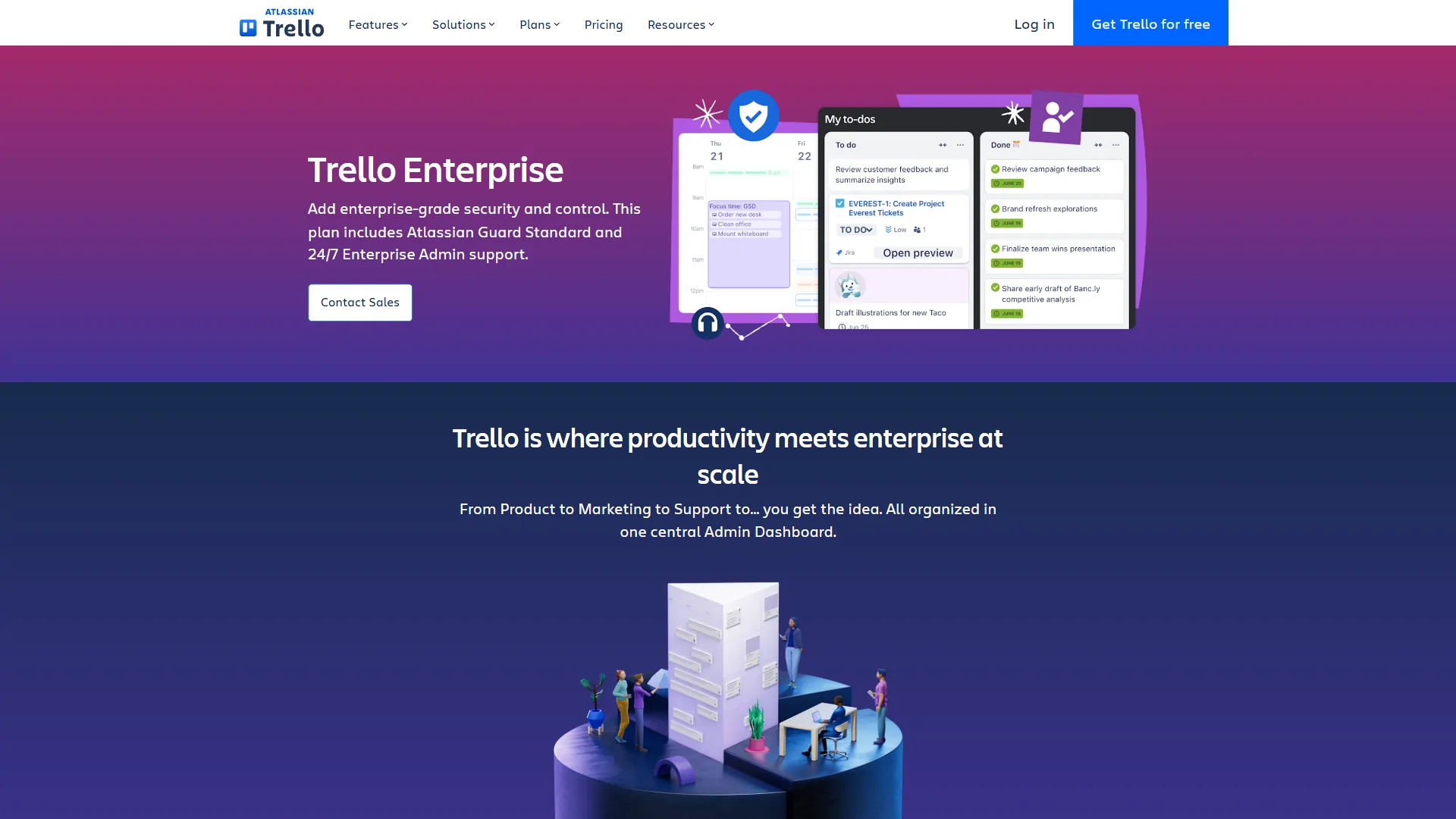
Who it is for: Organizations with 50+ users that need centralized governance, IT security teams requiring SSO and audit logs, and enterprises already in the Atlassian ecosystem (Jira, Confluence) that want unified administration across products.
Limitations of the Enterprise plan: The 50-seat minimum is the headline drawback - any team under 50 users pays for unused seats, which makes Enterprise the wrong fit for organizations between 20 and 49 people. Other downsides include annual-only billing with no monthly flexibility, opaque pricing that requires sales conversations, and a feature set still narrower than Asana Enterprise or monday.com Enterprise on reporting and resource management. Pass on Enterprise if your team is under 50 seats, you need monthly billing, or your reporting requirements are heavy.
What Are the Hidden Costs and Limitations of Trello Pricing?
Trello’s pricing is simpler than most competitors, but several costs and constraints do not get prominent placement on the main pricing page.
Butler Automation Caps Are the Real Upgrade Trigger
The 250 monthly runs on Free and 1,000 on Standard sound generous until you see how fast they deplete in practice. A single Butler rule that triggers on every card move across a busy 5-person team can exhaust 250 runs in a single week. Teams that rely heavily on automation should budget for Premium’s unlimited runs from the start rather than discovering the cap mid-project when workflows suddenly stop firing.
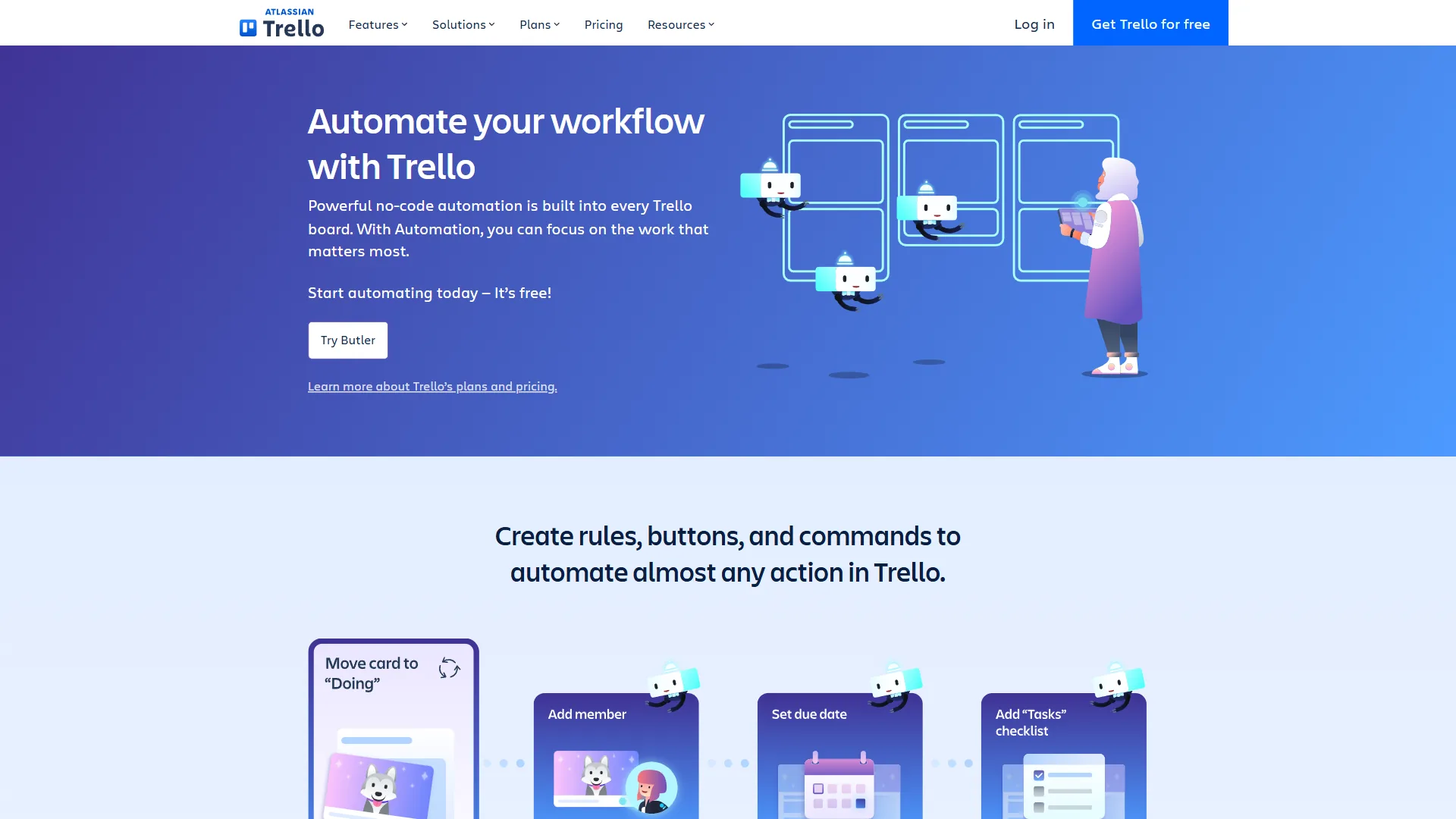
Butler runs also count across all automation types - rules, scheduled commands, card buttons, and board buttons. A workspace with five active rules, two scheduled reports, and button-triggered actions across multiple boards can hit 1,000 runs before mid-month.
Power-Up Ecosystem Creates Secondary Costs
While unlimited Power-Ups are available on every tier, the integrations themselves vary in quality and cost. First-party Atlassian integrations like Jira, Confluence, and Bitbucket work reliably. Third-party Power-Ups range from excellent to buggy and abandoned. Many free Power-Ups have their own premium tiers that unlock full functionality - creating a cost layer that sits on top of Trello’s base price. Time tracking Power-Ups like Toggl or Harvest, for example, add $5-15/user/month to the total.
SSO on Premium Requires a Paid Add-On
Organizations wanting single sign-on on Premium must purchase Atlassian Access separately at approximately $4 per user per month. For a 20-person Premium team, adding SSO costs an extra $960 per year. In some cases, this makes Enterprise the more economical choice once security requirements enter the equation - Enterprise includes SSO at no additional charge.
Cancellation and Refund Policies
Trello sends auto-renewal notices 7 days before billing. If you miss this window, there is no refund for the renewal period. Annual plans lock you in for the full year with no partial refund if you cancel mid-term. Monthly plans can be cancelled anytime but charges are not prorated - you retain access through the end of the current billing period.
No Native Time Tracking or Advanced Reporting
No Trello plan includes built-in time tracking. Teams billing by the hour must add a third-party Power-Up. Similarly, even Premium’s Dashboard view provides basic card distribution charts - not the burndown charts, velocity tracking, or resource utilization reports that tools like Asana or monday.com include natively. Teams needing advanced analytics will need third-party reporting tools or should consider a more full-featured platform - the best project management tools 2026 roundup compares native reporting across the major options.
Annual vs Monthly: How Much You Actually Save
Trello’s annual billing discount is consistent across both Standard and Premium. Enterprise is annual-only.
| Plan | Monthly Billing | Annual Billing | Per-User Savings | Savings % |
|---|---|---|---|---|
| Standard | $6/user/mo ($72/yr) | $5/user/mo ($60/yr) | $12/yr | 17% |
| Premium | $12.50/user/mo ($150/yr) | $10/user/mo ($120/yr) | $30/yr | 20% |
| Enterprise | N/A (annual only) | $17.50/user/mo ($210/yr) | N/A | N/A |
Scaled by team size (annual billing):
| Team Size | Standard Annual | Premium Annual | Enterprise Annual |
|---|---|---|---|
| 5 users | $300/yr ($25/mo) | $600/yr ($50/mo) | N/A (below minimum) |
| 10 users | $600/yr ($50/mo) | $1,200/yr ($100/mo) | N/A (below minimum) |
| 25 users | $1,500/yr ($125/mo) | $3,000/yr ($250/mo) | $5,250/yr ($437.50/mo) |
| 50 users | $3,000/yr ($250/mo) | $6,000/yr ($500/mo) | $10,500/yr ($875/mo) |
For a 10-person team on Premium, annual billing saves $300 per year compared to monthly. That is enough to cover a separate tool subscription or add three additional users on Standard.
When monthly billing makes sense: Only for short-term projects lasting three months or fewer, or for teams evaluating Trello before committing. Trello offers a 14-day free trial on Premium for teams wanting to test views and automation before choosing a billing cycle. Free-tier hunters can also see the best free project management tools for indefinite-use options.
Limitations of annual billing: The drawbacks are practical. Annual locks budget for the full year with no partial refunds, so seat changes, layoffs, or pivots leave money stranded. Auto-renewal also catches teams that miss the 7-day notice window, and Trello does not pro-rate cancellations mid-cycle. Skip annual billing if your team size fluctuates, you anticipate switching tools within 12 months, or you prefer monthly cash-flow flexibility over the 17-20% discount.
Tier-by-Tier: Which Plan Fits
The right Trello tier is Free for solo users and teams under 10 boards, Standard ($5 per user per month annually) for small teams of 3-15 needing custom fields, Premium ($10 per user per month annually) for mid-size teams of 10-30 needing Calendar and Timeline views, and Enterprise ($17.50 per user per month annually) for organizations with 50 or more seats requiring SSO and centralized governance. Use the criteria below to pick which Trello plan is best for you.
Choose Free if:
- You manage 10 or fewer active projects
- You work solo or with 1-2 collaborators
- Kanban boards are your only needed view
- Budget is the primary constraint
- You do not need custom fields or advanced checklists
Choose Standard ($5 per user per month annually) if:
- You have outgrown the 10-board limit
- Custom fields and advanced checklists improve your workflow
- Your team is 3-15 people
- 1,000 Butler automation runs per month covers your needs
- You do not need calendar, timeline, or dashboard views
Choose Premium ($10 per user per month annually) if:
- Calendar, timeline, or dashboard views would change how you plan work
- Your team is 10-30 people managing deadline-driven projects
- Unlimited automation runs are essential for your workflows
- You need workspace admin and security controls
- Basic project reporting is sufficient (no need for enterprise analytics)
Choose Enterprise ($17.50 per user per month annually) if:
- You have 50+ users across multiple departments
- SSO and centralized identity management are IT requirements
- Organization-wide governance and board controls are non-negotiable
- Your organization already uses Jira, Confluence, or other Atlassian products
- Multiple workspaces with separate administration are necessary
The Bottom Line
Trello pricing in 2026 is competitive for teams doing kanban-style project management. The Free plan is genuinely useful - not a crippled trial but a real tool that individuals and tiny teams can rely on indefinitely. Standard at $5 per user per month billed annually is the value sweet spot, removing the board cap and adding custom fields and advanced checklists at a price no competitor matches. For teams weighing the broader market, Trello alternatives covers head-to-head replacements.
Premium at $10 per user per month is where Trello transforms from a simple board tool into a project management platform. The Calendar, Timeline, and Dashboard views give teams new ways to visualize work that Standard simply cannot provide. But the most common mistake is jumping to Premium when Standard would suffice - teams that primarily work from Kanban boards rarely use timeline or dashboard views enough to justify doubling the per-user cost.
Enterprise only makes sense for organizations with 50+ seats. The mandatory minimum means smaller teams should stick with Premium and add Atlassian Access separately if SSO is required. For teams already evaluating Trello’s plans, features, and alternatives, start with Standard, use the 14-day Premium trial to test views, and upgrade only when your team actively requests the features that Standard lacks - that path picks the best plan for you without overpaying for views or seats you will not use. For developer-heavy workflows, the GitHub tool overview covers how its Trello Power-Up bridges code and tasks.
FAQ
Q: What’s the difference between Trello free and premium?
Trello Free is limited to Kanban boards, 10 boards per workspace, 250 automation runs per month, and no custom fields. Premium at $10 per user per month adds six views - Calendar, Timeline, Table, Dashboard, and Map - plus unlimited Butler automation runs, workspace admin controls, and priority support. The views are the primary reason teams upgrade from any lower tier.
Q: Is Trello actually free?
At $6 per month per user ($5 per month billed annually), Standard is where Trello becomes viable for growing teams. The jump from Free removes the most frustrating limitations without a steep price increase.
Q: What is better, Asana or Trello?
At $5 per user per month annually, a 10-person team pays $600 per year for Trello Standard. The same team on Asana Starter would pay $1,618/year.
Related Reading
Related reading on Trello pricing, plans, and alternatives covers head-to-head comparisons, free-tier roundups, and the broader project management landscape to help you decide if Trello is the right fit or if a competitor delivers better value at your team size.
- Best Trello Alternatives in 2026 - Other project management platforms if Trello does not fit your workflow
- Trello vs Asana 2026: Which Project Management Tool Wins? - Head-to-head comparison on features, AI tools, and team pricing
- Best Project Management Tools 2026: Monday vs Asana vs ClickUp - Comprehensive comparison across the top five platforms
- Best Free Project Management Tools for Small Teams - How Trello’s free tier stacks up against other no-cost options
- GitHub Tool Overview - Pairs with Trello via the official Power-Up for code-driven workflows
External Resources
External resources for Trello pricing include the official pricing page, the Atlassian Community for Trello, and Trello’s getting-started guide - the primary sources cited throughout this analysis.
- Trello Official Pricing Page - Current plan details and free trial signup
- Atlassian Community - Trello - User discussions, tips, and troubleshooting
- Trello Getting Started Guide - Official tutorials and workflow templates