


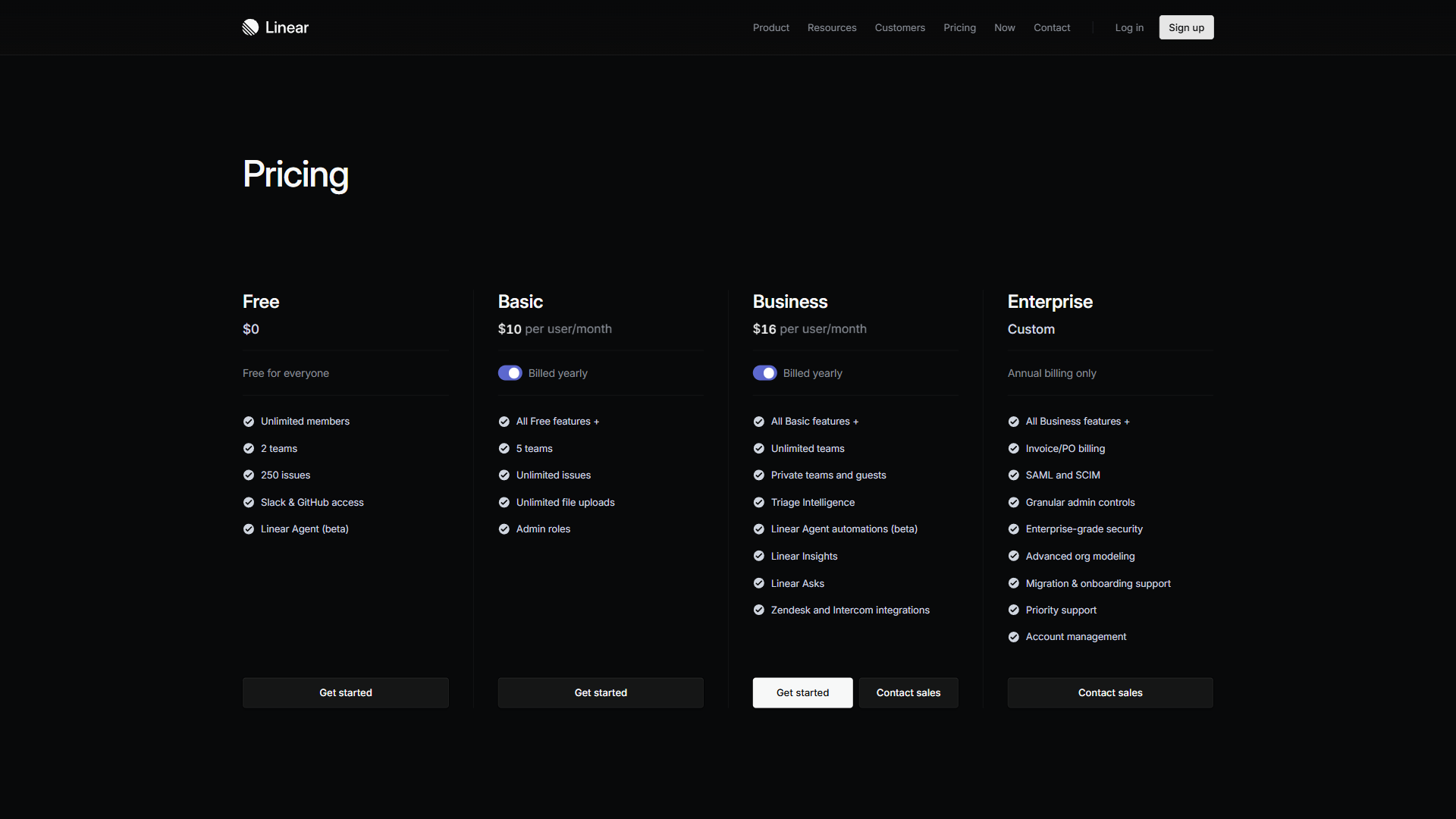
Linear pricing costs $0 for the Free plan, $8 per user/month for Standard, $14 per user/month for Plus, and custom rates for Enterprise, with a flat 20% discount on annual billing. Unlike project management tools that bury costs in seat limits, storage caps, or feature add-ons, Linear keeps its plan structure clean - the main variable is how many people need access. That simplicity underpins the focused product that helped Linear raise funding at a $1.25 billion valuation in 2025, according to Reuters.
A simple model still leaves things to evaluate. The Free plan’s 250 issues limit is one growing teams hit faster than expected, the Standard-to-Plus jump doubles the per-seat cost, and Linear Enterprise pricing is quote-only. This guide breaks down every plan, calculates real costs for teams of 5 to 50, and compares Linear against Jira, Asana, and ClickUp. Our analysis draws on Linear’s current pricing and feature documentation plus independent research rather than sponsored placement, and AI Productivity may earn a commission from links on this page while keeping its rankings editorially independent.
Linear Pricing at a Glance
Here is every Linear plan side by side as of 2026:
| Feature | Free | Standard | Plus | Enterprise |
|---|---|---|---|---|
| Monthly Price | $0 | $8/user/mo | $14/user/mo | Custom |
| Annual Price | $0 | $6.40/user/mo | $11.20/user/mo | Custom |
| Active Issues | 250 | Unlimited | Unlimited | Unlimited |
| Members | Unlimited | Unlimited | Unlimited | Unlimited |
| Teams | 1 | Multiple | Multiple + private | Multiple + private |
| Integrations | GitHub only | Advanced (Slack, Figma) | Zendesk, Intercom | Full suite + custom |
| Analytics | Basic | Standard | Linear Insights | Advanced + custom |
| Support | Community | Standard | Priority | Premium + dedicated |
| Security | Standard | Admin roles | Enhanced | SSO, SCIM, audit logs |
Annual billing saves 20% on every paid tier. For a 10-person team on Standard, that is the difference between $960 and $768 per year - nearly $200 back in the budget for committing to annual billing.
Limitations and who it’s not for: The Free plan’s 250 active issue cap is a hard limit growing teams hit within a few sprints. There is no Linear student discount and no nonprofit tier, so academic and mission-driven teams often shop for a free Linear alternative instead. The per-seat model has no volume discount below Enterprise. Skip Linear entirely if the team needs Gantt charts, time tracking, or cross-functional portfolio views - those are not on any tier.
How Much Does Linear Cost Per Month?
Linear costs between $0 and $14 per user per month depending on the plan. Here is what each tier delivers.
Free Plan: $0 per month
The Free plan is capable for a $0 product, but the 250 active issue limit defines the entire experience. It includes unlimited members, basic issue tracking with full keyboard navigation, GitHub integration, the complete keyboard shortcuts system, basic cycles and projects, and web-based mobile access (no native apps).
The 250 active issue limit is the primary constraint and hits sooner than most teams expect - a five-person team running two-week sprints burns through 250 in about two months, since bug backlogs, feature requests, and tech debt all count toward the cap. Beyond it, Free restricts teams to a single workspace, GitHub-only integration, and community support.
Who it is for: Early-stage startups with fewer than five engineers and a small, well-managed backlog. The Linear vs Jira head-to-head compares the cap against Jira’s free 10-user tier.
Standard Plan: $8 per user/Month
Standard removes the issue cap and adds the integrations and team management features that growing teams need: unlimited issues, multiple teams, admin roles, advanced integrations (Slack, Figma, Sentry), full cycle planning with velocity and burndown analytics, and API access.
At $8 per user/month ($6.40 annual), Standard is priced competitively against every major project management tool - Jira’s equivalent plan is $8.15 per user/month.
Who it is for: Teams of 5-25 engineers who have outgrown the Free issue cap and need proper team organization. Standard covers most engineering workflows without enterprise overhead, and the Linear vs Asana for engineering breakdown covers how it maps to common dev workflows.
Plus Plan: $14 per user/Month
Plus targets organizations that need tighter security controls, external collaboration, and deeper analytics. Over Standard, it adds private teams (restricting issue visibility for security-sensitive or HR work), guest accounts for external contractors, Linear Insights advanced analytics, Zendesk and Intercom integrations, priority support, and enhanced security controls.
The $6 per user/month jump needs clear justification: private teams matter when work should not be visible to the whole org, guest accounts when external collaborators need direct issue access, and Linear Insights when leadership needs data beyond basic velocity. The Zendesk/Intercom integrations are a sleeper feature for support-driven bug triage.
Who it is for: Teams of 15-50 engineers with external collaborators, support integration needs, or data-visibility compliance requirements; if none apply, Standard is sufficient. The Linear alternatives roundup lists common substitutes.
Enterprise Plan: Custom Pricing
Enterprise adds the compliance, security, and administrative features large organizations require: SAML-based SSO (Okta, Azure AD), SCIM provisioning, audit logs, advanced API rate limits, custom security reviews, dedicated migration assistance, and SLA-backed premium support.
Linear does not publish Enterprise pricing, but based on publicly available information and user reports, expect roughly $16-$25 per user/month depending on team size and security requirements.
Who it is for: Organizations with 50+ engineers where SSO, SCIM, and audit logging are non-negotiable IT requirements. Linear publishes specifics in its security and trust documentation.
Real Cost Calculations by Team Size
Linear’s per-seat model makes cost projection straightforward, and the tables below show what each plan costs for common team sizes.
Monthly Billing
| Team Size | Free | Standard | Plus |
|---|---|---|---|
| 5 users | $0 | $40/mo | $70/mo |
| 10 users | $0 | $80/mo | $140/mo |
| 25 users | $0* | $200/mo | $350/mo |
| 50 users | $0* | $400/mo | $700/mo |
*Free plan limited to 250 active issues regardless of team size.
Annual Billing (20% Savings)
| Team Size | Free | Standard | Plus |
|---|---|---|---|
| 5 users | $0 | $32/mo ($384/yr) | $56/mo ($672/yr) |
| 10 users | $0 | $64/mo ($768/yr) | $112/mo ($1,344/yr) |
| 25 users | $0 | $160/mo ($1,920/yr) | $280/mo ($3,360/yr) |
| 50 users | $0 | $320/mo ($3,840/yr) | $560/mo ($6,720/yr) |
What These Numbers Mean in Practice
For a 5-person startup, Free works until the backlog exceeds 250 issues, after which Standard at $32 per month (annual) is the obvious move. A 10-person team finds Standard at $64 per month the sweet spot, with Plus at $112 worth it only when guest accounts or private teams are required. A 25-person org typically stays on Standard ($1,920/year), upgrading to Plus ($3,360/year) only for support integration or leadership analytics. At 50 seats, most organizations need Enterprise anyway for SSO and SCIM.
Limitations and who it’s not for: Linear’s flat pricing has tradeoffs at scale. Unlike Jira, it does not drop the per-user rate as headcount grows on Standard, so a 50-person team still pays the full $8 per user/month, and every short-term contractor counts against the bill unless guest accounts (Plus only) are used.
Annual vs Monthly: When to Commit
Annual billing cuts 20% off every paid Linear tier:
| Plan | Monthly Billing (per user/yr) | Annual Billing (per user/yr) | Savings per User |
|---|---|---|---|
| Standard | $96 | $76.80 | $19.20 |
| Plus | $168 | $134.40 | $33.60 |
For a 10-person team on Standard, annual billing saves $192 per year; for a 25-person team on Plus, savings reach $840. The recommendation is to start monthly for the first 1-2 months while evaluating Linear, then switch to annual once adoption is confirmed. Teams choosing between platforms can also weigh the Asana vs ClickUp 2026 comparison.
Limitations and who it’s not for: Annual billing locks the spend for 12 months even if headcount drops, and Linear does not pro-rate refunds for seats removed mid-contract. Teams expecting volatile headcount should skip annual commitments.
Linear vs Jira vs Asana vs ClickUp: Pricing Comparison
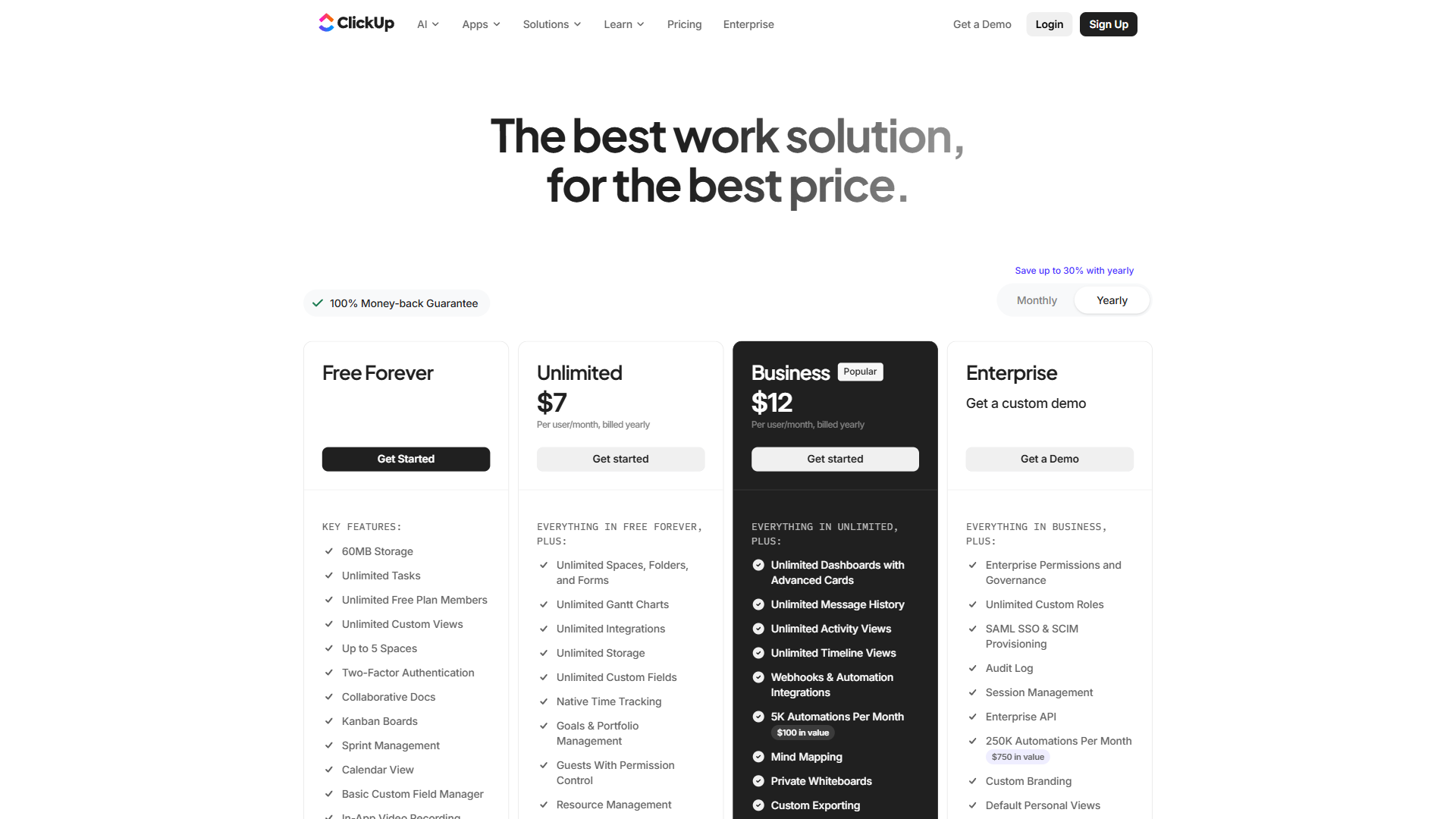
Linear is the cheapest of the four major project management tools for engineering teams of 10 or fewer, at $6.40 per user/month on annual Standard billing versus $7 for ClickUp, $8.15 for Jira, and $10.99 for Asana. Here is how they compare at the same team sizes.
Per-User Monthly Pricing (Annual Billing)
| Plan Tier | Linear | Jira | Asana | ClickUp |
|---|---|---|---|---|
| Free | $0 (250 issues) | $0 (10 users) | $0 (10 users) | $0 (unlimited) |
| Standard/Starter | $6.40 | $8.15 | $10.99 | $7 |
| Plus/Premium | $11.20 | $16 (Premium) | $24.99 | $12 |
| Enterprise | Custom | Custom | Custom | Custom |
Total Annual Cost Comparison (10-Person Team, Standard Tier, Annual Billing)
| Tool | Annual Cost | Free Tier Cap |
|---|---|---|
| Linear | $768 | 250 issues |
| ClickUp | $840 | No user limit |
| Jira | $978 | 10 users |
| Asana | $1,319 | 10 users |
Total Annual Cost Comparison (25-Person Team, Standard Tier, Annual Billing)
| Tool | Annual Cost | Notes |
|---|---|---|
| Linear | $1,920 | Flat per-seat rate |
| ClickUp | $2,100 | Flat per-seat rate |
| Jira | $1,912.50 | Drops to $6.38/user at 15+ seats |
| Asana | $3,297 | No volume discount at Standard |
What the Comparison Reveals
Linear is the cheapest option for teams of 10 or fewer on Standard plans. At $6.40 per user/month (annual), it undercuts Jira ($8.15), Asana ($10.99), and sits just below ClickUp at $7 - a clear cost advantage for small to mid-size engineering teams, especially those tracking DORA delivery metrics.
The focused, single-product approach behind that pricing is deliberate. According to Linear’s Method handbook, the company’s operating principle is to “build for the creators, not the managers” - a philosophy that keeps the plan structure narrow and the per-seat rate predictable.
Jira catches up at scale. Jira’s tiered pricing drops the per-user rate as headcount grows - at 25 users it is marginally cheaper than Linear ($1,912 vs $1,920 per year), and at 50+ users its volume discounts make it the more affordable option on pure price.
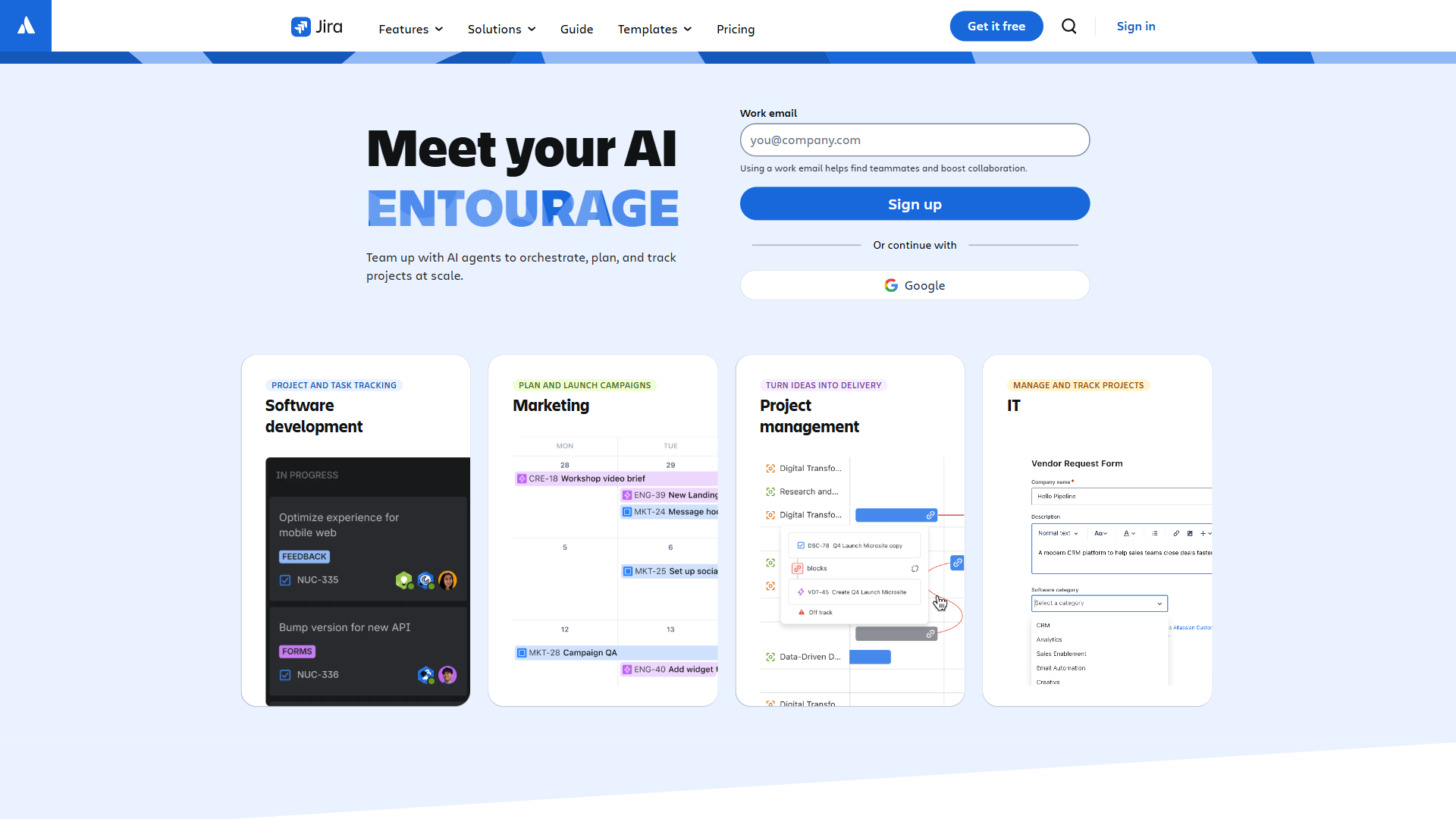
Asana is significantly more expensive at every tier. Asana Starter at $10.99 per user/month is 72% more than Linear Standard - $1,377 more per year for a 25-person team - justified only when a team needs Asana’s cross-functional views, timelines, and portfolio management.
ClickUp offers the most generous free tier but a less focused experience. ClickUp Free has no user limit and no issue cap, but the tradeoff is a broader, less developer-focused product. Engineering teams that prioritize keyboard speed and GitHub-native workflows tend to prefer Linear despite the tighter free tier.
Feature Comparison at the Standard Tier
| Feature | Linear ($6.40) | Jira ($8.15) | Asana ($10.99) | ClickUp ($7) |
|---|---|---|---|---|
| Unlimited Issues | Yes | Yes | Yes | Yes |
| Multiple Teams | Yes | Yes | Yes | Yes |
| Sprint/Cycle Planning | Yes | Yes | Timeline view | Sprints |
| GitHub Integration | Native, deep | Native, deep | Basic | Basic |
| Custom Fields | Limited | Extensive | Extensive | Extensive |
| Keyboard Navigation | Exceptional | Good | Limited | Good |
| API & Automation | API + basic auto | Extensive | Rules engine | Extensive |
| Admin Roles | Yes | Yes | Yes | Yes |
| Mobile App | Web only | iOS + Android | iOS + Android | iOS + Android |
Linear wins on speed and developer experience, Jira on customization, Asana on cross-functional visibility, and ClickUp on feature density per dollar.
Best Picks by Use Case
The right Linear plan depends on team size and access needs: Free suits teams under five engineers, Standard fits 5-25 engineers, Plus serves 15-50 engineers with external collaborators, and Enterprise is for 50+ engineers with SSO and audit requirements.
Stick with Free if the team has fewer than 5 engineers, the active backlog stays under 200 issues (buffer below the 250 cap), GitHub is the only integration needed, and there is no requirement for team-level separation, admin controls, or strict weekly backlog grooming is in place.
Choose Standard if the team has 5-25 engineers, the 250 issue cap has been or soon will be reached, Slack/Figma/Sentry integrations are part of the daily workflow, multiple teams need separate workspaces, sprint analytics matter for planning, and budget allows $6.40-$8 per user/month.
Choose Plus if external contractors need guest access to specific projects, security-sensitive work requires private team visibility, engineering leadership needs Linear Insights analytics, customer support teams use Zendesk or Intercom for direct issue creation, the organization has 15-50 engineers with varying access needs, and budget allows $11.20-$14 per user/month.
Choose Enterprise if IT security requires SSO through an identity provider (Okta, Azure AD), compliance mandates audit logging, the HR or IT team needs SCIM provisioning, the team has 50+ engineers expecting a negotiated volume rate, or migration from Jira needs dedicated hands-on assistance.
The Bottom Line
Linear pricing in 2026 is refreshingly simple - four plans, per-seat pricing, and a flat 20% annual discount - compared to the tiered complexity of Jira or the feature-dense sprawl of ClickUp.
For most engineering teams, the path is clear: start on Free, move to Standard ($6.40 per user/month annual) once the 250 issue cap arrives, stay on Standard unless private teams, guest accounts, or support integrations create a genuine need for Plus, and evaluate Enterprise only when SSO and audit logs become IT mandates.
The cost comparison favors Linear for teams under 25 people - at $768 per year for a 10-person team on Standard, it is the most affordable developer-focused PM tool on the market. For a deeper look at Linear’s features beyond pricing, see the full Linear review and tool overview.
FAQ
Linear pricing has four tiers - Free at $0, Standard at $8, Plus at $14 per user/month, and custom-rate Enterprise - and the quick answers below cover costs, the 250 issues limit, and annual savings.
Q: What is an example of linear pricing?
Linear uses a per-seat pricing model as its example of linear pricing, charging a flat rate for each user across four tiers: Free at $0, Standard at $8, Plus at $14 per user per month, and Enterprise at custom rates. The main variable is how many people need access, with no hidden seat limits, storage caps, or feature add-ons.
Q: How much does linear cost per month?
Linear costs $0 for Free, $8 per user per month for Standard, and $14 per user per month for Plus, with Enterprise at custom rates. Annual billing cuts 20% off every paid tier, bringing Standard to $6.40 and Plus to $11.20 per user per month.
Q: What is the difference between linear and non linear pricing?
Linear (per-seat) pricing charges a flat rate for each user, so total cost scales in a straight line with headcount. Non-linear pricing - tiered volume discounts, usage-based fees, or feature bundles - changes the per-unit rate as you scale. Linear’s plans use the per-seat model, with no volume discount below Enterprise.
Q: Can I use linear for free?
Yes - Linear’s Free plan is $0 with unlimited members, GitHub integration, and basic issue tracking, capped at 250 active issues. It suits early-stage teams under five engineers; once the cap is reached, Standard at $6.40 per user/month (annual) removes it.
Q: How much do you save with Linear annual billing?
Annual billing saves 20% on every paid Linear tier. For a 10-person team on Standard, that drops the cost from $960 to $768 per year, and the same discount brings Plus from $14 to $11.20 per user per month.
Q: Is Linear free, and what is the 250 issues limit?
Linear is free on its Free plan at $0 with unlimited members, but that tier enforces a 250 issues limit on active tickets shared across every project. Once a workspace reaches 250 active issues, no new issues can be created until existing ones are closed or archived - the point most growing teams upgrade to Standard.
Related Reading
These guides go deeper on Linear’s features, head-to-head comparisons, and free Linear alternative options.
- Linear Review: Full Tool Overview - Linear’s features, ratings, and developer experience
- ClickUp Review - ClickUp’s features, pricing, and capabilities
- Jira Review - Jira’s features for engineering teams
- Asana Review - Asana’s cross-functional project management features
- Linear vs Jira 2026 - Head-to-head comparison on speed, AI features, and workflows
- Linear vs Asana for Engineering Teams - Developer-centric versus cross-functional tools
- Best Linear Alternatives in 2026 - Top tools if Linear does not fit your team
- Best AI Project Management Tools in 2026 - The broader AI-powered PM landscape
- Best Free Project Management Tools - Free tier comparison across major PM platforms
External Resources
These primary sources confirm Linear’s current pricing and plan terms for independent verification.
- Linear Official Pricing Page - Current plan details and feature comparison
- Linear Billing and Plans Documentation - Official guidance on billing cycles, seat counts, and plan changes
- Linear Changelog - Latest feature and plan updates