


The best Linear alternatives in 2026 are Asana, Notion, and ClickUp - each replacing Linear for teams whose work spans more than pure engineering. Linear alternatives are project management tools that deliver similar issue-tracking capabilities with different pricing, features, or design approaches. Teams switch from Linear due to its 250 active issue cap on the free tier, developer-centric workflows, or the need for roadmaps, wikis, and cross-team reporting.
Our analysis draws on each vendor’s current pricing and product documentation, plus independent research rather than sponsored placement. AI Productivity earns a commission from some links; our rankings are editorially independent. According to Karri Saarinen, CEO of Linear, in the product principles documentation, “Software is built by people who use it” - the ethos behind Linear’s developer-first strengths and the gaps driving teams toward broader alternatives for business.
Linear has earned a devoted following among software teams. The keyboard-first design, sub-second page loads, and seamless GitHub integration make it genuinely enjoyable to use - a rarity in project management software. But not every team is a pure engineering outfit, and Linear’s strengths quickly become limitations when your situation looks different.
Common triggers for evaluating Linear alternatives include sharing a tool with marketing and operations, hitting the 250 active issue ceiling, running non-technical workflows Linear does not fit, or needing roadmaps, wikis, and cross-team reporting without another subscription.
This guide covers the best Linear alternatives for business teams in 2026 - including open source Linear alternatives and self-hosted alternatives for stricter data requirements. We cover Linear itself first, then Asana, Notion, and ClickUp - each serving a different audience. For a wider field, see our ClickUp alternatives and Asana competitors roundups.
How Do the Top Linear Alternatives Compare?
The top Linear alternatives compare across four dimensions - starting price, free tier size, AI feature availability, and target audience - with Asana strongest for mixed teams, Notion strongest for documentation, and ClickUp strongest for budget-conscious feature breadth. Each alternative is benchmarked below against Linear on the features that matter most for real workflows.
| Tool | Best For | Starting Price | Free Tier | AI Features |
|---|---|---|---|---|
| Linear | Engineering-focused teams | $8/mo per user | Yes (250 issues) | Issue triage, summarization |
| Asana | Mixed teams with timeline needs | $10.99/mo per user | Yes (10 users) | AI Studio, automations |
| Notion | Knowledge-heavy teams | $10/mo per user | Yes (individual) | AI Agents (Business plan) |
| ClickUp | Teams wanting maximum features | $7/mo per user | Yes (unlimited tasks) | ClickUp Brain (add-on) |
Is Linear Still the Best Choice for Pure Engineering Teams?
Linear remains the best choice for pure engineering teams of 5 to 50 people who work in GitHub, prioritize sub-second speed, and do not share their tracker with non-technical colleagues. Linear was built by engineers, for engineers - and that is apparent from the first time you open it.
The app loads fast - noticeably faster than Jira or Asana - and the keyboard shortcut system is among the most complete in the category. You can create an issue, assign it, label it, and close it without touching the mouse.
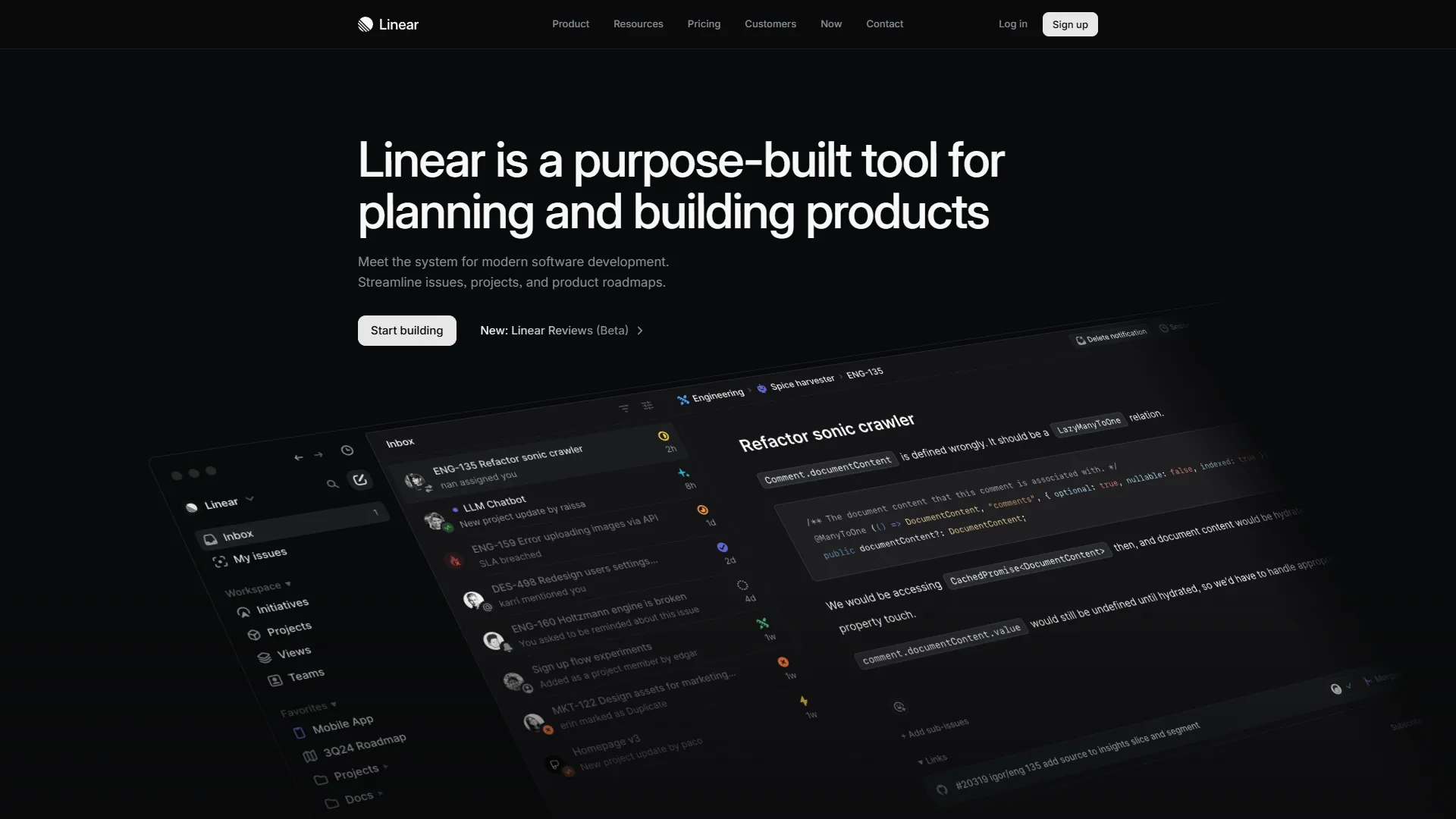
What Linear does well:
- Sub-second page loads, even on large workspaces
- Native GitHub and GitLab integration with bi-directional PR linking
- Cycle planning (sprints) that feels lightweight rather than bureaucratic
- AI-powered issue triage and summarization on paid plans
- Unlimited team members on the free tier with up to 250 active issues
Where Linear falls short:
- No native mobile apps for iOS or Android
- Limited custom fields awkward for non-developer workflows
- Linear Insights, Zendesk, and Intercom integrations gated behind the $14 per month Plus plan
- Epic management is notably underdeveloped compared to Jira
Pricing: Free tier (250 active issues), Standard at $8 per month per user, Plus at $14 per month per user, Enterprise custom pricing. Annual billing saves 20%.
Best for: Software development teams of 5-50 people who live in GitHub, value speed over flexibility, and do not need to share their PM tool with non-technical colleagues.
Not ideal for: Cross-functional teams with marketing or operations, teams needing native mobile apps, mature epic management, or roadmaps shared with executives. The biggest drawbacks are the 250 active issue cap, no iOS or Android apps, and Linear Insights gated behind the $14 per month Plus plan.
Why Is Asana the Best Linear Alternative for Mixed Teams?
Asana is the go-to when your engineering team needs to work alongside marketing, operations, or customer success - and everyone needs to use the same tool. Where Linear is opinionated and developer-centric, Asana is deliberately general-purpose. Custom fields, timeline views, and a 200+ integration ecosystem make it flexible enough for almost any team workflow.
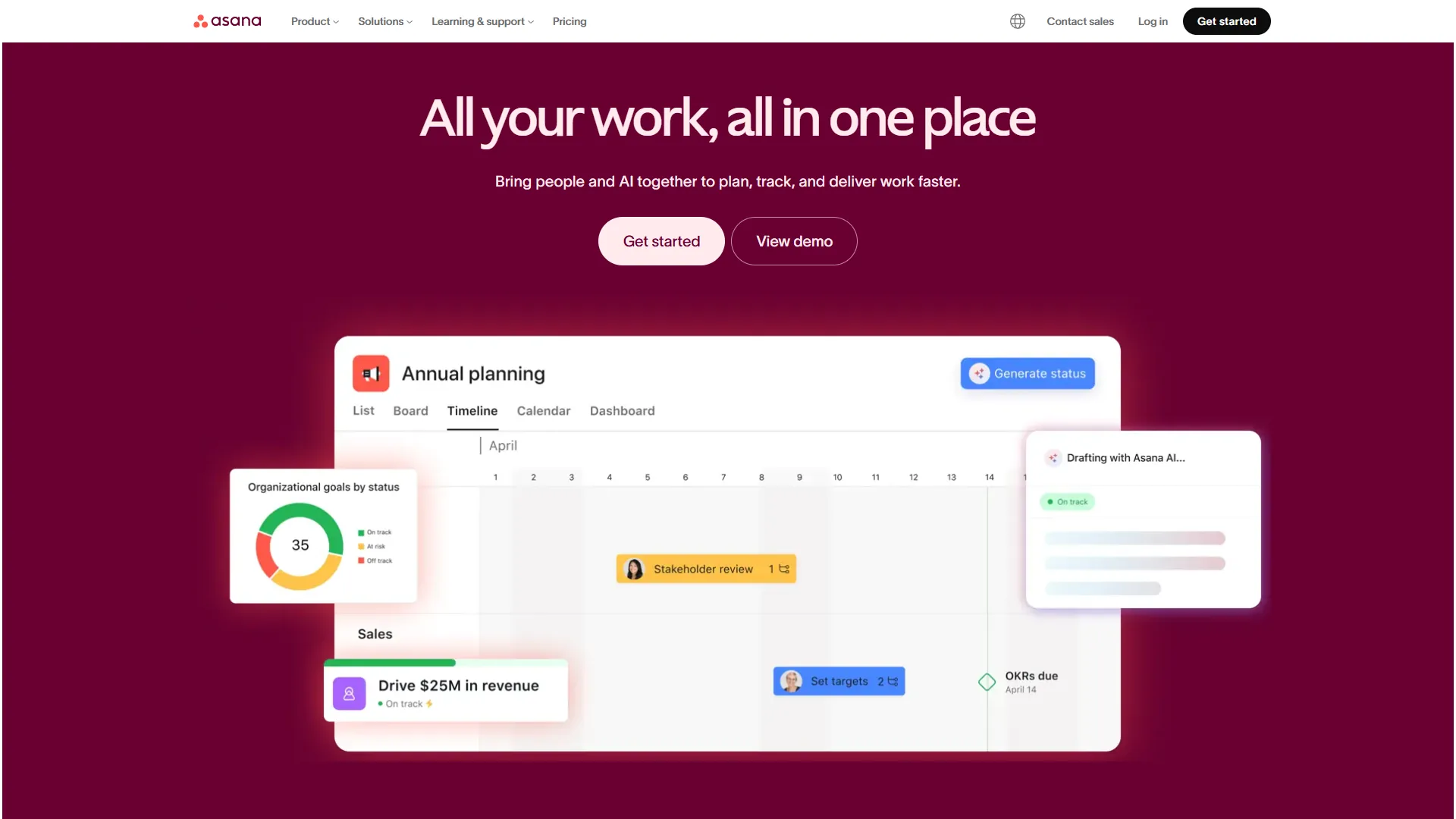
The AI story at Asana has matured quickly. AI Studio - a no-code workflow builder - is included on all paid tiers, letting teams build automations in plain English. AI Teammates (currently in beta) add more autonomous task handling for complex workflows. These are real features being used by real teams, not marketing slides.
What Asana does well:
- Timeline and Gantt views with task dependencies - Linear has no equivalent
- AI Studio on all paid tiers (not gated behind a premium add-on)
- Portfolio management for tracking multiple projects in one dashboard (Advanced tier)
- 200+ integrations including Salesforce, Microsoft 365 Copilot, and Tableau
- Solid mobile apps for iOS and Android - a meaningful advantage over Linear
- Proven ROI: IDC research documents 437% three-year ROI and 2 hours saved per employee weekly
Where Asana falls short:
- Free tier caps at 10 users (vs Linear’s unlimited)
- No timeline views, custom fields, or automations on the free plan
- Starter at $10.99/mo is pricier than Linear’s Standard at $8/mo
- Time tracking requires Advanced at $24.99/mo
- Feature set feels like overkill for small pure-dev teams
Pricing: Free (up to 10 users), Starter at $10.99 per month annually, Advanced at $24.99 per month annually, Enterprise custom. Annual billing saves roughly 18%.
Who should switch from Linear to Asana: Teams where engineering needs to collaborate regularly with non-technical departments. If your project discussions involve designers, marketers, and ops alongside developers, Asana’s universal design and timeline features make cross-team work significantly smoother than Linear’s developer-native layout.
Not ideal for: Tiny pure-engineering teams that just need fast issue tracking, teams larger than 10 users on a free plan, or teams needing time tracking without paying for the $24.99 per month Advanced tier.
Is Notion the Best Linear Alternative for Documentation-Heavy Teams?
Notion occupies a different niche from both Linear and Asana. Rather than being a pure project management tool, it is a flexible workspace that combines docs, wikis, databases, and task management. If your engineering team is tired of managing Linear for issues and Confluence for docs and Jira for roadmaps - Notion is the consolidation play you have been looking for.

Notion’s AI capabilities now include genuine AI Agents - not just a writing assistant, but autonomous workflows powered by frontier models. On the Business plan ($18 per month), these agents can read your Slack channels, calendar, and workspace content to answer questions and trigger actions. It is the most sophisticated AI feature set of any tool in this comparison, though it is locked to the $18 per month Business tier. For a workspace-vs-PM head-to-head, see our ClickUp vs Notion breakdown.
What Notion does well:
- Single workspace for docs, wikis, and project tracking - eliminates tool sprawl
- Multi-model AI agents on Business plan (GPT-5, Claude Opus 4.1, o3)
- Highly flexible databases with 7 view types including timeline, gallery, and map
- Excellent template ecosystem across thousands of community-built templates
- Tool consolidation - teams report 27% software cost reduction by replacing separate tools
- Consistently high user satisfaction ratings across major review platforms
Where Notion falls short:
- Not built for software issue tracking - no native Git integration
- AI features require Business plan ($18/mo) - not on Plus
- Steep learning curve: expect 2-4 weeks to build effective systems
- Performance degrades with very long pages or complex databases
- Mobile experience is significantly weaker than desktop
Pricing: Free (individuals), Plus at $10 per month annually, Business at $15 per month annually, Enterprise custom. Annual billing saves 20%.
Who should switch from Linear to Notion: Teams where documentation matters as much as task tracking. If your team constantly switches between Linear, Confluence, and Google Docs, consolidating into Notion reduces context switching and license costs. Notion is not a Jira replacement - it is better understood as a home for your team’s knowledge that handles lightweight project management alongside it.
Not ideal for: Software issue tracking - there is no native Git integration. Skip Notion for fast keyboard-driven tracking, mobile-first workflows, or AI features without the $18 per month Business plan. The drawbacks are a 2-4 week learning curve, slowdowns on long pages, and a noticeably weaker mobile experience.
Why Is ClickUp the Best Linear Alternative for Maximum Features on a Budget?
ClickUp is the best Linear alternative for maximum features on a budget because its Free Forever tier carries unlimited tasks and unlimited users while paid plans start at $7 per user each month - the lowest entry price in this comparison. ClickUp’s pitch is simple: more features than anyone else at a lower price. The Free Forever tier includes unlimited tasks and unlimited users - compare that to Linear’s 250-issue cap or Asana’s 10-user limit. If you need a tool that scales from a 3-person startup to a 300-person company without requiring a renegotiated contract, ClickUp deserves a serious look.

ClickUp Brain brings multi-model AI with an enterprise knowledge search that queries across 100+ connected apps. Autopilot Agents handle automated standups, project updates, and workflow routing. The AI features are paid add-ons ($9 per month Standard, $28 per month Autopilot) rather than bundled into base pricing.
What ClickUp does well:
- Free Forever tier with unlimited tasks and users - Linear’s free tier caps at 250 active issues
- 35+ view types including List, Board, Gantt, Timeline, Calendar, Mind Maps, and Workload
- Built-in time tracking, goals, whiteboards, and docs - consolidates many separate tools
- ClickUp Brain’s enterprise search across 100+ integrations (with add-on)
- Nucleus Research documented 3.84x ROI and 576 hours/week saved at a case-study company
- Strongest value at the Unlimited tier: $7 per month annually
Where ClickUp falls short:
- Steep learning curve: 2-3 weeks to reach proficiency
- AI features require add-on ($9-28/user/month) on top of base pricing
- No native GitHub issue-to-PR linking as fluid as Linear’s
- Performance degrades on very large workspaces
- Not built specifically for software issue tracking
Pricing: Free Forever, Unlimited at $7 per month annually, Business at $12 per month annually, Enterprise custom. ClickUp Brain AI is an additional $9-28/user/month.
Who should switch from Linear to ClickUp: Budget-conscious teams who need more than issue tracking. If you are paying for Linear plus separate tools for docs, time tracking, or goals, ClickUp’s consolidation play reduces total software spend while keeping all the data in one place. It is also the best option for heterogeneous teams where some members need simple kanban boards and others need Gantt charts.
Not ideal for: Teams that want a clean minimal interface, want AI bundled into base pricing (Brain is a $9-28 per user per month add-on), need GitHub PR linking as fluid as Linear’s, or run very large workspaces where performance matters most.
Which Alternative Fits Your Workflow
The right Linear alternative depends on which Linear constraint is forcing the switch - Asana fits cross-functional teams, Notion fits documentation-heavy workflows, and ClickUp fits budget-constrained teams that want feature breadth.
- Growing past pure engineering - Asana is the safest choice; its universal design, timeline views, and portfolio management are built for cross-functional teams.
- Drowning in tool sprawl (Linear plus Confluence plus Google Sheets) - Notion consolidates docs, wikis, and tasks; AI Agents on the Business plan are genuinely capable. Expect a learning investment upfront.
- Budget is the primary constraint - ClickUp’s free tier and low-cost paid plans are hard to beat for large teams with diverse workflow needs.
- Staying in Linear’s lane - pure software development, git-centric workflows, small to mid-sized engineering team - there is no better tool than Linear itself.
| Signal | Recommended Alternative |
|---|---|
| Non-technical teammates need the same tool | Asana |
| Need docs + wiki + tasks in one place | Notion |
| Outgrowing free tier on tight budget | ClickUp |
| Mobile access is critical | Asana or ClickUp |
| Need workload/resource management | Asana (Advanced) or ClickUp |
| Want to consolidate 3+ tools | Notion or ClickUp |
What Is the Bottom Line on Linear Alternatives?
The bottom line on Linear alternatives in 2026 is that Asana wins for cross-functional teams, Notion wins for documentation-heavy teams, and ClickUp wins for budget-conscious teams that want consolidation. None of these match Linear’s raw speed or its native developer workflow, but for teams whose work spans more than one discipline, that is the right trade to make.
FAQ
Q: What is the best Linear alternative for non-technical teams?
Asana is the strongest choice when engineering needs to collaborate with marketing, operations, or customer success. Its universal design, timeline views, and 200+ integrations handle cross-functional workflows that Linear’s developer-centric layout was never built for. Starter plans begin at $10.99 per user per month with a free tier for up to 10 users.
Q: Does ClickUp have a better free tier than Linear?
Yes - ClickUp’s Free Forever plan includes unlimited tasks and unlimited users, which compares favorably to Linear’s free tier cap of 250 active issues and Asana’s 10-user limit. For budget-conscious teams that need room to scale, ClickUp’s free tier is the most generous of the options reviewed here.
Q: Which Linear alternative is best for consolidating docs and tasks?
Notion is designed for this scenario - combining docs, wikis, databases, and task management in one workspace for teams juggling Linear, Confluence, and Google Docs separately. The trade-off is a learning investment upfront and AI Agents locked to the $18 per user per month Business plan.
Q: How does Asana AI compare to ClickUp Brain?
Asana’s AI Studio - a no-code workflow builder - is included on all paid tiers, with AI Teammates in beta. ClickUp Brain offers multi-model AI with enterprise search across 100+ apps but is a paid add-on ranging from $9 to $28 per user per month rather than bundled.
Q: When does it make sense to stay with Linear instead of switching?
Linear remains the best fit for pure software development teams of 5 to 50 people who work in GitHub, prioritize speed, and do not share their tracker with non-technical colleagues. The alternatives trade Linear’s speed, keyboard shortcuts, and developer UX for broader feature coverage.
Related Reading
Related Reading covers each tool profile and adjacent comparisons for drilling into a specific Linear alternative or expanding the field.
- Linear - Full Linear tool profile with pricing and feature details
- Asana - Asana tool profile and plan comparison
- Notion - Notion tool profile with AI feature breakdown
- ClickUp - ClickUp tool profile and pricing tiers
- ClickUp vs Notion 2026: Which Productivity Tool Wins? - Head-to-head breakdown
- Asana Competitors 2026: Best Alternatives for Project Management - More Asana comparisons
- ClickUp Alternatives 2026 - What to use when ClickUp isn’t the right fit
- Notion AI vs ChatGPT 2026 - How Notion’s AI stacks up against standalone assistants
External Resources
External Resources are vendor pricing pages and independent research used to verify the plan tiers, AI feature gating, and ROI figures.
- Linear Pricing Page - Current Linear plan details and feature breakdown
- Asana ROI of Work Management Report - IDC research on productivity outcomes and three-year ROI data
- Notion AI Documentation - Vendor reference for AI Agents, model availability, and Business-plan gating
- ClickUp Brain Documentation - Vendor reference for Brain pricing and Autopilot Agents