





GitHub competitors are code hosting platforms like GitLab, Bitbucket, Azure DevOps, Gitea, and Forgejo that serve teams needing self-hosted repositories, unified DevOps workflows, or privacy from Microsoft’s servers. GitLab offers comprehensive DevOps, Bitbucket suits Atlassian-heavy teams, and Gitea or Forgejo provide self-hosted control for cost-conscious organizations.
Disclosure: AI Productivity may earn a commission from links on this page; our rankings are editorially independent and based on vendor documentation, pricing pages, and independent research rather than sponsored placement.
GitHub hosts 100M+ developers per the Stack Overflow Developer Survey and GitHub’s Octoverse report - but Octoverse also shows 30%+ of enterprises run a secondary or primary code host for compliance. Regulated industries need EU-hosted repositories, DevOps teams want CI/CD and project management on one platform, and privacy-focused organizations do not want code on Microsoft’s servers.
The best alternative to GitHub in 2026 depends on your constraint: GitLab leads unified DevOps, Bitbucket wins Atlassian shops, and self-hosted Gitea runs on minimal infrastructure in under 30 minutes. This guide breaks down the strongest GitHub competitors by what actually matters.
Methodology: GitHub - What You’re Comparing Against
Our analysis draws on current vendor documentation, pricing pages, and independent research rather than sponsored placement. GitHub competitors are platforms operating in the same market as GitHub, each targeting slightly different workflows or team sizes.

GitHub’s strengths: the largest developer network (100M+), a mature CI/CD system in GitHub Actions with a deep marketplace, GitHub Copilot as the leading AI coding assistant, built-in security (Dependabot, code scanning, secret detection), and ubiquitous third-party integrations.
GitHub Pricing
| Plan | Monthly Cost | Best For |
|---|---|---|
| Free | $0 | Open-source, personal projects |
| Team | $4/user/month | Small and mid-size teams |
| Enterprise | $21/user/month | Large organizations with security and compliance needs |
Pain points that drive teams to competitors: Enterprise pricing at scale ($21 per user each month × 100 engineers = $25,200 per year, before Copilot at $19), feature fragmentation across Issues/Projects/Actions/Packages, data sovereignty concerns on Microsoft cloud, no built-in container registry at lower tiers, and the cost and complexity of GitHub Enterprise Server for self-hosting.
How Do the Top GitHub Competitors Compare at a Glance?
The top GitHub competitors fall into three groups: commercial DevOps platforms (GitLab, Bitbucket, Azure DevOps) starting at $3 to $29 per user each month, lightweight self-hosted services (Gitea, Forgejo) that run free on a small VPS, and donation-funded public hosts (Codeberg, Sourcehut) for open-source projects.
| Platform | Free Tier | Starting Price | CI/CD | Self-Hosted | Best For |
|---|---|---|---|---|---|
| GitLab | 5 users | $29/user/month | Yes (built-in) | Yes (Community Edition, free) | Full DevOps teams |
| Bitbucket | 5 users | $3/user/month | Yes (Pipelines) | Yes (Data Center) | Atlassian / Jira teams |
| Azure DevOps | 5 users | $6/user/month | Yes (Pipelines) | Yes (Server) | Microsoft/.NET shops |
| Gitea | Unlimited | Free / $3.25/mo cloud | Via plugins | Yes (free) | Small self-hosted teams |
| Forgejo | Unlimited | Free | Via Woodpecker CI | Yes (free) | Privacy-focused orgs |
| Codeberg | Unlimited | Free (donation-funded) | Via Woodpecker CI | No | Open-source projects |
| Sourcehut | Limited | $4/month | Yes | Yes | Minimalist developers |
1. GitLab - Best Full DevOps Platform

GitLab is the most comprehensive GitHub competitor - a full DevOps platform that integrates code hosting, CI/CD pipelines, issue tracking, security scanning, container registry, package management, and deployment monitoring into a single application. The GitLab CI/CD documentation shows how the same .gitlab-ci.yml file drives every stage of the pipeline.
Where GitLab beats GitHub: Depth of integration. A GitLab pipeline handles CI/CD, security scanning (SAST, DAST, dependency scanning), container scanning, license compliance, and deployment tracking from a single config file. GitLab’s self-hosted Community Edition is free and fully featured, and Auto DevOps auto-detects language, builds containers, runs tests, scans for vulnerabilities, and deploys to Kubernetes with minimal setup.
Where GitHub beats GitLab: Network effects. Open-source projects, third-party integrations, and the developer community center on GitHub. Copilot is also more deeply integrated than GitLab Duo, though that gap is narrowing - see our best AI coding assistants roundup.
Pricing: Free (unlimited users, core features), Premium $29 per user/month, Ultimate $99 per user/month. Community Edition self-hosted is free with no user limits.
Best for: Engineering teams that want a unified DevOps platform rather than assembling GitHub’s features piecemeal, particularly those in regulated industries needing self-hosted deployment.
Limitations: GitLab’s interface is denser than GitHub’s, Premium pricing at $29 per user each month is higher than GitHub Team ($4) and Bitbucket Standard ($3), and self-hosted Community Edition expects 4+ GB of RAM with a regular maintenance cadence. Skip GitLab if your team only needs basic code hosting or depends heavily on the open-source ecosystem centered on GitHub.
2. Bitbucket - Best for Atlassian Teams
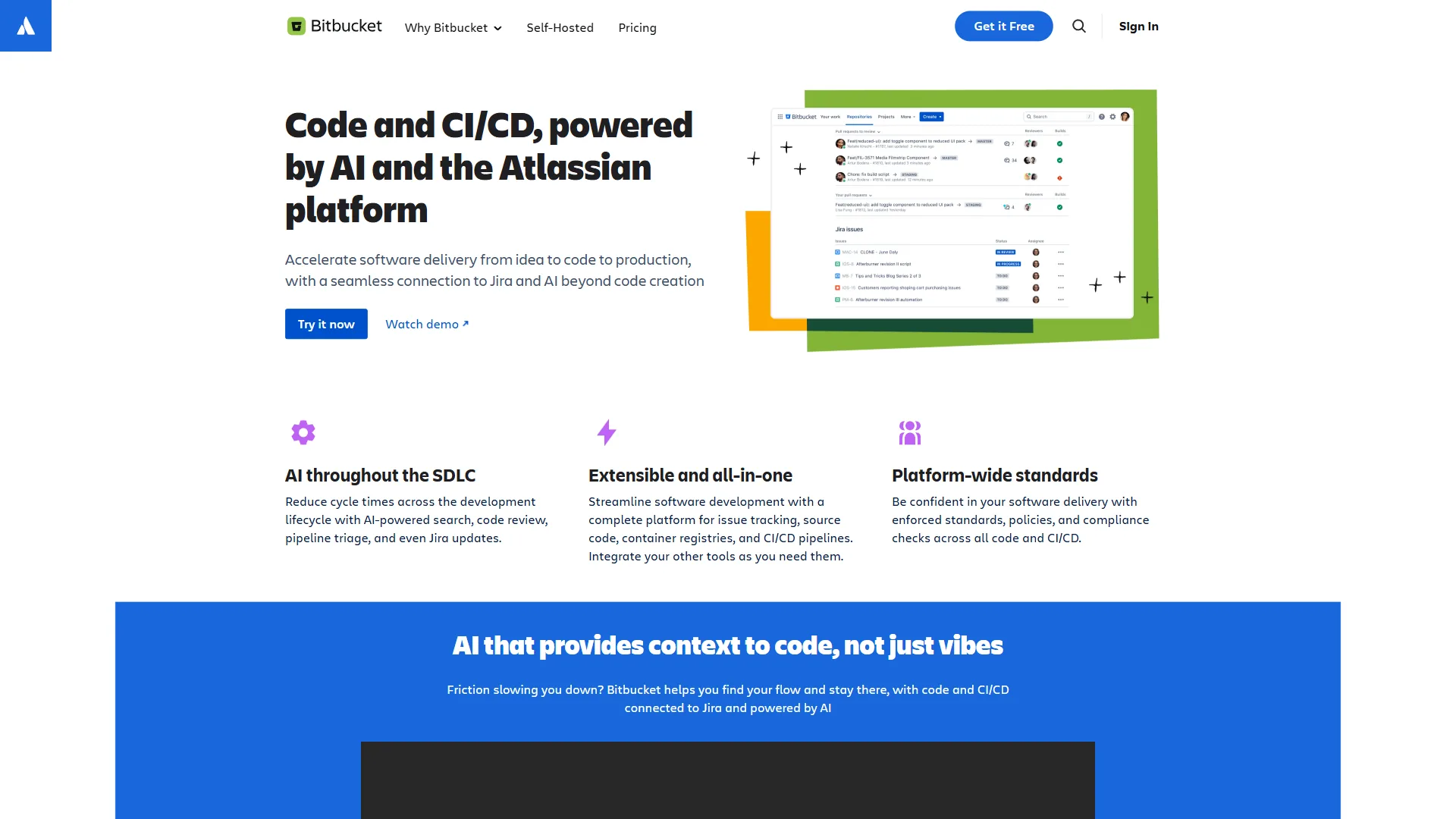
Bitbucket is Atlassian’s code hosting platform, and its primary reason to exist is integration with Jira and Confluence. If your engineering team tracks work in Jira and documents in Confluence, Bitbucket provides the tightest possible integration with that workflow.
Where Bitbucket beats GitHub: For Atlassian-native teams, pull requests link to Jira issues automatically, branch names transition Jira ticket statuses, and commits appear in Jira timelines without configuration. Bitbucket Pipelines provides capable CI/CD, and Standard pricing starts at $3 per user each month - cheaper than GitHub Team at $4.
Where GitHub beats Bitbucket: Ecosystem breadth. GitHub has dramatically more third-party integrations, a larger Actions marketplace, a broader developer community, and stronger AI coding via Copilot than anything Bitbucket offers.
Pricing: Free up to 5 users, Standard $3 per user/month, Premium $6 per user/month, Data Center (self-hosted) priced by user tier.
Best for: Teams already using Jira for project management and Confluence for documentation. Our Atlassian tools for developers guide covers how Bitbucket fits into the broader Atlassian stack.
Limitations: Bitbucket’s third-party integration ecosystem is a fraction of GitHub’s, AI coding features lag GitHub Copilot meaningfully, and its open-source community presence is small. Skip Bitbucket if you do not already pay for Jira and Confluence - the integration story is the only compelling reason to choose it.

3. Azure DevOps - Best for Microsoft and .NET Teams
Azure DevOps is Microsoft’s all-in-one DevOps platform - predating GitHub’s acquisition and continuing as a separate product. It combines Boards, Repos, Pipelines, Artifacts, and Test Plans under a single Azure subscription.
Where Azure DevOps beats GitHub: Azure-native deployment. Azure Pipelines integrates with Azure container registries, App Service, AKS, and Azure Monitor without the configuration overhead of GitHub Actions. Azure DevOps Boards also handles SAFe portfolio planning more deeply than GitHub Projects.
Where GitHub beats Azure DevOps: Open-source integration, developer experience, and AI coding via Copilot. Microsoft’s own roadmap clearly favors GitHub for new investment.
Pricing: Free up to 5 users, Basic $6 per user/month, Basic + Test Plans $52 per user/month, Azure DevOps Server (on-premises) separate licensing.
Best for: Organizations running Azure infrastructure for deployment, particularly those building .NET applications or using other Microsoft development tooling.
Limitations: The interface is widely considered cluttered, the learning curve is steep, and Microsoft’s own product strategy clearly favors GitHub for new investment - Azure DevOps gets maintenance updates while GitHub gets the AI features. Skip Azure DevOps if you do not run on Azure or build .NET applications.
4. Gitea - Best Lightweight Self-Hosted Option
Gitea is a lightweight, self-hosted Git service written in Go - designed to be fast, low-resource, and easy to deploy on minimal infrastructure (the official Gitea documentation walks through the install and admin paths). A Gitea instance runs comfortably on a small VPS or even a Raspberry Pi.
Where Gitea beats GitHub: Cost and control. Gitea is free, open-source, and runs entirely on your own infrastructure - eliminating both pricing and data residency concerns. The GitHub-inspired interface supports pull requests, issues, project boards, and basic CI/CD via Woodpecker CI or Drone CI.
Where GitHub beats Gitea: Scale, ecosystem, and AI features. Gitea is a code hosting platform, not a DevOps platform - CI/CD requires a separate setup, security scanning requires additional tools, and there is no Copilot equivalent.
Pricing: Self-hosted free, Gitea Cloud from $3.25 per month.
Best for: Developers and small teams who want private Git hosting on their own infrastructure at minimal cost, and who are comfortable with basic Linux server administration.
Limitations: CI/CD requires a separate Drone or Woodpecker setup, security scanning is not built-in, and there is no Copilot equivalent. Skip Gitea if you need enterprise features like SAML, granular access policies, audit logs, or compliance certifications - or if no one on the team can run a Linux server.
5. Forgejo - Best for Privacy-First Organizations
Forgejo is a community-driven fork of Gitea, created by developers who wanted governance independent of any commercial entity (the Forgejo documentation portal covers admin, API, and federation topics). It is functionally similar to Gitea with a stronger emphasis on open-source values, EU-based project governance, and ForgeFed federation for ActivityPub-based repository sharing.
Where Forgejo beats GitHub: Data sovereignty and open-source governance. The community is committed to keeping the platform free, open, and unacquirable. Codeberg, a German non-profit, runs a free public Forgejo instance - a European-hosted alternative for projects that need code under EU data protection regulations.
Where GitHub beats Forgejo: Everything ecosystem-related - development velocity is slower, the integration ecosystem is smaller, and enterprise features are limited.
Pricing: Self-hosted free, Codeberg hosting free (donation-funded).
Best for: Privacy-focused developers, EU-based organizations with GDPR requirements, and open-source projects that prioritize platform independence over ecosystem breadth.
Limitations: Forgejo inherits Gitea’s tradeoffs (no built-in CI/CD, no AI coding, limited enterprise features) and adds its own - slower development velocity and volunteer-driven roadmap. Skip Forgejo if you need mainstream feature parity or vendor support contracts.
6. Sourcehut - Best for Minimalist Workflows
Sourcehut is the GitHub competitor for developers who prefer email-based code review and a deliberately minimal interface, with paid hosting from $4 per month and a fully open-source, self-hostable codebase.
Sourcehut (sr.ht) is a no-frills, highly opinionated hosting platform built around email-based code review workflows - closer to how Linux kernel development happens than how a modern SaaS startup manages pull requests.
Where Sourcehut beats GitHub: As laid out in the Sourcehut about page, the platform rejects UI complexity in favor of plain text, email, and standard tools. Its CI/CD (builds.sr.ht) is fast and straightforward, and the entire platform is open-source and self-hostable.
Where GitHub beats Sourcehut: Discoverability, onboarding, and UI. Email-based review departs sharply from pull request conventions, and the user base is small.
Pricing: Paid hosting from $4 per month, scaling by usage. Self-hosted is free.
Best for: Experienced Unix/Linux developers who prefer email-based workflows, minimal interfaces, and tool transparency over polished UI.
Limitations: Email-based code review is a steep departure from pull request conventions, the UI is intentionally austere, and the user base is small. Skip Sourcehut for any team that values UI polish, established collaboration patterns, or onboarding non-engineers.
Which GitHub Competitor Fits Your Team?
The right GitHub competitor depends on a single decisive constraint - unified DevOps points to GitLab, Atlassian integration points to Bitbucket, Azure infrastructure points to Azure DevOps, and self-hosting on minimal hardware points to Gitea or Forgejo. According to Sid Sijbrandij, GitLab’s co-founder, “The biggest reason people choose GitLab over GitHub is to have a single application for the entire DevOps lifecycle.”
Choose GitLab if: You want unified DevOps without assembling separate tools for CI/CD, security, and deployment - or if your compliance requirements demand self-hosted repositories.
Choose Bitbucket if: Your team uses Jira for project management and you want pull requests and code commits to automatically sync with Jira ticket statuses.
Choose Azure DevOps if: Your infrastructure runs on Azure and you want native integration with Azure services, or if you need sophisticated Agile portfolio management features.
Choose Gitea if: You want a lightweight private Git server on your own infrastructure at minimal cost and are comfortable managing a simple server setup.
Choose Forgejo / Codeberg if: Data sovereignty, open-source governance, and platform independence are requirements - particularly for EU-based organizations or projects with GDPR considerations.
Choose Sourcehut if: You are an experienced developer who prefers email-based review workflows and minimal tooling over feature-rich UI.
What Should You Consider Before Migrating Away From GitHub?
Migrating away from GitHub requires planning three layers of work in this order: repository migration, CI/CD pipeline rewrites, and reconfiguration of every third-party integration that currently runs against your GitHub account.
Repository migration - All major alternatives import directly from GitHub URLs, including issues, pull requests, wikis, and releases, per the GitHub source-code migration documentation. This is the easiest part.
CI/CD migration - GitHub Actions workflows need rewriting in the destination’s syntax. GitLab CI and Bitbucket Pipelines use different YAML schemas - budget time proportional to your pipeline complexity.
Integration reconfiguration - Every third-party tool integrated with GitHub (Slack, deployment platforms, monitoring, package registries) needs reconfiguration. Reference the GitHub Marketplace directory when inventorying these.
For most teams, a phased migration - moving new projects first while maintaining GitHub for existing repositories - reduces risk significantly compared to a hard cutover. Our best version control tools comparison can help evaluate the broader landscape.
The Bottom Line
GitHub is still the default code host in 2026, but GitLab, Bitbucket, Azure DevOps, Gitea, Forgejo, and Sourcehut each beat it on one specific axis - unified DevOps, Atlassian integration, Azure-native deployment, self-hosted cost, data sovereignty, or minimalist workflows.
GitHub is the right choice when network effects, Copilot, and ecosystem breadth matter most. The question is not which platform has the most features - GitHub wins that comparison - but which platform solves your specific constraints most effectively.
FAQ
The best alternative to GitHub in 2026 is GitLab for unified DevOps, Bitbucket for Atlassian-native teams, and Gitea or Forgejo for self-hosted privacy-first workflows - chosen by constraint rather than by feature count.
Q: What are the best alternatives to GitHub?
The best alternatives to GitHub are GitLab (unified DevOps with built-in CI/CD), Bitbucket (Jira and Confluence integration), Azure DevOps (Microsoft and .NET ecosystem), and the self-hosted pair Gitea and Forgejo (private repositories on your own infrastructure).
Q: Who is the competitor of GitHub?
The main competitor of GitHub is GitLab, which provides a single application covering code hosting, CI/CD, security scanning, and deployment - the same workflow GitHub assembles from Actions, Dependabot, and Packages.
Q: Why are people moving away from GitHub?
People are moving away from GitHub for three concrete reasons: data sovereignty requirements that Microsoft cloud hosting complicates, enterprise pricing that reaches $21 per user each month plus Copilot, and a preference for unified DevOps platforms over a stack of separate GitHub features.
Q: What is Google’s version of GitHub?
Google does not run a public GitHub equivalent - its internal monorepo (Piper) is closed, most Google open-source projects are published on GitHub itself, and Google Cloud Source Repositories serves only as a private mirror for GCP customers.
Q: Who are the main competitors of GitHub?
GitHub’s main competitors are GitLab, Bitbucket, and Azure DevOps on the commercial side, plus self-hosted platforms like Gitea, Forgejo, Codeberg, and Sourcehut. GitLab is the most comprehensive with full DevOps integration, Bitbucket leads for Atlassian-native teams, and Azure DevOps serves Microsoft-centric organizations. Each targets different workflows or team sizes than GitHub does.
Related Reading
These guides go deeper on specific GitHub competitors and the surrounding AI coding stack.
- GitHub Copilot - AI coding assistant integrated into the GitHub workflow
- Azure DevOps - Microsoft DevOps platform for .NET and enterprise teams
- GitLab - Full DevOps platform with built-in CI/CD and security scanning
- Confluence - Atlassian documentation platform paired with Bitbucket
- GitLab vs Bitbucket - Head-to-head comparison of the two strongest GitHub competitors
- GitHub vs Azure DevOps - Detailed comparison for Microsoft ecosystem teams
- GitHub Alternatives - Another angle on replacing GitHub for your workflow
- GitHub Copilot vs Cursor - AI coding assistants compared head-to-head
- GitHub - Full GitHub review with pricing, features, and ratings
External Resources
Primary-source documentation for each GitHub competitor and migration path covered above.
- GitHub Migration Documentation - Official guidance on importing repositories to and from GitHub
- GitLab vs GitHub Comparison - GitLab’s official feature-by-feature comparison
- Forgejo Project History - Background on Forgejo’s creation and governance model