


Calendly alternatives are worth exploring even if you like Calendly - because the scheduling landscape in 2026 looks nothing like it did two years ago. Whether you want Calendly alternatives free of per-seat fees or tools that pair with Calendly alternatives Google Workspace already supports, the options have expanded well beyond simple booking links. AI-powered tools like Reclaim.ai and Motion now do things Calendly was never designed for: automatic time blocking, habit defense, full-day calendar planning, and intelligent rescheduling that shuffles dozens of meetings without human intervention.
That does not mean Calendly is a bad product. With 20 million users, solid integrations, and a free tier that actually works, Calendly remains the default for simple meeting booking. Lightweight alternatives including TidyCal and open source options give you scheduling without subscription lock-in. But “simple meeting booking” is table stakes in 2026. If you need your scheduling tool to protect focus time, surface the best meeting times across overlapping calendars, or manage tasks alongside meetings, Calendly’s architecture starts to feel limited.
This guide examines seven Calendly alternatives across real workflows - sales demos, consulting calls, team 1:1s, and client bookings - covering the tools that genuinely compete with Calendly, what each one does better, and which one fits your budget and workflow. Tradeoffs: every option below has clear limitations and “who it’s not for” notes so the right pick fits your real workflow, not the ideal one. The ai-scheduling-assistants overview is a good companion read if you want to dig deeper into the AI category.
This comparison draws on each vendor’s current pricing and feature documentation alongside independent research rather than sponsored placement. AI Productivity may earn a commission from links on this page, but the rankings and recommendations are editorially independent.
Why People Switch from Calendly
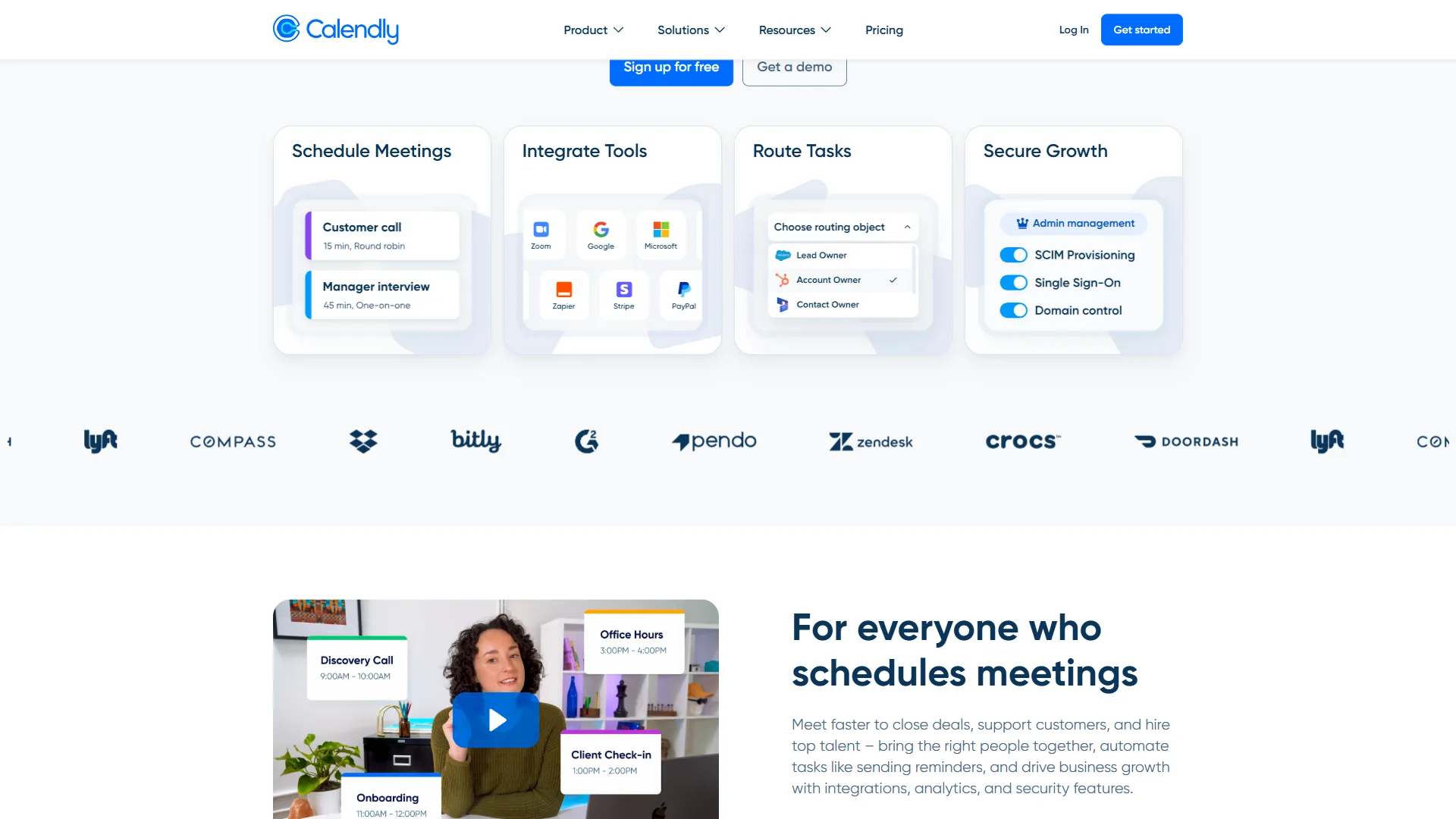
Calendly is excellent at what it does - external scheduling links, automated reminders, and payment collection. But users typically start looking for Calendly alternatives for a few specific reasons:
- No AI calendar optimization - Calendly schedules meetings but does not optimize when they happen relative to your focus time, tasks, or energy levels
- No task or habit scheduling - It books meetings but cannot block time for deep work, exercise, or recurring habits
- Per-seat pricing adds up - At $16-20/month per user on the Teams plan, a 20-person team pays $320-400/month for scheduling links and round-robin routing
- Limited internal scheduling - Calendly excels at external booking (prospects, clients) but lacks smart internal meeting coordination
- No autonomous rescheduling - When conflicts arise, Calendly notifies you. AI alternatives like Motion can automatically reshuffle dependent tasks and meetings when priorities change
If you mainly need a booking link for external meetings, Calendly remains hard to beat. But if your scheduling problems go deeper - meeting overload, fragmented focus time, timezone coordination across distributed teams, or task prioritization - the Calendly alternatives Microsoft and Google ecosystem users rely on solve problems Calendly was never designed to address.
Comparison Table: Calendly Alternatives at a Glance
The seven strongest Calendly alternatives in 2026 are Reclaim.ai, SavvyCal, Motion, Cal.com, Acuity Scheduling, and Microsoft Bookings, ranging from $0 (Cal.com self-hosted) to $34 per month (Motion). The table below compares each on starting price, AI scheduling depth, ideal use case, and free-tier availability.
| Tool | Starting Price | AI Scheduling | Best For | Free Tier |
|---|---|---|---|---|
| Calendly | $10/mo (annual) | Basic routing | External booking links | Yes (1 event type) |
| Reclaim.ai | $10/mo (annual) | Full AI calendar | Focus time + habits | Yes (limited) |
| SavvyCal | $12/mo (annual) | Ranked times + overlay | Polished external booking | Yes (limited) |
| Motion | $34/mo | AI task + calendar | All-in-one productivity | No |
| Cal.com | Free (self-host) | None | Open-source scheduling | Yes |
| Acuity Scheduling | $20/mo | None | Service businesses | No (7-day trial) |
| Microsoft Bookings | Included in M365 | Basic | Microsoft 365 users | With M365 |
1. Reclaim.ai - Best for AI-Powered Focus Time and Habits
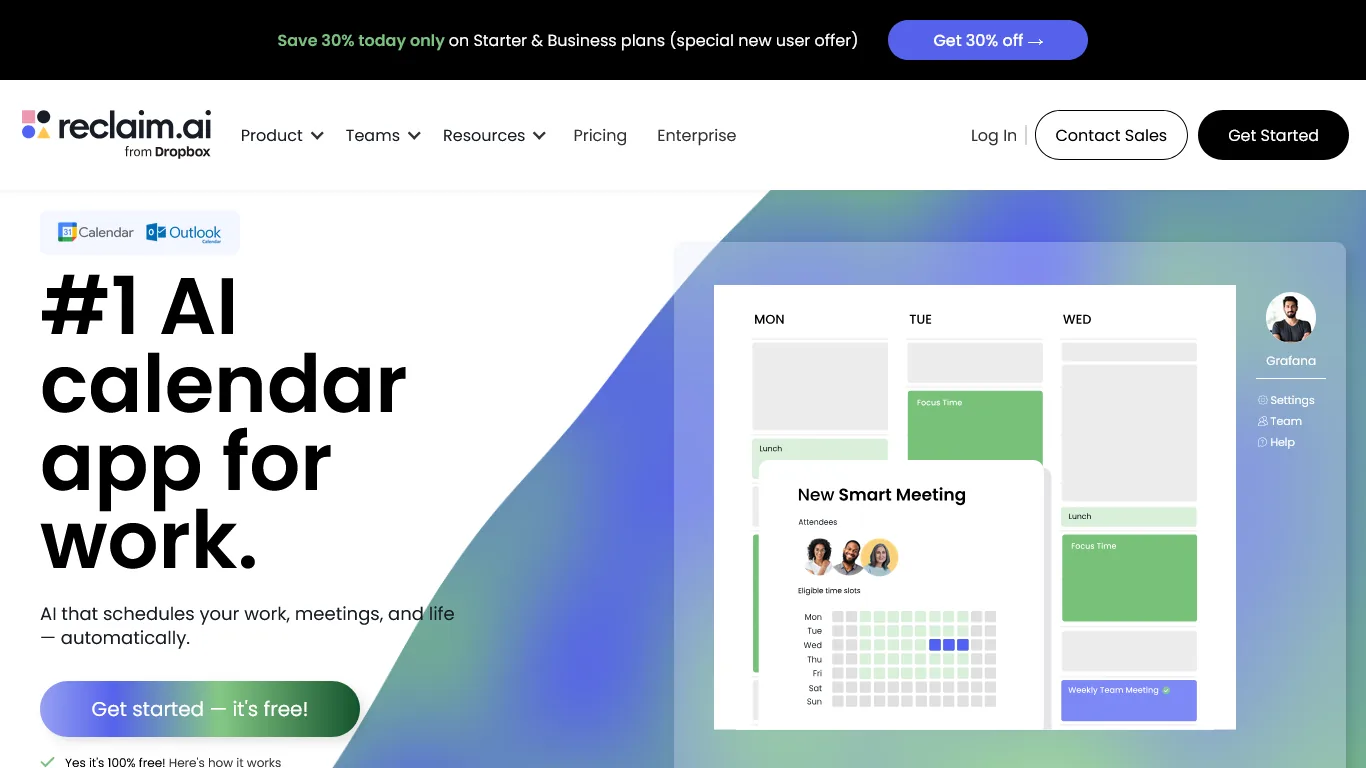
Reclaim.ai is the Calendly alternative that stands out most because it solves problems Calendly does not even attempt. Where Calendly helps other people book time on your calendar, Reclaim helps you take your calendar back.
The core difference: Reclaim is an AI calendar assistant that automatically schedules meetings, tasks, habits, and breaks to optimize your entire workday. It connects to your project management tools (Asana, ClickUp, Todoist, Jira, Linear) and blocks calendar time for tasks based on deadlines and priorities. It defends habits like focus time, exercise, and lunch breaks by flexing them around fixed meetings rather than abandoning them.
What Reclaim does better than Calendly:
- Habit defense - Set recurring habits (morning focus, exercise, reading) and Reclaim automatically finds and protects time slots. No competitor matches this feature
- Task auto-scheduling - Connects to PM tools and blocks calendar time for tasks based on deadlines. Complete a task in Asana and the calendar block disappears
- Smart Meetings - Automates recurring 1:1 scheduling across teams, finding optimal times that respect everyone’s focus blocks and timezone
- People Analytics - Track how you actually spend time versus how you planned to spend it
Where Calendly still wins:
- Simpler setup for basic external booking links
- Better payment collection (Stripe/PayPal integration)
- More polished round-robin and lead routing for sales teams
- Larger integration ecosystem for CRMs like Salesforce and HubSpot
Pricing:
| Plan | Monthly | Annual (per month) |
|---|---|---|
| Lite (Free) | $0 | $0 |
| Starter | $12 | $10 |
| Business | $18 | $15 |
| Enterprise | Custom | Custom |
The free Lite tier includes smart time blocking, 1 habit, unlimited tasks, and basic integrations - genuinely useful, not a crippled trial. Most individuals will want Starter ($10/month annual) for unlimited habits and full PM tool integrations. The recent Dropbox acquisition brings long-term stability and faster feature development.
Limitations and who it’s not for: Reclaim is not ideal for sales teams that need polished external booking links with CRM routing, payment collection, or round-robin lead distribution - Calendly still wins for that workflow. Skip Reclaim if you do not use a supported PM tool (Asana, ClickUp, Todoist, Jira, Linear) since most of the value lives in the task-syncing layer. The biggest drawback for teams: Reclaim works best for individuals optimizing their own calendar, not for organization-wide meeting hygiene.
Best for: Professionals drowning in meetings who need AI to protect focus time, build consistent habits, and automatically schedule tasks from their existing PM tools.
2. SavvyCal - Best for Polished External Booking with Smart Time Suggestions
SavvyCal is the best Calendly alternative for polished external booking because it lets recipients overlay their own calendar on top of yours and pick a time that works for both parties in a single view. SavvyCal approaches the Calendly problem from a different angle: instead of giving recipients a generic list of open slots, it lets them overlay their own calendar on top of yours and pick a time that works for both of you. That single design choice solves the most annoying part of using a Calendly link - the back-and-forth that happens when none of the offered slots fit the other person’s day.
The standout feature is ranked times. SavvyCal uses simple but effective heuristics to highlight slots that respect your stated preferences (preferred days, hours, gaps between meetings) and gently nudges recipients toward those times without hiding the alternatives. For consultants, founders, and anyone who books with senior people, the difference in conversion is noticeable - the calendar-blocking-techniques deep-dive explains why protecting preferred hours matters more than most teams realize.
What SavvyCal does better than Calendly:
- Calendar overlay - Recipients see a side-by-side view of their calendar against your availability, eliminating the “none of these times work” friction
- Ranked times - Soft-prioritizes preferred hours and meeting cadence without restricting what the booker can choose
- Personalized links - Custom subdomains and per-recipient links make scheduling pages feel handcrafted, not transactional
- Polling for groups - Find a time across multiple participants without round-robin gymnastics
Where Calendly still wins:
- Larger integration ecosystem for CRMs (Salesforce, HubSpot)
- More mature payment collection and lead routing
- Wider third-party app marketplace
- Better recognised brand for first-time recipients
Pricing:
| Plan | Annual (per month) |
|---|---|
| Free | $0 |
| Basic | $12 |
| Premium | $20 |
| Teams | Custom |
The free tier is intentionally limited (one calendar, one scheduling link) but enough to evaluate the overlay experience. The Basic plan ($12/month annual) unlocks unlimited links, custom branding, and the bulk of what individual users want. Premium ($20/month) adds team features, ranked times across multiple calendars, and metered booking for paid sessions.
Limitations and who it’s not for: SavvyCal is not ideal for high-volume sales teams that need sophisticated round-robin lead routing or deep CRM workflow automation - Calendly’s Teams tier still wins on that workflow. Skip SavvyCal if your recipients are mostly non-technical consumers (the calendar overlay UX rewards people who already think in terms of calendar blocks) or if you need a generous free tier for a small team. Common drawbacks: integration count is smaller than Calendly’s marketplace, and the Teams pricing requires a sales conversation rather than self-serve checkout.
Best for: Consultants, founders, and professionals booking with senior or busy people who want a more thoughtful external booking experience than Calendly’s generic slot picker.
3. Motion - Best All-in-One for Tasks, Calendar, and Project Management
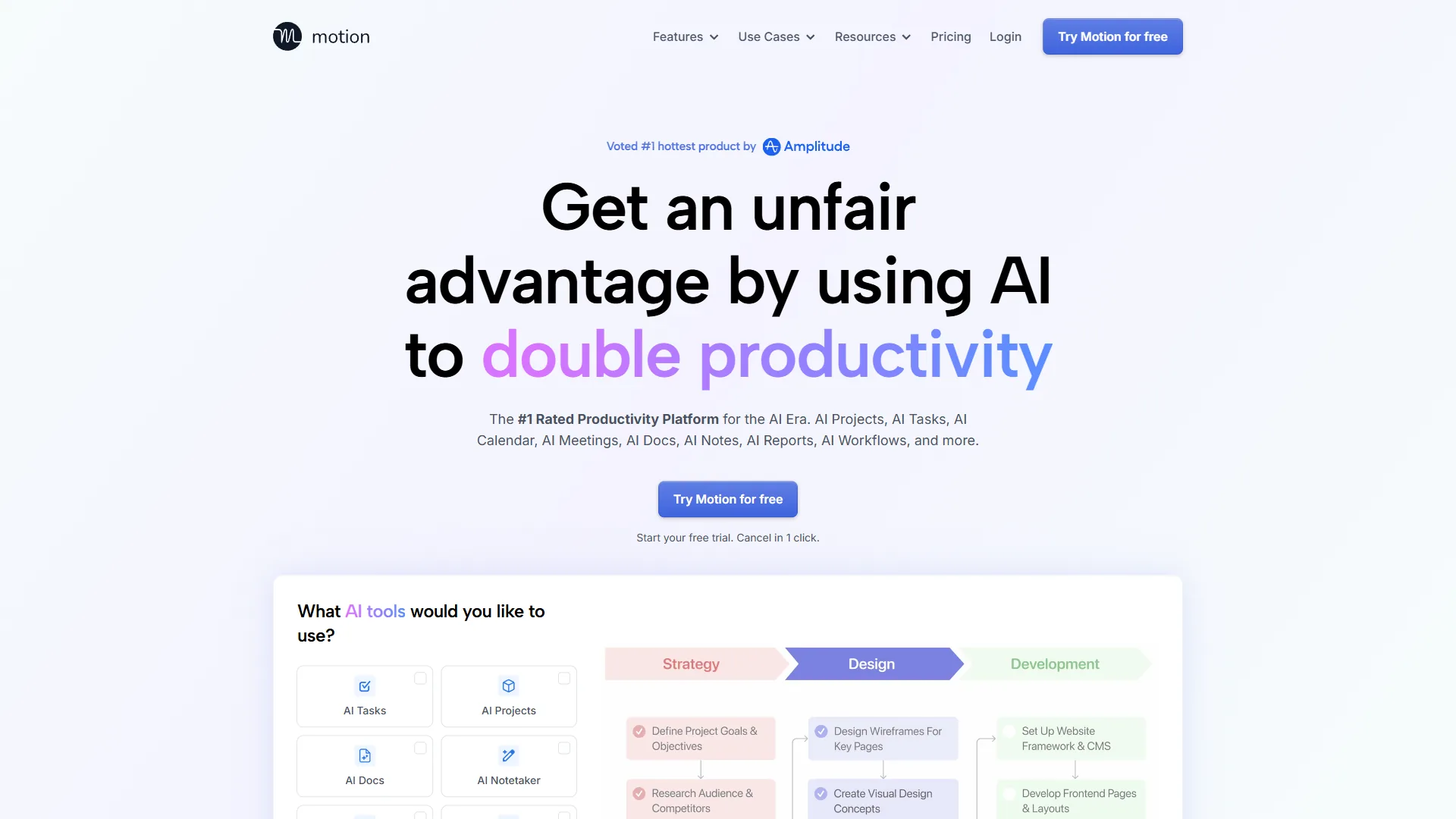
Motion takes the most ambitious approach of any Calendly alternative - it combines AI calendar management, task scheduling, and project management into a single platform. Instead of connecting separate tools (Reclaim + Asana, for example), Motion handles everything in one interface.
Motion is the best all-in-one Calendly alternative because it merges AI calendar scheduling, task management, and project planning into a single tool, removing the need to run Reclaim and a separate PM app side by side. The AI auto-scheduler assigns every task a calendar slot based on deadline, priority, and your available time. Miss a deadline? Motion automatically reschedules dependent tasks and alerts you to cascading impacts. For solo founders and small teams who want one tool instead of three, Motion is compelling.
What Motion does better than Calendly:
- Integrated task management - Tasks live alongside meetings on your calendar with AI prioritization
- Project planning - Gantt charts, dependencies, and workload balancing built in
- Automatic rescheduling - When priorities shift, Motion reshuffles your entire day automatically
- Meeting booking - Includes external scheduling links similar to Calendly
Where Calendly still wins:
- Significantly cheaper ($10-16/month vs $34/month)
- Better external booking experience with more customization
- More integrations with CRMs and payment processors
- Less overwhelming for teams that only need scheduling
Pricing: Motion costs $34/month per user ($19/month annual). There is no free tier. For teams, pricing drops with volume, but it remains the most expensive option in this roundup by a wide margin. For a deeper look at AI calendar consolidation, see our Best AI Calendar Tools 2026 roundup.
Limitations and who it’s not for: Motion is not ideal for budget-conscious teams or scheduling-only use cases - $34/month per user is steep when Calendly handles external booking at $10. Skip Motion if you only need scheduling links, if your team already uses a separate PM tool you are happy with, or if you need a free tier (Motion has none). The biggest complaint: the auto-rescheduler can churn through your calendar aggressively, which is great for some workflows and disorienting for others.
Best for: Solo professionals and small teams (under 10 people) who want to consolidate calendar, tasks, and project management into one AI-powered tool and are willing to pay a premium for simplicity.
4. Cal.com - Best Open-Source Alternative
Cal.com is what Calendly would look like if it were built by developers, for developers. It is fully open-source, free to self-host, and endlessly customizable. We covered the head-to-head matchup in our Calendly vs Cal.com comparison. If you have ever been frustrated by Calendly’s fixed booking flow or limited branding options, Cal.com removes every constraint.
The self-hosted version is genuinely free - not freemium, not time-limited. You get unlimited event types, unlimited users, custom domains, and full API access. The managed cloud version starts at $12/month if you do not want to handle hosting yourself.
What Cal.com does better than Calendly:
- Fully open-source - Self-host for free with complete control over your data
- Unlimited customization - Modify the booking flow, add conditional logic, build multi-step wizards
- No per-seat pricing - Self-hosted version has no user limits
- API-first architecture - Build custom integrations without waiting for official support
Where Calendly still wins:
- No technical setup required
- Polished, consumer-friendly interface out of the box
- Better enterprise features (SSO, SCIM, compliance tools)
- AI-powered routing and Calendly Assist (conversational scheduling)
Pricing: Free to self-host. Managed cloud starts at $12/month per user. Enterprise cloud pricing is custom.
Limitations and who it’s not for: Cal.com is not ideal for non-technical users or solo founders who do not want to manage hosting, updates, or database migrations - the self-hosted model trades licensing fees for DevOps work. Skip Cal.com if you need polished AI scheduling features or deep CRM routing out of the box - the managed cloud version is closer to feature parity but loses the “free forever” advantage. Drawbacks worth noting: smaller integration ecosystem and fewer pre-built workflow templates than Calendly’s marketplace.
Best for: Developers, privacy-focused teams, and organizations that need full control over their scheduling infrastructure without per-seat licensing fees.
5. Acuity Scheduling - Best for Service Businesses
Acuity Scheduling is the best Calendly alternative for service businesses because it is purpose-built for appointment-based workflows, bundling intake forms, session packages, gift certificates, and HIPAA compliance that Calendly does not offer. Acuity Scheduling (owned by Squarespace) targets businesses where appointments are the core workflow - therapists, salons, fitness studios, and coaching practices. It offers intake forms, session packages, gift certificates, HIPAA compliance, and class scheduling with capacity limits. Calendly is better for sales teams and corporate use cases, but Acuity wins for service businesses that need client-facing features Calendly lacks. Pricing starts at $20/month with no free tier.
Limitations and who it’s not for: Acuity is not ideal for B2B sales teams or internal team scheduling - the entire product is designed around appointment-based service businesses and the interface reflects that. Skip Acuity if you need a free tier (Calendly’s free plan still beats it), if your team needs collaborative round-robin routing, or if your CRM is Salesforce or HubSpot (the integrations are weaker than Calendly’s). The biggest drawback: pricing starts higher than Calendly Standard with fewer features for non-service-business workflows.
6. Microsoft Bookings - Best for M365 Teams
Microsoft Bookings is the best Calendly alternative for Microsoft 365 organizations because it is included with most M365 Business plans at no additional cost and integrates natively with Outlook, Teams, and Exchange. If your organization already pays for Microsoft 365, Microsoft Bookings is included at no extra cost. It integrates natively with Outlook and Teams, auto-generates meeting links, and handles staff scheduling. It is basic compared to Calendly - no AI routing, limited customization, fewer workflow automations - but the price (free with M365 Business Standard at $12.50/user/month) makes it worth trying before adding another subscription.
Limitations and who it’s not for: Microsoft Bookings is not ideal for organizations outside the Microsoft 365 ecosystem - it lacks Google Calendar parity and most third-party integrations. Skip Bookings if you need AI-powered routing, payment collection, or modern UX - the interface lags every other option in this guide by several years. The drawbacks are well-documented: limited customization, basic workflow automation, and fewer integration partners than Calendly’s marketplace.
Feature-by-Feature: AI Scheduling Depth
The deepest AI scheduling belongs to Reclaim.ai and Motion, which auto-schedule focus time and tasks, while Calendly and SavvyCal focus on getting external bookers onto the calendar rather than managing it afterward. The biggest gap between Calendly and its AI-powered alternatives is what happens after the meeting is booked:
| Feature | Calendly | Reclaim.ai | SavvyCal | Motion |
|---|---|---|---|---|
| External booking links | Excellent | Good | Excellent | Basic |
| AI meeting routing | Teams tier | No | Limited | No |
| Auto-scheduled focus time | No | Yes | No | Yes |
| Task auto-scheduling | No | Yes (PM sync) | No | Yes (built-in) |
| Habit defense | No | Yes | No | No |
| Autonomous rescheduling | No | Limited | No | Yes |
| Calendar overlay for bookers | No | No | Yes | No |
| Ranked time suggestions | No | Limited | Yes | Yes |
Calendly is the best at getting external people onto your calendar at scale. Reclaim and Motion are better at managing what happens on your calendar after meetings land. SavvyCal sits between the two camps - polished external scheduling with enough intelligence to nudge bookers toward times that actually work.
Pricing Comparison: Team Cost at Scale
For a 10-person team, Reclaim.ai Starter and Calendly Standard are the cheapest options at $1,200 per year ($10 per user each month), while Motion is the most expensive at $2,280 per year ($19 per user each month). Per-seat pricing adds up fast. Here is the annual cost for a 10-person team on each tool’s most relevant paid tier:
| Tool | Annual Cost (10 users) | Per User/Month |
|---|---|---|
| Reclaim.ai Starter | $1,200 | $10 |
| Calendly Standard | $1,200 | $10 |
| SavvyCal Basic | $1,440 | $12 |
| Calendly Teams | $1,920 | $16 |
| Motion | $2,280 | $19 |
Reclaim and Calendly Standard sit at the same $10/user price but solve different problems - external booking (Calendly) versus internal calendar management (Reclaim). SavvyCal lands a couple of dollars higher per seat in exchange for the overlay booking experience. Motion costs nearly twice as much as Reclaim but replaces your task manager and project management tool alongside scheduling.
Which Tool Fits Your Workflow
The right Calendly alternative depends on whether your bottleneck is external booking (stay with Calendly or move to SavvyCal), internal calendar protection (Reclaim.ai), full task and project consolidation (Motion), open-source control (Cal.com), or appointment-based service workflows (Acuity).
Stick with Calendly if you primarily need external booking links for sales, consulting, or client meetings. The Standard plan at $10/month (annual) is good value for this use case.
Switch to Reclaim.ai if meetings dominate your calendar and you cannot find time for deep work, tasks, or healthy habits. Reclaim is the best tool for individual calendar optimization. Our focus time productivity tips guide pairs well with any AI scheduling tool.
Switch to SavvyCal if you book with senior or busy people and want a more thoughtful external booking experience - the calendar overlay and ranked times noticeably improve booking conversion.
Switch to Motion if you want calendar, tasks, and project management in one tool and are willing to pay $34/month for that consolidation.
Switch to Cal.com if you are technical and need customization beyond Calendly’s fixed booking flow. Self-hosting is free.
Switch to Acuity if you run a service business that needs intake forms, package billing, or HIPAA compliance.
FAQ
Is there a free Calendly alternative that actually works?
Yes. Reclaim.ai’s Lite tier includes smart time blocking, 1 habit, and unlimited tasks at no cost - genuinely useful, not a crippled trial. Cal.com is completely free if you self-host, with no user limits or feature gates. SavvyCal’s free tier is more restrictive (one link, one calendar) but still lets you evaluate the overlay booking experience. Each free option outperforms Calendly’s free tier (which limits you to 1 event type) in specific areas, though Calendly’s free tier is still the simplest for basic external booking.
Can I use Reclaim.ai and Calendly together?
Yes, and many people do. Calendly handles external booking links (client-facing scheduling), while Reclaim manages internal calendar optimization (focus time, habits, task blocking). They work alongside each other through your shared Google Calendar or Outlook. This combination gives you the best of both worlds, though it means paying for two subscriptions.
Which Calendly alternative is best for sales teams?
For pure sales scheduling - booking demos, routing leads, and CRM integration - Calendly remains the strongest option. Its Salesforce and HubSpot integrations are more mature than competitors, and the AI-powered routing on the Teams tier handles lead distribution well. If your sales team also struggles with meeting overload and needs focus time protection, adding Reclaim alongside Calendly addresses both needs without giving up the routing strengths Calendly offers.
What makes SavvyCal’s overlay scheduling different?
Most scheduling tools show recipients a list of your open slots. SavvyCal lets the recipient overlay their own calendar on top of your availability, so they can pick a time that works for both calendars in one view. This eliminates the “none of these slots work for me” reply that often kills booking momentum. Combined with ranked times that gently highlight your preferred hours, the overlay model usually produces better-fit meetings with fewer rounds of back-and-forth.
Is Motion worth $34/month compared to Calendly at $10/month?
It depends on what you are replacing. If Motion replaces Calendly ($10) plus a project management tool ($10-15) plus a task manager ($5-10), the math works out. If you only need scheduling, Motion is overpriced. The value is in consolidation - one AI managing your calendar, tasks, and projects together instead of three disconnected tools.
The Bottom Line
The best Calendly alternative in 2026 is Reclaim.ai for individual calendar protection, SavvyCal for polished external booking, and Motion for teams that want one tool to replace Calendly, Asana, and Todoist together. Calendly remains the gold standard for external meeting booking, and there is nothing wrong with using it if that is your primary need. The Calendly Standard plan at $10/month (annual) is well-priced for consultants, freelancers, and sales professionals who need polished booking links with solid integrations.
The category has shifted because meeting load itself has grown. “Workers now spend nearly 60% of their workweek in meetings, email, and chat - leaving only about 40% for the actual work those meetings are supposed to enable,” according to Microsoft’s 2023 Work Trend Index, which is why AI-driven calendar tools that defend focus time have moved from nice-to-have to default.
But the scheduling category has evolved far beyond booking links. Reclaim.ai is the strongest Calendly alternative for individuals who need AI-powered focus time protection, habit scheduling, and task management. SavvyCal is the best choice for professionals who book with senior people and want the overlay-and-ranked-times experience to improve conversion on every meeting request.
The smart move is to start with a free tier (Reclaim Lite or SavvyCal Free) alongside your existing scheduling setup. You will know within two weeks whether AI calendar management or smarter booking pages solve a real problem for you, and you will not have spent a dollar to find out.
Related Reading
For deeper coverage of each tool and the broader AI scheduling category, the following AI Productivity reviews and guides pair well with this comparison.
- Calendly Review, Reclaim.ai Review, and SavvyCal Review - Full tool reviews with pricing and ratings
- Best AI Calendar Tools 2026 - Reclaim vs Motion and other AI calendar tools compared
- AI Scheduling Assistants - Automate your calendar in 2026
- Calendly Tips and Tricks - 15 expert strategies for scheduling smarter
- Calendar Blocking Techniques - AI vs manual deep work strategies
- Asana - Project management platform with calendar and scheduling integrations
- ClickUp - All-in-one productivity platform with built-in time and calendar tools
External Resources
The official feature pages below are the primary vendor sources used to verify pricing and capabilities throughout this comparison.
- Calendly Features Overview
- Reclaim.ai Feature Comparison
- SavvyCal Features Overview
- Microsoft 2023 Work Trend Index - Research on meeting load and focus time