

Calendly is the polished, turnkey scheduling tool, while Cal.com is the open-source alternative that gives more away free and lets you self-host your own data. Calendly Teams costs $20 per user each month; Cal.com Teams costs $15 - and Cal.com’s free plan already includes unlimited event types where Calendly’s free plan caps you at one. Both tools eliminate the email back-and-forth that drains hours every week, but they take fundamentally different approaches to get there.
When comparing both tools across scheduling use cases - client bookings, team scheduling, and integration workflows, the answer is not as straightforward as “pick the popular one.” Calendly has earned its reputation with 20 million users and reliability, according to Calendly’s own about page. Cal.com has emerged as a serious challenger by offering more features on its free plan than most competitors provide on paid tiers - the calendly-alternatives roundup widens the lens if you want to see the broader scheduling category.
This comparison draws on each vendor’s current pricing and feature documentation plus independent research rather than sponsored placement. AI Productivity may earn a commission from links on this page; our rankings are editorially independent.
Quick Verdict
Choose Calendly for turnkey scheduling with 200+ native integrations and AI routing; choose Cal.com for a free plan with unlimited event types and the option to self-host. The right choice depends on your workflow, budget, and team size, so the table below compares both tools across the features that matter most for daily work.
| Factor | Calendly | Cal.com |
|---|---|---|
| Rating | 4.5/5 (community) | |
| Free Plan | 1 event type, 1 calendar | Unlimited events, unlimited calendars |
| Team Price | $20/user/mo | $15/user/mo |
| Open Source | No | Yes (self-hostable) |
| AI Features | AI routing, Calendly Assist | Workflows, routing forms |
| Integrations | 200+ native | 100+ native + API-first |
| Customization | Limited | Extensive (white-label available) |
| Best For | Teams wanting turnkey scheduling | Developers and privacy-focused orgs |
What Is Calendly?
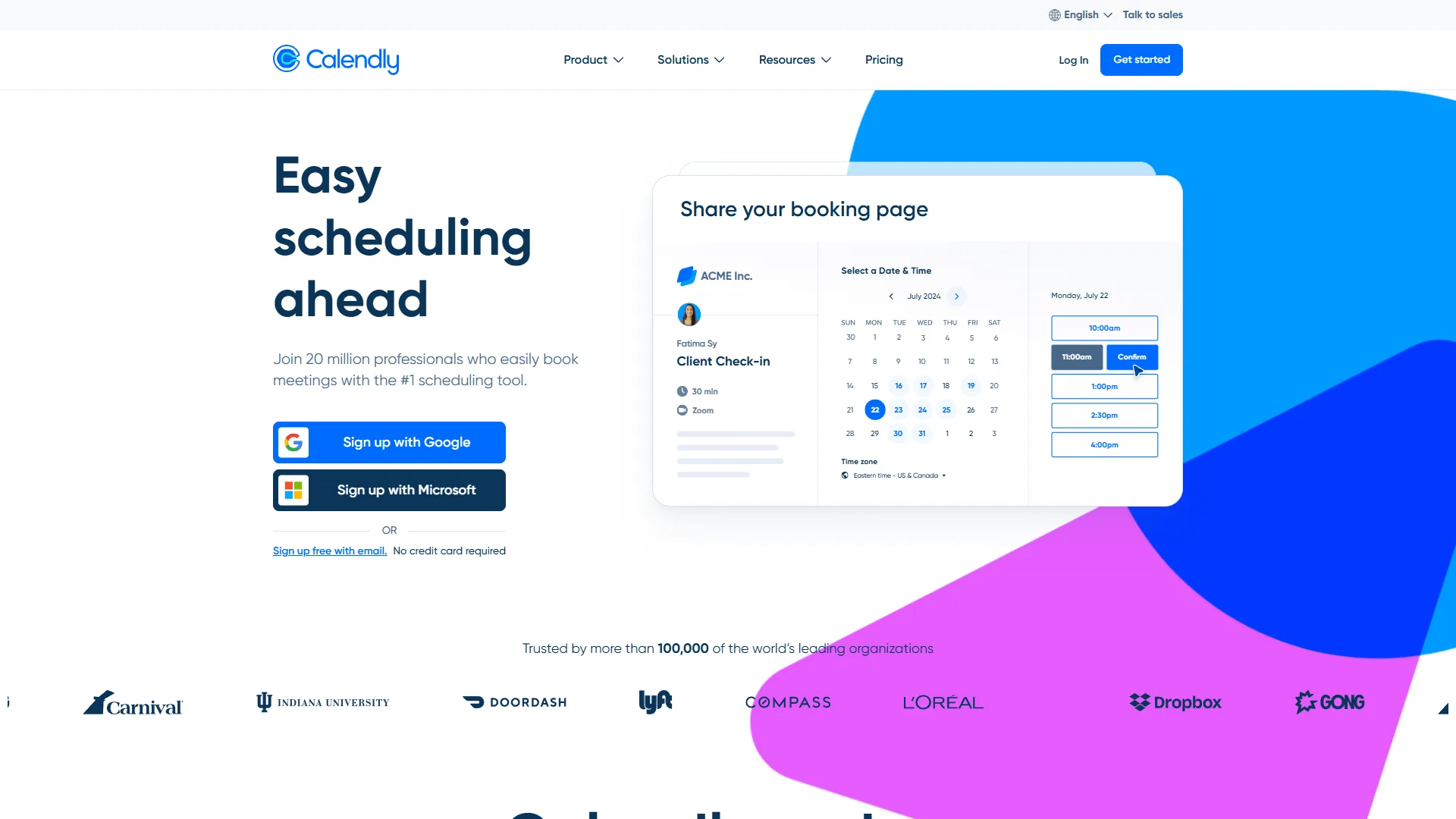
Calendly launched in 2013 and has become the default answer when someone says “just send me your scheduling link.” It works the way you expect: connect your calendar, set availability, share a link, and let people book time with you. No setup headaches. No code required.
What keeps Calendly ahead for many teams is the depth of its integrations. Salesforce, HubSpot, Zoom, Teams, Stripe, PayPal - over 200 native connections that plug in cleanly. The Teams tier adds AI-powered routing that automatically directs meetings to the right person based on availability and workload. And the newer Calendly Assist feature brings conversational AI scheduling via chat and email.
Key strengths:
- Seamless two-way sync with Google, Outlook, iCloud, and Exchange
- AI-powered routing and Calendly Assist on Teams tier
- No-show workflows with SMS reminders reduce missed meetings by up to 50%
- Payment collection via Stripe and PayPal for consultations
- 200+ native integrations including major CRMs
Notable limitations:
- Free plan restricted to 1 event type and 1 calendar connection
- Limited customization - you cannot change the core booking flow
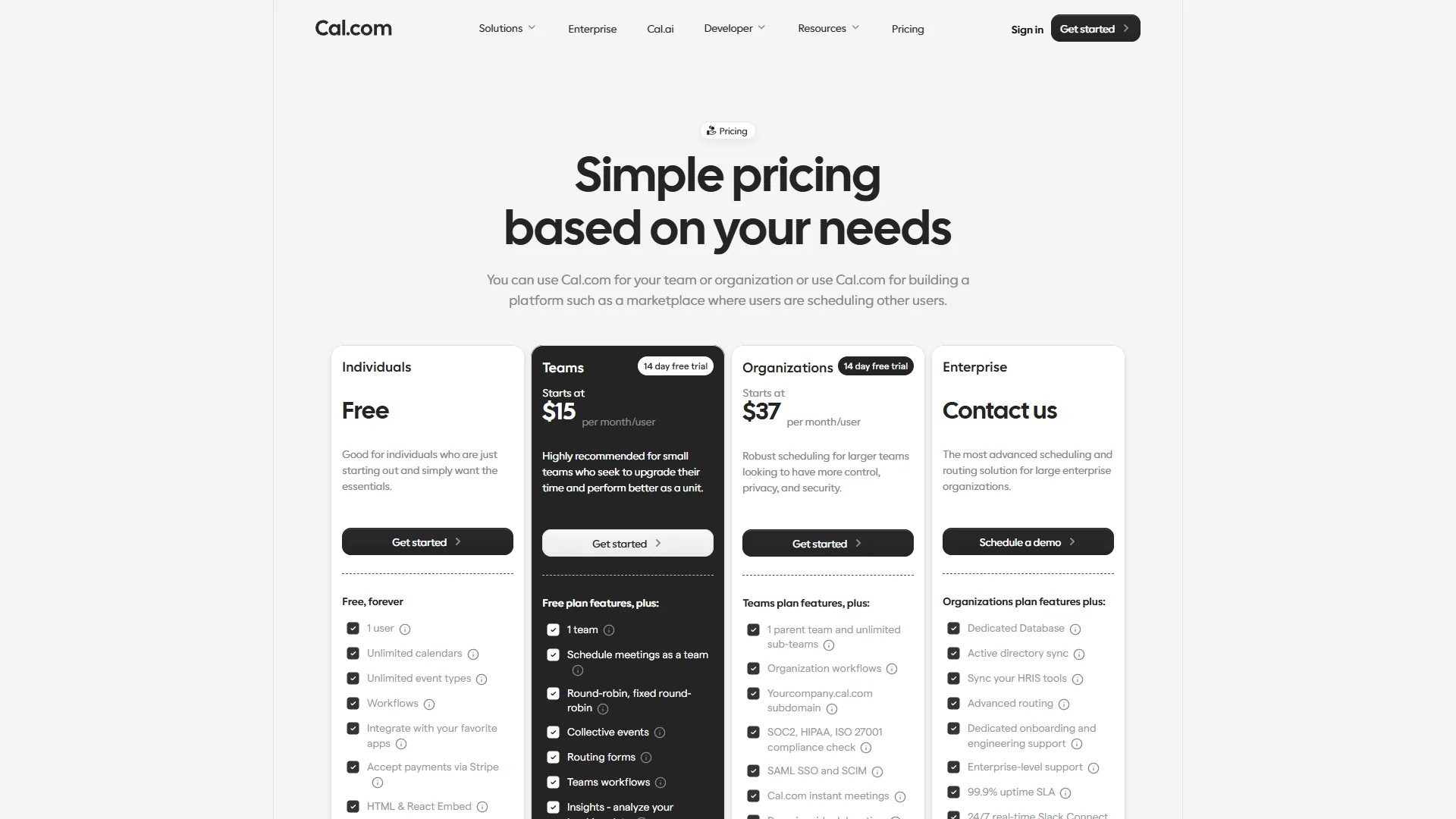
- Enterprise pricing starts at $15,000/year for 30+ seats
- No self-hosting option - all data lives on AWS
What Is Cal.com?
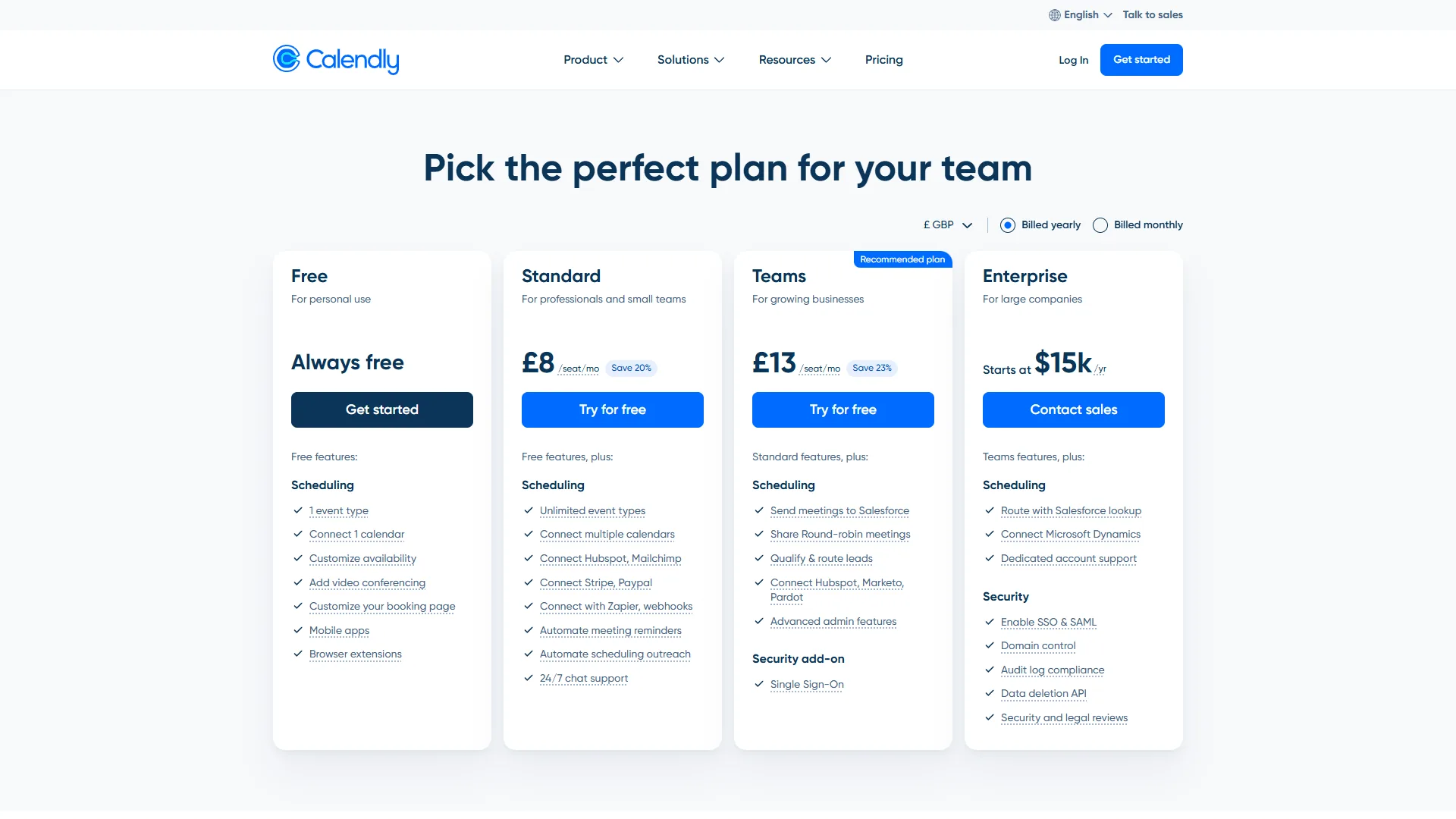
Cal.com launched in 2021 with $7.4 million in seed funding and a clear mission: build an open-source scheduling platform that gives users full control. The entire codebase is public on the Cal com GitHub repository, which means you can self-host it on your own servers, audit the code, and extend functionality without waiting for a product roadmap.
Cal.com describes itself as “the open-source Calendly successor,” a positioning stated directly on the project’s own documentation and reinforced by its publicly auditable AGPLv3-licensed code.
The free plan is where Cal.com makes its strongest argument. While Calendly limits free users to a single event type and one calendar connection, Cal.com offers unlimited event types, unlimited calendar connections, workflows, routing forms, monetization tools, webhooks, and embeds - all at zero cost. That is not a stripped-down trial. It is a fully functional scheduling platform.
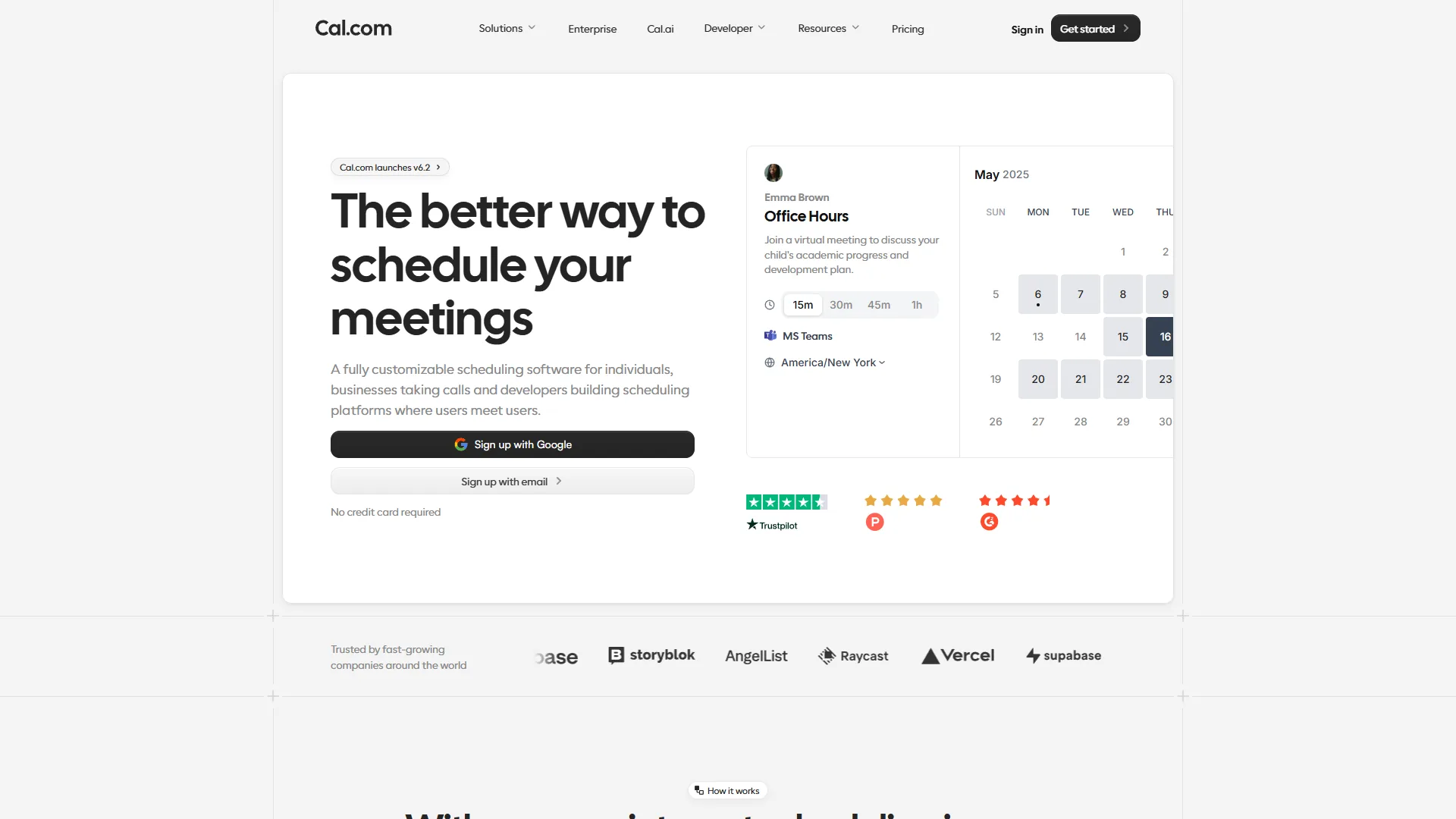
For teams, Cal.com charges $15 per user/month - five dollars less than Calendly’s equivalent Teams tier. You get round-robin scheduling, routing forms, team workflows, and same-day support, all documented on the pricing page. The Organizations plan at $37 per user/month adds white-labeling, advanced compliance, and dedicated support.
Key strengths:
- Open source with full self-hosting option for data sovereignty
- Unlimited everything on the free plan (events, calendars, integrations)
- API-first design makes custom integrations straightforward
- Built-in video conferencing - no third-party dependency required
- White-label capabilities on higher tiers
Notable limitations:
- Smaller native integration library compared to Calendly
- Younger platform (founded 2021) with a smaller user base
- Self-hosting requires technical expertise to maintain
- No equivalent to Calendly’s AI-powered routing or Assist features
Feature-by-Feature: Calendly vs Cal.com 2026
Across five core categories, Cal.com wins free plan value, customization, and data sovereignty, while Calendly wins integrations and team routing. The breakdown below explains each verdict.
Free Plan Value
Calendly’s free plan gives you one event type, one calendar connection, and basic scheduling, while Cal.com’s free plan includes unlimited event types and calendars. Calendly’s free tier works, but you hit walls quickly if you need more than a single meeting type.
Cal.com’s free plan includes unlimited event types, multiple calendar connections, workflows, routing forms, monetization through Stripe, webhooks, and embed widgets. For solopreneurs and freelancers, this free tier alone covers everything most independent professionals need.
Winner: Cal.com - the free plan is not even close.
Integrations and Ecosystem
Calendly has the edge here with 200+ native integrations covering CRMs (Salesforce, HubSpot, Pipedrive), video platforms (Zoom, Teams, Google Meet), payment processors (Stripe, PayPal), and marketing tools (ActiveCampaign, Mailchimp). The Salesforce integration on the Teams tier auto-logs meetings and routes leads - a genuine time-saver for sales teams.
Cal.com offers 100+ integrations and takes an API-first approach. If you need a native Salesforce connection that works out of the box, Calendly wins. If you want to build a custom integration with your internal systems, Cal.com’s open API makes that far easier.
Winner: Calendly - for breadth and polish of native integrations.
Team Scheduling
Both platforms offer round-robin scheduling, but they package it differently. Calendly requires the $20 per user/month Teams tier for round-robin and collective scheduling. Cal.com includes round-robin on the $15 per user/month Teams plan.
Calendly adds AI-powered routing on the Teams tier, which intelligently assigns meetings based on rep availability, skills, and workload. Cal.com uses routing forms - more manual, but fully customizable. For sales teams processing high volumes of inbound leads, Calendly’s AI routing delivers a measurable advantage.
Winner: Calendly - AI routing is a genuine differentiator for sales teams.
Customization and Control
Cal.com wins this category decisively. The open-source codebase means you can modify the booking flow, add custom fields, build conditional logic, and white-label the entire experience. Organizations that need multi-step booking wizards or complex resource allocation can build exactly what they need.
Calendly offers custom branding, colors, and pre-meeting questions on paid plans. But the core booking flow is fixed. You cannot change the fundamental scheduling logic without working within Calendly’s constraints.
Winner: Cal.com - open-source flexibility is unmatched.
Privacy and Data Sovereignty
For organizations in regulated industries - healthcare, finance, government - data residency matters. Cal.com’s self-hosting option means your scheduling data never leaves your infrastructure. You control the servers, the backups, and the compliance posture.
Calendly runs entirely on AWS cloud infrastructure. There is no self-hosting option. For most businesses, this is fine. For organizations with strict data sovereignty requirements, it is a dealbreaker.
Winner: Cal.com - self-hosting is the only option that satisfies strict compliance.
Pricing Comparison
| Plan | Calendly | Cal.com |
|---|---|---|
| Free | 1 event type, 1 calendar | Unlimited events and calendars |
| Individual Paid | $12/mo (Standard) | Free (all individual features) |
| Teams | $20/user/mo | $15/user/mo |
| Enterprise | Custom ($15K+/yr min) | Custom (Organizations $37/user/mo) |
| Annual Discount | 20% off | Available |
| Self-Hosted | Not available | Free (open source) |
The pricing gap is significant. A team of 10 on Calendly Teams pays $200 per month. The same team on Cal.com Teams pays $150 per month - a $600 annual savings. For organizations that can self-host, Cal.com’s core platform costs nothing beyond infrastructure.
Calendly’s Standard tier at $12 per month per user fills a gap that Cal.com does not have - a paid individual plan with premium support and all integrations. Cal.com includes those features for free, which means the Standard tier comparison effectively becomes Calendly at $12 per month versus Cal.com at $0 per month for individual users.
Who Should Pick Calendly?
Calendly is the better pick for sales teams, recruiters, and non-technical professionals who need polished CRM integrations and zero setup. The three profiles below benefit most from Calendly’s turnkey approach.
Sales and recruiting teams that need turnkey scheduling with CRM integration. Calendly’s Salesforce and HubSpot connections are battle-tested - their integrations directory lists over 200 native options - and AI-powered routing distributes leads without manual assignment. If your team books 50+ meetings per week and needs everything to “just work,” Calendly is the safer bet. The no-show workflow alone - with automatic reconfirmation emails and SMS reminders - can cut missed meetings by up to 50%, which pays for the subscription many times over.
Non-technical professionals who want zero setup complexity. Calendly’s onboarding takes five minutes: connect calendar, set availability, share link. No deployment, no configuration, no maintenance. Time zone detection handles international scheduling flawlessly, and the mobile app lets you manage bookings on the go.
Organizations already invested in Calendly’s ecosystem. If your team has workflows, integrations, and habits built around Calendly, switching costs are real. The platform is reliable, well-supported, and continuously improving with AI features like Calendly Assist for conversational scheduling.
Limitations and who Calendly is not for: Calendly has clear drawbacks for budget-sensitive and privacy-focused teams - the free plan limits you to one event type and one calendar, the core booking flow cannot be customized beyond branding, enterprise pricing starts at $15,000/year for 30+ seats, and there is no self-hosting option (all data lives on AWS). Skip Calendly if you need unlimited free event types, deep customization of the booking flow, or full data sovereignty - those tradeoffs push you to Cal.com.
Who Should Pick Cal.com?
Cal.com is the better pick for developers, budget-conscious freelancers, and privacy-focused organizations that want open-source control and a generous free plan. The four profiles below get the most from Cal.com’s flexibility.
Developers and technical teams who want full control over their scheduling infrastructure. Self-hosting, API-first design, and open-source extensibility make Cal.com the natural choice for teams that build custom tools. The GitHub repository is actively maintained with regular releases, and the developer community contributes plugins and integrations that expand the platform’s capabilities.
Budget-conscious solopreneurs and freelancers who need more than a basic free plan. Cal.com’s free tier offers unlimited event types, calendar connections, workflows, and payment collection - features that require Calendly’s $12 per month Standard plan. If you are a consultant who needs multiple booking types for discovery calls, coaching sessions, and follow-ups, Cal.com delivers all of that without charging a cent.
Privacy-focused organizations in regulated industries. Healthcare providers (subject to HIPAA rules), financial advisors, and government agencies that require data residency benefit from Cal.com’s self-hosting option. No third-party cloud dependency means full compliance control. You choose where your data lives, who accesses it, and how backups are managed.
Startups and SaaS companies building scheduling into their product. Cal.com’s Platform plan and white-label capabilities let you embed scheduling functionality under your own brand, which is a use case Calendly does not support at the same level. The API-first architecture means your engineering team can integrate scheduling deeply into your product workflow rather than bolting on a third-party widget.
Limitations and who Cal.com is not for: Cal.com has real drawbacks for non-technical teams - the native integration library is smaller than Calendly’s 200+ catalog, the platform is younger (founded 2021) with a smaller user base and fewer third-party tutorials, self-hosting requires technical expertise to maintain, and there is no equivalent to Calendly’s AI-powered routing or Assist features. Skip Cal.com if your team books 50+ meetings per week and needs Salesforce/HubSpot routing out of the box - those tradeoffs make Calendly the safer pick for sales-heavy operations.
The Bottom Line
Calendly wins for sales teams needing integrations and AI routing, while Cal.com wins for budget-conscious and privacy-focused users who want unlimited free features and self-hosting. Calendly is the polished, enterprise-ready scheduling tool with superior integrations and AI features. Cal.com is the flexible, open-source alternative that gives you more for free and full control over your data.
For most professionals booking meetings with clients, either tool eliminates the scheduling headache. But the differences matter at the edges. If you need Salesforce routing and AI-powered lead distribution, Calendly’s Teams tier justifies its $20 per month price. If you want unlimited scheduling features without paying a dollar - or if data sovereignty is non-negotiable - Cal.com is the stronger choice.
The best approach: start with Cal.com’s free plan (you lose nothing) and evaluate whether Calendly’s premium features are worth the upgrade for your specific workflow. Most individuals will find Cal.com sufficient. Most sales teams will find Calendly indispensable.
Frequently Asked Questions
Can Cal com be self hosted, and can Calendly? Cal com can be self hosted on your own infrastructure under an open-source license, while Calendly runs only on AWS cloud with no self-hosting option. For any team weighing a Calendly vs Cal com 2026 review around data residency, the Cal com self hosted option is the deciding factor.
What is the Calendly pricing compared to Cal.com? Calendly pricing runs $12 per user each month for Standard and $20 for Teams, while Calcom pricing is free for individuals and $15 per user each month for Teams. On a Calendly vs Cal com 2026 cost basis, a 10-person team saves roughly $600 a year by choosing Cal.com Teams.
Related Reading
These guides go deeper on Calendly, Cal.com, and the wider scheduling-tool category.
- Calendly Review - Full review of Calendly’s scheduling platform
- How to Schedule Smarter with AI: Take Back Your Calendar
- Best AI Calendar Apps 2026: Smart Scheduling Tools Tested
- Calendly Tips and Tricks to Schedule Smarter in 2026
- Calendly Alternatives 2026: Best Scheduling Tools for Every Budget
- AI Scheduling Assistants: Automate Your Calendar in 2026
External Resources
These primary sources from each vendor let you verify the pricing and feature claims in this comparison.
- Cal.com’s Official Comparison Guide - Cal.com’s detailed breakdown of feature differences
- Calendly Features Overview - Full feature list and integration directory from Calendly