



Kantata, Scoro and Certinia PSA are the best PSA (professional services automation) software in 2026 - Kantata for enterprise AI optimization, Scoro for transparent mid-market pricing, and Certinia PSA for Salesforce-native deployments. Each platform was reviewed against the top 10 PSA software vendors tracked by G2 and Gartner. PSA software unifies project delivery, resource management, financial tracking, and client billing for consulting firms, agencies, and IT service providers.
This analysis draws on current vendor documentation, published pricing pages, and independent research rather than sponsored placement. AI Productivity may earn a commission from links on this page; our rankings are editorially independent.
The difference between mediocre and exceptional PSA software is not feature count - it is how intelligently the platform optimizes billable utilization, forecasts project profitability, and eliminates administrative overhead. Buyers shopping for MSP and IT-service workflows should also review ConnectWise PSA documentation and Datto Autotask PSA as adjacent options, while hybrid teams often pair PSA platforms with Wrike for day-to-day execution.
Comparison Table: Kantata vs Scoro vs Certinia
Kantata costs $45-59 per user each month for enterprise teams, Scoro costs $26 per user each month for mid-market agencies, and Certinia PSA lists at $175 per user each month for Salesforce-first enterprises. The table below compares all three on pricing, AI features, and implementation time.
| Feature | Kantata | Scoro | Certinia PSA |
|---|---|---|---|
| Best For | Enterprise (200+ resources) | Mid-market agencies (50-200) | Salesforce-first enterprises |
| Starting Price | $45-59/user/mo (quote) | $26/user/mo (Essential) | $175/user/mo list |
| Rating | - | ||
| AI Features | AI Resourcing Agent, Forecast Accelerator | Standard automation | Salesforce Einstein AI |
| Implementation | 6-8 weeks | 2-4 weeks | 8-12 weeks |
| Key Strength | 499% ROI, enterprise resource mgmt | Transparent pricing, ease of use | Deep Salesforce integration |
| Key Weakness | Steep learning curve | 5-user minimum | Requires Salesforce licenses |
Selection Criteria: What Is the Best PSA Software 2026 and Why It Matters
The best PSA software 2026 is the platform that integrates six core functions - resource management, project delivery, time and expense tracking, financial management, client billing, and business intelligence - while using AI to maximize billable utilization. PSA platforms solve a critical challenge for consulting firms, agencies, IT service providers, and any business that bills time: how to maximize utilization while maintaining project profitability and client satisfaction.
The six core functions are resource management (skills matching, overallocation prevention), project delivery (tasks, milestones), time and expense tracking (timesheets, mobile capture - see our best time tracking tools roundup), financial management (budgets, revenue recognition), client billing (invoicing, retainers), and business intelligence (dashboards, utilization reports).
In 2026, the competitive differentiator is AI-powered optimization. The best PSA platforms now use machine learning to predict project risks, recommend optimal resource allocation, and forecast revenue from historical delivery patterns rather than theoretical budgets, according to TSIA research on professional services benchmarks. The Service Performance Insight (SPI) annual benchmark echoes this: top-quartile firms operate at 78%+ billable utilization because their PSA platforms automate staffing decisions other firms still make in spreadsheets. For a 100-person consulting firm, even a 5% utilization improvement translates to $500K+ in additional annual revenue.
Kantata: Enterprise PSA with AI-Powered Optimization
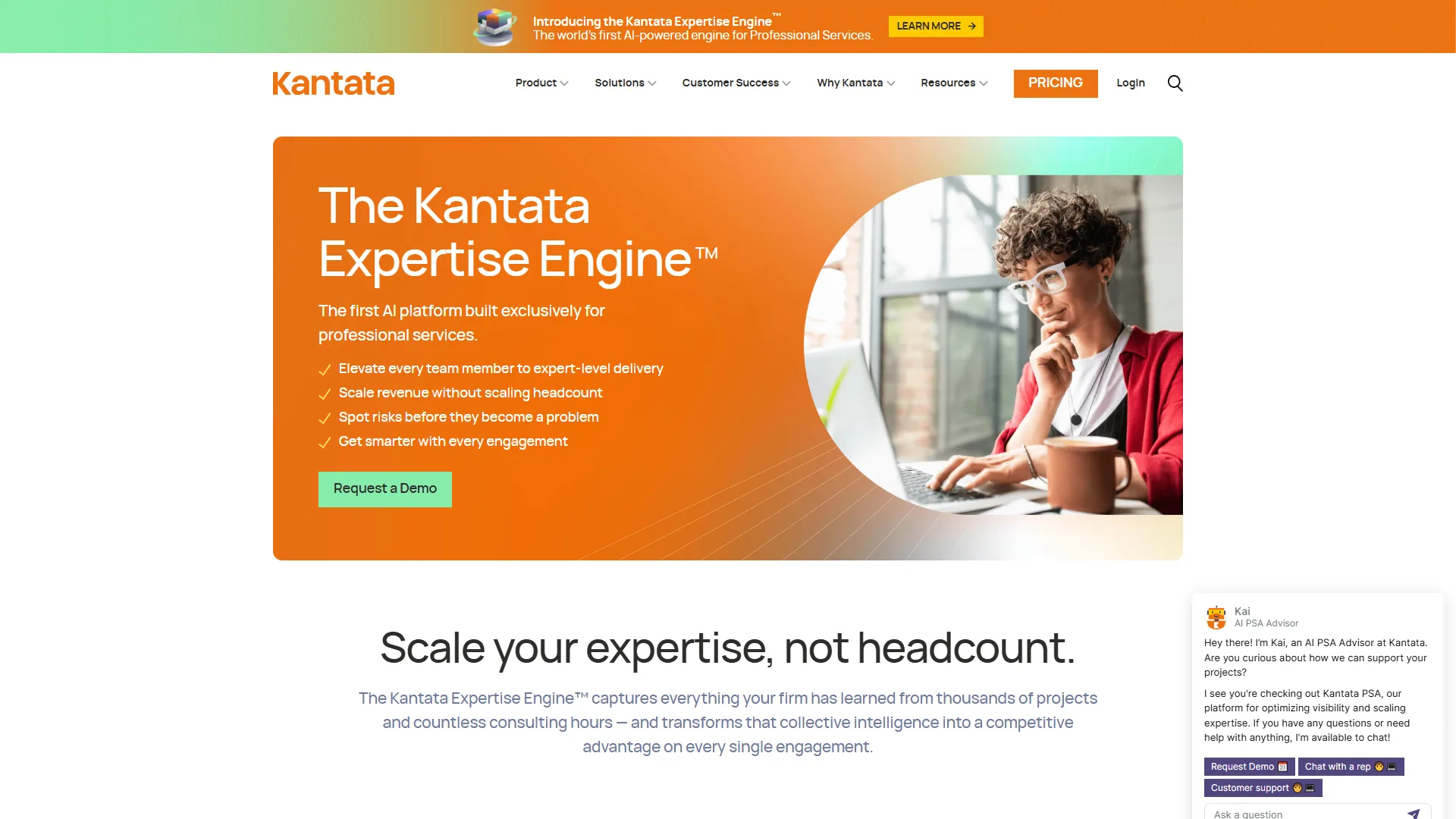
Kantata is an enterprise PSA platform whose standout feature is an AI Resourcing Agent that surfaces resource conflicts, skills gaps, and utilization optimization opportunities before they impact delivery. Kantata (formerly Mavenlink and Kimble combined) serves over 2,000 professional services organizations globally, according to Kantata’s official website.
Kantata’s AI Productivity Features
The Kantata Expertise Engine - a proprietary AI model trained on professional services data patterns - delivers three productivity gains:
1. AI Resourcing Agent: Analyzes your resource pool, pipeline, and skills database to recommend optimal staffing, reducing resource allocation time by roughly 40% (from ~3 to ~1.8 hours weekly for a 20-project portfolio).
2. AI Forecast Accelerator: Predicts completion dates and budget variance from actual delivery velocity, not planned hours. One Kantata customer reported forecast accuracy improving from 68% to 91% after six months.
3. Kantata Pulse: Real-time project health monitoring that flags margin erosion and delivery risks early - tuned specifically for billable engagements.
Pricing and ROI
Kantata uses quote-based pricing starting around $45-59 per user per month, with final costs varying by team size, feature tier, and integration requirements. The transparency gap frustrates mid-market buyers but gives enterprise buyers room to negotiate.
A Forrester Total Economic Impact study commissioned by Kantata found customers achieved a 499% ROI over three years, driven by improved billable utilization (7.2% average increase) and 21% fewer hours on project reporting. For a 200-person firm at 70% utilization, a 7% improvement adds $2.1M in annual billable revenue at $150/hour. Our PSA automation ROI guide walks through the calculation.
Pros and Cons
Pros:
- Enterprise-grade resource management with AI optimization
- Deep integrations with Salesforce, JIRA, QuickBooks, NetSuite, ServiceNow (25+ connectors)
- Strong financial forecasting based on real delivery patterns, not just budgets
- Mobile app for timesheet and expense capture with offline mode
Cons:
- Steep learning curve - expect 6-8 weeks for full team adoption
- Quote-based pricing lacks transparency (prohibitive for small firms)
- Occasional performance lag with large datasets (500+ active projects)
Best for: Enterprise firms (200+ billable resources) with complex resource management needs, especially those requiring Salesforce or ERP integration.
Who it’s not for: Firms under 50 billable resources - quote-based pricing typically exceeds $9,000 per month with no free trial.
Scoro: Mid-Market PSA Champion with Transparent Pricing
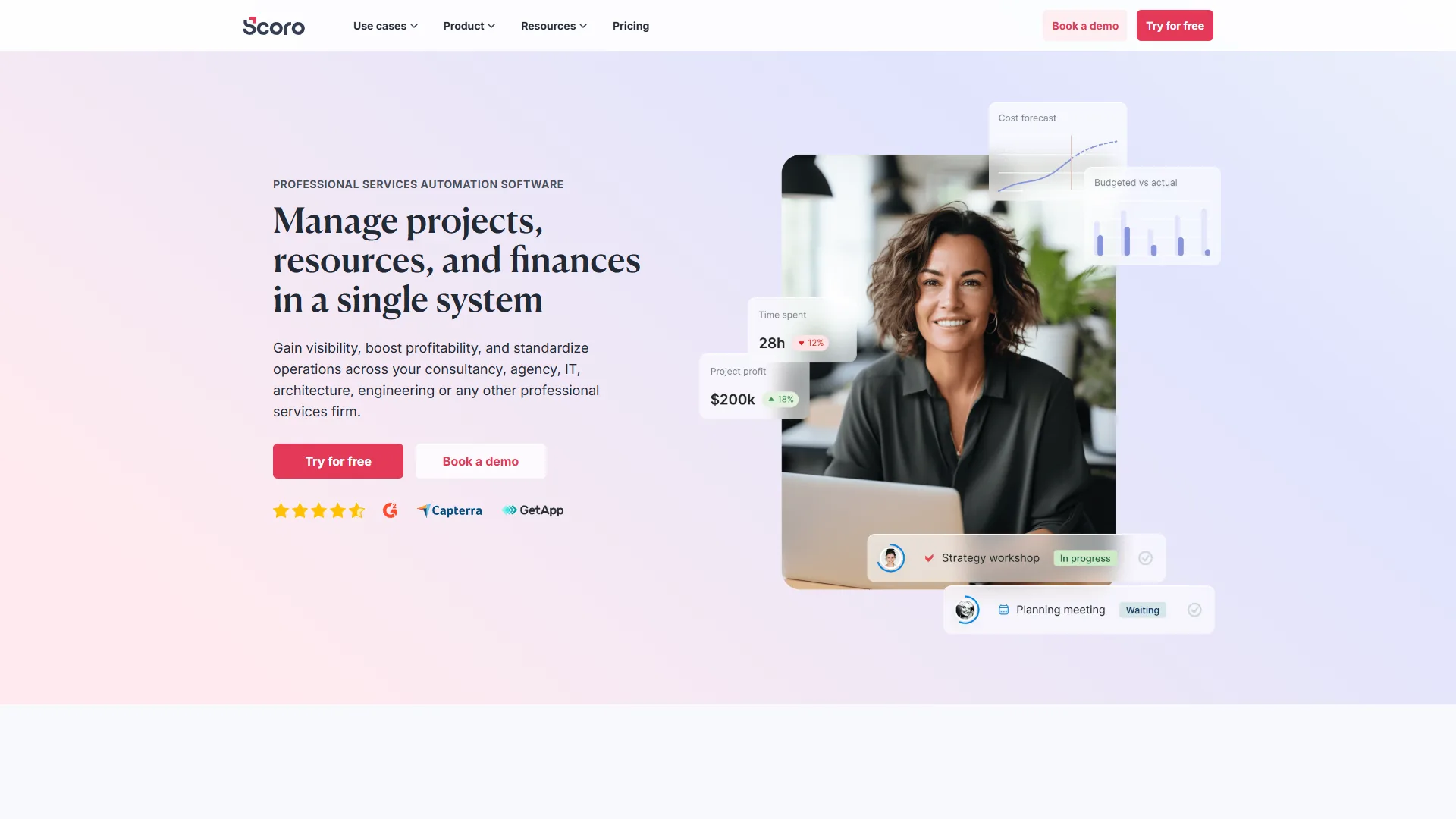
Scoro is a mid-market PSA platform that wins on ease of use and fully transparent pricing, starting at $26 per user each month. Holding 20 industry awards including Leader badges in multiple PSA categories, Scoro has carved out a strong position among creative agencies, marketing firms, and consulting practices in the 50-200 employee range.
Scoro’s End-to-End Work Management Approach
Scoro is a complete work operating system that replaces 5-7 disconnected tools - CRM, project management, time tracking, invoicing, and reporting - in one platform. This works well for agencies where client relationship management is tightly coupled with project delivery: you can track a client from initial quote through delivery to final invoice in one platform.
Key capabilities include a CRM with quote builder, project and task management (Kanban, Gantt, dependencies), time tracking, financial management, and reporting with 40+ pre-built dashboards.
Pricing Structure
Scoro offers fully transparent pricing with no forced sales calls:
Pricing verified January 2026 from Scoro's pricing page:
- Essential: $22/user/mo annual ($26 monthly)
- Project management
- Time tracking
- Basic reporting
- Calendar management
- Best for: Small teams starting with PSA
- Standard: $33/user/mo annual ($37 monthly)
- Everything in Essential
- Resource planning
- Quoting and invoicing
- Advanced reporting
- Best for: Growing agencies needing billing
- Pro: $55/user/mo annual ($63 monthly)
- Everything in Standard
- Gantt charts
- Budget tracking
- Custom dashboards
- Best for: Established firms with complex projects
- Ultimate: Contact sales (Custom pricing)
- Everything in Pro
- Dedicated account manager
- Custom integrations
- Advanced security
- Best for: Enterprise organizations
A minimum of 5 users is required across all plans. For a 25-person agency, the Standard plan costs $925 per month ($11,100 annually) - significantly more affordable than Kantata.
The catch is no AI-powered optimization like Kantata’s Resourcing Agent: you get solid workflow automation and integrations (QuickBooks, Xero, Google Workspace, Slack), but resource allocation stays manual. Teams that want a lighter layer often add Make for automation.
Pros and Cons
Pros:
- Transparent, straightforward pricing - no forced sales demos
- Clean interface with short learning curve (1-2 weeks)
- All-in-one platform replaces CRM, PM, time tracking, invoicing tools
- 14-day free trial, no credit card required
- 20 industry awards validate mid-market leadership
Cons:
- 5-user minimum makes it expensive for very small teams
- Steep initial setup - customizing workflows takes time
- No AI features for resource optimization or forecasting
- Limited advanced financial reporting versus specialized tools
Best for: Mid-market firms and agencies (50-200 employees) seeking an all-in-one work management platform with transparent pricing, especially those consolidating separate CRM, PM, time tracking, and invoicing tools.
Who it’s not for: Solo consultants under the 5-user minimum, and firms with complex revenue recognition that will outgrow Scoro’s reporting within 12-18 months.
Certinia PSA: Salesforce-Native Powerhouse for Enterprise
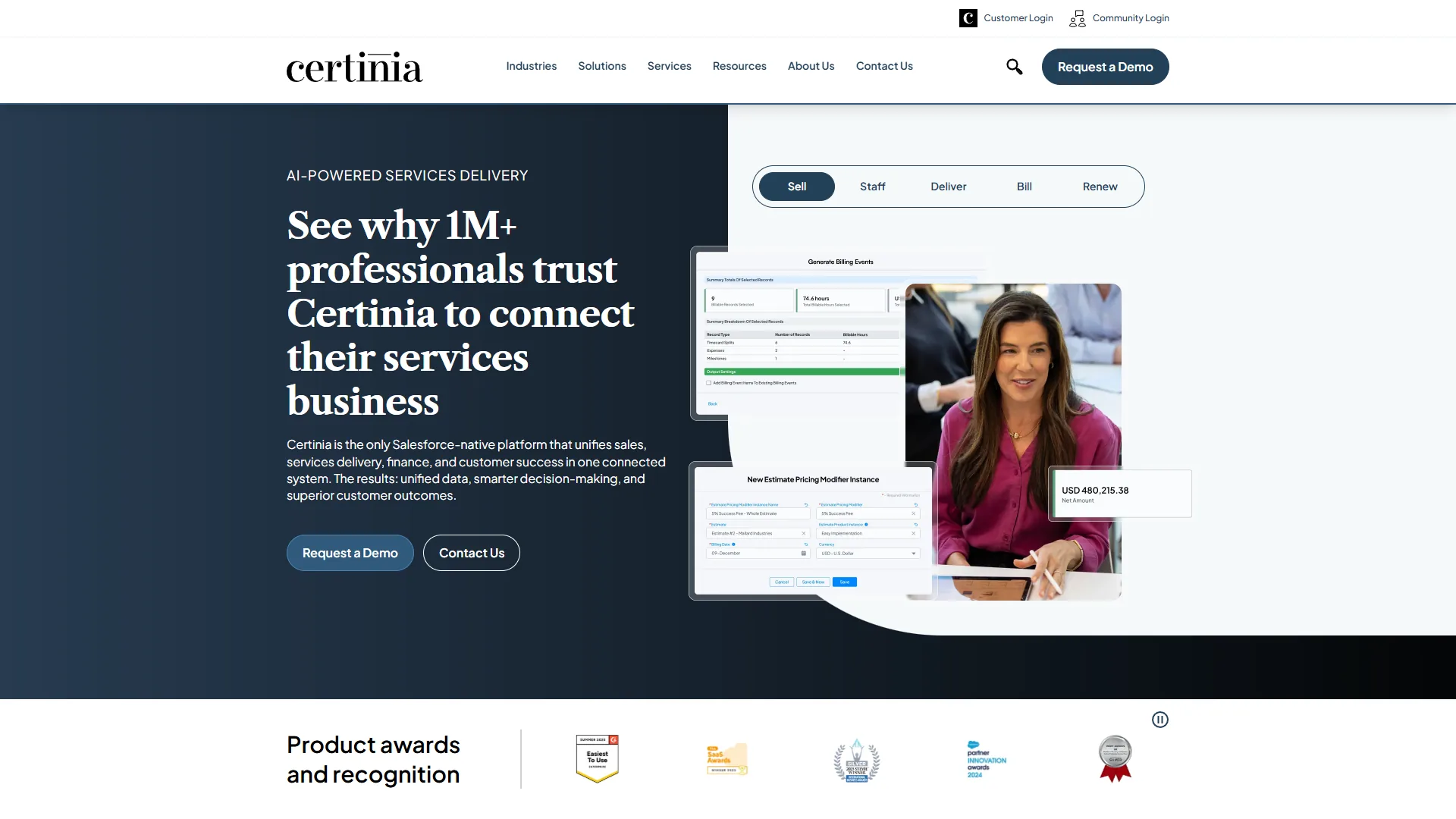
Certinia PSA (formerly FinancialForce PSA) is a PSA platform built natively on Salesforce, sharing the same data model, security framework, and automation engine as the CRM. For enterprises already invested in the Salesforce ecosystem this deep integration is transformative; for everyone else it is expensive and complex.
The Salesforce Advantage (and Disadvantage)
Being Salesforce-native delivers four practical benefits:
Real-time sync: Changes in Salesforce opportunities automatically update project budgets and resource forecasts - no batch syncs, no data lag.
Unified reporting: Dashboards combine CRM pipeline data, project delivery metrics, and financial performance in a single view.
Salesforce Einstein AI: Predictive lead scoring, opportunity insights, and project risk identification.
Shared workflows: Salesforce Flow handles approval processes spanning sales, delivery, and finance.
The downside is lock-in to the Salesforce ecosystem. Certinia PSA requires Salesforce Sales Cloud or Service Cloud licenses ($75-150 per user/month) plus the Certinia PSA license ($175 per user/month list, dropping to $45-60 for larger deals). Total cost of ownership runs $120-210 per user/month - for a 100-user deployment, $144K-252K annually, significantly more than Kantata or Scoro. If you are still evaluating CRM options, check our Salesforce alternatives guide before committing.
Features and Capabilities
Certinia PSA delivers enterprise functionality across project accounting (real-time revenue recognition), resource management (skills-based matching, global capacity planning), time and expense, project financials (budget vs actual, milestone billing), and portfolio management. Certinia ranks #2 in SelectHub’s PSA category, behind only Microsoft Dynamics 365 Project Operations.
Pros and Cons
Pros:
- Deep Salesforce integration eliminates data silos between sales and delivery
- Enterprise-grade financial management and revenue recognition
- Salesforce Einstein AI for predictive insights (with AI add-on)
- Strong multi-currency and global deployment support
- Ranked #2 by SelectHub for enterprise PSA functionality
Cons:
- Requires Salesforce licenses - minimum $35K annual commitment
- Complex implementation (8-12 weeks typical) requiring Salesforce expertise
- Expensive compared to standalone PSA tools
- Limited value for organizations not already using Salesforce CRM
Best for: Salesforce-first enterprises using Sales Cloud or Service Cloud where deep CRM-to-project integration justifies the premium pricing, especially global organizations with complex financial requirements.
Who it’s not for: Any firm not already running Salesforce - the CRM license requirement pushes total cost above $250 per user/month - or teams needing fast time-to-value.
Which Tool Fits: How to Choose the Right PSA Software
Scoro fits professional services teams of 10-50 people, Scoro Pro or Kantata fit mid-market firms of 50-200, and Kantata or Certinia PSA fit enterprises of 200 or more. The best choice depends on capabilities matched to your firm’s size, complexity, and ecosystem - not the highest rating.
By Team Size
Small Teams (10-50 people): Scoro’s Essential or Standard plan offers the best value at $26-37 per user, making it the strongest PSA software for small businesses in this comparison. Many small firms get by with a lighter project management stack until growth forces them into PSA. Avoid Kantata (too expensive) and Certinia (overkill complexity).
Mid-Market (50-200 people): Scoro Pro or Kantata become viable. Complex resource allocation (multiple disciplines, skills-based matching) justifies Kantata’s AI premium; straightforward needs favor Scoro’s transparency and ease of use. See our professional services automation tools roundup for adjacent platforms.
Enterprise (200+ people): Kantata or Certinia PSA. The decision hinges on your CRM - already on Salesforce favors Certinia’s native integration, while a different CRM or none favors Kantata’s AI optimization. Managed service providers evaluating PSA software for MSPs should also weigh purpose-built platforms like the Kaseya BMS knowledge base, since the best PSA for MSP workflows typically prioritizes ticketing and remote monitoring over billable forecasting.
By Key Priority
By priority, Kantata wins for resource optimization (AI Resourcing Agent) and AI-powered forecasting (AI Forecast Accelerator); Scoro wins for ease of use, budget consciousness, and all-in-one simplicity; and Certinia PSA wins for Salesforce integration.
What Should You Consider Before Implementing PSA Software?
Implementation timelines vary widely: Scoro takes 2-4 weeks for core setup (6-8 weeks for full customization), Kantata 6-8 weeks (up to 12 for complex integrations), and Certinia PSA 8-12 weeks minimum (often 16+ for global deployments). Budget 20-40 hours of internal team time for any PSA implementation.
How Do You Migrate to a New PSA Platform?
To migrate to a new PSA platform, run both systems parallel for 1-2 months, prioritize active projects and current-year financial data in migration, start with a 10-15 person pilot before full rollout, and map all critical integrations (accounting, CRM, time tracking) before launch. Most firms underestimate integration complexity by 40-50%, so add 4-6 weeks if your PSA must sync QuickBooks, Salesforce, Jira, and a custom ERP. Teams also evaluating CRM platforms should align both decisions.
Frequently Asked Questions
PSA software pays back in 6-12 months for most professional services firms, replaces 3-5 separate subscriptions, and lifts billable utilization by 5-10 points when AI resourcing is in use. According to a Forrester Total Economic Impact study commissioned by Kantata, customers reached “a 499% three-year return on investment driven by improved billable utilization and reduced project reporting time.” The questions below cover ROI timelines, project management overlap, AI productivity gains, and small-firm cost justification.
What’s the ROI timeline for PSA software?
Most firms see positive ROI within 6-12 months. A Forrester Total Economic Impact study commissioned by Kantata found payback in 8 months, driven by improved utilization (7% average increase) and a 21% reduction in administrative time. For mid-market tools like Scoro, ROI often comes from consolidating 3-5 subscriptions into one platform.
Do I need PSA software if I’m already using project management tools like Asana or Monday.com?
Generic PM tools lack three critical PSA capabilities: resource management (skills-based matching, utilization tracking), financial management (project profitability, revenue recognition), and client billing (time-based invoicing, retainer management). If you bill clients on time and materials or track project profitability, PSA software is essential. For internal projects with fixed budgets, lighter PM tools - including Wrike or our best AI project management tools 2026 roundup - typically suffice.
How does AI actually improve PSA productivity?
The best PSA software 2026 uses AI for three high-value tasks: resource allocation (Kantata’s AI Resourcing Agent suggests optimal staffing from skills, availability, and historical patterns), forecasting (AI Forecast Accelerator predicts completion dates from actual velocity), and risk detection (Kantata Pulse flags margin erosion and delivery risks early). AI resource allocation saves roughly 40% of time spent on staffing decisions.
Can small consulting firms (10-20 people) justify PSA software costs?
For firms under 20 people the math is tight. Scoro’s Essential plan ($26 per user/month, 5-user minimum) costs $1,560 annually for a 5-person team. At 60% utilization, a 3-point improvement to 63% adds $23K in annual billable revenue (at $150/hour) - easily justifying the cost. But at 80%+ utilization the ROI case weakens.
What’s the biggest mistake firms make when implementing PSA software?
Under-investing in change management. PSA implementation is an organizational change, not just a technical project, and the biggest failures happen when leadership mandates adoption without training or workflow redesign. Successful implementations pair executive sponsorship with clear ROI goals, 4-6 hours of hands-on training per user, workflow documentation before launch, and team champions driving adoption.
How do PSA platforms handle complex billing scenarios (retainers, milestones, T&M)?
All three platforms support multiple billing models. Kantata and Certinia excel at complex enterprise scenarios (mixed billing methods, multi-currency, revenue recognition rules), while Scoro handles standard agency billing well but struggles with highly customized recognition. For WIP accounting, deferred revenue, or multi-entity consolidation, prioritize Certinia or Kantata and pair the rollout with a workflow automation platform.
Final Verdict: Which PSA Software Wins in 2026?
Scoro wins for most mid-market professional services firms in 2026, Kantata wins for enterprises needing AI-powered resource optimization, and Certinia PSA wins for Salesforce-native organizations. The right tool depends on your firm’s size, complexity, and priorities, summarized below.
Choose Kantata if: You are an enterprise firm (200+ people) with complex resource allocation needs that can justify $50-60 per user/month. The 499% ROI data is compelling for firms struggling with utilization or forecast accuracy.
Choose Scoro if: You are a mid-market agency or consulting firm (50-200 people) seeking an all-in-one platform with transparent pricing. The $26-63 per user pricing is hard to beat and the clean interface minimizes training time.
Choose Certinia PSA if: You are already deeply invested in Salesforce and need native CRM-to-project integration. The premium pricing only makes sense for Salesforce-first organizations.
For most professional services firms, Scoro offers the best balance of capability and value. Firms with persistent resource allocation challenges should choose Kantata for AI features that justify the premium. The best PSA software is the one your team actually adopts and that lifts billable utilization. Start with a clear ROI goal, trial your top two choices, and measure results rigorously.
Ready to start? Explore Kantata for enterprise AI optimization, try Scoro’s 14-day free trial for mid-market simplicity, or request a Certinia demo if you are Salesforce-native.
Related Reading
Related guides cover the three PSA platforms reviewed here plus adjacent CRM, project management, and workflow automation tools that round out a professional services tech stack.
Tools covered in this article:
- Kantata - Enterprise PSA with AI optimization
- Scoro - All-in-one work management
- Certinia PSA - Salesforce-native PSA
- Salesforce - Enterprise CRM platform
- Wrike - AI-assisted project management for services teams
- Make - Workflow automation to connect PSA with billing and CRM
More business software guides:
- Best AI Project Management Tools 2026 - PM tools compared
- Best CRM Software 2026 - CRM platforms compared
- Best Workflow Automation Tools 2026 - Automation platforms
External Resources
Official vendor documentation for Kantata, Scoro, and Certinia PSA is linked below alongside independent research from TSIA and Service Performance Insight used in this analysis.
For official documentation and updates from these tools:
- Kantata - Official website
- Scoro - Official website
- Certinia PS Cloud - Official website