

LOVO AI elearning is a voice generation workflow that replaces traditional studio narration with AI-produced audio for course creators. It supports 100+ languages, includes a pronunciation editor for technical vocabulary, and costs under $50 per month - compared to $8,000 or more for professional voice talent on a multi-language compliance course.
Building an e-learning course with professional narration used to mean hiring voice talent, booking studio time, and waiting days for revisions. Producing a 12-module compliance training course in three languages can generate voiceover quotes of $8,000 or more with traditional talent. LOVO AI for elearning voiceovers cuts that cost to under $50 per month while keeping narration quality that learners actually respond to. This tutorial walks through the entire workflow, from setting up your first project to exporting SCORM-ready audio for any LMS.
Whether you are an instructional designer producing courses for a corporate audience, a university lecturer building asynchronous content, or an independent creator selling on platforms like Teachable or Thinkific, this guide covers the specific techniques that produce engaging, accessible e-learning narration with LOVO AI. For teams that want a more enterprise-grade narration alternative, WellSaid Labs offers a similar workflow with stricter brand-voice controls.
Why LOVO AI eLearning Voiceovers Beat Studio Production
Not every AI voice generator is suited for educational content. E-learning has specific demands that marketing or entertainment voiceovers do not - consistent pacing across modules, clear enunciation for technical vocabulary, emotional range that keeps learners engaged without feeling performative, and the ability to update individual sections without re-recording an entire course.
LOVO addresses these requirements through several features that matter specifically for lovo ai elearning workflows:
- 100+ language support - Produce the same course in English, Spanish, Mandarin, Arabic, and Hindi without hiring separate voice actors for each. No competitor matches this breadth - ElevenLabs covers 29 languages, Murf handles 20+.
- Pro V2 natural language direction - Type instructions like “speak slowly and clearly, pause after each key term” instead of adjusting sliders. This is faster and produces more natural instructional pacing.
- Pronunciation editor - Technical terms, acronyms, and domain-specific vocabulary are common in e-learning. LOVO lets you define phonetic overrides that persist across your entire project.
- Genny all-in-one studio - Voice generation, auto subtitles, and video editing in one interface. For course creators, this eliminates the export-import dance between separate tools.
The tradeoff is that LOVO does not produce the absolute most realistic voices available - ElevenLabs edges ahead on raw voice quality for English (see ElevenLabs alternatives for the full competitive landscape). But for multilingual course production where you need consistent quality across many languages at a manageable cost, LOVO delivers the best combination of breadth and value.
Step 1: Setting Up Your E-Learning Project
Before generating any audio, invest 15 minutes in project setup. This saves hours of rework later.
Organize by Course Module
Create a separate LOVO project for each course module rather than dumping your entire course script into one workspace. This structure mirrors how learners will experience the content and makes future updates simple - when Module 4 needs a policy update next quarter, you regenerate just that project without touching the rest.
Recommended project naming convention:
[Course Name] - Module 01 - Introduction
[Course Name] - Module 02 - Core Concepts
[Course Name] - Module 03 - Practical Application
[Course Name] - Module 04 - Assessment Review
Choose Your Voice Before Writing
This sounds backwards, but selecting your voice first produces better scripts. Listen to 5-6 LOVO voices in the “narration” and “professional” categories, pick one that matches your course tone, and then write your script with that voice in mind. Different voices have different strengths - some handle lists well, others excel at explanatory paragraphs.
Voice selection criteria for e-learning:
- Pacing consistency - Generate a 200-word test paragraph. Does the voice maintain even pacing, or does it rush through some phrases and drag on others?
- Clarity on technical terms - Test with vocabulary specific to your course topic. Medical terms, legal jargon, software names - preview these before committing.
- Fatigue factor - Listen to 3 minutes of continuous narration. Some voices sound great in short clips but become grating over the duration of a full module. E-learning listeners will hear this voice for 30-60 minutes.
- Emotional range - You need at least subtle variation between explanatory sections and key takeaways. Completely flat voices lose learners within minutes.
Lock in one voice for the entire course. Switching voices between modules creates a jarring experience. If you are using LOVO AI for elearning across multiple courses, you can use different voices per course, but stay consistent within each one.
Step 2: Writing Scripts Optimized for E-Learning Narration
The most common mistake in lovo ai elearning production is pasting written course content directly into the voice generator. Written text and spoken narration follow fundamentally different rules. The Association for Talent Development recommends 130-150 words per minute for instructional audio - significantly slower than the 160-180 WPM typical in conversational content.
Script Structure for Learning Retention
Structure each module script using the Elaboration Theory framework adapted for audio delivery:
-
Advance organizer (30-45 seconds) - Tell learners what they will learn and why it matters. “In this module, you will learn three techniques for handling customer escalations. By the end, you will be able to de-escalate a frustrated customer call in under two minutes.”
-
Core content blocks (3-5 minutes each) - Break content into segments no longer than 5 minutes. Learner attention drops sharply after 6 minutes of continuous narration. Each block should cover one concept.
-
Transition bridges (10-15 seconds) - Signal when you are moving from one concept to the next. “Now that we have covered the basics of active listening, let us look at how to apply it when a customer is raising their voice.”
-
Summary and reinforcement (30-45 seconds) - Recap the key points at the end of each module. Repetition is not redundant in e-learning - it is essential.
Writing Techniques That Improve AI Voice Output
Keep sentences between 10-18 words. AI voice models handle shorter sentences more naturally. Compare:
Avoid: "When implementing the new compliance framework, it is essential
that all team members understand the regulatory requirements that apply
to their specific department and role within the organization."

Better: "The new compliance framework affects every department differently.
Your role determines which specific regulations apply. Let us break down
what this means for your team."
Write explicit pauses into the script. Use ellipses or LOVO’s pause markers between major concepts. In written text, paragraphs provide visual breaks. In audio, you need to create those breaks deliberately.
Use second-person consistently. “You will learn” is more engaging than “learners will understand.” E-learning narration is a conversation with one person, not a lecture to a room.
Spell out pronunciation-sensitive terms. Write “S-C-O-R-M” instead of “SCORM” on first reference if you want it spelled out. Write “sequel server” instead of “SQL Server” if that is how your audience says it.
Step 3: Applying Emotion and Pacing Controls for Engagement
Flat, monotone narration is the single biggest reason learners skip voiceover content and just read the slides. LOVO’s emotion controls prevent this - but only if you apply them strategically rather than uniformly.
Pro V2 Direction for Instructional Content
With Pro V2 voices, you type plain-English instructions that shape delivery. These directions work well for e-learning:
- “Speak clearly at a teaching pace, pausing briefly after key terms” - The default for most instructional content. This produces narration at roughly 140 WPM with natural pauses.
- “Use a warm, encouraging tone” - Apply to introductions and module openings. Sets a supportive atmosphere that reduces learner anxiety, particularly for compliance or assessment-related content.
- “Sound serious and deliberate” - Use for safety training, compliance modules, or any content where the stakes are high. The AI drops pace and lowers register slightly.
- “Be conversational and approachable” - Works for onboarding content and soft-skills training where a formal tone would feel disconnecting.
- “Emphasize the words after the colon” - Directs attention to definitions and key takeaways within a passage.
Pacing Strategy Across Module Sections
Do not use the same speed setting for an entire module. Vary pacing to mirror how a skilled instructor would deliver the content:
| Section Type | Speed Setting | Words Per Minute | Why |
|---|---|---|---|
| Introduction | 1.0x | 145-155 | Establish rhythm, build rapport |
| Core explanation | 0.9x | 130-140 | Give learners processing time |
| Examples and stories | 1.05x | 150-160 | Maintain energy during illustrations |
| Key takeaways | 0.85x | 120-130 | Slow down for retention |
| Transitions | 1.0x | 145-155 | Maintain momentum between topics |
Practical tip: Apply emotion and pacing changes at the section level, not sentence by sentence. Over-directing creates an exhausting, unnatural listening experience that is worse than monotone delivery.
Step 4: Handling Pronunciation for Technical and Domain Content
E-learning scripts are loaded with vocabulary that AI voices mispronounce - medical terms, software names, industry acronyms, and proper nouns. LOVO’s pronunciation editor handles these, but you need a systematic approach.
Build a Course Pronunciation Dictionary
Before generating any audio, create a pronunciation reference document for your course:
Term              | Phonetic Override    | Context
SCORM             | SKORM               | Always as one word
LMS               | L-M-S               | Spell out
Kirkpatrick       | KIRK-pat-rick       | Assessment model
ADDIE             | ADD-ee              | Instructional design
MySQL             | my-S-Q-L            | Database
HIPAA             | HIP-uh              | Healthcare regulation
Asynchronous      | ay-SIN-kron-us      | Learning mode
Enter these into LOVO’s pronunciation editor at the project level so they apply to every section you generate. This is one of the most time-saving features in the lovo ai elearning workflow - once you define pronunciations, they persist across your entire project.
Common E-Learning Pronunciation Problems
Acronyms are the biggest offender. LOVO sometimes reads “API” as a word rather than spelling it out. The fix is consistent: add a phonetic override the first time you encounter each acronym.
Numbers in instructional context need attention. “Section 4.2” might render as “four point two” or “four-two.” Write out the spoken version in your script: “Section four, subsection two.”
Proper nouns from non-English origins. Names of researchers, theorists, and frameworks often get mangled. Bloom (as in Bloom’s Taxonomy) is usually fine, but Vygotsky or Csikszentmihalyi will need phonetic help.
How Do You Produce a Multi-Language Course with LOVO AI?
This is where LOVO AI for elearning genuinely separates itself from competitors. Producing the same course in multiple languages using traditional voice actors means hiring separate talent for each language, managing multiple recording sessions, and coordinating timelines across vendors. With LOVO, you translate the script and generate audio in the new language using the same interface.
Workflow for Multi-Language Course Delivery
-
Produce the English version first. Finalize script, pacing, and pronunciation in your primary language. This becomes your reference version.
-
Translate scripts with context. Use professional translation or AI translation tools like DeepL, but always have a native speaker review the output. Direct translation often produces scripts that sound unnatural when spoken aloud - idioms, sentence length, and cultural references need adaptation, not just word-for-word conversion.
-
Select language-appropriate voices. Do not just pick the first voice in each language. Preview 3-4 options with actual course content. Some LOVO voices in less common languages have narrower emotional range, so test carefully.
-
Adjust pacing per language. Different languages have different natural speaking rates. Spanish narration typically runs 10-15% faster than English for the same content. German tends to run slightly slower. Adjust LOVO’s speed settings accordingly rather than using identical settings across all languages.
-
Re-check pronunciation in each language. Your English pronunciation dictionary does not transfer. Technical terms may be pronounced differently in each language. “SCORM” is usually pronounced the same, but terms like “database” or “algorithm” vary significantly.
Accessibility Considerations
Multi-language production also opens accessibility opportunities. The Web Content Accessibility Guidelines (WCAG) recommend providing audio alternatives for text content. Using LOVO to generate narration for every text-heavy slide or page in your course improves accessibility compliance without the prohibitive cost of recording human narration for every language.
LOVO’s auto subtitle generator adds another accessibility layer. Generate subtitles alongside your voiceover to provide synchronized captions in every language version. This addresses both hearing accessibility and learners who prefer reading along with audio.
Step 6: Exporting for LMS Integration
The final step in your lovo ai elearning workflow is getting your narrated content into the learning management system where learners will access it.
Audio Format Recommendations
- MP3 at 192kbps - The standard for most e-learning platforms. Good balance of quality and file size. Compatible with every authoring tool and LMS.
- WAV - Use if your authoring tool will re-encode the audio. Starting from WAV avoids quality loss from double compression.
- Avoid low bitrate exports. Voice clarity is critical for e-learning. Going below 128kbps introduces artifacts that make extended listening fatiguing.
SCORM Package Integration
Most e-learning authoring tools - Articulate Storyline, Adobe Captivate, iSpring, Lectora - accept standard audio files. The workflow is straightforward:
- Export each module section as a separate audio file from LOVO
- Import audio files into your authoring tool and sync with slides or interactions
- Publish as a SCORM 1.2 or SCORM 2004 package
- Upload the SCORM package to your LMS (Moodle, Canvas, Blackboard, TalentLMS, or any SCORM-compliant platform)
Name your audio files systematically:
module-01-section-01-introduction.mp3
module-01-section-02-core-concepts.mp3
module-01-section-03-activity-intro.mp3
This naming convention makes it easy to match files to slides and simplifies updates when you need to regenerate a single section.
Handling Course Updates
One of the strongest advantages of using LOVO AI for elearning is the ease of content updates. When a policy changes or a product feature updates, you modify the script in LOVO, regenerate just that section, and replace the audio file in your authoring tool. No need to schedule a recording session or wait for talent availability.
Keep your LOVO projects organized and active. Do not delete projects after export - you will need them when update requests arrive. LOVO’s storage limits (1GB on Basic, 400GB on Pro+) are usually sufficient for text-to-speech projects since audio files are relatively small.
How Much Does LOVO AI Cost for E-Learning Teams?
Choosing the right LOVO plan depends on your course production volume:
- Free trial - 14 days with 20 minutes of generation. Enough to test one module section before committing.
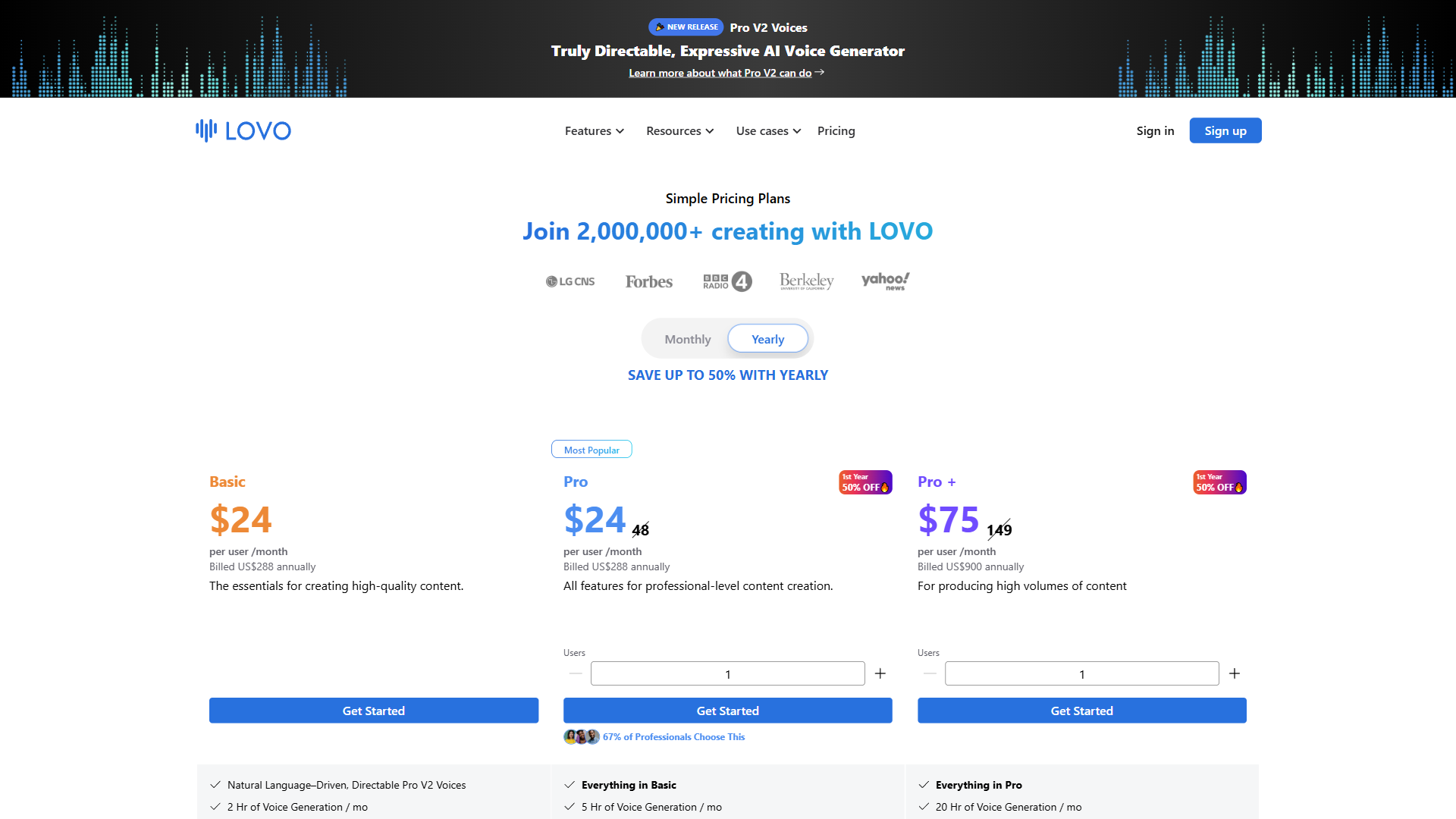
- Basic (see current pricing at LOVO) - 2 hours monthly generation, 500+ voices, commercial rights. Covers most individual course creators producing 2-4 modules per month.
- Pro ($48/month, or less with annual billing) - 5 hours monthly, unlimited voice cloning, team collaboration. The right choice for instructional design teams producing courses regularly.
- Pro+ (available with annual billing discount) - 20 hours monthly. For training departments or agencies producing high-volume content across multiple clients.
- Enterprise - Custom pricing with API access. Worth exploring if you want to integrate LOVO directly into your content pipeline via API.
The annual billing discount on Pro is substantial - cutting the monthly cost significantly. For any team committed to lovo ai elearning production as an ongoing workflow, annual Pro is the best value.
The Bottom Line
LOVO AI solves the core problem of e-learning voiceover production: getting professional, consistent narration across languages and modules without the cost and coordination overhead of traditional voice talent. The 100+ language support is unmatched for organizations delivering training globally, and the Pro V2 natural language direction makes it straightforward to produce narration that actually engages learners rather than putting them to sleep.
The platform is not without limitations. Voice cloning only works in English, which means multilingual brand voice consistency requires using pre-built voices. Some technical terms still need manual pronunciation correction. And while the voice quality is strong for instructional content, it does not quite match the nuance you would get from a skilled human narrator delivering emotionally complex material.
For instructional designers and course creators, the practical calculus is clear. A LOVO Basic plan replaces thousands of dollars in voiceover costs per project, with the ability to update any section instantly. Teams should consider LOVO Pro for the collaboration features and unlimited voice cloning. Start with the free trial on an actual module - not a test sentence - and evaluate whether the output meets your learners’ expectations.
Frequently Asked Questions
How much does LOVO AI cost compared to traditional voiceover?
Traditional voiceover for a 12-module compliance course in three languages can run $8,000 or more. LOVO AI brings that cost to under $50 per month. The Basic plan is affordable for individual creators, and the Pro annual plan offers a significant discount - making it a practical replacement for recurring voiceover budgets.
Can LOVO AI produce e-learning courses in multiple languages?
Yes. LOVO supports 100+ languages through the same interface, so you translate the script and generate audio without hiring separate voice talent per language. Different languages need pacing adjustments - Spanish narration typically runs 10-15% faster than English, while German tends to run slightly slower. Pronunciation dictionaries also need to be rebuilt for each language.
How do you handle technical terms and acronyms in LOVO AI?
Use LOVO’s pronunciation editor at the project level so overrides apply across every section you generate. Acronyms are the most common issue - LOVO sometimes reads ‘API’ as a word rather than spelling it out. Proper nouns like Vygotsky or Csikszentmihalyi also need phonetic entries. Writing out spoken versions directly in the script is another reliable fix.
What audio format does LOVO AI export for LMS platforms?
LOVO exports standard audio files compatible with major e-learning authoring tools including Articulate Storyline, Adobe Captivate, iSpring, and Lectora. From there, those tools package the audio into SCORM-ready content for upload to any LMS. Keeping LOVO projects active after export makes it straightforward to regenerate individual sections when content updates are needed.
Does LOVO AI support voice cloning for multilingual courses?
Voice cloning in LOVO currently works in English only. For multilingual courses, that means brand voice consistency across languages requires using LOVO’s pre-built voices rather than a cloned voice. Within each language, the recommendation is to select one consistent voice per course and preview several options with actual course content before committing.
Want to learn more about LOVO AI?
Related Guides
- LOVO AI Voiceover Guide: 500+ Voices, Fast Results - Complete LOVO walkthrough covering all project types
- AI Voiceover Tips: Making Synthetic Voices Sound Human - Techniques for natural-sounding AI narration across platforms
- AI Voiceover for Corporate Training - WellSaid Labs guide with SCORM workflows and cost analysis
- AI Tools for Course Creators - Full toolkit for building better courses faster
- Best AI Voice Generators 2026 - Side-by-side comparison of all major AI voice platforms
External Resources
- LOVO AI Documentation - Official guides for voice generation, pronunciation editing, and API integration
- ATD Research and Insights - Industry research on instructional audio pacing and e-learning best practices
- WCAG Accessibility Guidelines - Web Content Accessibility Guidelines for audio and multimedia in e-learning
Related Guides
- AI Voice Cloning Ethics Best Practices: Complete 2026 Guide
- AI Voiceover Corporate Training With WellSaid Labs
- AI Voiceover Tips: Making Synthetic Voices Sound Human
- ElevenLabs API Setup: Developer Quick Start Guide (2026)
- ElevenLabs Audio Native Embed Audio on Any Website
- ElevenLabs Audio Quality Settings: Pro Tips and Settings
- ElevenLabs Audiobook Creation: Long-Form Audiobook
- ElevenLabs eLearning Narration: E-Learning Course Narration
- ElevenLabs GenFM Podcast Generation: AI Podcast Generation
- ElevenLabs Getting Started: Complete Beginners Guide