

Zapier is the faster, simpler automation platform with 7,000+ app integrations, while Make is the cheaper, more powerful one with a visual flowchart builder that undercuts Zapier by 60-70% at scale. Every growing business hits the same wall: too many apps, too much manual data entry, and too little time. Copying a lead from your CRM into a spreadsheet, then into your email tool, then into Slack - multiply that by fifty leads a day and you are spending hours on work a machine should handle.
This comparison draws on each vendor’s current pricing and feature documentation plus independent research rather than sponsored placement. AI Productivity may earn a commission from links on this page; our rankings are editorially independent.
That is where the zapier vs make debate begins. These two platforms dominate the no-code automation market but solve the problem in fundamentally different ways. Zapier is the industry standard - 7,000+ integrations, dead-simple linear workflows, and a learning curve measured in minutes. Make (formerly Integromat) is the visual powerhouse - a drag-and-drop flowchart builder with advanced branching logic and pricing 60-70% below Zapier at scale.
The verdict from production workflows on both platforms: Zapier is the fastest path to automation for non-technical teams. Make is the smarter long-term investment once you understand how automation works. The right choice depends on your team’s technical comfort, workflow complexity, and monthly volume.
TL;DR: Zapier vs Make Head-to-Head
Zapier is the better business automation platform for setup speed and integration breadth (7,000+ apps), while Make is the better choice for visual workflow control and 60-70% cost savings at scale. The right answer depends on workflow complexity, monthly volume, and how much time your team can invest in learning a flowchart canvas - factors that should decide the best one for your stack.
| Feature | Zapier | Make |
|---|---|---|
| Rating | ||
| Free Tier | 100 tasks/month, 2-step Zaps | 1,000 ops/month, unlimited steps |
| Starting Price | $29.99/month (Professional) | $10.59/month (Core) |
| Annual Price | $19.99/month | $9/month |
| App Integrations | 7,000+ apps | 2,000+ apps |
| Workflow Style | Linear (trigger-action chain) | Visual flowchart (drag-and-drop canvas) |
| AI Features | Zapier Agents, multi-model AI (GPT, Claude, Gemini) | Make AI Agents (beta), Maia AI builder |
| Best For | Non-technical teams, fast setup | Complex workflows, budget optimization |
| Learning Curve | Minutes | 4-8 hours |
| Operations per Dollar | ~25 tasks per $1 (Professional) | ~28,000 ops per $1 (Core) |
| Founded | 2011 | 2012 |
Quick verdict: Choose Zapier if you want the simplest setup and need niche app integrations. Choose Make if you need visual workflow design, advanced branching logic, or meaningful cost savings at scale.
Interface and Ease of Use
Tradeoffs upfront: Zapier’s simplicity becomes a limitation once workflows branch. Make’s flexibility comes at the cost of a real learning curve - skip Make if your team will not invest 4-8 hours to ramp up.
Zapier is easier to use than Make: non-technical users can build a working automation in under five minutes, while Make’s visual canvas carries a 4-8 hour learning curve. Ease of use is where the zapier vs make divide is sharpest, and where Zapier holds its biggest advantage.
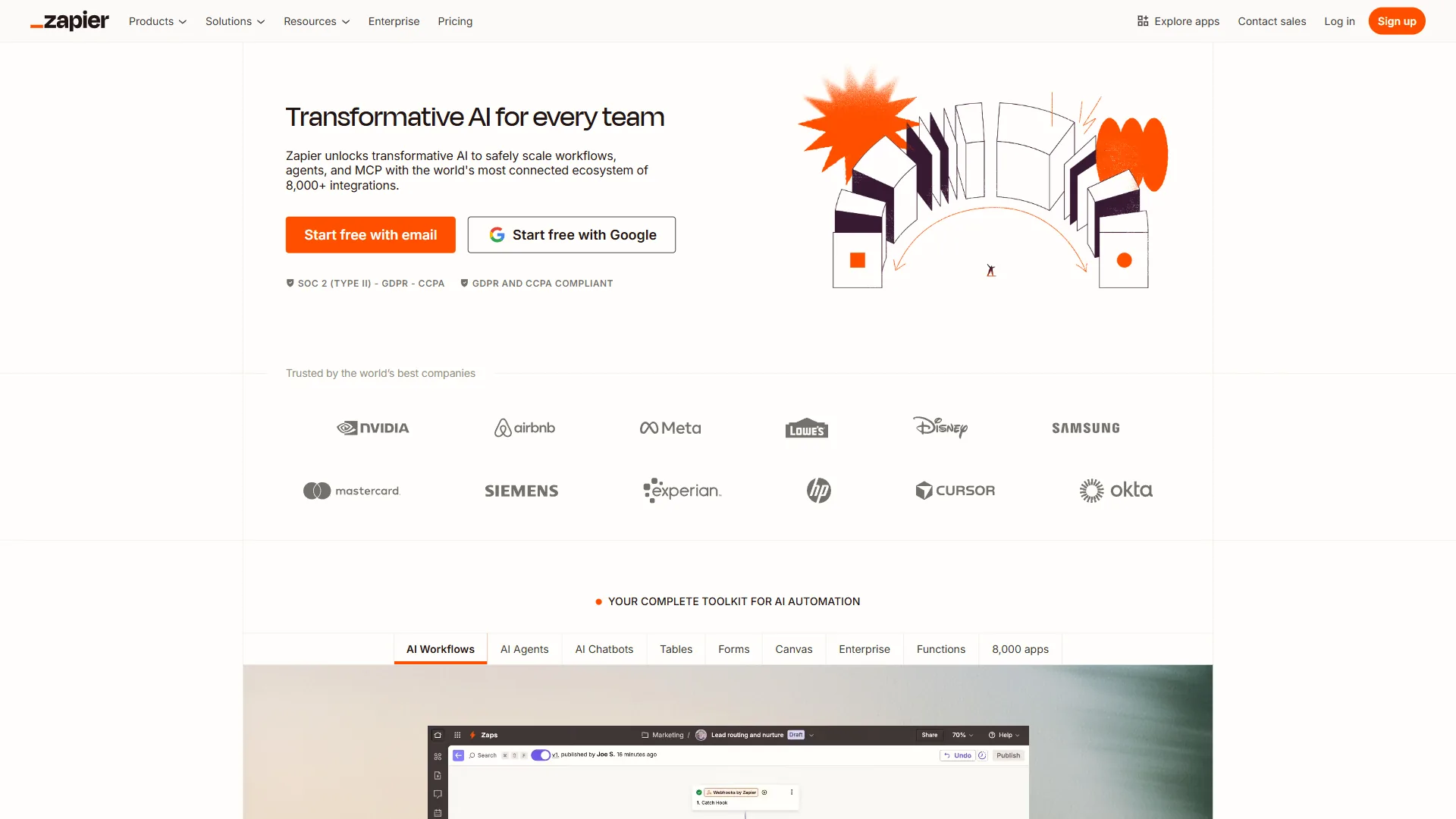
Zapier’s Linear Simplicity
Zapier’s interface follows a single mental model: trigger, then action, then action. Select a trigger app (e.g., “New row in Google Sheets”), select an action app (e.g., “Create contact in HubSpot”), map a few fields, and turn it on. Non-technical users build working automations in under five minutes without a tutorial.
This simplicity is Zapier’s core strength: a marketing manager who has never touched automation software can build a “new form submission to Slack notification” Zap in 4 minutes. The trade-off is that the linear interface becomes unwieldy with complexity - Filters and Paths add conditional logic, but there is no way to see the whole workflow as a flowchart, and debugging a 15-step Zap means clicking through each step in turn.
Make’s Visual Canvas
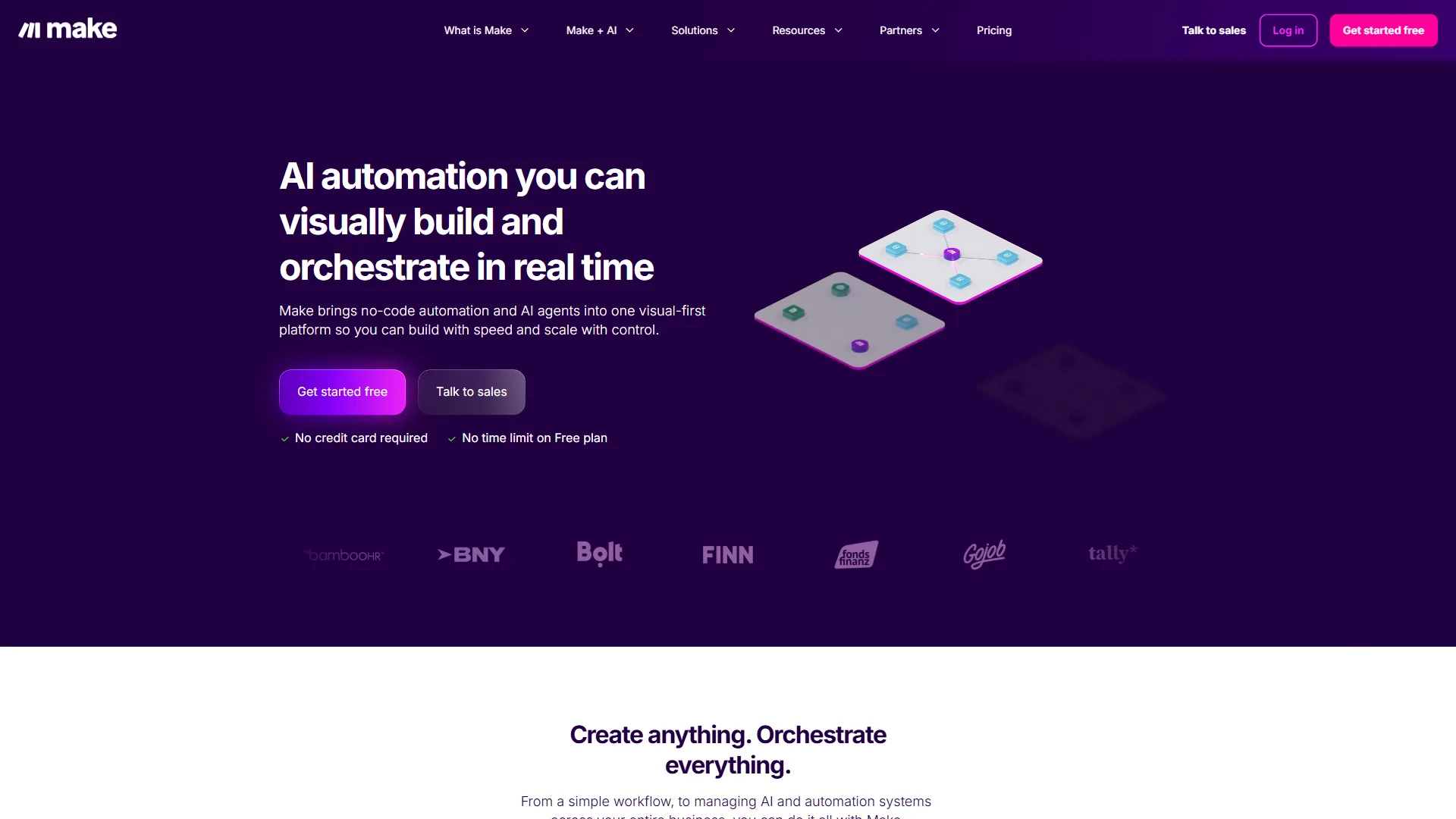
Make takes a fundamentally different approach. Instead of linear chains, you get a visual canvas where you drag modules, connect them with routes, and see your entire automation as a connected diagram - triggers, actions, routers, filters, aggregators, and error handlers all visible simultaneously.
This visual approach is dramatically better for complex workflows: you see branching logic at a glance, trace data flow through parallel paths, and debug by inspecting any module in context. The same marketing manager who built a Zap in 4 minutes took 18 minutes on Make - but the resulting scenario was more robust, with error handling she did not know she needed.
The verdict on ease of use: Zapier wins for beginners and simple workflows. Make wins for anyone building multi-branch automations or managing more than ten active workflows - the visual canvas pays for itself in debugging time alone.
Integration Ecosystem
Limitations to know: Make’s integration count is its biggest drawback versus Zapier - if your stack includes niche tools, Zapier’s catalog is more likely to cover them natively without webhook plumbing.
Zapier’s integration library is roughly 3.5 times larger than Make’s - 7,000+ apps versus 2,000+. This gap matters in specific situations.
Both platforms cover the major business tools - Slack, Google Workspace, HubSpot, Salesforce, Stripe, Shopify, Notion - so for standard SaaS stacks both connect to everything you need. The gap shows up with niche tools: for a specialty CRM, an industry-specific invoicing tool, or a brand-new SaaS product, Zapier is far more likely to have a native integration. Make bridges some of this gap with HTTP/Webhook modules that connect to any REST API, but custom integrations add maintenance overhead Zapier’s native ones avoid.
The verdict on integrations: Zapier wins on breadth. For mainstream business tools both platforms are equivalent; the gap matters most for niche, industry-specific, or very new tools. Our Zapier alternatives breakdown highlights how rivals close the gap with custom connectors.
Pricing Deep Dive
Pricing is where the zapier vs make comparison gets interesting - and where Make holds a decisive advantage.
Zapier Pricing (February 2026)
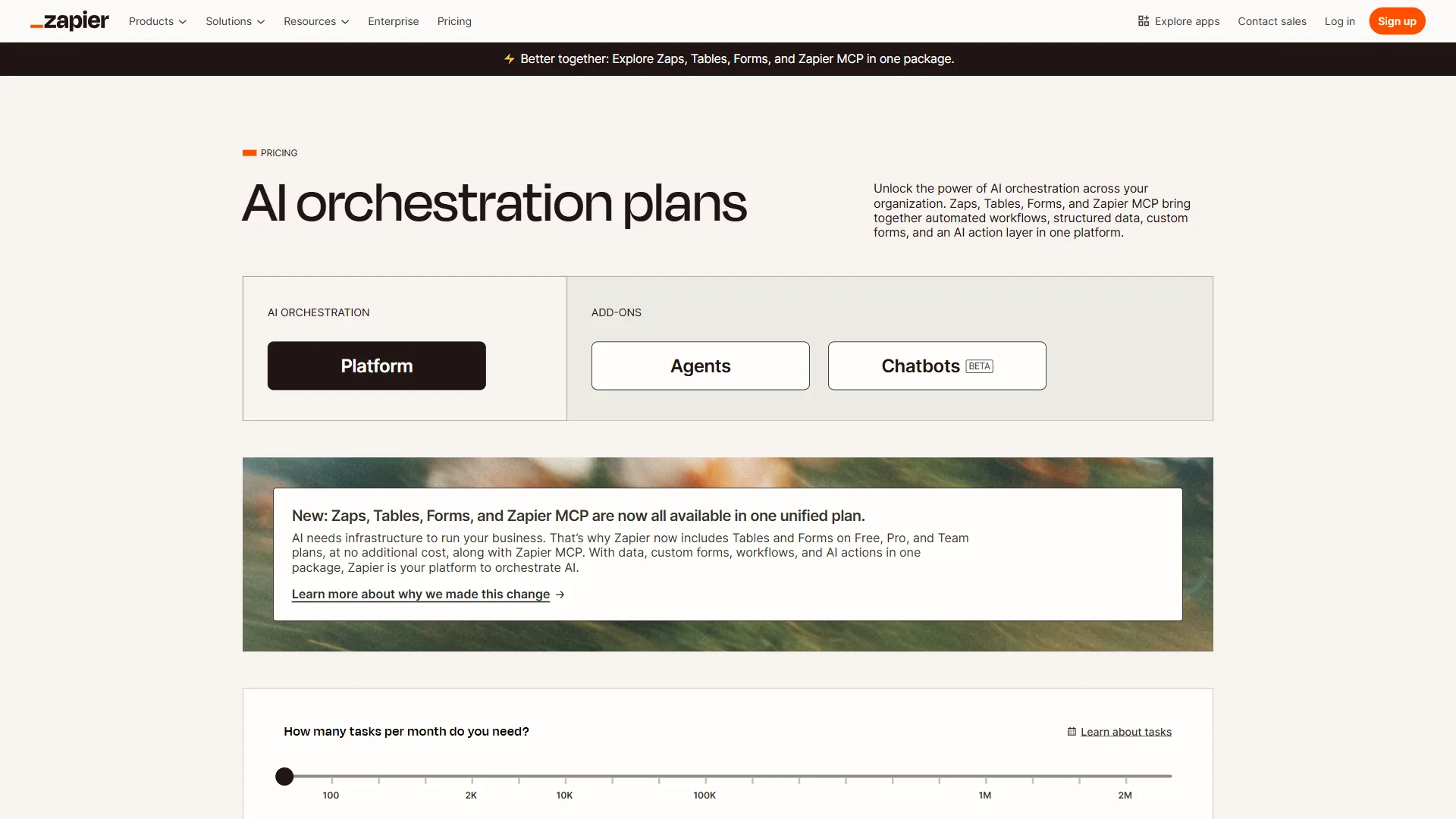
| Plan | Monthly | Annual (per month) | Key Limits |
|---|---|---|---|
| Free | $0 | $0 | 100 tasks/month, 2-step Zaps only |
| Professional | $29.99 | $19.99 | 750+ tasks/month, multi-step Zaps |
| Team | $103.50 | $69 | 2,000+ tasks/month, unlimited users |
| Enterprise | Custom | Custom | Annual task allocation, SSO, governance |
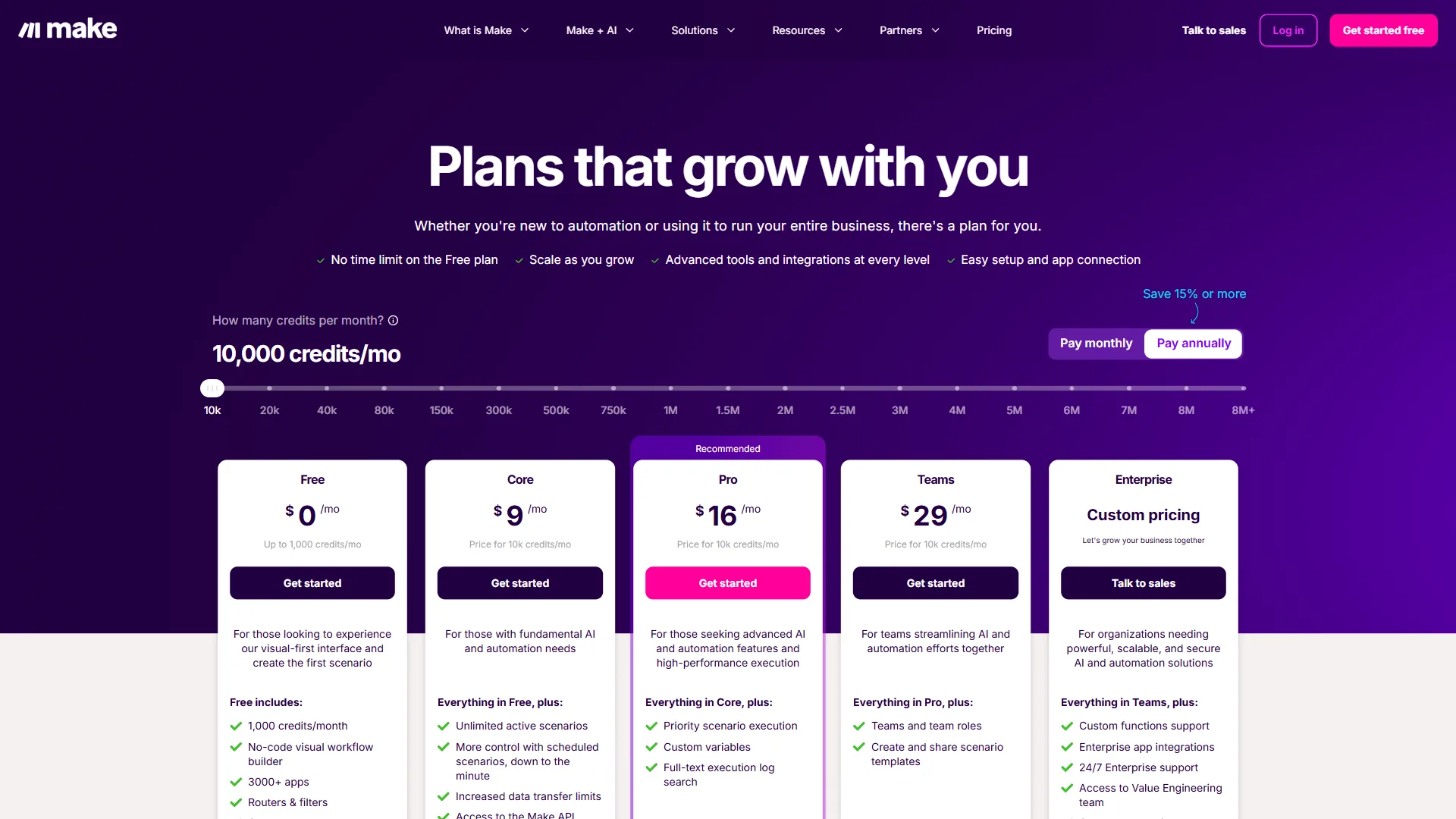
Make Pricing (February 2026)
| Plan | Monthly | Annual (per month) | Key Limits |
|---|---|---|---|
| Free | $0 | $0 | 1,000 ops/month, 15-min intervals |
| Core | $10.59 | $9 | Up to 300,000 ops/month |
| Pro | $18.82 | $16 | Up to 8 million ops/month, AI Agents |
| Teams | $34.12 | $29 | Pooled ops, collaboration, Maia AI |
| Enterprise | Custom | Custom | SSO, audit logs, dedicated support |
Cost at Scale: The Math That Matters
The headline numbers tell one story; cost-per-operation tells the real one. For a team running 10,000 automations per month:
- Zapier Professional covers 750 tasks at $29.99 per month. Reaching 10,000 tasks pushes costs to $73.50 per month or higher depending on volume tiers.
- Make Core covers up to 300,000 operations at $10.59 per month - this volume is handled easily on the cheapest paid plan.
A note on terminology: one Zapier “task” is a single action step that executes, as defined in Zapier’s pricing documentation. One Make “operation” is a single module execution, as Make’s pricing page explains. A 5-step workflow that runs once counts as 5 tasks on Zapier and roughly 5 operations on Make - the terminology differs, but Make still delivers dramatically more automation per dollar at virtually every volume level.
The free tier gap is equally telling. Zapier gives you 100 tasks/month with only 2-step Zaps; Make gives you 1,000 operations/month with unlimited steps, routers, and filters - 10x more room to experiment before paying anything.
The verdict on pricing: Make wins decisively. The cost savings range from 60-70% at moderate volumes to even more at high volumes. Zapier’s premium is the price of simplicity. The Zapier vs Make automation breakdown digs further into per-operation math.
AI Features: Zapier Agents vs Make AI
Tradeoffs on both sides: Zapier Agents are gated behind the $103.50 per month Team tier, which prices out solo users and small teams. Make’s AI Agents only entered beta in April 2026 and lack production-ready polish - skip Make for AI workflows if you cannot tolerate beta-quality tooling.
Both platforms have invested heavily in AI throughout 2025 and 2026. This is where the zapier vs make comparison is closest to a draw, though each takes a different approach.
Zapier’s AI Ecosystem
Zapier offers the more mature AI feature set:
- Zapier Agents (rebranded from Zapier Central in January 2026) - AI teammates that work autonomously across connected apps, handling multi-step tasks and making context-based decisions
- AI by Zapier app - multi-model support for OpenAI GPT, Anthropic Claude, Google Gemini, and Azure OpenAI with custom API keys
- AI-powered Zap suggestions - workflow optimizations recommended from your usage patterns
- Zapier Copilot (Enterprise) - an AI assistant for building complex workflows
The AI by Zapier app is production-ready and handles content generation, smart routing, summarization, and analysis inside Zaps. Zapier Agents require the Team tier ($103.50 per month), which prices out smaller users.
Make’s AI Direction
Make’s AI features are newer but ambitious:
- Make AI Agents (beta, April 2026) - autonomous agents that adapt workflows in real-time based on data patterns and business rules
- Maia AI - a natural language scenario builder that creates automations from plain English descriptions
- AI Content Extractor - processes PDFs, images, and audio with AI-powered summarization
- Custom AI provider connections on all paid plans - integrate GPT-4o, o3, Claude, and other models directly into scenarios
Maia AI is particularly impressive. Describe a workflow like “When a new Stripe payment arrives, add the customer to a Google Sheet and send a Slack notification” and Maia builds roughly 80% of the scenario; you fine-tune the remaining 20% visually. Make positions the assistant as a starting point rather than a finished build: “Maia is your AI sidekick in Make, built to help you create, optimize, and troubleshoot scenarios faster,” according to Make, the official vendor, in its Maia AI documentation.
The verdict on AI: Zapier’s AI is more polished and production-ready today; Make’s adaptive agent architecture may prove more powerful long-term. Neither platform’s AI features should be the sole deciding factor - both are actively evolving. Our best AI automation tools 2026 roundup tracks the AI-native rivals competing with both.
When to Choose Zapier
Who Zapier is not for: high-volume teams running 10,000+ tasks per month will burn cash on Zapier’s task-based pricing - skip Zapier if cost-per-operation is your top constraint. Its biggest drawback is the linear interface, hard to debug past 10 steps.
Zapier is the right choice where speed and simplicity outweigh cost optimization:
- Non-technical teams where marketing, sales, or operations staff build automations independently without training
- Businesses with diverse app stacks including niche or industry-specific tools likely covered by Zapier’s 7,000+ integration library
- Fast-moving startups that need same-day automation deployment using pre-built templates
- Teams that value simplicity over cost and prefer a gentle learning curve to upfront time investment
- Organizations wanting mature AI features that are production-ready today, including multi-model support and Zapier Agents
- Small teams with moderate volumes (under 2,000 tasks/month) where the cost premium is manageable
Zapier is also the safer choice where automation reliability is mission-critical. Founded in 2011, it processes billions of tasks monthly with documented 99.9% uptime; the official Zapier status page publishes near-real-time uptime metrics.
When to Choose Make
Who Make is not for: non-technical staff who need same-day automation and have no time to learn a flowchart canvas. Skip Make if you depend on niche app integrations - its 2,000+ catalog is the biggest limitation versus Zapier’s 7,000+ apps.
Make is the right choice where power, flexibility, and cost efficiency take priority:
- Teams building complex workflows with branching logic, conditional routing, parallel paths, or data transformations
- High-volume users processing 10,000+ operations monthly who need cost-effective scaling
- Visual thinkers and debuggers who want to see the entire workflow as an interactive flowchart rather than clicking through linear steps
- Technical-adjacent users comfortable investing 4-8 hours to learn a more capable platform
- Budget-conscious organizations where 60-70% cost savings at scale makes a material difference
- Teams outgrowing Zapier whose linear workflows have become unmaintainable or whose bills keep climbing
Make is also the better choice if your team plans to invest in AI-powered automation long-term. The visual canvas makes it easier to debug AI agent decisions, and the adaptive agent architecture (currently in beta) is a genuinely different approach to intelligent automation. The Make AI agents guide covers the setup.
Consider Using Both
Some teams run both: Zapier for simple, high-reliability workflows non-technical staff manage (form notifications, basic data sync), and Make for complex, high-volume automations technical staff own (multi-branch pipelines, data transformations). This hybrid costs slightly more but lets each platform play to its strengths. Our best workflow automation tools 2026 roundup covers other splits worth considering.
Frequently Asked Questions
Is Make really cheaper than Zapier?
Yes, significantly. Make’s Core plan ($10.59 per month) includes up to 300,000 operations; Zapier’s Professional plan ($29.99 per month) includes 750 tasks. Even accounting for the operations-vs-tasks difference - a 5-step workflow counts as roughly 5 operations on each platform - Make delivers far more automation per dollar. For high-volume users, the savings are 60-70%.
Can I migrate from Zapier to Make?
Yes, but there is no automatic migration tool - you rebuild workflows manually in Make’s visual editor. Budget 1-2 hours per complex workflow. The upside is that you often end up with better-designed automations, because Make’s visual canvas forces you to think about flow structure, error handling, and branching logic upfront.
Which platform has better uptime and reliability?
Both are reliable for production use. Zapier documents 99.9% uptime and has a longer track record - processing billions of tasks monthly since 2011. Make’s infrastructure is solid, and its November 2026 pricing update came with significant backend improvements. Zapier has a slight edge in proven reliability at massive scale.
What about n8n as an alternative to both?
n8n is worth considering if you want self-hosted, open-source automation. It offers visual workflow design similar to Make, with the benefit of running on your own infrastructure. The trade-off is that setup and maintenance require developer skills. For teams with technical resources who want full control and data sovereignty, n8n is a strong third option.
Which is better for AI-powered automations?
Zapier currently has more mature AI features with multi-model support (GPT, Claude, Gemini) and production-ready Zapier Agents. Make’s AI capabilities launched more recently - Make AI Agents debuted in beta in April 2026 - but the adaptive workflow concept is ambitious. If AI automation is your primary use case, Zapier is the safer bet today; if you want to experiment with cutting-edge adaptive agents, Make’s direction is compelling. The Zapier Agents announcement outlines what those agents can do today.
The Bottom Line
The bottom line on zapier vs make is that Zapier is the right one for the fastest path to automation and the widest app catalog, while Make is the right one for visual workflow control and 60-70% cost savings at scale. The zapier vs make decision comes down to a clear trade-off: simplicity and ecosystem breadth versus visual power and cost efficiency.
Zapier is the right choice if you want automation that works in minutes, have non-technical team members building workflows, or need niche app integrations. Its 7,000+ app ecosystem, intuitive linear interface, and proven reliability make it the lowest-friction path to automation - you pay a premium for that simplicity, but the time savings often justify the cost.
Make is the right choice if you build complex workflows, care about cost at scale, or want visual control over automation logic. At $10.59 per month for up to 300,000 operations, the value is hard to argue with - the 4-8 hour learning curve is real but manageable.
Recommendation for most teams: start with Make’s free tier (1,000 ops/month). If the visual canvas clicks, the value is clear; if the learning curve frustrates you, switch to Zapier. The best one is the one your team will actually use.
Related Reading
Related Reading collects the internal automation guides, alternatives, and use-case breakdowns that help you decide the best one between Zapier, Make, and their rivals.
- Best AI Automation Tools 2026
- How to Automate Email with AI
- Document Automation Guide
- Best Marketing Automation Tools 2026
- AI Tools for Small Business
- Zapier Review
- Make Review
External Resources
External Resources are the primary sources from Zapier and Make - official documentation, pricing pages, and community forums - that ground every claim in this comparison and answer the remaining “Should You Choose” or “value for money” questions readers ask.
- Zapier Blog - Official automation guides, templates, and product updates
- Make Blog - Platform tutorials and automation case studies
- Make Community Forum - User discussions, shared templates, and troubleshooting help