





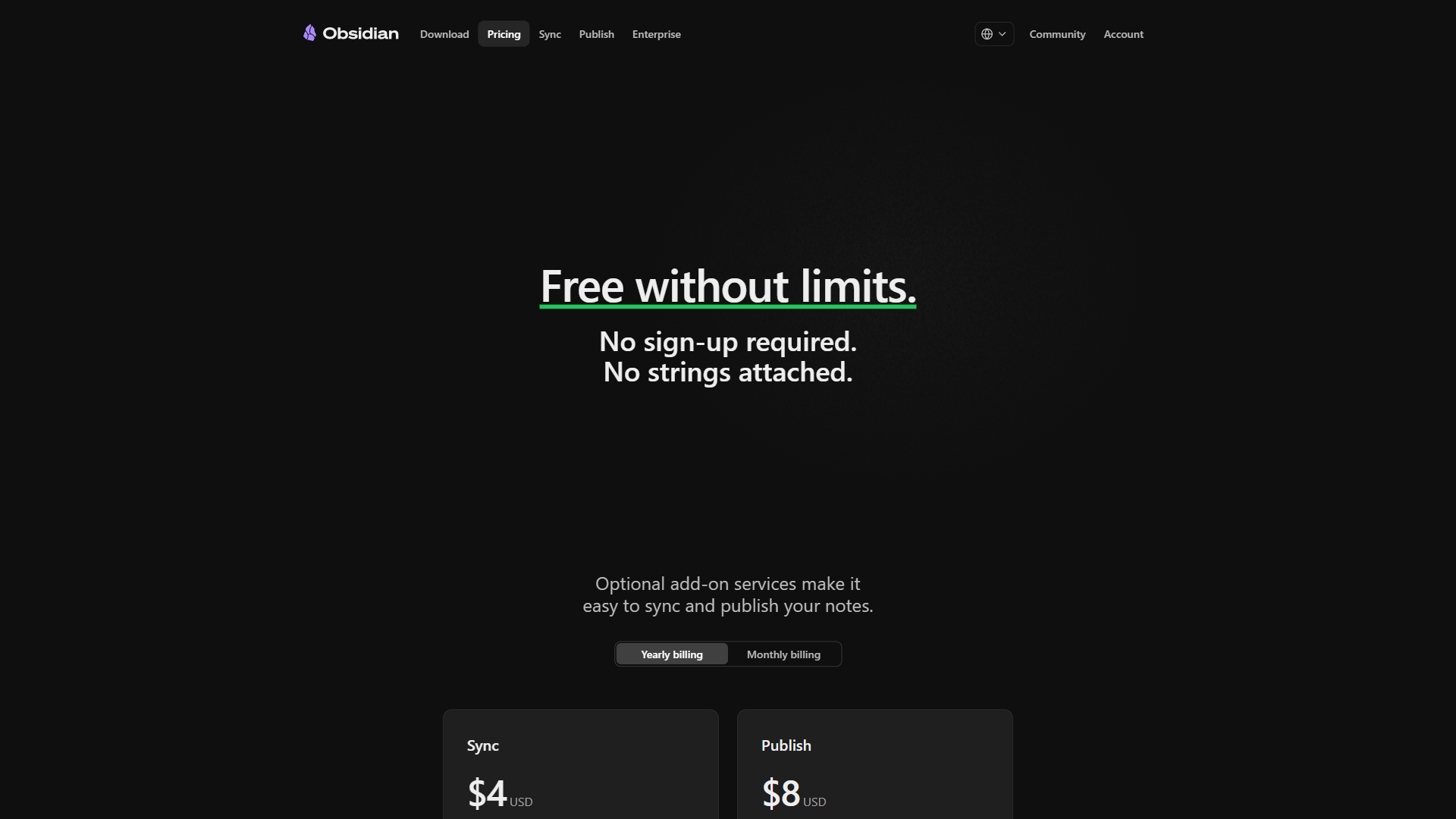
Obsidian pricing in 2026 starts at $0 - the core app is genuinely free for personal use with no feature restrictions, no sign-up, and no usage caps. Optional paid add-ons include Sync at $5 per month for cross-device access, Publish at $10 per month for web publishing, and a commercial license at $50 per user/year for business use. Knowing which add-ons are worth paying for is the key to getting maximum value from Obsidian.
The free tier is not a trial, not a limited version, and not a bait-and-switch. Every core feature - bidirectional linking, graph view, 2,690+ community plugins, canvas mode, and the new Bases feature - works without paying a cent. The paid add-ons solve specific problems many users handle through free alternatives.
Our analysis draws on Obsidian’s official pricing documentation, primary vendor sources, and independent third-party reporting; this guide contains affiliate links, but pricing analysis and recommendations are editorially independent.
What Is the Quick Verdict on Obsidian Pricing?
Here is every Obsidian plan and add-on as of March 2026:
| Plan/Add-On | Monthly Price | Annual Price | What You Get |
|---|---|---|---|
| Personal (Core App) | $0 | $0 | Full app, unlimited notes, all features |
| Sync | $5/mo | $4/mo ($48/yr) | Cross-device sync, E2E encryption, version history |
| Publish | $10/mo | $8/mo ($96/yr) | Publish notes as a website |
| Catalyst | N/A | $25+ one-time | Early access, badges, VIP Discord |
| Commercial License | N/A | $50/user/year | Required for companies with 2+ employees |
Is Obsidian’s Core App Really Free Forever?
Yes - Obsidian’s core app is free forever for personal, non-commercial use, with every feature included and no usage caps. According to Erica Xu, co-founder of Obsidian, “Obsidian is free to use for personal use, with no feature locks or time limits.” A February 2025 Hacker News discussion collected developer reaction when Obsidian became free for work at organizations under two employees, and the open-source Quartz static-site generator project documents how free Obsidian vaults can replace the paid Publish add-on entirely. The free tier covers what most knowledge workers need.
What is included at $0:
- Unlimited notes and vaults - No caps. Users with 50,000+ notes report no degradation.
- Bidirectional linking with automatic backlinks. The Obsidian linking documentation covers syntax.
- Graph view for visualizing note connections.
- 2,690+ community plugins - AI assistants, task managers, Kanban, Dataview, Excalidraw - all free.
- Canvas mode, Bases (database-like views), and a full Markdown editor conforming to the original Markdown specification by John Gruber.
- Local-first storage as plain
.mdfiles. No cloud dependency, no account, no lock-in.
What is NOT included for free: Cross-device sync, web publishing, and commercial use in organizations with 2+ employees.
Free-tier limitations: No built-in sync, no real-time collaboration, no admin controls; Markdown fluency is essentially required. Skip the free tier for teams needing WYSIWYG editing or out-of-the-box mobile sync.
Is Obsidian Sync Worth $5 per Month for Cross-Device Access?
Sync is Obsidian’s first-party solution for keeping notes updated across multiple devices at $5 per month ($4 per month billed annually).
What Sync includes:
- End-to-end encryption - Notes are encrypted before leaving your device. The Obsidian Sync security documentation details the implementation.
- Version history - View and restore previous versions of any note.
- 5 remote vaults - Up to 5 separate vaults, each with up to 10GB of storage.
- Shared vaults - Collaborate with others, though not real-time co-editing the way Google Docs handles it.
- Selective sync - Choose which folders or file types to sync per device.
- Priority support - Faster response from the Obsidian team.
Free alternatives that work: iCloud Drive (Apple users), Dropbox/Google Drive/OneDrive, Syncthing for peer-to-peer sync, or the Obsidian Git plugin for version-controlled syncing.
The Sync add-on’s pros and cons reduce to one tradeoff: pay $48 per year for zero-config encryption and version history, or take 30 minutes to wire up a free file-sync service. Pay for Sync when you want zero-config encryption, official support, version history without Git, shared vaults, or use both iOS and Android. Stick with free alternatives when iCloud works for you, the vault is mostly text, and basic conflict troubleshooting is acceptable.
Sync limitations: The 10GB per-vault cap restricts heavy-attachment vaults. Shared vaults do not support real-time co-editing - simultaneous edits conflict.
Obsidian Publish: $10 per month for a Note-Powered Website
Obsidian Publish costs $10 per month ($8 per month billed annually) and turns any Obsidian vault into a public website with built-in graph visualization, full-text search, and custom-domain support. It is delivered through the official Publish service.
What Publish includes:
- One-click publishing - Publish to a
publish.obsidian.md/your-siteURL. The Obsidian Publish guide covers setup. - Custom domain support - Point your own domain for a professional URL.
- Customizable theme - Colors, fonts, and layout, though more limited than a full CMS.
- Graph visualization on the web - Visitors can explore note connections, which is unique among publishing platforms.
- Full-text search and password protection for the entire site or specific pages.
Common Publish alternatives: Quartz (free open-source static site generator for Obsidian vaults), the Obsidian Digital Garden plugin via Netlify or Vercel, Hugo or Astro static generators, or Notion’s built-in public pages.
Pay for Publish when you want zero technical setup, the interactive web graph matters, you need password gating, or you value guaranteed uptime. Use alternatives when you have basic dev skills, need lower cost, or want features Publish lacks (comments, analytics).
Publish limitations: No built-in comments, no analytics dashboards, no e-commerce integrations, basic theme customization. Skip Publish for fully branded marketing sites or membership-gated content - WordPress, Ghost, or a static-site generator handle those better.
The Catalyst License: Supporting Development
Catalyst is a one-time donation starting at $25 that supports Obsidian’s development - it unlocks no app features. Donors get early access to insider builds, community badges in the official Obsidian forum and Discord, and a VIP Discord channel. Three tiers: Insider ($25), Supporter ($50), VIP ($100+). Skip Catalyst if the goal is feature unlocks; the money buys community access, not capabilities, and insider builds tend to be less stable than public releases.
Commercial License: $50 per user/Year
Obsidian’s commercial license costs $50 per user per year and is required for any organization with two or more employees using Obsidian for work-related purposes, making it one of the most affordable commercial licenses in the productivity-tool market. The official terms are documented on the Obsidian pricing page.
What the commercial license covers:
- Legal permission for commercial use in organizations with 2+ employees
- Priority support from the Obsidian team
- Bulk purchase options and a featured listing in Obsidian’s organization directory
How this compares to alternatives:
| Tool | Commercial Cost | What is Included |
|---|---|---|
| Obsidian | $50/user/year | License only (app is the same) |
| Notion Plus | $120/user/year | Cloud platform + collaboration |
| Logseq | Free (open source) | Full features, no commercial restriction |
| Roam Research | $180/user/year | Cloud platform + collaboration |
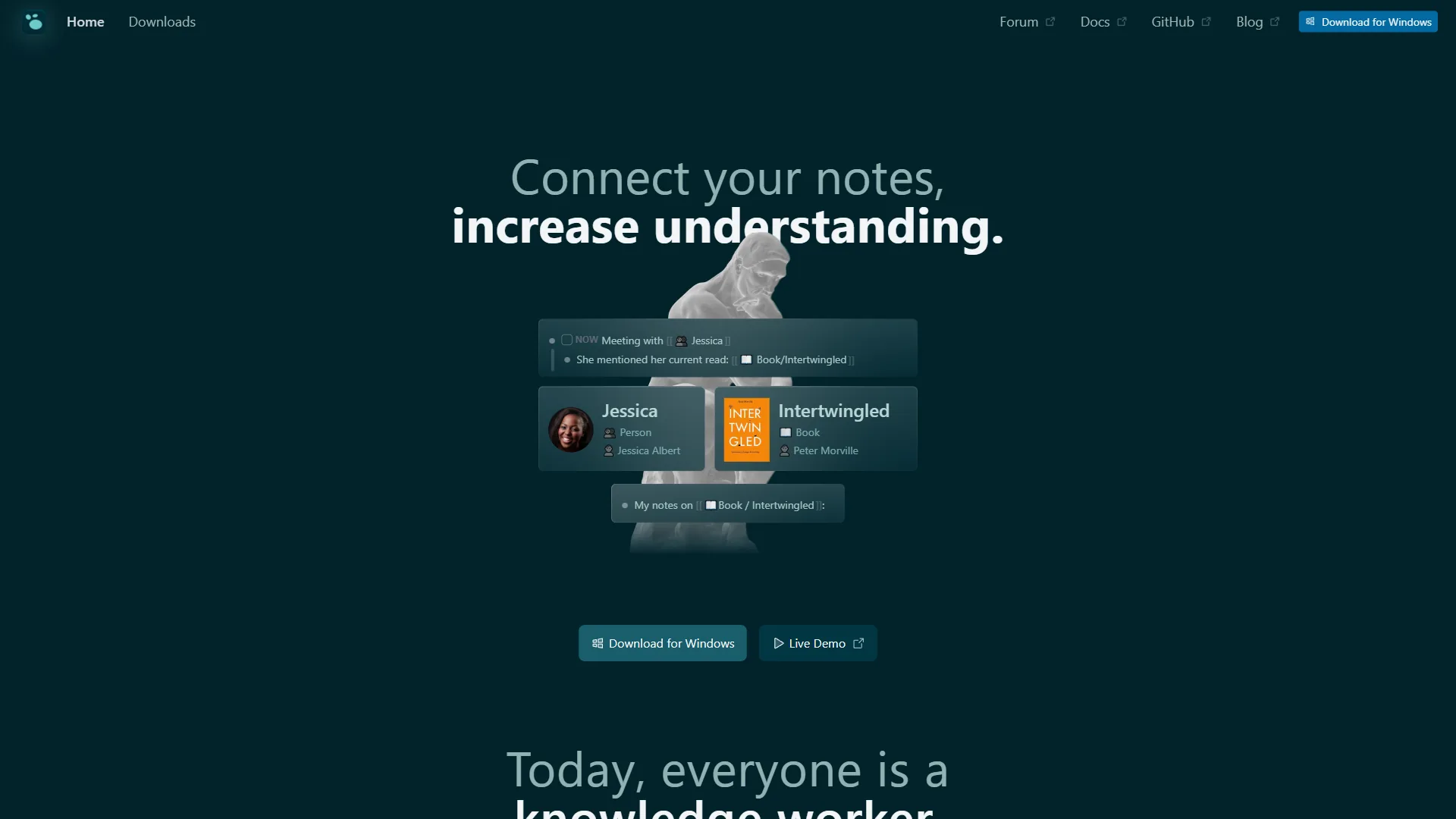
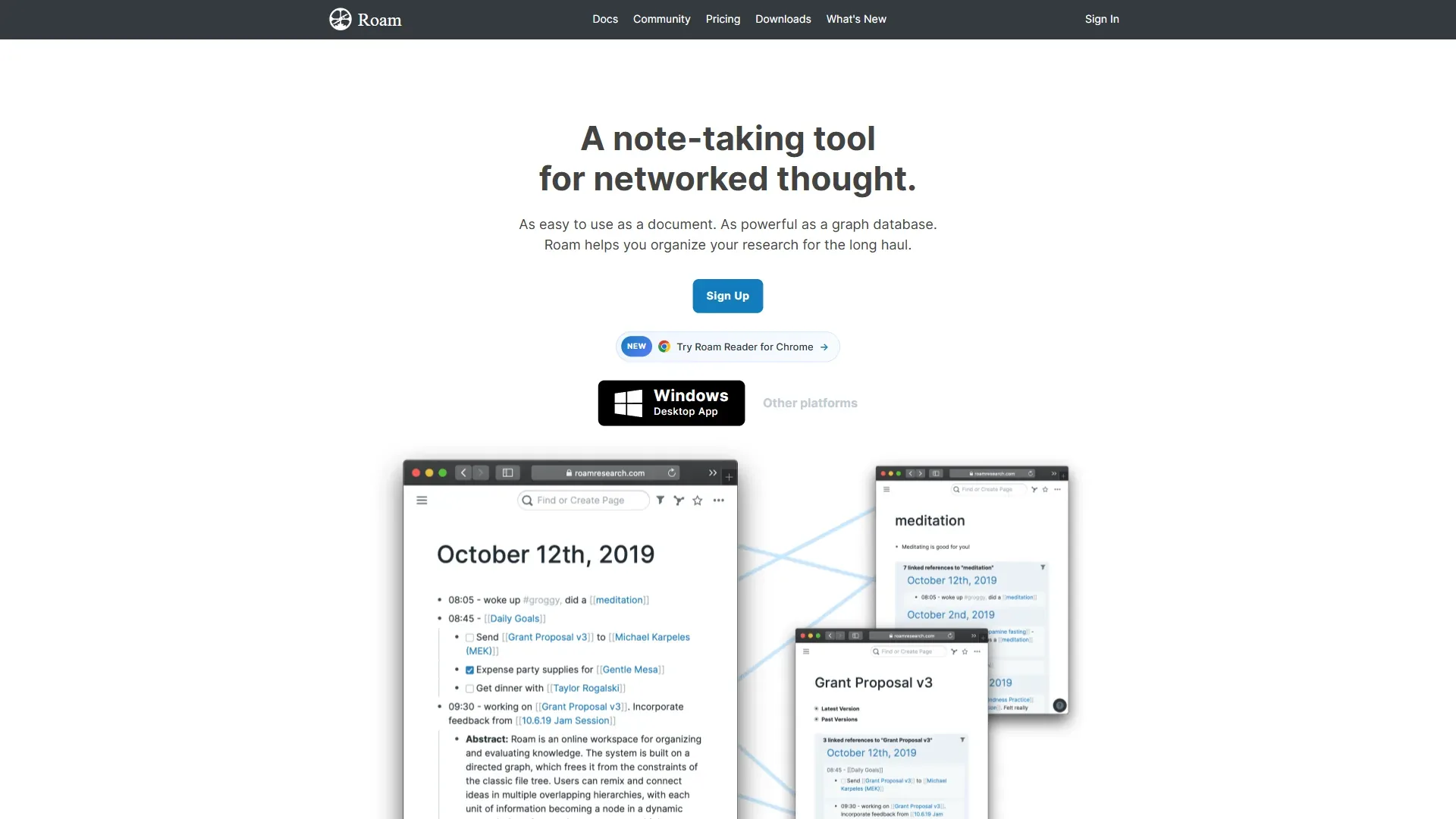
A 10-person team pays $500 per year total for Obsidian commercial licenses, versus $1,200/year for Notion Plus or $1,800/year for Roam Research.
Commercial-license limitations: It grants legal use rights but adds zero team-management features - no admin dashboard, no SSO, no SCIM provisioning, no audit logs, no centralized billing. Skip it if the team needs admin oversight, compliance reporting, or real-time collaboration; Notion or Confluence handle those properly.
Community Plugins: The Free Multiplier
Obsidian’s 2,690+ community plugins are all free and extend the app to cover use cases competitors charge for.
Plugins that replace paid tools:
| Plugin | Replaces | Paid Alternative Cost |
|---|---|---|
| Kanban | Trello / Asana boards | $5-$10/mo |
| Dataview | Notion databases / Airtable queries | $10-$20/mo |
| Tasks | Todoist / TickTick | $4-$6/mo |
| Excalidraw | Miro / FigJam whiteboarding | $8-$15/mo |
| Smart Connections | AI search and recommendations | $10-$20/mo |
| CoPilot | ChatGPT/Claude in your notes | $20/mo |
| Templater | TextExpander / snippet tools | $3-$5/mo |
Commonly used Obsidian plugins exceed $50 per month in replacement value - all free. The tradeoff is setup and maintenance: plugins break with core updates, and quality varies.
AI plugins include Smart Connections, CoPilot for Obsidian, AI Assistant, and Smart Composer - each requires your own API key from OpenAI, Anthropic, or local models. Light usage runs $2-$5 per month in API credits. See our best AI writing tools roundup for standalone alternatives.
Plugin limitations: Quality varies, no central support, and 30+ active plugins slow startup. Avoid plugin sprawl if reliability matters more than flexibility.
How Does Obsidian Pricing Compare to Notion?
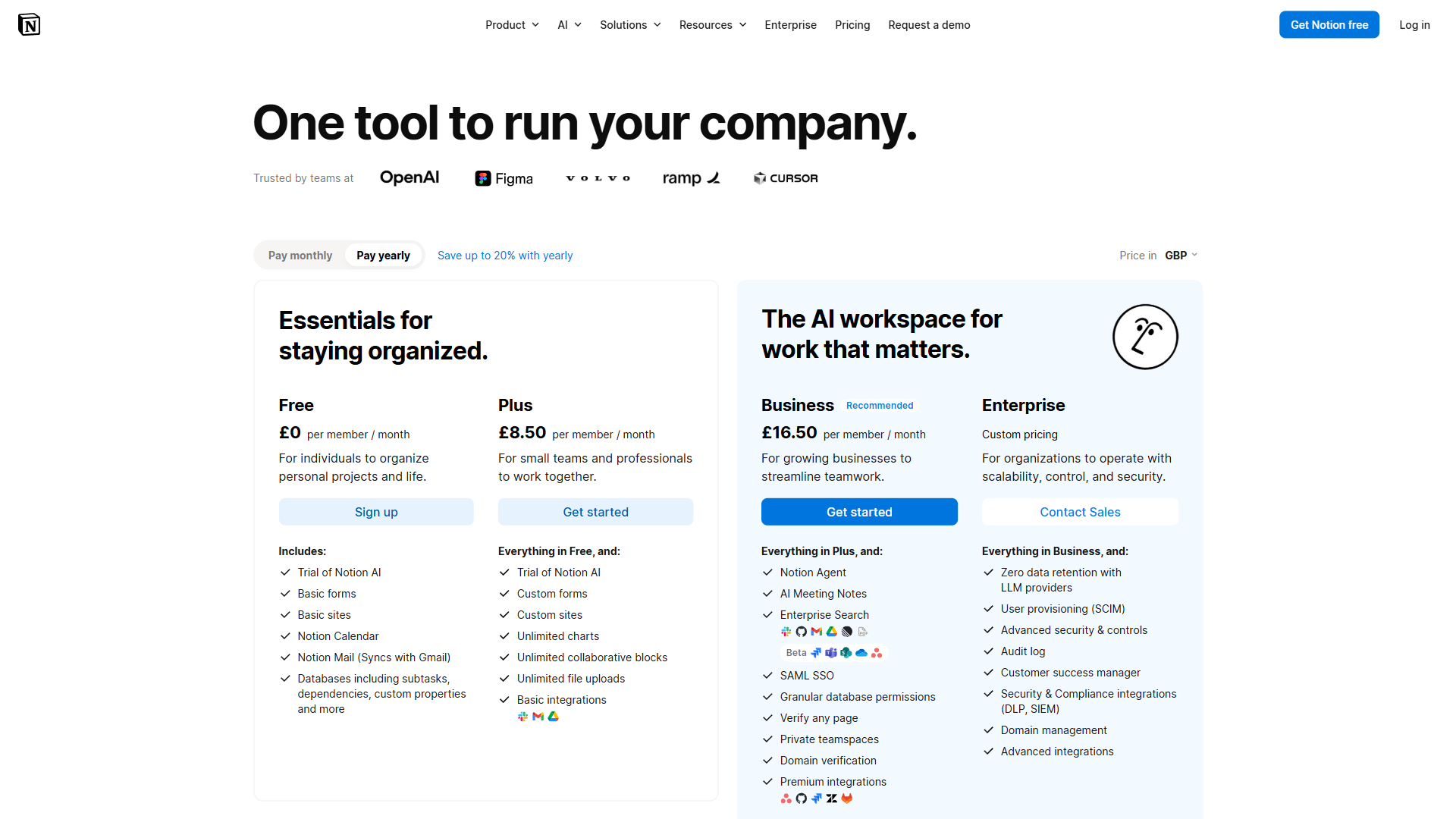
Notion is Obsidian’s most frequently compared alternative, with sharply different pricing models:
| Scenario | Obsidian Cost | Notion Cost | Difference |
|---|---|---|---|
| Solo user, one device | $0 | $0 | Even |
| Solo user, multi-device sync | $0 (iCloud) or $48/yr (Sync) | $0 (cloud-native) | Notion saves $0-$48/yr |
| Solo user + AI features | $0 + ~$30-60/yr (API keys) | $180/yr (Business plan required) | Obsidian saves $120-$150/yr |
| Small team (5 users) | $490/yr (commercial + Sync) | $600/yr (Plus) or $900/yr (Business) | Obsidian saves $110-$410/yr |
| Publishing notes to web | $96/yr (Publish) | $0 (built-in public pages) | Notion saves $96/yr |
Key non-price differences: Obsidian stores notes locally as Markdown (full data ownership); Notion stores everything in its cloud. Notion wins on real-time collaboration and approachability. Obsidian wins on offline access and Markdown fluency. The Craft note-taking app sits between the two for design-first users. Our best note-taking apps 2026 roundup compares both alongside Craft and Bear.
Best Picks by Use Case
The best Obsidian pricing combination is $0 for solo single-device users, $48 per year (Sync) for multi-device knowledge workers, $96 per year (Publish) for digital-garden publishers, and $50 per user per year (commercial license) for businesses with two or more employees. Match your situation to the right combination:
Free core app only ($0) - best for: Students and academics - see best AI tools for students - single-device writers, and anyone syncing via iCloud, Dropbox, Syncthing, or Quartz for publishing.
Core app + Sync ($48 per year) - best for: Multi-device knowledge workers, users wanting zero-config encrypted sync, small-group shared-vault collaboration, and anyone valuing official support.
Core app + Publish ($96 per year) - best for: Digital-garden enthusiasts, teachers distributing course materials, researchers publishing findings, and users wanting zero-setup web publishing with graph view.
Core app + Sync + Publish ($144 per year) - best for: Content creators writing across devices and publishing to the web, consultants maintaining public knowledge bases, and power users wanting the complete Obsidian experience.
Core app + Commercial License ($50 per user/year) - best for: Companies with 2+ employees and teams wanting the cost advantage over Notion or Roam.
Annual billing: Sync and Publish both offer a 20% annual discount ($12/yr and $24/yr saved respectively).
The Bottom Line
Obsidian’s pricing model is the most affordable in serious note-taking: the core app is genuinely free with no feature restrictions, Sync runs $4/month annually, Publish runs $8/month annually, and the commercial license is $50 per user/year - none of the add-ons are essential given the free alternatives. The most common mistake is assuming Sync is required for multi-device use; iCloud, Dropbox, Syncthing, or Git cover the majority of users. Pay for Sync only if end-to-end encryption, version history, or zero-config shared vaults specifically matter.
For teams comparing Obsidian to Notion or Roam Research, the cost savings are significant but collaboration limitations are real. Obsidian is a personal knowledge management tool that can be used in teams, not a team collaboration tool with personal features. Check out the full Obsidian review for features, ratings, and use cases beyond pricing.
FAQ
Q: How much does Obsidian cost?
The Obsidian app itself is $0 per month for personal use. Optional add-ons run $4-$10 per month: Sync is $5 per month billed monthly or $4 per month billed annually, and Publish is $10 per month billed monthly or $8 per month billed annually.
Q: Is Obsidian 100% free?
Yes - the core Obsidian app is genuinely free for personal use, with no feature restrictions, no time-limited trial, and no ads. All 2,690+ community plugins are also free. You only pay if you add the optional Sync or Publish services, or use Obsidian commercially (Catalyst license, $50 per year).
Q: How much is Obsidian Sync per month?
Obsidian Sync is $5 per month billed monthly or $4 per month billed annually (a 20% discount). It gives you end-to-end encrypted sync across all your devices, one year of version history, and shared vault support.
Q: Do I need Obsidian Sync to use the app on multiple devices?
No. Free alternatives include iCloud, Dropbox, Google Drive, Syncthing, and Git. Sync is a premium convenience: faster setup, end-to-end encryption, and version history without the manual configuration these free options require.
Q: How does Obsidian pricing compare to Notion?
Obsidian is dramatically cheaper for personal use ($0 vs Notion’s $10+ per month for the Plus plan) but has fewer team-collaboration features. For solo PKM users, Obsidian wins on cost. For teams that need real-time co-editing and shared workspaces, Notion’s higher price buys collaboration capabilities Obsidian does not offer.
Related Reading
Related Obsidian pricing coverage on AI Productivity includes the full Obsidian tool review, side-by-side comparisons with Notion and Logseq, and the essential plugin stack that extends the free tier:
- Obsidian Review: Full Tool Overview - In-depth look at features, ratings, and use cases
- Notion Review - Full overview of Notion’s features, pricing, and collaboration capabilities
- Logseq Review - Overview of the open-source outliner and knowledge management tool
- Roam Research Review - In-depth look at the pioneering networked thought tool
- Obsidian vs Notion: Which Note-Taking App Wins in 2026? - Detailed head-to-head comparison beyond pricing
- Obsidian vs Logseq: Which PKM Tool Is Right for You? - Local-first alternatives compared
- Best Obsidian Plugins for Productivity 2026 - The essential plugin stack
- Best Note-Taking Apps 2026: Craft vs Notion vs Obsidian - Broader comparison across the category
External Resources
The following primary-source vendor documentation provides authoritative pricing details, feature lists, and terms-of-service language that this guide relies on:
- Obsidian Official Pricing Page - Current plan details and add-on costs
- Obsidian Sync Details - Full feature breakdown for the Sync add-on
- Obsidian Publish Details - Publishing features and examples