



Logseq is the better choice for solo, privacy-first personal knowledge management, while Notion is the better choice for team workspaces and structured project databases. Logseq is built on the idea that knowledge is a graph - ideas connect to other ideas, and those connections are as valuable as the ideas themselves. Notion is built on the idea that information needs structure - databases, tables, hierarchical pages, and templates that impose order from the start. The Logseq vs Obsidian debate is a separate but related question for PKM users who prefer a local-first, graph-based approach over Notion’s structured workspace.
Our analysis draws on each vendor’s current pricing and feature documentation, the open-source Logseq repository, and independent PKM-community research rather than sponsored placement. AI Productivity may earn a commission from links on this page; our rankings are editorially independent.
Both tools are free to begin, and both take notes. Beyond that, the philosophies diverge completely. Many users split their workflow between both - Logseq for personal research and daily journaling, Notion for project documentation and team wikis.
Comparison Table: Logseq vs Notion
Logseq is free forever for the desktop app with an optional $5-per-month sync, while Notion is free for individuals but charges $10 to $15 per seat per month for team plans.
| Feature | Logseq | Notion |
|---|---|---|
| Rating | ||
| Free tier | Full app, always free | Unlimited pages for individuals |
| Paid pricing | Sync $5/mo (optional) | Plus $10/seat/mo, Business $15/seat/mo |
| Primary use case | Personal knowledge management, research | All-in-one workspace for teams |
| Collaboration | Limited (in development) | Excellent (real-time, built-in) |
| Graph view | Yes - core feature | No |
| Offline / local-first | Yes - data stored locally by default | Limited (cloud-first, cached offline) |
| AI features | Plugin ecosystem (not built-in) | Notion AI add-on ($8/seat/mo) |
Quick verdict: Choose Logseq for personal knowledge management, research workflows, and privacy-first solo use. Choose Notion for team collaboration, structured databases, and all-in-one project management.
What Is Logseq?
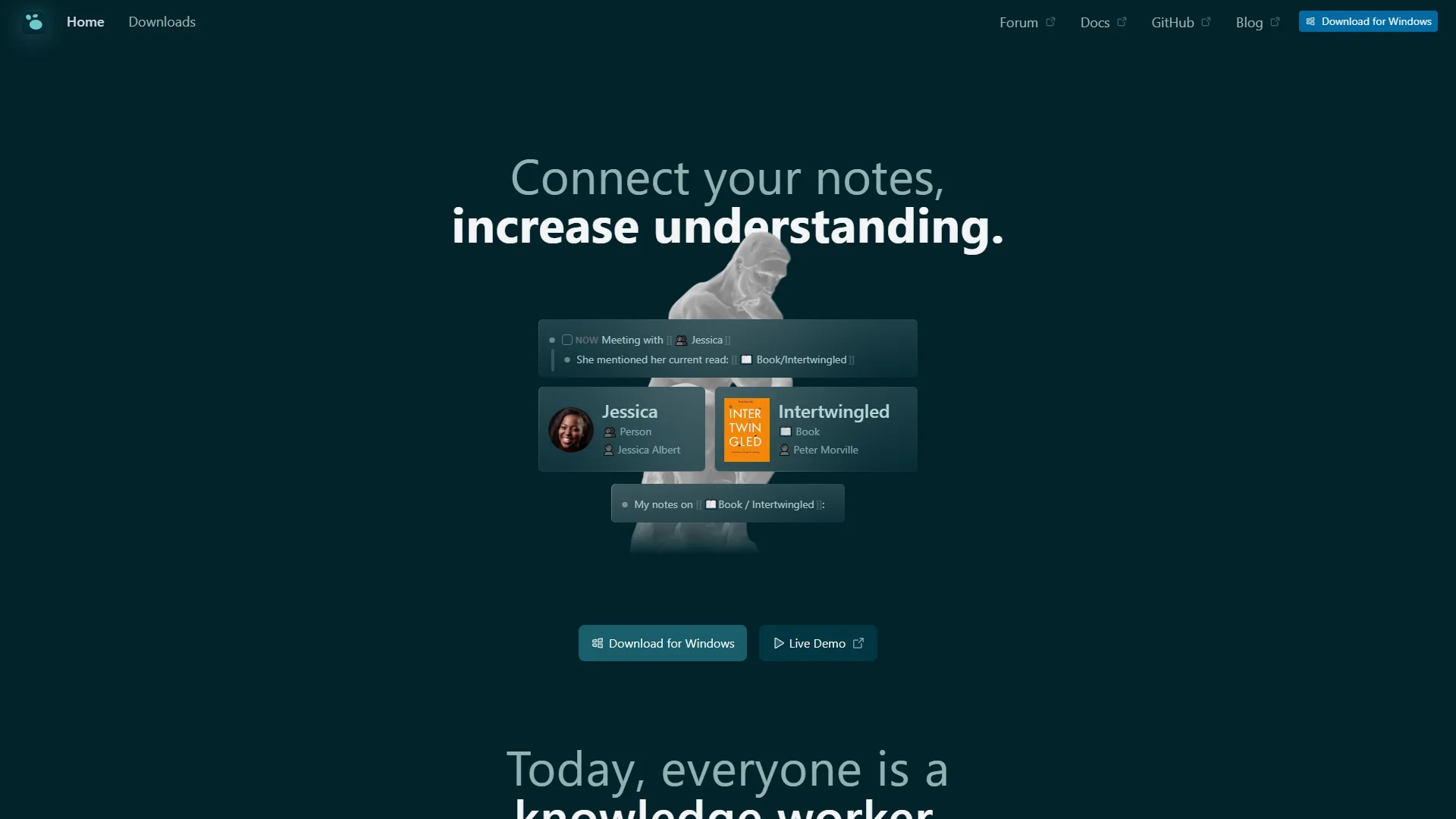
Logseq is a graph-based knowledge management application built on an outliner model. Everything in Logseq is a block - a paragraph, a to-do item, a header, a line of code. Blocks can be nested, referenced from anywhere in your graph, and linked bidirectionally. When you write [[Project Alpha]] in any note, Logseq automatically creates a backlink in the Project Alpha page - no manual linking required.
Logseq stores everything locally as plain Markdown files. Your knowledge database lives in a folder on your hard drive, not on someone else’s server. Sync is handled through third-party services (Git, Dropbox, iCloud) or Logseq’s own sync service at $5 per month, and the Logseq Android and iOS apps support the same local-first model for mobile note capture. An official Logseq DB version is in active development, adding relational database capabilities while preserving the local-first architecture - progress tracked openly on the Logseq GitHub repository.
Key Logseq features:
- Bidirectional linking between pages and blocks
- Graph view of knowledge connections as an interactive network
- Built-in daily journal as the default capture entry point
- Block references - embed any block inside any other note
- PDF annotation inside the app
- Queries (SQL-like) to filter and aggregate across your graph
- 200+ plugin ecosystem for AI integrations and custom workflows
- Whiteboards for visual thinking (Logseq Draw)
- Local-first plain Markdown storage with no vendor lock-in
- Task management with priorities, deadlines, and scheduled dates
The defining characteristic of Logseq is its outliner-first approach: pages contain nested bullet points, not paragraphs. Every sentence lives in a block that can be referenced, linked, embedded, and queried from anywhere.
Limitations and who it’s not for: Logseq’s tradeoffs are weak real-time collaboration (in active development), an outliner-only model some find restrictive for long-form prose, no built-in AI, a learning curve around block references and queries, and mobile apps that lag desktop. Skip Logseq if you need polished team collaboration, prefer page-based writing, or want native AI without plugins.
What Is Notion?
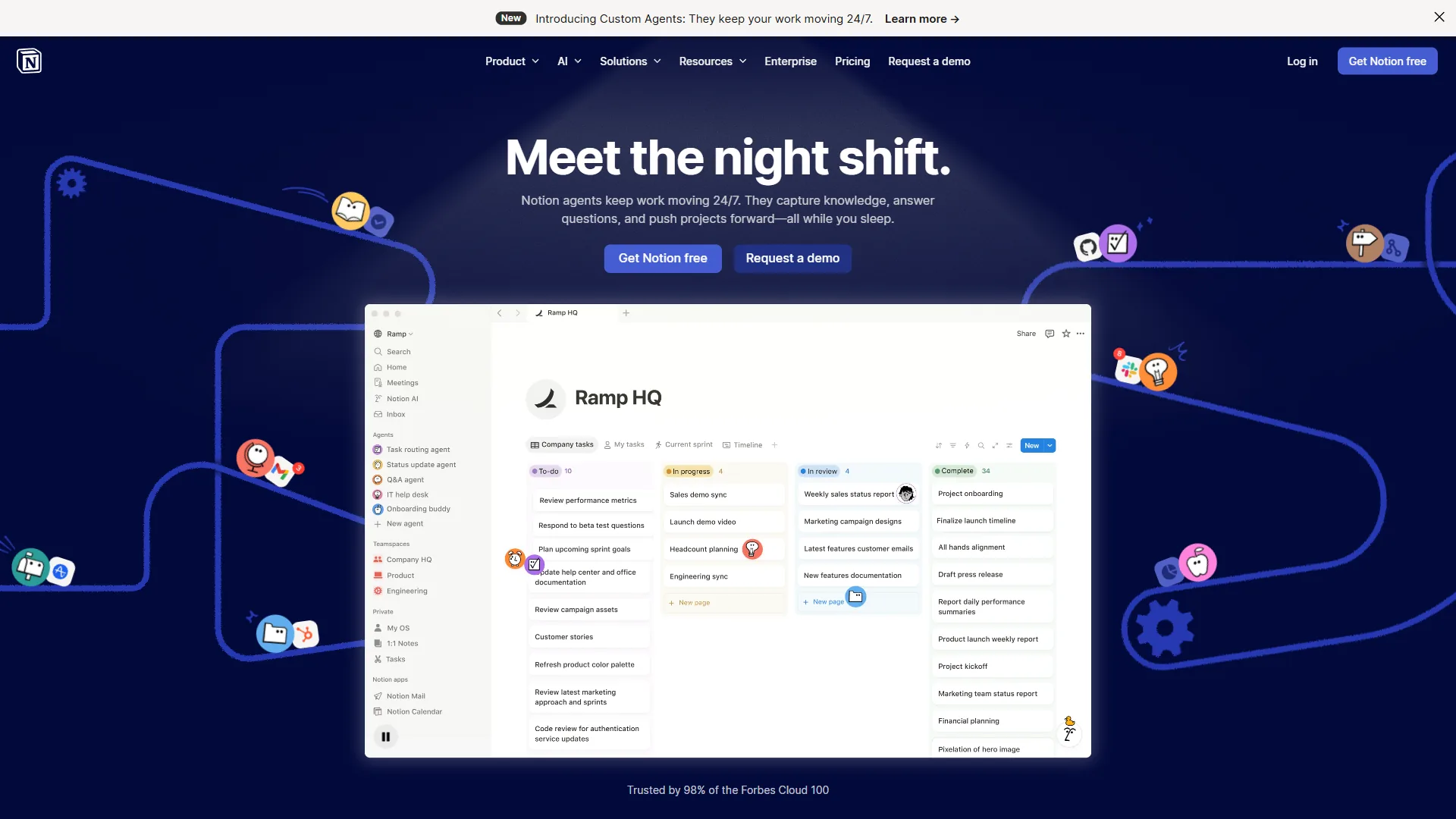
Notion is an all-in-one workspace where pages can contain anything - rich text, databases, kanban boards, timelines, embedded videos, code blocks, and linked sub-pages. The power of Notion is structural: you define the shape of your information and Notion enforces it consistently. A single Notion workspace can function as a project tracker, knowledge base, team wiki, editorial calendar, and light CRM simultaneously.
Notion is cloud-first and collaboration-first. A free plan works well for individuals, but the Plus tier at $10 per seat per month (billed annually) unlocks the features most teams need. Notion AI is a separate add-on at $8 per seat per month bundled with a workspace plan, adding writing assistance, summarization, and workspace querying.
Key Notion features:
- Relational databases with table, kanban, gallery, timeline, and calendar views
- Real-time collaboration with comments, mentions, and revision history
- 1,000+ templates for projects, wikis, content calendars, and personal use
- Notion AI for drafting, summarizing, translating, and workspace Q&A
- Public page publishing - any page becomes a shareable site in one click
- API for custom integrations and automations
- Polished iOS and Android apps with reliable cross-device sync
- Granular permissions for team members, guests, and public visitors
Limitations and who it’s not for: Notion’s drawbacks include cloud-only storage with no end-to-end encryption, growing per-seat costs ($1,200+/year for a 10-person team before AI), limited offline access, and a separate $8-10/seat AI add-on. Workspaces drift into chaos without intentional structure. Skip Notion if data sovereignty matters, offline-first reliability is critical, or you want emergent organization.
Methodology: How These Tools Diverge on PKM
Logseq and Notion diverge on PKM because Logseq treats knowledge as an emergent graph of bidirectional block links, while Notion treats knowledge as predefined relational databases and structured pages. The two tools reflect fundamentally different theories about how knowledge should be organized.
Logseq’s approach - emergent structure: You write freely, linking ideas as they occur. Over time, patterns emerge from your connections and the graph view reveals which ideas cluster and which bridge different domains. Structure is not imposed - it grows organically. This suits researchers, writers, and anyone connecting ideas across disciplines.
Notion’s approach - imposed structure: You design the structure first, then fill it in - the right database fields, views, and templates. Done well, Notion surfaces exactly the information you need, when you need it. This suits project managers, operations teams, and anyone managing structured, recurring information.
Neither approach is wrong. They suit different cognitive styles and genuinely different use cases.
Feature-by-Feature: Daily Journaling
Logseq wins daily journaling out of the box because it opens to today’s journal page by default, while Notion requires building a database, template, and filtered view first. The daily journal is the entry point for everything - quick notes, tasks, meeting summaries, fleeting ideas. Every journal entry is linked backward and forward in time, and every mention of a topic in any journal entry shows up in that topic’s backlinks section automatically.
This journal-first workflow is Logseq’s signature strength for personal use. It removes friction from capture entirely. You open the app, start typing, and link to relevant pages as you go. Over months, your journal becomes a searchable, interconnected graph of your thinking, research, and daily work.
Notion can absolutely support a daily journal, but you have to set it up first. Create a database with a date property, build a template with the right sections, configure a filtered view showing only today’s entry. It works well once built, but it requires intentional design rather than being the default workflow out of the box.
Feature-by-Feature: Knowledge Graphs and Bidirectional Links
Bidirectional links are Logseq’s most distinctive feature. When you write [[Page Name]], the reference appears in that page’s “Linked References” section automatically - every mention surfaces where it is relevant without manual curation.
Block references take this further: you can embed any block - not just a page - into any other note. The referenced content stays live, so updating the original updates every reference.
Notion has a “Backlinks” feature that shows other pages linking to the current page, but it is secondary - not the primary organizational model. There is no graph view and no block-level transclusion.
Feature-by-Feature: Databases and Structured Information
Notion wins databases and structured information decisively because its relational tables, multi-view kanban or calendar layouts, formulas, and rollups outclass Logseq’s query-based approach. Notion databases are genuinely powerful:
- Multiple view types for the same underlying data: table, kanban, calendar, gallery, and timeline
- Formula fields for calculated properties based on other fields
- Rollups to aggregate data from linked databases across your workspace
- Filters and sorts on any property, saved as persistent views
- Linked database views that show filtered slices of any database on any page
Logseq is building database capabilities into its new DB version, currently in active development. The existing Logseq supports property-based queries that can surface and aggregate information from across your notes - similar in spirit to databases but more like structured search than relational tables. Queries are powerful once you learn them, but require more technical investment than Notion’s drag-and-drop interface.
If you need robust databases today, Notion wins this category without question. Logseq’s database features are promising but not production-ready for most structured data workflows.
Feature-by-Feature: Collaboration
Notion was built for teams from the ground up. Real-time collaboration, page permissions, guest access, comment threads, and full revision history make it one of the best collaborative workspace tools available. Multiple people can edit the same page simultaneously, leave inline comments, and assign action items - all from a polished, reliable interface.
Logseq collaboration is in active development but not there yet for most teams. The local-first architecture means there is no built-in real-time sync between collaborators by default. Teams can share a Logseq graph via Git (technical, requires familiarity with version control) or use the sync service with shared workspaces (limited capability). For teams working together on shared documentation daily, Logseq is currently not the right tool.
Pricing
Logseq costs zero dollars for the desktop app and five dollars per month for optional cross-device sync, while Notion costs zero for individuals, ten dollars per seat per month for Plus, and fifteen dollars per seat per month for Business. According to Ivan Zhao, co-founder and CEO at Notion, “We want to make software toolmaking ubiquitous so that anyone can shape software the way they shape documents.”
Logseq pricing:
- Desktop app: Free forever, all core features included
- Logseq Sync: $5 per month (cross-device sync with end-to-end encryption)
- Self-sync via Git, Dropbox, or iCloud: Free (uses services you already have)
- Open-source codebase: Free to self-host and audit
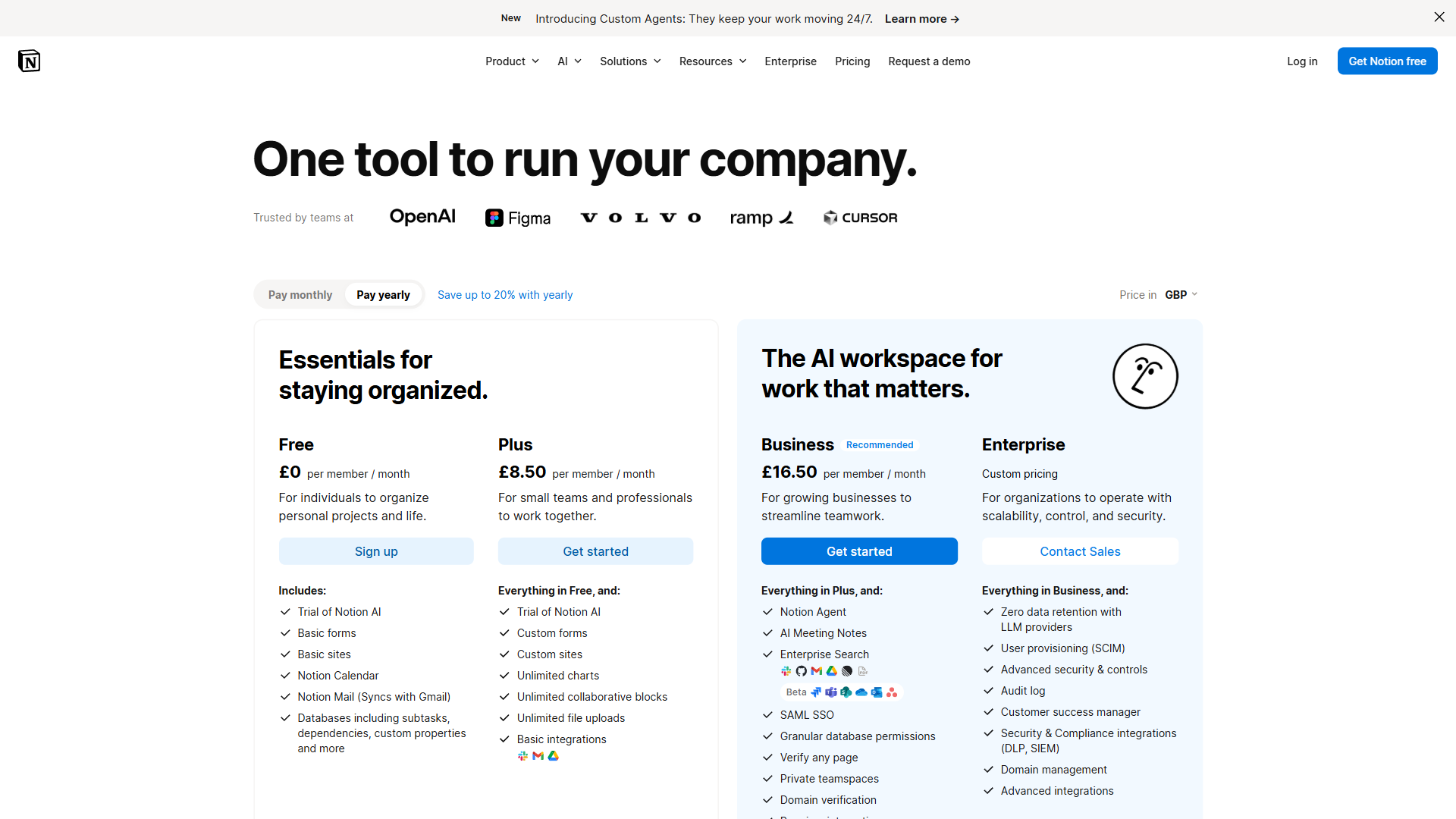
Notion pricing:
- Free: Unlimited pages for individuals, limited collaboration features
- Plus: $10 per seat per month (billed annually), or $12 billed monthly
- Business: $15 per seat per month (billed annually)
- Enterprise: Custom pricing with advanced security and compliance
- Notion AI add-on: $8 per seat per month bundled, $10 standalone
For individual users, both tools are free - though Logseq requires no account at all, while Notion requires signup. For teams, Notion’s costs scale quickly. A 10-person team on the Plus plan runs around $1,200 per year before adding Notion AI. Logseq’s team pricing, when finalized, is expected to be meaningfully lower.
Feature-by-Feature: Privacy and Data Ownership
Privacy is where the logseq vs notion gap matters most for certain users.
Logseq stores everything locally on your device as plain Markdown files. Your notes never touch a third-party server unless you explicitly choose to sync them. The optional Logseq Sync service uses end-to-end encryption, meaning not even Logseq can read your notes. The open-source codebase can be audited by anyone at any time. For researchers handling sensitive data, journalists protecting sources, or anyone with genuine privacy needs, this architecture matters.
Notion is cloud-first. Your data lives on Notion’s servers. Notes are encrypted at rest and in transit, but Notion holds the encryption keys. Enterprise plans offer HIPAA compliance and regional data residency for regulated industries, but at a cost that puts them out of reach for most individual users and small teams.
Feature-by-Feature: AI Features
Both tools have AI capabilities with very different implementations.
Logseq and AI: Logseq has no built-in AI, but its plugin ecosystem includes ChatGPT, Claude, and other integrations. You bring your own API key and configure the plugin. The advantage is control - you choose the AI service and what data you send. Some users pair Logseq with local AI models for a fully private system.
Notion AI: Notion AI is a polished first-party feature that drafts pages, summarizes documents, translates content, extracts action items, and answers questions about your workspace. The integration quality outclasses any Logseq plugin today. The cost is $8 per seat per month on top of a paid workspace plan.
If built-in, seamless AI is central to your workflow, Notion AI wins. If you are privacy-conscious or want local models, Logseq’s plugin approach is the better path.
Choose Logseq if
Logseq is the right choice if you need a free, local-first, graph-based PKM tool for solo research, daily journaling, and privacy-sensitive notes.
Choose Logseq if:
- You are a researcher, writer, or student connecting ideas across disciplines
- A journal-first daily capture workflow matches how you think
- Privacy and local data ownership are non-negotiable
- You want to visualize how ideas connect over time
- Bottom-up, emergent organization beats top-down structure for you
- Block-level references and bidirectional links match how your brain works
- You are comfortable with Markdown and a technical, customizable tool
- Your budget is zero and must stay that way
Choose Notion if
Notion is the right choice if you need a polished all-in-one team workspace with relational databases, real-time collaboration, and built-in AI assistance.
Choose Notion if:
- You work with a team and need reliable real-time collaboration
- You manage projects, tasks, or structured data that benefits from database views
- AI writing and summarization are part of your regular workflow
- You prefer designed structure over emergent self-organization
- You need a public-facing wiki that looks professional without effort
- Mobile access must be as reliable as desktop
- Templates and fast onboarding matter more than deep customization
- You are willing to pay for an all-in-one workspace
The Bottom Line
Logseq and Notion serve genuinely different kinds of thinking and work.
Logseq suits personal knowledge management for researchers, writers, and thinkers who value connection over top-down structure. Bidirectional links and the graph view reveal connections between ideas no folder hierarchy or database table surfaces.
Notion suits teams and project-focused workers who value structure and collaboration. No graph view replaces filtering 200 tasks by assignee, deadline, and status in one database, and no journal workflow replaces real-time collaborative editing for a distributed team.
Many productive people use both: Logseq for personal thinking and research capture, Notion for shared team projects. These tools solve different problems and serve different parts of a knowledge worker’s day.
FAQ
Q: What is better than Logseq?
Notion is the most common upgrade from Logseq for users who need team collaboration, robust databases, or a polished all-in-one workspace. For structured, recurring information and distributed teams, Notion outperforms Logseq significantly.
Q: Is Logseq better than Notion?
Logseq is better than Notion for solo PKM, daily journaling, and privacy-sensitive notes. Notion is better for teams, structured databases, and built-in AI.
Q: Is Notion overkill for personal use?
Notion is not overkill for personal use if you want templates and databases, but it requires setup. Logseq is friction-free for solo knowledge capture.
Q: Does Logseq work for team collaboration?
Logseq collaboration is in active development but not ready for most teams. The local-first architecture has no built-in real-time sync by default, and shared-graph options via Git or the sync service are limited. Notion is the more reliable choice for shared daily documentation.
Q: Is Logseq really free compared to Notion?
Logseq’s desktop app is free forever with all core features and no account required, with optional sync at $5 per month. Notion is free for individuals but scales quickly - a 10-person Plus team runs around $1,200 per year before Notion AI at $8 per seat per month.
Related Reading
Related reading covers deeper Logseq and Notion reviews, plus adjacent comparisons for privacy-first PKM and team workspaces.
- Logseq - Full breakdown of Logseq’s features, graph view, and PKM workflow
- Notion - In-depth look at Notion’s workspace, databases, and AI capabilities
- Joplin vs Notion - Another privacy-first open-source tool compared against Notion
- Roam Research Alternatives - Best alternatives for local-first PKM workflows
- Best Note-Taking Apps 2026 - Full roundup of note-taking and knowledge management apps across every use case
- Notion AI vs Coda AI: Which Workspace Wins in 2026?
External Resources
External resources include primary vendor documentation and the open-source repository where the Logseq DB version is being developed.
- Logseq Official Site - Documentation, the open-source repo, and development updates on the DB version
- Notion Pricing - Current plans, feature breakdown, and Notion AI add-on details
- Logseq Community Forum - Active discussions on PKM workflows, plugins, and the Zettelkasten method with Logseq
- Logseq GitHub Repository - Open-source codebase, issue tracker, and active development on the new DB version