


The four AI coding assistants worth adopting in 2026 are Cursor, GitHub Copilot, Claude Code, and Windsurf - each built for a distinct development workflow. AI-powered development tools have moved from novelty to necessity: more than 65% of professional developers use at least one AI coding assistant in their daily workflow, a shift that is reshaping the formation of coding skills and how AI coding skills are acquired on the job. The question is no longer whether to adopt, but which tool delivers the most value for your specific development style.
This guide puts Cursor, GitHub Copilot, Claude Code, and Windsurf through real production scenarios - mapping where each excels, what each actually costs once token usage is factored in, and which workflows fit best - covering the gaps most comparisons miss: ROI quantification, total cost modeling, workflow-to-tool mapping, and migration paths.
Our analysis draws on current vendor pricing and feature documentation, published research from GitHub and Anthropic, and independent developer surveys rather than sponsored placement. AI Productivity may earn a commission from links on this page; our rankings stay editorially independent.
Why the Future of AI Coding Assistants Matters Now
The future of AI coding assistants matters now because the tools have shifted from passive autocomplete to autonomous agents that ship working code, and the productivity gap between adopters and non-adopters is widening fast. The shift from autocomplete to agentic coding has happened faster than anyone predicted, and every recent AI coding productivity study points to the same trajectory in 10 years and beyond. In early 2024, AI coding assistants suggested single lines. By mid-2025, they were making multi-file refactors. In 2026, the best tools navigate entire codebases, run tests, fix failures, and ship pull requests with minimal human intervention.
“Developers who used GitHub Copilot completed the task significantly faster - 55% faster than the developers who did not use GitHub Copilot,” according to Eirini Kalliamvakou, senior researcher at GitHub, in the GitHub research on Copilot’s impact on developer productivity. A follow-up Anthropic research analysis of how AI assistance impacts the formation of coding skills found that agentic assistants change the way junior engineers learn architecture, not only the speed at which they ship code.
This matters for three reasons:
- Productivity gaps are widening. Developers using the right AI tools ship 2-3x faster than those who are not. Teams that delay adoption fall behind.
- Cost structures are shifting. A single developer with Claude Code or Cursor can now do work that previously required a team of three.
- The tools are diverging. Each assistant is developing distinct strengths - picking the wrong one leaves real productivity on the table.
Here is how the four leading tools compare across pricing, workflow fit, and measurable ROI.
How Do the 4 Leading AI Coding Assistants Compare?
The four leading AI coding assistants compare like this: Cursor is the most powerful AI-native IDE at $20 per month, GitHub Copilot is the cheapest and most widely supported at $10 per month, Claude Code is the strongest terminal agent for large refactors at $20 per month, and Windsurf is the budget pick at $15 per month.
| Feature | Cursor | GitHub Copilot | Claude Code | Windsurf |
|---|---|---|---|---|
| Rating | ||||
| Starting Price | Free (limited) | Free (2,000 completions) | Free tier | Free |
| Pro Price | $20/mo | $10/mo | $20/mo (Pro) | $15/mo |
| Team Price | $40/user/mo | $19/user/mo | $100/mo (Max) | $30/user/mo |
| Best For | Multi-file editing | IDE flexibility | Codebase-wide refactoring | Budget AI IDE |
| Approach | AI-native IDE | Plugin + agent | Terminal-based agent | AI IDE with Cascade |
| Agentic Mode | 8 parallel agents | Agent mode (preview) | Full agentic | Cascade agent |
Cursor: The AI-Native IDE Powerhouse
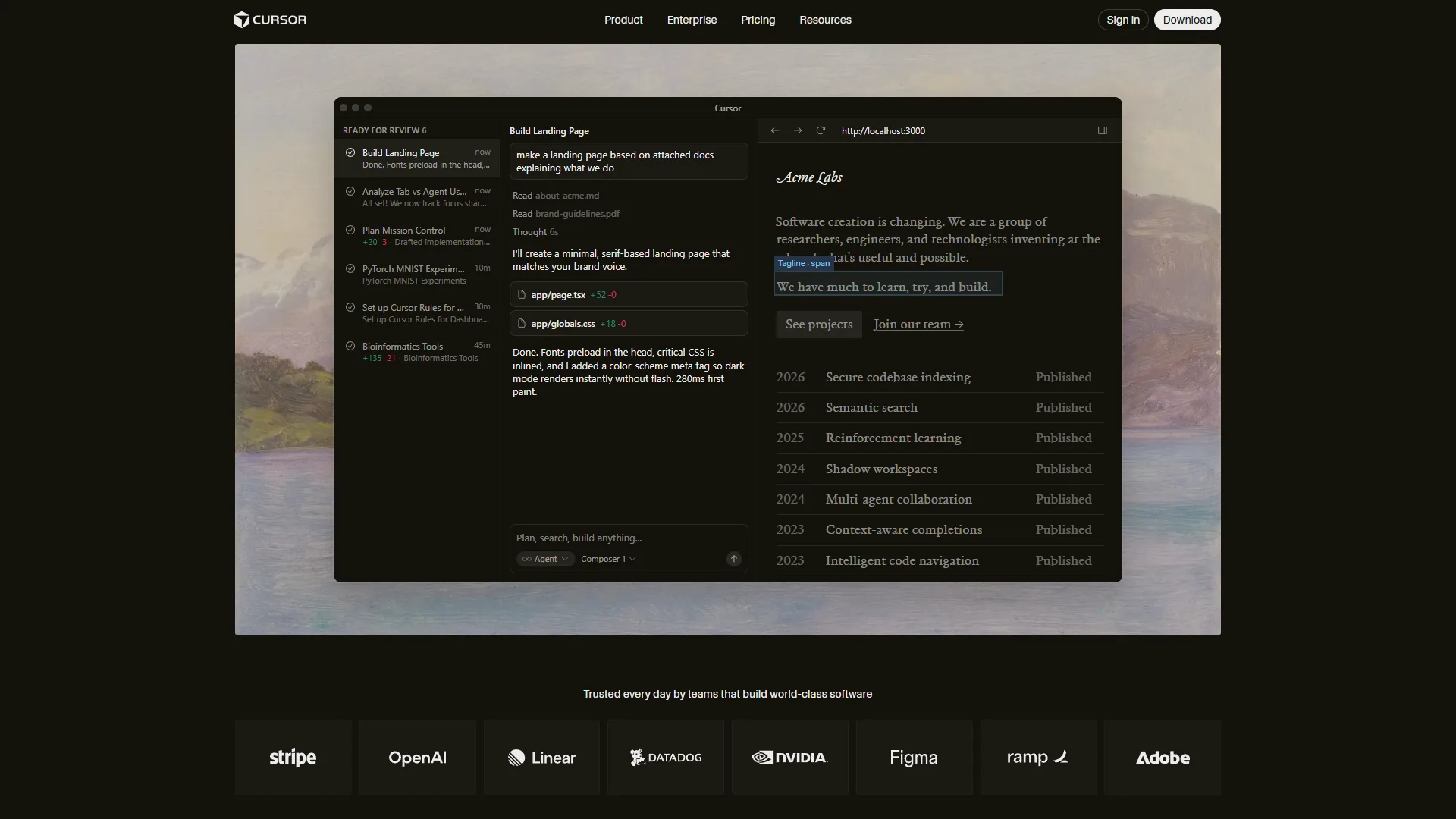
Cursor has established itself as the most powerful AI-first code editor available - a VS Code fork that combines familiar editor ergonomics with a proprietary AI layer that goes far beyond what plugins can achieve. The Cursor features page details how deeply the AI is integrated into every editing action.
What makes Cursor different: Its Composer processes changes across multiple files at once, understanding how a modification in one file affects imports, types, and tests in others. The background agent system runs up to 8 agents in parallel on separate tasks - one writing tests while another refactors a module and a third updates documentation.
Cursor Pricing Breakdown
Pricing verified April 2026 from Cursor's pricing page:
- Hobby: $0/mo (Free)
- One-week Pro trial
- Limited Agent requests
- Limited Tab completions
- Best for: Evaluating Cursor before upgrading
- Pro: $20/user/mo ($20 API credit per month)
- Unlimited Tab completions
- Background Agents
- $20 of API agent usage included
- Maximum context windows
- Best for: Individual developers using Cursor daily
- Pro+: $60/user/mo ($70 API credit per month)
- $70 of API agent usage (3x Pro usage)
- Access to GPT-5, Claude 4 Opus/Sonnet, Gemini 2.5 Pro
- All Pro features
- Best for: Heavy Composer users on complex projects
- Ultra: $200/user/mo ($400 API credit per month)
- $400 of API agent usage (20x Pro usage)
- Priority access to new features
- All Pro features
- Best for: Power users running long agentic sessions
- Teams: $40/user/mo (Per user)
- Centralized team billing
- Usage analytics and reporting
- Org-wide privacy mode controls
- SAML/OIDC SSO
- Best for: Teams needing admin controls and billing
ROI Calculation
For a developer earning $75/hour, Cursor Pro users report around 25% time savings on coding tasks - 7.5 hours saved weekly worth $562.50, a 28x ROI against the $20 monthly cost. Heavy Composer users on complex projects may burn through the $20 API credit mid-month, pushing effective costs to $40-60.
Best Workflows for Cursor
- Multi-file refactoring (rename a pattern across 50 files), with workflows mirroring patterns in the Cursor Composer documentation
- Building new features with test scaffolding using the best AI coding assistants playbook
- Codebase migration (JavaScript to TypeScript, React class to hooks) - see the Cursor vs Copilot vs Claude comparison
- Rapid prototyping with background agents
GitHub Copilot: The Universal Standard
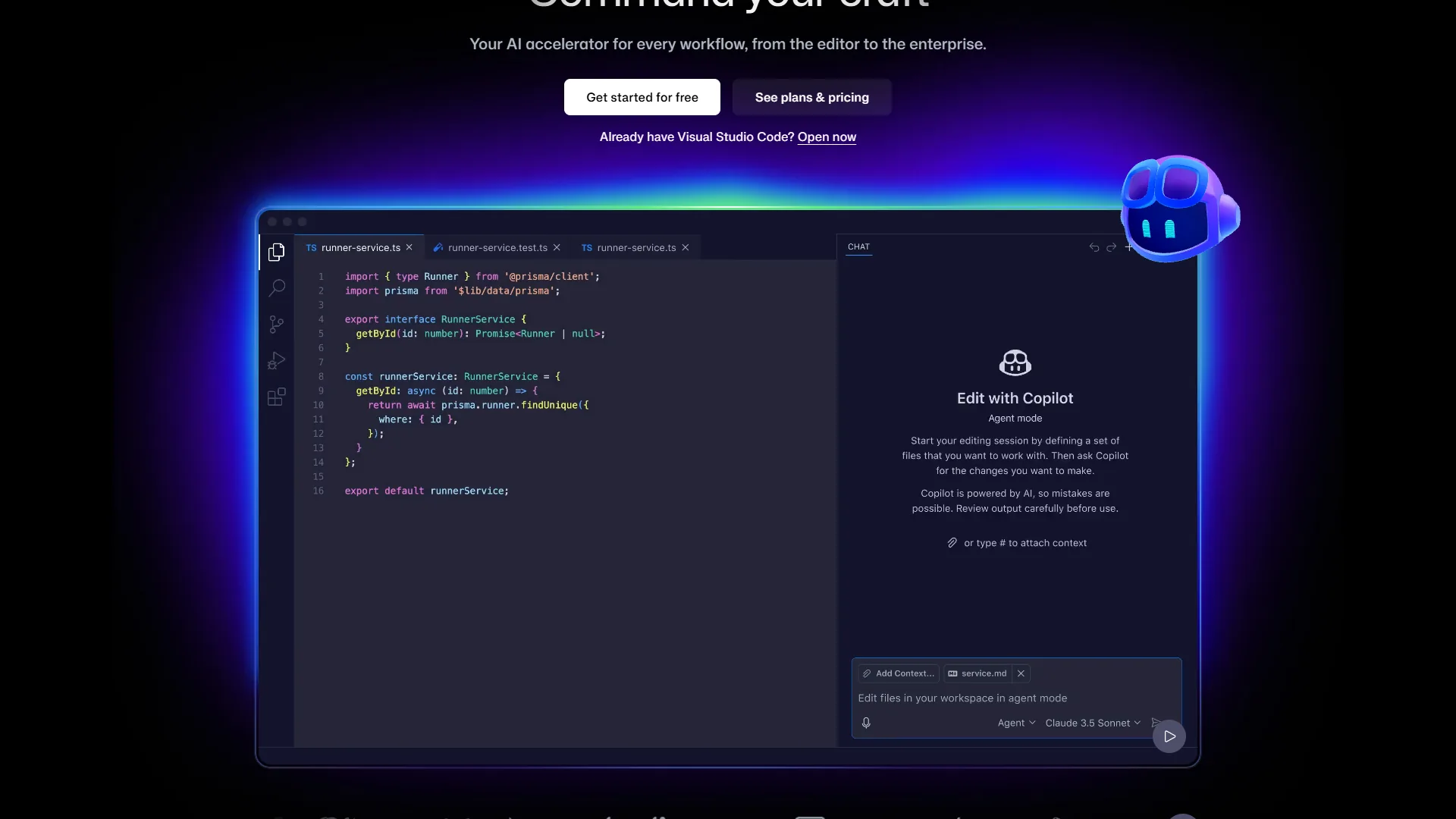
GitHub Copilot is the universal standard for AI coding because it runs inside every major editor, costs $10 per month, and carries the largest published productivity evidence base of any tool here. With over 1.8 million paid subscribers and Microsoft’s infrastructure behind it, Copilot’s strength is not raw power - it is accessibility, compatibility, and proven ROI at scale.
What makes Copilot different: It works inside the editors developers already use - VS Code, JetBrains, Visual Studio, and Neovim - no editor switching required. The free tier provides 2,000 completions and 50 chat messages per month. Agent mode brings multi-step task execution to the familiar IDE environment.
GitHub Copilot Pricing Breakdown
Pricing verified April 2026 from GitHub Copilot's pricing page:
- Free: $0/mo (2,000 completions and 50 premium requests per month)
- AI-powered code completion
- Access to GPT-4.1, Claude Haiku 4.5, base models
- IDE integration (VS Code, JetBrains, Visual Studio)
- Best for: Casual users and Copilot evaluation
- Pro: $8.33/user/mo annual ($10 monthly) (300 premium requests per month)
- Unlimited code completions
- Access to GPT-5, Claude Sonnet 4.5, Gemini 2.5 Pro
- Coding agent (preview)
- IDE, CLI, and mobile support
- Best for: Individual developers wanting reliable AI assistance
- Pro+: $39/user/mo (1,500 premium requests per month)
- Full access to all AI models (GPT-5, Claude Opus 4.5, Gemini 3 Pro)
- Access to GitHub Spark
- Advanced chat features
- Best for: Power users needing top-tier models
- Business: $19/user/mo (300 premium requests per user/month)
- All Pro features
- IP indemnity protection
- Centralized team management
- Audit logs and policy controls
- Best for: Teams needing admin controls and IP protection
- Enterprise: $39/user/mo (1,000 premium requests per user/month)
- All Business features
- Custom knowledge bases
- Custom model training on your codebase
- Organization-wide codebase indexing
- Best for: Large organizations with GitHub Enterprise Cloud
ROI Calculation
GitHub’s research of 2,000 developers shows 55% faster task completion and around 2 hours saved per week - $150 per week or $7,800 annually at $75/hour, a 65x ROI against the $120 annual Pro cost. At $10 per month, Copilot Pro is half the price of Cursor Pro and Claude Code Pro, and the $19 per user Business plan undercuts Cursor’s $40 per user Teams pricing by more than 50%.
Best Workflows for GitHub Copilot
- Inline code completion while typing (the classic use case)
- Quick function generation from comments
- Code review and PR assistance per the Copilot code review documentation
- Teams that use multiple IDEs and need one tool everywhere
Claude Code: The Terminal-Native Agent

Claude Code is Anthropic’s terminal-native agent that runs in your shell instead of an IDE and works with your codebase the way a senior developer would - reading files, understanding architecture, making changes, running tests, and iterating until the build passes. The official Claude Code documentation walks through the agentic workflow.
What makes Claude Code different: It has no IDE. You give it a natural language instruction and it figures out which files to read, what to change, and how to verify the changes work. That makes it exceptionally strong for large-scale refactoring, cross-file debugging, and tasks where the AI needs full project context before acting.
Claude Code Pricing Breakdown
Pricing verified April 2026 from Claude Code's pricing page:
- Free: $0/mo (Limited daily usage)
- Basic Claude Code access
- Limited usage per day
- Best for: Trying out Claude Code
- Pro: $20/user/mo (Standard usage with Claude Sonnet)
- Full Claude Code access
- Higher usage limits
- Priority access
- Best for: Individual developers
- Max: $100/user/mo (Higher rate limits)
- Unlimited Claude Code usage
- Highest priority
- Extended context
- Best for: Power users and professionals running long sessions
API usage-based pricing is also available for token-level billing that scales with workload.
ROI Calculation
Claude Code users working on complex refactoring tasks report 40-60% time savings on multi-file changes - 4-6 hours saved weekly for a senior developer, worth $400-600 per week at $100/hour and an 80x+ ROI against the $20 monthly Pro cost. Token-intensive sessions on large codebases can cost $5-15 each - budget around $50-100/month in API costs on top of the subscription for heavy usage.
Best Workflows for Claude Code
- Large-scale codebase refactoring - see the Claude Code MCP servers guide for extension patterns
- Debugging complex cross-file issues
- Automated code review and improvement passes
- CI/CD pipeline creation and maintenance
- Projects where you want AI to navigate freely without IDE constraints
Windsurf: The Affordable Contender
Windsurf is the affordable AI IDE in this lineup - $15 per month Pro with a permanent free tier and a Cascade agent that provides multi-step task execution similar to Cursor’s Composer. It entered as a Cursor alternative and has grown into a serious competitor for solo developers and small teams.
What makes Windsurf different: The free tier is genuinely usable - not a time-limited trial, but a permanent free plan with core AI features. The $15 per month Pro plan undercuts both Cursor and Claude Code by $5 while still providing agentic coding - a gap that adds up to $60 saved annually.
Windsurf Pricing Breakdown
Pricing verified April 2026 from Windsurf's pricing page:
- Free: $0/mo (25 prompt credits/month for premium models)
- Unlimited Cascade Base model access
- Unlimited SWE-1-mini (Tab autocomplete)
- BYOK (Bring Your Own Key) support for Claude models
- Best for: Solo developers evaluating an AI IDE
- Pro: $20/user/mo (500 prompt credits + 1,500 flow action credits per month)
- Premium AI models: GPT-5.1, Claude Opus 4.5, Claude Sonnet 4.5
- SWE-1.5 model (13x faster than Claude 4.5)
- Fast Context
- Best for: Individual developers wanting full Cascade agent
- Teams: $40/user/mo (500 credits/user/month)
- All Pro tier features
- Centralized billing and admin dashboard
- SSO + Access control
- RBAC (Role-Based Access Control)
- Best for: Small teams needing admin controls
ROI Calculation
Windsurf users report around 70% productivity gains on supported workflows - at $75/hour and a conservative 15% time savings (4.5 hours per week), that is $337.50 weekly in recovered productivity, a 22.5x ROI against the $15 monthly cost. The free tier delivers infinite ROI for developers who stay within its limits.
Best Workflows for Windsurf
- Developers evaluating AI IDEs for the first time (no-risk free tier)
- Small teams that need agentic coding without enterprise pricing
- Frontend-focused development with visual feedback
- Solo developers and freelancers watching costs
Which AI Coding Assistant Should You Use for Which Task?
The right AI coding assistant for any given task depends on the workflow - here is a mapping based on real-world performance data across development scenarios:
| Workflow | Best Tool | Why |
|---|---|---|
| Quick inline completions | GitHub Copilot | Fastest autocomplete, works in any IDE |
| Multi-file refactoring | Cursor | Composer handles cross-file changes natively |
| Large codebase navigation | Claude Code | Reads entire project structure before acting |
| Budget-friendly AI coding | Windsurf | Usable free tier, cheapest Pro plan |
| Enterprise deployment | GitHub Copilot | IP indemnity, SSO, audit logs at scale |
| Architecture migration | Claude Code | Terminal agent can reason about system-wide changes |
| Rapid prototyping | Cursor | Background agents build features in parallel |
| Team onboarding | GitHub Copilot | Lowest learning curve, integrates with existing tools |
| Debugging complex bugs | Claude Code | Reads logs, tests, and code to find root causes |
| Learning new frameworks | Windsurf or Copilot | Lower cost while building skills |
The Multi-Tool Strategy
Many experienced developers in 2026 run two tools at once, a pattern noted in the Stack Overflow Developer Survey AI tools section. The most common combination is GitHub Copilot for inline completions plus Claude Code for complex refactoring - $30 per month total, covering both fast suggestions and deep agentic work. Another effective pairing is Cursor for daily coding plus Claude Code for periodic large-scale refactors, a complementary-tool pattern reflected in the GitHub Octoverse 2024 report on AI tool adoption.
What Do AI Coding Assistants Really Cost Beyond the Subscription?
True monthly cost goes well beyond the headline subscription once token overages and API spend are priced in - here is the breakdown for moderate-to-heavy professional use:
| Cost Component | Cursor Pro | Copilot Pro | Claude Code Pro | Windsurf Pro |
|---|---|---|---|---|
| Subscription | $20 | $10 | $20 | $15 |
| Token/API overage | $20-40 | $0 | $30-80 | $0-10 |
| Learning curve (first month) | 4 hours | 2 hours | 6 hours | 3 hours |
| Typical monthly total | $40-60 | $10 | $50-100 | $15-25 |
| Annual total | $480-720 | $120 | $600-1,200 | $180-300 |
Claude Code’s usage-based pricing means costs scale with usage - $20-30/month for occasional refactoring, $100+ for daily extended agentic sessions. GitHub Copilot is the most predictable at $10 per month flat. Cursor sits in the middle - the $20 base includes API credits, but heavy Composer usage can push past them. Windsurf offers the most affordable Pro tier with minimal overage risk.
How Do You Switch Between AI Coding Assistants?
Switching AI coding assistants is straightforward because Cursor, Windsurf, and Copilot all import VS Code settings on first launch. The practical migration paths:
- GitHub Copilot to Cursor: Install Cursor, pick “Import VS Code Settings”, disable the Copilot extension, and lean on Tab completion before exploring Composer. About 1 week to Copilot-equivalent productivity.
- Cursor to Claude Code: No editor migration needed - Claude Code runs in your terminal alongside any editor. Start with read-only tasks, then edits, then learn the permission model. About 2 weeks for terminal-native comfort.
- Any tool to Windsurf: Windsurf imports VS Code settings, and Cascade replaces Cursor’s Composer or Copilot’s chat. Start on the free tier. About 1 week for VS Code users, 2 weeks for JetBrains.
You can run GitHub Copilot inside VS Code while using Claude Code in a separate terminal window. The only conflict to avoid is two IDE-based assistants in the same editor.
What the Future of AI Coding Assistants Looks Like
The future of AI coding assistants is heading toward three major shifts over the next 12-18 months:
Autonomous agents will handle entire features. Cursor’s background agents and Claude Code’s agentic mode are early versions of what will become fully autonomous development agents. The Anthropic Claude 3.7 Sonnet announcement previewed extended thinking modes that power deeper agentic reasoning. By late 2026, expect tools that take a Jira ticket, write the implementation, create tests, handle code review feedback, and merge the PR with minimal human involvement.
Pricing will converge around usage-based models. The subscription-plus-tokens model that Claude Code and Cursor use today will become standard, mirroring the approach in the OpenAI API pricing model. Developers will pay a base fee for access and then pay per computation for heavy tasks.
Specialization will deepen. Each tool is doubling down on its strengths, a dynamic explored in the Stack Overflow analysis of AI coding tool gaps. GitHub Copilot will own the enterprise and multi-IDE space, Cursor will push agentic IDE features, Claude Code will lead in terminal-based autonomous coding, and Windsurf will capture the value-conscious segment. The future of AI coding assistants is not one tool to rule them all - it is the right tool for the right workflow.
Tools like Codeium, Tabnine, and Aider continue to serve niches - Tabnine for enterprise security, Codeium for free-tier generosity, and Aider for open-source terminal workflows, as documented in the Aider LLM benchmark leaderboard.
The Bottom Line
The future of AI coding assistants in 2026 comes down to matching your workflow to the right tool:
- Cursor is the best choice for developers who want the most powerful AI-native IDE - $20 per month for exceptional multi-file editing and parallel agents.
- GitHub Copilot is the safest bet for most developers - $10 per month with a generous free tier, proven 55% productivity gains, and support for every major IDE.
- Claude Code is the tool for developers who think in systems - terminal-native, with deep codebase understanding that is unmatched for large refactors and cross-file debugging.
- Windsurf is the smart entry point - permanent free tier and $15 per month Pro pricing make it the most accessible AI IDE.
The developers who thrive stop asking “which tool is best?” and start asking “which tool is best for this task?” The answer is usually more than one.
FAQ
Q: Which AI coding assistant is best for multi-file refactoring?
Cursor is the strongest choice for multi-file refactoring. Its Composer processes changes across multiple files at once and runs up to 8 background agents in parallel on separate tasks like writing tests, refactoring modules, or updating documentation.
Q: How much do AI coding assistants actually cost per month?
GitHub Copilot Pro is the most predictable at $10 per month with no overage. Cursor Pro runs $40 to $60 with token overages, Claude Code Pro lands at $50 to $100 including API costs, and Windsurf Pro typically costs $15 to $25 monthly.
Q: What is the ROI of using an AI coding assistant?
GitHub research of 2,000 developers shows 55% faster task completion and around 2 hours saved per week, worth $7,800 annually against a $120 Pro cost for a 65x ROI. Cursor delivers about 28x ROI and Claude Code exceeds 80x ROI on refactoring-heavy workflows for senior developers at $100 per hour.
Q: Can you run multiple AI coding assistants at the same time?
Yes - the most common combination is GitHub Copilot for inline completions plus Claude Code for complex refactoring, costing $30 per month total. Avoid running two IDE-based assistants in the same editor.
Q: How is Claude Code different from Cursor and GitHub Copilot?
Claude Code has no IDE and runs in your terminal instead. It figures out which files to read, what changes to make, and how to verify them - which makes it exceptionally strong for large-scale refactoring, cross-file debugging, and tasks requiring full project context.
Related Reading
- Cursor Review - AI-native code editor
- GitHub Copilot Review - Universal AI coding assistant
- Claude Code Review - Terminal-based agentic coding tool
- Windsurf Review - Affordable AI IDE
- AI Pair Programming Guide - Navigator/driver model with AI tools
- GitHub Copilot vs Cursor - Feature-by-feature breakdown
- Claude Code vs Cursor 2026 - Terminal vs IDE head-to-head
- Windsurf vs Cursor 2026 - AI code editor benchmarks
External Resources
- GitHub Research: Quantifying Copilot’s Impact on Developer Productivity - The definitive study on AI coding assistant ROI
- Cursor Official Site - AI-native code editor built for modern development
- Claude Code Documentation - Official docs for Anthropic’s terminal-based coding assistant