




The best AI documentation tools in 2026 are Notion from $12 per user each month for flexible team wikis and GitBook from $65 per month for technical and API documentation. This guide compares both platforms on pricing, AI features, and the specific workflows where each one wins.
Editorial disclosure: AI Productivity may earn a commission from links on this page. Our rankings remain editorially independent and reflect vendor documentation, pricing pages, and independent research rather than sponsored placement.
Outdated wikis, scattered Google Docs, and tribal knowledge cost knowledge-worker organizations roughly 20% of productive time, according to McKinsey’s research on the social economy. AI documentation tools in 2026 change that equation by organizing, searching, updating, and maintaining docs automatically - not just speeding up the writing.
The catch: no single platform fits every workflow. API references, internal wikis, SOPs, and customer help centers each reward different design choices, and the two platforms below cover the full spectrum.
TL;DR: Quick Comparison
Notion starts at $12 per user each month and wins for internal wikis, SOPs, and cross-functional knowledge bases, while GitBook starts at $65 per month and wins for API references, developer portals, and Git-synced technical documentation.
| Feature | Notion | GitBook |
|---|---|---|
| Starting Price | Free | Free |
| Paid Plans | $12/mo Plus, $18/mo Business | $65/mo Premium, $249/mo Ultimate |
| AI Features | Writing, summaries, Q&A, autofill, agents | AI lens, AI search, auto-docs from code |
| Best For | Team wikis, SOPs, knowledge bases | API docs, developer docs, open-source |
| Git Sync | No (API integrations) | Yes (GitHub, GitLab) |
| Rating | ||
| Ideal User | Cross-functional teams, ops, HR | Engineering teams, DevRel, product |
Recommendation: Use Notion for internal documentation, team wikis, and SOPs where non-technical contributors need to collaborate. Choose GitBook for public-facing technical docs, API references, and developer documentation where Git-based workflows and clean publishing matter most.
Methodology: Finding the Best AI Documentation Tools 2026
This comparison is based on current vendor pricing pages, official product documentation, and independent research rather than sponsored placement or hands-on benchmarks. AI changes the economics of documentation by automating the tedious parts:
- First drafts from context - AI generates initial docs from meeting notes, code comments, and Slack threads
- Intelligent search - semantic search surfaces answers from thousands of pages instead of matching keywords
- Auto-maintenance - AI flags outdated content and suggests updates when linked resources change
- Translation and adaptation - rewrite technical docs for different audiences and languages automatically
- Structured extraction - turn recordings, emails, and chat logs into organized documentation
Teams using AI-powered documentation tools report spending 40-60% less time creating and maintaining docs, with measurably higher accuracy and discoverability.
1. Notion: The All-in-One Documentation Workspace
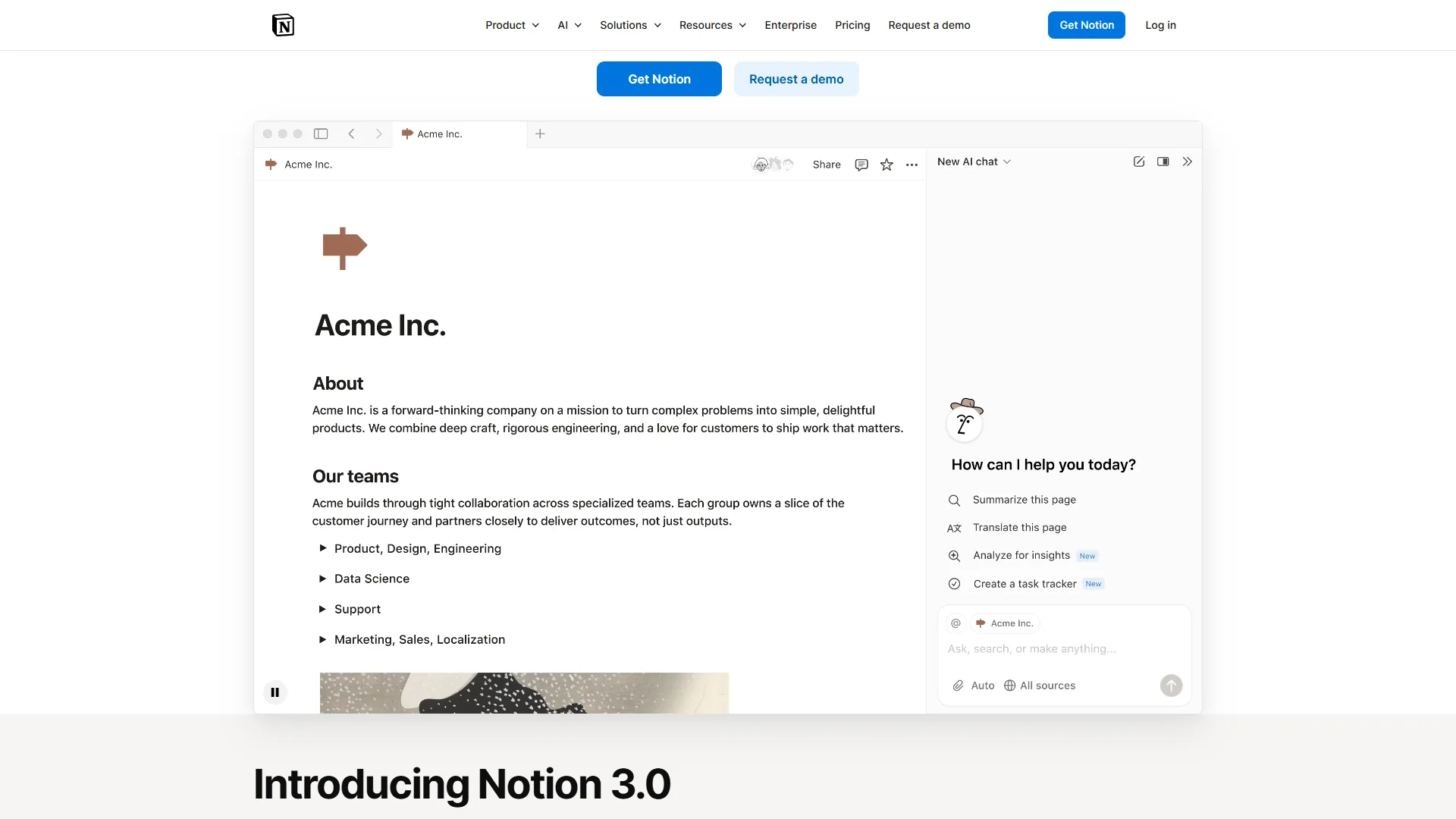
Notion has evolved from a simple note-taking app into a full-blown AI-powered workspace that handles documentation, project management, and knowledge management under one roof. With its 3.0 release, Notion introduced AI agents powered by GPT-5 and Claude Opus 4.1 that can autonomously create, organize, and maintain documentation across an entire workspace. According to Ivan Zhao, co-founder and CEO at Notion, the goal is “to build a tool that helps you organize all the information in your life” - a positioning echoed in the company’s product launch posts that frame Notion as a single workspace rather than a writing assistant.
What Makes Notion Stand Out for Documentation
Notion’s documentation strength lies in its flexibility. Unlike rigid documentation platforms, Notion lets you build exactly the documentation system your team needs using a combination of pages, databases, templates, and automations.
AI Writing and Editing: Notion AI summarizes long documents into executive briefs, rewrites technical content for non-technical audiences, translates across languages, and fixes tone inconsistencies. The AI reads workspace context - comments, linked pages, and database entries - to generate more accurate content.
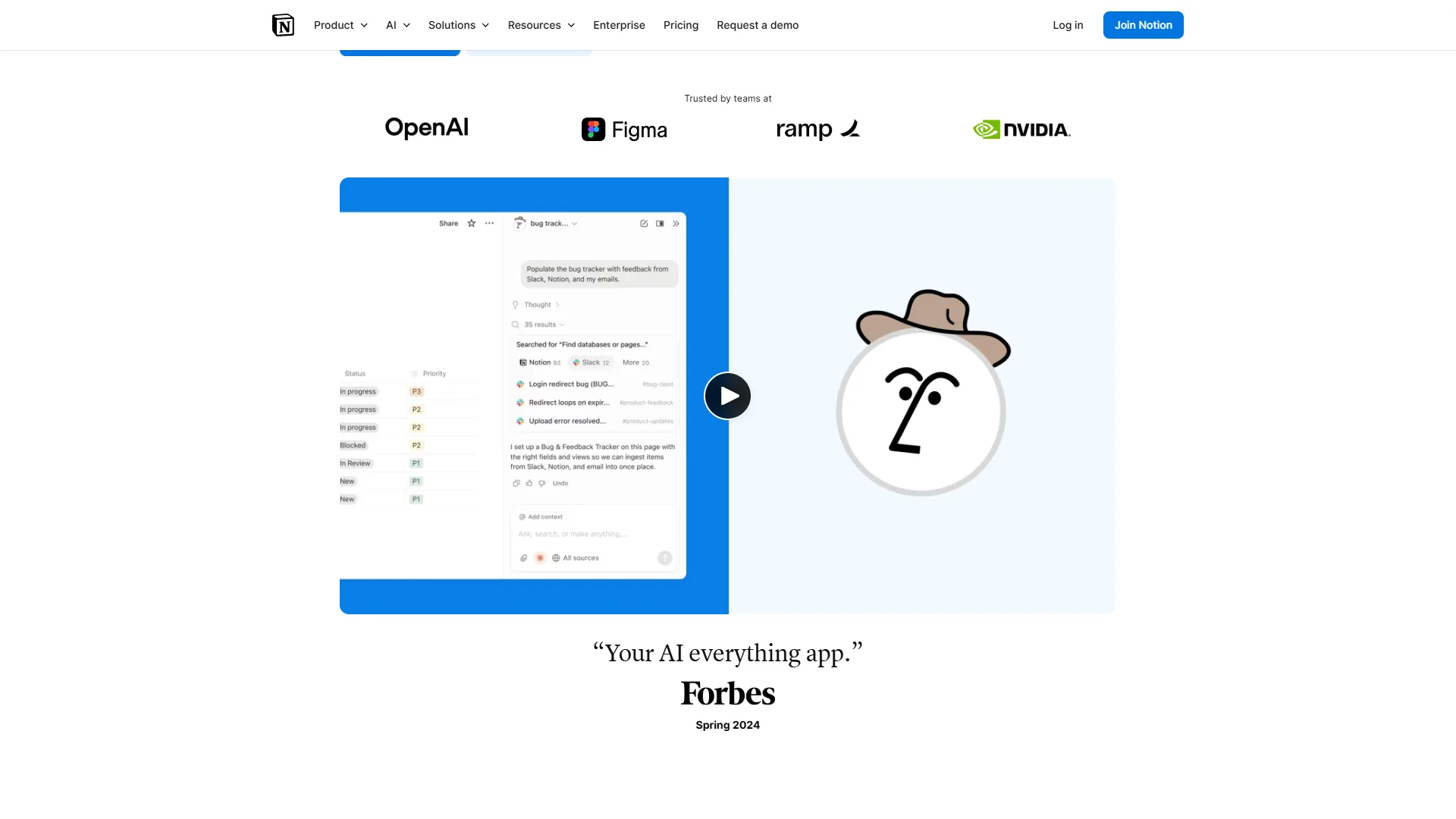
AI Q&A Across Your Workspace: Team members ask natural-language questions like “What is our refund policy?” or “How do I set up staging environments?” and Notion AI searches every wiki, doc, and database, surfacing the answer with source citations - no more hunting through dozens of pages.
Database-Powered Doc Organization: Databases tag, filter, and relate documentation in ways flat folder structures cannot match - properties for department, status, last-updated date, and owner, with per-team views.
Connectors and Integrations: Notion connects to Slack, Google Drive, GitHub, Figma, and dozens more tools, and its AI pulls context from those services into answers - a true single source of truth.
Notion Pricing for Documentation
| Plan | Price | Best For |
|---|---|---|
| Free | $0 | Personal docs, small projects |
| Plus | $12/user/mo | Small teams, basic wikis |
| Business | $18/user/mo | Team wikis, advanced AI, SAML SSO |
| Enterprise | Custom | Large orgs, audit logs, advanced security |
AI features are included on all paid plans, with usage limits scaling by tier. The free plan includes limited AI queries - enough to evaluate before committing.
Best Documentation Workflows for Notion
- Internal team wikis - Company policies, onboarding docs, department procedures
- Standard operating procedures (SOPs) - Step-by-step process documentation with embedded databases for tracking
- Knowledge bases - Searchable repositories where AI Q&A replaces manual browsing
- Meeting notes to action items - AI extracts tasks, decisions, and follow-ups from meeting transcripts
- Cross-functional collaboration - Marketing, engineering, and ops all contribute to shared docs
Notion Pros and Cons
Pros: unmatched flexibility for non-technical teams; AI agents that autonomously maintain documentation; database views for sophisticated organization; rich integrations (Slack, GitHub, Google Drive, Figma); generous free tier.
Cons: can feel overwhelming for simple needs; no native Git sync; performance lags on very large workspaces; AI requires a paid plan for meaningful usage; not built for public-facing technical docs.
2. GitBook: The Developer Documentation Powerhouse
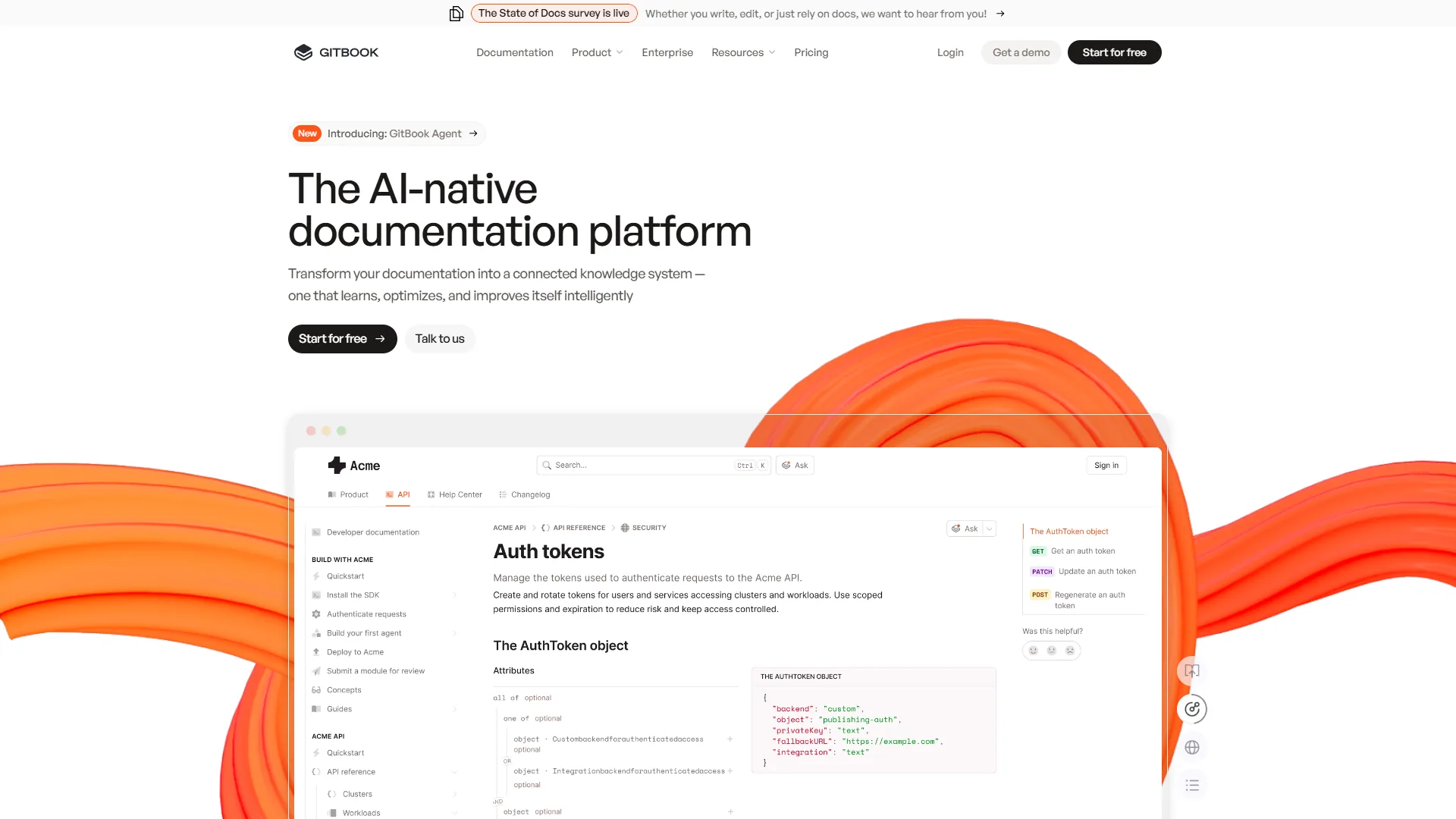
GitBook is a purpose-built technical documentation platform that starts at $65 per month and ships Git sync, AI Lens search, and professional published output for engineering teams. According to GitBook’s official product documentation, the platform is used by engineering teams at Zoom, FedEx, and Nvidia, and takes the opposite approach from Notion’s everything-workspace philosophy - one job, done extremely well.
What Makes GitBook Stand Out for Documentation
GitBook’s core advantage is its developer-native workflow. Documentation lives alongside code with Git sync, versioning works the way engineers expect, and the publishing output looks polished without any design work.
GitBook AI Lens: The standout AI feature. AI Lens lets readers ask questions about your documentation in natural language and get instant, accurate answers with citations pointing to the relevant sections. This transforms static docs into an interactive knowledge assistant - especially powerful for complex API references where developers need specific answers quickly.
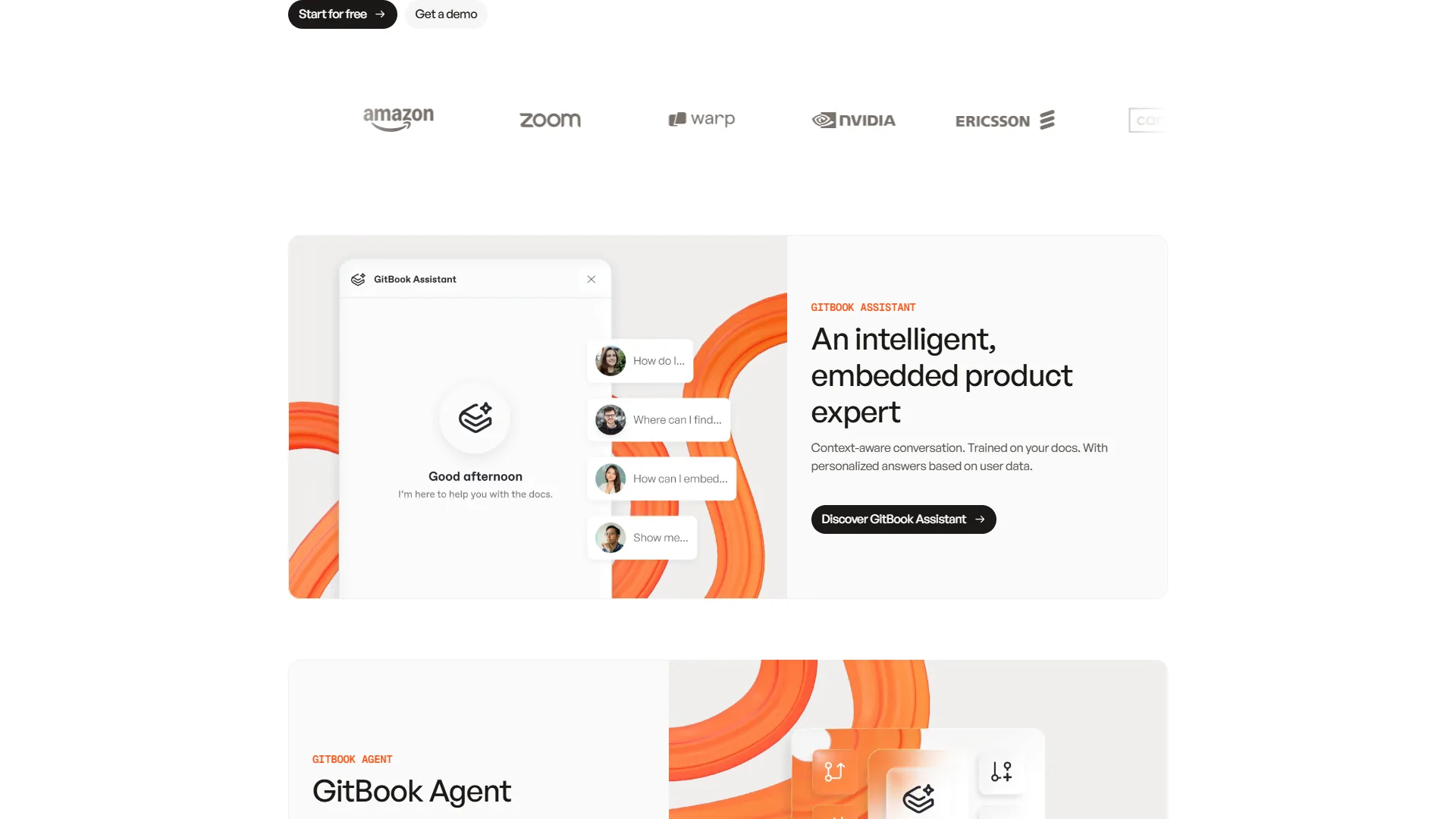
Git Sync: Edit documentation in the IDE, commit alongside code, and have changes flow to the published docs - so an API endpoint update and its doc update can land in the same pull request.
Auto-Documentation from Code: GitBook analyzes repositories to generate API endpoint descriptions, parameter tables, and code examples - eliminating the blank-page problem rather than writing every word.
Clean Publishing: Custom domains, versioned docs, dark mode, full-text search, and SEO optimization ship standard - no static-site-generator wrangling required.
GitBook Pricing for Documentation
| Plan | Price | Best For |
|---|---|---|
| Free | $0 | Open-source projects, public docs |
| Premium | $65/mo (base) + $12/user | Teams with collaboration needs |
| Ultimate | $249/mo | Multiple doc sites, advanced analytics |
| Enterprise | Custom | SSO, SLAs, dedicated support |
The free tier is generous for public documentation - unlimited readers and public publishing. The jump to Premium at $65 per month is steep for small teams, but unlocks Git sync, AI search, and collaboration essentials.
Best Documentation Workflows for GitBook
- API and SDK documentation - Endpoint references, code samples, authentication guides
- Developer portals - Public-facing docs for platform products and APIs
- Open-source project docs - Free tier with unlimited public readers
- Product documentation - Release notes, changelogs, feature guides with versioning
- Internal engineering docs - Architecture decisions, runbooks, deployment guides
GitBook Pros and Cons
Pros: purpose-built for technical documentation; Git sync keeps docs and code in lockstep; AI Lens turns static docs into interactive Q&A; clean publishing with zero design effort; free tier for open-source projects.
Cons: Premium at $65 per month is steep for small teams; less flexible than Notion for non-technical docs; smaller integration ecosystem; not ideal for SOPs, wikis, or non-developer workflows; minimal structured-data capability.
Which Other AI Documentation Tools Are Worth Knowing in 2026?
Five other documentation tools in 2026 serve specific niches around the Notion-GitBook core: Mintlify for API design, Scribe for screen-recorded SOPs, Document360 for enterprise help centers, Confluence for Atlassian shops, and Swimm for code-coupled engineering docs.
- Mintlify - API docs with beautiful design and developer experience; rising fast as a GitBook alternative for startups
- Scribe - auto-generates step-by-step guides by recording the screen; excellent for SOPs and training
- Document360 - enterprise knowledge base with AI search and analytics; strong for customer-facing help centers
- Confluence - Atlassian’s wiki platform, deeply tied to Jira; still common in enterprise despite a dated interface
- Swimm - couples documentation directly to code with auto-sync and verification; engineering-only
Each has a clear limitation: Mintlify lacks GitBook’s ecosystem, Scribe is recording-only, Document360 skews enterprise on price, Confluence feels dated, and Swimm has no SOP or wiki story. Notion or GitBook is the better starting point for most teams. The confluence vs notion breakdown covers the Atlassian path if the team is already on Jira.
Best Picks by Use Case
The best documentation tool depends on the workflow, not the feature list: Notion wins for internal wikis and SOPs, GitBook wins for API and developer docs, and Document360 wins for enterprise customer-facing help centers. The decision framework below maps each use case to its strongest pick.
Internal Knowledge Base / Team Wiki
Winner: Notion
Internal wikis need to be flexible, easy to contribute to, and searchable by everyone from engineers to marketers. Notion’s AI Q&A, database-powered organization, and low friction editing make it the clear choice. The ability to ask “How do I submit an expense report?” and get an AI-generated answer from your wiki pages is transformative for team productivity.
API and Developer Documentation
Winner: GitBook
Developer docs need to be version-controlled, code-friendly, and professionally published. GitBook’s Git sync means documentation updates travel through the same PR workflow as code changes. AI Lens gives developers instant answers without scrolling through lengthy reference pages. The free tier makes it accessible for open-source projects and side projects alike.
Standard Operating Procedures (SOPs)
Winner: Notion (with Scribe for recording)
SOPs combine step-by-step instructions with embedded media, checklists, and tracking. Notion’s template system lets you create SOP templates that teams can duplicate and fill in. Pair it with Scribe to auto-generate the initial steps by recording your screen, then polish the output in Notion and link it to your SOP database.
Customer-Facing Help Center
Tie: Depends on audience
For technical audiences (developers, engineers), GitBook’s clean publishing and AI Lens search provide a superior reader experience. For general audiences, Notion’s flexibility with embedded videos, interactive elements, and custom layouts gives you more creative control. For enterprise-scale help centers, consider Document360 as a purpose-built alternative.
What Is the Real Documentation ROI of AI Tools?
The measurable ROI of AI documentation tools shows up in four metrics: 40-60% less time to create first drafts, semantic-search success rates above 80% (versus roughly 30% for keyword search), stale-doc rates under 15% (versus 40-50% on manual wikis), and 30% faster onboarding for new hires with well-maintained AI-searchable docs.
These gains assume the team actually maintains docs - AI cannot save time for teams that never write documentation, and the percentages degrade quickly if AI search is not paired with source-of-truth discipline.
How Do AI Documentation Tools Fit Into Your Integration Ecosystem?
Notion connects natively with Slack, Google Drive, GitHub, Figma, Linear, and Loom, and extends to thousands more apps through Zapier and Make. GitBook focuses on developer-oriented integrations - GitHub, GitLab, Slack, and CI/CD tools - with Git sync as the primary integration point so documentation changes flow through the same version-control system as code.
When evaluating documentation tools for a stack, prioritize source-control integration, Slack or Teams notifications, project-management sync, SSO for compliance, and Markdown import for migration. Notion’s API rate limits can throttle high-volume sync workflows, and GitBook’s smaller integration catalog means non-developer tools (HR, finance, ops) often need a Zapier middleman.
The Bottom Line
The best AI documentation tools in 2026 are intelligent systems that make docs self-maintaining, instantly searchable, and continuously improving - not just writing assistants. Notion and GitBook represent the two dominant approaches: flexible all-in-one workspace versus purpose-built technical publishing platform.
Choose Notion when documentation needs span multiple teams, require database organization, and involve non-technical contributors - AI agents, Q&A search, and the integration ecosystem make it the strongest pick for internal knowledge management.
Choose GitBook when documenting APIs, SDKs, or developer-facing products where Git sync, clean publishing, and code-native workflows are essential - the AI Lens feature alone justifies the investment for complex technical documentation.
Start with the free tier of whichever platform matches the primary workflow, migrate the 10 most important docs, enable AI search, and measure the time savings over the first month.
FAQ
The most common questions about AI documentation tools in 2026 cluster around two themes: which platform fits which workflow, and how much time AI search and auto-maintenance actually save.
Q: What are the best AI documentation tools in 2026?
Notion and GitBook stand out as the two dominant platforms in 2026. Notion suits cross-functional teams building internal wikis, SOPs, and knowledge bases, while GitBook is purpose-built for API references, developer docs, and Git-based workflows. Both offer free tiers, AI-powered search, and strong integration support.
Q: How much time can AI documentation tools actually save?
Teams using AI-powered documentation tools report spending 40-60% less time creating and maintaining docs. AI-powered semantic search also raises successful search rates from roughly 30% with keyword search to over 80%, reducing interruptions and Slack messages asking where a specific document lives.
Q: What is GitBook AI Lens and how does it work?
GitBook AI Lens lets readers ask natural language questions about your documentation and receive instant answers with citations pointing to the relevant sections. It transforms static docs into an interactive knowledge assistant - particularly useful for complex API references where developers need specific answers without scrolling through lengthy pages.
Q: Does Notion support Git sync for documentation?
No - Notion does not offer native Git sync. It connects to GitHub through API integrations, but version-controlled, code-native workflows are not its strength. GitBook, by contrast, supports direct Git sync with GitHub and GitLab, allowing documentation changes to travel through the same pull request workflow as code.
Q: Which tool is better for internal wikis - Notion or GitBook?
Notion is the stronger choice for internal wikis. Its AI Q&A lets team members ask natural language questions like ‘What is our refund policy?’ and get answers with source citations. Database-powered organization, flexible templates, and low-friction editing make it accessible to non-technical contributors across HR, ops, and other departments.
Related Reading
The guides and reviews below extend this comparison into adjacent decisions - individual tool deep-dives, the Confluence-Notion choice for Atlassian teams, and the broader productivity stack.
- Notion Review - Full review of the all-in-one workspace for team documentation
- GitBook Review - Full review of the developer documentation platform
- Zapier Review - Full review of the automation platform for connecting documentation tools
- How to Create SOPs with AI - Step-by-step guide to documenting processes faster with AI
- Knowledge Sharing Best Practices for Teams - Build a culture where documentation actually gets maintained
- Confluence vs Notion - Detailed comparison if you’re considering the Atlassian ecosystem
- Best Note-Taking Apps 2026 - Craft vs Notion vs Obsidian for personal and team notes
- AI Hype vs Reality: Why Your CEO is Wrong (But AI Still Wins)
- AI Tools for Solopreneurs: The Ultimate 2026 Stack
- Best Project Management Tools 2026: Monday vs Asana vs ClickUp
- How to Automate Invoicing with AI: Complete Guide for 2026
External Resources
Primary sources behind the pricing, productivity, and feature claims above appear below for direct verification.