


GitHub Copilot is an IDE-native autocomplete tool at $10 per month, while Claude Code is a terminal-based autonomous agent included with Claude Pro at $20 per month - the two solve different problems rather than competing head-to-head. Choosing between them is not really about picking the “better” AI; it is about picking the right tool for the way you actually write code, and the github copilot vs claude code decision comes down to a fundamental difference in philosophy.
This comparison is based on each vendor’s current pricing pages, product documentation, and independent research rather than sponsored placement. AI Productivity may earn a commission from links on this page, but our rankings and conclusions are editorially independent.
GitHub Copilot lives inside your IDE. It watches what you type and whispers suggestions in real time - ghost text that appears, disappears, and follows your cursor as you move through a file. Claude Code lives in your terminal. It reads your entire codebase, reasons about the problem at hand, and executes multi-step tasks with a level of autonomy that inline completion tools simply can’t match.
Both are powered by frontier AI. Both cost roughly $10-20 per month. But they solve different problems, and knowing which problem you have more often is the key to making the right call in the github copilot vs claude code comparison. If you are still surveying the broader landscape, our roundup of the best AI tools for developers puts these two in context with the other serious options.
Quick Picks: GitHub Copilot vs Claude Code
Pick GitHub Copilot for fast inline completions inside any major IDE at $10 per month, and pick Claude Code for autonomous multi-file refactoring from the terminal at $20 per month. GitHub Copilot and Claude Code take different approaches to solving similar problems, and the right choice depends on your workflow, budget, and team size. This guide compares both tools across the features that actually matter for daily work, including the GitHub Copilot vs Claude Code pricing breakdown below.
| Feature | GitHub Copilot | Claude Code |
|---|---|---|
| Rating | ||
| Starting Price | Free (limited) | Included with Claude Pro ($20/mo) |
| Pro Price | $10/month | $20/month (Claude Pro) |
| Interface | IDE plugin (VS Code, JetBrains, etc.) | Terminal CLI |
| Primary Use | Inline completions, code chat | Multi-file tasks, codebase reasoning |
| Context Depth | Current file + open tabs | Full codebase (via CLAUDE.md + file indexing) |
| IDE Support | VS Code, JetBrains, Visual Studio, Neovim | Any IDE (terminal-based) |
| Agent Mode | Preview (limited) | Built-in, production-ready |
| Best For | Quick completions, day-to-day coding | Complex refactoring, architecture decisions |
Quick verdict: Choose GitHub Copilot for frictionless inline suggestions while you code. Choose Claude Code when you need an AI that can reason about your entire project and execute multi-step tasks autonomously.
GitHub Copilot: The IDE-Native Standard
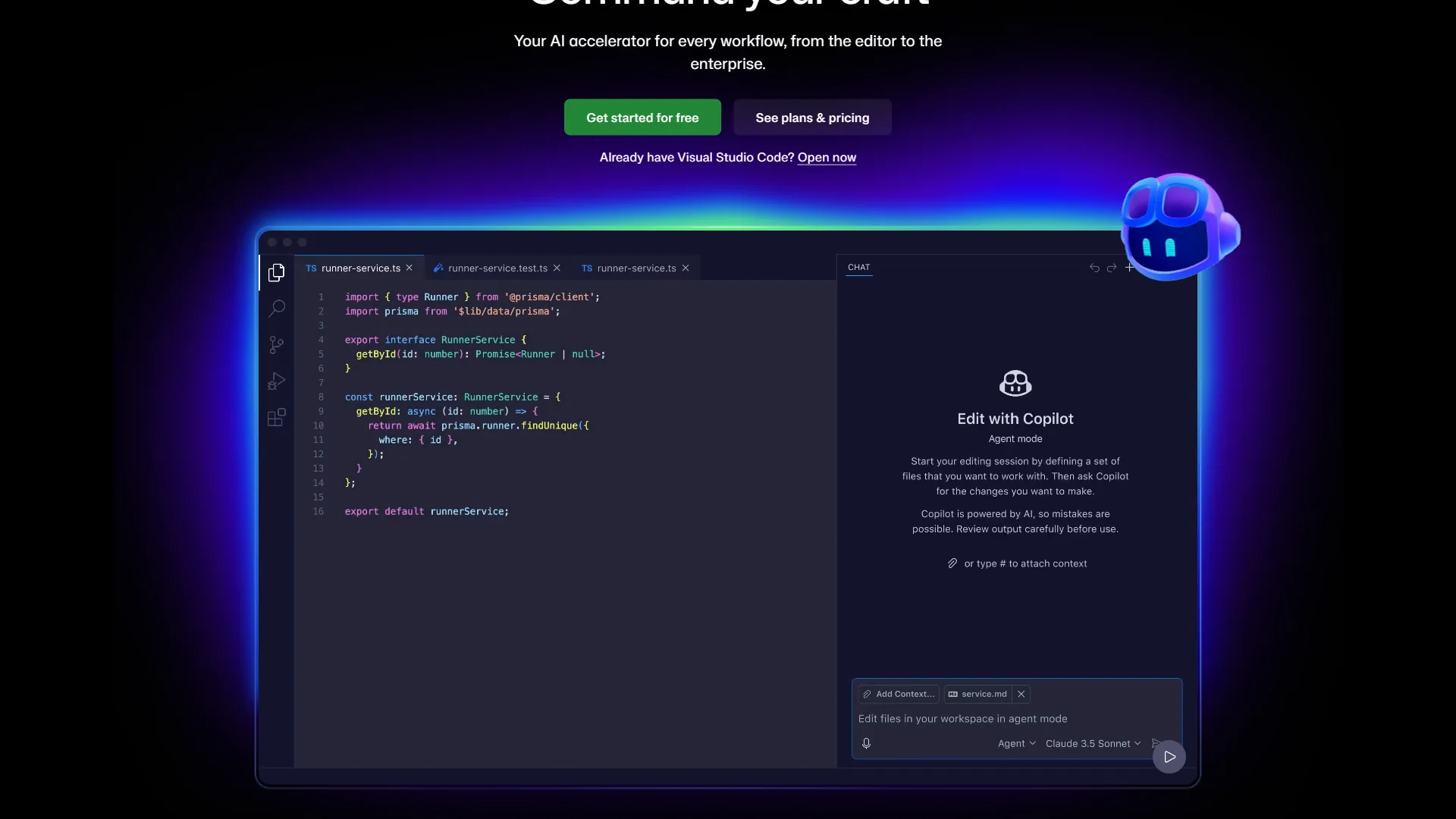
GitHub Copilot is Microsoft’s AI pair programmer, embedded directly into the IDEs where developers already spend their time. It launched in 2021 and has since become the most widely deployed AI coding tool in the industry, with adoption across millions of developers and tens of thousands of organizations - figures backed up by the GitHub Octoverse 2024 report.
What Copilot Actually Does
The core experience is inline code completion. As you type, Copilot suggests the next line, the next function, or an entire block of code as ghost text. Accept it with Tab. Ignore it and keep typing. The feedback loop is nearly instantaneous, which means it integrates into your existing flow without disrupting your concentration.
Beyond completions, Copilot includes a chat interface (Copilot Chat) where you can ask questions about your code, request refactoring, explain error messages, or generate tests - all without leaving your editor, as detailed in the Copilot Chat in IDEs documentation. You can also reference specific files, functions, or symbols directly in the chat.
On the Pro plan, you gain access to multiple frontier AI models: GPT-5, Claude Sonnet, and Gemini 2.5 Pro - documented in the Copilot model selection documentation. You can switch models mid-conversation depending on the task. This multi-model flexibility is one of Copilot’s practical advantages - you’re not locked into a single model’s strengths and weaknesses.
Copilot Pricing
As listed on the official Copilot plans page:
- Free: 2,000 code completions and 50 chat messages per month
- Pro ($10 per month): Unlimited completions, 300 premium requests, multi-model access, CLI support
- Business ($19 per user/month): IP indemnity, admin controls, audit logs, SSO
- Enterprise ($39 per user/month): Custom knowledge bases, codebase training, 1,000 premium requests per user
The $10 per month Pro plan is the sweet spot for individual developers. The free tier is genuinely usable for casual work - 2,000 completions per month is enough to evaluate whether the tool fits your workflow before committing.
What Copilot Does Well
Speed and immersion. Copilot suggestions appear in milliseconds. There’s no context-switching to a separate tool, no additional window to manage. For developers who spend most of their time writing new code - functions, components, boilerplate, utilities - this seamless integration compounds into real time savings throughout the day.
Broad IDE support. As listed on the Copilot environment install documentation, VS Code, all JetBrains IDEs (IntelliJ, PyCharm, WebStorm, GoLand), Visual Studio, Neovim, and the GitHub CLI all receive first-class Copilot support. If you work across multiple editors or use a non-VS Code IDE, Copilot is your only serious AI option - Claude Code doesn’t live in the IDE at all.
Multi-model access at a reasonable price. For $10 per month, the ability to switch between GPT-5, Claude, and Gemini depending on the task is genuinely valuable. Complex reasoning tasks might go to Claude; fast completions to GPT-5 mini. This flexibility is harder to replicate elsewhere at this price point.
GitHub ecosystem integration. Copilot works across GitHub.com for code reviews, GitHub Actions for CI/CD pipelines, and GitHub Mobile for reviewing code on the go. If GitHub is the center of your development workflow - not just a place to push code - this integrated surface area provides meaningful value. According to GitHub’s own research on developer productivity, developers using Copilot completed a coding task 55% faster than those without it, and the research team noted that “developers who used GitHub Copilot completed the task significantly faster - 55% faster than the developers who did not use GitHub Copilot.”
Where Copilot Falls Short
Context is shallow. Copilot’s context window is built around the current file and whatever tabs you have open. For multi-file refactoring - moving a function, renaming a type across 20 files, restructuring a module boundary - Copilot requires manual iteration. You ask for a change, review, ask for more, repeat. It understands the immediate vicinity of your cursor better than it understands your project as a whole. The Stack Overflow Developer Survey on AI coding tools found that 76% of developers were using or planning to use AI coding tools, with accuracy and context depth among their top-cited concerns.
Agent mode is still maturing. GitHub announced agentic capabilities for Copilot, as covered in the GitHub Copilot coding agent announcement, but the current implementation is limited compared to dedicated agent-first tools. It can plan and execute simple tasks, but it lacks the depth of codebase reasoning that makes agent-first tools genuinely useful for complex work.
Claude Code: The Terminal-Based Agent
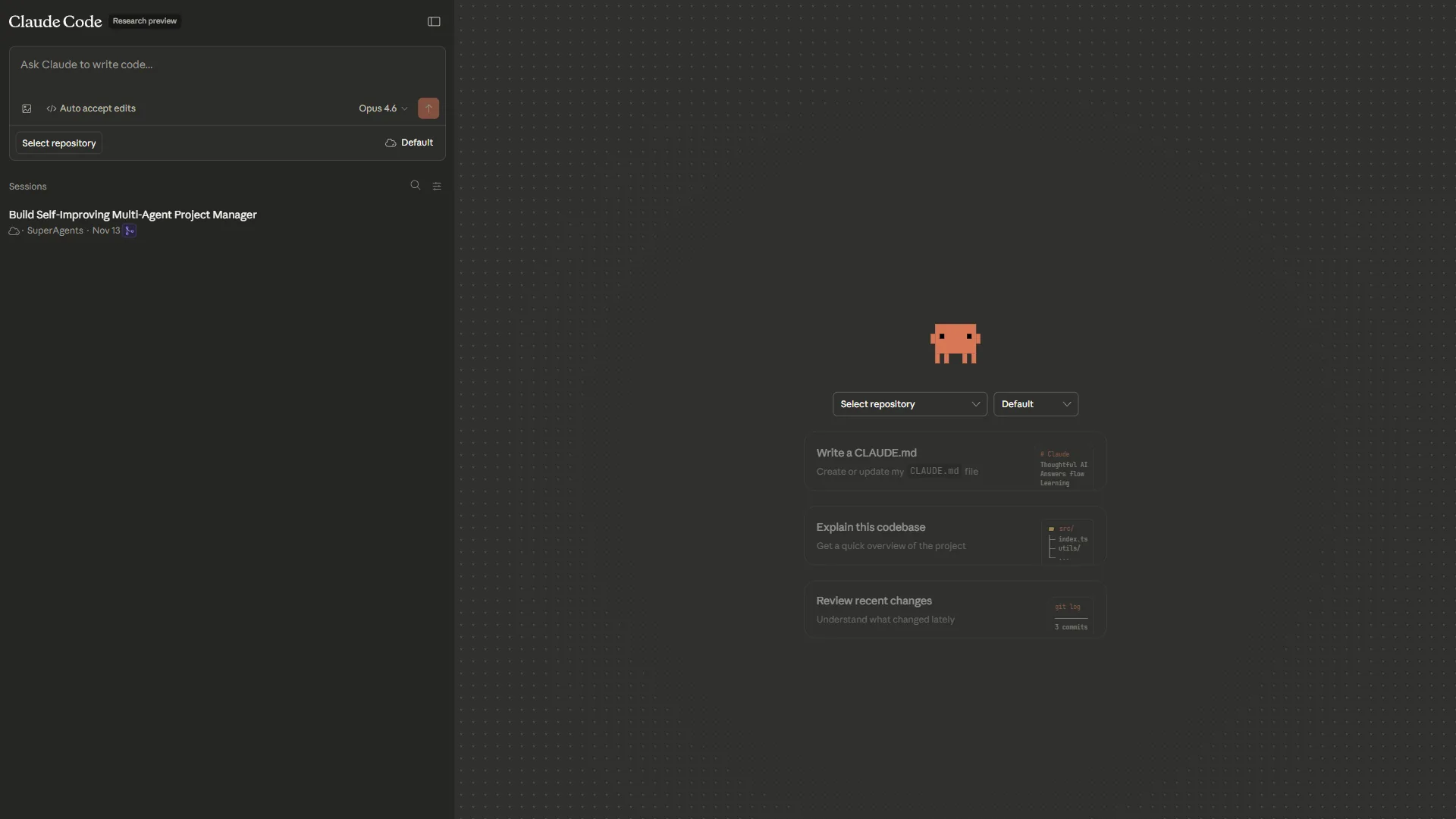
Claude Code is Anthropic’s terminal-based AI coding assistant, built on Claude’s flagship models - currently Claude Sonnet 4.5 for most tasks and Claude Opus 4.5 for complex reasoning, as listed on the Anthropic Claude models reference. Unlike IDE plugins that assist while you type, Claude Code operates as an autonomous agent: you describe a task, it reads your codebase, forms a plan, and executes changes across multiple files.
How Claude Code Works
You invoke Claude Code from your terminal with claude and describe what you want to accomplish in natural language - the workflow walked through in the Claude Code quickstart guide. From there, Claude Code will:
- Read and index your project files to understand the codebase
- Examine relevant source files, configuration, and dependencies
- Form a plan for the changes required
- Write, modify, or delete files as needed
- Run tests or commands to verify the result
- Ask clarifying questions when the task is ambiguous
The key architectural difference is that Claude Code starts from a whole-codebase view rather than a file-level view. It understands your project’s patterns, conventions, and architecture before it writes a single line. This is what makes it genuinely useful for tasks that require coordinating changes across many files.
Claude Code Pricing
Claude Code is included with the Claude Pro subscription at $20 per month, which also provides access to Claude’s full AI assistant capabilities beyond coding. For teams or heavier usage, the Max plan at $100 per month provides significantly higher usage limits and full Claude Opus access - tier details are on the Anthropic pricing page.
There is no standalone Claude Code subscription - it’s part of the broader Claude offering. For developers who already use Claude for other tasks (writing, analysis, research), the $20 per month Pro plan is excellent value. For developers who only want a coding tool, the comparison with GitHub Copilot’s $10 per month Pro plan is relevant.
What Claude Code Does Well
Full codebase understanding. Claude Code reads your entire project before acting. You can ask it to “update the user authentication module to use the new token format” and it will find the relevant files itself, understand how they connect, and make coordinated changes across the codebase - without you needing to identify and include every affected file manually.
Complex, multi-step task execution. Refactoring a module, extracting an interface, migrating from one library to another, writing tests for untested code, implementing a feature end-to-end across frontend and backend - these are the tasks where Claude Code dramatically outperforms inline completion tools. The quality of reasoning it applies to a well-defined problem is closer to a senior engineer pairing with you than an autocomplete engine.
Architecture-level decisions. As covered in the Anthropic Claude Code best practices article, when you need help thinking through a design problem - “should this live in the service layer or the controller?” or “what’s the cleanest way to add caching here without breaking the existing interface?” - Claude Code’s reasoning model produces answers that take your specific codebase into account, not just generic best practices.
Works with any editor. Since Claude Code runs in the terminal, it’s editor-agnostic per the Claude Code setup documentation. Vim, Emacs, VS Code, JetBrains, Helix - it doesn’t matter. Claude Code reads and writes files directly, so whatever editor you use for viewing and navigating, Claude Code handles the actual modifications through its terminal interface.
CLAUDE.md for persistent context. You can create a CLAUDE.md file in your project root to give Claude Code persistent context about your codebase: conventions, architecture decisions, things to avoid, important patterns. This memory layer means Claude Code gets better at working with your specific project over time. The official Claude Code documentation covers how to structure CLAUDE.md files for maximum effectiveness.
Where Claude Code Falls Short
No real-time inline suggestions. Claude Code doesn’t watch you type and suggest the next line. If inline ghost-text completions are a core part of how you work, Claude Code doesn’t provide that experience. You have to invoke it deliberately, describe what you want, and wait for it to execute - which takes longer per interaction than Tab-completing a suggestion.
Terminal-only interface. As discussed in the Claude Code IDE integrations documentation, developers who prefer to stay inside their IDE for everything may find the terminal-based workflow disruptive. You’re managing two contexts: your editor for reading and navigating code, and the terminal for Claude Code tasks. This works well once you’re used to it, but the initial adjustment period is real.
Requires well-defined task descriptions. Claude Code performs best when you give it clear, specific tasks. “Make the code better” produces generic results. “Extract the database connection logic from UserService into a separate ConnectionPool class and update all callers” produces excellent results. Getting the most out of Claude Code requires developing a skill for clear task description - which is also just good engineering communication.
Limitations and who it’s not for: Claude Code’s biggest drawbacks are the lack of inline ghost-text completion, a higher per-task latency than Tab-complete (because it reads files, plans, and executes), and a $20 per month price point that is double Copilot Pro for users who only want a coding tool. Skip Claude Code if you primarily write small, isolated functions and value typing-speed gains more than codebase-wide reasoning. It is also not for developers who refuse to leave the IDE, or for teams that need IP indemnity at the per-seat level the way GitHub Enterprise provides.
GitHub: The Platform Underneath

Worth noting: GitHub as a platform is distinct from GitHub Copilot as an AI tool. The GitHub platform itself - repositories, pull requests, Actions, Issues, Discussions - provides the infrastructure where most professional development happens. GitHub Copilot is the AI layer built on top of that platform.
Claude Code and GitHub are not mutually exclusive. Many developers use Claude Code to generate and modify code locally, then use GitHub for source control, code review, and CI/CD. The tools operate at different layers of the workflow.
Limitations and who it’s not for: GitHub the platform has its own tradeoffs that matter for this comparison. It is owned by Microsoft, which raises data-sovereignty concerns for some teams; its Enterprise pricing climbs quickly past $21 per user/month before Copilot is added; and it is not the right fit for organizations that need self-hosted Git on minimal infrastructure (Gitea or Forgejo serve that need better). Skip GitHub if regulatory requirements demand EU-only hosting or you object to your code living on Microsoft cloud servers.
Feature-by-Feature Breakdown
Code Completion Quality
Winner: GitHub Copilot
For real-time inline completions, GitHub Copilot is designed for this and Claude Code simply doesn’t do it. If you’re evaluating which tool delivers better Tab-complete suggestions as you write code, Copilot wins by default - it’s the only one playing in that category.
Multi-File Refactoring
Winner: Claude Code
When a task requires changes across multiple files - renaming a type, updating an interface, migrating an API - Claude Code’s whole-codebase context produces dramatically better results than Copilot’s file-level view. Copilot can assist with each file individually; Claude Code coordinates the entire change.
Architecture and Design Reasoning
Winner: Claude Code
Claude Code’s reasoning quality on architecture-level questions - what abstraction to choose, how to structure a new feature, what the tradeoffs are for a particular design decision in your specific codebase - is where it most clearly exceeds what inline completion tools can offer.
IDE Integration
Winner: GitHub Copilot
Copilot works inside your editor. Claude Code does not. For developers who value staying in their IDE, this is the deciding factor.
Pricing Value
Winner: GitHub Copilot (for coding-only users)
At $10 per month versus $20 per month, Copilot is the better value if you want a pure coding tool. However, Claude Pro’s $20 per month includes full access to Claude as a general AI assistant, not just the coding features. If you use AI for writing, analysis, or research as well as coding, Claude Pro’s value proposition is stronger.
Codebase Context Depth
Winner: Claude Code
No contest. Claude Code reads your entire project. GitHub Copilot reads the current file and open tabs. For any task that requires understanding how different parts of your codebase connect, Claude Code’s approach produces meaningfully better results.
GitHub Copilot vs Claude Code: Who Should Choose Which Tool?
Choose GitHub Copilot if you:
- Spend most of your coding time writing new code where inline completions are valuable
- Use a non-VS Code IDE (JetBrains, Visual Studio, Neovim) where Claude Code has no integration
- Prefer to stay inside your editor and want AI assistance without switching contexts
- Work on tasks that are mostly single-file in scope - writing functions, fixing isolated bugs, generating boilerplate
- Want the lowest cost for a dedicated coding AI ($10 per month)
- Are on a team with GitHub Enterprise and need IP indemnity and admin controls
Choose Claude Code if you:
- Frequently tackle large-scale refactoring across multiple files
- Need an AI that can understand your entire codebase before making changes
- Work on architecture decisions and want reasoning that accounts for your specific system
- Are comfortable in the terminal and don’t need IDE integration
- Already use Claude Pro for non-coding tasks (writing, analysis) and want coding included
- Want to define project-specific context via CLAUDE.md that persists across sessions
The Hybrid Approach
Many developers run both tools simultaneously - a pattern reflected in the Stack Overflow Developer Survey AI section. GitHub Copilot handles real-time completions while you write; Claude Code handles complex tasks that require codebase-wide reasoning. The total cost of $30 per month ($10 Copilot Pro + $20 Claude Pro) covers the full spectrum from quick completions to deep autonomous task execution.
This isn’t redundant - the tools genuinely complement each other at different layers of the coding workflow, similar to the multi-tool patterns charted in the Octoverse 2024 AI tool adoption section.
Limitations and who it’s not for: Both tools share drawbacks worth naming before you commit. Both send your code to vendor servers, so neither is appropriate for codebases under strict NDA or air-gapped requirements without an enterprise contract. Both depend on internet connectivity - they fail closed when offline. The hybrid setup costs $30 per month per developer, which adds up quickly at team scale. Skip the AI-coding-tool category entirely if your organization prohibits sending source code to third-party APIs or if you work on classified, defense, or other regulated codebases without a compliant vendor agreement.
The Bottom Line
The github copilot vs claude code decision comes down to how you code and what kind of tasks consume your time.
If you write a lot of new code - features, functions, tests, boilerplate - and want an AI that reduces keystrokes while you work, GitHub Copilot at $10 per month is the clearest choice. It’s fast, frictionless, and works inside the IDE where you already live. The multi-model access at Pro tier, broad IDE support, and proven productivity gains make it the default recommendation for most developers.
If you spend significant time on complex tasks - refactoring legacy code, coordinating changes across many files, implementing features end-to-end, reasoning about architecture - Claude Code (included with Claude Pro at $20 per month) delivers a qualitatively different kind of help. It doesn’t speed up typing; it handles entire tasks.
The best developer setup in 2026 is often both: Copilot for the day-to-day flow, Claude Code for the hard problems. For a deeper read on where this whole category is heading, see our piece on the future of AI coding assistants, and if you want to compare Copilot against another popular IDE-native option, the GitHub Copilot vs Cursor breakdown covers that head-to-head in detail.
FAQ
Q: Is Claude better than Copilot for coding?
When a task requires changes across multiple files - renaming a type, updating an interface, migrating an API - Claude Code’s whole-codebase context produces dramatically better results than Copilot’s file-level view.
Q: Is the code of Claude the same as Claude in GitHub Copilot?
The github copilot vs claude code decision comes down to how you code and what kind of tasks consume your time.
Q: What is the difference between GitHub Copilot plan mode and claude code?
Choosing between GitHub Copilot and Claude Code isn’t really about picking the “better” AI - it’s about picking the right tool for the way you actually write code.
Q: Was Claude removed from Copilot?
The github copilot vs claude code decision comes down to how you code and what kind of tasks consume your time.
Q: Is Claude better than GitHub Copilot for coding?
Neither tool is universally better - they solve different problems. GitHub Copilot wins for real-time inline completions inside the IDE and broad editor support. Claude Code wins for multi-file refactoring, full-codebase reasoning, and architecture-level decisions. Developers who write a lot of new code tend to prefer Copilot, while those tackling complex, multi-step tasks favor Claude Code.
Related Reading
- Cursor vs Replit: Choosing Your AI Dev Environment
- Claude Code vs Aider: Deep Dive Comparison
- Lovable vs Cursor: AI App Builder Showdown
- GitHub Copilot vs Cursor: Feature-by-Feature Breakdown
- GitHub Copilot - IDE-native AI coding assistant with inline completions
- Claude - The AI powering Claude Code’s terminal-based coding agent
- GitHub - The platform underlying GitHub Copilot’s ecosystem
- Best AI Code Editors 2026: Cursor vs Windsurf vs Copilot