


Miro and Figma (via FigJam) are the best AI diagram tools in 2026, with Miro leading collaborative AI diagramming and FigJam leading design-integrated whiteboarding. Both turn plain-English prompts into structured flowcharts in seconds, replacing the tedious work of dragging boxes by hand.
“AI diagramming” means different things on different platforms - some tools generate complete diagrams from prompts, others auto-layout existing content. This guide breaks down what each tool delivers, with real pricing and honest trade-offs.
AI Productivity may earn a commission from links on this page; our rankings are editorially independent and based on vendor documentation and research, not sponsored placement.
Methodology: Why AI Diagram Tools Matter in 2026
AI diagram tools are essential in 2026 because they collapse diagram creation from 30-45 minutes of manual layout to under 10 minutes of prompt-driven generation, a shift documented across vendor case studies and independent research. This guide evaluates the leading options - reviewed in 2026 - on pricing, ease of use, and integration depth, drawing on current vendor documentation and independent research.
A McKinsey study on generative AI estimated that knowledge workers spend 20-30% of their time on documentation and communication tasks - a category that includes diagramming. According to Michael Chui, partner at McKinsey Global Institute, generative AI “could automate work activities that absorb 60 to 70 percent of employees’ time today across knowledge work.” AI diagram tools attack this time sink through prompt-to-diagram generation, intelligent auto-layout, and context-aware suggestions that surface missing steps or bottlenecks.
Teams using AI diagramming features report 30-50% reductions in time spent creating and maintaining visual documentation - 3-5 hours saved per week for product managers, designers, and engineering leads who diagram regularly.
Comparison Table: Best AI Diagram Tools 2026
Miro starts at $10 per user per month and Figma (FigJam) at $20, but FigJam includes AI diagramming on every plan while Miro gates AI generation behind its $20 Business tier. The table below compares the two on free plans, pricing, AI features, templates, and integrations.
| Feature | Miro | Figma (FigJam) |
|---|---|---|
| Free Plan | 3 editable boards, unlimited members | 3 FigJam files, unlimited collaborators |
| Paid From | $10/user/mo (Starter) | $20/user/mo (Professional) |
| AI Diagram Generation | Yes (Business plan) | Yes (all plans) |
| Template Library | 250+ templates | Design-focused templates |
| Integrations | 100+ (Jira, Slack, Confluence) | Figma ecosystem + plugins |
| Best For | Cross-functional team collaboration | Design teams and UX workflows |
| Rating |
1. Miro - Best AI Diagram Tool for Team Collaboration
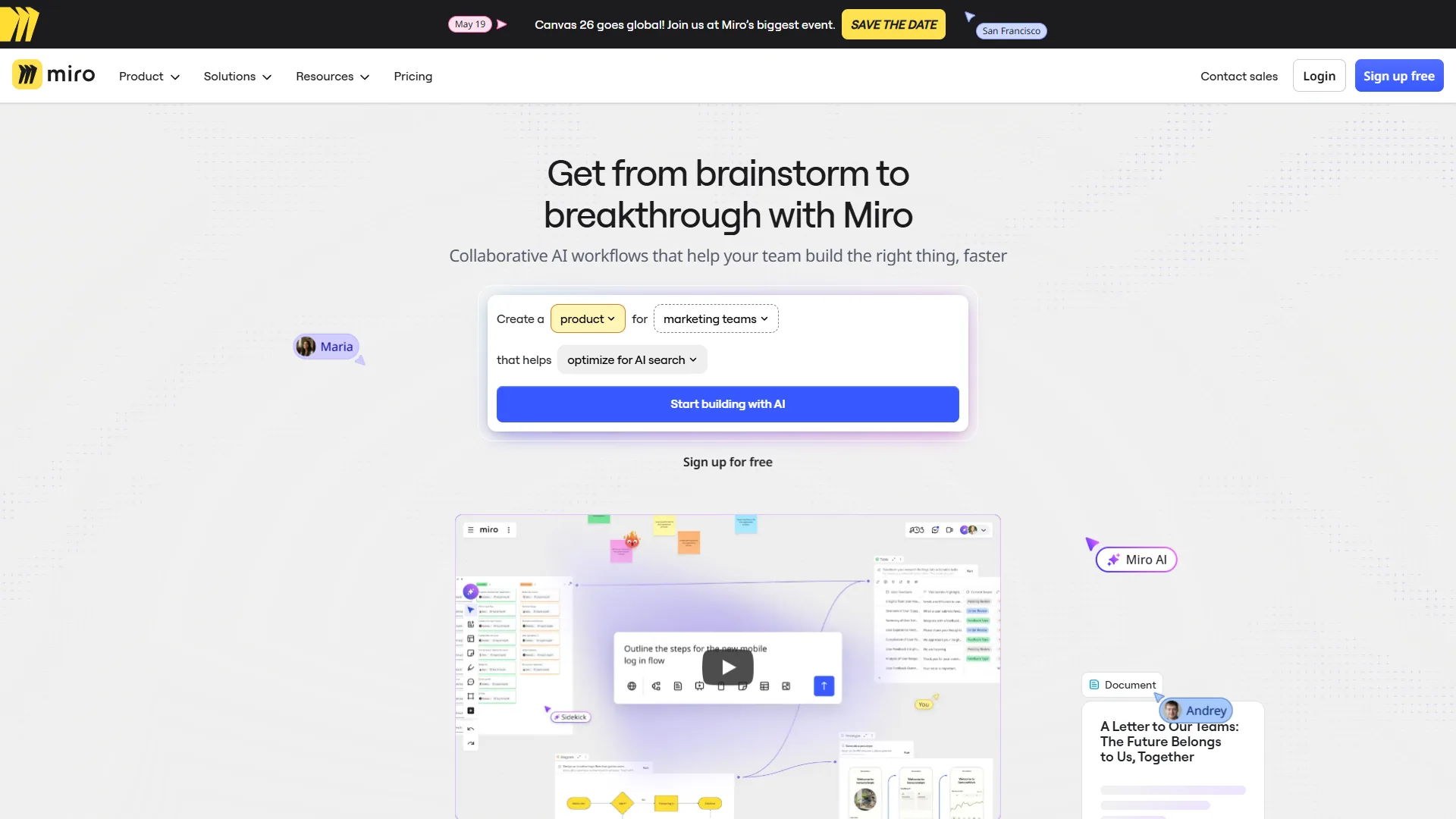
Miro is a visual collaboration platform used by over 100 million people, and its diagramming features turn text descriptions into flowcharts, mind maps, and process diagrams on an infinite canvas.
What Makes Miro’s AI Diagramming Stand Out
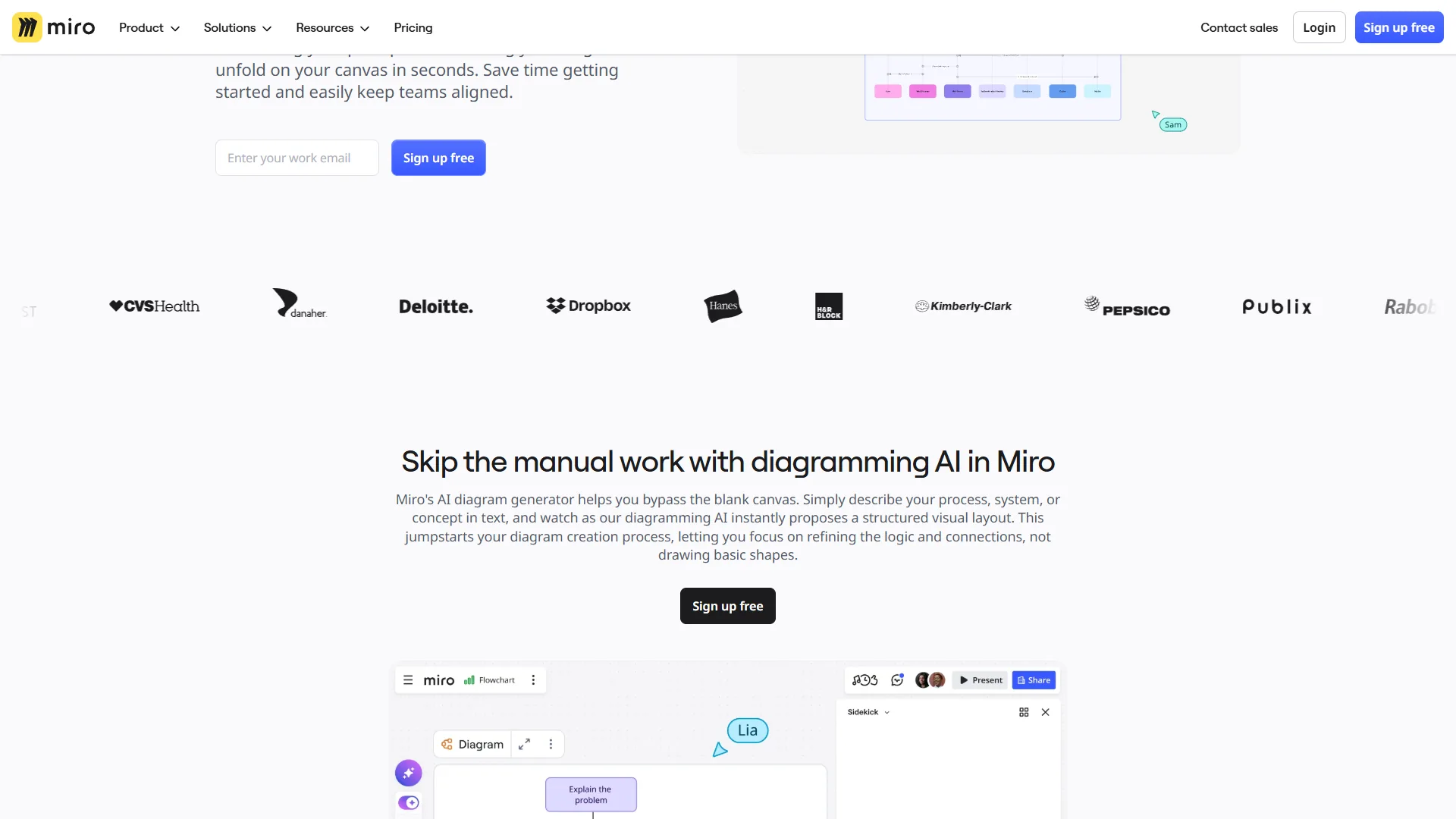
Miro AI is not just auto-layout. A natural language prompt like “create a flowchart for user onboarding from signup through first purchase” returns a structured diagram with appropriate shapes, connectors, and decision nodes - the AI understands process logic such as branching paths and terminal states. Beyond generation, Miro AI clusters sticky notes into categories, expands mind maps with suggested branches, summarizes existing diagrams for documentation, and auto-lays out flowcharts, org charts, and sequence diagrams.
Where Miro Excels for Diagramming
Miro’s real strength happens after the diagram is generated. Real-time cursors, video chat, commenting, voting, and timers turn a static diagram into a living workshop artifact, and 100+ integrations including Jira, Confluence, Slack, and Microsoft Teams connect diagrams to the tools where work happens.
Miro Pricing for Diagramming
| Plan | Price | AI Diagramming? | Best For |
|---|---|---|---|
| Free | $0 | No (manual diagramming only) | Trying the platform, solo diagrams |
| Starter | $10/user/mo | No (smart diagramming without AI) | Small teams needing unlimited boards |
| Business | $20/user/mo | Yes (full Miro AI) | Teams wanting AI-powered diagram creation |
| Enterprise | Custom | Yes (advanced) | Large organizations with compliance needs |
The critical detail: AI diagram generation requires the Business plan at $20 per user/month. The Starter plan gives smart diagramming (auto-layout, shape libraries) but not AI generation from prompts. Annual billing drops Starter to $8 and Business to $16 per user/month.
Limitations: AI is locked behind the $20 Business tier (a 15-person team pays $300/month); dense boards lag on lower-powered devices; Miro is a collaboration platform first - Lucidchart offers deeper data-linked diagramming. Skip Miro for occasional flowcharts, free AI, or deep technical types like UML and ER models.
Best For: Cross-functional teams that diagram collaboratively - product and project managers and workshop facilitators.
2. Figma (FigJam) - Best AI Diagram Tool for Design Teams
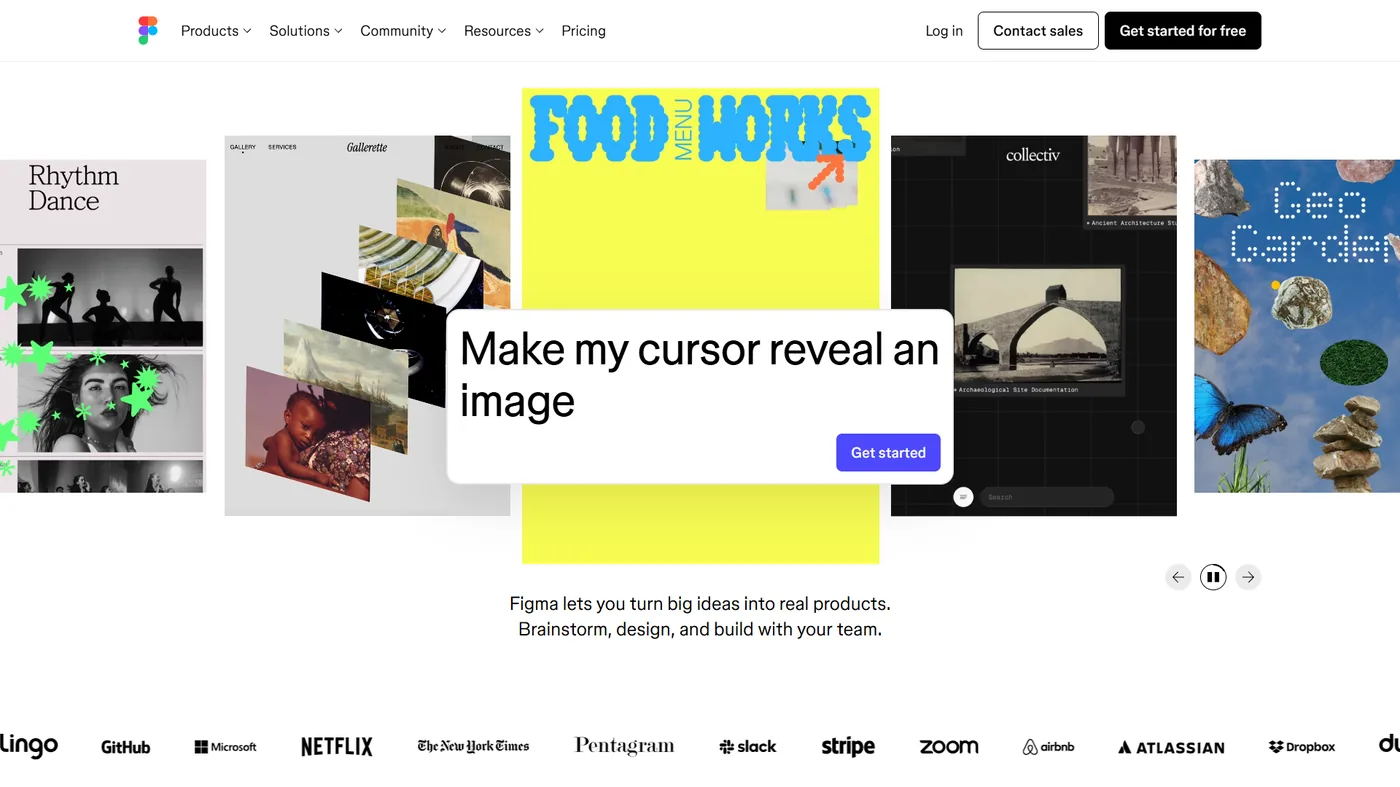
Figma (FigJam) is the best AI diagram tool for design teams because its AI features are available on every plan - including the free tier - and diagrams connect directly to Figma design files. For teams already in the Figma ecosystem, FigJam adds AI diagramming without a second subscription.
What Makes FigJam’s AI Diagramming Different
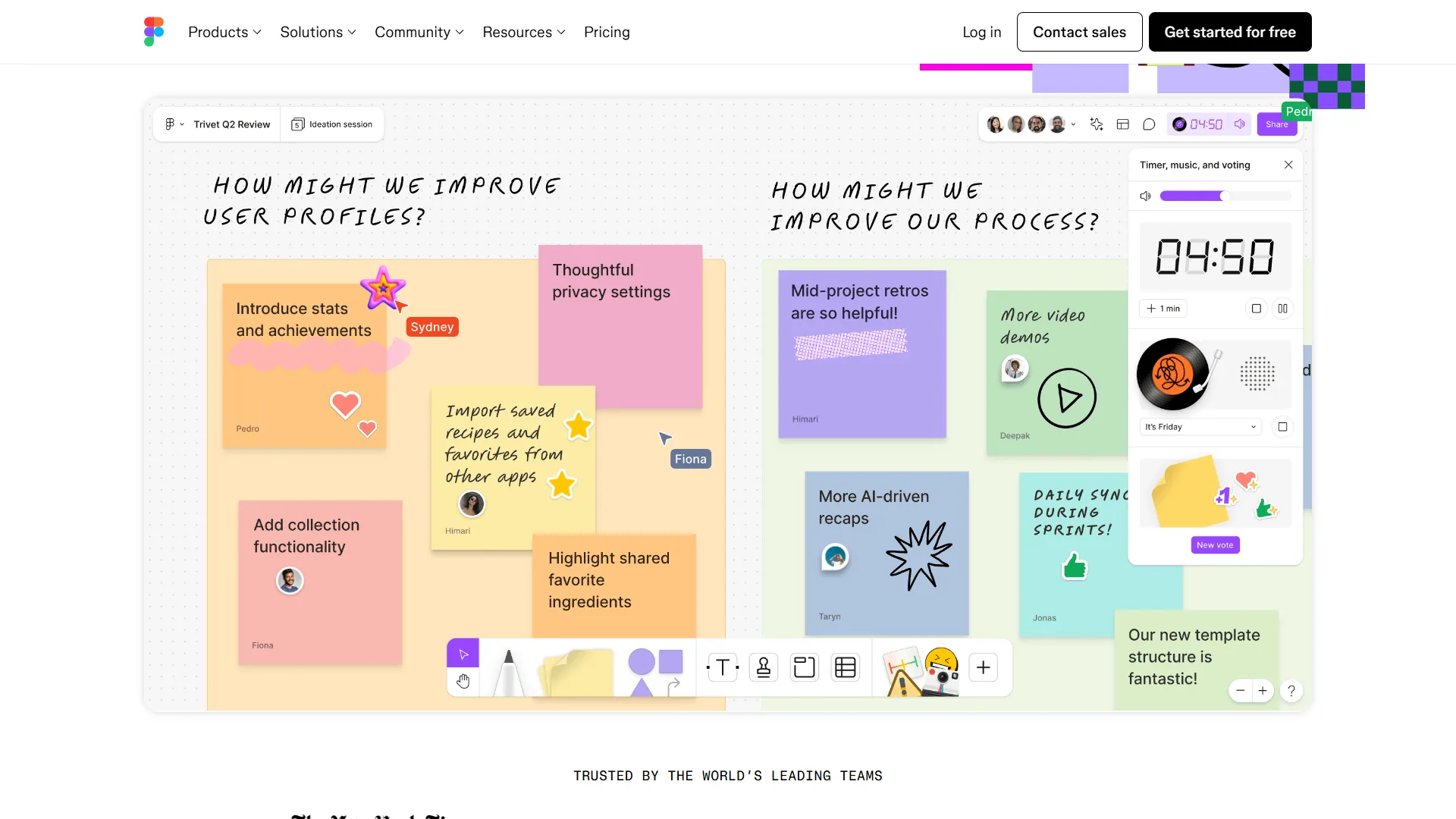
FigJam AI approaches diagramming from a design perspective, generating diagrams that are logically correct and visually polished - applying spacing, color coding, and visual hierarchy automatically. It auto-generates diagrams from prompts, recommends templates (a swimlane for cross-team processes, a decision tree for conditional logic), groups related sticky notes into clusters, and fills in placeholder content based on context.
The Design Team Advantage
FigJam’s killer feature is the seamless bridge to Figma’s design files. A user flow created in FigJam stays connected when the flow changes - eliminating the outdated-documentation problem and letting UX designers map user journeys and build the corresponding screens in one platform.
Figma/FigJam Pricing for Diagramming
| Plan | Price | AI Diagramming? | Best For |
|---|---|---|---|
| Starter (Free) | $0 | Yes (3 FigJam files) | Solo designers, quick diagrams |
| Professional | $20/user/mo | Yes (unlimited files) | Design teams with full workflows |
| Organization | $45/user/mo (annual) | Yes + analytics | Scaling design organizations |
| Enterprise | $75/user/mo (annual) | Yes + security controls | Large enterprises |
FigJam’s advantage: AI features are available on all plans, including free. The free-tier limit is the 3-file cap, not the AI capabilities, so solo users can test AI diagramming for free. Annual billing saves 25% on Professional - $15 per month per seat.
Limitations: Teams not using Figma for design lose the key integration; Miro’s 250+ template library dwarfs FigJam’s; FigJam lacks Miro’s 100+ PM integrations; Eraser and Lucidchart offer better UML and architecture support. Skip FigJam if your team is not already in Figma, or if you need workshop facilitation features like timers and voting.
Best For: Design and UX teams already using Figma who want AI diagramming connected to their design files.
Feature-by-Feature: Miro vs Figma
Miro is the stronger pick for workshop collaboration, integration breadth, and structurally complex diagrams, while Figma (FigJam) is the stronger pick for visual polish, design-to-development handoff, and free-tier AI access. The choice comes down to team composition and tool stack, compared below.
AI Diagram Quality
Both platforms generate usable diagrams from text prompts with different strengths: Miro produces more structurally complex output (multi-branch flowcharts, decision trees, parallel-path process maps), while FigJam produces more visually refined output. For a “user onboarding flow” prompt, Miro produced a more detailed diagram with error-handling paths; FigJam produced a cleaner, presentation-ready one.
Collaboration Features
| Capability | Miro | FigJam |
|---|---|---|
| Real-time cursors | Yes | Yes |
| Video/audio chat | Built-in | Audio conversations |
| Commenting | Yes | Yes |
| Voting/polling | Yes (timer + voting) | Yes (stamps + reactions) |
| Workshop facilitation | Strong (timers, music, templates) | Basic |
| Async collaboration | Comments + board subscriptions | Comments + notifications |
Winner: Miro for workshop-style collaboration - its toolkit (timers, voting, icebreakers) is purpose-built for facilitated sessions.
Integration Ecosystem
| Category | Miro | FigJam |
|---|---|---|
| Project management | Jira, Asana, Monday.com, ClickUp | Limited |
| Communication | Slack, Teams, Zoom | Slack (via Figma) |
| Documentation | Confluence, Notion | Figma design files |
| Development | GitHub, GitLab | Dev Mode (Figma) |
| Total integrations | 100+ | 50+ (via Figma plugin ecosystem) |
Winner: Miro for integration breadth. FigJam wins for design-to-development handoff via Figma’s Dev Mode.
Cost Comparison for a 10-Person Team
| Scenario | Miro Cost | Figma Cost |
|---|---|---|
| Free tier | $0 (3 boards) | $0 (3 files) |
| With AI diagramming | $200/mo (Business) | $200/mo (Professional) |
| Annual with AI | $160/mo (Business annual) | $150/mo (Professional annual) |
Figma edges ahead on annual billing at scale ($150 vs $160 per month for 10 seats), but Miro includes the full collaboration platform while Figma also unlocks the design editor - value depends on whether your team uses both.
What About Other AI Diagram Tools?
Lucidchart, Whimsical, Eraser, EdrawMax, Creately, and draw.io are the strongest alternatives to Miro and Figma, each serving a narrower niche such as technical diagrams or offline use:
- Lucidchart - The enterprise diagramming standard with AI-assisted layout and data-linked diagrams. Best for technical teams needing Visio-level depth.
- Whimsical - Clean, opinionated diagramming for flowcharts, wireframes, and mind maps. Faster for focused sessions.
- Eraser - Built for software engineers and engineering teams; AI generates architecture, sequence, and ER diagrams from text. Best for technical documentation.
- EdrawMax - Desktop-first with AI features and a huge template library. Good for offline access and traditional diagram types.
- Creately - Visual collaboration with AI diagram generation and a process-mapping focus. A middle ground between Miro and dedicated tools.
- draw.io - Free, open-source diagramming with no AI features, excellent for basic flowcharts without a subscription - one of the better free options compared in this roundup.
Each has trade-offs: Lucidchart’s pricing climbs fast, Eraser is engineering-only, EdrawMax feels dated, and draw.io has no AI. For most teams, Miro and Figma still provide the strongest mix of AI, collaboration, and ecosystem breadth - see the best AI design tools 2026 roundup for adjacent platforms.
Best Picks by Use Case
The best AI diagram tool is Miro for cross-functional workshops and PM integrations, and Figma (FigJam) for design teams or anyone wanting free AI diagramming. The tables below match roles and budgets to the right pick.
Match your role to the right tool
| If You Are… | Choose | Why |
|---|---|---|
| Product manager | Miro | Workshop facilitation, stakeholder collaboration, PM tool integrations |
| UX/UI designer | Figma | Seamless connection between user flows and design files |
| Software engineer | Eraser or Miro | Eraser for technical diagrams; Miro for team-visible architecture docs |
| Project manager | Miro | Process mapping with direct Jira/Asana integration |
| Startup founder | Figma | Free AI diagramming + design tool in one subscription |
| Enterprise team | Miro | SSO, data governance, 100+ integrations, workshop tools |
What is your budget?
| Budget | Best Option | What You Get |
|---|---|---|
| $0 | Figma (FigJam) | AI diagramming on free tier with 3 files - the best free AI diagram option |
| $10-15/user | Miro Starter or Figma Professional (annual) | Unlimited boards/files; Figma includes AI, Miro Starter does not |
| $16-20/user | Miro Business | Full AI diagramming, SSO, external guest collaboration |
| $45+/user | Figma Organization | Design system analytics, centralized admin, SSO |
Do you need AI features specifically?
AI-generated diagrams are most valuable for teams creating 3+ diagrams per week or documenting complex systems where AI surfaces missed connections; manual free tiers handle the once-a-week flowchart fine. FigJam’s free tier is the best entry point; Miro Business is the stronger package for AI plus enterprise collaboration.
Productivity Impact: Real Numbers
AI diagram tools deliver measurable time savings - 30-50% less time on visual documentation and 70-80% faster flowchart creation, per published vendor case studies.
Miro reports teams save an average of 3 hours per week through tool consolidation. Gartner named Miro a 2024 Peer Insights Customers’ Choice for Visual Collaboration.
Figma commissioned a Forrester Total Economic Impact study showing 328% ROI with an 11-month payback period. According to Forrester analysts on the commissioned report, the composite organization saw a “328% return on investment over three years” with FigJam workflows driving 40% efficiency improvements - roughly 4 hours saved per designer each week.
For a 10-person team diagramming regularly:
| Metric | Without AI Tools | With AI Tools | Savings |
|---|---|---|---|
| Time to create a flowchart | 30-45 minutes | 5-10 minutes | 70-80% reduction |
| Weekly diagramming time | 8-10 hours (team total) | 3-4 hours | 5-6 hours saved |
| Monthly time savings | 20-24 hours | - | Around $2,000-3,000 in recovered productivity |
These numbers assume a blended hourly rate of $75-100. The math favors AI diagramming at the Business/Professional tiers but not for teams diagramming only once or twice a month. The best AI documentation tools 2026 roundup is a better starting point for doc-heavy teams.
The Bottom Line
The best AI diagram tools 2026 are collaboration platforms with AI-powered diagramming built in, not standalone apps - because diagrams are discussed, refined, and maintained over time.
Choose Miro for a collaboration-first platform where diagramming is part of broader workshop and planning workflows. The 250+ template library, 100+ integrations, and facilitation tools make it the strongest choice for cross-functional teams. Budget $16-20/user/month on Business.
Choose Figma (FigJam) if your team already lives in Figma or wants AI diagramming without paying a premium. FigJam’s free tier with AI is the best zero-cost entry point. Budget $15-20/user/month on Professional.
Both platforms offer generous free tiers - start with the one that matches your existing tool stack.
FAQ
The most common questions about AI diagram tools in 2026 are answered below - covering pricing, free AI access, and Miro vs Figma trade-offs.
Q: What are the best AI diagram tools in 2026?
Miro and Figma (via FigJam) lead the best AI diagram tools 2026. Miro suits collaborative AI diagramming with 250+ templates and 100+ integrations like Jira, Slack, and Confluence. Figma’s FigJam fits design-integrated whiteboarding and connects diagrams directly to design files.
Q: Does Miro have free AI diagramming?
No. Miro’s free plan allows 3 editable boards with manual diagramming only. Smart diagramming auto-layout is included on the Starter plan at $10/user/month, but AI-powered diagram generation from prompts requires the Business plan at $20/user/month, or $16/user/month billed annually.
Q: Is FigJam free for AI diagram generation?
Yes. FigJam’s Starter free tier includes AI diagramming with a 3-file cap. The AI capabilities themselves are not limited on free plans - only the number of files - making FigJam the best zero-cost entry point for solo users and small teams.
Q: Miro or Figma for AI diagramming?
Choose Miro for cross-functional workshops, stakeholder collaboration, and PM tool integrations like Jira and Asana. Choose Figma (FigJam) if your team already uses Figma for design or wants AI diagramming on a free tier. Miro produces more structurally complex diagrams; FigJam produces more visually refined output.
Q: How much time do AI diagram tools save?
Teams using AI diagramming features report 30-50% reductions in visual-documentation time, roughly 3-5 hours saved per week. Flowchart creation drops from 30-45 minutes manually to 5-10 minutes with AI. For a 10-person team that translates to 5-6 hours saved weekly, worth around $2,000-3,000 monthly.
Related Reading
These related guides are recommended next reads on adjacent AI design, collaboration, and automation tools that pair well with the diagramming platforms above.
- Miro Review - Full review of the visual collaboration and diagramming platform
- Figma Review - Full review of the design platform with FigJam whiteboarding
- Best AI Design Tools 2026 - Comprehensive comparison of AI-powered design platforms
- Remote Collaboration Tools - Best tools for distributed team collaboration
- Best AI Automation Tools 2026 - Automate workflows between your diagramming and project tools
External Resources
These primary sources are the documented references for the AI diagramming features and research cited in this guide.
- Miro Diagramming Features - Official overview of Miro’s smart diagramming and AI capabilities
- FigJam by Figma - Official FigJam whiteboarding and diagramming product page
- McKinsey: Economic Potential of Generative AI - Research on AI productivity gains across knowledge work