


Claude beats ChatGPT on long-document analysis, coding, and accuracy, while ChatGPT beats Claude on image generation, voice, and breadth of ecosystem. Both cost $20 per month at the entry tier, both ship 200K-class or 128K-class context windows, and neither replaces the other for a working professional.
This comparison covers how Claude and ChatGPT perform on the work that fills your day - drafting emails, prepping meetings, planning projects, analyzing documents - including Claude vs ChatGPT for writing, Claude vs ChatGPT for coding, Claude vs ChatGPT for everyday use, and the Claude vs ChatGPT ethics trade-offs.
According to Dario Amodei, CEO at Anthropic, “our goal is to build AI systems that are reliable, interpretable, and steerable,” a stance documented on the company’s trust portal and reinforced by OpenAI’s own safety guidance for ChatGPT, which warns GPT-class models still produce confident but incorrect claims. Independent vendor documentation from Anthropic confirms a 200K-token context window for Claude versus 128K on GPT-5.
This guide focuses on areas competitor reviews miss - productivity workflow performance, integration ecosystems, Claude vs ChatGPT pricing efficiency, enterprise compliance, and how each compares if you have weighed Claude vs ChatGPT vs Gemini or Claude vs ChatGPT vs Grok. Analysis draws on vendor documentation and independent research, not sponsored placement. AI Productivity may earn commission from links on this page; rankings are editorially independent.
Comparison Table
Claude costs $20 per month with a 200K-token context window and never trains on user data, while ChatGPT costs $20 per month with a 128K-token window and includes image generation and voice mode. The table below covers pricing, features, and workflow performance side-by-side.
| Category | Claude | ChatGPT |
|---|---|---|
| Rating | ||
| Best For | Long documents, reasoning, coding | Creative writing, images, voice, ecosystem |
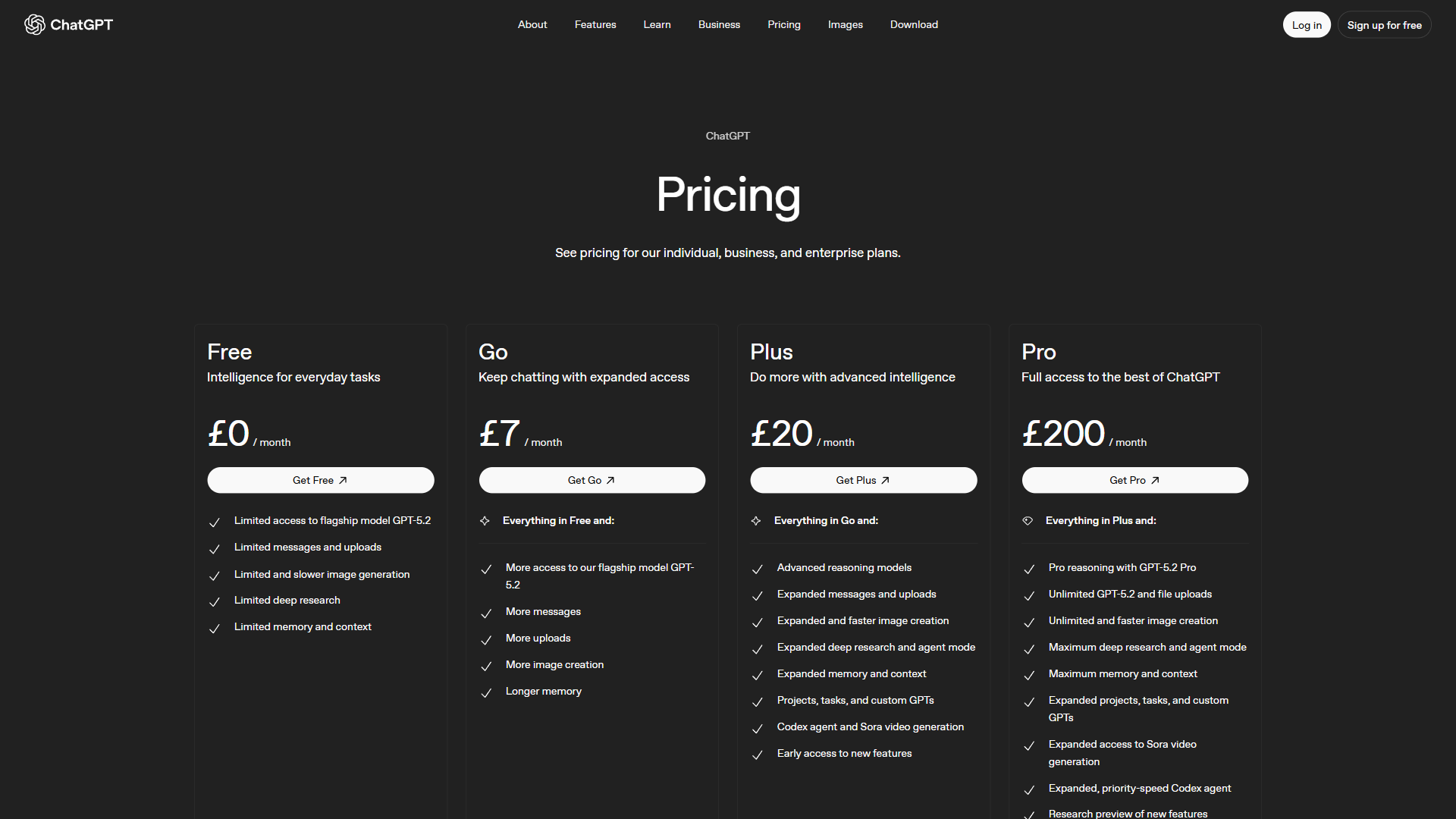
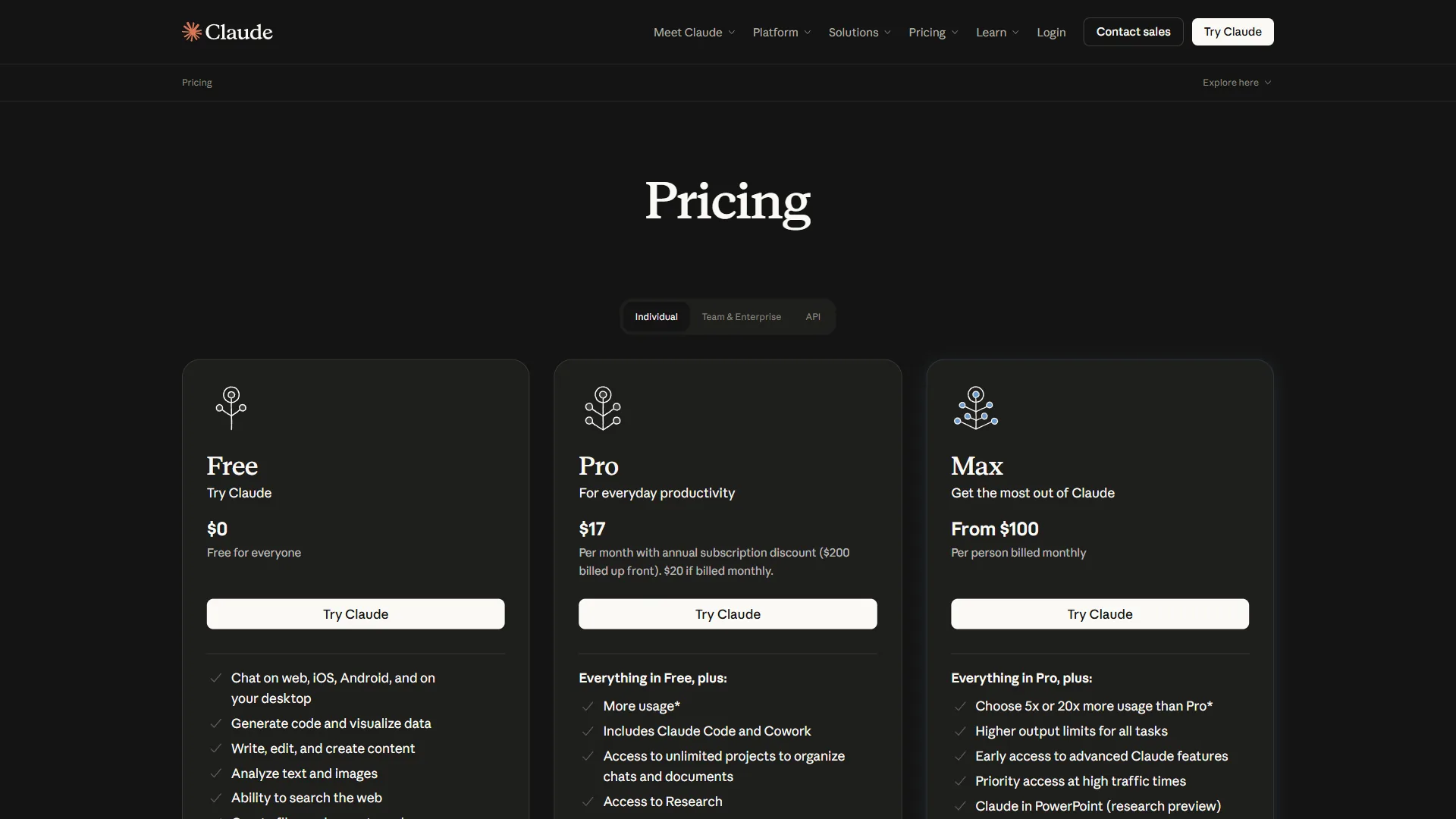
| Pro Price | $20/mo (Pro) | $20/mo (Plus) |
| Premium Price | $100/mo (Max) | $200/mo (Pro) |
| Context Window | 200K tokens (1M beta) | 128K tokens (GPT-5) |
| Image Generation | No | Yes (GPT-4o DALL-E) |
| Voice Mode | No | Yes (Live voice) |
| Web Search | Pro/Max with citations | Plus/Pro, no citations |
| Autonomous Coding | Claude Code (Pro/Max) | N/A |
| Privacy Default | Data never trains models | Free tier trains models |
| Enterprise Min | 70 users | 150 users |
Quick verdict: Choose Claude if your work involves long documents, complex reasoning, or code. Choose ChatGPT if you need image generation, voice interactions, or the broadest plugin ecosystem. At $20 per month each, many professionals subscribe to both.
Who this comparison is not for: Skip both if you need on-prem inference for sovereign data; neither offers a self-hosted option. Both also throttle heavy daily users at the $20 tier.
Claude vs ChatGPT: Productivity Workflow Comparison
Claude wins on email drafting, meeting preparation, and document analysis, while ChatGPT wins on content creation; project planning is a tie. The next five subsections compare both tools across the workflows that dominate a professional’s day, judged on completion quality, time to usable output, and editing effort.
Email Drafting
Claude maintains your style across sessions through Projects. Upload your last ten sent emails and it learns tone, formality, and signature patterns. The 200K context window references full threads with attachments without losing who said what.
ChatGPT uses its Memory feature to learn preferences over time and Custom GPTs to build dedicated email personas. It is marginally faster on one-off replies but struggles past 30-40 messages.
Winner: Claude. Projects turn email drafting from a per-message task into a workflow where context accumulates.
Meeting Preparation
Claude excels here. Upload the agenda, past notes, relevant documents, and participant bios in one shot, and Claude returns a structured prep sheet with talking points, objections, and background.
ChatGPT handles prep competently but needs more prompting for the same depth. Its web browsing wins on external meetings by pulling real-time news about attendees and their companies.
Winner: Claude for internal meetings with documents; ChatGPT for external meetings needing live research.
Project Planning
Claude produces more structured plans with clearer dependency mapping. Output reads like a senior PM wrote it - realistic timelines, risk flags, resource considerations - and Claude Artifacts can render Gantt-style views inline.
ChatGPT brings Advanced Data Analysis, which runs actual budget projections, allocation models, and timeline simulations on uploaded spreadsheets - numbers Claude can only estimate.
Winner: Tie. Claude for qualitative strategy; ChatGPT for quantitative planning with calculations.
Document Analysis
Claude dominates document analysis. Its 200K token context window holds roughly 150,000 words - enough for most contracts, reports, or research papers without splitting. Claude flags relevant clauses, surfaces inconsistencies, and produces nuanced summaries. For legal, financial, or technical review, nothing else comes close.
ChatGPT handles documents under 50 pages well but loses coherence on longer inputs. GPT-5 improved context handling, but the 128K limit forces chunking on large files.
Winner: Claude, decisively. If document analysis is regular work, this alone justifies the subscription.
Content Creation
ChatGPT leads content creation with built-in GPT-4o image generation, voice brainstorming, and a natural writing style for marketing copy, social posts, and creative content. Custom GPTs build brand-specific assistants that remember your style guide.
Claude produces more accurate, carefully reasoned content for technical writing, documentation, and long-form articles where factual precision beats creative flair. Fewer hallucinations mean less fact-checking, but Claude lacks image generation entirely.
Winner: ChatGPT for marketing and creative content; Claude for technical and long-form where accuracy is non-negotiable. See our Claude pricing breakdown and best AI image generators roundup for related context.
Workflow limits: Skip Claude if you need image generation or voice mode; skip ChatGPT for documents over 200 pages or audit-grade accuracy. Neither replaces a domain expert on novel research.
Integration Ecosystem: MCP vs Custom GPTs
Claude extends through the Model Context Protocol, an open standard that gives it deep, action-oriented access to local tools and APIs, while ChatGPT extends through 3 million-plus Custom GPTs and Zapier integrations that prioritize breadth and zero-code setup. The integration gap is the biggest differentiator most Claude vs ChatGPT reviews ignore.
Claude’s Model Context Protocol (MCP)
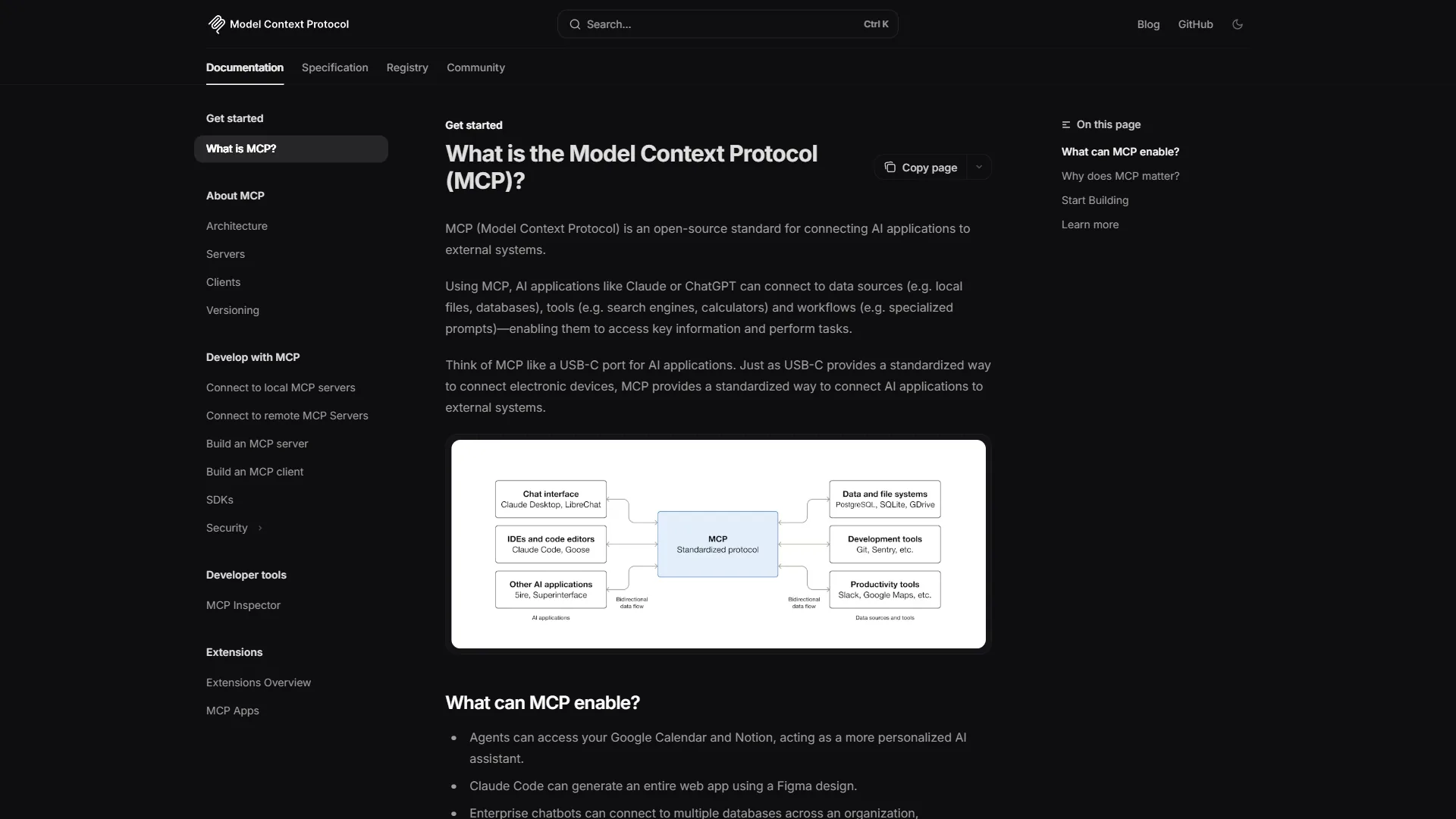
Claude uses the Model Context Protocol (MCP), an open standard that connects Claude to external tools, databases, and APIs through a unified protocol. MCP servers run locally or remotely and give Claude direct access to your file system, GitHub repos, Slack channels, and databases.
The advantage of MCP is depth. Claude does not just read data - it takes actions: write code and commit it, query a database and analyze results, read Slack threads and draft responses in context. The disadvantage is configuration: JSON manifests and server management are not for non-technical users.
ChatGPT’s Custom GPTs and Plugins
ChatGPT’s 3 million-plus Custom GPTs and native integrations take a breadth-over-depth approach. The GPT Store offers pre-built assistants for nearly every use case, and building a Custom GPT requires zero code - add instructions, upload knowledge files, connect actions.
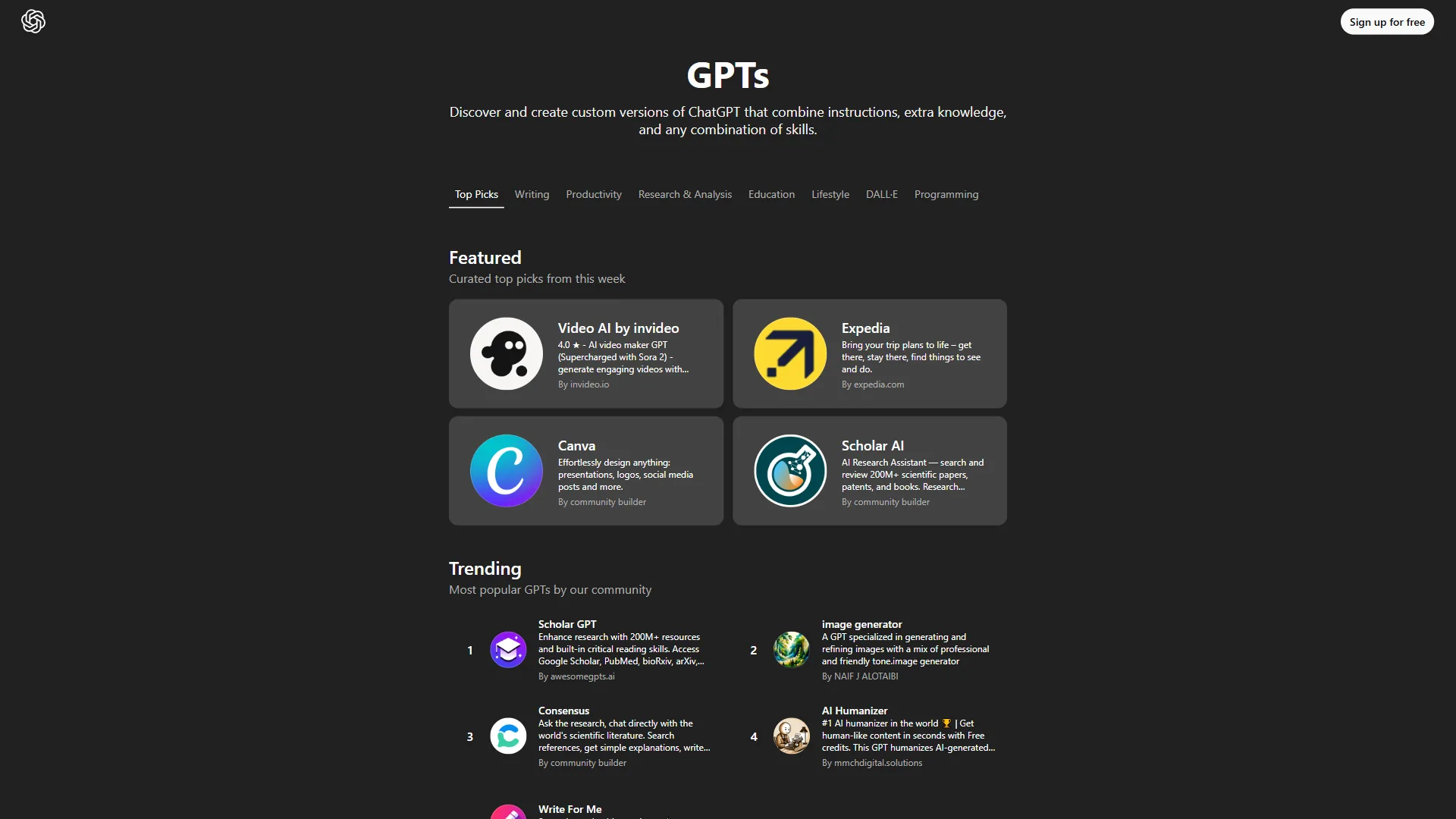
The advantage is accessibility - anyone builds a Custom GPT in minutes, and Zapier connects ChatGPT to thousands of apps without code. The disadvantage is quality variance in the public store and shallower integration depth than MCP: ChatGPT reads data well but takes limited actions.
Integration verdict: Claude MCP for technical users wanting deep, action-oriented integrations; ChatGPT Custom GPTs for non-technical users wanting breadth and easy setup.
Integration limits: Skip MCP without a team member who can manage JSON manifests and local servers; skip Custom GPTs if you need write actions beyond read-only data. Both still trail Zapier and Make for serious automation.
Cost Efficiency: Price Per Task
Both tools charge $20 per month at the standard paid tier, but the Claude vs ChatGPT value proposition differs significantly based on your usage patterns.
| Metric | Claude Pro ($20/mo) | ChatGPT Plus ($20/mo) |
|---|---|---|
| Usage Limit | 5x free tier (~100 messages/day) | ~80 GPT-5 messages/3 hours |
| Premium Model Access | Limited Opus 4.5 | Full GPT-5 |
| Web Search | Included with citations | Included without citations |
| File Analysis | 200K context | 128K context |
| Image Generation | N/A | Included |
| Voice Mode | N/A | Included |
| Coding Tools | Claude Code included | N/A |
| Next Tier | $100/mo (Max) | $200/mo (Pro) |
For text-heavy workflows - writing, analysis, coding - Claude Pro delivers more value per dollar. The 200K context window saves time on document work, and Claude Code, included with Pro, adds autonomous coding ChatGPT does not match at any price.
For multimedia workflows - image generation, voice brainstorming, visual content - ChatGPT Plus is the only option since Claude lacks these features.
The premium tier gap is notable: Claude Max at $100 per month gives generous Opus 4.5, full Claude Code with checkpoints, and Chrome automation; ChatGPT Pro at $200 per month gives unlimited messages and o1 pro reasoning. Claude Max offers better value for most professional use cases.
Pricing limits: Skip Claude Pro if you need image generation or voice; skip ChatGPT Plus for heavy document review. Both Pro/Plus tiers carry soft rate caps and opaque throttling.
Enterprise Readiness
Claude wins the enterprise default with a 70-user minimum and zero training on user data at any tier, while ChatGPT requires 150 users for Enterprise and only opts paid users out of training by default. Both offer SOC 2, HIPAA, and SSO at the top tier, but Claude’s privacy posture simplifies procurement.
| Enterprise Feature | Claude | ChatGPT |
|---|---|---|
| Data Training | Never used for training | Free tier trains; Plus opts out |
| SOC 2 | Enterprise tier | Enterprise tier |
| HIPAA | Available via API | Available via Enterprise |
| SSO/SAML | Enterprise | Enterprise |
| Audit Logs | Team and Enterprise | Enterprise only |
| Min Enterprise Users | 70 | 150 |
| Data Retention | Custom rules | Custom rules |
| Admin Console | Team and Enterprise | Team and Enterprise |
Claude’s privacy-first stance is a meaningful differentiator: user data is never used for training at any tier, not even the free plan. ChatGPT requires at least the Plus tier to opt out of training, and full compliance gates on Enterprise.
Claude’s lower enterprise minimum (70 vs 150 users) makes it more accessible to mid-size companies. Both platforms ship comparable security certifications at the enterprise level, but Claude’s default privacy posture simplifies procurement conversations.
Enterprise limits: Skip Claude Enterprise if you need OpenAI’s deeper Microsoft-backed channel; skip ChatGPT Enterprise if you require default-private training data. Both lag Glean, Writer, and Cohere on fine-grained ACL inheritance.
Which Is Faster: Claude or ChatGPT?
Both tools deliver sub-second first-token responses for standard queries; differences emerge on complex tasks. Claude Sonnet 4.5 is optimized for speed, while Claude Opus 4.5 trades latency for deeper reasoning. ChatGPT with GPT-5 stays fast across most tasks - the GPT-5 release notes confirm 2x Plus-tier processing speed - but Advanced Data Analysis runs background code that takes 10-30 seconds.
For typical productivity tasks, latency differences are negligible. Our ChatGPT tips and tricks guide covers workflows that save the most time.
Speed limits: Skip both for low-latency production workloads under 200ms; consumer plans carry no SLA and slow at peak hours. Guaranteed throughput requires the API or Enterprise tier.
Which Is More Accurate: Claude or ChatGPT?
Claude hallucinates measurably less than ChatGPT on factual queries because Anthropic’s Constitutional AI training pushes the model to refuse rather than fabricate. A hallucinated fact in a client email or legal analysis costs real money, which makes accuracy the benchmark that matters most for productivity work.
Claude’s Constitutional AI approach produces measurably fewer hallucinations on factual queries. Claude refuses rather than fabricates - a design choice prioritizing reliability over helpfulness, visible in our Claude review where the model defaults to “I’m not sure” instead of inventing a plausible answer.
ChatGPT’s GPT-5 improved accuracy significantly over GPT-4o but still generates confident-sounding incorrect claims, as OpenAI’s own safety guidance warns. The lack of source citations on web browsing compounds this.
For accuracy-sensitive workflows - legal review, financial analysis, technical documentation - Claude’s lower hallucination rate translates to less fact-checking and fewer costly errors.
Accuracy limits: Both models still hallucinate. Skip either as a primary source for medical, legal, or safety-critical decisions; both cite nonexistent papers and fabricate case law. Verify through primary sources.
Winner by Category
Choose Claude for document analysis, accuracy-critical writing, coding, and data privacy; choose ChatGPT for image generation, voice mode, Microsoft 365 integration, and non-technical team access. The two lists below break that down by trigger workflow.
Choose Claude When
- Document analysis is daily work. The 200K context handles contracts, reports, and codebases ChatGPT cannot process in one pass.
- Accuracy matters more than features. Legal, technical, and financial review - Claude hallucinates less.
- You are a developer. Claude Code is the most capable bundled coding assistant; MCP connects your entire toolchain.
- Data privacy is required. No training at any tier; simpler procurement.
- You want better premium value. Claude Max at $100/mo versus ChatGPT Pro at $200/mo.
Choose ChatGPT When
- You need one tool for everything. Writing, images, voice, web browsing, data analysis - no other single subscription covers this much ground.
- Image generation is part of your workflow. GPT-4o’s integrated DALL-E is not available elsewhere at this price.
- Non-technical team members need AI access. Custom GPTs and the GPT Store make ChatGPT the most accessible AI platform.
- Voice interaction is valuable. Live voice mode for brainstorming, language practice, or hands-free work.
- Your team already uses Microsoft tools. ChatGPT’s integrations with Microsoft 365 and Teams are more mature than Claude’s Google Workspace integration.
The Bottom Line
The Claude vs ChatGPT verdict is workflow-specific, not absolute. For productivity-focused professionals - writers, developers, analysts, managers handling complex documents daily - Claude delivers more useful output per conversation through its 200K context window, lower hallucination rate, and bundled Claude Code. Our ChatGPT competitors guide covers the broader market.
For creative professionals and generalists who need one subscription for image generation, voice brainstorming, and quick research, ChatGPT remains the most capable all-in-one platform.
The practical answer for many professionals: spend $40 per month on both. Use Claude for deep work - analysis, coding, long documents - and ChatGPT for creative tasks, image generation, and quick lookups. The combination outperforms either alone.
FAQ
Q: Is Claude better than ChatGPT?
Neither is universally better - it depends on workflow. Claude wins on depth, accuracy, and long-document work thanks to its 200K context window and lower hallucination rate. ChatGPT wins on breadth, ecosystem, and multimedia with image generation, voice mode, and Custom GPTs.
Q: Why is Claude considered more accurate than ChatGPT?
Anthropic’s Constitutional AI training pushes Claude to refuse rather than fabricate when uncertain, producing measurably fewer hallucinations than GPT-class models on factual queries.
Q: Why use ChatGPT instead of Claude?
Choose ChatGPT when you need image generation, live voice mode, Custom GPTs, or Microsoft 365 integration; Claude does not offer any of these.
Q: Should I switch from ChatGPT to Claude?
Switch if your workflow is dominated by long documents, coding, or compliance-sensitive data. Stay on ChatGPT if image, voice, or breadth of integrations matter more than depth.
Related Reading
Related guides on this site extend the Claude vs ChatGPT comparison with the reverse-angle review, broader assistant roundups, and dedicated reviews of each tool.
- ChatGPT vs Claude: Which AI Assistant Is Better? - Our reverse comparison from ChatGPT’s perspective
- Best AI Assistants for Productivity in 2026 - Comprehensive guide covering Claude, ChatGPT, Perplexity, and more
- Perplexity vs Claude for Research - If research is your primary use case
- Best AI Coding Assistants - Developer’s guide to Claude Code, Copilot, and Cursor
- AI Writing Tools - Full comparison of AI writing assistants
- ChatGPT Review
- Claude Review
External Resources
Primary vendor pages and the open-standard MCP specification provide the authoritative pricing, feature, and integration details referenced throughout this comparison.
- Claude Official Site - Anthropic’s AI platform with pricing and feature details
- ChatGPT Official Site - OpenAI’s product page with latest features and pricing
- Model Context Protocol - Open standard for AI tool integrations