


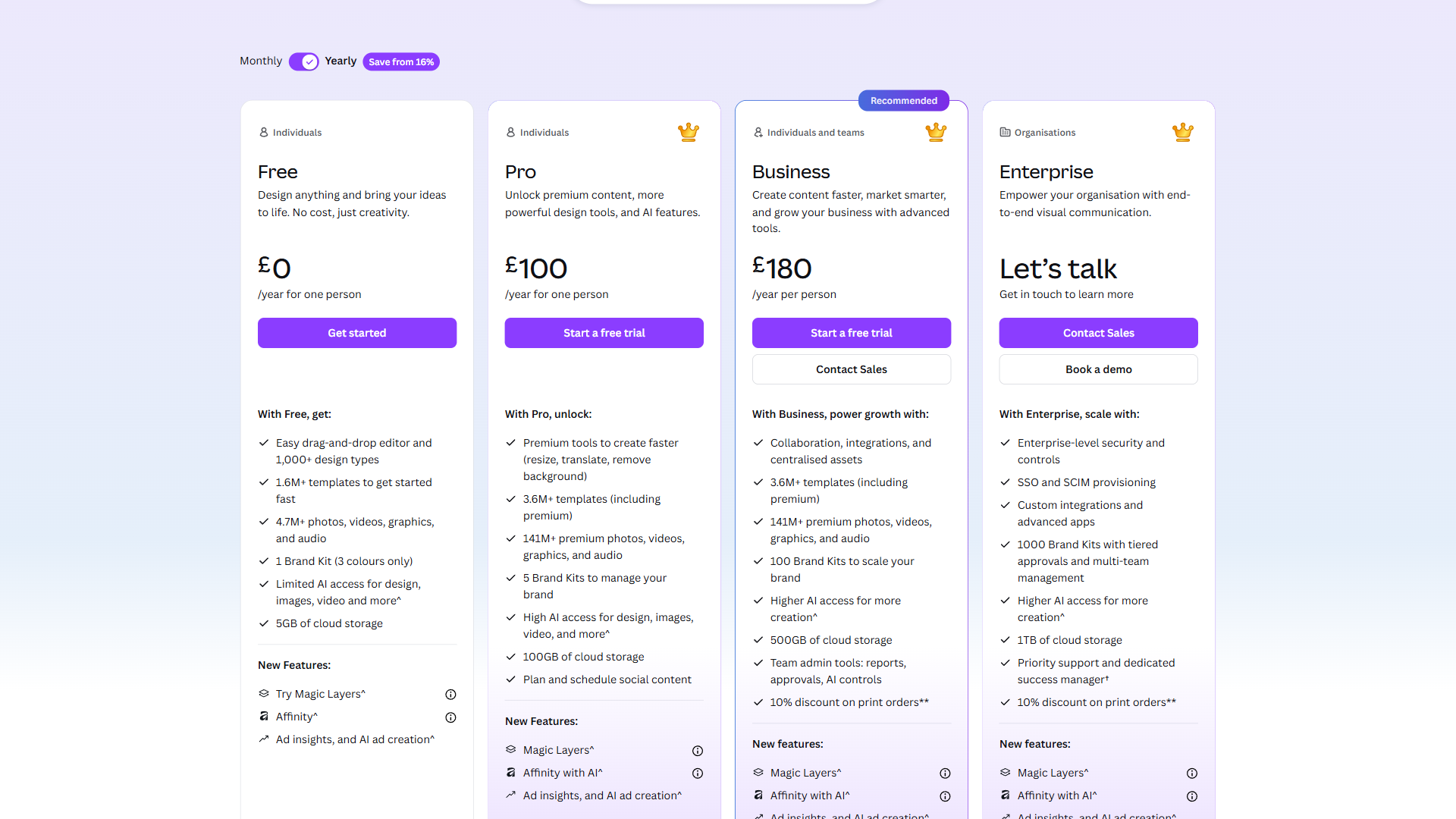
Canva pricing has four tiers in 2026: Free ($0), Pro (around $12.99 per month), Business (around $20 per month per user), and Enterprise (custom pricing). Annual billing drops Pro to around $10 per month and saves 23%. For most individual users, the Pro plan billed annually offers the strongest value - unlocking 140 million premium assets, Brand Kit, and 500 monthly AI credits that the free plan restricts heavily.
But the right plan depends on how you actually use Canva. A freelancer creating occasional social posts has very different needs from a 15-person marketing team that needs brand governance and approval workflows. This guide breaks down every plan, compares the real costs, and identifies which tier makes sense for each use case - including the hidden costs that Canva’s pricing page does not make obvious. The canva-alternatives roundup is a useful pairing if you want to see how each tier compares against rival tools, and the broader Magic Studio launch announcement from Canva’s newsroom adds context on why pricing climbed alongside AI features.
According to Melanie Perkins, co-founder and CEO at Canva, “Our mission is to empower the world to design, which means making professional creative tools accessible to every team and student worldwide.”
Methodology: This analysis draws on Canva’s current published pricing pages, official product documentation, and independent research rather than sponsored placement. Disclosure: AI Productivity may earn a commission from links on this page; our rankings and tier recommendations are editorially independent.
Quick Verdict: Canva Pricing Overview
Canva pricing in 2026 spans four tiers: Free ($0), Pro ($12.99 per month), Business ($20 per month per user), and Enterprise (custom). Any Canva subscription can be billed monthly or yearly; the canva monthly cost is highest on a rolling plan, while the canva annual plan locks in a discount. The right plan depends on team size, feature requirements, and how heavily you use premium capabilities.
Here is every Canva plan side by side as of March 2026:
| Feature | Free | Pro | Business | Enterprise |
|---|---|---|---|---|
| Monthly Price | $0 | $12.99/mo | $20/mo per user | Custom |
| Annual Price | $0 | $119.99/yr ($10/mo) | $200/yr per user | Custom |
| Storage | 5GB | 1TB | Unlimited | Unlimited |
| Templates | 2M+ | 140M+ premium | 140M+ premium | 140M+ premium |
| AI Credits | 25 Magic Write uses | 500/mo (Write + Image) | Expanded | Expanded |
| Brand Kit | No | Up to 1,000 | Up to 1,000 + controls | Full governance |
| Background Remover | No | Yes | Yes | Yes |
| Content Planner | No | 8 platforms | 8 platforms | 8 platforms |
| Team Features | Basic sharing | Basic sharing | Approvals + workflows | SSO + SCIM + audit logs |
| Support | Community | 24/7 priority | Priority | Dedicated CSM |
The annual billing discount is significant across every paid tier. Pro drops from $155.88 per year (monthly billing) to $119.99 per year - a 23% savings. Business follows the same pattern, dropping from $240 per year to $200 per year per user.
Canva Free Plan: What You Actually Get
The free tier is more capable than most design tools offer at $0, but the limitations are deliberate. Canva uses them to funnel serious users toward Pro.
What’s included:
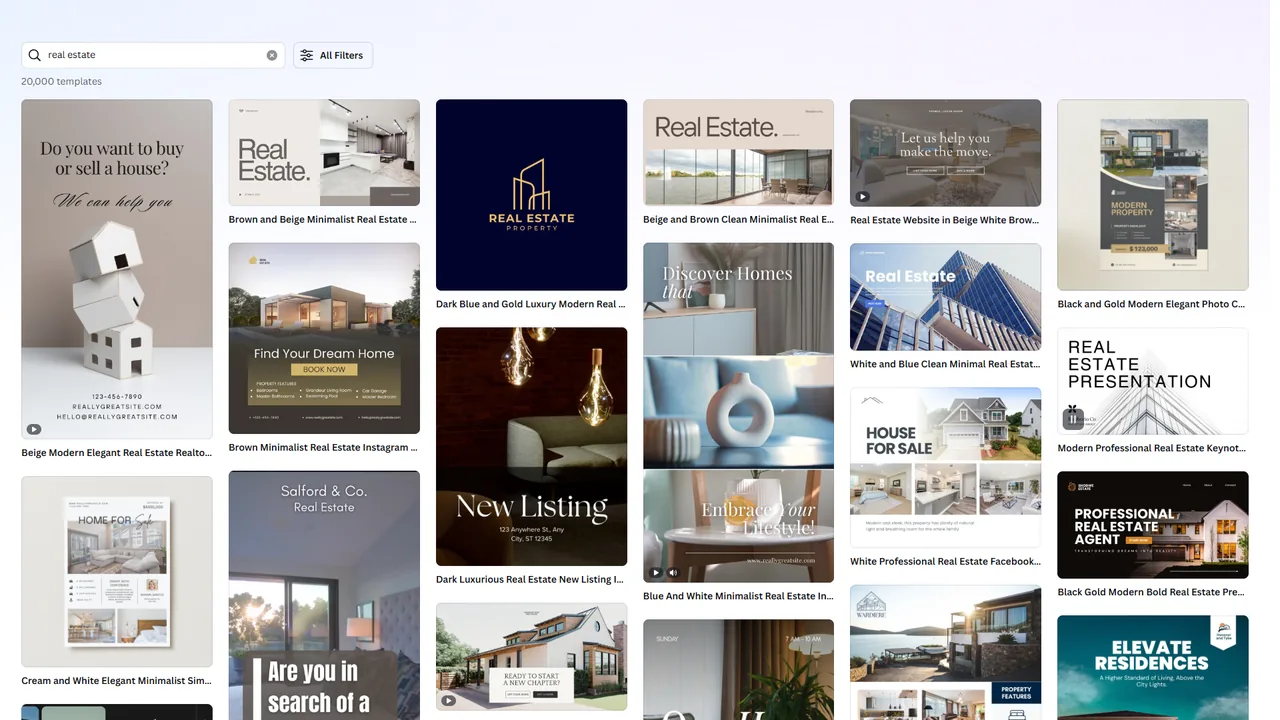
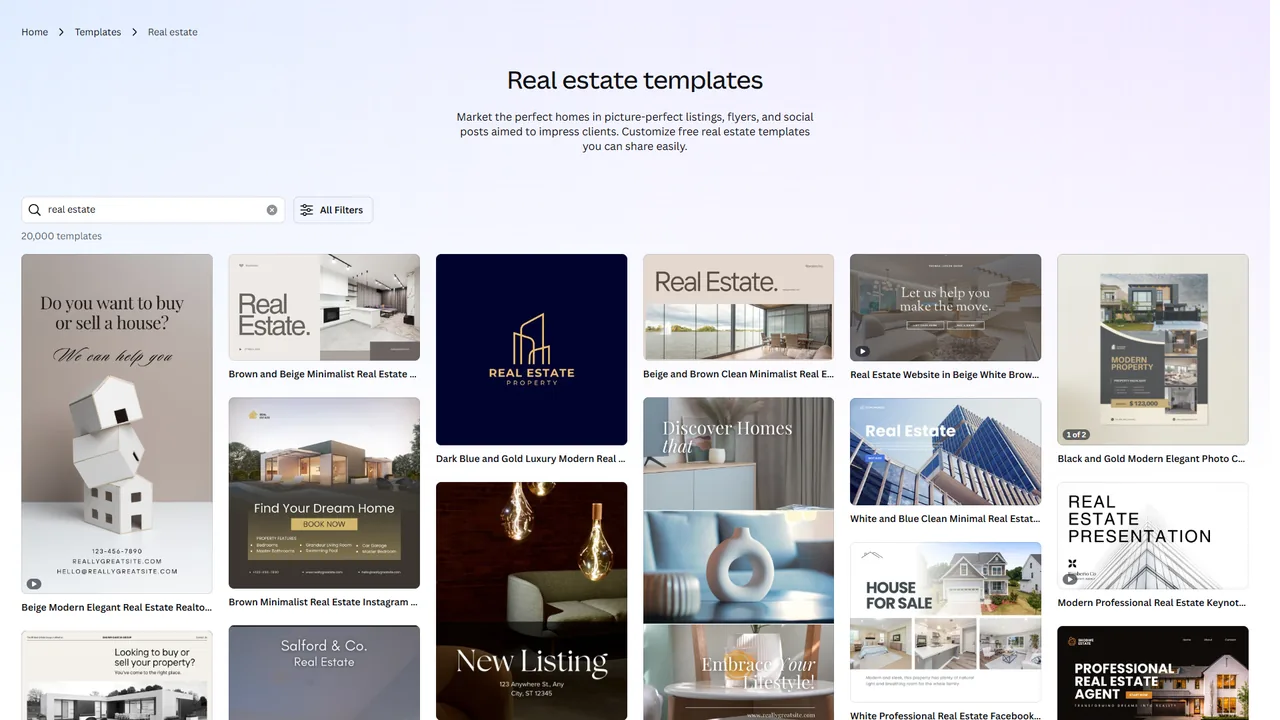
- 2 million+ templates - Large library, though 40-50% of premium-category templates display a Pro watermark crown, per Canva’s free vs Pro content guide.
- Basic editor - Full drag-and-drop with text, shapes, and basic effects, identical to paid plans.
- Stock photos and graphics - Free stock imagery, with the 140 million+ premium library gated.
- 25 Magic Write uses - Total, not monthly. Once you hit 25, the AI writing assistant is gone unless you upgrade.
- 5GB cloud storage - Enough for casual use; active designers will hit it within months.
- Collaboration - Share designs and invite editors, but no approval workflows or brand controls.
Key limitations: The free plan is missing Background Remover, Magic Eraser, Magic Resize, Brand Kit, and the Content Planner - the features that save the most time. Magic Resize alone replaces 20-30 minutes of manual resizing per design.
Who it is for: Students, hobby users, and anyone creating fewer than 5 designs per month.
Canva Pro Plan: The Sweet Spot for Individuals
Canva Pro costs $12.99 per month or $119.99 per year (around $10 per month annually) and is the sweet-spot tier for individual creators. The jump from Free to Pro is substantial - far more significant than the jump from Pro to Business.
What Pro adds over Free:
- 1TB cloud storage - A 200x increase over the free plan.
- 140 million+ premium assets - Stock photos, videos, illustrations, music, and fonts that would cost hundreds per month through traditional stock services.
- Brand Kit (up to 1,000) - Store brand colors, fonts, logos, and templates for consistency.
- Background Remover and Magic Eraser - One-click background removal and object erasure.
- Magic Resize - Adapt any design to Facebook, LinkedIn, Twitter, Pinterest, and blog dimensions in under a minute.
- Magic Studio (500 credits/month) - Split between Magic Write and AI image generation; credits reset monthly.
- Content Planner - Schedule posts directly to 8 social platforms from within Canva.
- 24/7 priority support and a 30-day free trial of full Pro access.
The value math: Consider what Pro replaces. A stock photo subscription (Shutterstock, Adobe Stock) runs around $29 to $49 per month. A social media scheduler (Buffer, Later) costs roughly $6 to $15 per month. Basic AI image generation tools charge around $10 to $20 per month. Canva Pro bundles all of these for around $10 per month on the annual plan.
Who it is for: Freelancers, solopreneurs, social media managers, and content creators making 10+ designs per month. Pair with the ai-social-media-tools roundup for multi-platform scheduling, or Predis for AI caption generation alongside Canva designs.
Skip Pro if: You have 3+ teammates creating designs (Business is required), or you need approval workflows, audit logs, or SSO. Heavy AI users will also exhaust the 500/month Magic Studio credit cap within days.
Canva Business Plan: Team Collaboration at Scale
The Business plan costs around $20 per month per user (about $200 per year per user billed annually) and targets teams that need coordination, not just individual productivity.
What Business adds over Pro:
- Unlimited storage - No cap, which matters for video-heavy teams.
- Team templates, shared folders, and locked templates - Team members customize without breaking brand guidelines.
- Brand controls and governance - Restrict fonts, colors, and logos; lock template elements.
- Workflow and approval tools - Route designs through review chains before publishing - essential for regulated industries.
- Advanced insights and analytics - Track design performance and team usage.
- Premium AI integrations - Leonardo.Ai Apprentice and Flourish Presenter for data-driven visuals.
- Per-user pricing with no seat minimum - Scale from 2 to 200 without changing plans.
The cost calculation for teams:
| Team Size | Monthly (per user) | Annual (per user) | Annual Total |
|---|---|---|---|
| 3 users | $60/mo | $50/mo | $600/yr |
| 5 users | $100/mo | $83.33/mo | $1,000/yr |
| 10 users | $200/mo | $166.67/mo | $2,000/yr |
| 25 users | $500/mo | $416.67/mo | $5,000/yr |
Pro vs Business: For teams of 3+, Business almost always wins - approval workflows alone prevent off-brand content that costs far more than the per-user premium to fix.
Who it is for: Marketing teams, design agencies, and any organization where multiple people create visual content. Break-even versus Pro is typically 3 team members.
Skip Business if: You have fewer than 3 designers, need SSO or SCIM (Enterprise-only), or have no approval chain. The shared AI credit pool also causes friction on heavy AI teams.
Canva Enterprise Plan: Custom Pricing for Large Organizations
Canva Enterprise starts at around $30 per month per user for organizations with 100+ seats and requires a custom sales quote. Canva does not list Enterprise prices publicly - teams request a custom quote from sales, with the final rate depending on volume, contract length, and negotiated terms.
What Enterprise adds over Business:
- SSO (SAML) - Single sign-on with Okta, Azure AD, and other identity providers.
- SCIM provisioning - Automatic user provisioning and deprovisioning.
- Audit logs and activity tracking - Full visibility for compliance.
- Advanced brand governance - Granular design locking and template restrictions by department.
- Dedicated customer success manager and 99.99% uptime SLA contractual guarantee.
- Custom integrations and API access for DAMs and internal workflows.
- Unlimited design reviews with no approval-workflow cap.
Who it is for: Organizations with 50+ design users, regulated industries (finance, healthcare, government) needing audit trails, and enterprises requiring SSO/SCIM. If IT will not approve a tool without SSO, Enterprise is the only option.
Skip Enterprise if: You are under 50 seats (Business covers most of the same workflow), cannot commit to a 12-month contract, or need month-to-month flexibility.
How Much Do You Save With Annual vs Monthly Canva Billing?
Annual billing saves 23% on Canva Pro ($35.89 per year) and 17% on Canva Business ($40 per year per user) compared to month-to-month rates. Here is the exact breakdown:
| Plan | Monthly Billing | Annual Billing | Annual Savings | Savings % |
|---|---|---|---|---|
| Pro | $12.99/mo ($155.88/yr) | $119.99/yr ($10/mo) | $35.89/yr | 23% |
| Business | $20/mo ($240/yr) per user | $200/yr ($16.67/mo) per user | $40/yr per user | 17% |
For a 10-person team on Business, annual billing saves $400 per year - meaningful budget for an additional tool.
Recommendation: Unless Canva is for a short-term project (3 months or less), annual billing wins. The 30-day Pro free trial lets you evaluate first.
Tradeoffs: No partial refunds; downgrades take effect at renewal. Skip annual if seat counts fluctuate or you might switch tools within 6 months.
What Hidden Costs and Add-Ons Should You Expect With Canva?
Canva pricing is relatively straightforward compared to competitors, but there are costs that the main pricing page doesn’t emphasize:
- AI credit limits - Pro’s 500 monthly Magic Studio credits cannot be topped up a la carte.
- Print and shipping - Canva Print costs are separate and vary by product.
- Premium elements - Individual premium photos and graphics cost $1-$2 each on the free plan; Pro removes the charge.
- Domain registration - Canva Websites requires separate domain purchase.
- Teams migration - Moving from individual Pro to a Business team requires manual export and re-upload.
Which Tool Fits: Canva Plan for Your Needs
Canva Free works for fewer than 5 designs per month, Pro is for individual creators making 10+ designs monthly, Business is for teams of 3 or more, and Enterprise is for organizations with 50+ seats or SSO requirements. Match your situation to the right tier below:
Choose Free if: Fewer than 5 designs per month, no brand-consistency need, student/personal use, or budget is the primary constraint.
Choose Pro (~$10/mo annually) if: Freelancer, solopreneur, or creator making 10+ designs per month, managing one brand’s social media, or replacing a stock-photo subscription.
Choose Business (~$16.67/user/mo annually) if: 3+ people creating designs, brand consistency matters, you need approval workflows, design analytics, or premium AI integrations.
Choose Enterprise (custom) if: 50+ users, SSO/SCIM are IT requirements, audit logs needed for compliance, or custom API integrations are part of the workflow.
Pricing Comparison: Canva vs Competitors
Canva Pro costs $10 per month annually while Adobe Express undercuts it at $7.99 per user on Teams, Figma Professional charges $15 per month, Visme Starter is $12.25 per month, and Gamma Plus matches at $10 per month. Here is the comparison across major design tools:
| Tool | Free Tier | Entry Paid Plan | Team Plan | Key Differentiator |
|---|---|---|---|---|
| Canva | Yes (5GB, 2M+ templates) | $10/mo (Pro, annual) | $16.67/mo per user | Broadest template library, all-in-one platform |
| Adobe Express | Yes (5GB, limited templates) | $9.99/mo (Premium) | $7.99/mo per user (Teams) | Adobe ecosystem, Firefly AI, 200M+ Stock assets |
| Figma | Yes (3 projects) | $15/mo (Professional) | $45/mo per user (Organization) | Professional UI/UX design, developer handoff |
| Visme | Yes (limited) | $12.25/mo (Starter) | $24.75/mo per user (Team) | Data visualization, interactive content |
| Gamma | Yes (limited) | $10/mo (Plus) | $20/mo per user (Pro) | AI-first presentations and documents |
Key takeaways:
- Adobe Express undercuts Canva on team pricing ($7.99 vs $16.67 per seat) - see the Adobe Express release notes for Firefly AI updates.
- Figma serves professional UI/UX design, not Canva-style marketing collateral.
- Canva Pro wins on individual value (stock library + AI + scheduler), though Visme and Piktochart win on data-driven infographics.
- For teams under 10, Canva Business and Adobe Express Teams are the primary competitors.
The Bottom Line
Canva pricing in 2026 grows with your needs. The free plan is genuinely useful for casual work. Pro at $10 per month (annual) is the standout value - bundling premium assets, AI tools, and a scheduler that would cost $50+ separately. Business at $16.67 per user per month adds the team coordination layer.
The most common mistake is staying on Free too long. If you click past premium template locks, resize manually, or copy brand colors from a spreadsheet weekly, the Pro upgrade pays for itself within a week through time savings.
For teams: start on Pro for 1-2 people, then move to Business when the third joins. Approval workflows and brand controls justify the per-user premium at that scale.
Ready to explore? See the full Canva review for features.
FAQ
Q: What does Canva cost monthly?
Canva has four tiers in 2026: Free ($0), Pro ($12.99/mo), Business ($20/mo per user), and Enterprise (custom). Pro at $10/mo billed annually offers the strongest individual value - unlocking 140M premium assets, Brand Kit, and 500 monthly AI credits.
Q: Why is Canva charging me $30 a month?
A $30 charge usually reflects either two Pro seats billed monthly, a mid-cycle plan upgrade, or a multi-user Business team rate. Check Account Settings > Billing for a line-item breakdown.
Q: Who is Canva’s biggest competitor?
Adobe Express is Canva’s closest competitor, undercutting on team pricing at $7.99 per user versus Canva’s $16.67 and including the Adobe ecosystem with Firefly AI and 200M+ Stock assets. Figma serves professional UI/UX, while Visme and Gamma compete on data visualization and AI-first presentations.
Q: Is Canva Pro worth it over the Free plan?
Yes - the canva free vs pro decision favors Pro at $10/mo annually, which unlocks 1TB storage (up from 5GB), 140M premium assets, Brand Kit, Background Remover, Magic Resize, 500 monthly AI credits, and the Content Planner for 8 platforms. It replaces tools that cost $50+ per month separately.
Q: How does canva teams pricing and canva for business compare?
Canva teams pricing uses the Business plan at $20/mo per user (or $16.67/mo per user on the canva yearly billing cycle). Canva for business adds approval workflows, brand controls, unlimited storage, and premium AI integrations on top of every Pro feature. There has been no canva price increase to Business in 2026; rates have held since the prior cycle.
Related Reading
Canva pricing has additional context in the reviews and comparisons below.
- Canva Review: Full Tool Overview - Features, ratings, and use cases
- Adobe Express Review - Canva’s closest Adobe-ecosystem competitor
- Figma Review - Professional UI/UX design platform
- Visme Review - Data visualization and interactive content
- Gamma Review - AI-first presentations and documents
- Canva Alternatives 2026 - 7 design tools compared by use case
- Canva vs Adobe Express 2026 - Head-to-head pricing and AI tools
- Figma AI vs Canva Design - Professional vs template-first design
- Predis Review - AI social-media content alternative
- Piktochart Review - Infographic and report design
External Resources
- Canva Official Pricing Page - Current plan details
- Canva Design School - Free tutorials